


 Author: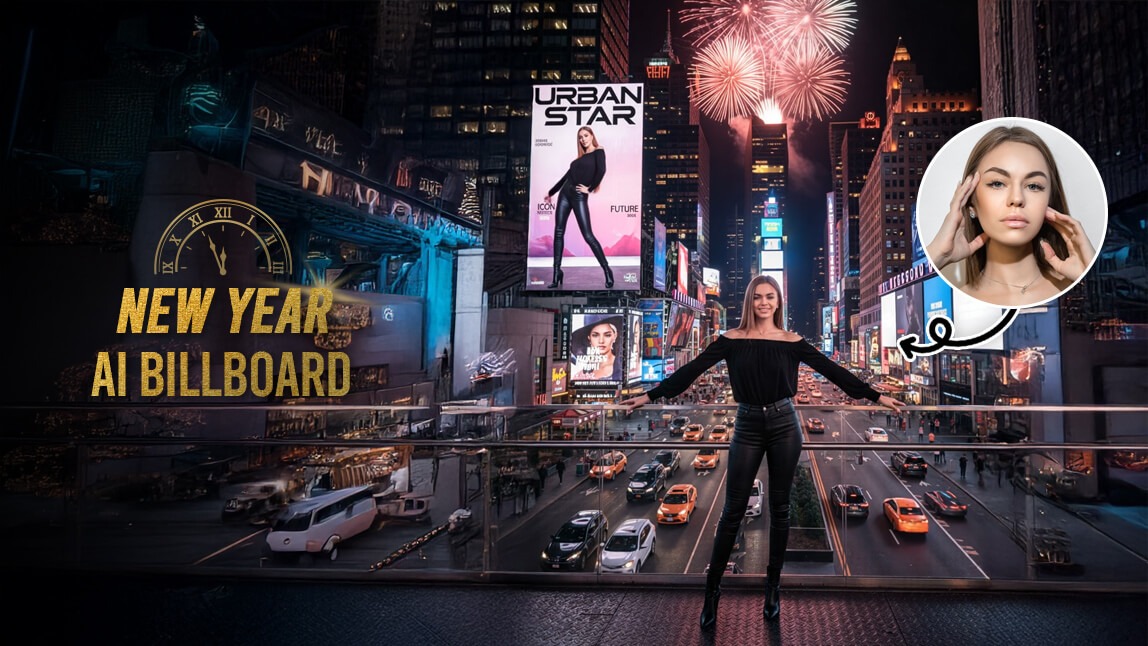
Think it requires pro-level VFX skills? Think again. Whether you’re a content creator or just want to wow your friends, I’m going to show you how to dominate the New Year countdown trend in just a few taps.
What is the AI Billboard Trend on Social Media?
The AI Billboard trend is all about "Main Character Energy." Using advanced generative AI, users are placing their own images and videos onto digital landmarks like the Times Square jumbotrons or the Las Vegas Sphere.
It’s more than just a filter; it’s a high-production video that makes it look like the entire world is celebrating you. As we head into the New Year, these videos are exploding on TikTok and Instagram Reels because they perfectly capture the excitement of a fresh start and global fame.
New Year AI Billboards: How to Make AI Billboard Signs on TikTok
Ready to see your name (and face) in lights? We’re using YouCam AI Pro, the leading tool for turning simple photos into viral-ready AI videos.
Step 1. Download YouCam AI Pro
Shared Materials by Strapi
*Adjust the size of images ONLY. Please go to Strapi to edit the materials info.
First things first, grab the YouCam AI Pro app from the App Store or Google Play. It’s the powerhouse behind many of the hyper-realistic AI effects you see trending right now.
Step 2. Tap AI Video & Image to Video
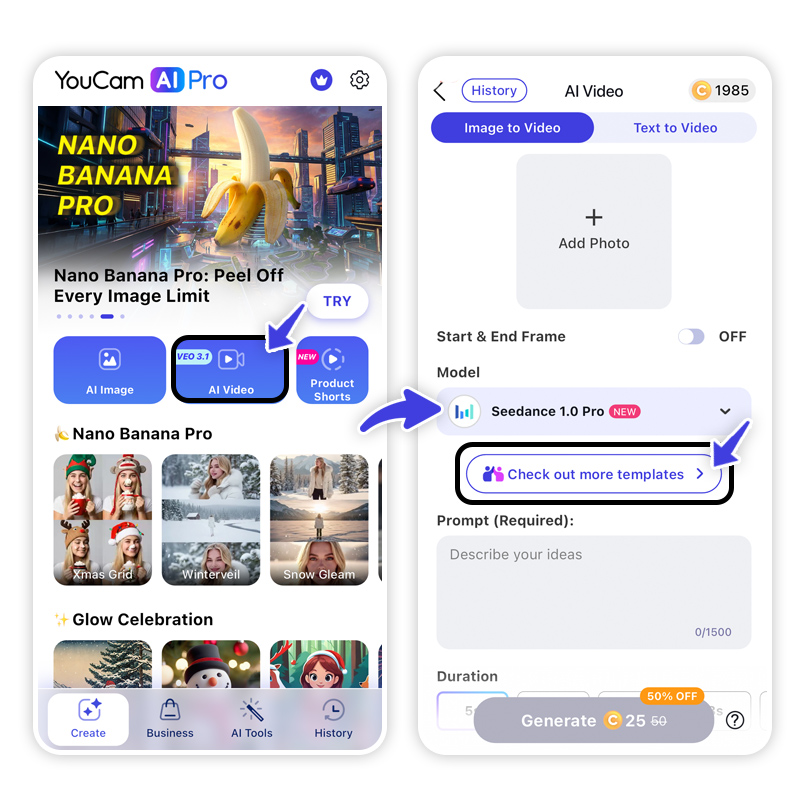
Open the app and navigate to the AI Video section. For the best billboard effect, you’ll want to use the Image to Video feature. This allows the AI to take your static selfie and give it the motion and lighting of a real outdoor display.
Step 3. Select City Famous Template
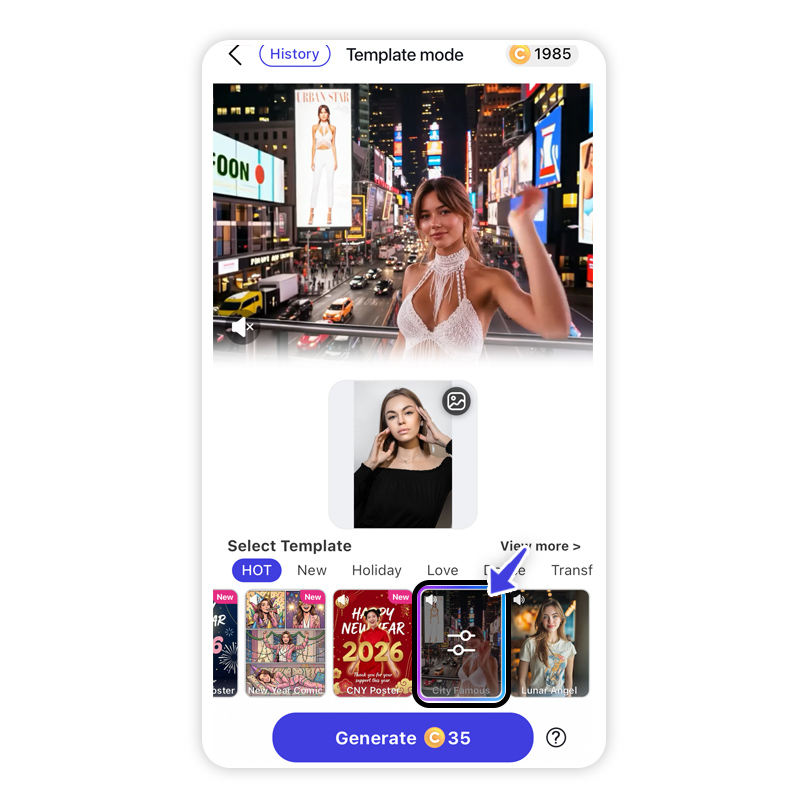
Look for the "City Famous" or "Sphere Me" templates. You’ll find options that specifically mimic the New Year countdown vibe, featuring iconic cityscapes and festive lighting.
Step 4. Generate & Save
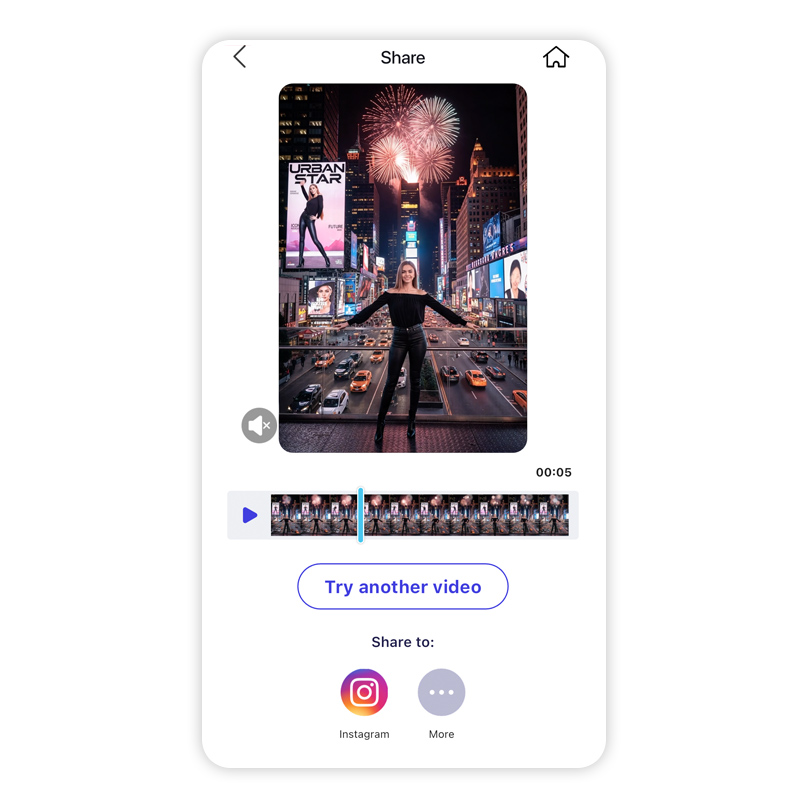
Upload your favorite photo, hit generate, and watch the AI work its magic. Within seconds, you’ll have a professional-grade AI Billboard sign video. Save it to your gallery and you're ready to post to TikTok!
Bonus: Top New Year Countdown Photo Prompts
If you want to go a step further and create a custom image from scratch before turning it into a billboard, try these AI prompts. Using specific prompts helps you control the "vibe" of your New Year celebration.
The Cartoon Style
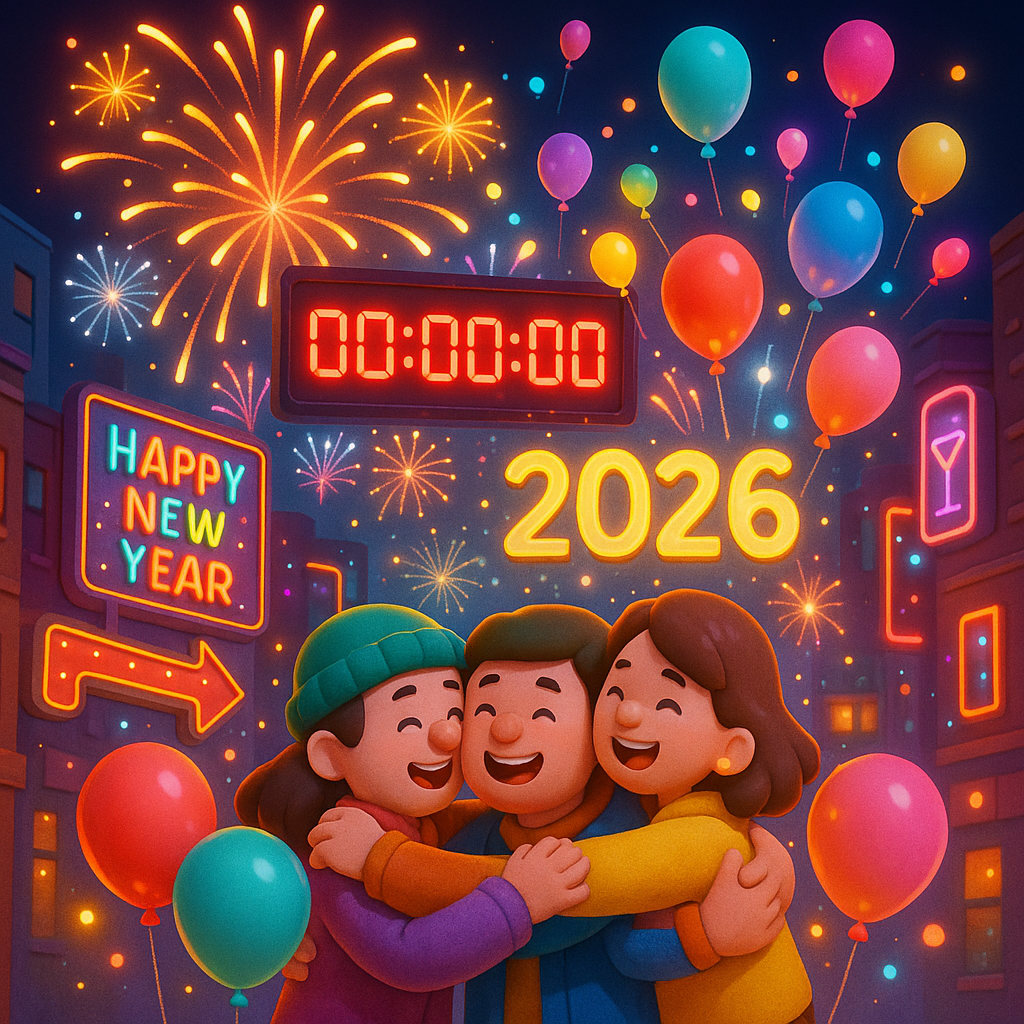
Prompt: A 3D cartoon-style New Year's Eve celebration unfolded, with the countdown screen flashing red "00:00:00". As soon as midnight struck, fireworks burst in the sky, illuminating the world. Cartoon characters embraced each other, their colorful balloons colliding and scattering sparks. Neon signs on the streets shimmered with colorful lights, and shouts of countdown mixed with glowing balloons rising into the air. The new year of "2026" began in dazzling splendor.
The Cyber-Neon Look
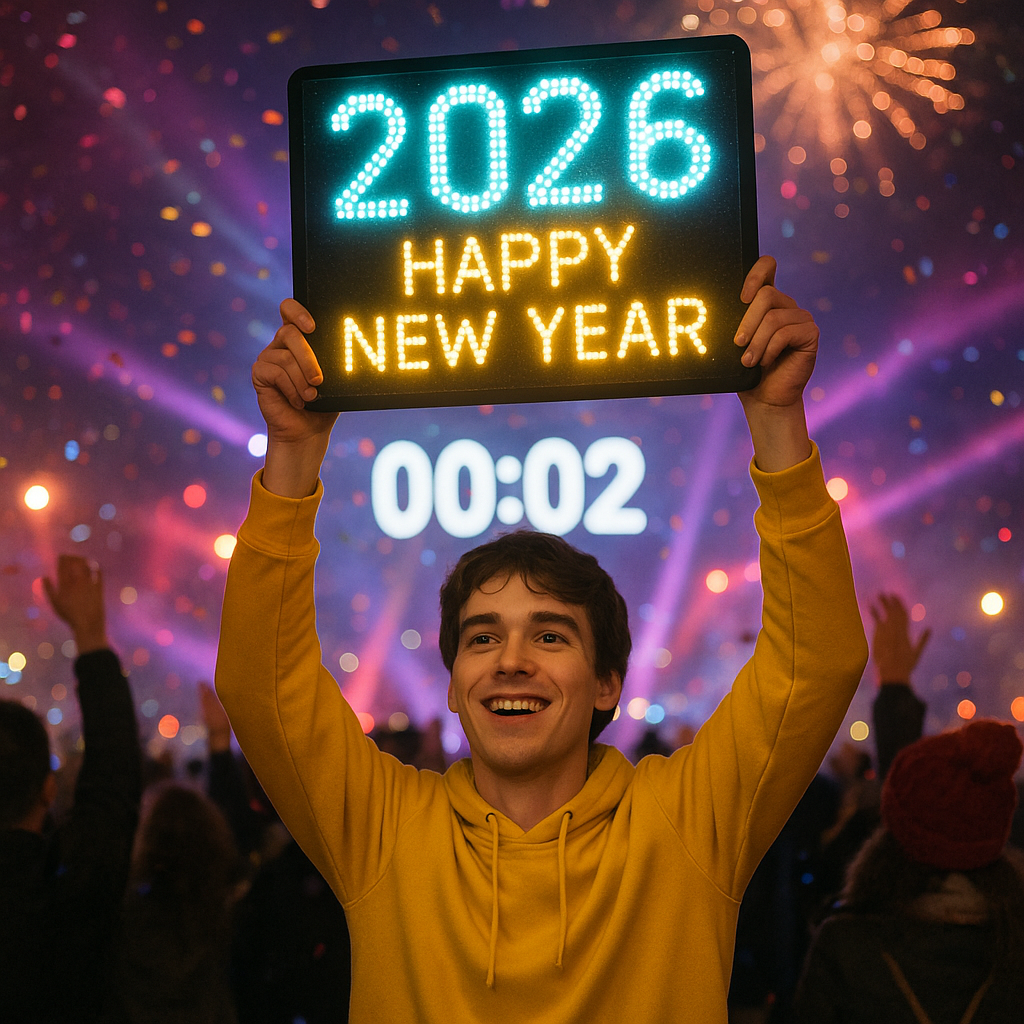
Prompt: At the New Year's Eve event, a Caucasian man with brown hair, wearing a yellow hoodie, held up a light sign that read "2026 Happy New Year" in sync with the countdown.
The Classic Countdown
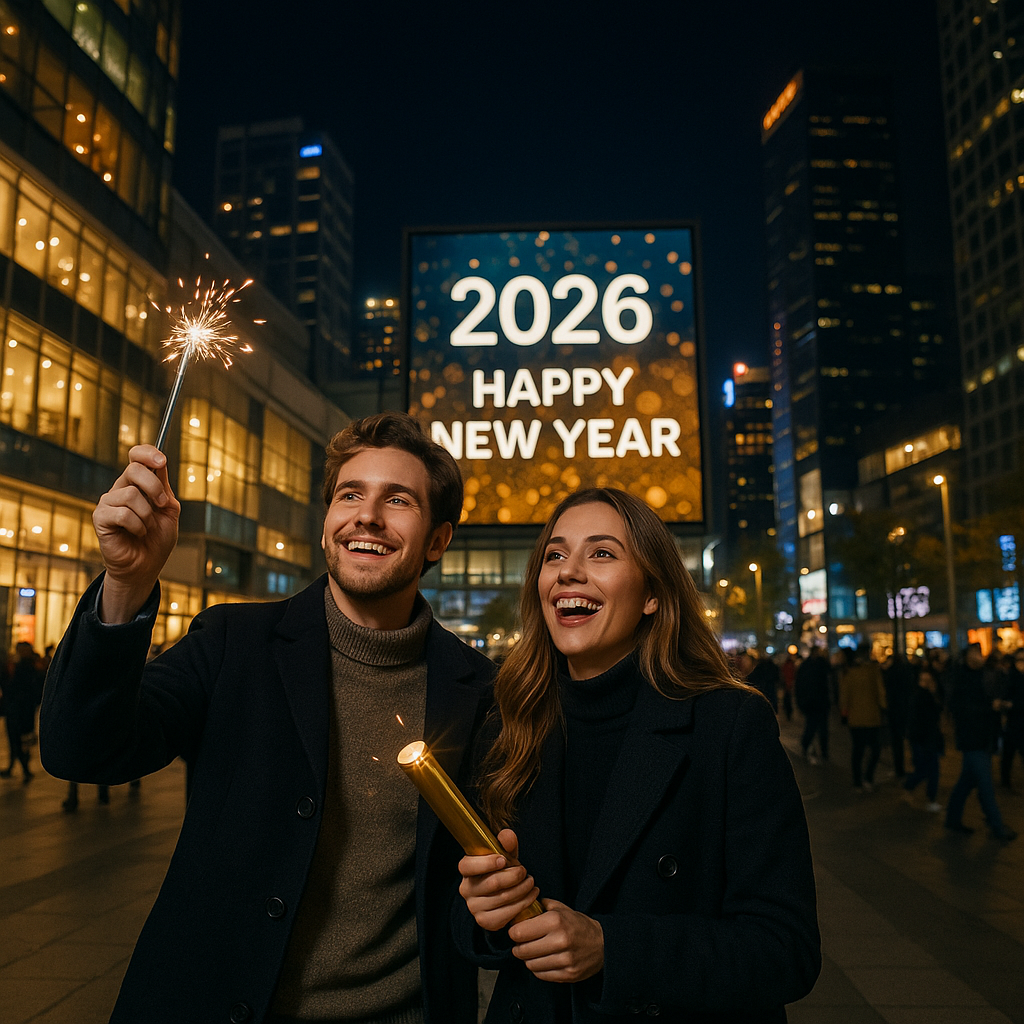
Prompt: In a bustling, vibrant plaza at night, surrounded by shopping malls and skyscrapers, a New Year's countdown screen in the mall's outdoor area displays "Happy New Year 2026." A stylishly dressed white couple is counting down the New Year; the man holds fireworks, and the woman holds firecrackers.
Why use AI prompts?
- Uniqueness: Stand out from the generic templates.
- Quality: Ensure your "billboard" looks like a million-dollar ad campaign.
- Creativity: Combine your imagination with AI's precision.
Ring in 2026 with Your Own AI Billboard
Shared Materials by Strapi
*Adjust the size of images ONLY. Please go to Strapi to edit the materials info.
Making a splash on social media doesn't have to be complicated. With an AI Billboard, you can turn a simple New Year's wish into a cinematic event that stops the scroll. It’s fast, it’s fun, and it’s the perfect way to kick off the year with a bang.
The world is your stage—go ahead and take the spotlight!
Ready to go viral?
Download YouCam AI Pro and create your first AI Billboard sign today!
About the Editors
The PERFECT Corp. Editorial Team
We are a team of experts on photo and video editing apps. Our goal is to deliver engaging content on everything from stunning selfie edits to eye-catching video effects. We cover the latest trends and share niche tips to help you master digital creation.



