


 Author:
To create a YouTube banner, you must use a YouTube banner generator to design high-resolution headers by providing specific brand prompts and adhering to safe-zone dimensions.
Your YouTube banner is the first thing people see when they land on your channel. It is like the outfit you wear on the first day of school because it sets the vibe. So why settle for something outdated or low-effort? If you are not a designer, creating a polished banner used to mean spending hours on complex software or hiring someone on Fiverr. But now, you can use a YouTube banner generator powered by AI to create a scroll-stopping header in seconds. Literally seconds.

Key Takeaways
- Efficiency: YouCam AI Pro create custom channel banner in seconds rather than hours.
- Standard Size: Stick to 2560 x 1440 pixels for the best display across all devices.
- Safe Zone: Keep your text and logo in the center 1546 x 423 area to avoid cropping on mobile.
Banner Design Comparison
| Bad/Vague Approach | Good/Specific Approach |
|---|---|
| Using a random blurry photo from your phone. | Generating a high-res AI image tailored to your niche. |
| Placing text at the very top or bottom edge. | Centering all text within the 1546px safe zone. |
| Clashing colors and generic fonts. | Consistent brand colors and bold, readable typography. |
What Is a YouTube Banner Generator?
A YouTube banner generator is a tool that helps you create custom channel art, usually without needing any design experience. Traditional tools offer templates, fonts, and color pickers. But now? It is all about AI-generated banners that look original and professional with zero effort. Think of it like ChatGPT meets Photoshop, but way easier to navigate.
Why Use an AI YouTube Banner Generator?
Let us break it down. Here is why creators, streamers, and vloggers are turning to AI for their channel art in 2026:
- It Is Fast: You literally type a prompt, click a button, and your banner is ready.
- No Design Skills Required: Whether you are tech-savvy or not, AI handles everything from layers to lighting.
- It Looks Professional: These banners look custom, branded, and totally on point with your specific niche.
- It Is Cost-Effective: Most AI tools offer a free version or trial, giving you pro results without paying a designer.
![Best AI Image Generator App [Free, No Sign Up]: YouCam AI Pro](https://plugins-media.makeupar.com/smb/blog/post/2026-01-27/webp_4006e602-50b2-465b-928d-3523c4f19a0d.jpg)
What is the Best Free YouTube Banner Generator in 2026?

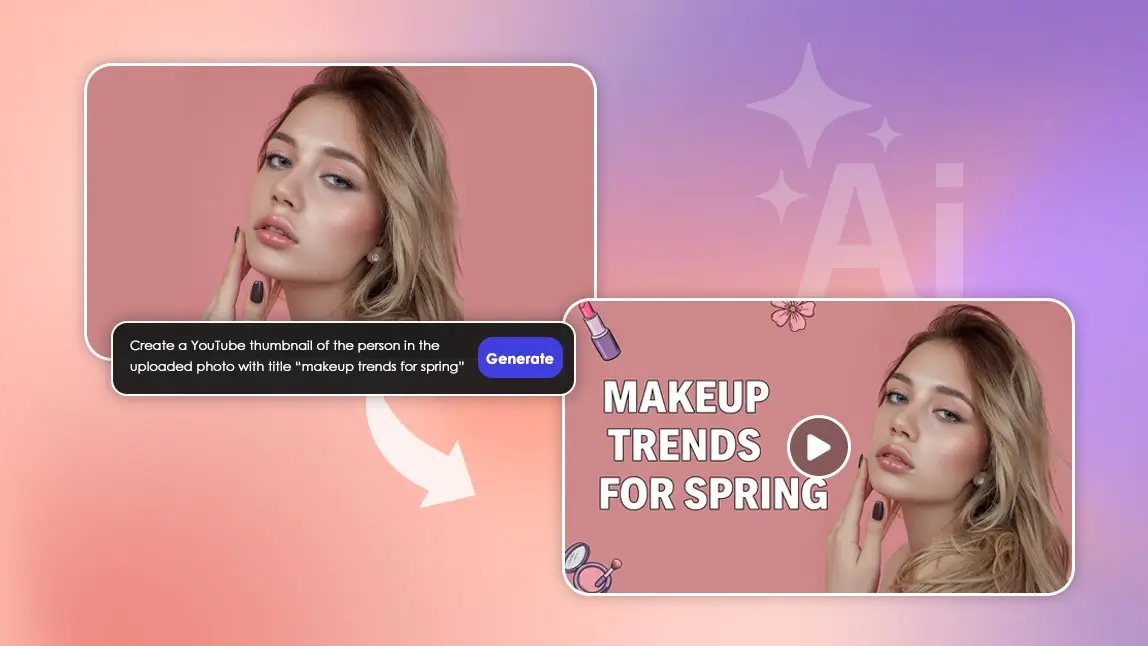
YouCam AI Pro is a go-to tool for creators who want high-end visuals. With its intuitive interface and smart AI features, you can generate banners and thumbnails that match your channel perfectly.
Here’s how to get started:
Step 1: Download YouCam AI Pro
Open the app and tap on the AI Image feature. Select the Nano Banana Pro model from the drop down menu.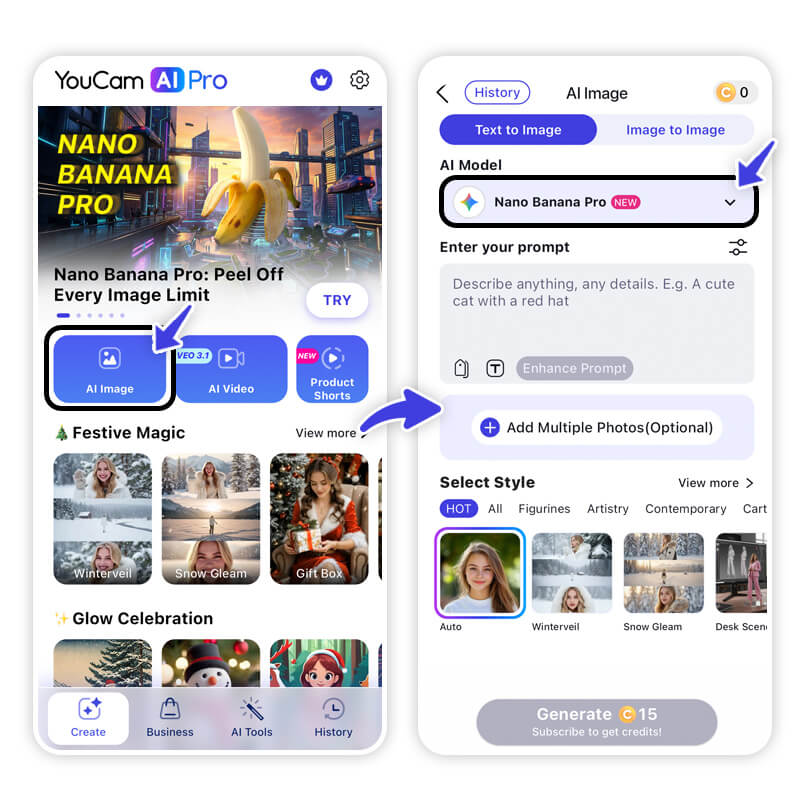
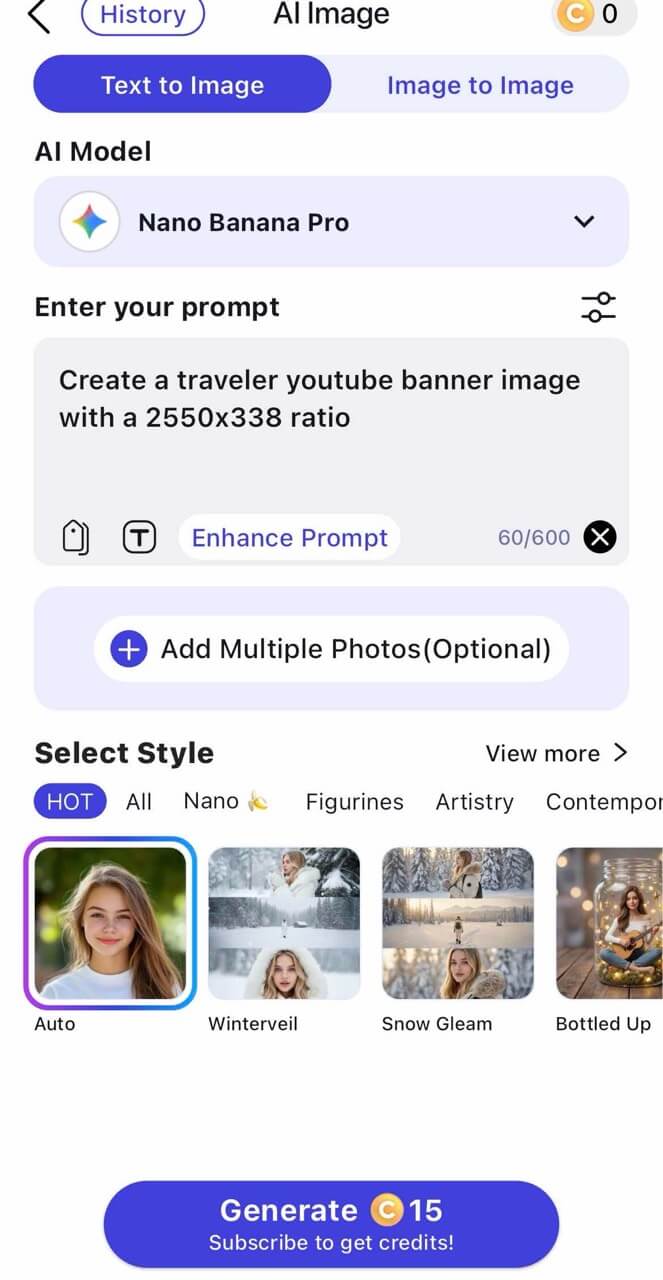
Step 2: Enter a Prompt
Enter a prompt to match your channel's style.
Step 3: Generate AI YouTube Banner Image
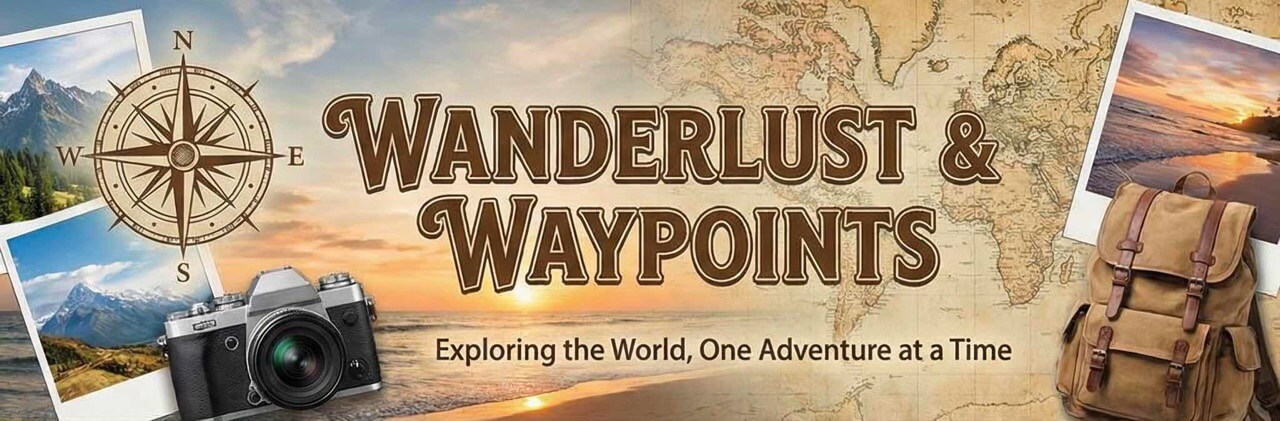
AI Prompt for the Perfect YouTube Banner
Here is the prompt you can use with most AI YouTube banner generators that support text-to-image or smart templates:
Prompt: “A vibrant, modern YouTube banner for a [channel niche] channel. Include bold text saying '[Channel Name]'. The vibe is [fun/minimalist/aesthetic/dark mode]. Use colors like [your brand colors] and feature elements like [icons, gaming setup, camera gear, makeup, etc.]. High-resolution, mobile-friendly.”
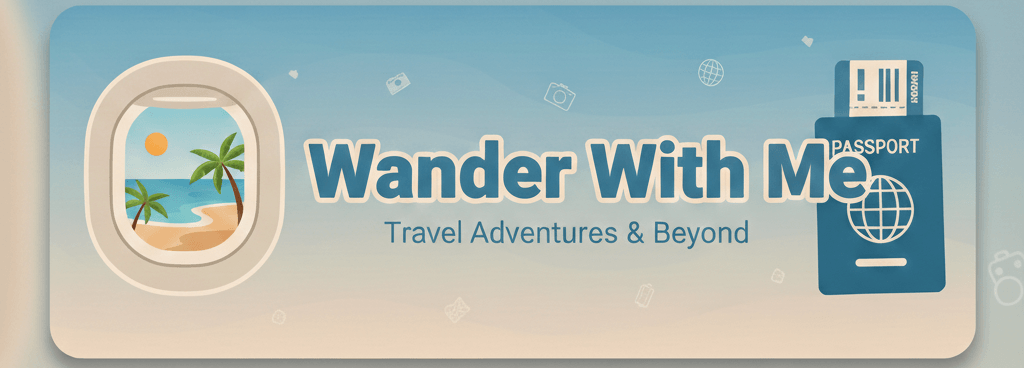
Example: “A vibrant, modern YouTube banner for a travel vlog channel. Include bold text saying 'Wander With Me'. The vibe is aesthetic and adventurous. Use colors like ocean blue and soft beige, and feature elements like airplane window, palm trees, and passport. High-resolution, mobile-friendly.”
Copy that, paste it into your generator, tweak it if you want, and you are golden.
Tips to Make Your Banner Look Professional
- Stick to 2560 x 1440 pixels: That is the recommended size for display standards.
- Stay in the Safe Zone: Keep key text and elements in the center 1546 x 423 area.
- Be Branded: Use consistent brand colors and fonts across your banner and thumbnails.
- Include a Schedule: Add your posting schedule or a short tagline if space allows.
- Mobile Test: Always test how it looks on a phone before you hit publish.
Final Thoughts
Whether you are building a beauty channel, streaming on the weekends, or sharing life updates like a mini podcast, your banner needs to reflect your vibe. An AI-powered YouTube banner generator takes the stress out of that step and lets you focus on what matters most: making content that connects. Using YouCam AI Pro alongside these tools ensures your entire channel presence is polished and professional.
About the Editors
The PERFECT Corp. Editorial Team
We are a team of experts on photo and video editing apps. Our goal is to deliver engaging content on everything from stunning selfie edits to eye-catching video effects. We cover the latest trends and share niche tips to help you master digital creation.
YouTube Banner Generator FAQs
- What size should my YouTube banner be?
- The ideal YouTube banner size is 2560 x 1440 pixels. The critical "safe zone" for text and logos is 1546 x 423 pixels, centered in the middle of the image.
- What should I include in my YouTube banner?
- You should include your channel name, a tagline or upload schedule, and visuals that match your specific brand niche. This helps viewers know exactly what to expect from your content.
- Can AI really create a good YouTube banner?
- Totally. With the right prompt, AI can generate stunning, high-res banners that look like they were made by a professional designer in a fraction of the time.



