


 Author:
Instagram used to be simple: snap, slap on a filter, post, repeat. Then came the algorithm, Stories, Reels, carousels, and an unspoken requirement that every post look like a mini magazine cover.
These days, knowing how to make a post on Instagram isn’t just about uploading a photo. It’s about creating something people actually stop scrolling for.
Between changing trends, shifting aesthetics, and the pressure to stand out, Instagram can feel less like a social app and more like a competitive sport.
But here’s the good news: you don’t need professional camera gear or a design degree to shine. You just need the right tools and a little creative confidence.
Let’s break down what makes an Instagram post work in 2025, and then we’ll walk through exactly how to create an Instagram post that feels polished, personal, and totally scroll-stopping.
Instagram Today: More Than Just a Pretty Picture
If you’ve noticed that Instagram is no longer just about “posting a pic,” you’re absolutely right.
The platform rewards posts that are:
- Visually clear and well-edited
- On-trend but not trying too hard
- Emotionally relatable or entertaining
- Easy to understand at a glance
Instagram offers in-app editing tools like cropping, brightness, contrast adjustment, filters, and text stickers. These are handy… but limited. Built-in tools are like seasoning: they enhance, but they don’t transform.
If you want your photo to look editorial, artistic, or professionally styled, you’ll need something a little more powerful. That’s where AI-powered photo editing apps come in and change the game entirely.
How to Post on Instagram: A Simple Step-by-Step Guide
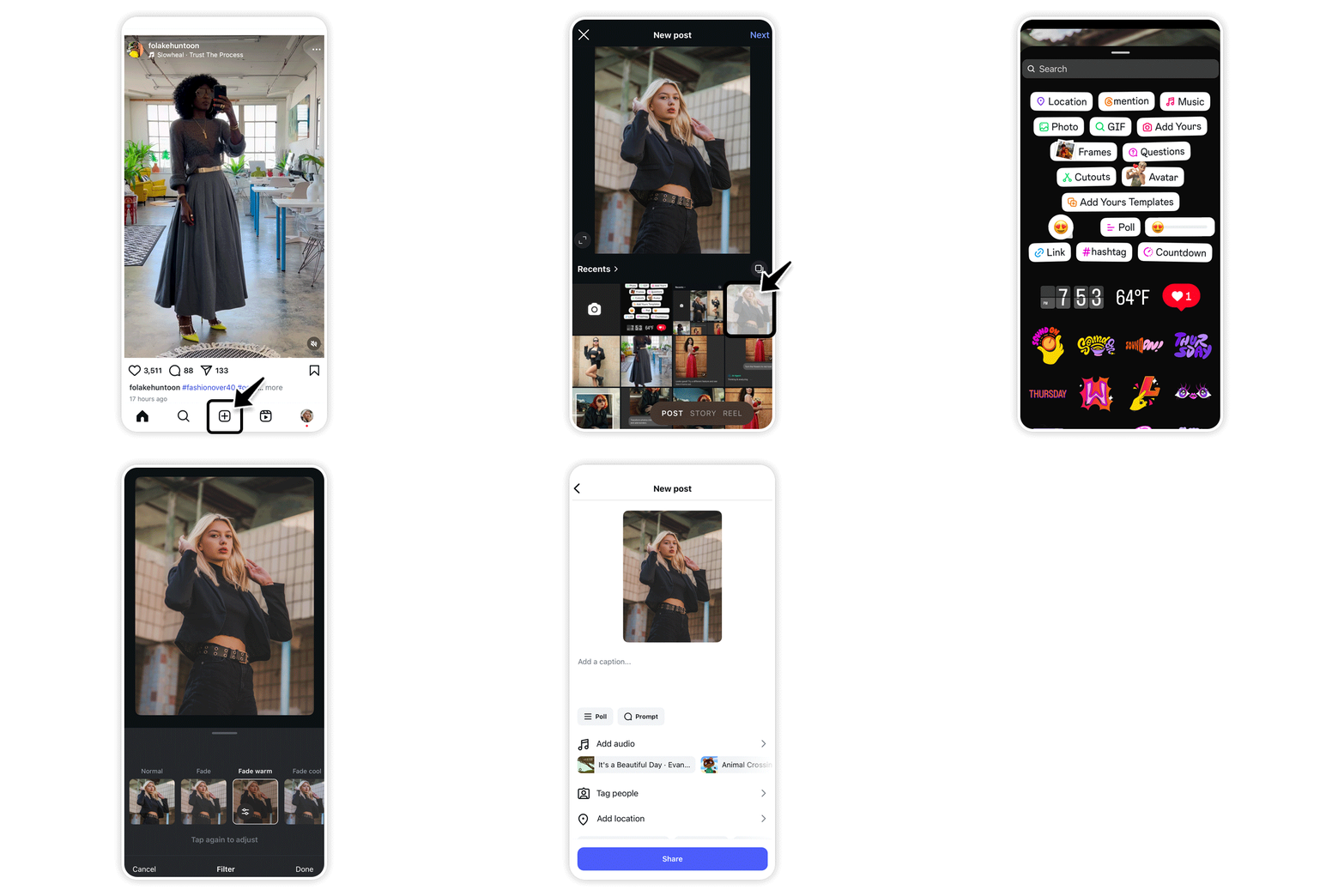 Posting on Instagram doesn’t have to be complicated.
Whether you’re sharing a snapshot of your day or promoting your latest creative project, these simple steps will get your content live and engaging in no time:
- Tap the “+” icon at the top of your screen to start a new post.
- Select your media: choose a photo or video from your library, or capture one directly in the app.
- Crop your image to focus on the subject and make it visually appealing.
- Apply a filter or adjust settings like brightness and contrast to enhance your photo.
- Write a caption that tells a story, shares context, or sparks conversation.
- Add emojis to inject personality and make your post more relatable.
- Use hashtags to increase discoverability and reach your target audience.
- Include a location tag if relevant, so followers know where your content comes from.
What Makes a Post “Stand Out” in a Sea of Content?
Before we jump into editing, let’s talk strategy.
The best Instagram posts usually have one (or more) of these qualities:
✔️It Tells a Story
A cup of coffee is just a cup of coffee, until you frame it as “Monday survival mode.” Storytelling makes everyday photos relatable.
 ✔️It Looks Intentional
A clean edit signals effort. Even casual posts should still look curated.
✔️It Has a Mood
Warm, cozy, dramatic, playful. A strong vibe = a stronger post.
✔️It’s Authentic (Not Overproduced)
There’s a difference between polished and plastic. People connect to real.
Understanding these basics already puts you ahead of half the feed.
How To Make a Post on Instagram Using YouCam Perfect
Ready to turn your “meh” pics into magic? Here’s exactly how to make a post on Instagram with the help of YouCam Perfect and its AI (and not only) tools.
Step 1: Download the App
Install YouCam Perfect from the App Store or Google Play. It’s your creative sidekick.
Step 2: Upload Your Photo
Choose the photo you want to edit. Selfie, flat lay, outfit shot, latte art - everything counts.
Step 3: Meet AI Agent (Your AI Editor Bestie)
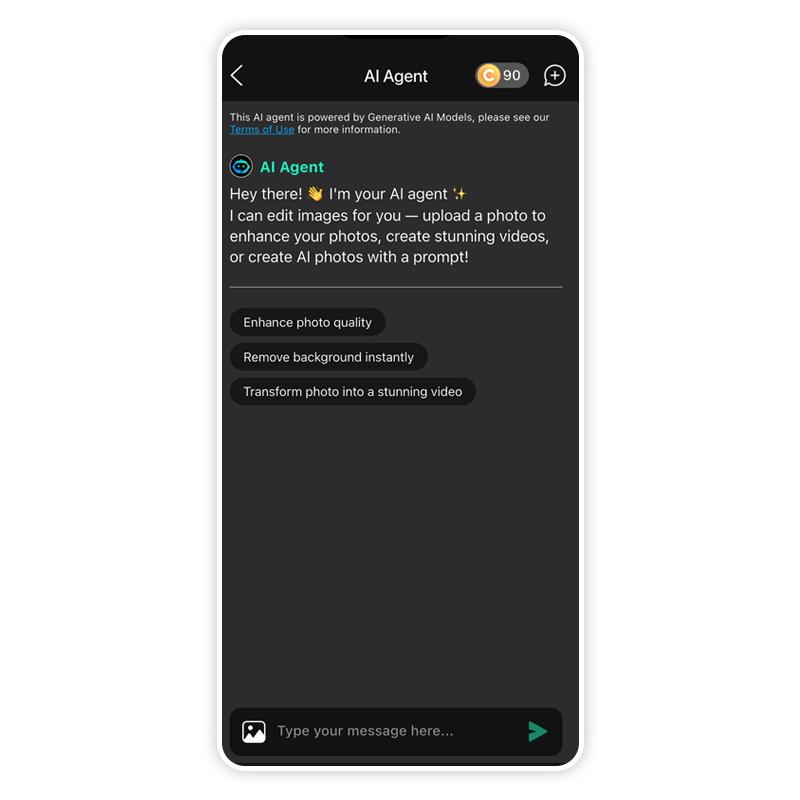 Open AI Agent, the conversational AI tool that edits photos based on text instructions. Instead of clicking through menus, you just talk to it. You can type things like:
- “Remove the background and make it aesthetic.”
- “Fix the lighting and smooth the skin.”
- “Make this look like a magazine cover.”
The AI understands natural language and makes changes instantly. Editing has officially entered the chat era.
Step 4: Level Up With Pro Tools
 Now comes the fun part: fine-tuning your post with AI superpowers.
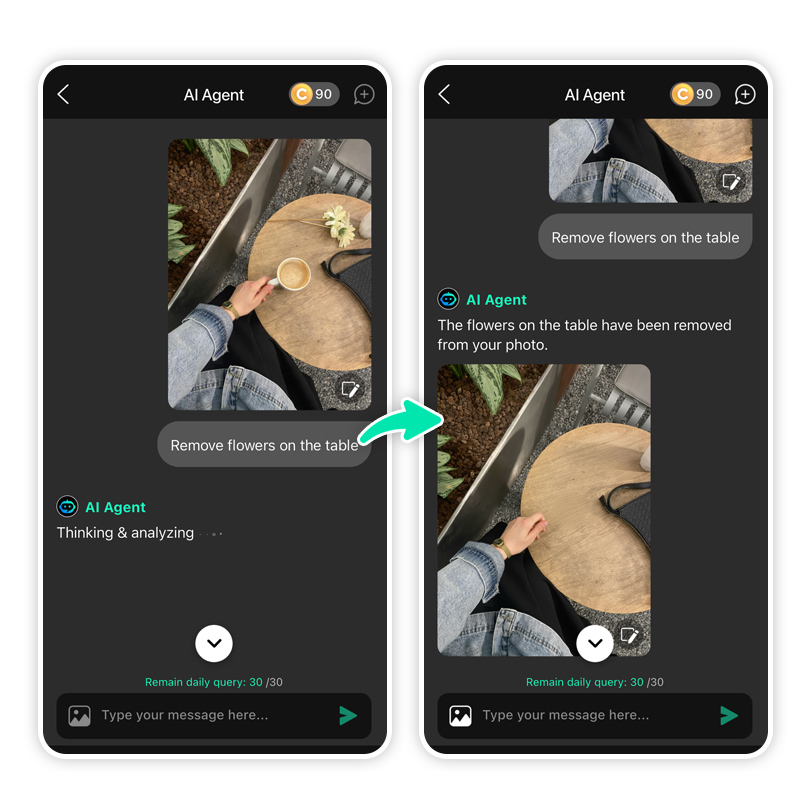
👉AI Object Removal
Delete random photobombers, messy backgrounds, or that mysterious elbow in the corner. Gone in seconds.
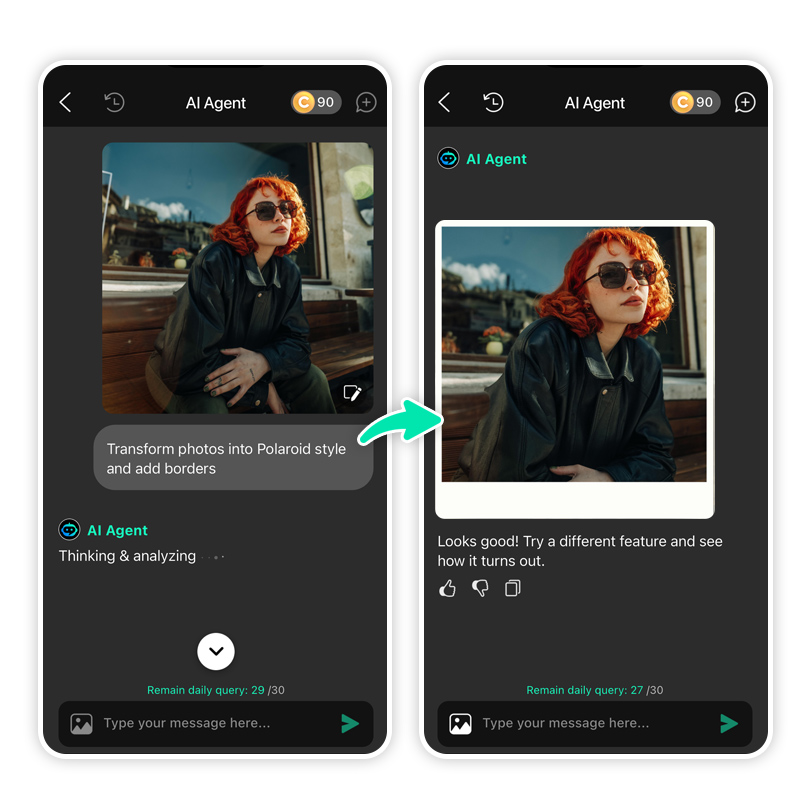
👉Filters & Effects
Apply subtle mood filters or go bold with creative looks. Think glow-up, but make it tasteful.
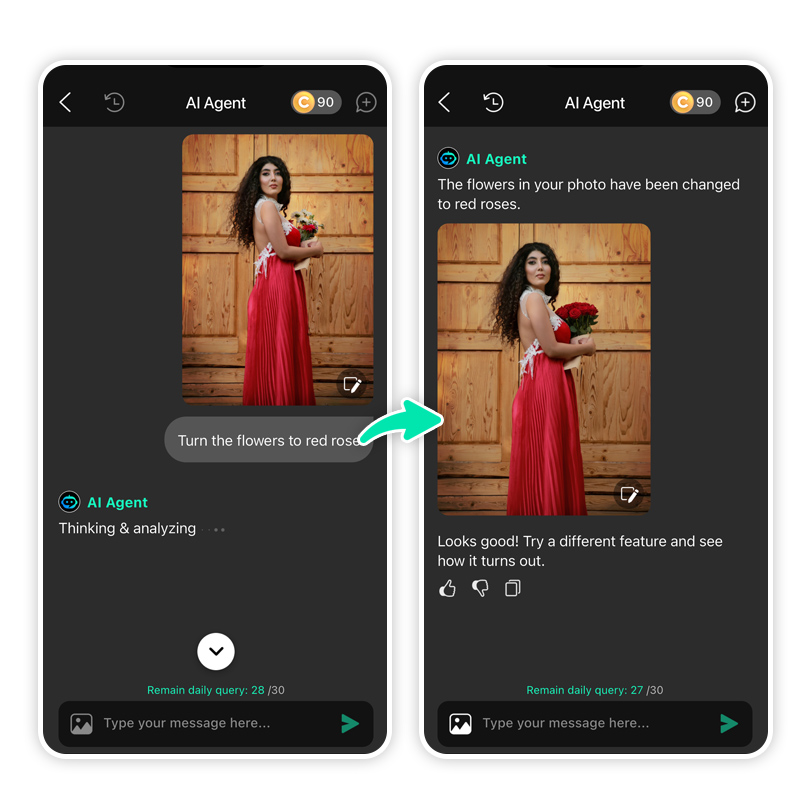
 👉AI Replace
Add anything you can imagine to your photo: floating lights, flowers, clouds, aesthetic props. Yes, seriously.
 👉Collage & Layout Tools
Turn multiple photos into a stylish grid or aesthetic layout for carousel posts.
Step 5: Save & Post
Export in high quality and upload directly to Instagram. Congratulations! You didn’t just post. You published.
How to Create an Instagram Post That Feels Professional (Without Being Boring)
 Editing is half the job. Presentation is the other half.
Here’s how to elevate your post from “nice pic” to “who is she?”:
- Choose a Clear Focal Point. Your audience should instantly know what the photo is about.
- Stick to a Color Vibe. Consistency = visual identity. Even casual accounts look better when there’s a recurring style.
- Write Captions That Sound Human. Drop the robotic quotes. A little personality beats perfection.
- Don’t Over-Edit. AI is powerful, but restraint is cooler. Let your photo breathe.
Mastering how to create an Instagram post is really about knowing when to enhance and when to let things feel natural.
Ready to Make Your Feed the Main Character?
The difference between a forgettable post and a share-worthy one often comes down to lighting, clarity, composition, and confidence. Editing simply brings out what was already there.
So, stop guessing your way through editing and start creating with confidence. Download YouCam Perfect now and turn everyday photos into scroll-stopping Instagram magic.
How to Make a Post on Instagram FAQs
How do I create a post on my Instagram?

Open Instagram, tap the + icon, select a photo or video, tap Next, apply edits or filters, write a caption, add tags or location, then tap Share. For better results, edit your photo first using an app like YouCam Perfect before uploading.
How to post a regular post on Instagram?
Tap the + icon on Instagram, choose a single photo or video, tap Next, apply edits if needed, add a caption, and tap Share. This creates a standard feed post that appears on your profile and followers’ feeds.
How do I create a post with multiple pictures on Instagram?
Tap +, select the stacked square icon, choose up to 10 photos or videos, tap Next, edit each image, add a caption, and tap Share. This creates a carousel post users can swipe through.
Is it better to post reels or photos?
Reels usually get more reach due to Instagram’s algorithm, while photos build visual identity and engagement. The best strategy is a mix: use Reels for discovery and photos or carousels for storytelling and branding.



