


From Casual Selfie to Corporate Headshot
Start with an everyday selfie and choose a business style. The AI changes the outfit, lighting and background while keeping your own face, so you get a clean profile photo without booking a studio.


Turn a casual selfie into a polished headshot for LinkedIn, a resume or a team page. Pick a style in YouCam Makeup and let the AI handle the lighting, outfit and background.
From Casual Selfie to Corporate Headshot
Start with an everyday selfie and choose a business style. The AI changes the outfit, lighting and background while keeping your own face, so you get a clean profile photo without booking a studio.



A Polished Look for Resumes and Profiles
Swap a street-side snapshot for a soft-lit portrait with a warm, simple background. It is a good fit for a resume, a speaker bio or a personal website.
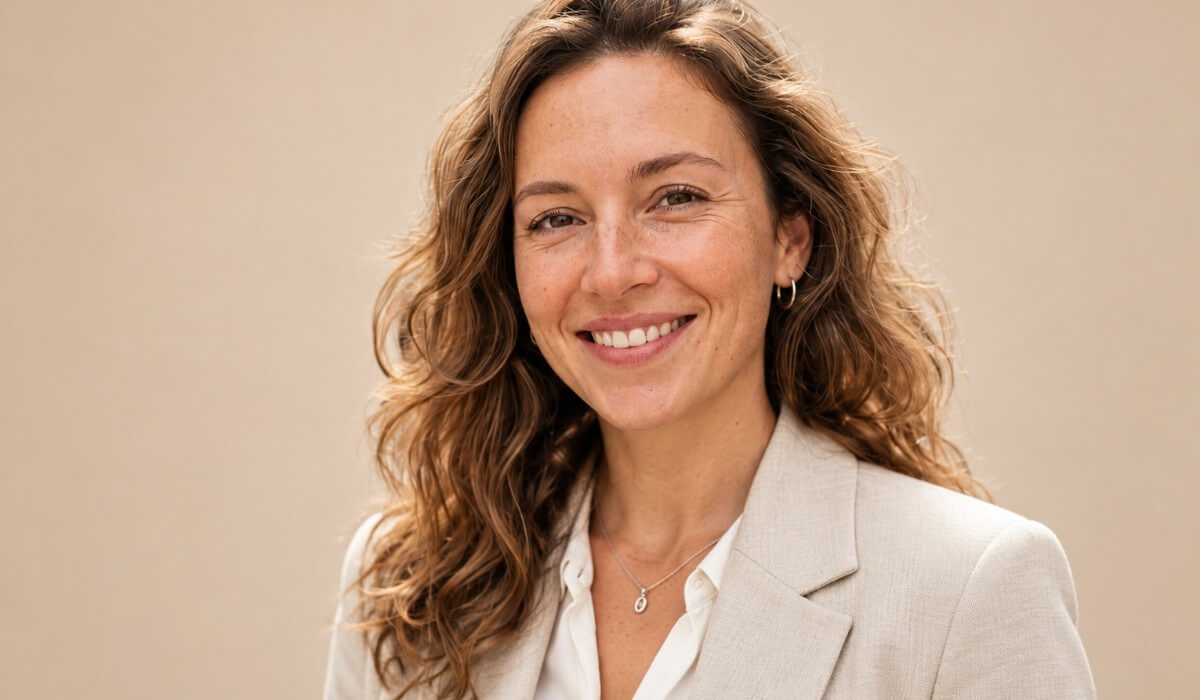
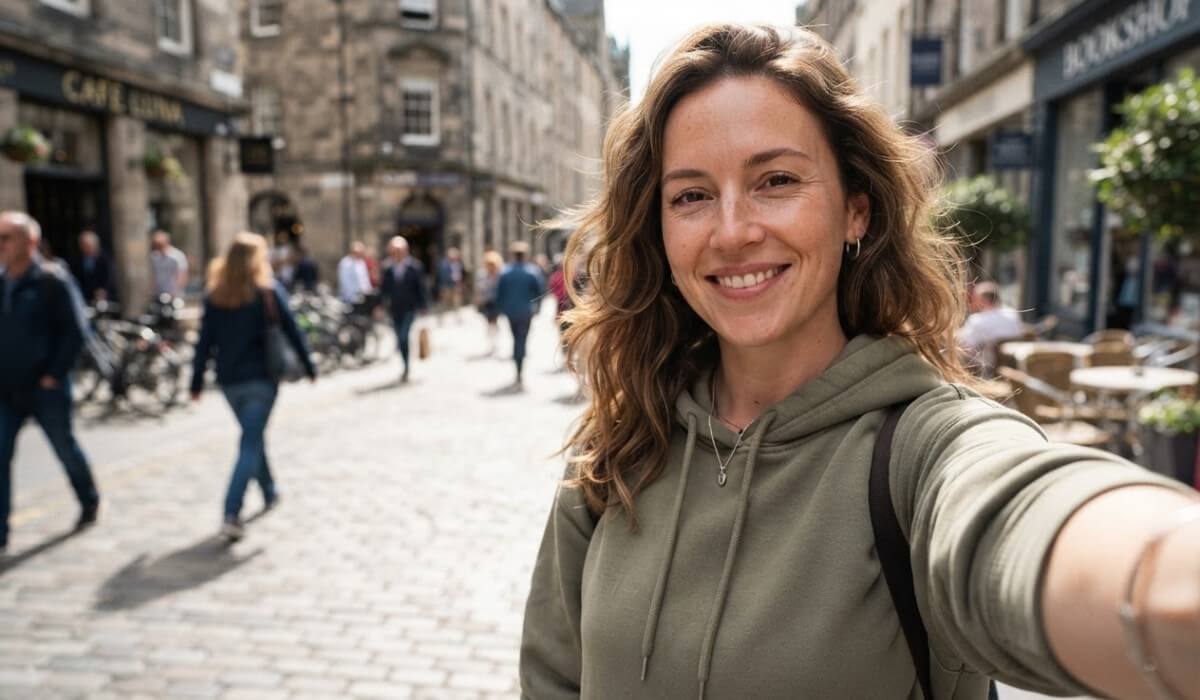
Consistent Headshots for Team Pages
A cluttered home office does not have to show in your team photo. Choose a matching style and background so everyone on the page looks consistent.


How to Make a Professional Headshot on Your Phone
The AI builds the headshot from your selfie, so the photo you start with makes a real difference.
Soft daylight on your face gives even skin tones and avoids harsh shadows that can carry into the result.
Hold your phone at eye level, face the lens and keep your whole face in view. Skip sunglasses and hats.
A blazer suits a resume or a team page, while a relaxed look fits a social profile. Pick the style first, then compare results.
AI Headshots in YouCam Makeup
YouCam Makeup includes an AI headshot generator in AI Studio, alongside makeup, hair and face tools.
Generate AI headshots, try makeup and hair looks, and edit your face in one app.

Yes. YouCam Makeup has an AI headshot generator in AI Studio. Import a selfie, choose a Headshot style and generate up to 5 styles at once.
A clear, front-facing photo with soft, even light and your whole face in view. Avoid sunglasses, hats and heavy filters, and keep other people out of the frame.
The AI aims to keep your own features while changing outfit, lighting and background, but results vary by photo. Compare the styles with your original and choose the one that looks most like you before you use it.
Many people do. Check the rules of the platform or employer you are using it for, and make sure the photo is still an accurate likeness of you.
Tap Batch to generate up to 5 styles in one go, which makes it easy to compare looks side by side.
You can try it in YouCam Makeup. Some styles or features may need a subscription or credits, so check the app for current details.
Add trendy makeup styles and flawless beauty filters for a natural makeover.


