


 Author: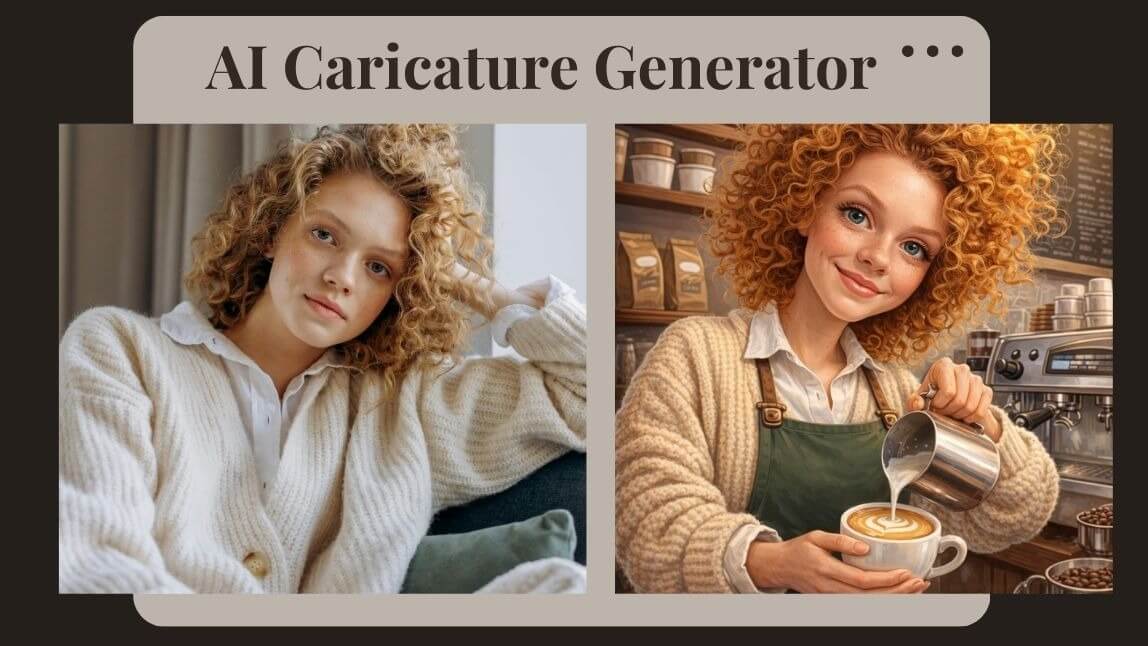
Ever scrolled through your feed and seen your friends transformed into over-the-top, 3D Pixar-style characters surrounded by the chaos of their daily jobs? Whether it’s a nurse juggling giant thermometers or a coder drowning in coffee mugs and glowing screens, the ChatGPT caricature trend is officially taking over 2026.
Whether you want to spice up your LinkedIn or just give your followers a laugh, I’m going to show you how to master the "Create a Caricature of Me & My Job" prompt using ChatGPT and the best AI caricature generator tools on the market. Let’s turn your professional "grind" into a digital masterpiece!

Key Takeaways for the 2026 Caricature Trend
- The "Memory" Advantage: If you have a long chat history, ChatGPT can automatically include "Easter eggs"—like your favorite coffee brand or specific work frustrations—into the art using the prompt: "Create a caricature of me and my job based on everything you know about me."
- Likeness vs. Exaggeration: The trend focuses on "vibe" over realism. To get the best results, use a clear, front-facing selfie and ask the AI to "preserve facial identity" while "exaggerating proportions."
- 3D Cinematic is King: While 2D sketches are classic, the viral look of 2026 is the "3D Cinematic Pixar-style"—polished, high-contrast, and deeply expressive.
- The Best ChatGPT alternative: The best tool to generate your caricature is YouCam AI Pro. The more specific you are about your job & figure, the more the image resonates.
What is the ChatGPT Caricature Trend?
The trend exploded in early February 2026 when users discovered that ChatGPT (specifically with its updated memory and visual engines) could synthesize years of chat history into a single, satirical image. By using the prompt "Create a caricature of me and my job based on everything you know about me," the AI pulls "Easter eggs" from your past conversations—your love for cats, your obsession with spreadsheets, or that one project you've been venting about—and turns them into visual punchlines.
It’s personal, it’s relatable, and it’s a bit "creepy-accurate" in the best way possible. But what if you’re a new user, or you want more control over the "artistic" side? That’s where specialized tools come in.
How to Create a Caricature of Me Based on What You Know with YouCam AI Pro
While ChatGPT is great for the "intel," using a dedicated AI caricature generator like YouCam AI Pro gives you studio-quality results and better control over your facial likeness. Here is your 4-step guide to nailing the trend:
Step 1. Download YouCam AI Pro

AI Image & Video Generator
Turn text into AI Caricature instantly.
Supports Text-to-Image & Image-to-Video.
Start by grabbing the YouCam AI Pro app. It’s currently the top-rated tool for the ChatGPT caricature trend because of its specialized "Image-to-Image" engine.
Step 2. Tap AI Image & Image to Image
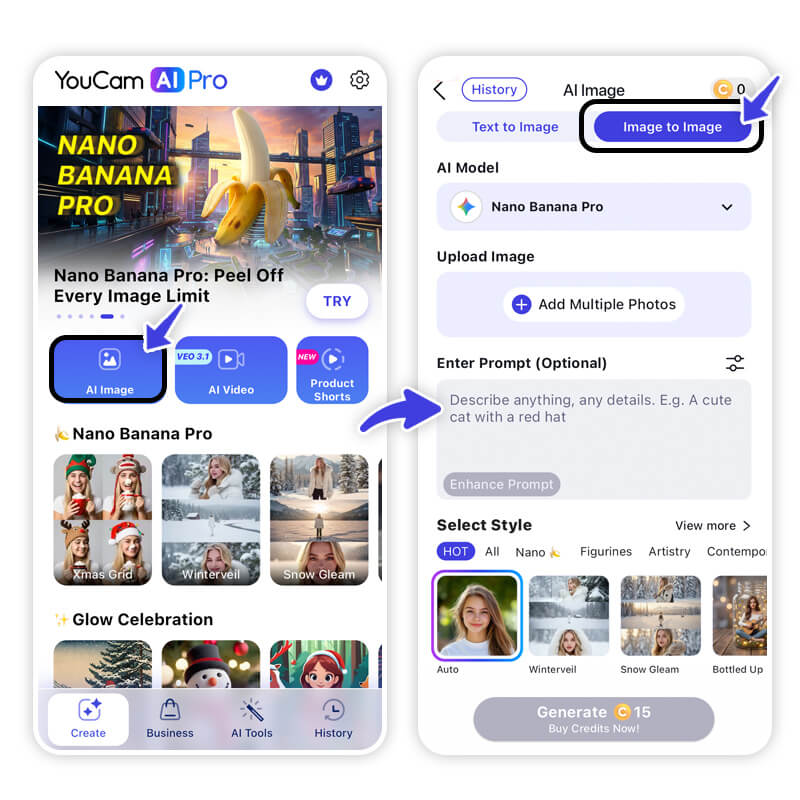
Open the app and select the AI Image tool. To make sure the caricature actually looks like you (and not a generic cartoon), use the Image to Image feature. This uses your real photo as a structural blueprint.
Step 3. Enter Prompts & Upload Photo
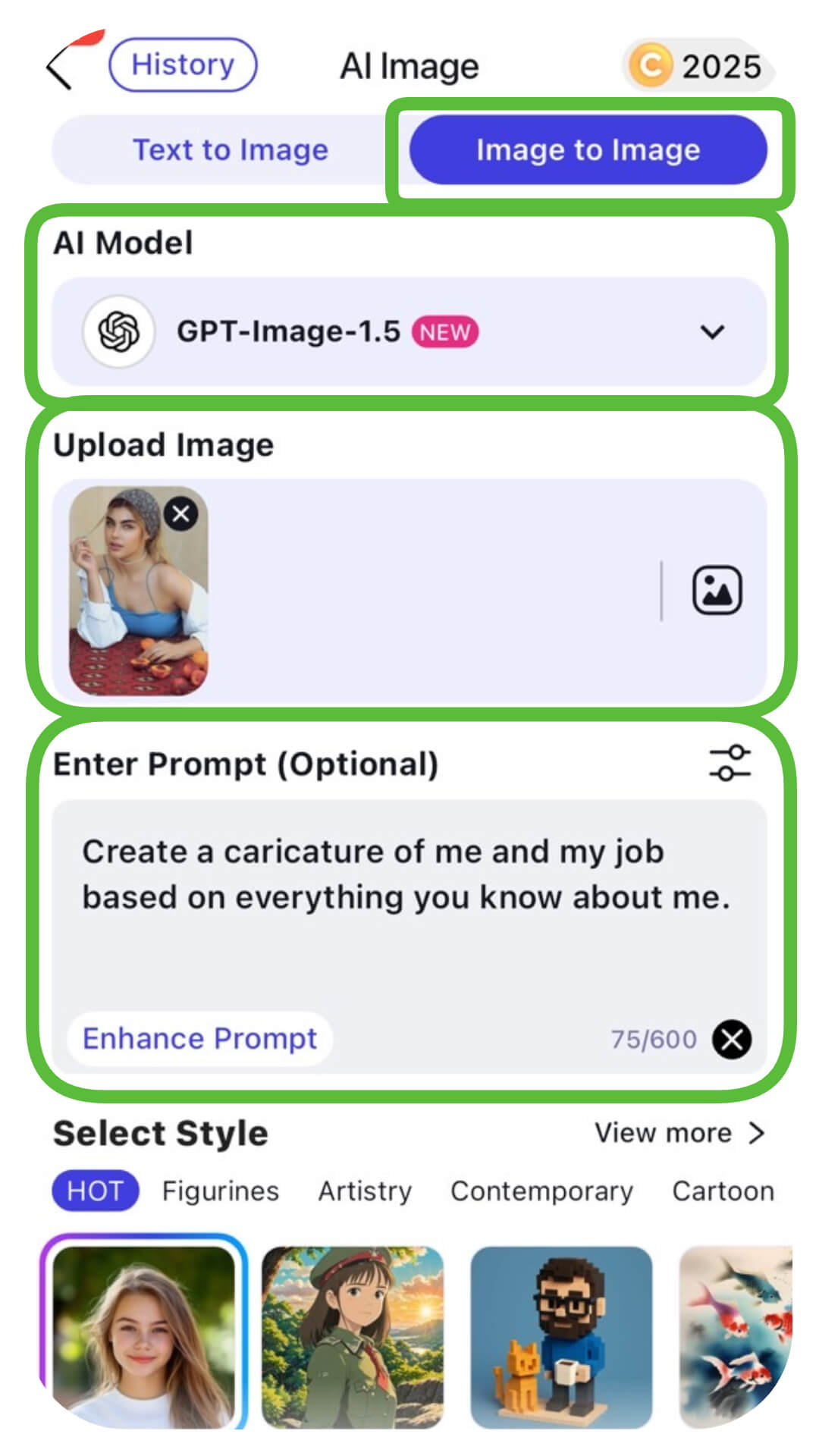
Upload a clear, well-lit selfie. Then, in the prompt box, copy and paste the viral phrase:
"Create a caricature of me and my job based on everything you know about me."
Pro Tip: If you want a specific vibe, add a few details like "in a 3D cinematic style" or "as a vintage 90s theme park sketch." Adjust the Image Weight slider to around 50–60% to get that perfect balance of "it looks like me" and "it's hilariously exaggerated."
Step 4. Generate & Save
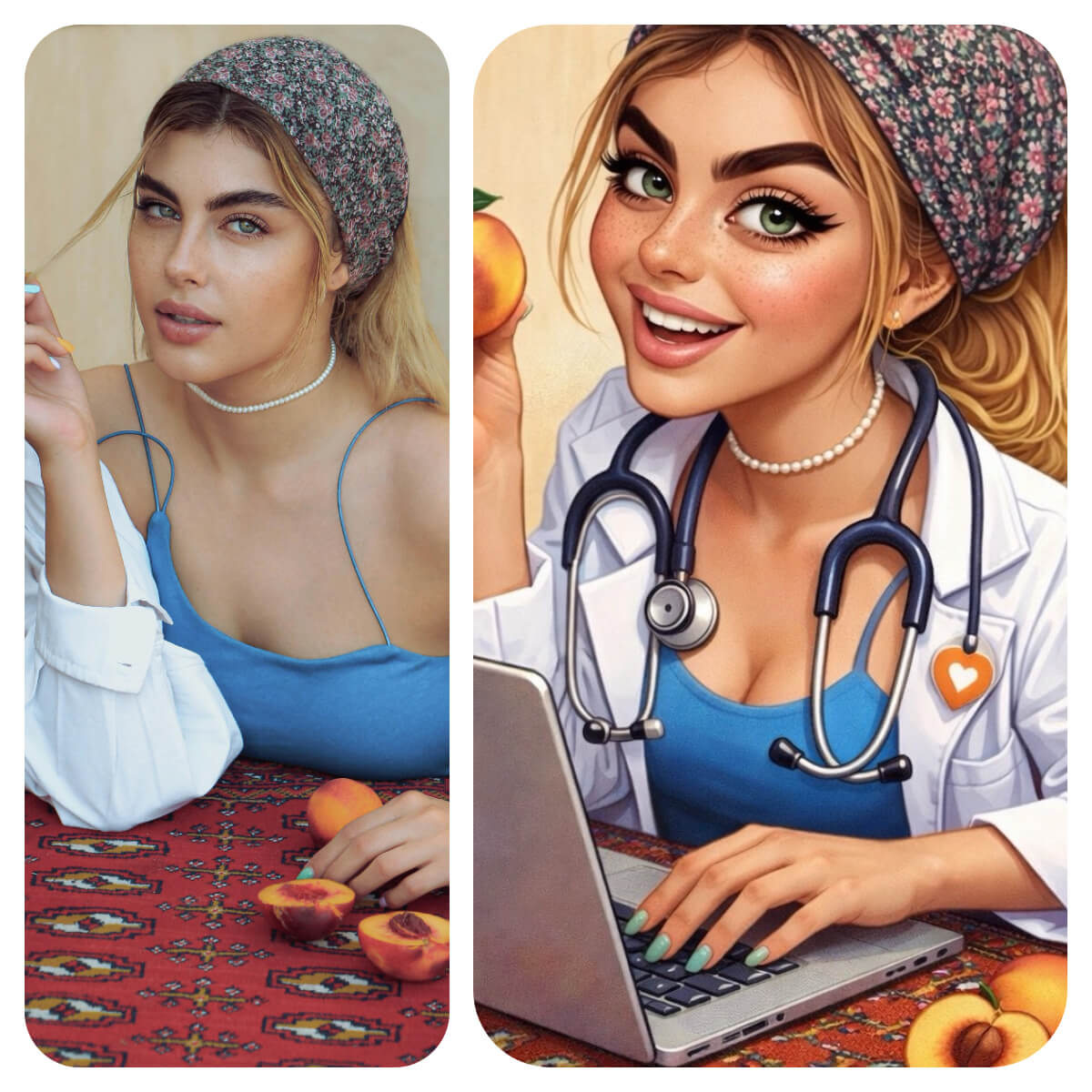
Hit "Generate" and watch the magic happen. You’ll receive several variations of your professional persona. Pick the one that nails your "vibe," save it in high-res, and you're ready to post!
About the Editors
The PERFECT Corp. Editorial Team
We are a team of experts on photo and video editing apps. Our goal is to deliver engaging content on everything from stunning selfie edits to eye-catching video effects. We cover the latest trends and share niche tips to help you master digital creation.
AI Caricature Generator FAQs
What if ChatGPT doesn’t have a history of my job?

Don't worry! You can manually add context. Simply edit the prompt to: "Create a caricature of me as a [Your Job]. I love [Hobby] and I’m always carrying [Object]."
Is it safe to use my photo for AI caricatures?
Yes, but always use reputable apps like YouCam AI Pro or official OpenAI tools that have clear data privacy policies. Avoid "too good to be true" free websites that don't disclose how they use your data.
Why do some AI caricatures look generic?
This usually happens when the "Image Weight" is too low or the prompt is too vague. Be specific about your tools of the trade—like a specific type of camera for a photographer or a massive headset for a gamer.



