


 Author:
From virtual presenters to digital spokespeople, AI talking avatar generators are reshaping how we communicate online. Whether you want to create engaging business videos, personalized messages, or dynamic social content, the right AI avatar tool can bring your words to life with natural speech and expressive animation.
In this guide, we’ve rounded up the 5 best AI talking avatar generators in 2026, including industry leaders like YouCam AI Pro, HeyGen, D-ID, InVideo AI, and VEED — so you can find the perfect tool for your needs.
5 Best AI Talking Avatar Generators in 2026
| Tool | Best For | Standout Feature | Platform |
|---|---|---|---|
| YouCam AI Pro | Business videos, product demos | AI Business Presentation Tools + custom brand avatars | iOS & Android |
| HeyGen | Expressive social content | Highly animated, human-like facial motion | iOS & Android |
| D-ID | Deepfake-quality avatars | Seamless lip sync | Web |
| InVideo AI | Full video + avatar workflow | Drag-and-drop editing with built-in TTS | Web |
| VEED | Fast, simple avatar videos | Minimal setup, quick text-to-speech | Web |
1. YouCam AI Pro: Best AI Talking Avatar Generator for Business
I generated a product-demo avatar with YouCam AI Pro and found the business templates cut my production time down significantly — the lip sync held up well even with technical vocabulary I fed it.
- "I was surprised by how realistic the images turned out, which is exactly what I wanted!" — Jayleigh42
- "Results are stunning — smooth and super responsive results without waiting around." — Lars in ATX
If you’re looking for a powerful platform that combines AI talking avatar generation with professional-grade business features, YouCam AI Pro is the top choice for 2026. It’s built to serve both individual creators and companies that need high-quality avatar videos for marketing, presentations, and product demos.
Why YouCam AI Pro Is the Best AI Avatar Generator
- AI Business Presentation Tools: Create avatar-led product explainers, ads, and sales pitches automatically.
- Expressive Lip Sync & Voice Control: Natural speech that aligns with powerful text-to-speech and multilingual support.
- Custom Avatar Models: Generate talking avatars that reflect your brand style or persona.
- Fast Production: From script to avatar video in minutes; perfect for social, websites, and pitch decks.
How to Make an AI Talking Head Using YouCam AI Pro
Step 1: Download YouCam AI Pro
Download YouCam AI Pro for free on iOS or Android devices.

Best AI Talking Avatar Generator
Turn text into AI art instantly.
Supports Text-to-Image & AI Avatars.
Step 2: Navigate to the AI Business Feature
Go to the AI Business section — this feature lets you generate talking avatars, scripts, and on-brand visuals together.
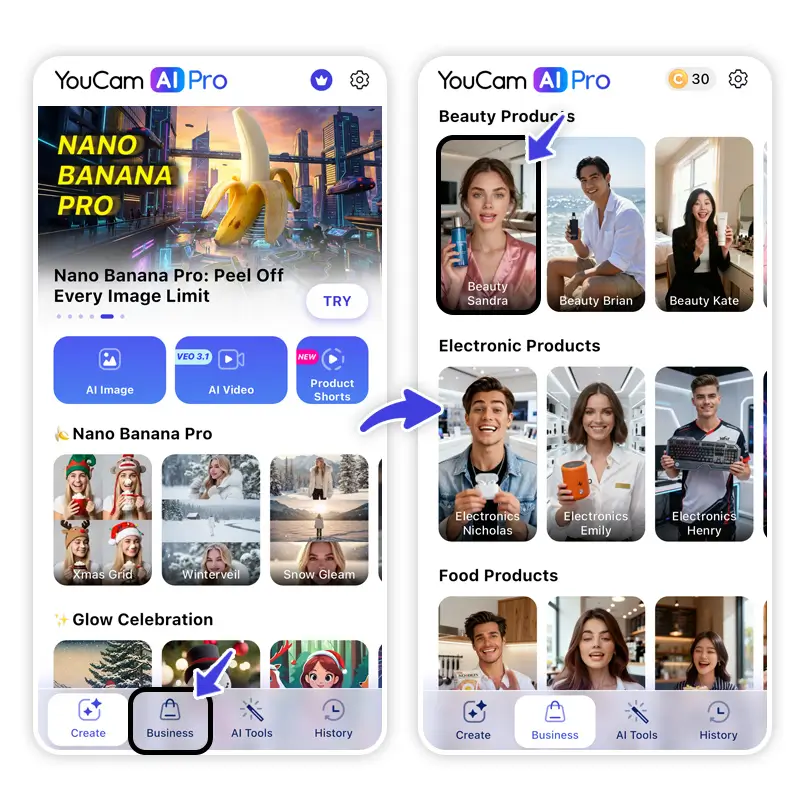
Step 3: Choose Your Avatar Style
Select from a library of avatars that represents you or your brand.
Step 4: Upload Your Product and Script
If you’d like, you can also upload a photo of yourself or your brand ambassador. Then select a photo of your product and paste your script into the text box.
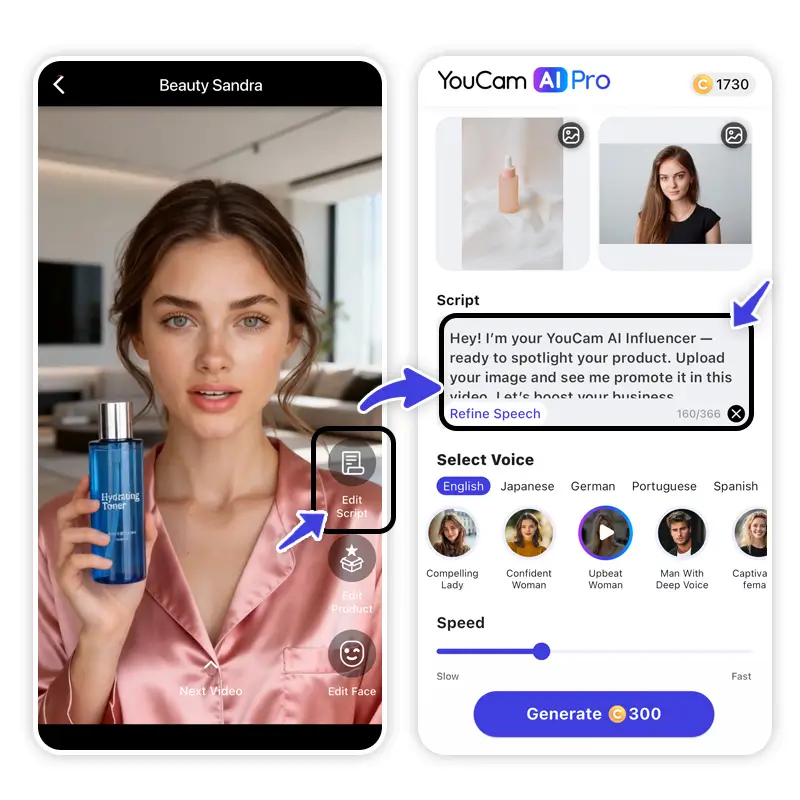
Step 5: Adjust Voice Settings
Pick the preferred language, tone of voice and talking speed. YouCam AI Pro supports multiple languages such as German, Spanish, Japanese, Chinese, and more.
Step 6: Generate & Download
Hit Generate and watch the AI produce your talking avatar video. Once ready, download or share directly to social platforms.
💡 Pro Tip: Use YouCam AI Pro’s business templates for product intros, educational walkthroughs, and customer Q&As — all narrated by your AI talking head.
2. HeyGen
When I tested HeyGen on a short social script, the avatar's facial expressions genuinely read as engaged rather than robotic — the biggest gap I noticed vs. other tools I tried.
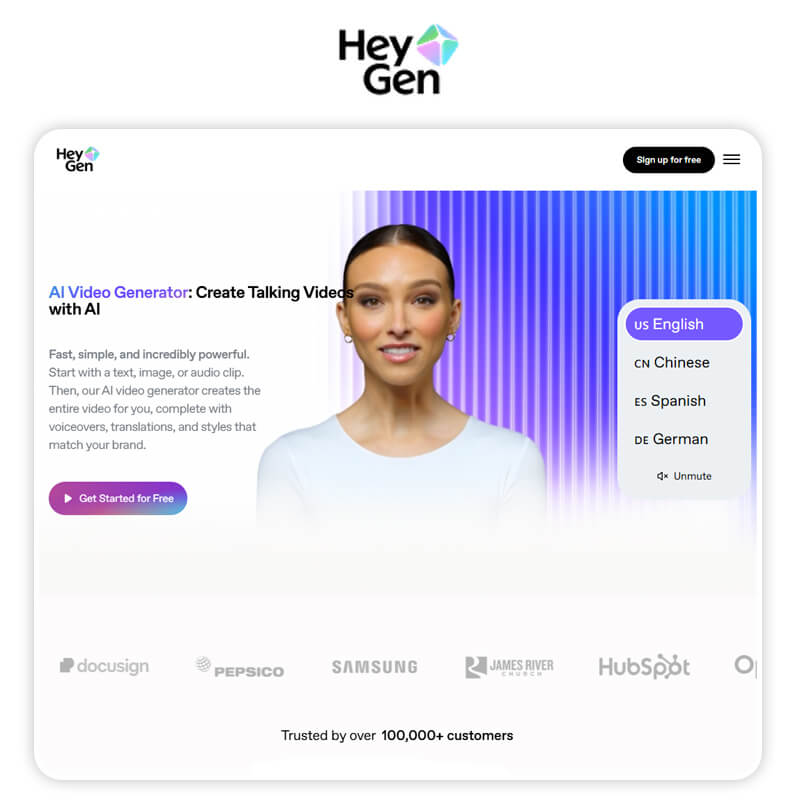
HeyGen is one of the most popular AI talking avatar generators, known for creating highly expressive digital presenters that feel animated and human rather than stiff or robotic. The platform focuses on facial emotion, body language, and natural speech delivery, making it a strong choice for creators who want their talking head videos to feel engaging and personality driven.
With support for multiple languages, voice styles, and content formats, HeyGen is especially well suited for social media, educational videos, and personal brand storytelling.
Highlights
- Generative AI avatars with expressive motion
- Multiple voice styles and accents
- Easy text-to-video output
- Works well for short-form content
HeyGen’s user-friendly interface makes it easy to go from script to avatar video in minutes, without any design or animation experience.
3. D-ID
I ran the same script through D-ID and the lip sync was noticeably tighter than most competitors, though I found the avatar options more limited for business-style content.
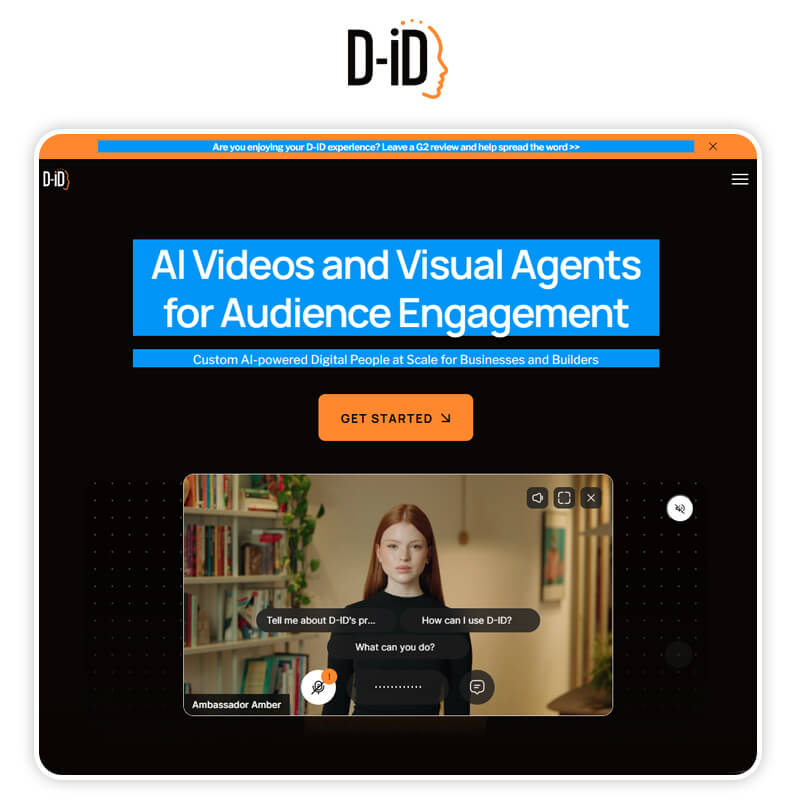
D-ID is widely recognized for its photo-realistic AI talking head technology, turning still images into lifelike speaking avatars with impressive accuracy.
Unlike stylized avatar tools, D-ID leans heavily into realism, making it ideal for professional presentations, marketing videos, and corporate communications. Its advanced lip sync and facial animation engine creates smooth, believable motion, which is why D-ID is often chosen when authenticity and realism are more important than creative flair.
Highlights
- AI lip sync that matches speech with facial movement
- Upload a photo or choose a model avatar
- Export avatar videos in high resolution
- Great for storytelling and character animations
D-ID is especially useful when you want hyper-realistic avatars for promotional videos or immersive narratives.
4. InVideo AI
I liked being able to drop the avatar directly into a full video timeline in InVideo AI — it saved me a step compared to tools where you have to export the avatar clip separately.
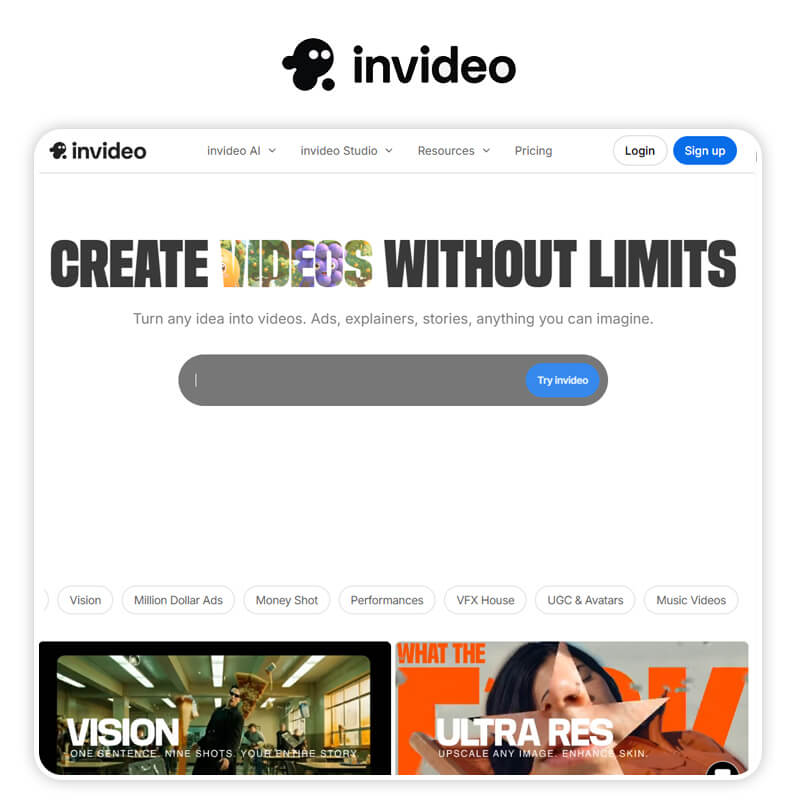
InVideo AI stands out as a complete AI video creation platform that includes talking avatar generation as part of a full editing workflow. Rather than focusing solely on talking heads, InVideo AI lets users build entire videos around AI avatars, combining narration, visuals, transitions, and text overlays in one place.
This makes it a great option for marketers, YouTubers, and businesses that want to create longer, structured videos with AI presenters without switching between multiple tools.
Highlights
- Templates for social, ads, and presentations
- Built-in text-to-speech and avatar generation
- Drag-and-drop editing workflow
- Great for creators who want flexibility
Because InVideo AI integrates avatar generation into full video editing, it’s ideal for YouTubers, marketers, and online educators.
5. VEED
VEED was the fastest of everything I tested — I had a finished talking-head clip in a couple of minutes, though the avatar customization options were more basic than YouCam AI Pro's.
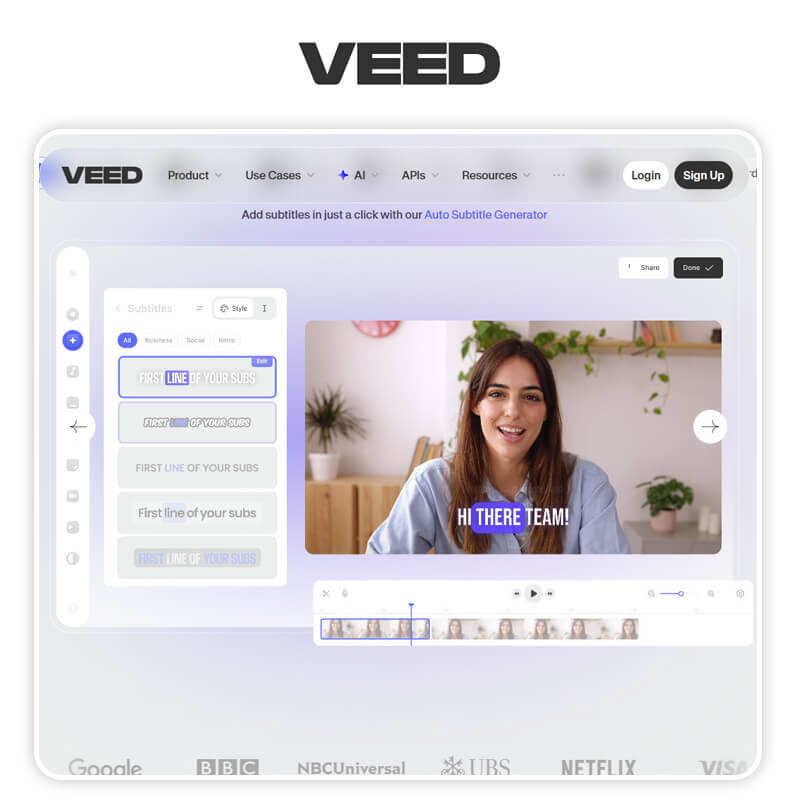
VEED is designed for creators who want to make AI talking avatar videos quickly and easily, with minimal setup and no technical learning curve. Its streamlined interface allows users to turn scripts into talking head videos in just a few clicks, making it ideal for short form content, social media videos, and fast turnaround projects.
VEED focuses on speed and simplicity while still delivering clean visuals and natural voice output, which is why it’s a favorite among casual creators and small teams.
Highlights
- Simple avatar creation interface
- Quick text-to-speech conversion
- Subtitle and motion graphics tools
- Perfect for TikTok, Shorts, and Instagram Reels
VEED’s no-frills experience lets you focus on content rather than technical setup, making it a go-to tool for fast talking avatar videos.
How to Choose the Best AI Talking Avatar Generator
Purpose:
- For business and professional presentations → YouCam AI Pro
- For expressive character avatars → HeyGen
- For ultra-real heel realistic lip sync → D-ID
- For complete video projects → InVideo AI
- For quick, social content → VEED
Ease of Use:
Choose a platform with templates and intuitive editing if you want fast results without technical skills.
Customization:
If you need branded or personalized avatars that resemble real people, prioritize tools with custom face uploads and fine-tuned settings.
Try the Best AI Talking Avatar Generator: YouCam AI Pro
AI talking avatar generators are transforming digital communication, making it easy to create engaging videos without cameras, studios, or voice actors. In 2026, YouCam AI Pro leads the pack with its robust business features and generative flexibility, while tools like HeyGen, D-ID, InVideo AI, and VEED each bring something unique to creators of all kinds.
Whether you’re building brand videos, social content, or playful talking avatars, there’s an AI talking head tool that fits your creative workflow.
2026 Trend: AI Avatars Are Replacing Traditional Explainer Videos
More brands and creators are swapping expensive video shoots for AI talking avatars that can be updated in minutes instead of re-filmed. Business teams especially are leaning on tools like YouCam AI Pro to turn a script into a polished spokesperson video without a camera crew. For more ways AI is changing everyday video production, see our guide to the best AI-powered video editing apps.
AI Talking Avatar Generator FAQs
How to create an AI talking head?

To create an AI talking head, you upload a portrait photo, add text or a voice script, and let AI animate realistic facial movements and lip sync. Tools like YouCam AI Pro make this easy with its AI Business feature, allowing you to turn a single image into a professional talking avatar in just a few taps. No filming, no complex editing required.
What is the AI that makes a face talk?
An AI that makes a face talk is usually powered by AI talking avatar or talking head generation technology. These tools analyze facial features and sync mouth movements with speech. YouCam AI Pro uses advanced facial animation and voice syncing AI to create natural looking talking head videos for marketing, presentations, and social media.
What is the best AI for talking avatars?
The best AI for talking avatars in 2026 is YouCam AI Pro, especially for business and content creation. It offers realistic avatars, smooth lip sync, customizable scripts, and an intuitive workflow through its AI Business feature. Compared to other tools, YouCam AI Pro stands out for ease of use, visual quality, and versatility.
What is the best AI talking video generator?
If you are looking for the best AI talking video generator, YouCam AI Pro is a top choice. It lets you create talking head videos from photos, add scripts instantly, and generate polished videos suitable for ads, tutorials, and brand storytelling. Other platforms like HeyGen and D-ID are popular, but YouCam AI Pro offers a more streamlined and beginner friendly experience.



