


 Author:


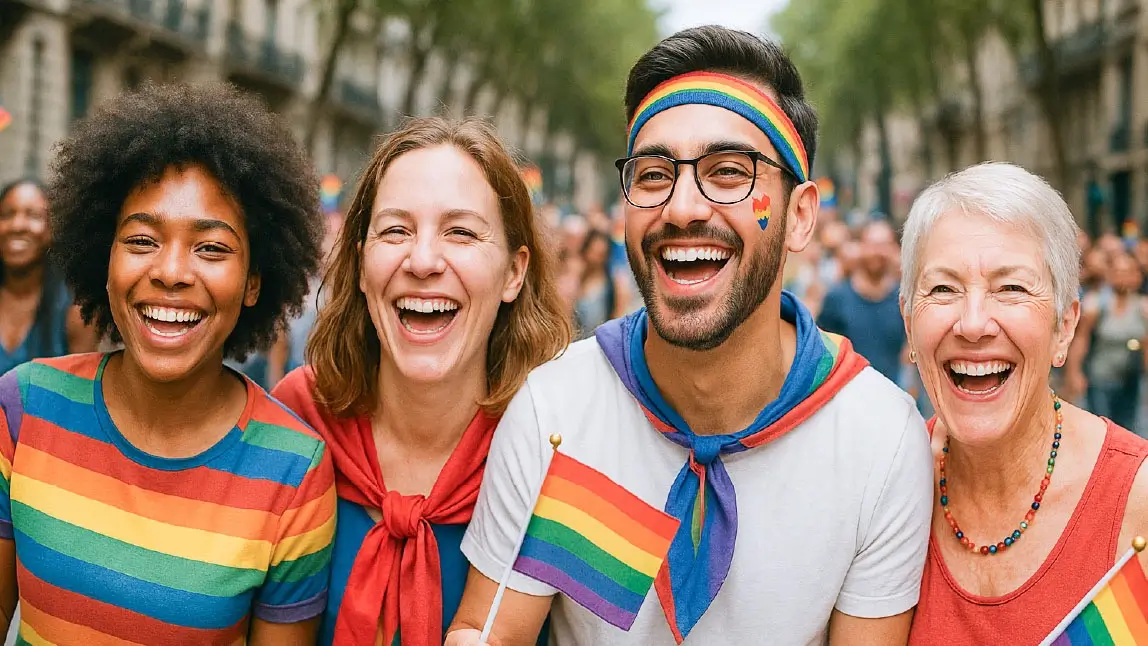
Pride Month is more than just a celebration—it's a bold, beautiful statement of identity, equality, and joy. Whether you're capturing the electric energy of a Pride parade or the heartwarming vibes of a Pride party, your photos deserve to shine just as brightly as the moment itself.
That’s where photo editing comes in and there’s no better app for the job than YouCam Perfect. Let’s walk through how to make your Pride photos pop, sparkle, and tell your unique story, step by step.
Preparing Your Pride Photos for Editing

Choosing the Right Shots
Start by selecting photos that capture emotion—joy, love, pride. Candid laughter or a mid-dance move? Gold.
Checking Image Quality
Blurry photos won’t do your vibe justice. Zoom in, check for sharpness, and avoid overexposed images unless you’re going for a dreamy glow.
Organizing Photos by Vibe or Theme
Sort by themes like "friends group," "parade march," "after party," or “costume slay.” This will make editing way smoother.
Using Effects to Enhance the Pride Aesthetic
Pride is all about bold self-expression and your photos should reflect that! Whether you’re marching in the parade or dancing the night away at a Pride afterparty, make your memories as vibrant as the moment.
Turn up the volume on your pics with high-contrast and saturated effects that make your outfits pop and your backgrounds dazzle.
Want to channel those electric afterparty vibes? Add a retro twist or go full-on neon glow to capture that unforgettable night magic.

Here’s how:
1. Open YouCam Perfect app
2. Choose a Pride parade photo or Pride party photo to edit
3. Navigate to Effects and let the fun begin! Play around with both static and animated Pride effects to find the perfect aesthetic for your moment.
Retouching Pride Parade Photos for a Polished Look

Feeling extra fabulous? Turn up the fun with rainbow hairstyles! They add a bold splash of Pride while still looking surprisingly natural (and yes, amazing in every selfie).
Pro tip: A little sparkle goes a long way. Use the sliders to dial in just the right amount of magic, so your edits enhance your vibe without masking your true self.

1. Open YouCam Perfect app
2. Choose a Pride photo to edit
3. Navigate to Beautify tab and let the rainbow magic begin 🌈
Adding Pride Stickers and Frames
Turn up the fabulous when you edit your Pride parade and Pride party photos. Add a splash of fun with playful stickers—think rainbow flags, heart-shaped sunglasses, and more. Don’t be shy, layer them up to create a full-on party-in-a-photo effect.
Ready to take it even further? Wrap your favorite moments in bold, colorful Pride frames to make those memories truly pop and capture the spirit of Pride.

Here’s how:
1. Open YouCam Perfect app
2. Choose your favorite Pride parade or party photo
3. Tap on Stickers and explore the vibrant Pride-themed designs
4. Then head to Frames to give your photo an extra-proud finish
Remove Unwanted Objects from Pride Parade Photos
 Want a cleaner, more picture-perfect shot? Use YouCam Perfect’s AI Object Removal tool to effortlessly erase photobombers, awkward background clutter, or anything that distracts from your moment.
Just highlight the area you want to remove, and like magic—it disappears, leaving your photo looking polished and party-ready. It’s the easiest way to keep the focus on you and your Pride celebration.
Bonus: Make Your Pride Party & Pride Parade Photos Come to Life

Want to take your Pride edits to the next level? Bring your favorite photos to life with an image-to-video AI tool. Whether it’s a joyful moment with your loved one or a solo slay that deserves the spotlight, turning still images into animated clips adds a whole new layer of fun.
Just select the photo you want to animate, head to Image-to-Video, choose a template that matches your vibe, and let AI work its magic. In seconds, your photo transforms into a lively, share-worthy video bursting with Pride energy.
Enhance Your Pride Party & Pride Parade Photos with YouCam Perfect
Pride is powerful—and your photos should reflect every bit of that spirit. With YouCam Perfect, you can turn simple snapshots into colorful stories, expressive memories, and radiant art.
Whether you’re celebrating who you are or supporting someone you love, let your photos speak volumes. Go bold, go bright, and most importantly—go proud.


