


 Author:
This Nano Banana Pro prompting guide is designed to help creators move beyond basic keyword prompts and start working with AI the way professionals do.
In this guide, you’ll learn how to write effective Nano Banana Pro prompts, understand what makes it different from previous versions, and apply proven prompting strategies.
What Is Nano Banana Pro?
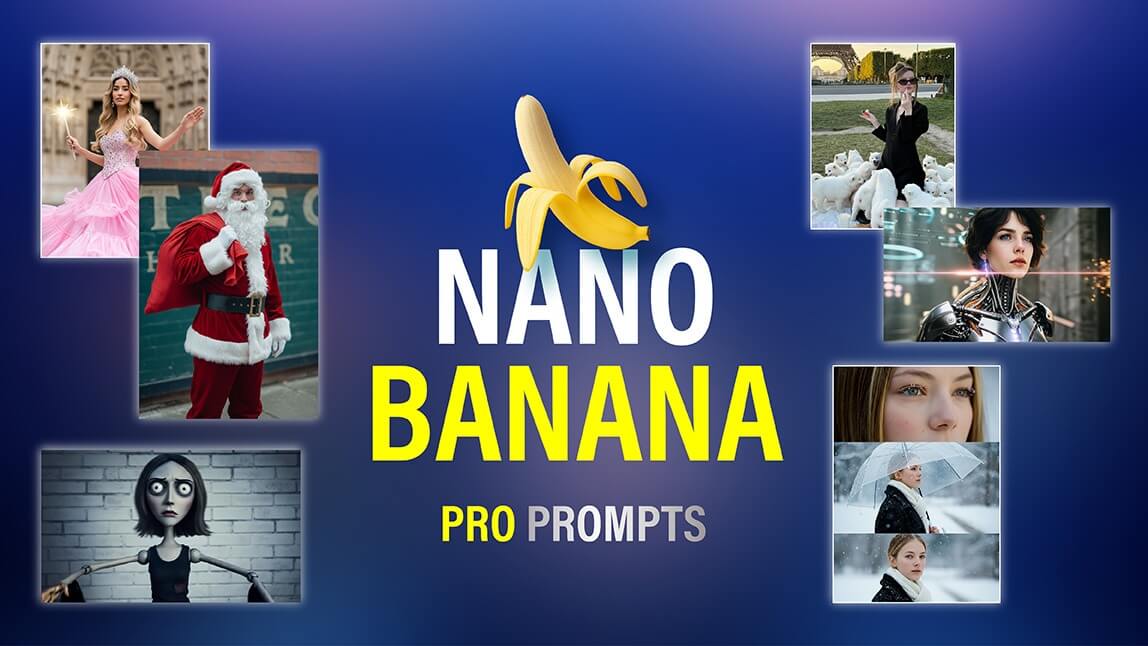
Nano Banana Pro is Google’s advanced prompt-handling system that understands complex, multi-layered instructions with higher accuracy. According to Google, it excels at:
- Maintaining consistency across multiple image generations
- Understanding style, lighting, and identity constraints
- Following step-by-step or role-based instructions
What Is the Difference Between Nano Banana Pro and Nano Banana?
Here’s a clear comparison to help you understand why Nano Banana Pro is a major upgrade:
| Feature | Previous Versions | Nano Banana Pro |
|---|---|---|
| Prompt Length Handling | Best with short prompts | Optimized for long, detailed prompts |
| Context Retention | Limited | Strong multi-instruction memory |
| Output Consistency | Inconsistent across images | Highly consistent across batches |
| Style Control | Basic | Advanced style and identity control |
| Multi-Image Reasoning | Minimal | Designed for multi-photo inputs |
| Best Use Cases | Single images | Series, branding, storytelling |
Nano Banana Pro Prompting Guide: The Core Prompting Principles
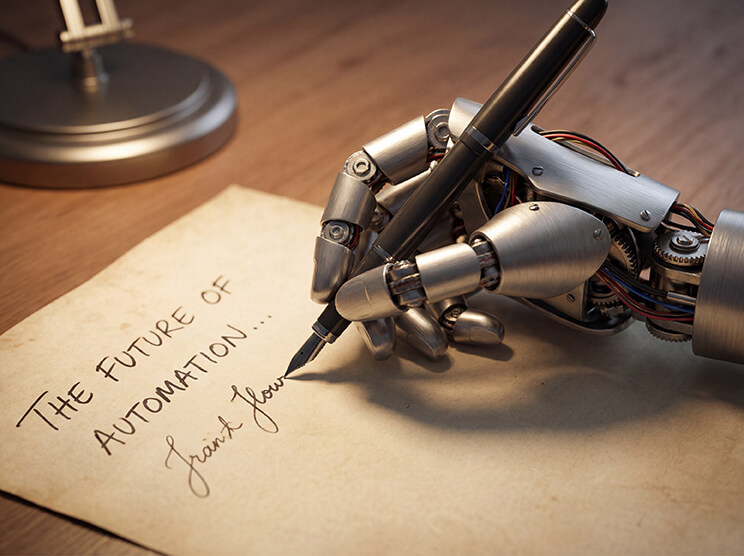
Google recommends that your prompts include six key elements:
- Subject – Who or what is in the image
- Composition – Framing, camera angle, and shot setup
- Action – What’s happening in the scene
- Location – Background or environment
- Style – Aesthetic choice (photorealistic, editorial, etc.)
- Editing/Constraints – Specific instructions for adjustments or limitations
Pro tip: Write your prompt like a mini creative brief, not just a list of keywords.
Example:
"Composite image showing [Character A] standing next to [Character B], consistent lighting from [direction], matching shadows on shared ground, unified depth of field, photorealistic style with identical color grading, seamless edges, professional photo composite quality."
How to Write Effective Nano Banana Pro Prompts
Think of Nano Banana Pro as a professional visual artist. The clearer your instructions, the better the results.
1. Use Full Natural Language
Unlike older AI tools that relied on short keyword lists, Nano Banana Pro understands full, natural language instructions. Google recommends writing prompts as if you were explaining your idea to a human designer or photographer.
This means using complete sentences, descriptive details, and clear relationships between elements.
Why it works:
A detailed prompt communicates what the image should include, how it should look, and the overall style. This makes it easier for Nano Banana Pro to generate cohesive, high-quality results.
2. Add Context and Intent
Nano Banana Pro performs much better when it knows why the image is being created. Context helps the AI make smarter decisions about composition, lighting, and emphasis.
Google and the DEV Community note that intent-driven prompts generate more accurate and usable results.
Why it works:
When the AI understands the purpose—social media post, tutorial, brand campaign—it can adjust the visual style and polish the output appropriately.
3. Be Specific About Camera & Lighting
Nano Banana Pro responds well to photography-style instructions, including camera angle, focal depth, lighting, and aspect ratio. Google recommends using these cues to improve realism and composition.
Why it works:
Camera and lighting details anchor the AI’s decisions, reducing randomness and producing professional-quality results.
4. Use Iterative Edits Instead of Re-Rolling
One of Nano Banana Pro’s strongest features is iterative prompting. If the first result is close but not perfect, don’t start over—refine your prompt while keeping the main instructions intact.
Why it works:
Iterative edits preserve what works and prevent inconsistencies, which is especially important for branding or multi-image series.
5. Set Clear Constraints and Priorities
Nano Banana Pro works best when it knows what must remain consistent and what can change. Setting constraints helps the AI focus on key visual elements rather than making unnecessary assumptions.
This is critical for branding, character consistency, and multi-image projects, where even small differences can break visual continuity.
Why it works:
Constraints act like guardrails. They tell the AI which elements are non-negotiable—such as identity, makeup style, and lighting—and which elements are flexible, like background or pose.
How To Use Nano Banana Pro in YouCam Makeup
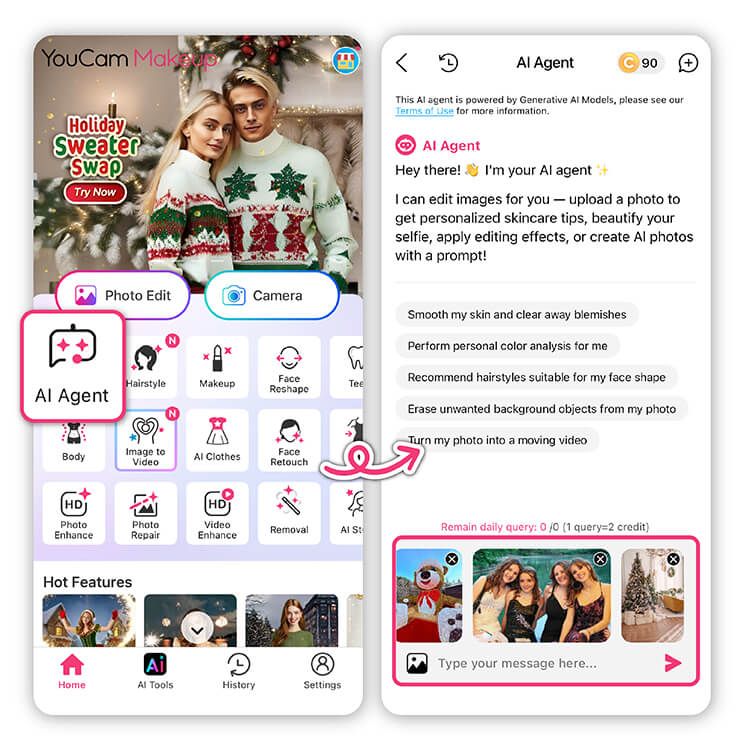
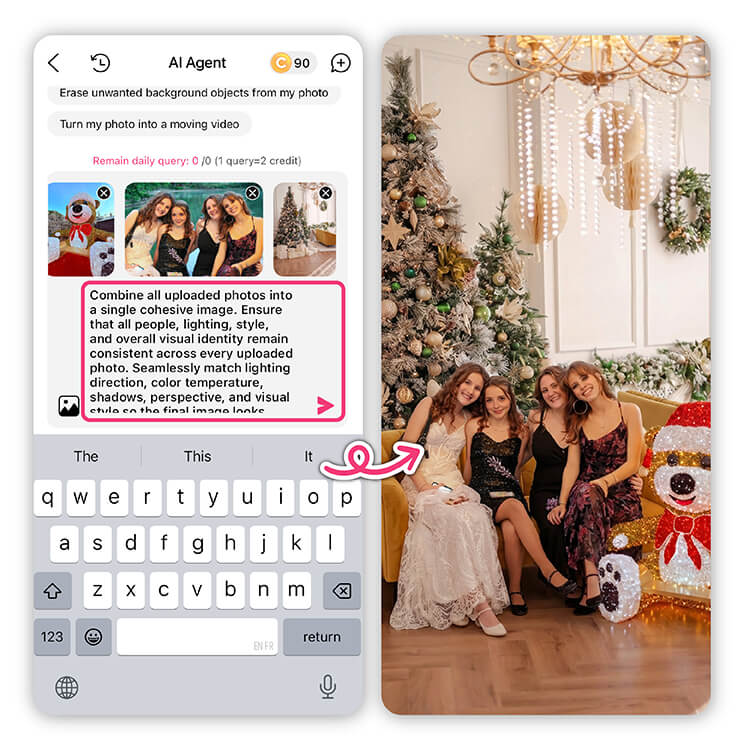
The AI Agent in YouCam Makeup is ideal when you want consistent output across multiple photos—perfect for character sets, branding images, concept design, and multi-angle portraits.
Step-by-Step Guide:
- Select AI Agent
- Tap Upload Multiple Photos
- Enter your creative Nano Banana Pro prompt
- Generate and save your image
Why Use It:
✨ Image combining ensures that characters, lighting, style, and overall visual identity remain consistent across all uploaded photos. This is especially valuable for series-based content, makeup transformations, and storytelling visuals.
Common Mistakes to Avoid
Even experienced creators can make simple errors when prompting Nano Banana Pro. Here are the most common mistakes:
- Vague or short prompts
Using keywords like “cool makeup” or “pretty background” doesn’t give enough guidance. - Skipping context or purpose
Without knowing the intended platform or style, AI outputs can feel generic. - Ignoring camera and lighting details
Leaving out focal depth, light direction, or aspect ratio can reduce realism. - Re-rolling instead of editing
Starting over wastes time and often results in inconsistent outputs. - No constraints on key elements
Failing to specify what must remain the same can break continuity across multiple images.
Start Prompting Smarter with Nano Banana Pro
Nano Banana Pro isn’t just an upgrade—it’s a new way AI understands creative intent. By learning to structure prompts clearly, reuse consistent descriptors, and leverage tools like YouCam Makeup’s AI Agent, you can generate professional-quality visuals with far less effort.
Try Nano Banana Pro prompting in YouCam Makeup today and see how smarter prompts lead to better visuals.
Nano Banana Pro Prompting Guide FAQs
What is Nano Banana Pro?

Nano Banana Pro is an advanced AI image generation tool from Google’s Gemini 3 suite. It excels in multi-image understanding, style-consistent transformations, realistic rendering, and context-aware creativity. It’s ideal for creators, designers, and social media enthusiasts who want professional-quality outputs.
How does Nano Banana Pro differ from previous versions?
Compared to previous versions, Nano Banana Pro supports multi-image processing, understands complex prompts, maintains consistent styles, generates higher realism with fine details, renders multilingual text, and handles multi-modal projects like branding, infographics, and character des
What makes a “perfect prompt” for Nano Banana Pro?
The best prompts are structured yet natural. A common formula is:
[Subject + Adjectives] doing [Action] in [Location/Context]. [Composition/Camera Angle]. [Lighting/Atmosphere]. [Style/Media]. [Specific Constraint or Text].
Clear instructions on style, lighting, composition, and text placement yield the most consistent results.
Can I use Nano Banana Pro on mobile apps?
Yes! YouCam Makeup supports Nano Banana Pro for multi-image synthesis (AI Agent) and Image-to-Image transformations. This allows you to maintain style consistency, apply cinematic effects, and refine your creations directly from your device.
Can I combine multiple prompts or images in Nano Banana Pro?
Absolutely. Upload multiple reference images to maintain character or style consistency. You can also merge prompts for composite scenes, multi-person interactions, or character-environment fusion for complex outputs.
Can I generate AI images online using Nano Banana Pro prompts?
Yes. YouCam Online Editor offers free access to its AI tools, including text-to-image features. You can start creating AI-generated images online at no cost, with optional premium features available for more advanced results.



