


 Author: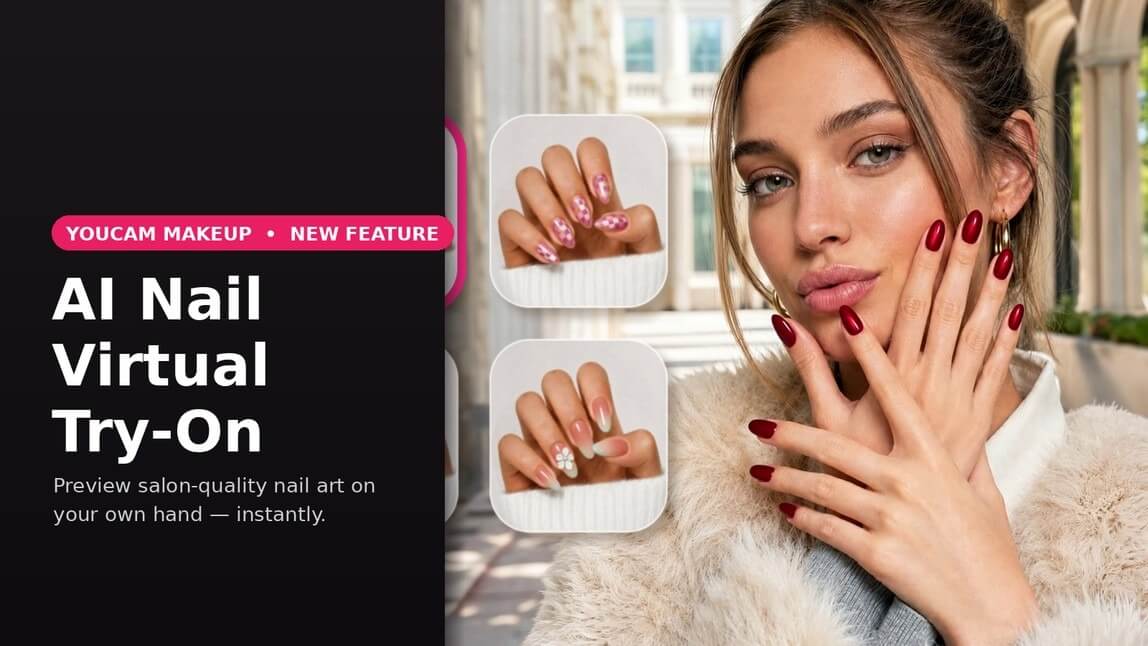
Picking a nail design used to mean scrolling through hundreds of saved photos, screenshotting a few, and still walking into the salon unsure if that chrome cat-eye look would actually suit your hand.
YouCam Makeup is closing that gap with AI Nail Virtual Try-On, a new feature that lets you preview real nail art styles on a photo of your own hand — instantly, realistically, and without committing to a single drop of polish.

Virtual Nail Try On App
The #1 Virtual Makeover & Selfie Camera App.
Experience real-time AR makeup trials.
Whether you're planning your next salon visit, deciding what to ask for at your appointment, or just curious how a bold red coffin manicure would look on you, AI Nail applies the design to your actual fingers, following your nail shape, length, and skin tone, so the result looks like something you could genuinely wear out the door.
How AI Nail Virtual Try-On works
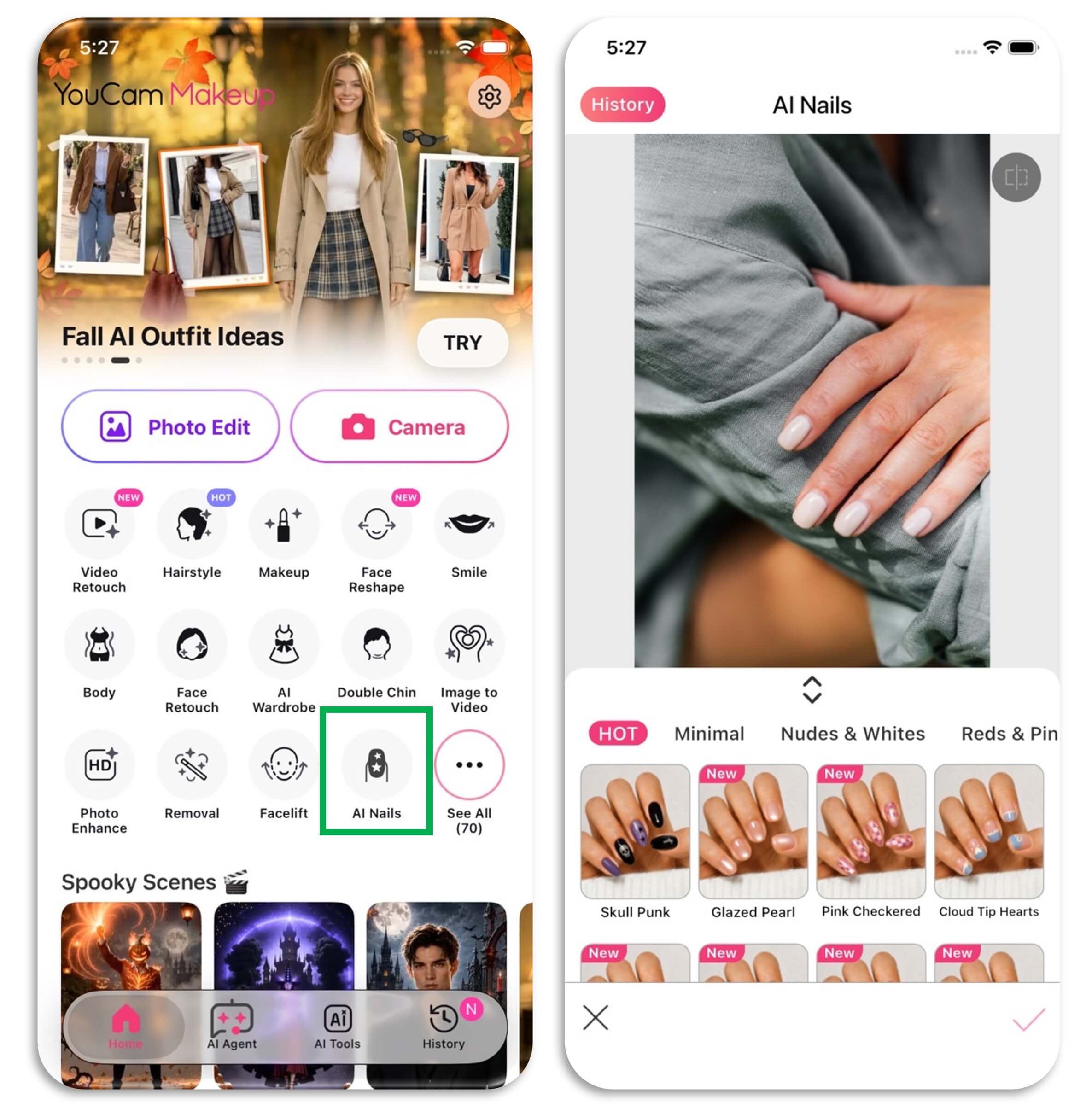
- Open AI Nails. Find it in the Fashion category from the tool launcher, or tap "AI Nails" in the feature list inside YouCam Makeup.
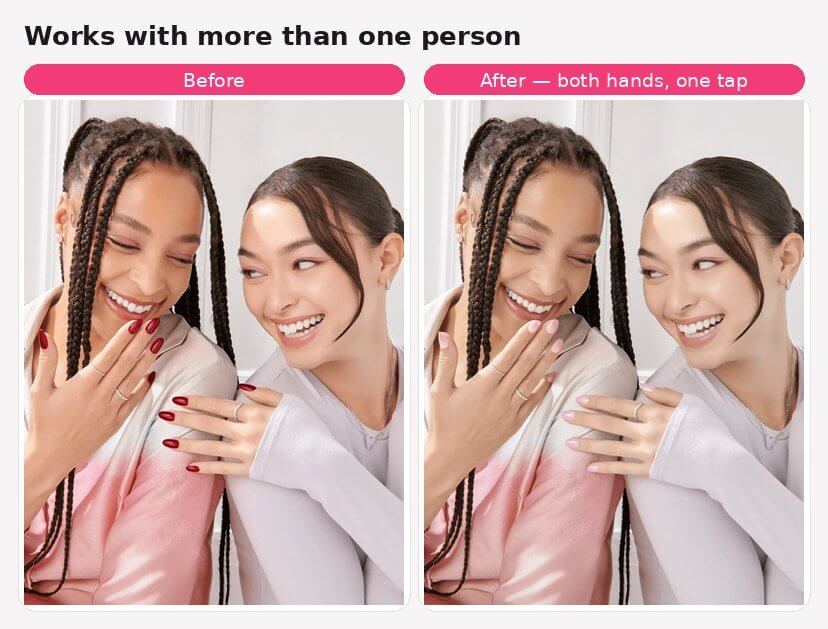
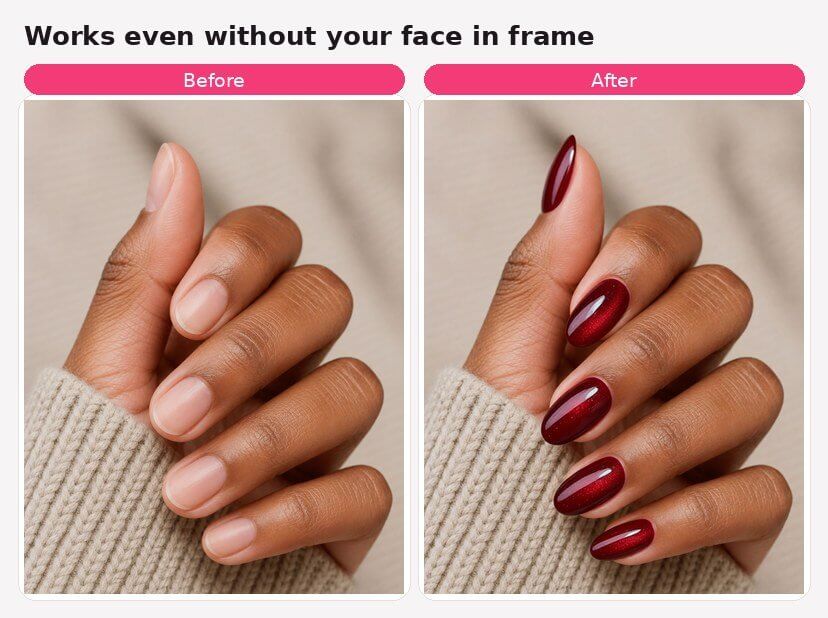
- Snap or upload a photo of your hand. Any relaxed, well-lit shot works — the engine can even handle photos with more than one person's hands, or shots where your face isn't in frame.
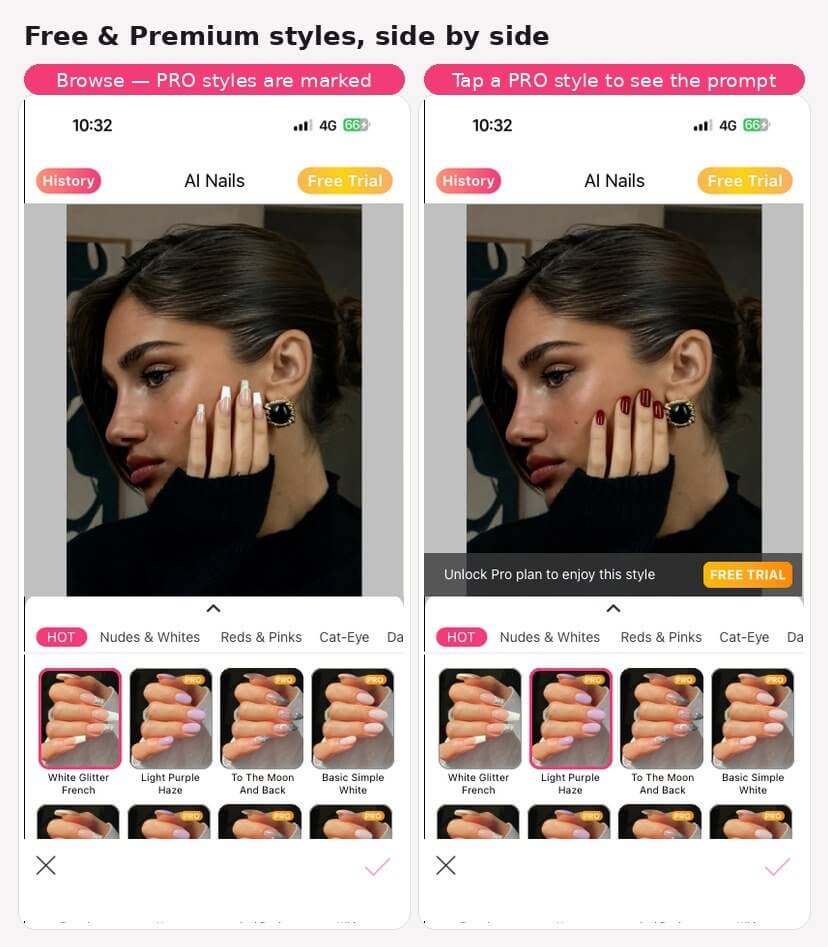
- Browse the style library. Styles run left to right, top to bottom, organized into easy-to-browse categories — pull the panel up to see more at once.
- Tap to try it on. AI begins processing in about 2-3 seconds and maps the design onto your nails.
- Compare before and after. Flip back to your original photo any time to see the difference.
- Save, download, or bring it to your nail tech. Every result is saved automatically to your History tab, so you can revisit favorites later or download one to show your manicurist.
A peek inside the app
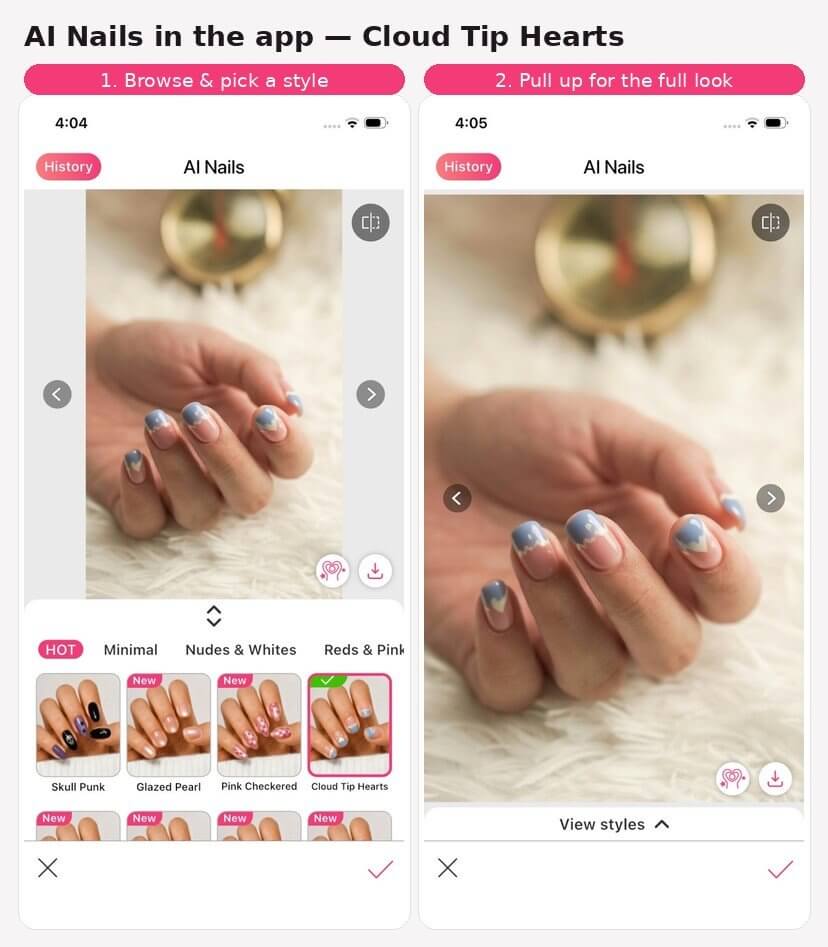
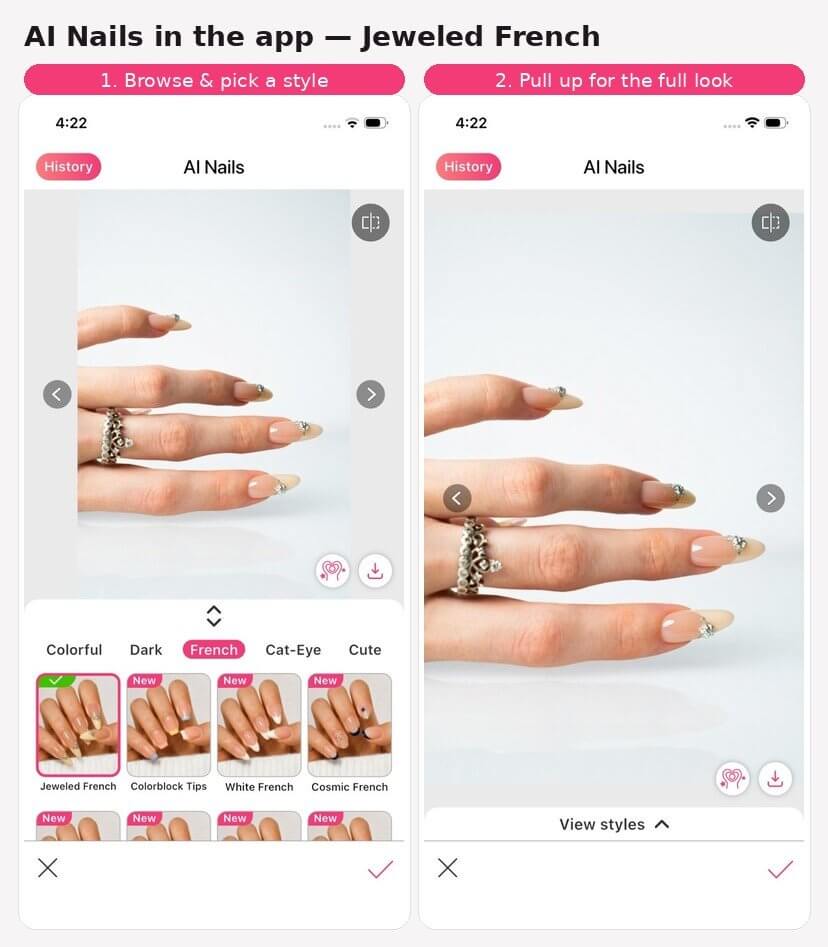
Here's what the flow actually looks like in YouCam Makeup: browse the style panel, tap a look, then pull the panel up to see your full result.
9+ styles, from minimal to maximalist
AI Nail's style library spans the full range of what's trending right now, including:
- Minimal — clean lines and quiet-luxury shapes for everyday wear
- Nudes & Whites — milky glazes, glossy peach, and soft milky-dot finishes
- Reds & Pinks — from deep red coffin to sheer rose jelly
- Colorful — checkered mixes, candy sprinkles, and cherry motifs for a maximalist mood
- Dark/Gothic — skull-punk and moody statement sets
- French Nail — reinvented with jeweled tips, colorblocking, and cosmic accents
- Cat-Eye — magnetic chrome finishes that shift with the light
- Cute Motifs — playful charms and hand-painted details
- Sweet/Girly — soft pastels and delicate florals
New designs are added regularly, so the "Hot" and "New" tabs are worth checking each time you open the feature.
Free styles, plus premium picks for Pro & Plus members
Not every look in AI Nail's library is free, and that's by design. Free styles are open to try anytime. Premium styles — reserved for YouCam Makeup Plus and Pro members — are clearly marked in the style panel; tap one and you'll see a quick unlock message before you're prompted to start a Plus or Pro plan. Some Premium styles also include a limited number of free tries each day, so you can test the look before deciding whether to subscribe.
Built to work with the photo you actually have
You don't need a perfectly staged, solo close-up. AI Nail's engine is built to handle real-world photos: shots with more than one person's hands in frame, and photos where your face isn't visible at all. If a photo genuinely doesn't include a hand, you'll get a clear message asking you to try a different one — no guessing, no dead end.
See it in action
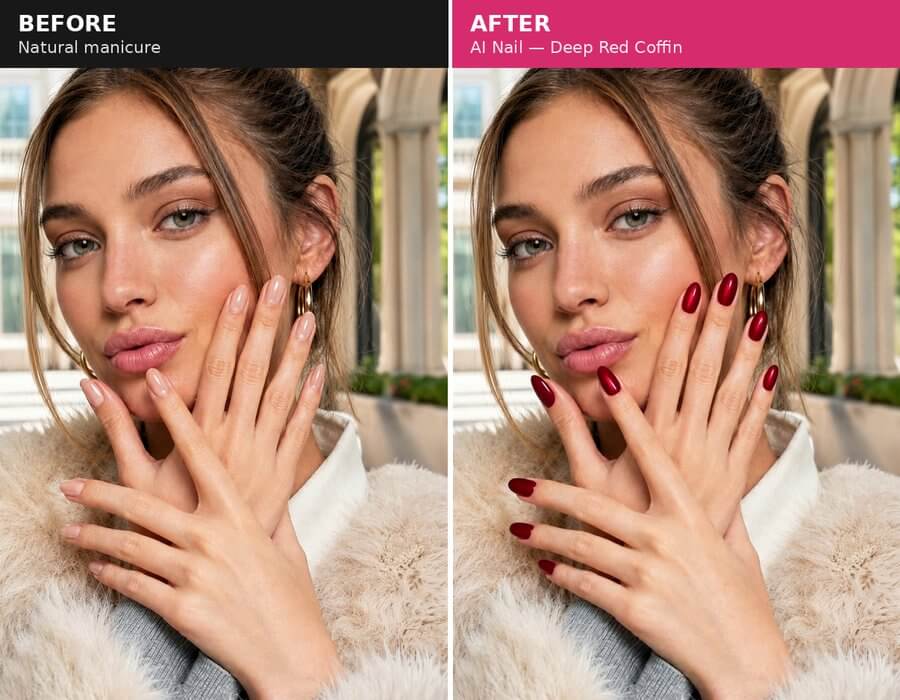
AI Nail — Deep Red Coffin
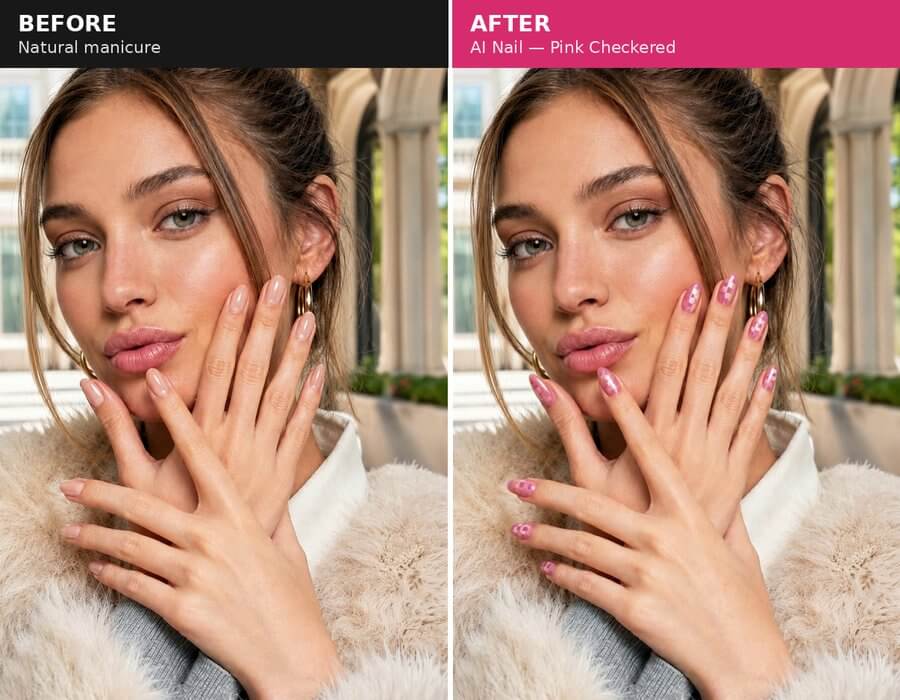
AI Nail — Pink Checkered
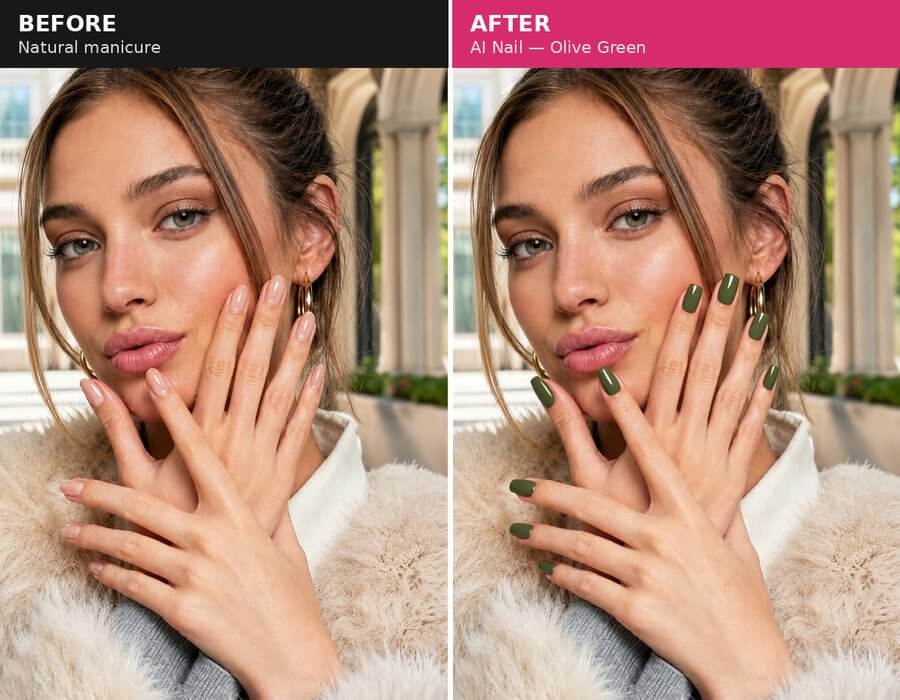
AI Nail — Olive Green
See AI Nail Virtual Try-On in motion in the YouCam Makeup app — open the feature to preview any style on your own hand in real time.
Why try before you buy
A manicure is an easy thing to regret — colors read differently on camera versus in person, and nail shape changes how a design sits. AI Nail Virtual Try-On removes the guesswork:
- No commitment. Try five styles in the time it takes to decide on one at the counter.
- Better salon conversations. Show your nail tech a photo of the exact look mapped to your own hand, not a stranger's.
- Shareable results. Download and share your favorite try-on with friends before you decide.
Try it now
Virtual Nail Try On App
The #1 Virtual Makeover & Selfie Camera App.
Experience real-time AR makeup trials.
AI Nail Virtual Try-On is available now in YouCam Makeup. Open the app, snap a photo of your hand, and start browsing styles.
FAQ
Is AI Nail Virtual Try-On free to use?
Many styles are free to try. Others are Premium looks for YouCam Makeup Plus and Pro members — some of those still offer a limited number of free daily tries, so you can preview before subscribing.
Does it work with any nail shape or length?
The feature maps designs to your existing nail shape and length as shown in your photo, so results reflect your real hand rather than a generic template.
Can I use the results to show my nail salon?
Yes — download the result image directly from the try-on screen to bring to your appointment.
How often are new styles added?
New designs are added to the library on an ongoing basis; check the "New" tag in each category for the latest additions.
What if my photo doesn't show a hand clearly?
If no hand is detected in your photo, AI Nail will let you know right away and ask you to try a different one — so you're never left waiting on a result that can't be generated.
Can I find my past try-on results later?
Yes — every AI Nail result is saved automatically to your History tab in YouCam Makeup, alongside your other AI looks.



