Author:


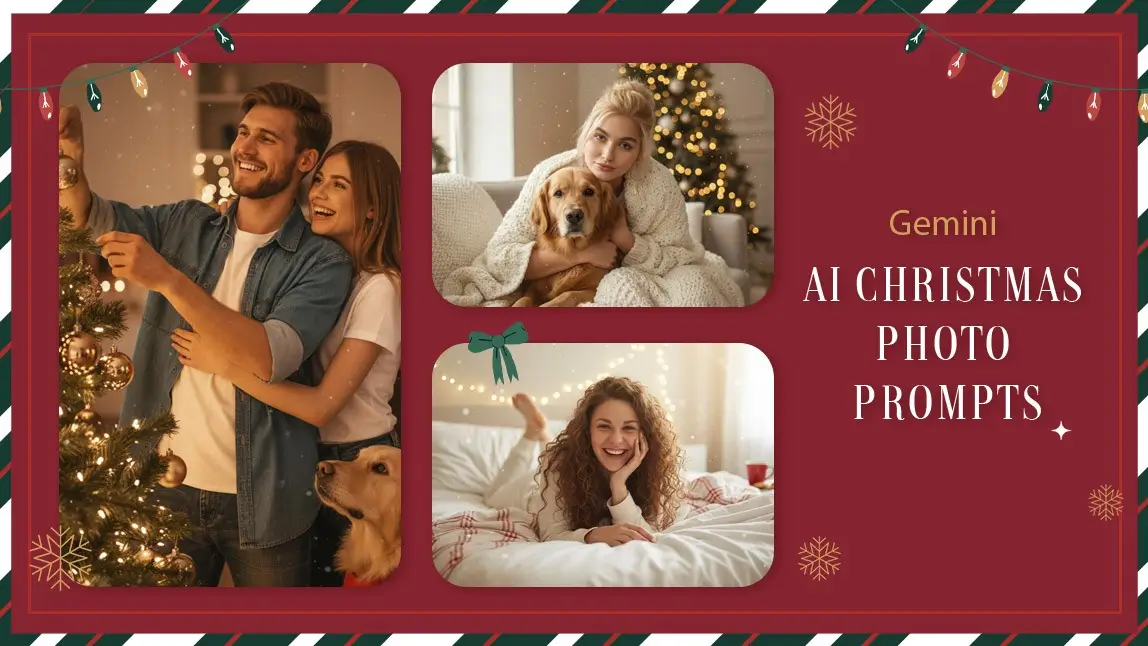
It’s officially Christmas photo season, and TikTok and Instagram are flooded with dreamy, cinematic holiday portraits created with AI. From cozy pajama mornings to magical snow filled street scenes, Christmas AI photos all about turning everyday photos into festive, card worthy moments without setting up a full photoshoot.
With YouCam Makeup’s AI Agent, now integrated with Nano Banana Pro, creating Christmas-ready portraits is easier than ever. You can upload any photo and generate festive results in seconds right from your phone. Let's get creating!
Viral Christmas AI Glamour Photo Trend with Gemini
Girls, if you've been on TikTok and Instagram recently, you'll notice glamorous Christmas-style photos filling your FYP. This is the Christmas AI glamour photo trend that features a sparkly aesthetic with big ornaments and candy canes that look like the portraits were taken professionally.

Here's the AI prompt people are using to generate the photo with their own selfie. Copy and paste it into YouCam Makeup's AI Agent to generate with Gemini Nano Banana or ChatGPT.
Create an ultra-realistic 8K Christmas portrait using a 55mm lens with bright, playful holiday lighting. The woman is in a whimsical candy-cane themed photoshoot, surrounded by pink giant peppermint decorations, snowy ground, festive trees, and oversized ornaments.
Use her real facial features exactly as they are — do NOT change or alter her face in any way. Her makeup is festive glam — winged liner, warm eyeshadow, rosy cheeks, and a bold holiday soft pink lips.
She wears a sparkly white long-sleeve pants jumpsuit , fitted and shimmering with sequins. The back of the jumpsuit has a scoop-back cut, adding keeping the holiday sparkle. She is sitting on a white cube block, posing with one leg lifted and crossed, similar to the reference image. Her expression is playful and confident, smiling warmly toward the camera.
In her hand, she holds a giant pink-and-white peppermint lollipop prop, resting it over her shoulder in a fun, candy-land pose. Around her is a fully decorated Christmas set:
• Snowy ground with fluffy artificial snow
• Christmas trees dusted with frost, decorated with pink ornaments and string lights
• Oversized and canes framing whimsical beside her
• A large shiny red Christmas ornament near her feet
Lighting should be bright, clean, and festive, capturing the glimmer of the sequins and the pink candy-themed props. The colors are vibrant reds, whites, and silvers, giving a magical North Pole holiday studio vibe.
10 Gemini Nano Banana Prompts for AI Christmas Photos
Below are beautifully detailed prompts for AI Christmas photos. Copy and paste them directly into Gemini Nano Banana or YouCam Makeup’s AI Agent.
Cozy Morning Magic by the Window
Generate a candid cozy-lifestyle Christmas photo of the person in the photo sitting by the window in soft morning light, wearing warm knit pajamas, holding a sleepy cat, fairy lights softly glowing in the background, steam rising from a mug of cocoa, natural handheld look, magical and heartwarming vibe.

Tree Decorating Joy
Create a warm candid shot of the couple in the photo decorating a Christmas tree with a golden retriever watching curiously, soft bokeh lights, natural shallow depth of field, cozy living room textures, magical sparkles subtly added, feeling like it was taken by a friend.

Whimsical Storytime Christmas Moment
Generate a cute lifestyle photo of the child in the photo in fuzzy socks opening a Christmas storybook, warm wooden textures, soft ambient fairy lights, gentle morning grain, magical whimsical glow around the book.

Gift Wrapping Magic
Create a candid picture of the girl in the photo wrapping Christmas gifts, cozy textures, kraft paper, twine, natural photography look, warm golden tones, cute and magical.

Holiday Snuggles
Generate a cozy living-room portrait of the person in the uploaded photo cuddling a dog under a chunky knit blanket, Christmas tree blurred in the background, soft window light, magical dust-like sparkles floating subtly, handheld lifestyle aesthetic.

Sweet Christmas Baking Moment
Create a cute magical Christmas kitchen moment: the person in the uploaded photo baking cookies with a small dog wearing a holiday bandana, flour on the counter, warm ambient lighting, candid expression, natural lifestyle feel.

Snowy Outdoor Magic
Generate a candid outdoor Christmas photo: the person in the photo holding a white cat wrapped in a tiny scarf, snow gently falling, soft glowing street lights behind them, magical warm-vs-cold color balance, cozy authentic vibe.

Fireplace Glow and Puppy Dreams
Generate a close-up cozy portrait of the person sitting by the fireplace with a puppy asleep on their lap, warm orange glow, fairy lights in the background, cinematic yet natural lifestyle look, soft magical sparkles drifting.

Candid Christmas Morning
Create a cute messy-bed Christmas morning shot of the person in the photo tangled in blankets, string lights draped across the headboard, natural soft daylight, candid laughter, magical dreamy warmth throughout the frame.

Warm Cocoa Moments
Create a lifestyle Christmas portrait of the couple in the photo sipping cocoa with their cat lounging between them, cozy sweaters, warm white fairy lights hanging above, handheld depth-of-field imperfections, subtle magical glitter in the air.

How to Edit AI Christmas Photos with YouCam Makeup
YouCam Makeup now supports Gemini Nano Banana Pro, which means you can create viral Christmas AI photos directly on your phone with fast, secure processing. Here’s how to do it:
Step 1: Download and open YouCam Makeup on your iOS device.
Step 2: Tap the AI Agent feature in the menu.
Step 3: Upload the photo or photos you want to transform.
Step 4: Type or paste in one of the Christmas prompts from the list above.
Step 5: Hit Generate and wait a moment as AI creates your festive scene.
Step 6: Adjust or regenerate if you want minor changes.
Make AI Christmas Photos with YouCam Makeup and Gemini
Gemini Nano Banana has quickly become one of the most popular tools for editing Christmas photos, and for good reason. Pairing it with YouCam Makeup’s AI Agent makes the process even smoother, giving you instant festive edits that are perfect for your social feed, family cards, or just for fun.
Whether you want warm indoor scenes, magical snow moments, or adorable photos with pets, the prompts above will help you create the perfect Christmas vibe every time.