Author:


The era of manual airbrushing and complex layers is officially over. In 2026, AI has transformed face editing from a technical chore into a creative superpower. Whether you are a professional photographer or a social media creator, knowing how to leverage the right AI tools is essential for staying ahead.
For decades, Adobe Photoshop was the gold standard, but it required hours of meticulous work to achieve a natural look. Today, Generative AI has replaced the "clone stamp" with "contextual intelligence." Tools like YouCam Makeup now understand facial anatomy in 3D, allowing for edits that move and breathe with the subject, rather than looking like a flat sticker.

Best Makeup & Face Retouch App
The #1 Virtual Makeover & Selfie Camera App.
Experience real-time AR makeup trials.
How AI Face Editing Solves Real Photography Problems?
AI face editing is no longer just about "filters"; it’s about precision. We use AI to solve real-world photography problems:
- Fixing lighting inconsistencies across a photoshoot.
- Updating headshots for professional branding.
- Correcting "failed" shots where the subject blinked or had an awkward expression.

In short, AI face editing has evolved from simple aesthetic filters into a precision editing tool that enhances efficiency, consistency, and creative flexibility in modern photography.
Leading AI with Hyper Realistic Face Editing: YouCam Makeup
While many apps claim to use AI, YouCam Makeup stands as the 2026 market leader. It utilizes a proprietary AgileFace® technology combined with generative models like Nano Banana Pro. This allows for hyper-realistic skin texture, accurate makeup placement, and structural facial adjustments that maintain the user's unique identity.
Best Makeup & Face Retouch App
The #1 Virtual Makeover & Selfie Camera App.
Experience real-time AR makeup trials.
How to Edit Faces with AI Using YouCam Makeup?
AI-Powered Enhancements:
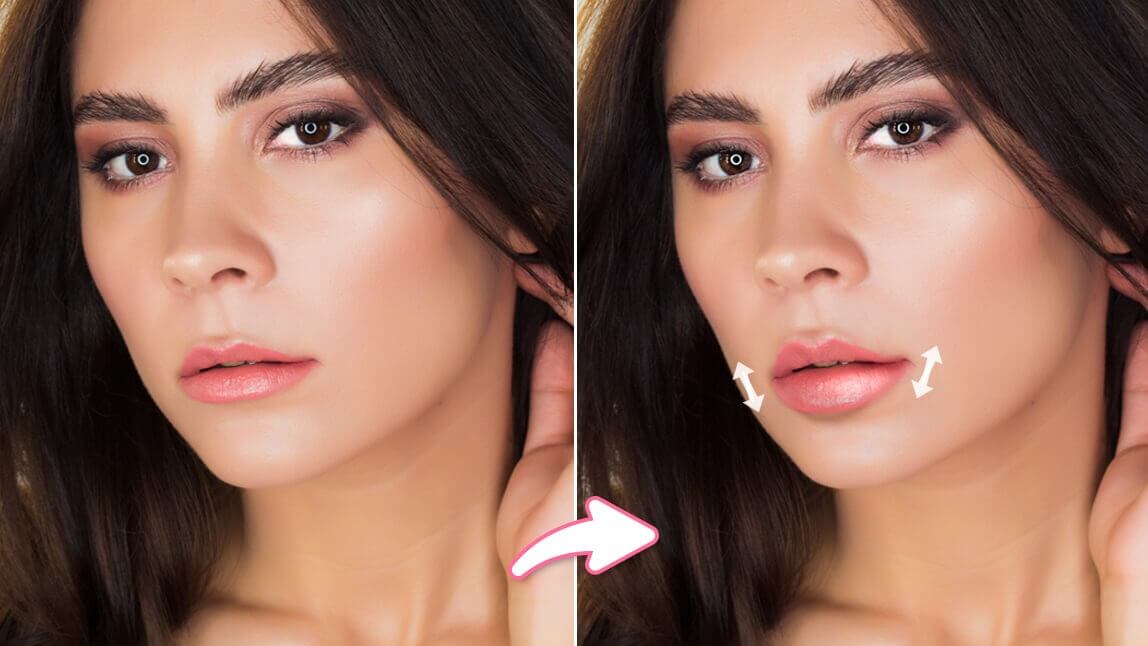
The "AI Facelift" and "Skin Retouch" features analyze skin tone and texture. Instead of a blurry "beauty mode," the AI identifies specific blemishes, dark circles, and fine lines, removing them while preserving the natural pores and beauty marks that make a face look real.
AI Retake & Change Expression Feature:
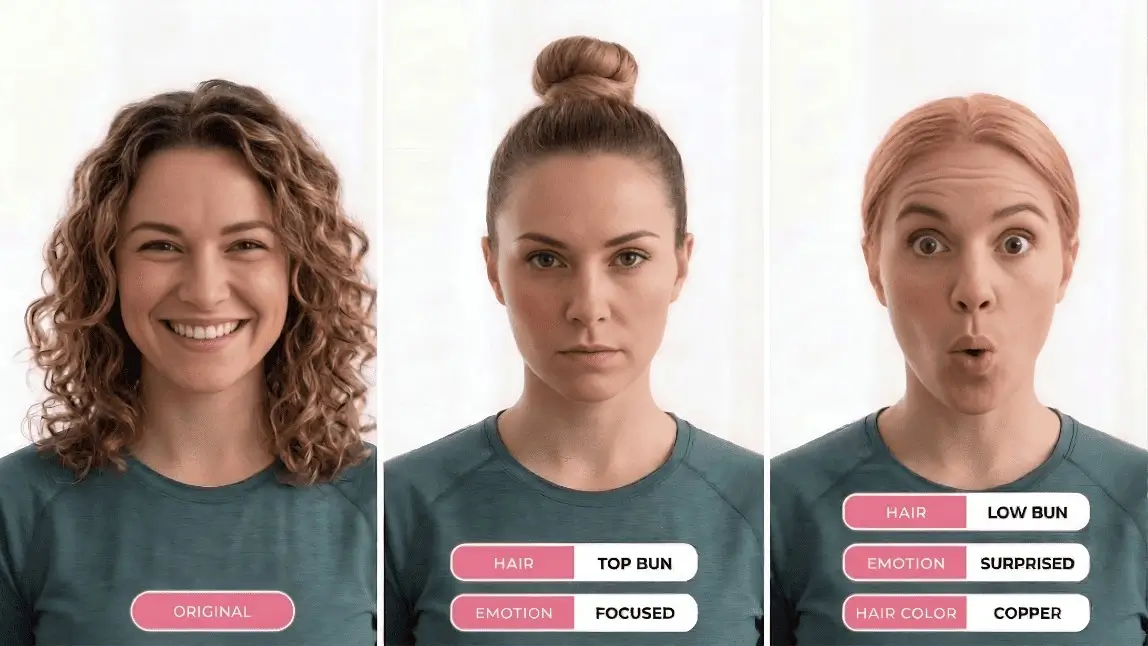
One of the most powerful ways to edit faces with AI is through expression manipulation.
- Smile Editor: Naturally adjusts the corners of the mouth to create a genuine smile.
- AI Eye Open: If you blinked in the perfect photo, the AI reconstructs your eyes based on your other photos.

Customization Options:
YouCam offers a Virtual Hair Salon and AI Fashion suite. You can swap hairstyles using "Hair Transfer" technology or change your entire outfit to match the mood of the portrait, all with a single tap.
Benefits of Using YouCam Makeup:
- Consistency: Apply the same "look" across 50 different photos instantly.
- Realism: 2026-grade lighting engines ensure that added makeup or features reflect the environment's light.
- Accessibility: No professional training required; the AI Agent guides you through the process.
Best Makeup & Face Retouch App
The #1 Virtual Makeover & Selfie Camera App.
Experience real-time AR makeup trials.
Final Thoughts
We are entering a future where the line between "taken" and "generated" is blurred. As AI continues to evolve, tools like YouCam Makeup will focus even more on ethical, high-fidelity expression. The goal is no longer to hide who we are, but to express our best selves through the most advanced technology ever created.
Best Makeup & Face Retouch App
The #1 Virtual Makeover & Selfie Camera App.
Experience real-time AR makeup trials.