


 Author:
Have you ever looked at a Funko Pop figure and thought, “I wish there was one that looked like me”? That’s exactly where a funko pop generator comes in.
Thanks to recent advances in AI image generation and editing, learning how to make Funko Pop–style characters is easier, faster, and more accessible than ever.
What Is Funko Pop?
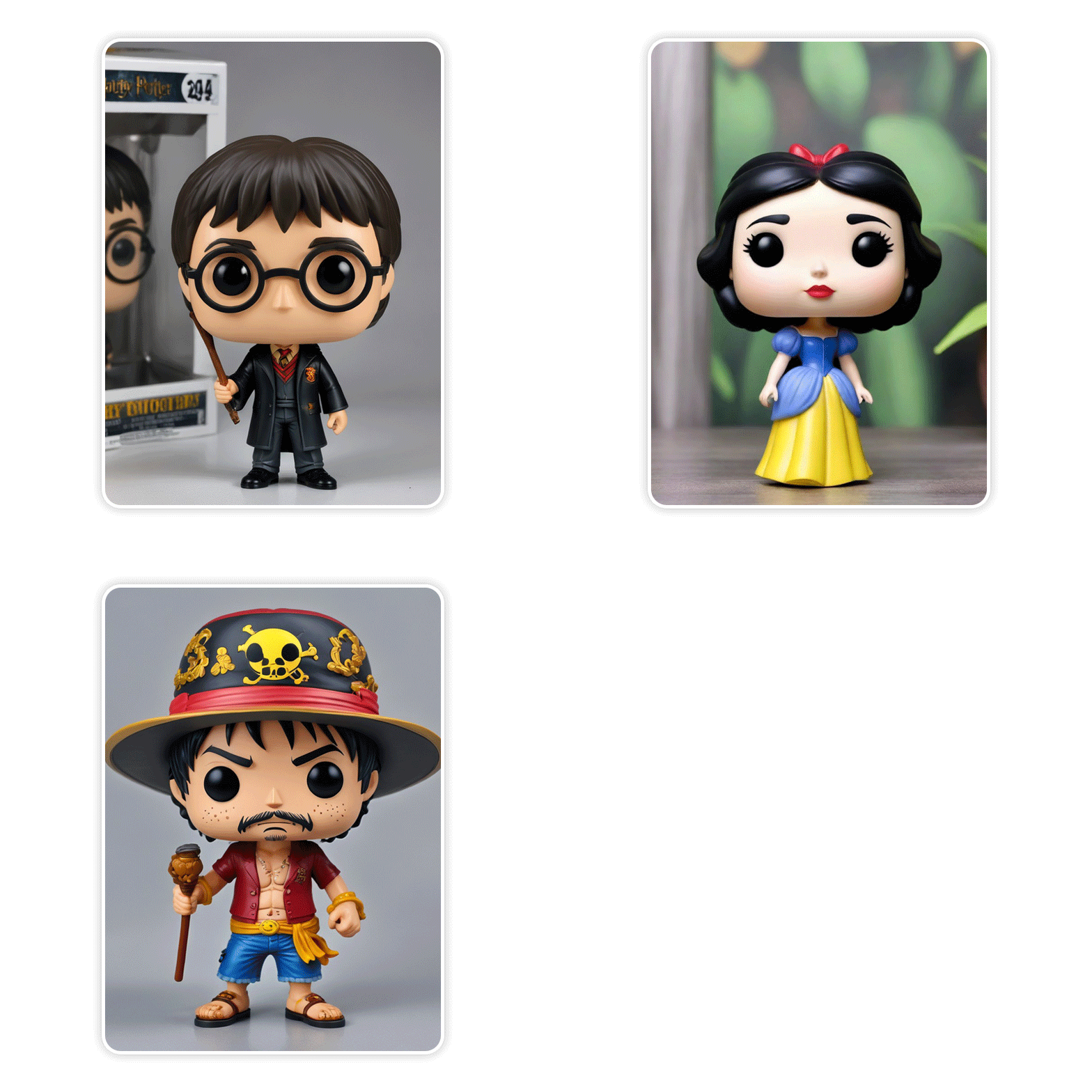
Funko Pop figures are stylized vinyl collectibles known for their oversized heads, small bodies, and simplified facial features. Since their debut, Funko has become a pop-culture phenomenon, covering everything from movies and TV shows to anime, games, and celebrities.
Why Are Funko Pop Figures So Popular?
The appeal of Funko Pop designs comes down to a few key traits:
- Recognizable style: Large head, round eyes, minimal facial details
- Wide customization: Characters, outfits, props, and themes
- Emotional connection: Fans see themselves or their favorite characters reflected
- Collectible aesthetic: Cute, display-ready, and highly shareable
Because the design language is simple yet expressive, it’s also perfect for AI generation—making Funko Pop–style avatars one of the most popular AI art trends right now.
How a Funko Pop Generator Works
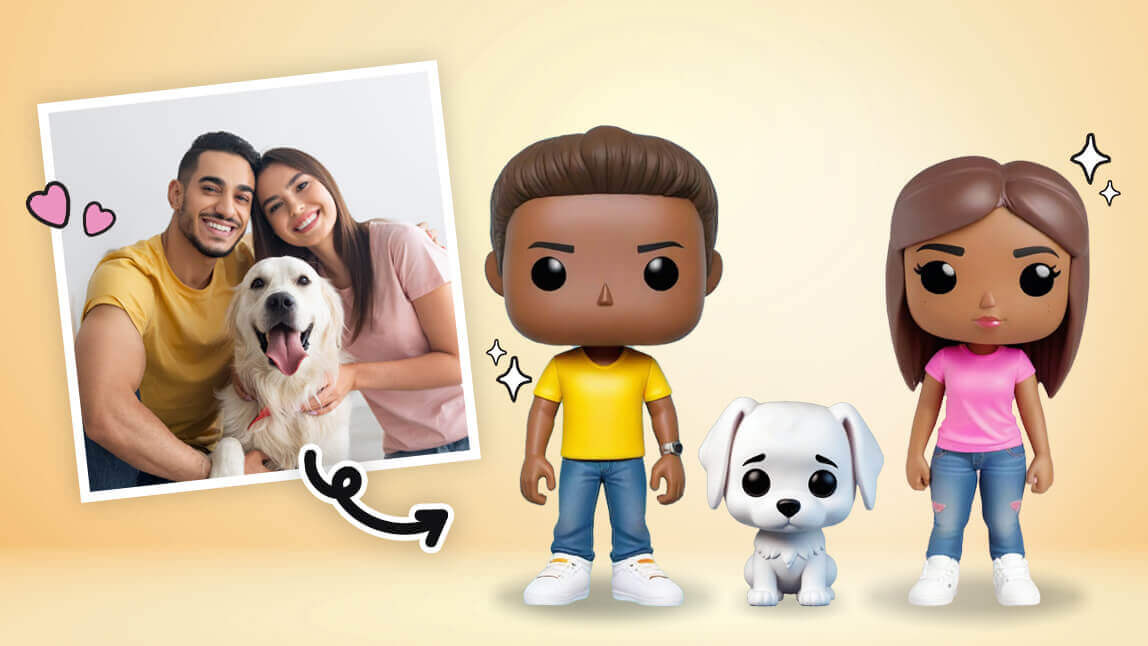
A Funko Pop generator uses AI technology to transform your photos or character designs into the iconic Funko Pop style. Here’s a simple breakdown of how it works:
- Input Your Image – Upload a photo of yourself, a friend, or any character you want to turn into a Funko Pop.
- AI Styling – The generator analyzes your image and applies signature Funko Pop features: oversized head, simplified facial expressions, and cute, collectible proportions.
- Customize Details – Adjust hairstyles, outfits, accessories, and colors to match your vision. Some generators even let you tweak poses or backgrounds.
- Preview & Export – Once you’re happy with your design, you can save the image, use it in videos, or share it on social media.
With just a few clicks, you can create a personalized, collectible-style figure—no sculpting or design skills needed. Funko Pop generators make it easy, fast, and fun to bring your favorite characters (or yourself!) into this whimsical world.
How to Make a Funko Pop Using YouCam Makeup
If you’re wondering how to make a Funko Pop without complex design tools or 3D modeling, YouCam Makeup offers an easy, AI-powered solution. Instead of relying on a single funko pop generator, YouCam Makeup lets you create a Funko Pop–style character from a real photo and transform it into a stylized, collectible-inspired avatar.
By combining AI Face Analysis, stylized effects, and creative editing tools, YouCam Makeup allows users to design Funko-inspired figures that feel personal, polished, and ready for sharing.
Step-by-Step: Make a Funko Pop with YouCam Makeup AI Agent
Step 1: Open the AI Agent in YouCam Makeup
Launch YouCam Makeup and tap AI Agent, where you can create images using text prompts and AI guidance.

Best AI Selfie Camera
The #1 Virtual Makeover & Selfie Camera App.
Experience real-time AR makeup trials.
Step 2: Upload Your Photo
Upload a clear selfie or portrait photo. The AI Agent uses your facial features as the base for your Funko Pop–style character.
Step 3: Enter a Funko Pop Prompt
In the prompt box, type a simple instruction such as:
“Turn my photo into a Funko Pop design.”
You may add details like outfit or accessories, but short and clear prompts usually work best.
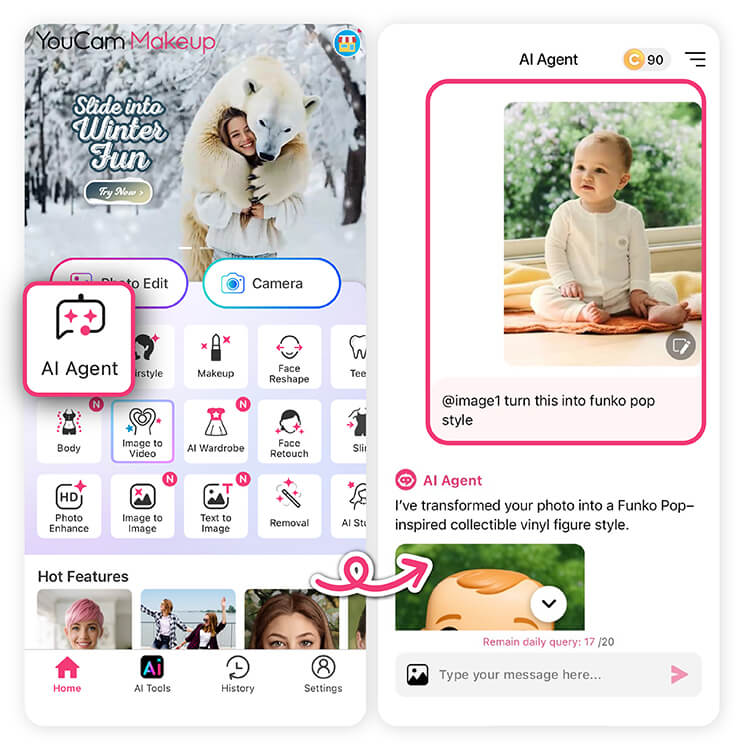
Tap generate and wait a few seconds. The AI Agent will transform your photo into a Funko Pop–style character with signature oversized proportions.
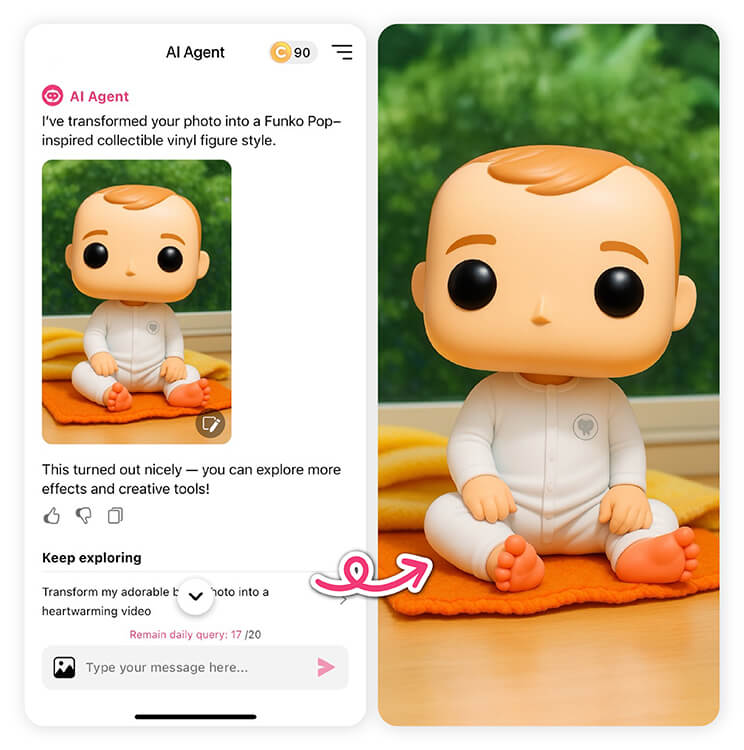
Step 5: Save or Fine-Tune Your Image
Save your Funko Pop image or make small adjustments using YouCam Makeup’s editing tools to ensure it looks clean and polished.
How To Animate Your Funko Pop
- Select Image-to-Video – Open YouCam Makeup and choose the Image-to-Video feature.
- Upload Image – Import your Funko Pop creation (or any character you made).
- Choose a Template – Pick from fun animation templates like Spin 360, Fly Away, or other playful effects.
- Generate Your Animation – Tap Generate and let AI bring your Funko Pop to life. Then preview, download, or share directly to social media!
With YouCam Makeup, creating shareable, animated Funko Pop videos is fast, easy, and playful.
Best AI Selfie Camera
The #1 Virtual Makeover & Selfie Camera App.
Experience real-time AR makeup trials.
Best Tips for Better Funko Pop AI Results
To get the most out of any funko pop generator, keep these tips in mind:
- Use simple clothing and clear colors
- Avoid busy backgrounds
- Keep facial expressions neutral
- Edit instead of over-generating
- Use YouCam Makeup for final polish
AI generation works best when combined with smart editing.
Ready to Make Your Own Funko Pop?
Creating your own Funko-inspired character no longer requires design skills or expensive software. With a funko pop generator, anyone can learn how to make Funko Pop–style images using AI in just minutes.
If you want to take your Funko Pop creations to the next level, try generating your design, polishing it in YouCam Makeup, and animating it into a short video. The result is fun, personal, and perfect for today’s AI-driven creative trends.
✨ Start experimenting and see your Funko Pop come to life.
Best AI Selfie Camera
The #1 Virtual Makeover & Selfie Camera App.
Experience real-time AR makeup trials.
FAQs About Funko Pop Generators
What is a Funko Pop generator?

A Funko Pop generator is an AI tool that creates Funko Pop–style images from photos or text prompts, mimicking the iconic vinyl figure design.
How to make Funko Pop characters look like me?
Use a clear front-facing photo, generate a Funko-style image with AI, then refine facial details using an editor like YouCam Makeup.
Can I animate my Funko Pop image?
Yes. With YouCam Makeup’s Image-to-Video feature, you can easily add motion to your Funko Pop, turning it into a fun, shareable animation perfect for social media videos.
How do I customize my Funko Pop’s look?
Most Funko Pop generators let you adjust hair, clothing, accessories, and colors. Once your base design is ready, you can use YouCam Makeup to enhance details, tweak colors, or add playful effects before animating your Funko Pop in the Image-to-Video feature—making it truly unique and shareable.



