Author:


![Creative Mother's Day Photo Booth Ideas to Try [2026]](https://plugins-media.makeupar.com/smb/blog/post/2026-04-22/webp_7df2e6f7-df4e-4750-868c-63571e7d05df.webp)
Not everyone has time to set up a full photo booth for Mother’s Day, and honestly, you don’t need to. Between busy schedules, last-minute planning, and family living in different places, creating the “perfect setup” can feel like too much.
But here’s the good news. You can still create beautiful, photo booth-style memories in seconds. These Mother’s Day photo booth ideas are not just about decorations anymore. They’re about making sure Mom is in the photo, looking her best, and actually enjoying the moment.

The Easiest Way to Create Mother’s Day Photo Booth Photos (No Setup Needed)
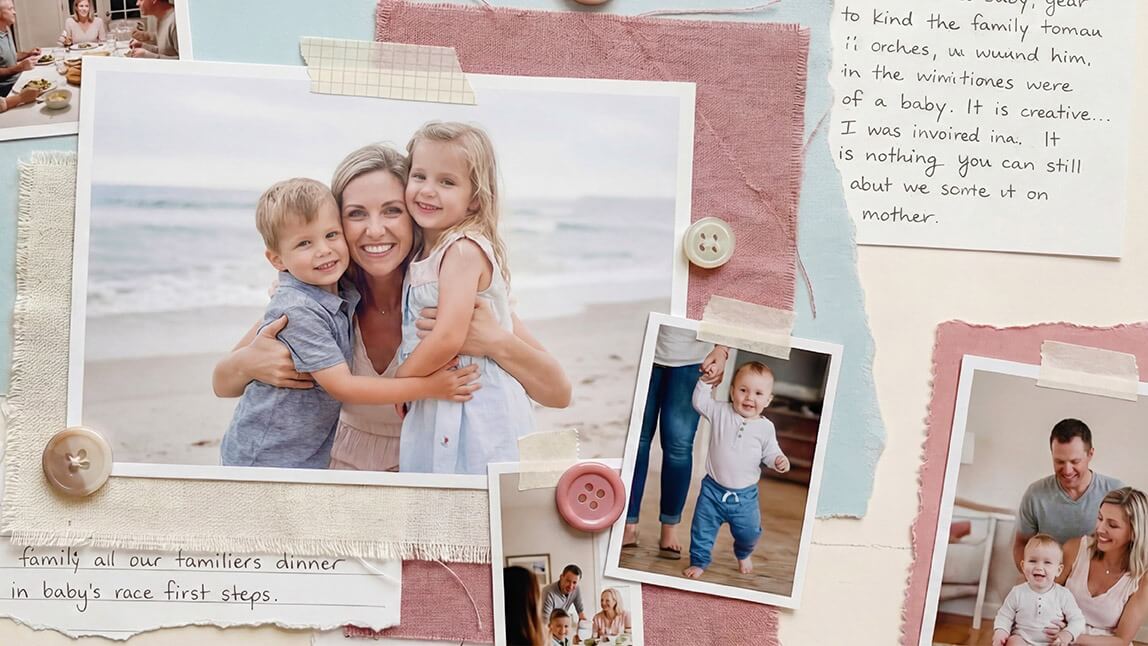
Let’s start with the simplest option. With YouCam Makeup, you can upload a photo of you and your mom and instantly turn it into a styled, photo booth-style image. No backdrop. No props. No stress.
It’s perfect if:
- You forgot to set up a photo booth
- Your family isn’t in the same location
- You want to upgrade old photos into something more aesthetic
This is easily one of the smartest Mother’s Day photo booth ideas for 2026.
How to Create Mother's Day Photo Booth with YouCam Makeup
With YouCam Makeup, you can literally upload a photo of you and your mom and turn it into a styled, photo booth-style image in seconds.
Here’s exactly how to do it:
1. Open YouCam Makeup

Download and launch YouCam Makeup on your phone.
2. Use the Group Photo Feature

Tap into the Group Photo feature. This tool is perfect for combining the best expressions, so everyone looks their best in one final shot.
3. Select Templates

Browse through the built-in templates and styles. Look for layouts that mimic classic photo booth strips or aesthetic collage vibes to match your Mother’s Day photo booth ideas.
4. Upload Photos

Upload a photo of you and your mom. You can use a recent selfie, an older memory, or even separate photos, the app will blend everything naturally.
5. Generate and Save

Let the app work its magic. In just a few seconds, you’ll get a polished, photo booth-style image. Save it to your phone, share it on social media, or print it as a keepsake.
Why This Works Better Than Traditional Photo Booths
Traditional Mother’s Day photo booth ideas are fun, but they take time, space, and effort.
This method is different.
- No setup required
- No perfect lighting needed
- No need to gather everyone together
- Works with both new and old photos
You still get that emotional, memory-filled result, just way easier.
Final Thoughts
The best Mother’s Day photo booth ideas aren’t about how much you prepare. They’re about making sure Mom is part of the memory. Whether you create a full setup or simply upload your favorite photo into YouCam Makeup, what matters is capturing a moment you’ll want to keep forever. And honestly, the easiest memories are sometimes the ones that mean the most.
About the Editors

The PERFECT Corp. Editorial Team
We are a team of experts on photo and video editing apps. Our goal is to deliver engaging content on everything from stunning selfie edits to eye-catching video effects. We cover the latest trends and share niche tips to help you master digital creation.
Discover more about us: