Author:


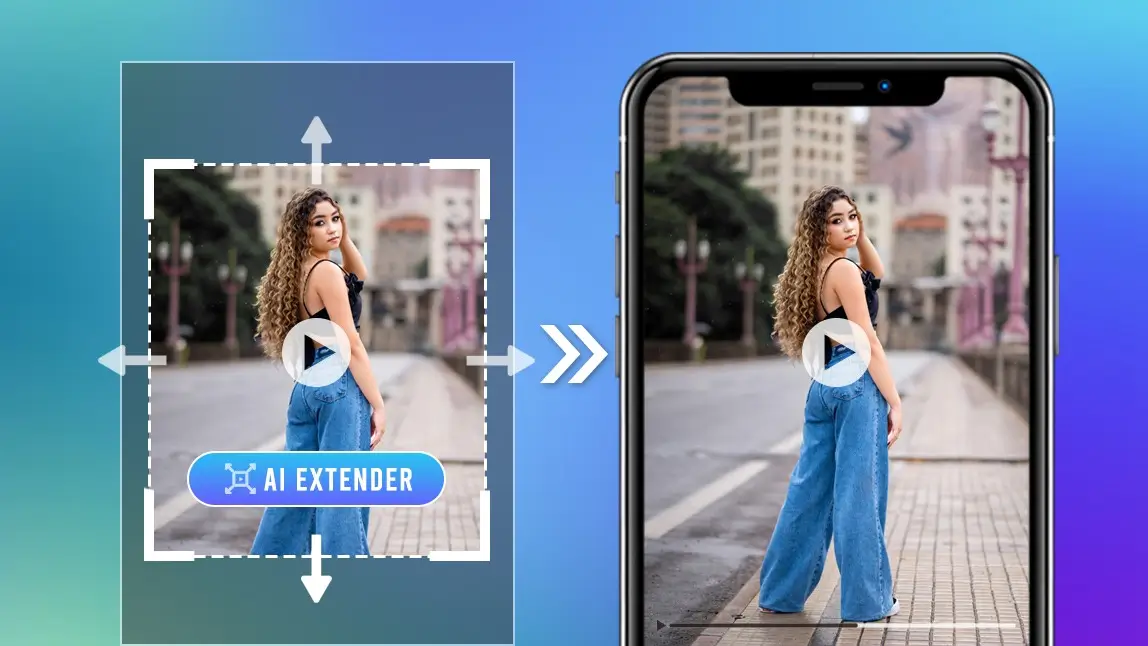
Looking for a video extender to expand your video without cropping or losing quality? Whether you need to turn a horizontal clip into a vertical TikTok, fix tight framing, or add more background space, an AI video extender makes it fast and effortless.
With YouCam Video, you can use a video extender free to expand video frames naturally using AI—no manual editing, no advanced skills required.
What Is a Video Extender?
A video extender is an AI-powered tool that expands the edges of a video beyond its original frame. Instead of stretching or zooming in, AI intelligently generates new background content that blends seamlessly with the original footage.
This is especially useful for:
- Converting landscape videos to vertical formats
- Fixing videos that were filmed too close
- Adapting content for TikTok, Reels, and Shorts
- Preserving video quality without cropping key details
Best AI Video Extender: YouCam Video
Unlike traditional video editors, YouCam Video’s AI Video Expansion automatically analyzes your video and fills in missing areas with realistic visuals.
Why Choose YouCam Video as Your Video Extender?
- Free AI video extender to try
- No learning curve
- No manual masking or background cloning
- Optimized for TikTok, Instagram Reels, and YouTube Shorts
- High-quality, natural-looking results
You simply upload your video and let AI handle the rest.
How to Extend a Video with AI Video Expansion
Using a video extender has never been easier. Here’s how to extend your video in seconds:
Step 1: Open YouCam Video
Download YouCam Video for free for iOS or Android and open the app on your device.
Step 2: Choose AI Video Expansion

Choose Video Expansion in the menu and upload the video you want to extend. This works for horizontal, vertical, or square clips.
Step 3: Adjust Aspect Ratio
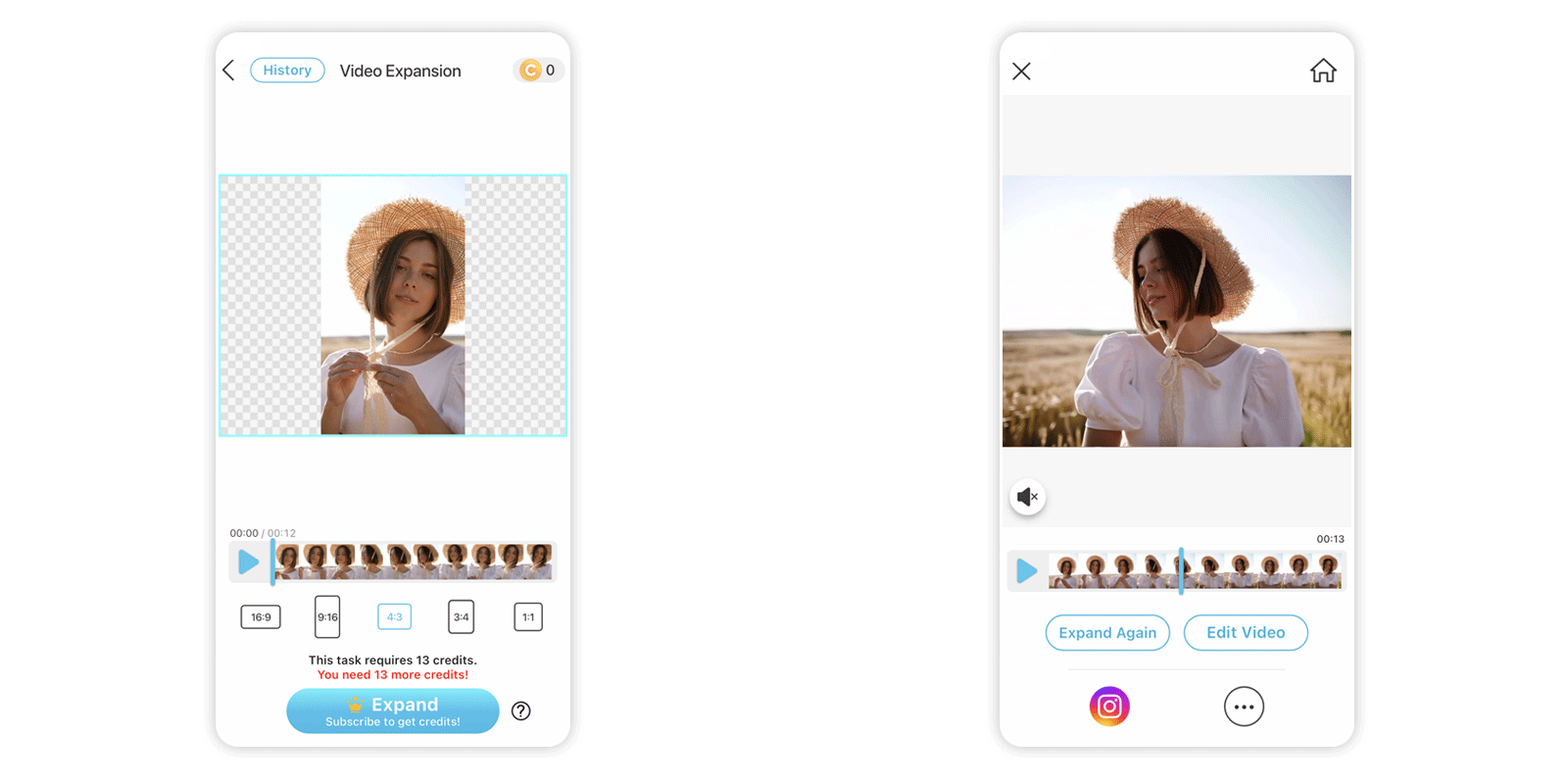
Convert your video to 9:16, 1:1, 16:9, 4:3, or 3:4 without cropping important content. The AI Video Extender automatically extends the frame beyond the original borders.
Step 4: Export and Share
Save your extended video in high quality, ready for TikTok, Reels, or YouTube Shorts.
Best Use Cases for a Video Extender
A video extender free tool like YouCam Video is perfect for:
- TikTok creators converting YouTube videos into vertical clips
- Instagram Reels that need extra background space
- Vloggers fixing tight framing
- Brands adapting one video for multiple platforms
- Content creators repurposing old videos without re-shooting
Why AI Video Expansion Is Better Than Cropping
Cropping often removes important visual details. A video extender preserves your content while expanding the scene naturally.
AI video extension benefits include:
- Keeps the original subject intact
- Maintains visual balance
- Saves filming and reshooting time
- Produces professional-looking results
Try the Best Video Extender Free Today
If you’re looking for a fast, easy, and reliable AI video extender, YouCam Video is the ultimate solution. Expand videos naturally, convert formats effortlessly, and create platform-ready content in seconds.