


 Author: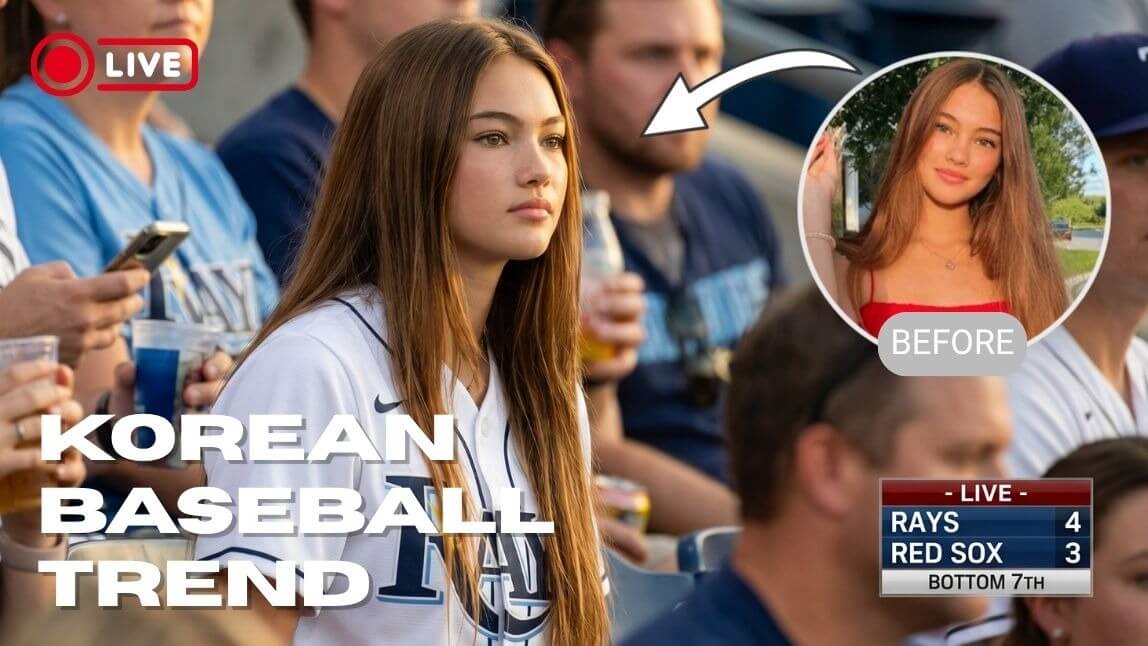
The viral Korean baseball AI trend is everywhere right now. Inspired by realistic KBO broadcast moments, creators are using AI to generate cinematic baseball fan videos that look like they were captured on live TV.
In this tutorial, you’ll learn how to make your own Korean baseball AI video using YouCam Video (prompts included!) Whether you want a cute KBO fan cam aesthetic, dramatic broadcast footage, or a trending Korean baseball crowd moment, this guide will help you create it in minutes.
What Is the Korean Baseball AI Trend?
The Korean baseball AI trend recreates realistic KBO stadium footage using generative AI. Most videos feature:
- candid broadcast-style camera angles
- Korean baseball jerseys and cheering sticks
- cinematic stadium lighting
- subtle crowd movement
- realistic “caught on live TV” reactions
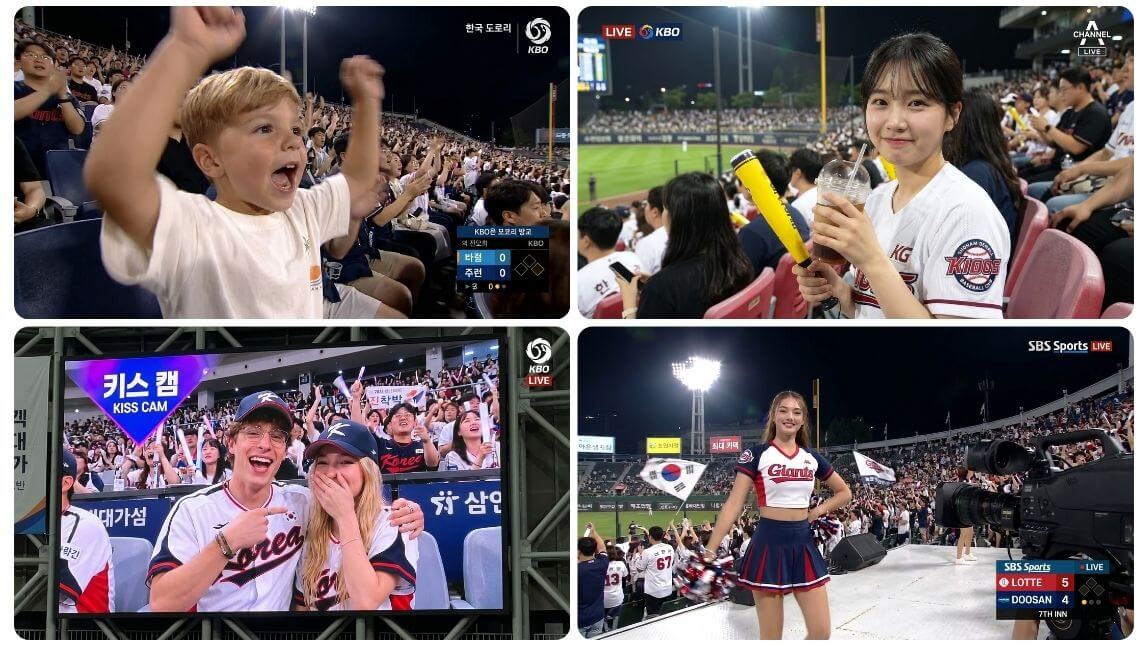
The trend exploded after AI-generated KBO fan clips went viral across social media, with many viewers initially believing the footage was real. Wanna see yourself on the big screen, try it now with YouCam Video!
How to Make Your Own Korean Baseball AI Videos
YouCam Video uses multi-model generative AI motion technology to animate photos realistically. Here are two methods to recreate the trend:
Method 1: Create Korean Baseball AI Videos from Photo
Step 1. Open the Best AI Video Generator app
Launch YouCam Video, click on Image to Video.
Step 2. Upload Your Photo
Choose a clear selfie, portrait photo, lifestyle image, or candid-looking shot for the best results. To make your Korean baseball AI video look more realistic, use a photo with natural lighting, avoid heavy filters, and keep facial details clear and visible.
Step 3. Enter a Korean Baseball AI Prompt
Try a prompt like:
💡Pro Tips: To keep your face realistic, you can add the below words into your prompt!
Important: Their face should remain close to the reference image. Do not change them into another person.
Step 4. Generate Your AI Video
Once generated, you can save as TikTok/Reels content by creating a fake sports broadcast edit or turn it into a fancam aesthetic clip!
Method 2: Make Korean Baseball AI Videos from Text
Step 1. Open the Best AI Video Generator app
Launch YouCam Video, click on Text to Video.
Step 2. Enter a Korean Baseball AI Prompt
Simply describe the character, the outfit, the stadium vibe, the camera movement, the crowd atmosphere and more. Try a prompt like:
Step 3. Generate and Save
Download your korean baseball trend videos and post directly to TikTok, Instagram, or Shorts.

See Other Best Korean Baseball AI Prompts
If you want to try more trendy inspiration, check out these Korean baseball AI prompts below.
#1 Cute KBO Fan Cam Prompt
#2 Dramatic Sports Broadcast Prompt
#3 KBO Couple Cam Prompt
#4 Cheerleader Style Prompt
Why Creators Love the Korean Baseball AI Trend
The Korean baseball AI trend has gone viral on TikTok and Instagram Reels for its realistic KBO broadcast style, cinematic stadium visuals, and trendy K-pop-inspired atmosphere. With candid camera angles, energetic crowds, and authentic live-TV aesthetics, creators are using AI to make highly shareable baseball fan videos that feel surprisingly real.
With YouCam Video’s AI Image-to-Video and Text-to-Video tools, anyone can easily create realistic Korean baseball broadcast clips in just a few minutes. Whether you want to make a cute fan cam, a dramatic stadium reaction scene, or a viral KBO-inspired broadcast video, YouCam Video makes it simple to transform ordinary photos or text prompts into eye-catching baseball-style content instantly.!
About the Editors

The PERFECT Corp. Editorial Team
We are a team of creators and AI editing experts focused on viral social media trends, turning the latest TikTok and Reels moments into easy-to-follow AI photo and video tutorials. From trending filters to eye-catching AI video effects, we help creators ride the wave of what’s hot and grow their digital identity with confidence.



