


 Author: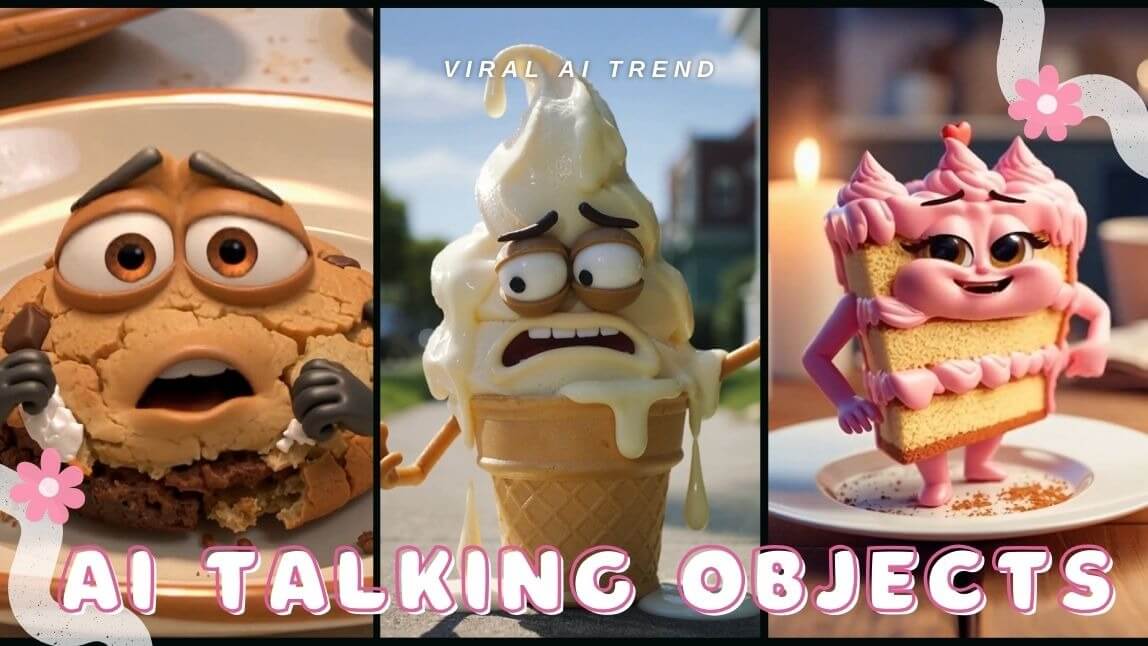
Have you ever scrolled through TikTok and stopped dead in your tracks because a slice of pizza was telling you a joke? Or maybe a grumpy orange was complaining about the weather?
It sounds surreal, but AI talking objects are the latest digital goldmine. These quirky, anthropomorphic videos are racking up millions of views, and the best part? You don’t need a degree in animation to join the trend. Whether you’re a content creator or just looking for a laugh, creating a viral talking object video is now easier than ever.
In this guide, we’ll show you exactly how to turn inanimate objects into social media stars using the power of AI.
What Is the AI Talking Object Trend?
The AI talking object trend involves taking everyday items—fruits, furniture, fast food—and using AI to give them human-like facial expressions and voices. Inspired by the classic "Annoying Orange" vibe but upgraded with hyper-realistic AI movements, these videos feel both "uncanny valley" and hilariously relatable.
From sourdough bread having a mid-life crisis to AI food dancing on a countertop, this trend is all about breaking the fourth wall of reality.
Why Are AI Talking Object Videos So Popular?
Why are people obsessed with an AI food video? It comes down to three things:
- The "Thumb-Stop" Factor: It’s impossible not to look when an inanimate object starts moving like a human.
- Relatability: Creators use these objects to act out funny, everyday scenarios that viewers love to share.
- High Engagement: Because they are visually unique, the TikTok algorithm loves pushing them to the For You Page (FYP).
AI Talking Object Memes for Your Social Media
Beyond the standard video trends, you can use these tools to make AI talking object memes that resonate across Instagram, X (Twitter), and Facebook. Memes thrive on irony and quick wit—imagine a literal "salt shaker" giving salty advice or a lightbulb having a literal "bright idea."
By using YouCam AI Pro to personify objects, you can create unique reaction videos and meme templates that other users will want to share and remix. It’s the perfect way to humanize your brand or personal profile while staying ahead of the cultural curve.
How to Make AI Talking Object Videos with YouCam AI Pro
Ready to go viral? You don’t need complex software. YouCam AI Pro is the ultimate tool to bring your imagination to life. Follow these four simple steps:
Step 1. Download YouCam AI Pro

AI Video & Image Generator
Turn text into AI Talking Videos instantly.
Supports Text-to-Video & Image-to-Video.
Head to the App Store or Google Play and download YouCam AI Pro. It’s the go-to app for creators who want professional AI results without the learning curve.
Step 2. Tap AI Video & Text to Video
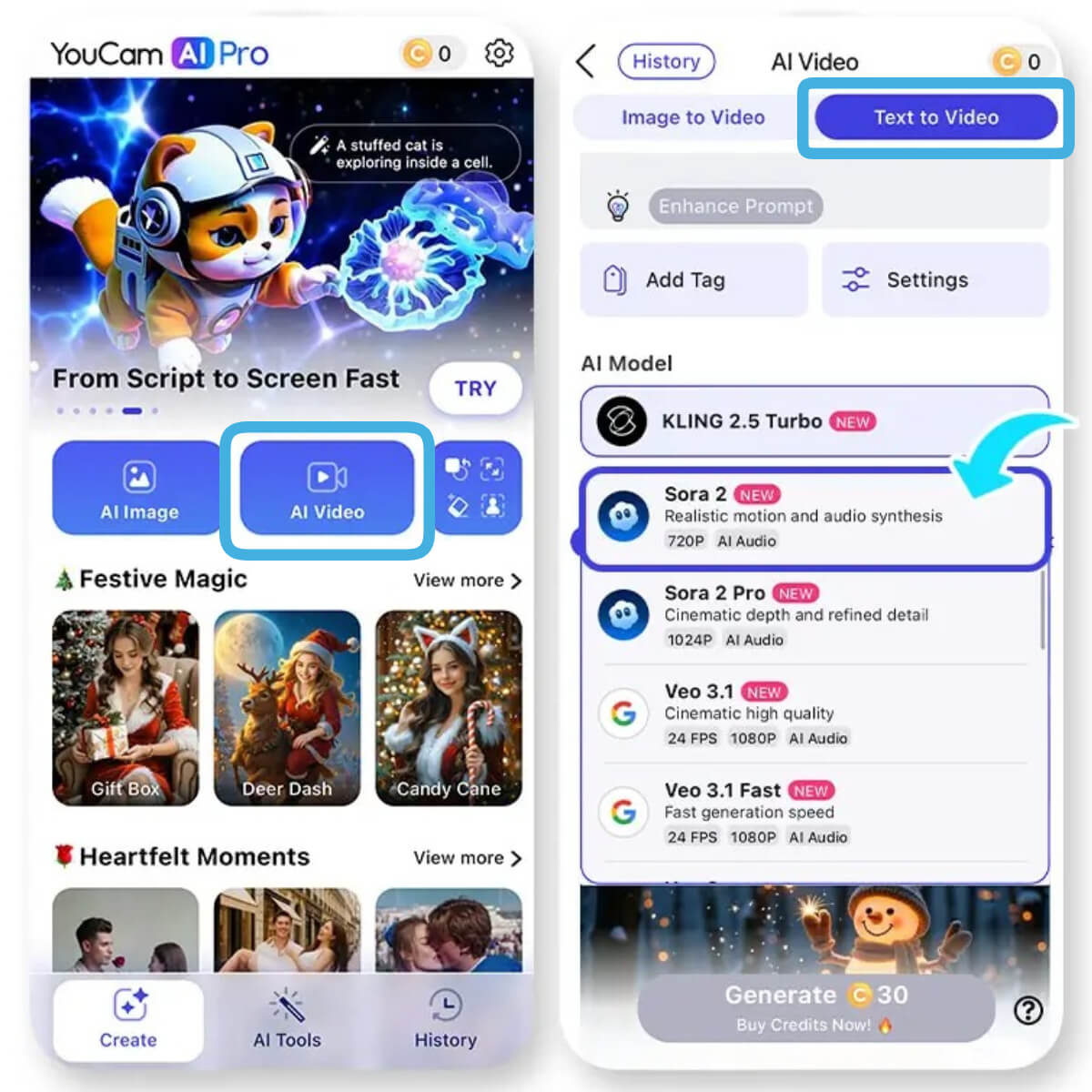
Open the app and navigate to the AI Video section. Select the Text to Video feature. This is where the magic happens—where your words turn into high-quality animation.
Step 3. Enter Prompt & Select AI Model
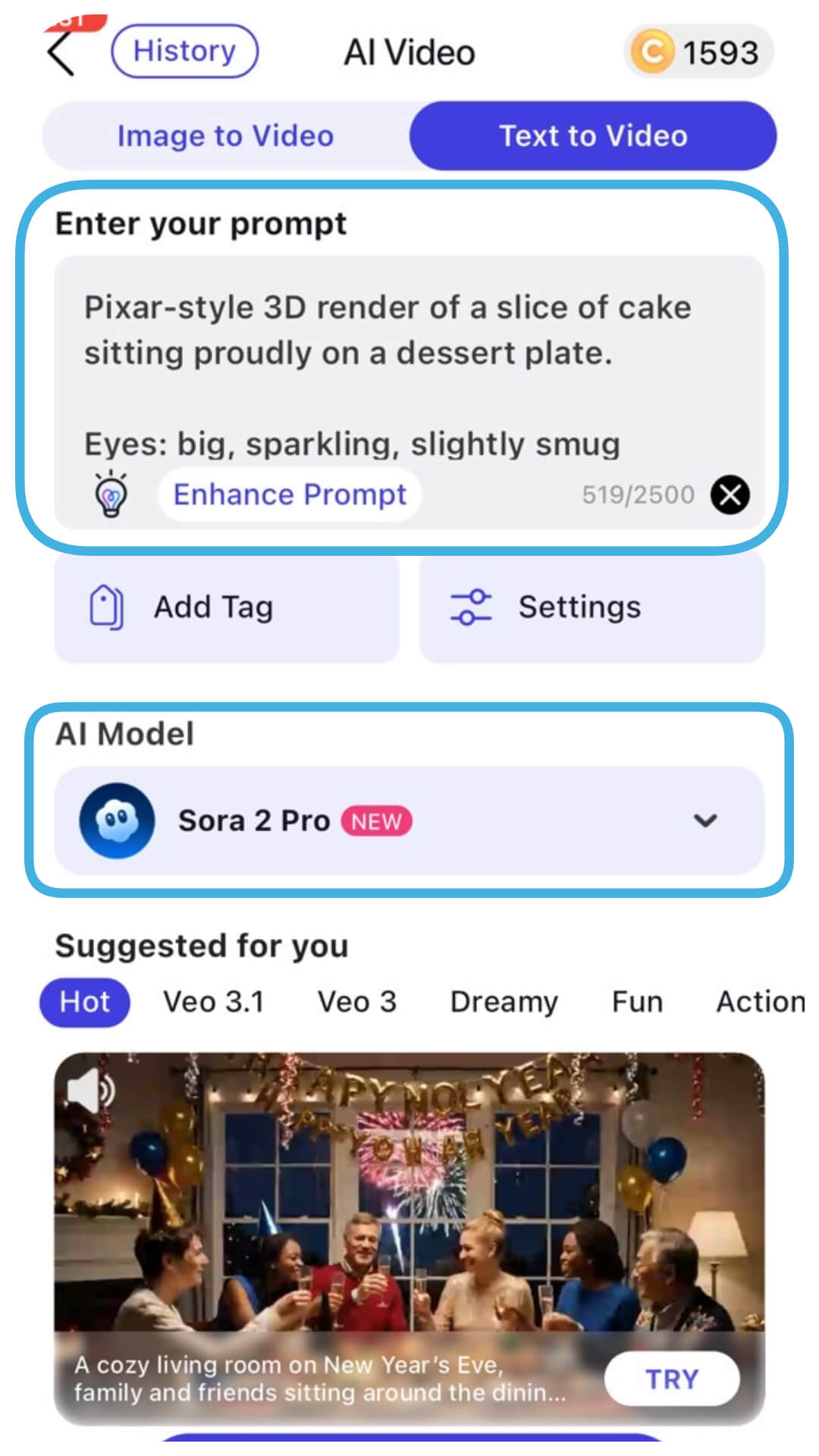
This is your creative cockpit. Describe exactly what you want your object to do.
Prompt:
"Pixar-style 3D render of a slice of cake sitting proudly on a dessert plate.
Eyes: big, sparkling, slightly smug
Eyebrows: lifted with confidence and charm
Mouth: wide, frosting-lined grin
Arms: one hand on hip, the other gesturing like a performer
Scene: cozy kitchen table with candles glowing, warm cinematic Pixar lighting, soft crumbs and frosting texture detail
10-Second Script
I’m not just dessert — I’m the moment.
Birthdays, breakups, celebrations, regret.
Cut me wrong, and I’ll remember."
Step 4. Generate & Save
Hit the generate button and watch the AI work. In seconds, your AI talking object will be ready. Preview the video, save it to your gallery, and you’re ready to upload to TikTok!
Viral AI Talking Object Video Prompts to Try
Need some inspiration? Copy and paste these prompts into YouCam AI Pro to get started:
Melting Ice Cream:
- Pixar-style 3D render of a melting ice cream cone on a sunny sidewalk.
- Eyes: big, glossy, slightly droopy with panic
- Eyebrows: raised high, curved in alarm
- Mouth: half-melted frown, dripping mid-sentence
- Arms: one arm flailing upward, the other trying to hold itself together
- Scene: bright summer afternoon, sun glaring, soft Pixar-style depth of field, dramatic highlights on melting scoops.
- 10-Second Script: I was perfect five minutes ago. Now look at me — gravity is winning. Eat me on time or watch dreams drip away.
Chocolate Donut – Defensive – Bakery Box
- Prompt: Pixar-style 3D render of a chocolate-glazed donut with sprinkles.
- Eyes: narrowed, alert Eyebrows: angled defensively
- Mouth: tight circle Arms: guarding its glaze
- Scene: bakery box interior, soft pink lighting, cinematic Pixar gloss
- Script: Don’t poke the glaze. It took effort to look this smooth. Admire — don’t disturb.
Birthday Candle – Dramatic – Cake Top
- Prompt: Pixar-style 3D render of a single lit candle leaning slightly.
- Eyes: wide, intense Eyebrows: arched with pressure
- Mouth: open, shouting silently
- Arms: raised like it’s holding back chaos
- Scene: candlelight flicker, shallow depth of field, emotional Pixar glow
- Script: I get one breath of fame. One wish, one blow, then darkness. Don’t waste this.
French Fries – Overconfident – Paper Basket
- Prompt: Pixar-style 3D render of crispy fries standing tall in a basket.
- Eyes: smug, half-lidded Eyebrows: raised with swagger
- Mouth: crooked grin
- Arms: hands behind head, lounging
- Scene: diner table, golden lighting, Pixar crunch detail
- Script: Everyone reaches for me first. You say it’s “just one.” We both know that’s a lie.
Soda Cup – Hyper – Cup Holder
- Prompt: Pixar-style 3D render of a soda cup fizzing at the top.
- Eyes: wide, vibrating with energy
- Eyebrows: bouncing unevenly
- Mouth: open, bubbling laugh
- Arms: shaking with excitement
- Scene: fast-food counter, bright Pixar lighting, floating bubbles
- Script: I’m 90% bubbles and bad decisions. You shake me — I explode emotionally. Pop the lid and learn.
![AI Baby Dance: How to Create AI Baby Dance Videos Free [2026 Trend & Prompts]](https://plugins-media.makeupar.com/smb/blog/post/2026-01-16/webp_7e56f455-3ea4-45e6-bf26-6d4eef44d047.webp)
More Fun AI Food Ideas to Try
Don’t stop at just talking! You can expand your content with these AI food concepts:
- Food Transformation: Use AI to turn a burger into a futuristic space station.
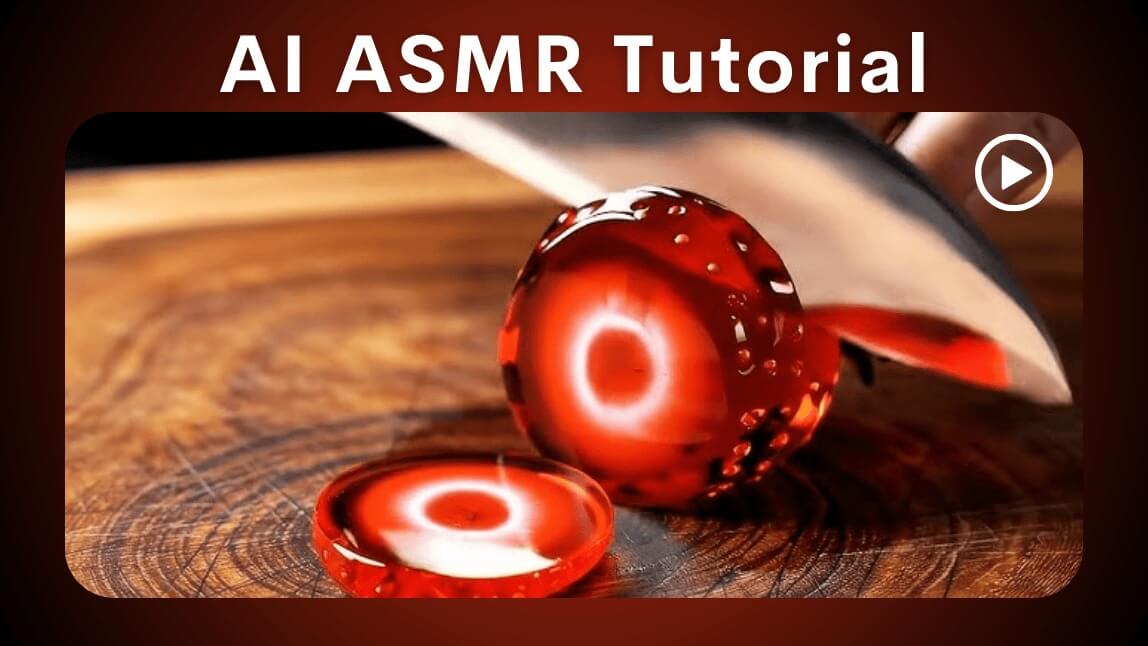
- ASMR Objects: Create a talking marshmallow that describes how soft it feels.
- Recipe Storytelling: Let the ingredients explain the recipe as you cook.
About the Editors
The PERFECT Corp. Editorial Team
We are a team of experts on photo and video editing apps. Our goal is to deliver engaging content on everything from stunning selfie edits to eye-catching video effects. We cover the latest trends and share niche tips to help you master digital creation.



