


 Author: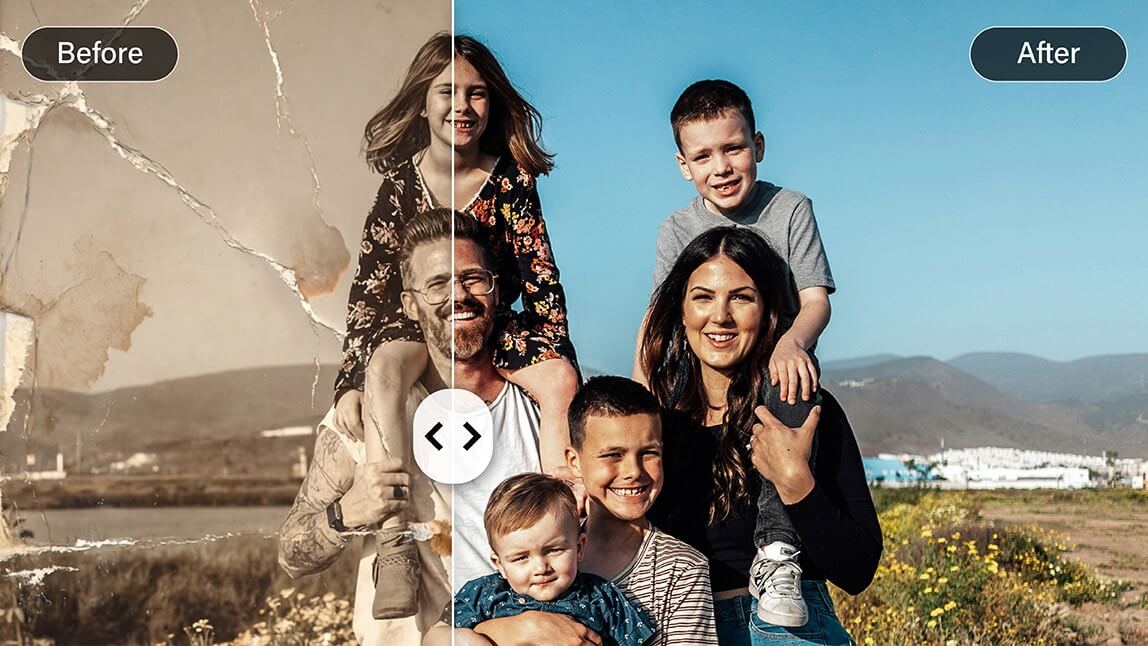
Old photos have a way of holding onto moments we don’t want to lose. The problem is, time isn’t gentle. Faded colors, scratches, blur, and grain can slowly erase the details that matter most.
Here’s where ChatGPT photo restoration can help. While ChatGPT can’t directly edit images, it’s surprisingly useful as a creative guide. With the right prompts, you can generate detailed instructions to restore photos using AI tools.
And when paired with dedicated apps like YouCam Enhance, the results go from “interesting experiment” to genuinely impressive.
Let’s break down how it works and how to get the best results.

Can ChatGPT Restore Old Photos?
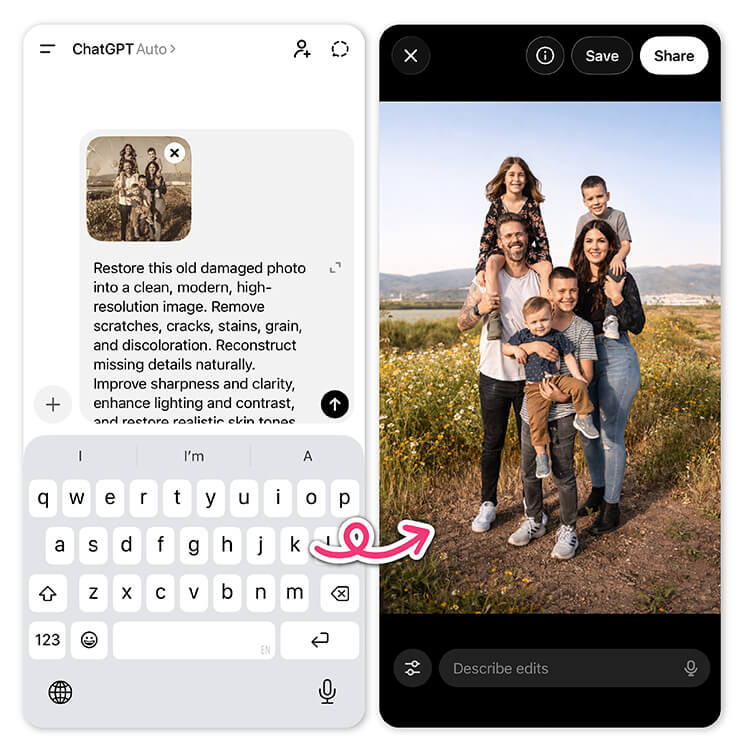
Think of it as your restoration assistant. You describe the photo and the issues, and ChatGPT helps you craft prompts or workflows you can use in AI-powered editing tools.
This is why ChatGPT photo restoration is becoming a popular starting point.
It helps users:
- Identify what needs fixing
- Generate detailed editing prompts
- Experiment with different restoration styles
- Learn how AI interprets visual details
Still, you’ll need a tool that actually performs the restoration. We’ll get to that shortly.
Best ChatGPT Prompts for Photo Restoration
The quality of your results depends heavily on how you prompt. Vague inputs lead to generic outputs. Detailed prompts, on the other hand, can dramatically improve your restored image.
Here are some realistic and effective prompts you can try:
General Restoration Prompts
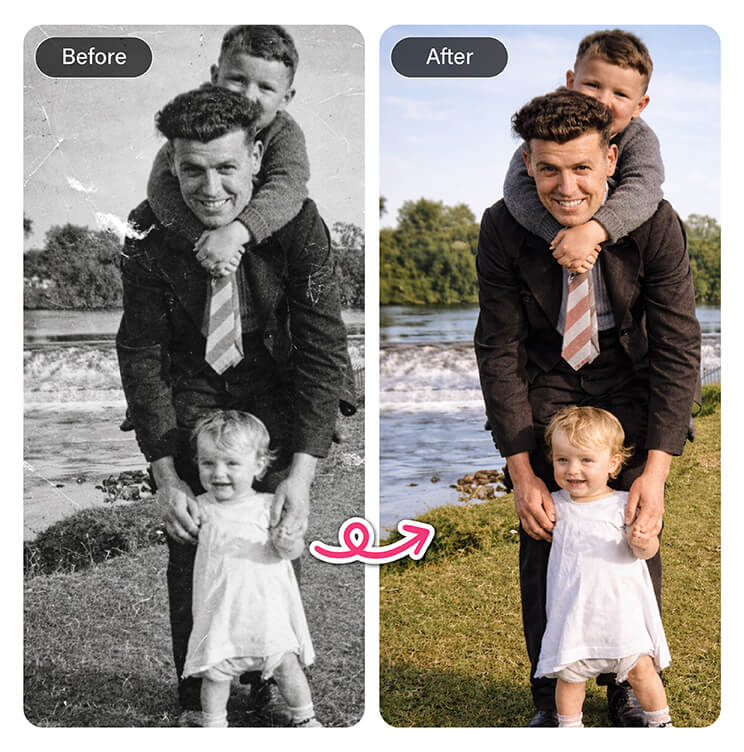
- “Restore this old photo by removing scratches, dust, and noise while preserving natural skin texture and fine details.”
- “Enhance this vintage photo by sharpening blurry areas and improving overall clarity without overprocessing.”
- “Clean up this damaged photo by repairing creases and restoring missing details in a realistic way.”
Color Correction Prompts
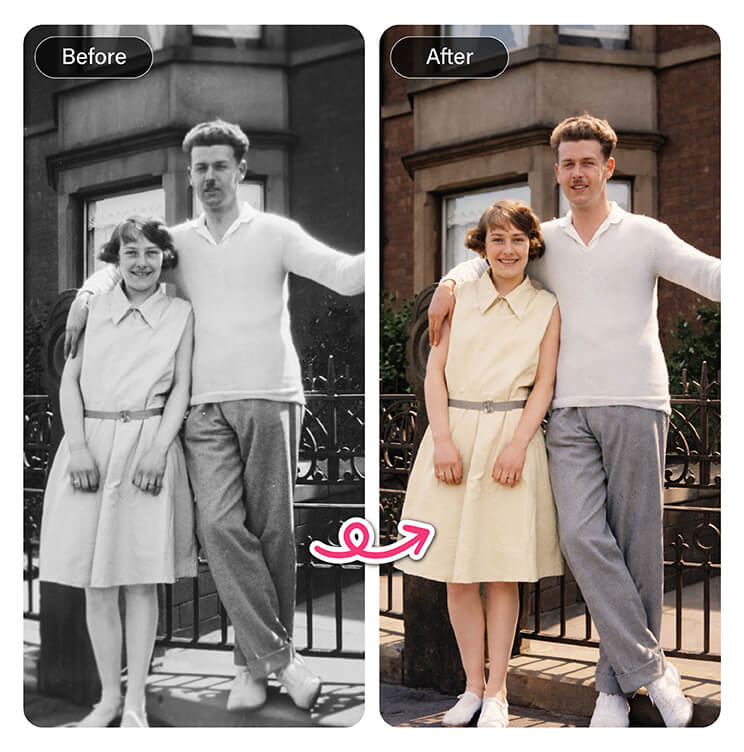
- “Colorize this black and white photo with natural skin tones, realistic clothing colors, and balanced lighting.”
- “Restore faded colors in this old image, bringing back vibrancy while keeping a natural, film-like look.”
- “Correct color shifts and yellowing caused by aging, returning the photo to accurate tones.”
Face Enhancement Prompts
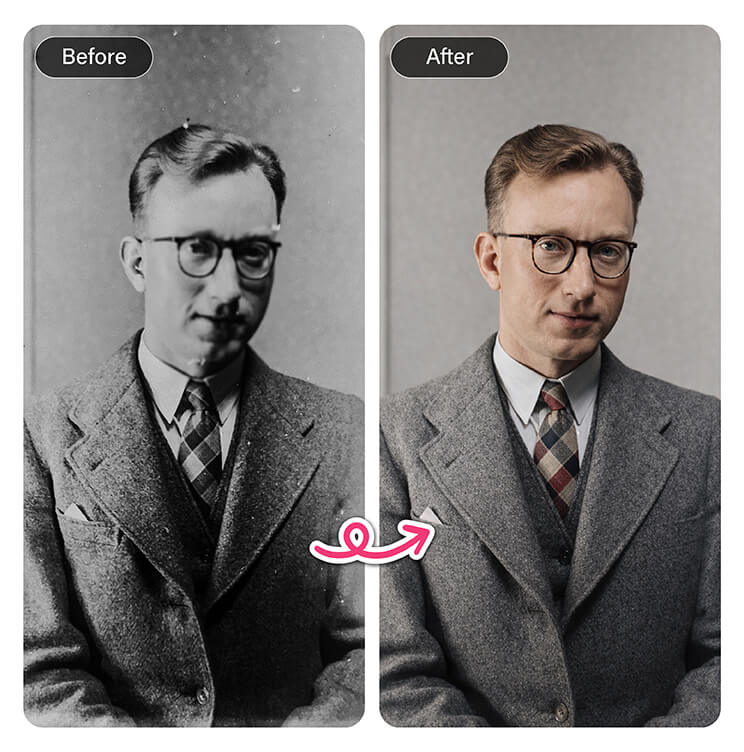
- “Enhance facial details in this photo, improving sharpness in the eyes and facial features while keeping it realistic.”
- “Fix motion blur on the subject’s face and restore natural skin texture without making it look artificial.”
- “Reconstruct missing or blurred facial features using realistic proportions.”
Background & Detail Prompts
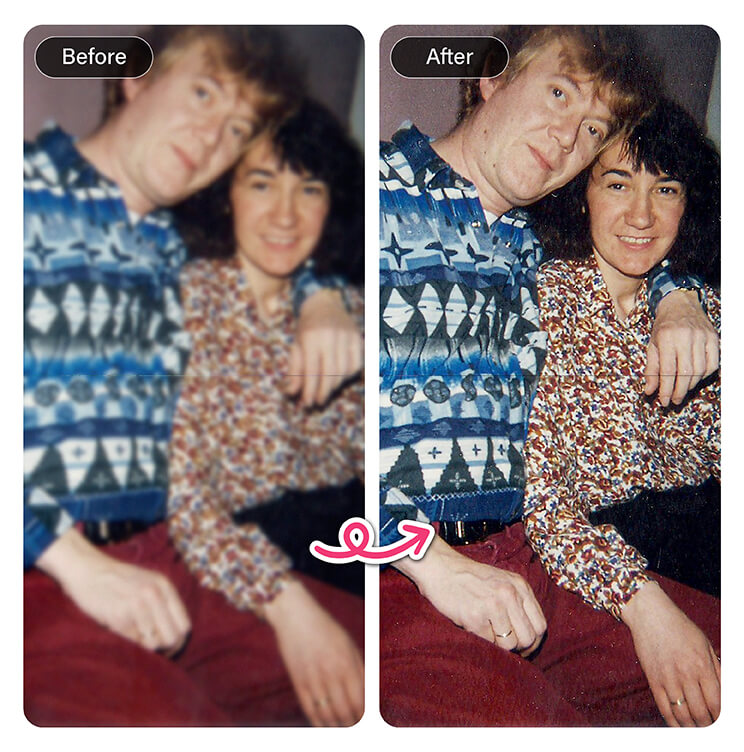
- “Restore background details and remove grain while maintaining depth and realism.”
- “Upscale this image to higher resolution while preserving texture and avoiding over-smoothing.”
- “Reduce noise and improve contrast to make the subject stand out more clearly.”
💡 Pro tip: The more context you give ChatGPT, the better your prompts will be. Mention things like lighting, damage type, and the era of the photo.
Limitations of ChatGPT Photo Restoration
While ChatGPT photo restoration is a powerful starting point, it has a clear limitation: it doesn’t actually process images.
That means:
- You still need a separate tool to apply the edits
- Results depend on how well the tool interprets your prompt
- It can take multiple iterations to get the desired outcome
If you want faster, more reliable results, it’s worth using a tool designed specifically for photo restoration.
A Better Alternative: YouCam Enhance
If you like the idea of conversational editing but want real results, YouCam Enhance bridges that gap beautifully.
Instead of jumping between tools, you can combine the prompt-based approach of ChatGPT with actual AI-powered editing in one place.
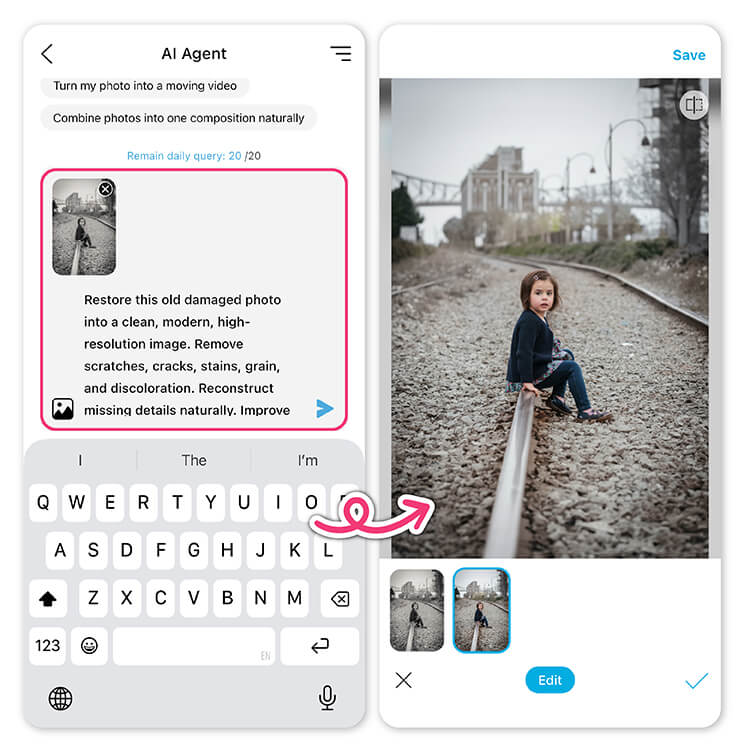
AI Agent: Conversational Photo Editing
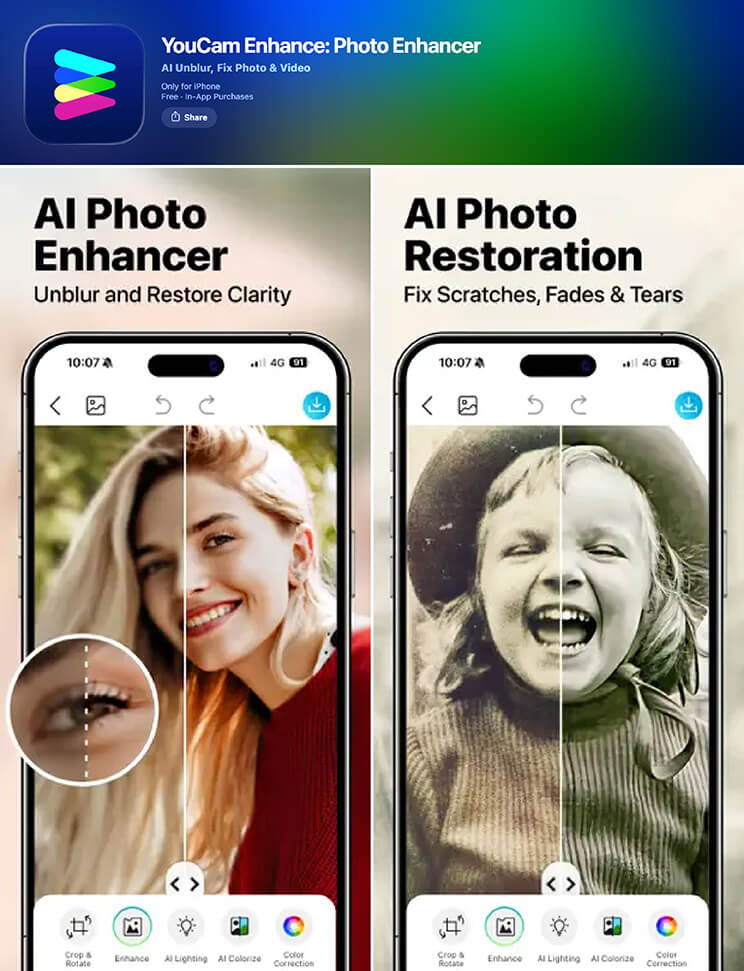
The AI Agent works like a built-in assistant. You can upload a photo and simply describe what you want, just like you would in ChatGPT.
For example:
- “Restore this photo and remove scratches”
- “Make the faces clearer and improve sharpness”
- “Bring back natural colors and fix fading”
You can continue refining your request through conversation until the result feels right. It’s intuitive, flexible, and much faster than trial-and-error across multiple tools.
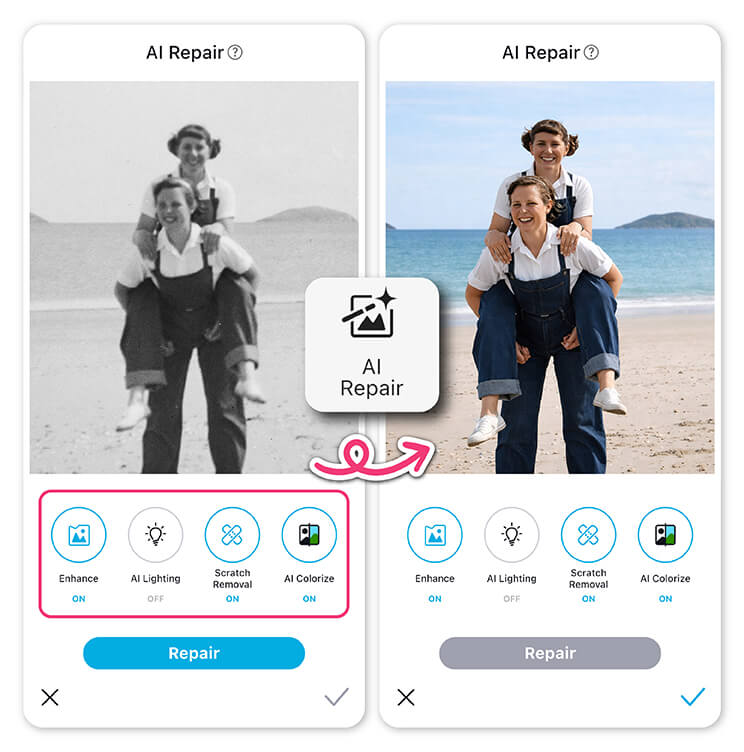
Photo Repair: Instant AI Fixes
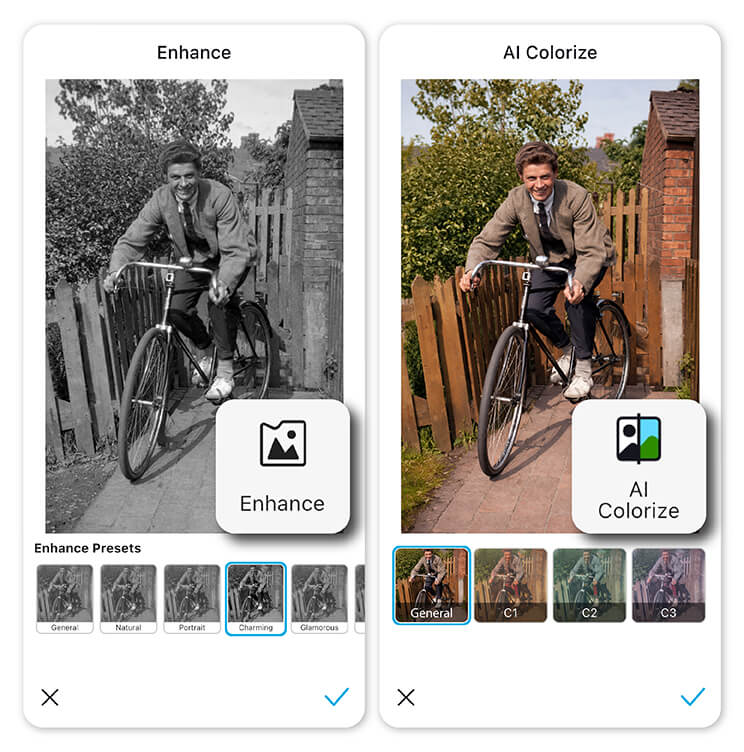
It’s designed to:
- Remove scratches and damage
- Enhance facial clarity Improve color and contrast
- Sharpen details without overprocessing
This is ideal if you want high-quality results without writing prompts at all.
How to Restore Old Photos with YouCam Enhance
Getting started is simple:
Step 1: Download the App
Install YouCam Enhance on your device.
Step 2: Open AI Agent
Upload your old photo and start describing what you want to fix.
Step 3: Refine with Prompts
Step 4: Try Photo Repair
Step 5: Save and Share
Download your restored photo and bring those memories back to life.
Prefer Editing Online? Try YouCam Online Editor
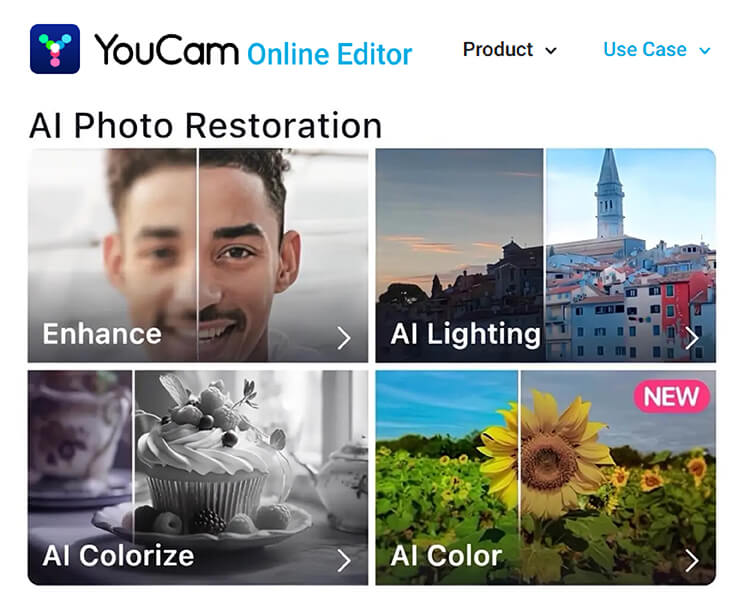
It’s a convenient option for quick fixes or one-off edits.
Final Thoughts
ChatGPT photo restoration is a great way to understand and guide the restoration process. With the right prompts, you can get surprisingly detailed instructions and creative control.
But for actual results, pairing that guidance with a dedicated tool makes all the difference. If you want the easiest way to restore old photos with both smart prompts and powerful AI editing, give YouCam Enhance a try.
Download the app and start turning faded memories into clear, vibrant images today.
ChatGPT Photo Restoration FAQs
Can I use ChatGPT to restore old photos?

ChatGPT cannot directly restore old photos because it doesn’t edit images. However, it’s useful for generating detailed prompts and guidance for AI editing tools. Many people use ChatGPT photo restoration to describe damage, refine edits, and create instructions that can be applied in apps designed for photo repair and enhancement.
Can you use ChatGPT to fix a photo?
You can’t fix a photo inside ChatGPT itself, but you can use it to guide the process. ChatGPT helps you write precise editing prompts, identify issues like blur or fading, and suggest improvements. You’ll still need an AI photo editor, such as YouCam Enhance, to apply those changes and produce the final restored image.
Which AI is best to restore old photos?
The best AI for restoring old photos combines accuracy, ease of use, and realistic results. Dedicated tools like YouCam Enhance stand out because they offer features like AI Photo Repair and conversational editing. While ChatGPT helps with prompts, specialized AI apps are better at actually enhancing details, fixing damage, and restoring colors effectively.
What is the best way to restore an old photo?
The most effective way to restore an old photo is to use an AI-powered restoration tool. Start by scanning or uploading a high-quality version of the image, then use features like scratch removal, color correction, and face enhancement. You can also use ChatGPT to generate prompts for more precise edits and better overall results.
Is AI photo restoration worth it?
Yes, AI photo restoration is worth it for most people. It saves time, requires no technical skills, and can significantly improve image quality in seconds. Modern AI tools can repair damage, sharpen details, and restore colors with impressive accuracy, making it easy to bring old memories back to life without manual editing.
Is there a free app for old photos restored?
Yes, there are free apps that can restore old photos using AI. Many offer basic features like sharpening, color enhancement, and damage repair at no cost. Apps like YouCam Enhance provide free options along with advanced tools, making them a convenient choice for quickly improving old or damaged photos without professional software.



