 Author:


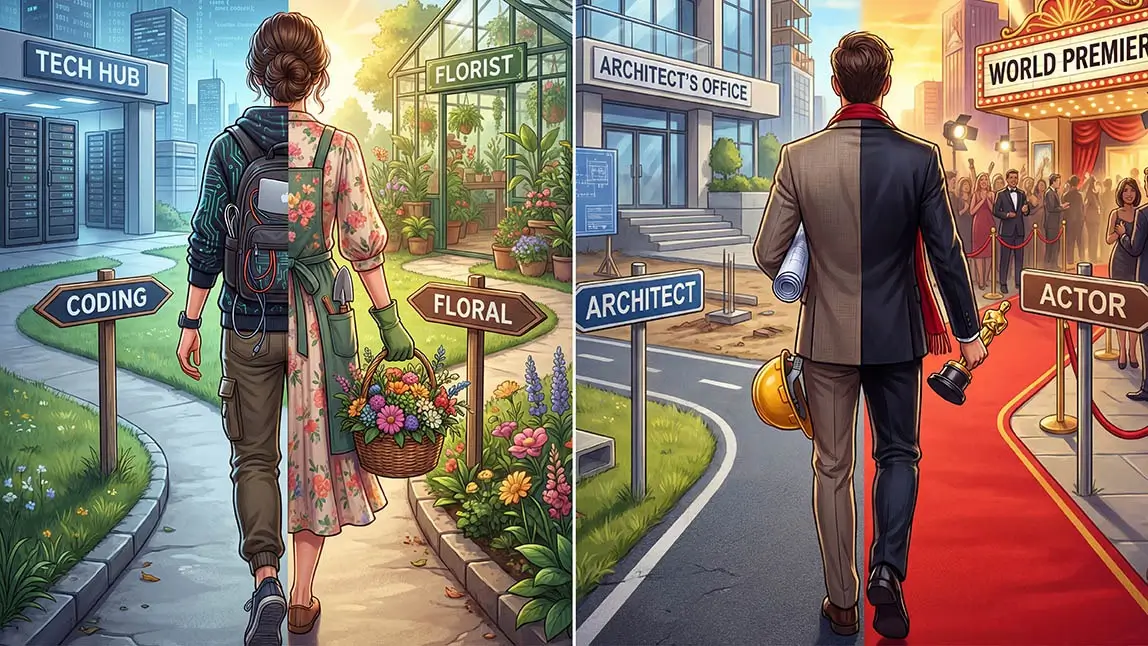
Have you scrolled through TikTok lately and noticed people transforming into futuristic pilots, half-doctor-half-fashionistas, or dreamy “what I wanted to be vs. what I am” career mashups?
That viral sensation is called the AI job trend—and it’s taking over feeds worldwide.
What Is the AI Job Trend on TikTok?

The AI job trend is a viral format on TikTok where people use AI to generate images of themselves in different careers.
Sometimes it’s:
- Their childhood dream job
- Two careers combined into one outfit
- “What I wanted to be vs. what I am now”
- A totally unexpected career switch
AI blends everything seamlessly — outfits, props, backgrounds — so it looks cinematic and almost movie-level realistic.

Best AI Photo Editor
The Best AI Photo Editor & Selfie Camera.
Remove objects, apply filters & more.
Why the AI Dream Job Trend Went Viral
The AI dream job trend taps into something deeply personal: “What did I want to be growing up?”
Plus, the AI image feels futuristic and cinematic—perfect for stopping the scroll.
Psychologically, this trend works because it triggers:
- Nostalgia – Childhood ambitions
- Curiosity – “What would I look like as…?”
- Relatability – Everyone had a dream job
- Shareability – Friends tag each other instantly
And the best part? You don’t need Photoshop skills.
How to Do the AI Job Trend (Step-by-Step)
If you’ve been wondering how to do the AI job trend, here’s the exact method using YouCam Perfect.
Step 1: Open AI Agent
AI Agent allows you to upload a reference image and generate variations with custom prompts.
Best AI Photo Editor
The Best AI Photo Editor & Selfie Camera.
Remove objects, apply filters & more.
Step 2: Upload the AI Job Image as a Reference
Using a reference ensures better image result.
Step 3: Enter the Prompt
Copy and paste this exact prompt format: “Generate images: Remake this but change the careers to [JOB 1] and [JOB 2] and change the outfit to half match each career.”
Step 4: Generate and Save
Tap Generate, review results, then save your favorite image
Now you’re ready to upload it to TikTok.
How to Turn Your AI Job Image into a Viral TikTok AI Job Video
Creating your AI image is step one. Making it perform well on TikTok? That’s step two.
If you want your TikTok AI job post to actually get traction, here’s what to focus on:
Turn Your AI Image Into a Short Video (Using Image to Video)
Instead of just posting your AI image, animate it using YouCam Perfect’s Image to Video feature.
Here’s how:
- Open YouCam Perfect
- Select Image to Video
- Upload your AI job image
- Enter the prompt like: make the person in the image walk
- Export as a short vertical video
Best AI Photo Editor
The Best AI Photo Editor & Selfie Camera.
Remove objects, apply filters & more.
Use a Hook
On TikTok, attention spans are short. Very short. Your first 3 seconds decide whether someone scrolls… or stays.
Start with:
- “What I wanted to be at 8 vs. now…”
- “POV: I followed my childhood dream”
- “Two careers. One outfit.”
Add Trending Audio
Trending audio increases discoverability because TikTok’s algorithm favors currently popular sounds.
Pair your animated AI dream job reveal with a dramatic beat drop or transition sound for maximum impact.
Use the Right Hashtags
For discoverability, include:
- #AIJobTrend
- #AIDreamJobTrend
- #TikTokAIJob
- #DreamCareer
Avoid stuffing too many random hashtags. Stay relevant and clean.
Try the AI Job Trend!

The AI job trend isn’t just another TikTok moment — it’s a creative way to reimagine yourself.
Whether you're revisiting your childhood dream or just having fun mixing two totally different careers, the AI dream job trend is easy, fun, and surprisingly addictive.
So tell me — what was your dream job growing up? 👀