


 Author: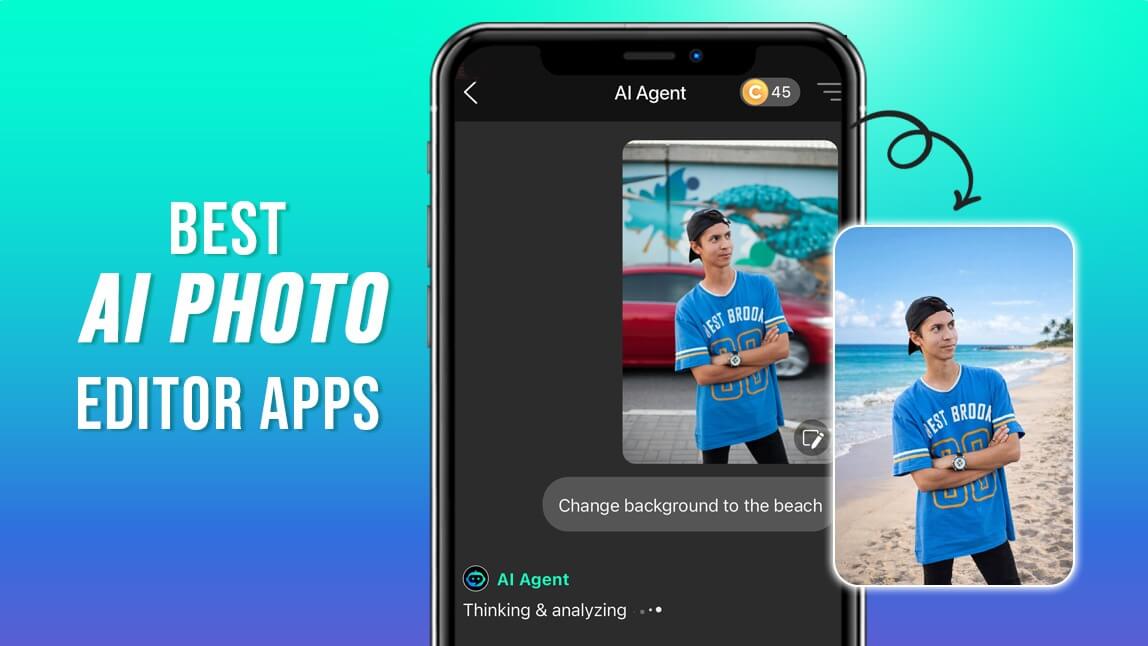
AI photo editing has completely changed how we edit pictures. In 2026, you no longer need advanced Photoshop skills or expensive software to get professional-looking results. I tested dozens of apps, and these are the 10 best AI photo editor apps that truly stand out.
Whether you want effortless retouching, background removal, creative AI tools, or social-ready visuals, this list has you covered.
What Are AI Photo Editor Apps?
AI photo editor apps are image editing tools powered by artificial intelligence that can analyze, understand, and enhance photos automatically. Instead of manually adjusting sliders, these apps use machine learning models to detect faces, bodies, backgrounds, objects, and even image intent. Many of the best apps now combine multiple AI models, allowing users to switch between realistic, artistic, or generative editing styles.
- Detect faces, bodies, and objects
- Remove or replace backgrounds
- Enhance image quality
- Apply realistic retouching
- Generate or replace elements using text prompts
In 2026, AI photo editors are no longer just convenience tools—they are full creative platforms. Whether you’re editing selfies, product photos, social media content, or marketing visuals, AI photo editor apps make professional-level results accessible to everyone, even with zero design experience.
Top 10 AI Photo Apps in 2026 for iPhone & Android
YouCam Perfect – Best Overall AI Photo Editor App
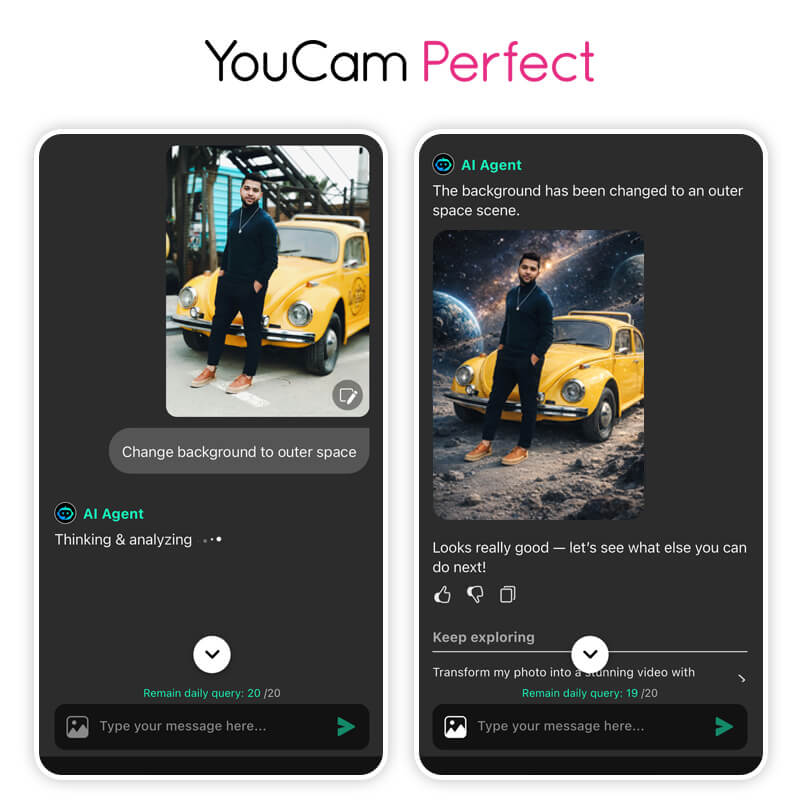
YouCam Perfect is hands down the most complete AI photo editing app I’ve used. What truly sets it apart is its AI Agent, which lets you edit photos using prompts instead of tools. You can simply describe what you want, and the app handles the rest.
Real user feedback on YouCam Perfect is mixed but mostly positive: one App Store reviewer (Islandgirl75, 5 stars) wrote "YouCam actually edits the PHOTO - I can erase wrinkles or lines, remove puffy eyes, make them bigger/smaller, smooth out my face and remove acne," while another (Cutmeslack pennyless, 2 stars) cautioned about "transparency & misinformation in ads" around what is included free versus behind a subscription.
It also integrates multiple AI models, making it far more powerful than most single-model apps.
AI Highlights
- AI Agent for prompt-based editing
- AI Replace, AI Remove, AI Background
- Multiple AI models in one app
- Smart face and body detection
Ideal For:
Creators, influencers, casual users, and anyone who wants fast, AI-powered photo edits without technical effort.
PhotoDirector – Best for Advanced AI Effects
PhotoDirector is a feature-rich AI photo editing app that blends automation with creative control. Its AI detects subjects, skies, and objects, making complex edits much easier than traditional tools. I find it ideal for users who want both smart AI effects and hands-on editing options.
AI Highlights
- AI sky replacement
- AI object removal
- AI anime and art effects
Ideal For:
Intermediate editors who want creative AI effects without going fully automatic.
Luminar – Best for AI Editing with More Creative Control
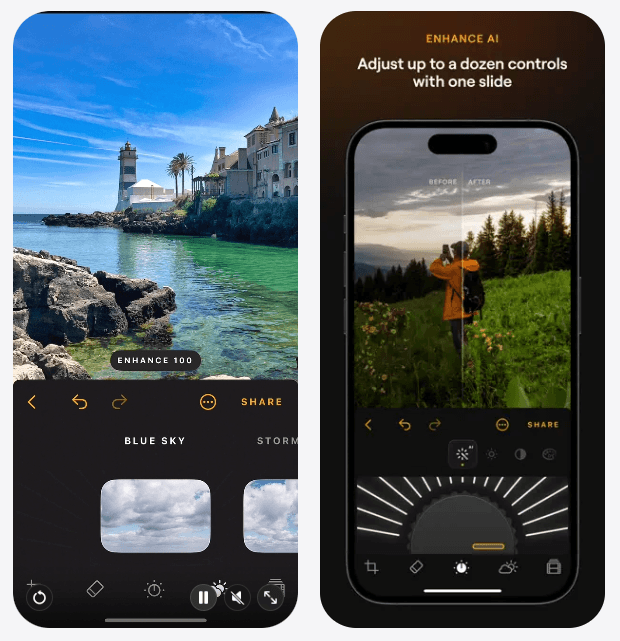
I especially like it for landscape and portrait editing. Tools like SkyAI, Light Depth, and EnhanceAI make complex adjustments quick and easy. RAW support, Curves, and other manual controls also give photographers more freedom to fine-tune their edits.
AI Highlights
- EnhanceAI for automatic photo enhancement
- SkyAI for seamless sky replacement
- Light Depth for depth-aware lighting adjustments
- FaceAI and SkinAI for portrait retouching
- BodyAI and BokehAI for subject and background adjustments
Ideal For:
Photographers, creators, and users who want fast AI editing with more control over the final image.
Pixlr – Best Browser-Based AI Photo Editor
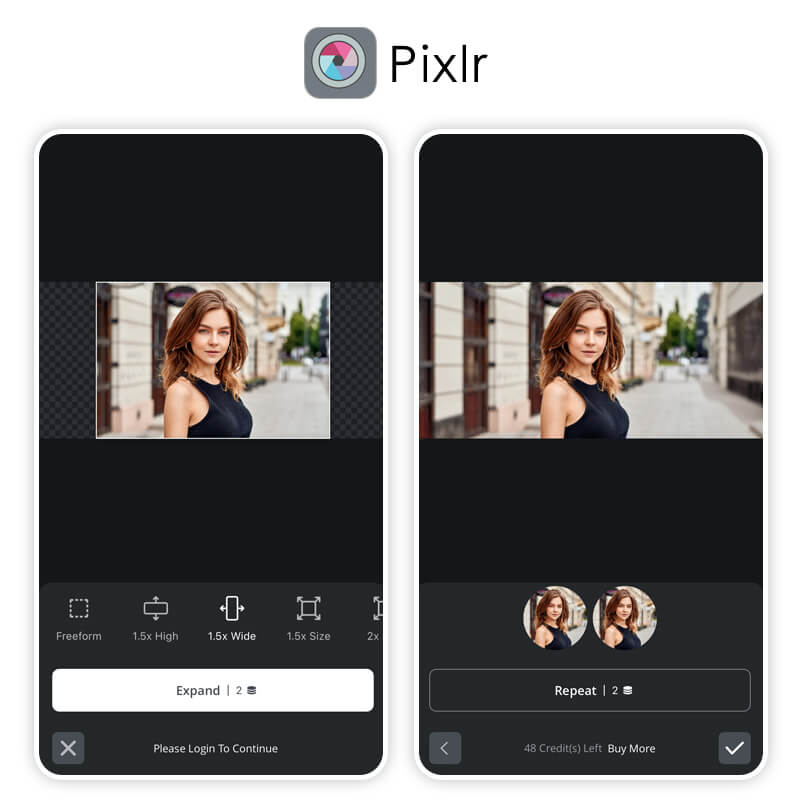
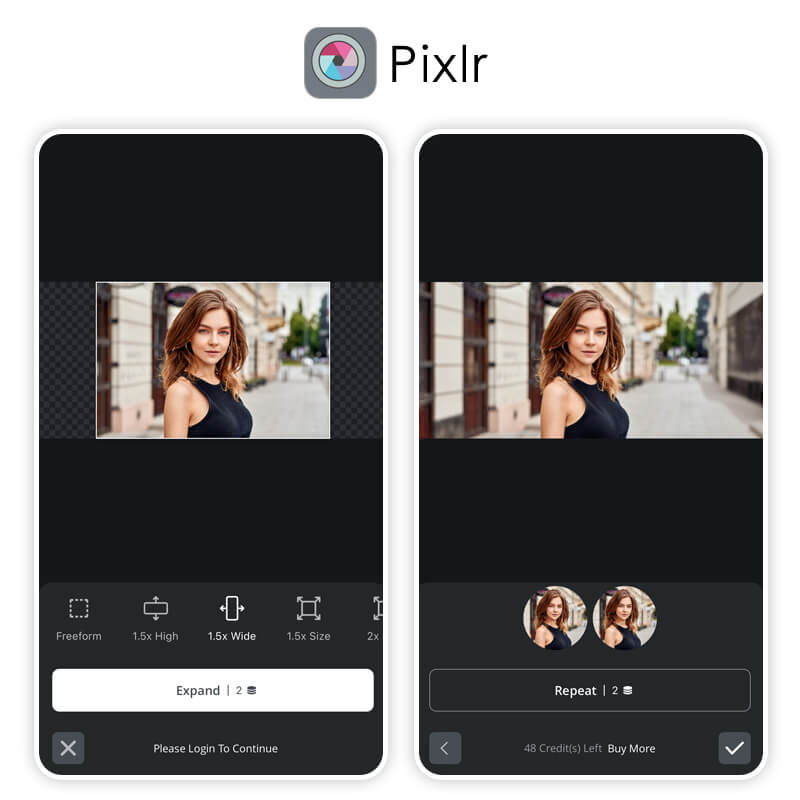
Pixlr is a lightweight, browser-based AI photo editor that works without downloads. It offers essential AI tools like background removal and generative fill for quick edits. This makes it perfect for fast, on-the-go photo editing across devices.
AI Highlights
- AI background removal
- AI generative fill
- AI image enhancement
Ideal For:
Quick edits, social media managers, and users who prefer online tools.
PicsArt – Best for Creative AI Editing
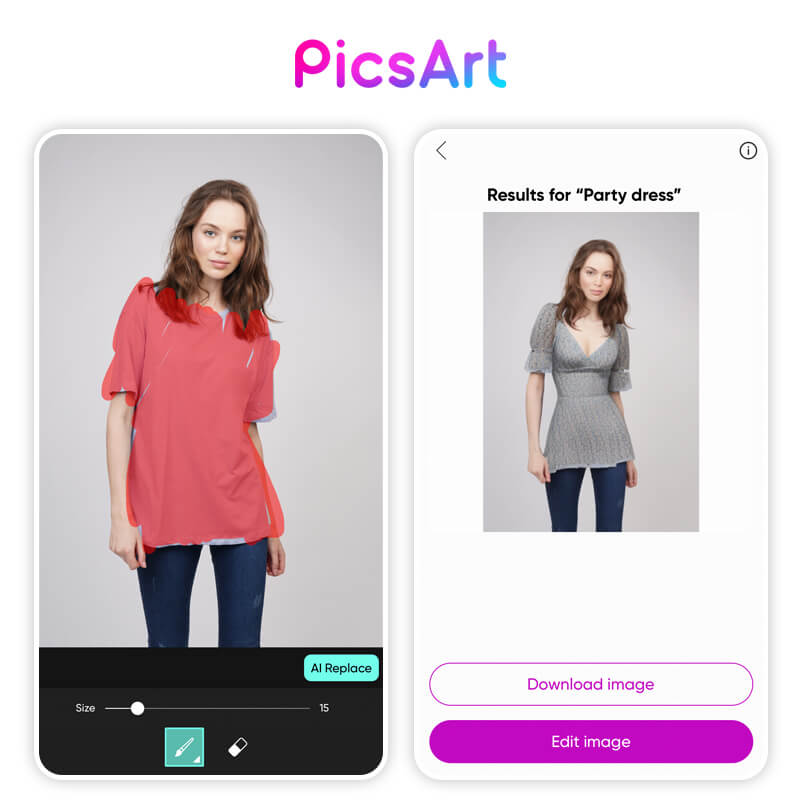
PicsArt is a creative-focused AI photo editing app built for bold, eye-catching visuals. Its AI tools specialize in stylized effects, image generation, and artistic transformations. I recommend it for social media creators who want their photos to stand out instantly.
AI Highlights
- AI image generator
- AI art filters
- AI background replacement
Ideal For:
Creative users, meme makers, and artistic photo edits.
Photoroom – Best for AI Background Editing
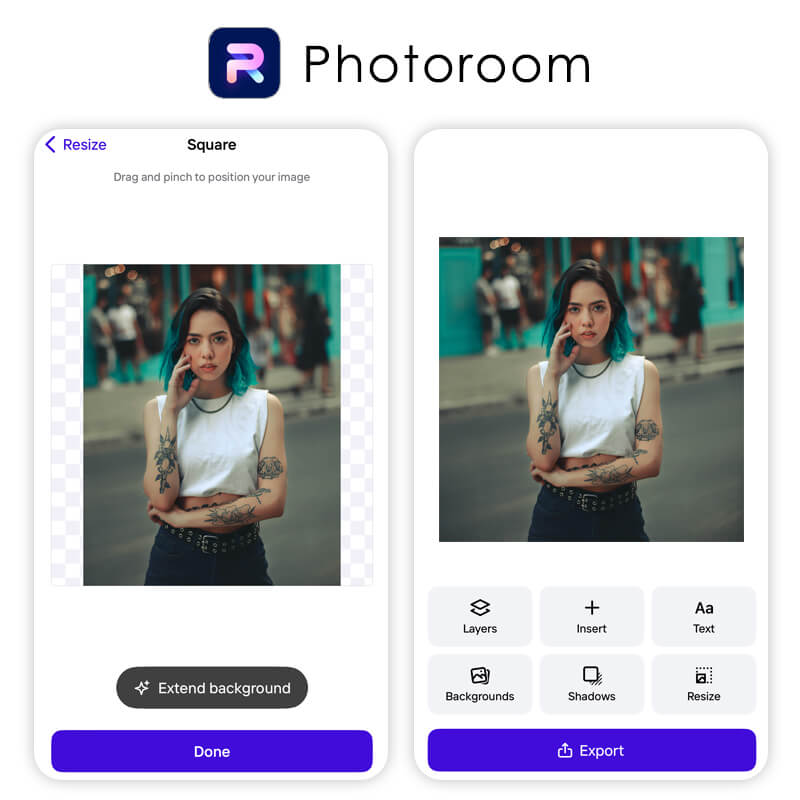
Photoroom is an AI photo editor designed specifically for background removal and replacement. Its AI accurately separates subjects from backgrounds in just one tap. I find it especially useful for ecommerce, product photos, and clean marketing visuals.
AI Highlights
- One-tap AI background removal
- AI shadows and lighting
- AI product scenes
Ideal For:
Small businesses, online sellers, and product photography
Fotor – Best for AI Photo Enhancement
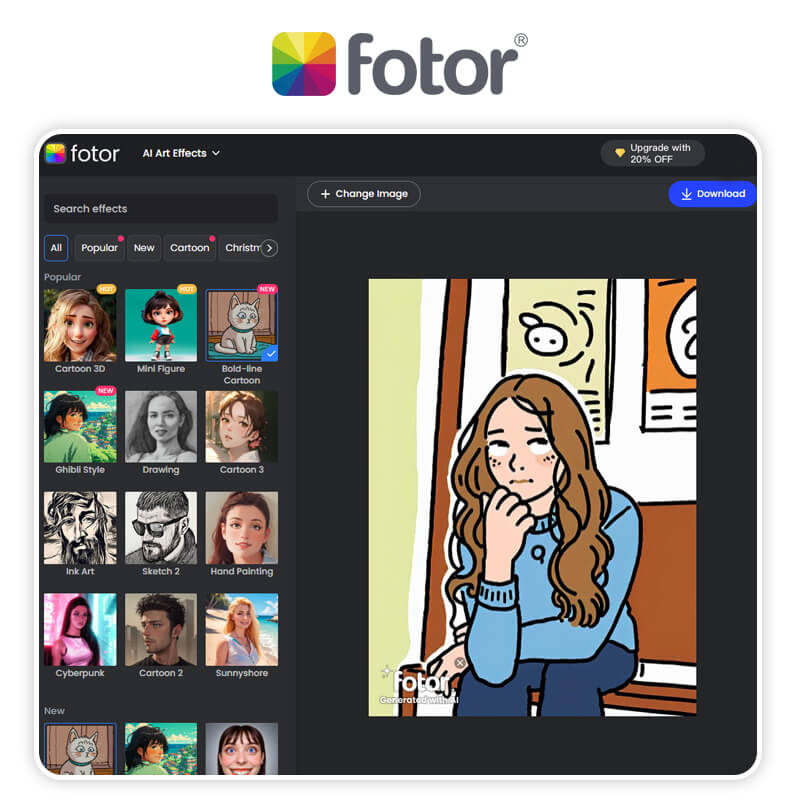
Fotor is an AI photo editing app focused on automatic image enhancement. It uses AI to improve lighting, clarity, and color with minimal effort. This makes it a great choice for quick, natural-looking photo upgrades.
AI Highlights
- AI image upscaling
- AI lighting adjustment
- AI retouch presets
Ideal For:
Users who want quick, clean photo improvements
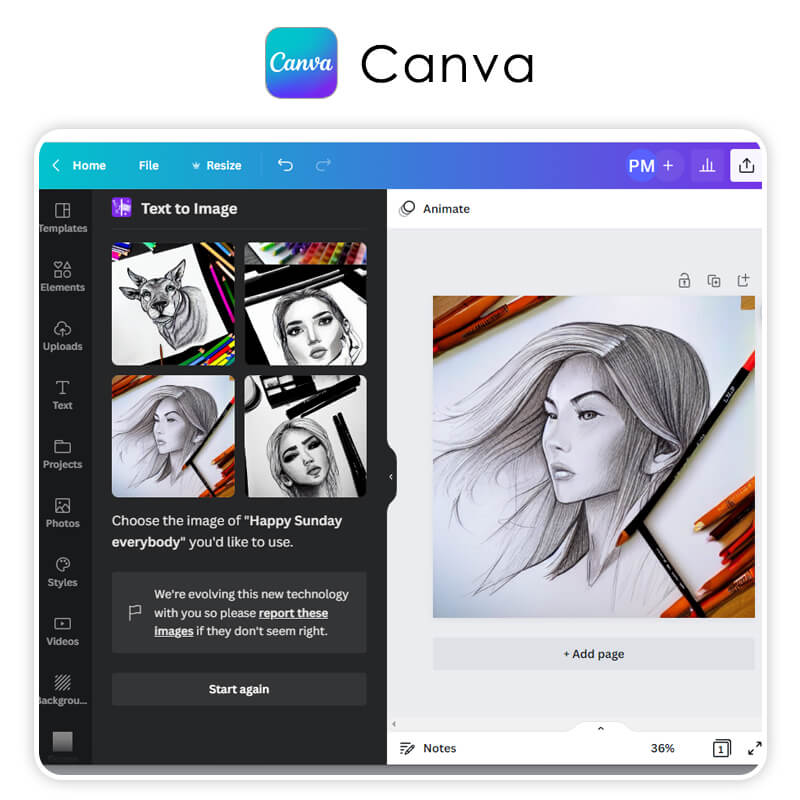
Canva – Best for AI Design and Photo Editing
AI Highlights
- AI background remover
- AI design suggestions
- AI image effects
Ideal For:
Content creators, marketers, and non-designers
Remini – Best for AI Photo Restoration
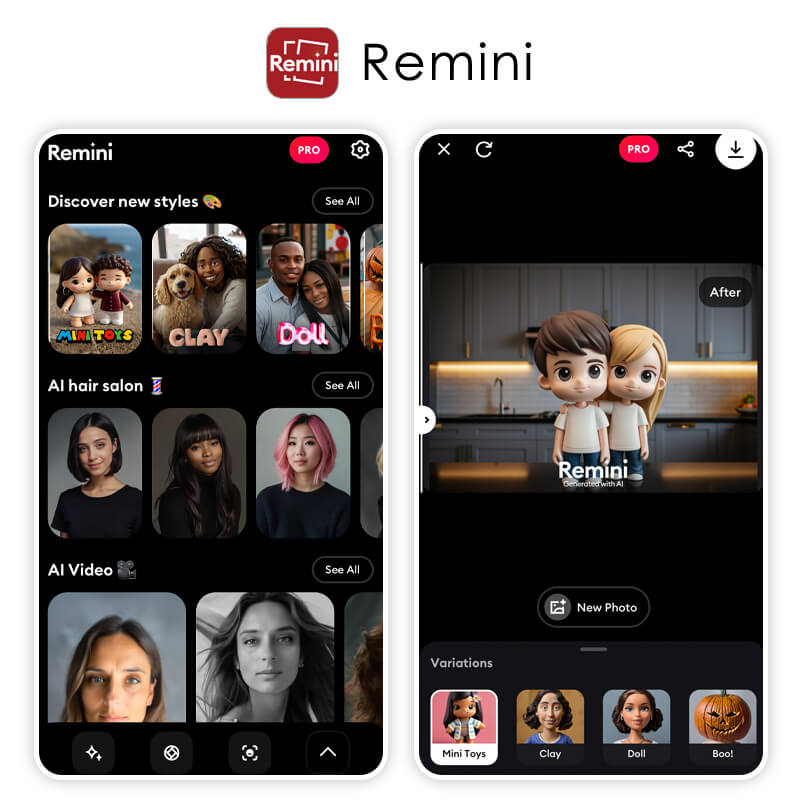
Remini is an AI photo editor built for image upscaling and restoration. Its AI excels at sharpening blurry photos and enhancing facial details. I rely on it most when improving old or low-quality images.
AI Highlights
- AI face enhancement
- AI photo sharpening
- AI old photo restoration
Ideal For:
Restoring old photos and enhancing low-resolution images
Luminar Neo – Best for Realistic AI Photo Enhancement

Luminar is a photography-focused AI photo editor built by Skylum for realistic, professional-grade enhancements rather than stylized effects. Its AI tools specialize in sky replacement, relighting, and precise masking. I recommend it for photographers who want powerful editing without spending hours on manual retouching.
AI Highlights
- Sky AI and background replacement
- Relight AI for depth-based lighting fixes
- Mask AI for automatic sky, water, and subject isolation
Ideal For:
Photographers and professionals who want realistic, high-quality photo enhancements.
Comparison: Best AI Photo Editor Apps in 2026
| App | Best For | Platforms | Ease of Use | Ideal User |
| YouCam Perfect | All-in-one AI editing | iOS / Android / Web | ⭐⭐⭐⭐⭐ | Everyday users, creators, social media |
| PhotoDirector | Advanced AI effects | iOS / Android / Web | ⭐⭐⭐⭐⭐ | Power users & enthusiasts |
| Luminar | Creative AI editing control | iOS / Android | ⭐⭐⭐⭐ | Enthusiast editors wanting more control |
| Pixlr | Browser-based AI edits | iOS / Android / Web | ⭐⭐⭐⭐ | Quick edits, no-download users |
| PicsArt | Creative AI visuals | iOS / Android / Web | ⭐⭐⭐⭐ | Social media creators |
| Photoroom | Product photos | iOS / Android / Web | ⭐⭐⭐⭐⭐ | Ecommerce sellers |
| Fotor | Auto enhancement | iOS / Android / Web | ⭐⭐⭐⭐ | Casual editors |
| Canva | Design + AI editing | iOS / Android / Web | ⭐⭐⭐⭐⭐ | Marketers, teams |
| Remini | Restoration | iOS / Android | ⭐⭐⭐⭐ | Old & low-res photo repair |
Snapseed – Best Free All-in-One Photo Editor
Snapseed is Google's free photo editing app, and it remains one of the most capable editors available on mobile for anyone willing to go beyond one-tap filters. It uses AI-assisted tools like Face Pose and Healing alongside deep manual controls (Selective adjust, Curves, Perspective, RAW support) that most "AI-first" apps don't offer.
AI Highlights
- AI-assisted Face Pose and Portrait tools
- Smart Healing brush for object removal
- RAW photo editing support
Ideal For: Photographers and enthusiasts who want professional-level manual control for free, not just automatic AI filters.
Real user feedback is largely positive: one longtime App Store reviewer (Byroniceye, 5 stars) called it "my go-to app for years now... the first in a chain of editing apps if I'm feeling creative, and often the last as well," while another reviewer (NinjaBunni, 2 stars) reported frustration that edits made with the Selective tool sometimes wouldn't save correctly to the final exported copy.
Free Download Links: iOS / Android
Final Thoughts: Which AI Photo Editor App Is Best in 2026?

Best AI Photo Editor
The Best AI Photo Editor & Selfie Camera.
Remove objects, apply filters & more.
After testing all of these, YouCam Perfect is my top recommendation for 2026. The combination of an AI Agent, multiple AI models, and realistic results makes it the most versatile AI photo editor app available.
That said, the best app still depends on your needs:
- Creative edits → PicsArt
- Product photos → Photoroom
- Restoration → Remini
- Design-focused → Canva
AI Photo Editor App FAQs
What is the best AI photo editor app in 2026?

Based on features, ease of use, and AI power, YouCam Perfect is the best overall AI photo editor app in 2026.
Are AI photo editing apps free?
Most AI photo editing apps offer free versions with limitations. Advanced AI tools usually require a subscription.
Can AI photo editors replace Photoshop?
For most users, yes. AI photo editors can now handle retouching, background edits, and enhancements automatically.
What makes an AI photo editor different from a regular editor?
AI photo editors analyze images automatically and make smart edits without manual adjustments.
Are AI photo editors good for beginners?
Absolutely. Many AI photo editing apps are designed specifically for beginners with one-tap tools.



