


 Author: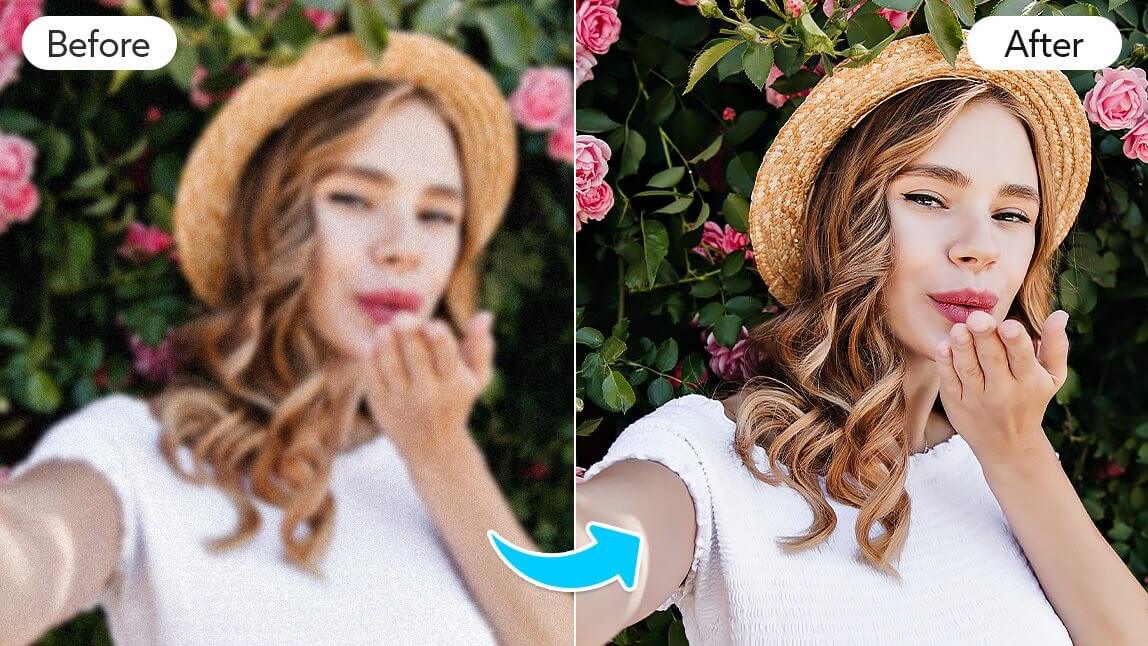
We all have that one photo that could have been perfect if only it weren’t blurry. Maybe it’s your dog mid-jump, a candid laugh with friends, or a sunset that looked incredible in real life. Instead of deleting it in frustration, imagine giving that photo a second chance.
With AI tools like YouCam Enhance, you can instantly sharpen details, restore colors, and turn almost-missed moments into clear, shareable memories in just seconds.
Key Takeaways
✅Instant Fix: AI Enhance can sharpen blurry images automatically.
✅User-Friendly: No complicated editing skills required.
✅Versatile Tools: Adjust lighting, color, and clarity alongside AI Enhance.
✅Save and Share: Improved photos are ready for social media or prints in moments.
Why Do Photos Lose Quality in the First Place?
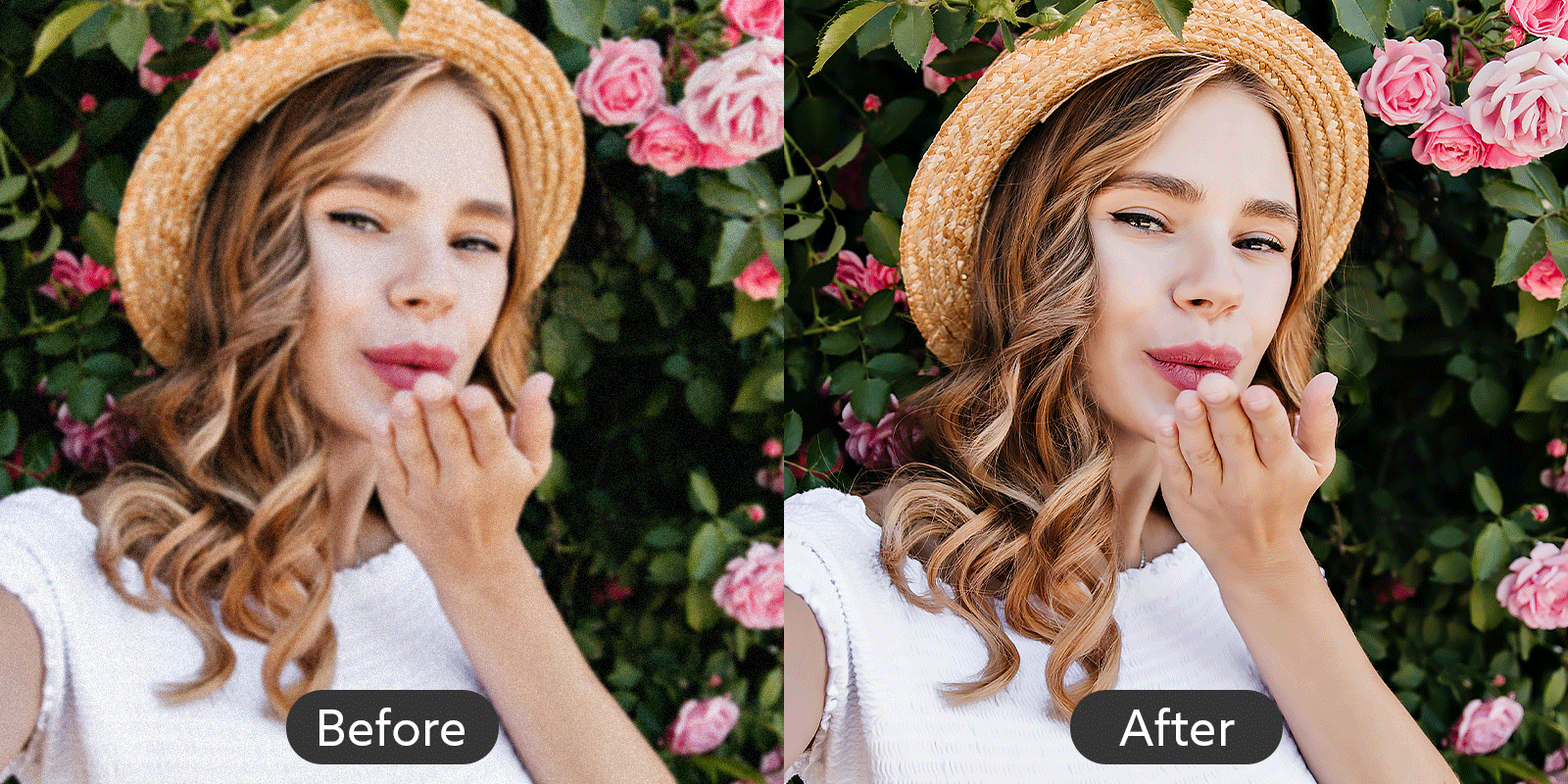 Ever wonder why some photos turn out blurry even when your phone camera is excellent?
A few common reasons:
- Low light conditions: Cameras struggle to capture details in dim environments.
- Movement: Either you or your subject moved while snapping the photo.
- Digital zoom: Zooming in can reduce resolution and clarity.
- Compression: Sending images through messaging apps can lower quality.
The good news? Even if a photo didn’t come out perfect, YouCam Enhance’s AI tools can often rescue it in seconds.
How to Improve Quality of Photo Quickly
You don’t need a computer full of editing software to make your photos look professional. Here’s a simple workflow:
Step 1: Download the App
Get YouCam Enhance from your app store. The interface is friendly and intuitive, perfect for quick edits.
Step 2: Upload Your Photo
Select the photo that needs a little magic. The app supports multiple file types, so you’re covered.
Step 3: Use AI Enhance

Tap on AI Enhance and watch your photo transform. The tool automatically sharpens edges, restores detail, and balances colors for a clear, crisp result.
Step 4: Explore Other Tools if Needed
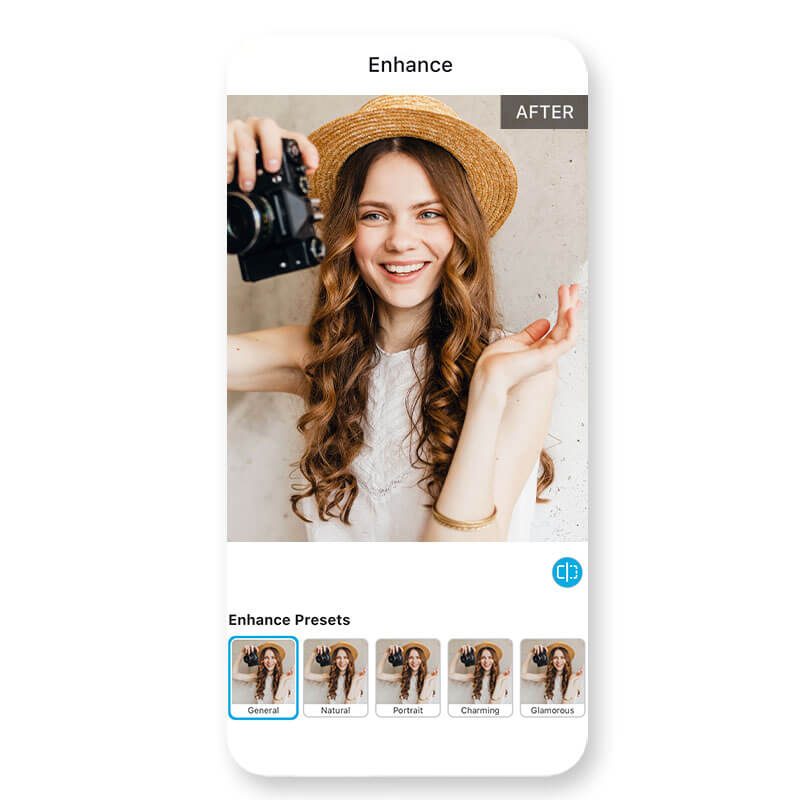
Want to tweak brightness, adjust shadows, or add a subtle filter? You can fine-tune your photo with additional editing features.
Step 5: Save and Share
Once you’re happy with the result, save your improved photo to your device. Boom - your blurry photo is now frame-worthy!
How to Improve Quality of Photo Online

Want to make your photos look sharper and more polished without downloading any apps? YouCam Online Editor lets you enhance your images quickly and easily, all from your browser.
Here’s how to do it in a few simple steps:
1. Visit the YouCam AI Photo Enhancer page. Start by opening the tool in your browser.
2. Upload your photo. Just drag and drop your image onto the page, and you’re ready to go.
3. Enhance your image. Click the "Enhance" option and let the editor automatically sharpen and improve your photo.
4. Save the result. Once the process is complete, download your upgraded image and enjoy the improved quality.
With YouCam Online Editor, touching up your photos is fast, convenient, and perfect for anytime editing, whether you’re at home or on the go.
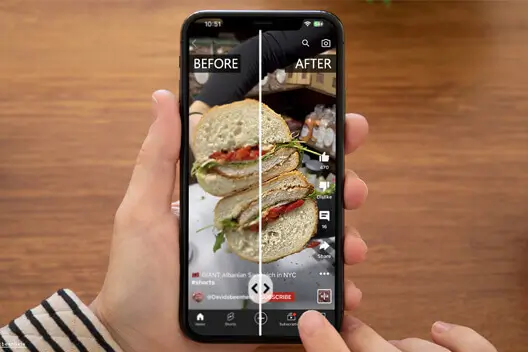
Tips for Better Results
💡Start with the best original: The clearer your starting photo, the better the final result.
💡Avoid over-editing: Minor tweaks usually look more natural than heavy-handed adjustments.
💡Experiment: Play with color balance, contrast, and brightness alongside AI Enhance for a polished result.
Ready to Upgrade Your Photos?
Stop letting blurry photos hide your best moments. Download YouCam Enhance now, try AI Enhance, and see how easy it is to turn ordinary shots into stunning images. Your camera roll will thank you.
How to Improve Quality of Photo FAQs
How can I make a blurry picture better quality?

You can make a blurry picture better quality by using AI-powered tools like YouCam Enhance. These tools automatically sharpen edges, restore lost details, and improve clarity in seconds. Start by uploading your photo, applying AI Enhance, and fine-tuning brightness or contrast to make the image crisp and clear without any complicated editing skills.
How to clear photo quality?
To clear photo quality, use AI photo enhancement tools that intelligently detect blur and restore details. Apps like YouCam Enhance allow you to instantly improve sharpness, adjust colors, and optimize lighting. Simply upload your photo, apply AI Enhance, and make minor adjustments if needed to get a professional-looking, clear image in seconds.
Can I sharpen a blurry image?
Yes, you can sharpen a blurry image with AI-based photo enhancers. YouCam Enhance analyzes your photo to recover details and edges automatically. Upload the blurry photo, use AI Enhance to restore clarity, and optionally adjust brightness or contrast. The result is a sharper, cleaner image ready for sharing or printing.
Can you fix a low quality picture?
Absolutely. Low-quality photos can be improved using AI tools that enhance resolution and clarity. With YouCam Enhance, you can upload your image, apply AI Enhance to recover details, and fine-tune lighting or color. This process transforms dull, pixelated, or blurry photos into high-quality images quickly and easily.
Can you make an old photo high resolution?
Yes, AI enhancement can turn old, low-resolution photos into sharper, high-quality images. YouCam Enhance analyzes each detail, restores clarity, and optimizes colors, giving your memories a modern, crisp look. Simply upload the old photo, apply AI Enhance, and save your improved image with better resolution and sharper details.



