


 Author:
Watching New Year’s fireworks is magical but let’s be real, when it comes to photos, it’s usually a trade-off. Either the fireworks look amazing or you do… rarely both:)
That’s where a little editing magic comes in. With YouCam Makeup, you can keep yourself looking flawless and upgrade your background with stunning New Year fireworks at the same time. From sparkling city skies to bold countdown vibes, we’ve got 40+ New Year backgrounds to make sure both you and the fireworks shine.
Ready to see how it works? Let’s jump in!
Why Choose YouCam Makeup for New Year Photo Backgrounds?
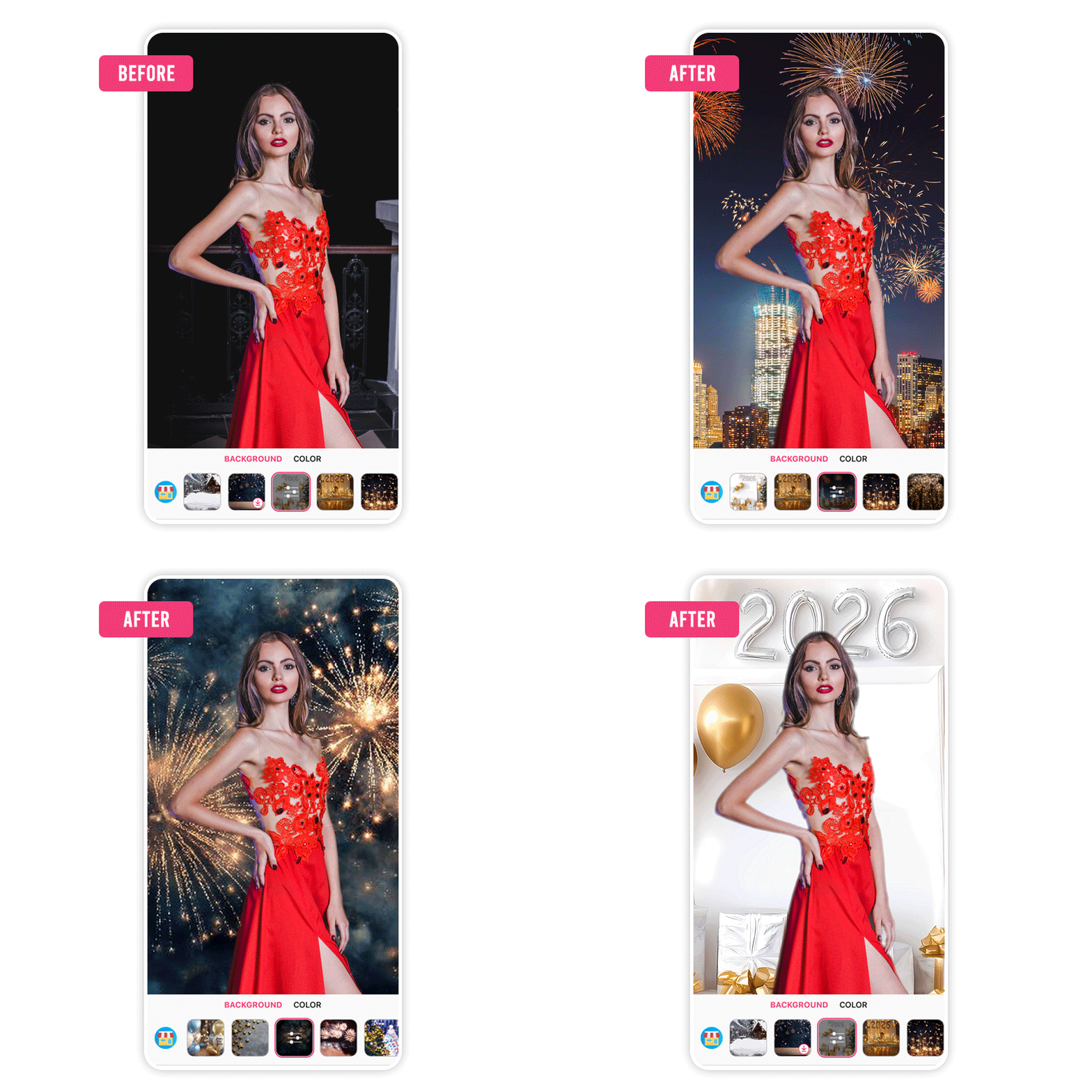 YouCam Makeup is the perfect companion for your New Years Eve background because it combines simplicity with innovation.
Whether you're a novice or a pro, the app’s interface is intuitive, letting you create stunning visuals effortlessly.
Plus, it offers exclusive themed updates that cater to every celebration, making it a top choice for your 2026 New Year Eve edits.
Best 2026 New Year Background Images
Try Firework New Year Eve Backgrounds
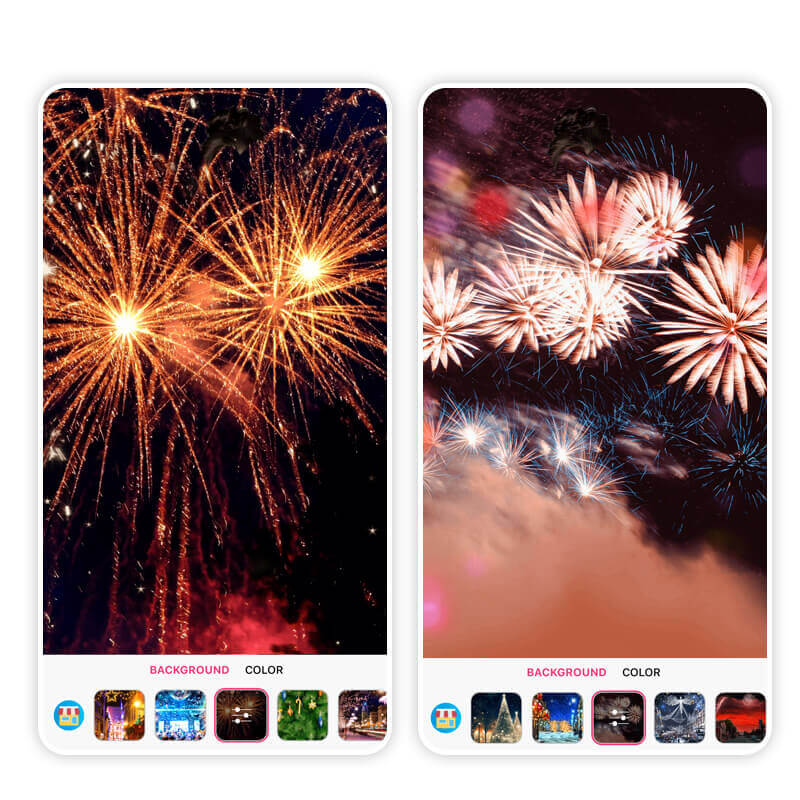
Whether you’re capturing midnight kisses, party poses, or solo glam shots, firework backgrounds bring that festive energy to life.

Try Cityscape New Year Background Images
4Capture the magic of New Year’s Eve with stunning cityscape photo backgrounds! Imagine your photos glowing with the energy of Times Square in New York, the romantic lights of Paris, or the festive charm of London in winter.
Whether it's sparkling skyscrapers, snowy streets, or iconic landmarks, these backgrounds bring a touch of urban holiday glamour to your pictures.
Try Balloon New Year Photo Backgrounds
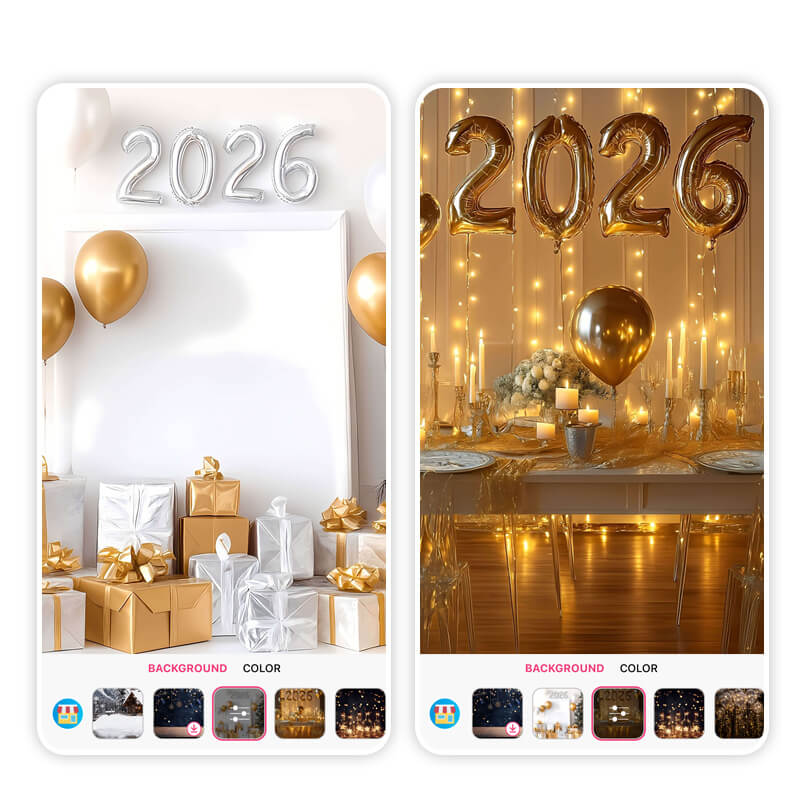
Celebrate the New Year in style with festive balloon photo backgrounds! Whether you’re all about glitzy gold balloons or sleek black-and-shiny combos, these 2026 photo backgrounds instantly add a party vibe to your pictures.
Easily pop these fun, celebratory designs into your photos for that perfect Instagram-worthy look.
Try Star New Year Background Images
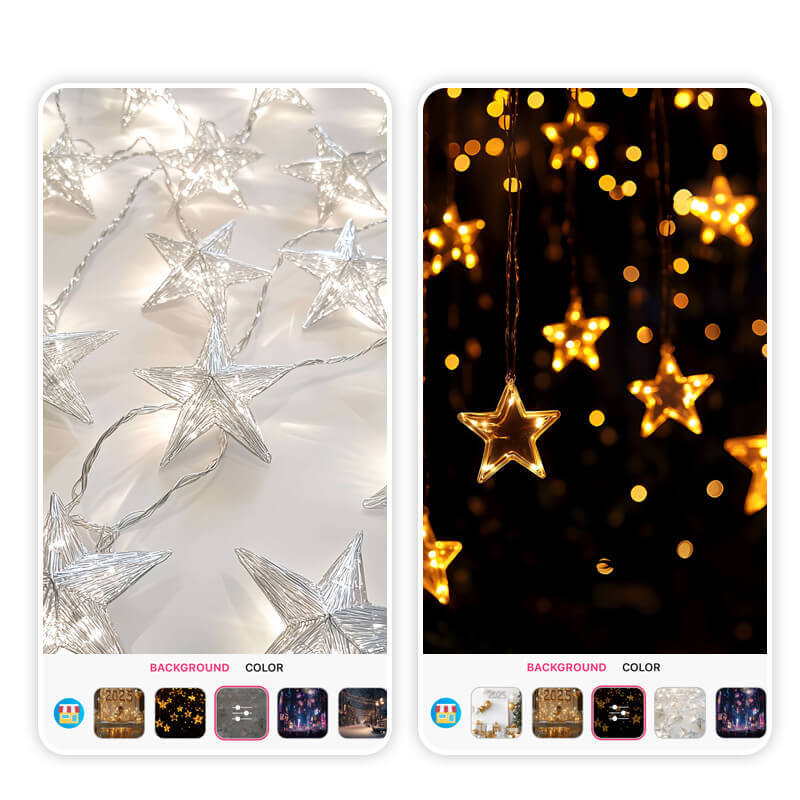
Whether it’s glowing golden stars or dreamy silvery sparkles, you can easily transform your pictures into something unforgettable by editing them with New Year background feature of Youcam Makeup.
Try Lunar New Year Photo Backgrounds
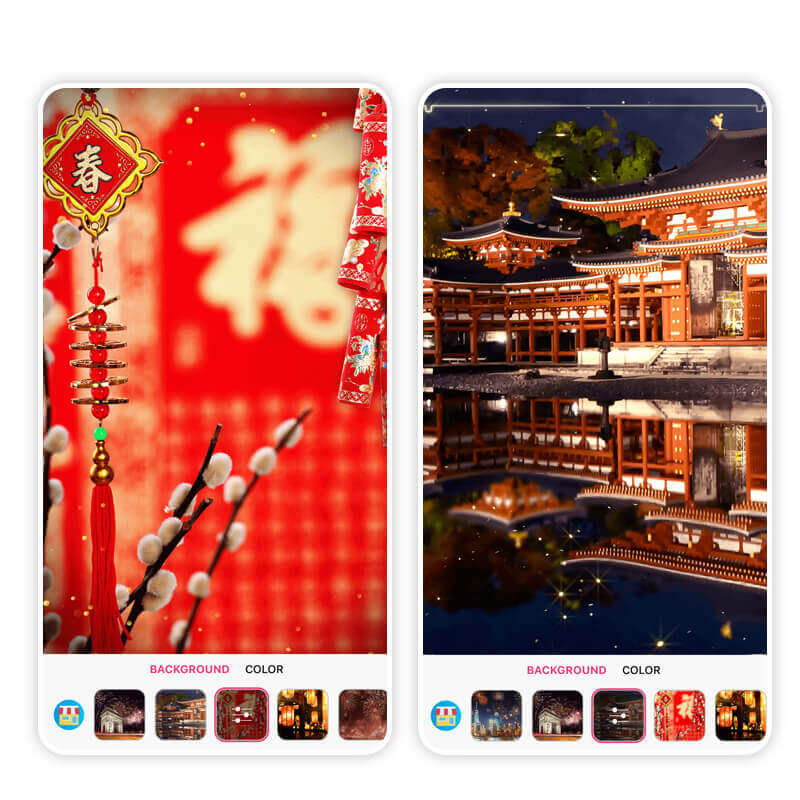
Unlike Western New Year, which starts on January 1st, Lunar New Year falls a bit later, typically in January or February, depending on the lunar calendar.
You can bring a touch of that lively spirit to your photos by adding stunning Lunar New Year backgrounds, full of culture and charm.
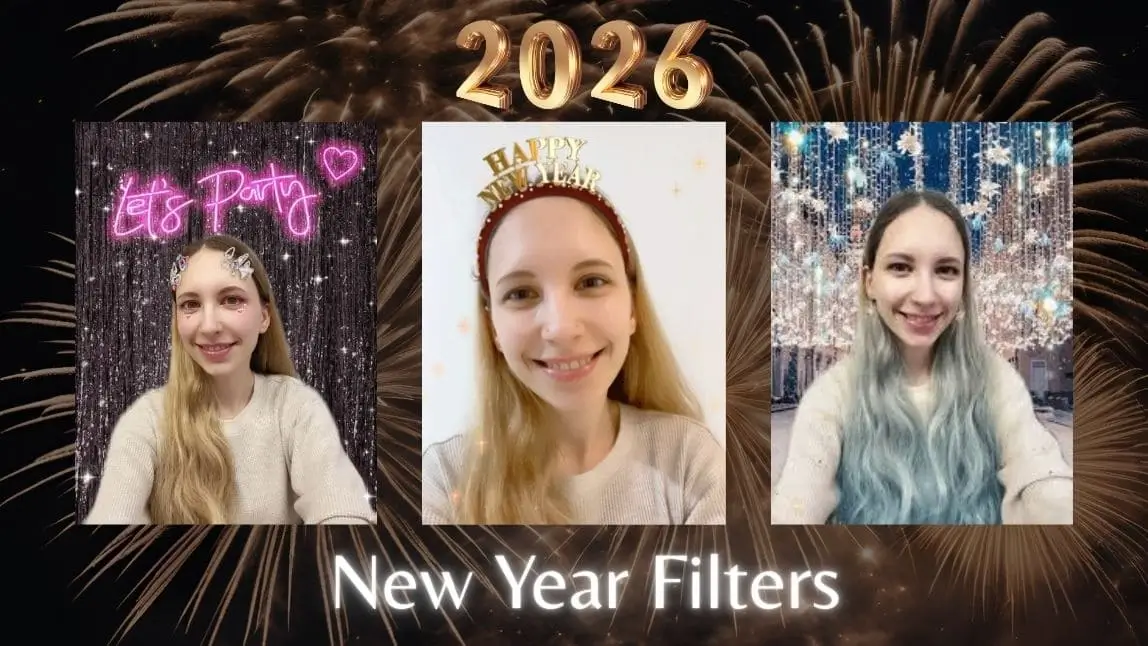
How to Add New Year Background Image with YouCam Makeup
To get a picture with festive New Year Background, you just need 5 simple steps.
Step 1. Download YouCam Makeup
First, head over to the App Store (for iPhone) or Google Play Store (for Android) and search for the YouCam Makeup app. Download it and open it once it’s installed.

Step 2. Upload a Photo to Edit
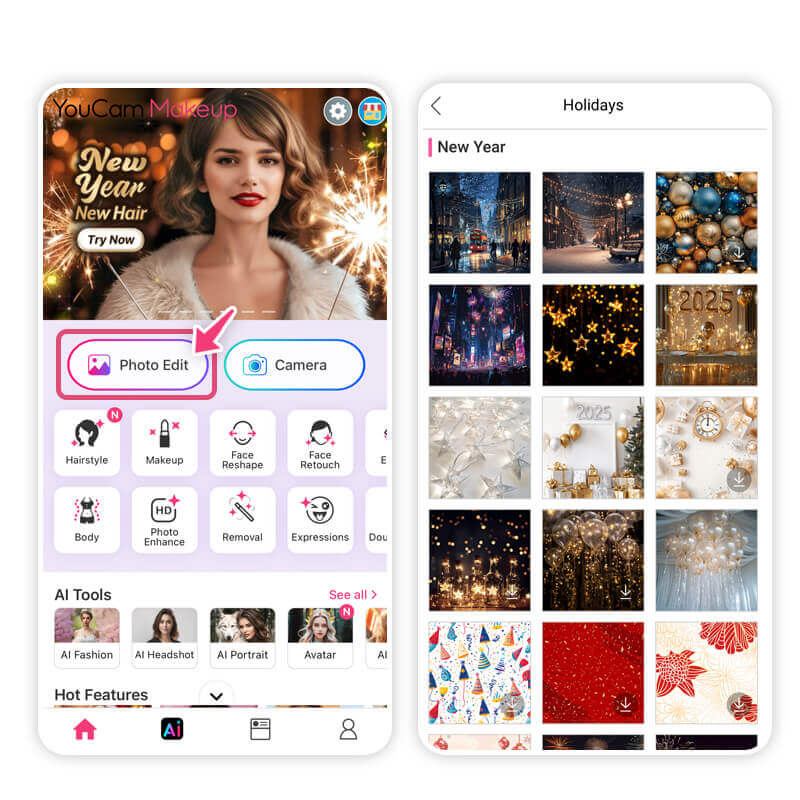
Step 3. Browse and Apply New Year Background Pic

Scroll until you find the "Background" option. Tap on it, then look for the little 'Store' icon. Click it to explore a variety of New Year-themed backgrounds. Pick the one that fits your vibe, or feel free to try out a few different ones until you find your favorite!
Step 4. Save and Share Your New Year Photo
Once you’re happy with your new look, hit the save button to keep the photo. Now, share it with your friends and family, or post it on social media to spread some festive cheer!
Download the Best Photo Editor for New Year Photo Backgrounds
The 2026 New Year promises endless opportunities to create and capture beautiful moments. With YouCam Makeup’s stunning range of backgrounds, your photos can truly reflect the joy and excitement of the season.
So why wait? Start creating your perfect New Year edits today!

Add New Year Background Images FAQ
How do I add a New Year background to a photo?

To change the background of your photos, you can easily use apps like YouCam Makeup, which features a cool "Background" tool that allows you to swap out your current backdrop for something more festive, like fireworks or a New Year's Eve party scene. All you need to do is upload your photo, select the new background, and adjust it to fit. It’s a fun and simple way to make your photos ready for celebrating the New Year!
Is there an app to put a background on a picture?
Yes, there are several apps to help you add a new background to your pictures. YouCam Makeup is a popular choice for iPhone and Android users, offering an easy-to-use Background tool. Whether you want to create a New Year’s vibe with sparkling lights or something tropical, the app lets you choose from tons of beautiful background options.
What app has the best New Year photo backgrounds?
YouCam Makeup has the best New Year photo background. The app wraps 40+ New Year photo backgrounds. Moreover, it's background tool lets you select and apply stunning new backdrops in seconds, so you can edit a festive New Year’s or any other theme you want. It’s a quick, fun way to transform your photos with just a few taps.
Is there an app with both New Year and Lunar New Year backgrounds?
Yes! YouCam Makeup has tons of fun and festive backgrounds for both New Year’s and Lunar New Year celebrations! That means whether you’re posing with fireworks for 2026 or celebrating 春節 with red lanterns and lion dances, you can find awesome themed backgrounds all in one app.
It’s super easy to switch between styles too so you can make every holiday photo look amazing without switching apps.
How do I make my own New Year background?
Step 1: Download YouCam Makeup
Get the app from the App Store or Google Play and open it.
Step2: Upload your photo
Tap Photo Edit and choose the photo you want to enhance.
Step3: Open the Background feature
Select Background, then tap the Store icon to explore New Year themes.
Step 4: Choose a New Year background
Browse 40+ options, including fireworks, cityscapes, balloons, stars, and Lunar New Year designs. Pick the one that fits your vibe.
Step 5: Apply, save, and share
Apply the background with one tap, save your photo, and share it on social media to celebrate in style.



