


 Author: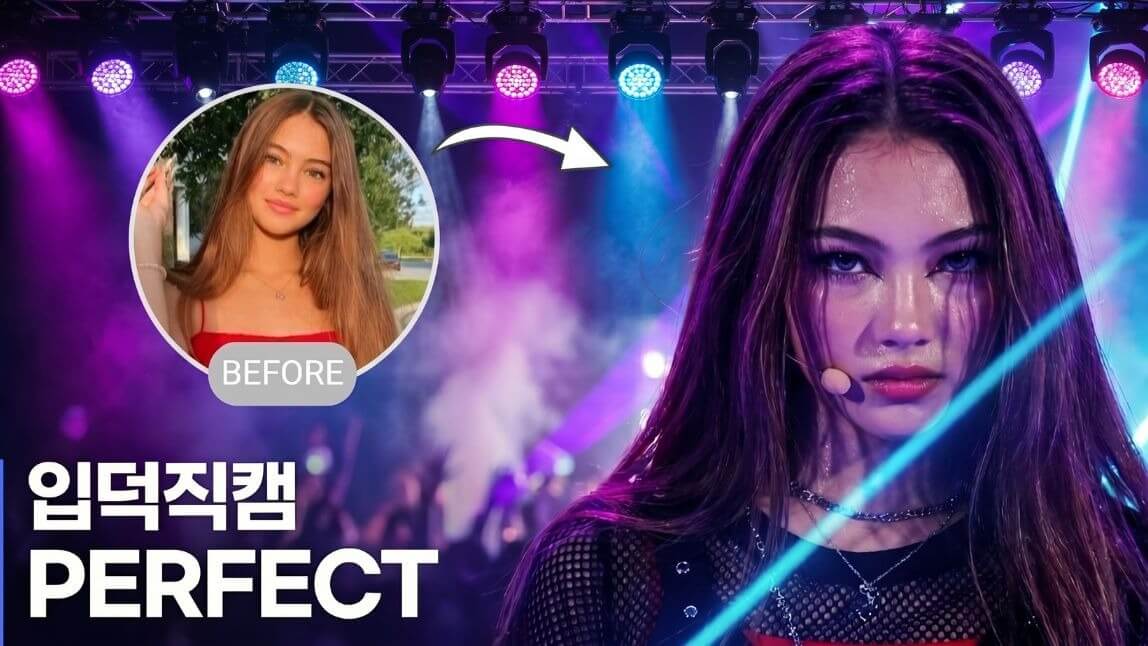
K-pop has become more global than ever. 🎤🌟
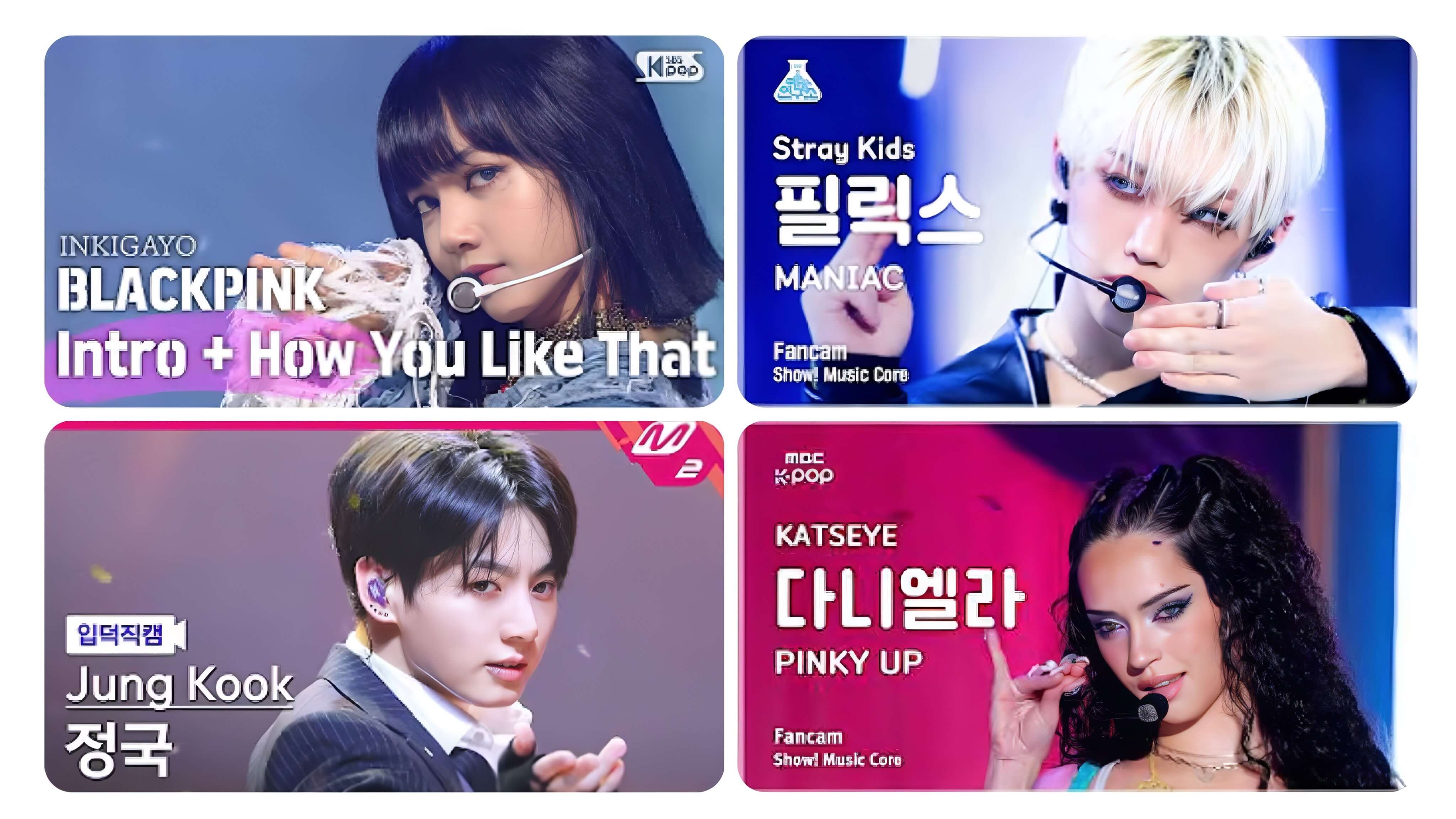
From viral dance challenges to music show stages, millions of fans watch idol fancams every day—whether it’s a powerful comeback performance, a sparkling ending fairy shot, or a close-up stage moment captured under dazzling neon lights.
And if you’re a true K-pop fan, chances are you’ve spent hours watching idol 직캠 (fancams), replaying your favorite performances, or admiring those perfectly styled music show thumbnails on YouTube.
But recently, a new AI trend has started asking a different question: What if the shining idol in that thumbnail was actually… you? That’s exactly why the AI K-pop fancam thumbnail trend is exploding online. It’s me!
In this tutorial, you’ll learn how creators are making these viral AI K-pop fancam thumbnails and idol-style videos using YouCam Makeup, and how you can transform yourself into a K-pop star in just a few minutes.
What Is the AI K-pop Fancam Thumbnail Trend?
Using AI image generation and structured prompt templates, fans can now transform their own portraits into realistic K-pop music show thumbnails that look almost identical to real broadcast screenshots. Now anyone can become the center of a comeback stage, complete with dramatic concert lighting, glowing LED backgrounds, and bold broadcast-style typography.
The AI K-pop fancam thumbnail trend refers to the use of structured prompts to generate realistic-looking K-pop music show thumbnails using AI tools like image generators. These prompts typically include:
- A close-up idol-style portrait composition
- Broadcast-style UI elements (badges, labels, timestamps)
- Fixed text hierarchy (group name, member name, fancam label)
- Neon stage lighting and performance aesthetics

Best AI Selfie Camera
The #1 Virtual Makeover & Selfie Camera App.
Experience real-time AR makeup trials.
How to Make an AI K-pop Fancam Thumbnail Video with YouCam Makeup
With AI-powered tools like YouCam Makeup, users can generate idol-inspired visuals simply by describing the concept they want. Here are the simple steps: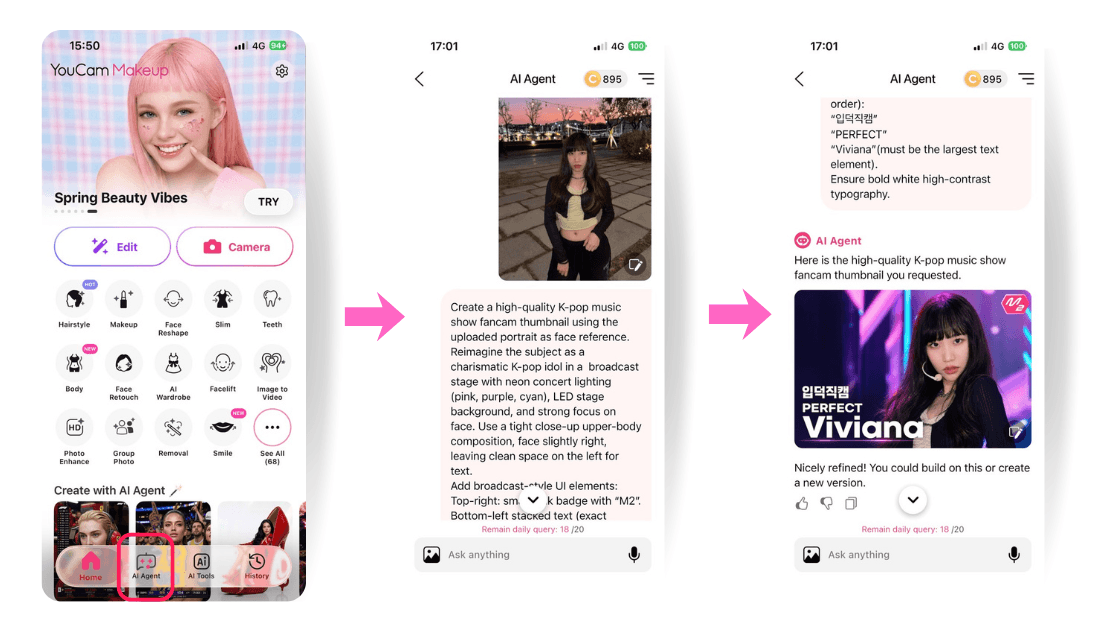
Step 1. Open YouCam Makeup
Launch the app and open the "AI Agent" feature to start creating your own AI K-pop fancam thumbnail.
Step 2. Upload your photo & Prompt
Upload a clear selfie or portrait photo, then paste the following prompt into AI Agent:
“입덕직캠”
“{{GROUP_NAME}}”
“{{MEMBER_NAME}}” (must be the largest text element).
Ensure bold white high-contrast typography.
You can customize:
- {{GROUP_NAME}} → your idol group name
- {{MEMBER_NAME}} → your stage name
This will generate a realistic K-pop music show thumbnail that looks like a real idol fancam screenshot.
Step 3. Animate the Thumbnail
After generating your thumbnail, tap on “Image to Video” to animate the image into a short K-pop-style fancam clip. Try prompts like:
- “wink at the camera”
- “blow a kiss”
- “wave to fans”
- “smile during ending fairy”
- “idol stage ending pose”
This makes the result feel even more like a real music show performance moment.
Step 4. Generate & Save
Generate your final image or video, save it to your device, and share your AI idol fancam on TikTok, Instagram, or YouTube Shorts.
Best AI Selfie Camera
The #1 Virtual Makeover & Selfie Camera App.
Experience real-time AR makeup trials.
Popular AI K-pop Fancam Thumbnail Prompt Styles
If you want to make your ai kpop idol videos more creative and viral-ready, try exploring different styles beyond the typical fan cam. Below are the most commonly used variations in this trend:
🌸 Cute / Soft Idol Style
This style feels like the bright, innocent, early-debut era concept often seen in groups like NewJeans, IVE (early concepts), or TWICE “Cheer Up” era. It focuses on soft lighting, natural smiles, pastel tones, and a youthful “fresh debut stage” energy. Try this prompt with soft pastel lighting, dreamy glow, and gentle idol expressions.
🔥 Powerful Comeback Stage Style
This aesthetic is similar to the intense, performance-heavy concepts often associated with BLACKPINK, Stray Kids, and ATEEZ. It emphasizes strong stage presence, direct eye contact, and dramatic lighting such as red, black, and purple tones. This style gives a dark, dramatic, high-contrast performance energy.
💎 Luxury Fashion Idol Style
This style reflects the editorial, luxury concept seen in groups like aespa, BTS (runway/editorial eras), or IVE high-fashion comeback visuals. Become a prince or princess with editorial, magazine-cover inspired idol visuals.
⚡ Neon Cyber Stage Style
Never forget to try a Futuristic cyberpunk performance aesthetic. This concept is closely aligned with the futuristic and digital aesthetics often seen in aespa (metaverse concept), ENHYPEN darker sci-fi eras, or LOONA’s conceptual universe styling. It features neon lighting, holographic effects, and digital stage environments.
Join the AI KPOP FanCam Thumbnail Trend
Many of these viral K-pop AI fancam videos replicate real Korean music show performances by using telephoto close-up shots, dynamic concert lighting, broadcast-style framing, and natural idol expressions that feel like an actual “ending fairy” or live stage moment rather than overly edited visuals.
Whether you want to create a viral fancam, a dramatic comeback stage moment, or a realistic K-pop music show broadcast edit, YouCam Makeup makes it simple to transform ordinary photos into eye-catching K-pop idol videos instantly.



