Author:


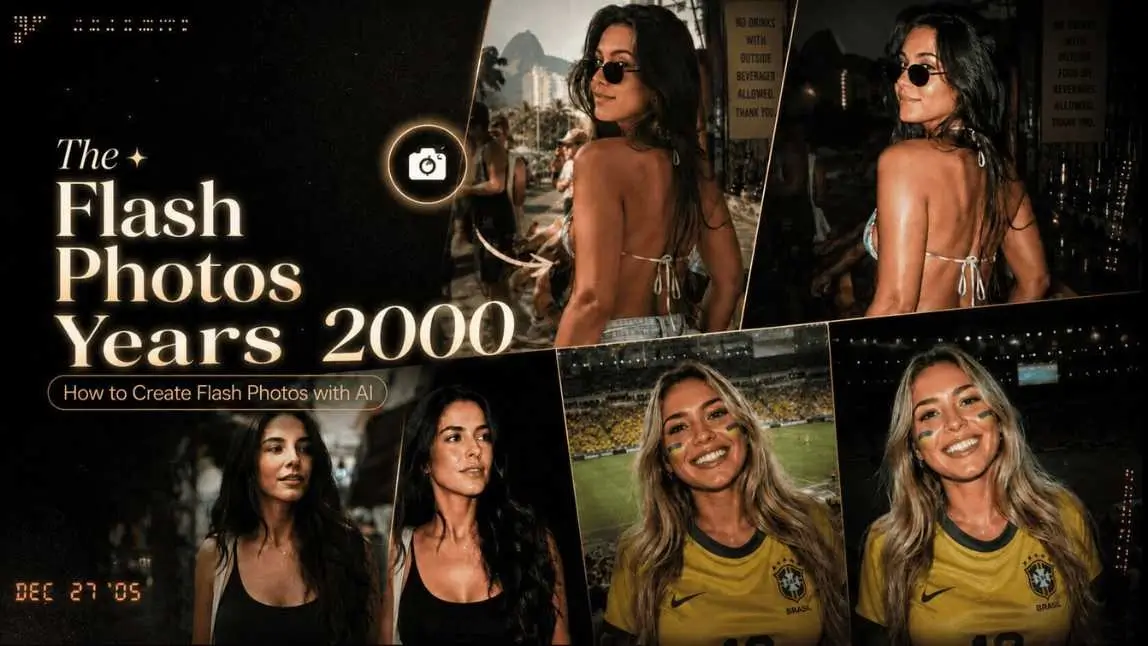
Want to turn a selfie into a Y2K-style flash photo, with a compact digital camera vibe, vivid colors, and that spontaneous party mood? With the YouCam Makeup AI Agent, you can describe the look you have in mind and test variations without having to hunt down an old digicam.
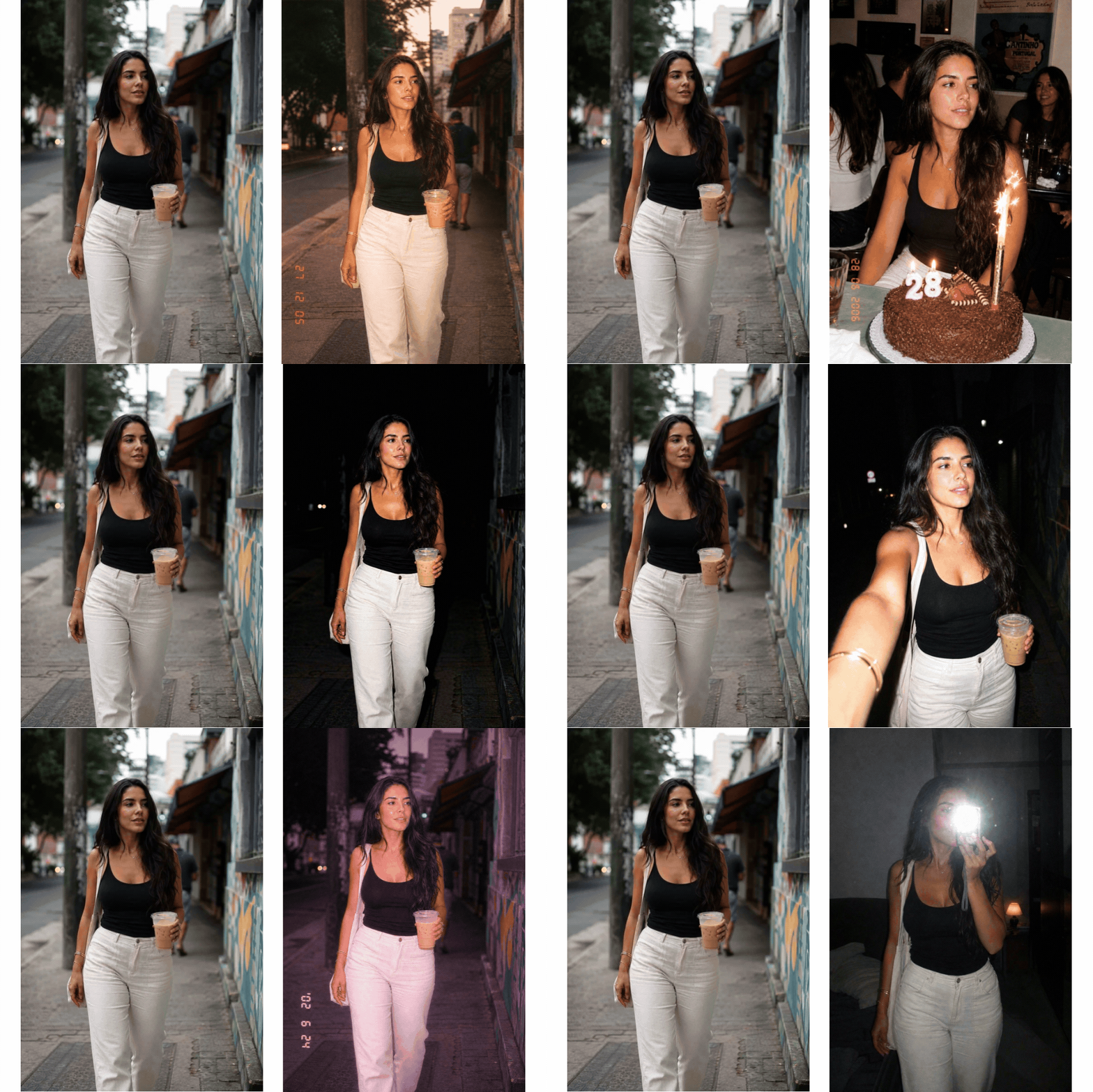 The secret is asking for details that define this aesthetic: direct flash, intense skin glow, dark background, subtle digital grain, and a casual framing. Below, see how to build the effect, which prompts to use, and how to give the result a nostalgic vibe without looking fake.
| Index: 2000s Flash Effect |
|---|
What is the digicam effect?
The digicam effect recreates the look of compact digital cameras that defined the 2000s. Think Orkut and Fotolog photos, 15th birthday parties, nights out with friends, and mirror selfies taken with a Cyber-shot or similar camera.
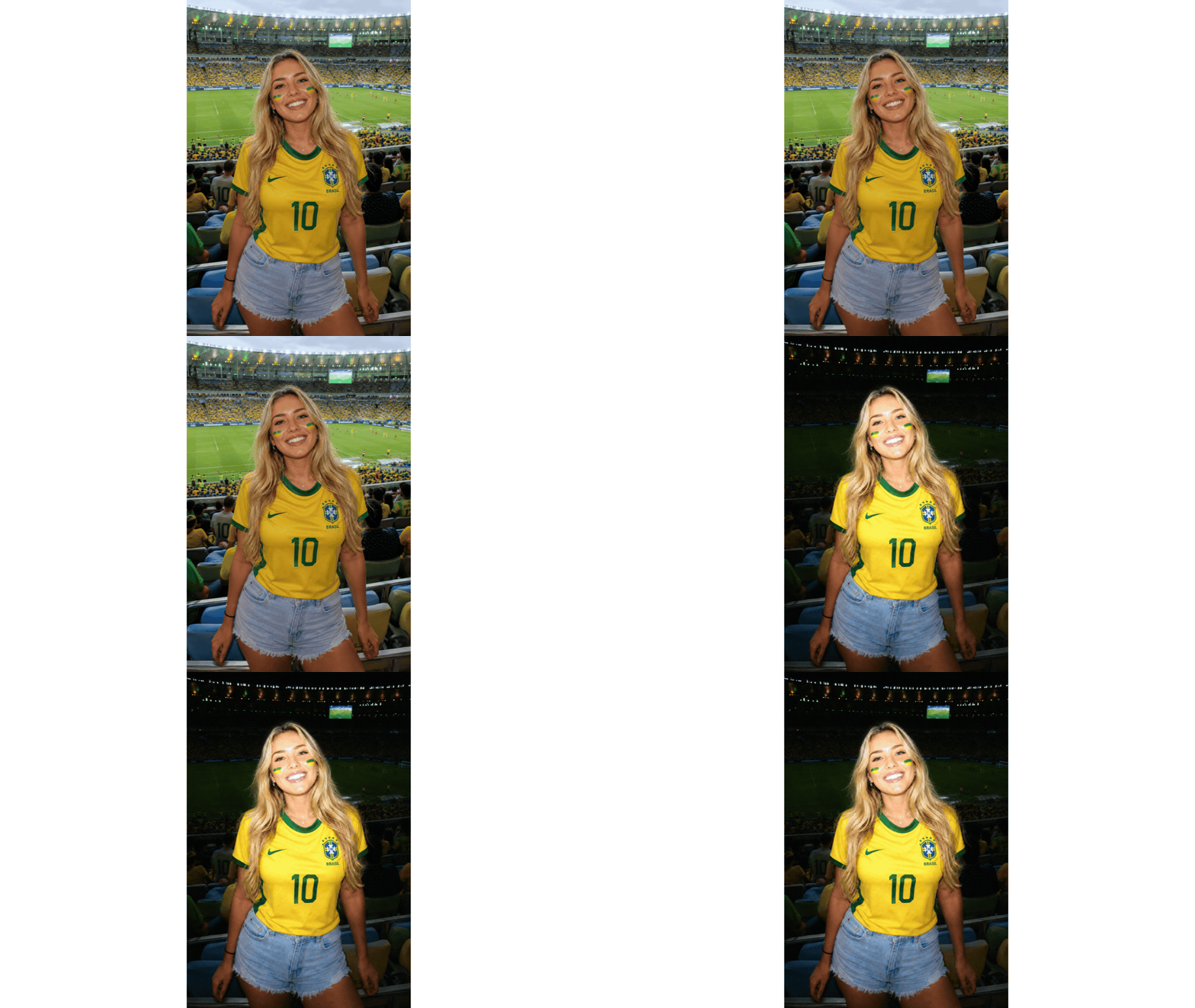
It’s not just about adding brightness. The look combines flash straight on the face, strong shadows, blown-out highlights, slightly saturated colors, and framing that feels captured in the moment. The result works because it doesn’t try to be perfect: it feels fun, instant, and personal.
Today, this style shows up a lot in Stories, carousels, photo dumps, and playlist covers. If you like exploring trends beyond flash, it’s worth checking out these Instagram filters and photo effects that help you switch up your feed without losing your visual identity.
Suggested image: nighttime party selfie in Brazil with direct flash, dark background, glowy makeup, and saturated colors, in a 2000s digital camera aesthetic.
How to create a 2000s flash photo
You can create the effect in just a few minutes. Ideally, start with a sharp photo where your face is clearly visible, but it doesn’t need to be a super-produced shoot. A mirror selfie, a night-out photo, or an indoor portrait already works really well.
1. Open YouCam Makeup

Download or open YouCam Makeup on your phone. The app brings makeup tools, selfie editing, and AI features together in one place, so you can test the effect and adjust your look without leaving your editing flow.

2. Choose a photo that matches the vibe
For a Cyber-shot style photo, choose images with a visible face and a simple or nighttime background. Pictures taken in bars, birthday parties, clubs, restaurants, and bedrooms with mirrors usually deliver the right atmosphere.
If the image is too dark or blurry, improve the base before creating the effect. An AI photo enhancer can help recover details without completely erasing the texture that’s part of the digicam aesthetic.
3. Talk to the AI Agent
Open the AI Agent and explain the result you want. Instead of just typing “flash effect,” describe the light, mood, colors, type of camera, and setting. The clearer your request, the easier it will be to get a version that still feels like you.

You can start with: “I want to turn this selfie into a blown‑out flash photo, 2000s digital camera style, keeping my face and my clothes looking natural.”
4. Test more than one version
Ask for one option with stronger flash, another with less grain, and a third with warmer colors. This comparison matters because the best flash effect is the one that flatters your photo, not the one that turns everything white or overly blurred.
| If you want... | Ask in the prompt | Avoid |
|---|---|---|
| Mirror selfie | Front flash reflection, mirror and dark background | Overly smooth skin |
| Party photo | Blown‑out flash, warm colors and a spontaneous vibe | Background completely blacked out |
| Y2K vibe | Saturated colors, direct light and light digital grain | Overly retro or caricatured elements |
10 prompts for a flash effect
These prompts were written for you to copy, paste, and tweak in the AI Agent. Add details about your outfit, environment, and favorite color. If you want to preserve something important, like hairstyle, makeup, or background, say it clearly at the end.
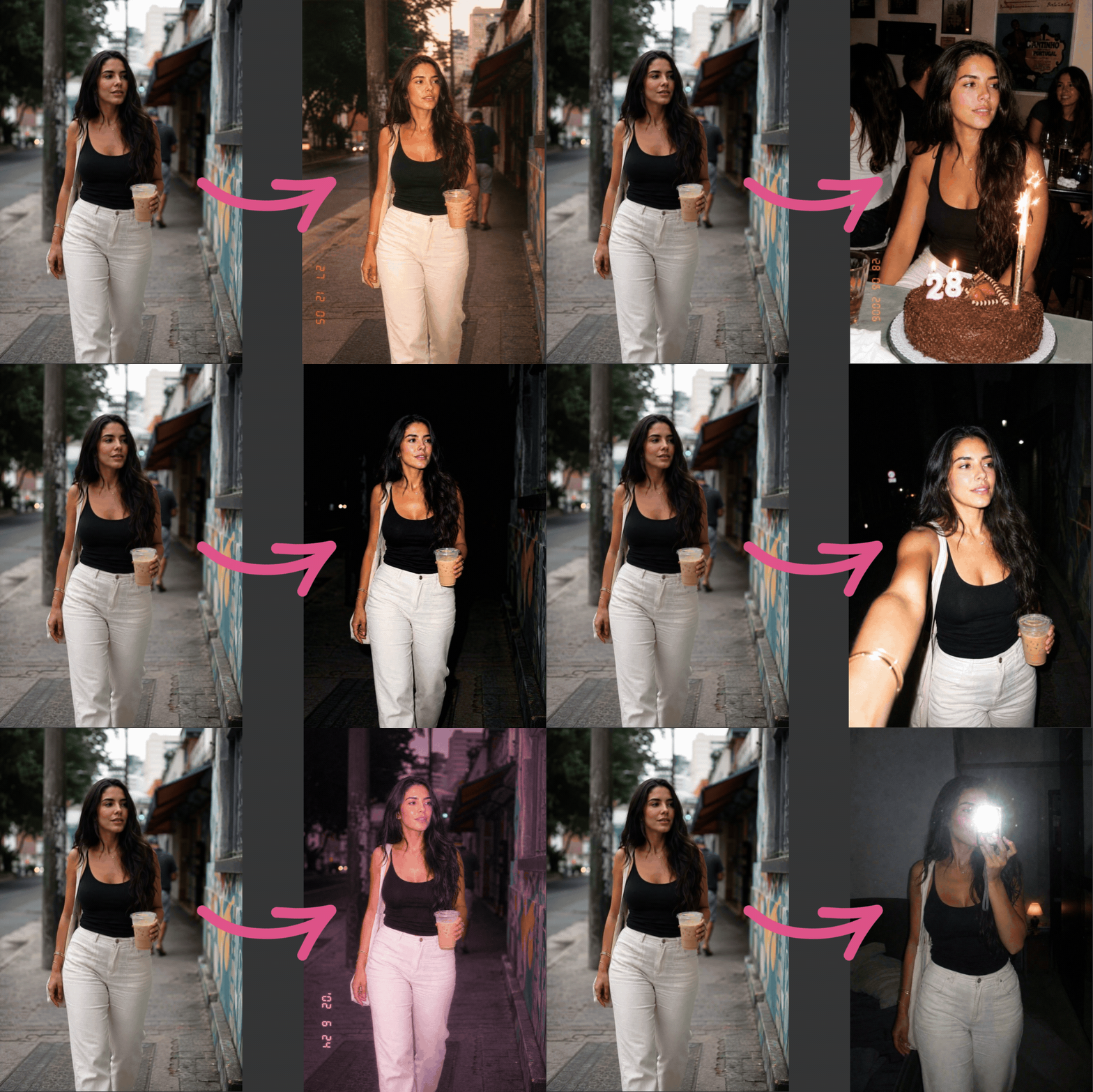
Prompt 1: classic flash
Turn this photo into a direct‑flash photo in 2000s digital camera style, with slightly blown‑out highlights, a dark but visible background, vivid colors, and subtle digital grain. Keep my face, hair, and clothes natural.
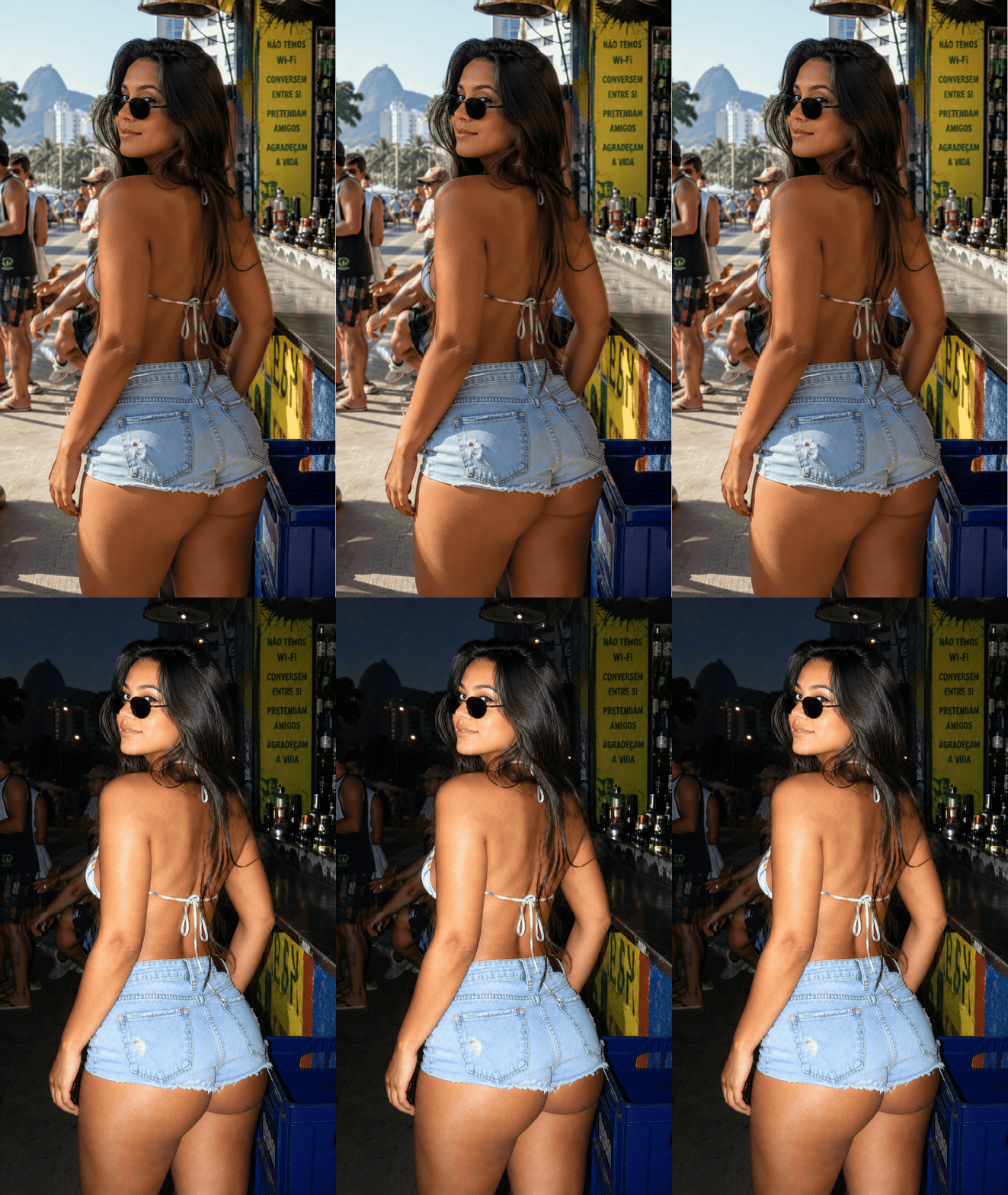
Prompt 2: mirror selfie
Create a mirror photo with blown‑out flash, digicam/Cyber‑shot aesthetic, strong front lighting, a dim bedroom, and a spontaneous early‑2000s vibe. Preserve the original composition.
Prompt 3: night‑out photo
Give this photo a 2000s party vibe: flash in the face, saturated colors, night background with soft lights, and compact digital camera texture. Don’t change the people in the photo.
Prompt 4: summer nostalgia
Turn this photo into a 2000s summer image taken with a compact digital camera, with soft flash, glowing skin, golden tones, and nostalgic texture.
Prompt 5: birthday party
Transform this birthday photo into a spontaneous 2000s digital camera snap, with strong flash, warm colors, visible cake details, and a nostalgic look, without erasing the faces.
Prompt 6: photo with friends
Edit this photo of friends to look like a fun 2005 moment shot with a digicam: direct flash, high contrast, vibrant colors, casual framing, and subtle digital texture.
Prompt 7: concert look
Create a portrait with 2000s digital camera aesthetics at a concert, with front flash, colorful lights in the background, glowy makeup, and an improvised photo feeling.
Prompt 8: retro glamour
Give this photo an elegant blown-out flash effect, inspired by 2000s pop editorials: realistic skin, lip gloss, dark background, and saturated colors, without changing my features.
Prompt 9: softer Y2K
Create a soft Y2K effect in this photo, with front flash, pinkish tones, delicate skin glow, old digital camera look, and very light grain.
Prompt 10: less is more
Apply a subtle digicam effect to this photo: soft flash, moderate contrast, a bit of grain, and natural colors. I want a 2000s memory without overdoing it.
To try other compositions, such as a carousel cover or a sequence of memories, you can also get inspired by these retro-style photo collage ideas.
Photo ideas
The old digital camera effect goes well with real moments. That’s why it usually looks better when the scene tells a story: a Saturday night, a birthday, a barbecue, a beach trip, or that mirror selfie before going out.
- June festival: keep the little flags and ask for direct flash to bring out the colors of your outfit.
- Parade or Carnival: ask for front light, visible glitter, and a background with movement, without hiding your makeup.
- Barbecue with friends: use a prompt with soft flash, warm colors, and a candid, unposed mood.
- Summer trip: combine golden tones, late afternoon sky, and light digital texture.
- Instagram dump: create similar versions of several photos so the carousel looks cohesive, but not identical.
If something is in the way, like a sign, someone walking by, or an object in the background, an AI object removal tool can clean up the scene before editing. Just don’t remove everything: part of the charm of this aesthetic is exactly in the imperfect details of the moment.
How to make the effect look more natural
Is it worth using AI to create a flash effect? Yes, especially when you want to try a trend without relying on lighting, camera, or manual editing. But the best result comes from a specific request and small tweaks.
Don’t overdo the “blown-out flash”
The flash should light up your face and create contrast, not wash out your eyes, your nose, or the texture of your clothes. If the first version comes out too white, ask: “reduce the flash intensity and preserve skin details”.
Ask for texture, not blur
Digital grain is different from a low-quality photo. The ideal effect keeps the outlines sharp and only adds subtle texture, like a picture taken with a compact camera. If the original image is out of focus, also see how to fix a blurry photo before applying the aesthetic.
Protect what’s yours
Include phrases like “keep my features”, “don’t change the outfit”, or “preserve the background” in your prompt. This way, you guide the edit toward light and atmosphere, not a complete transformation of the image.
Use the look to your advantage
Gloss, bold blush, eyeliner, and silver accessories match the Y2K look, but they’re not mandatory. If you want to test a makeup look before posting, YouCam Makeup helps you explore it virtually and decide what works best for your photo.
You can also balance the background of the image before editing. In portraits with a busy scene, an AI background adjustment can make you stand out without taking away the photo’s personality.
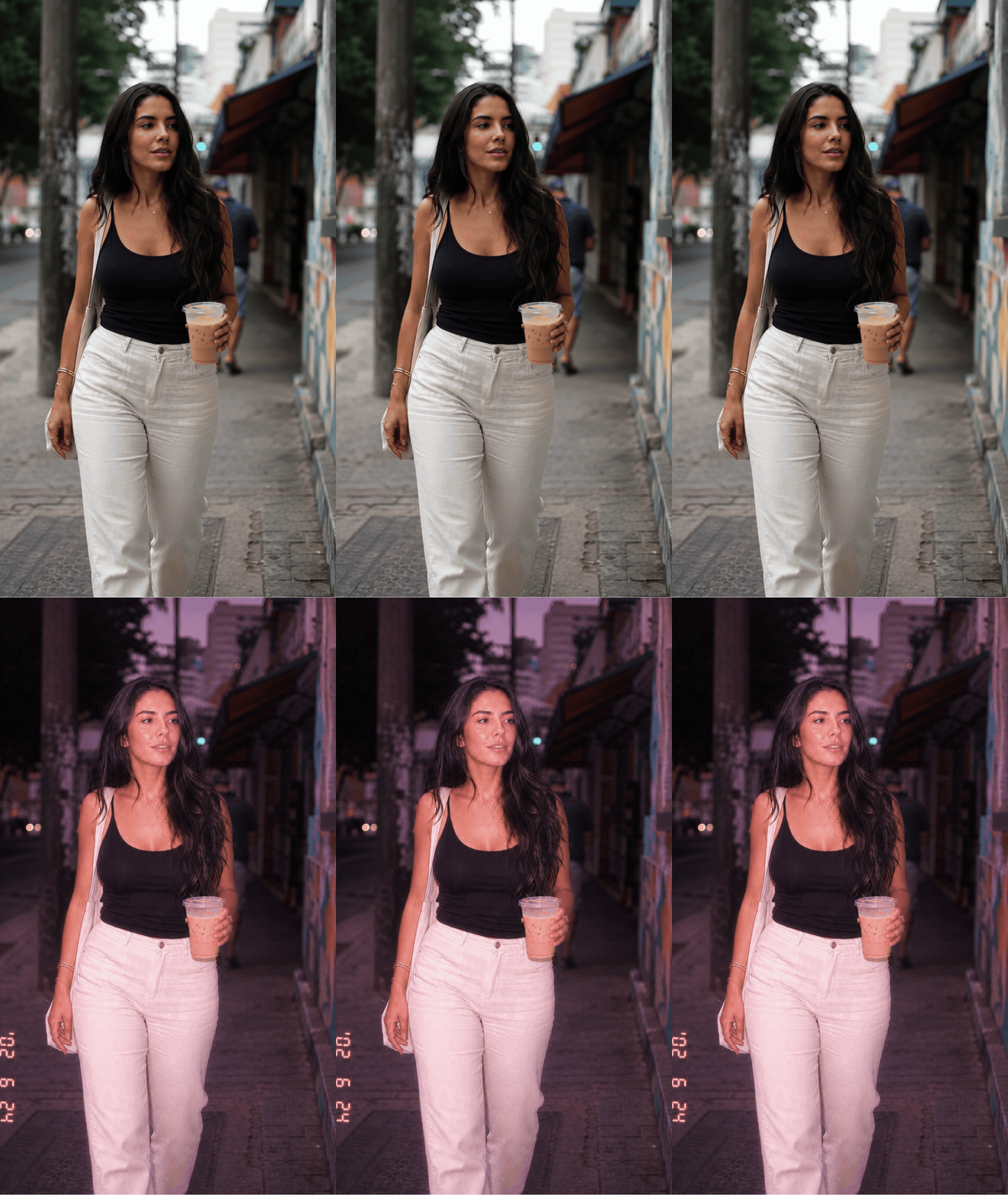
Suggested image: a collage comparing an original selfie and three versions: subtle flash, party flash, and pink Y2K aesthetic, with a caption explaining each variation.
Create your digicam photo in YouCam Makeup
The 2000s flash effect works best when it feels like a good memory, not a heavy filter. Use a photo you love, describe the vibe you want, and try different prompts until you find a version that still feels like you.
Want a club photo with flash in your face, a mirror selfie à la Cyber-shot, or a summer photo dump with Y2K vibes? Open the AI Agent, chat about the look you want, and tweak the details.
Frequently asked questions about flash effect
- How do I create a 2000s flash effect in a photo?
You can create a 2000s flash effect using a clear selfie and a detailed prompt in the AI Agent of YouCam Makeup. Ask for direct flash, dark background, saturated colors, and light digital grain. Then adjust the intensity so your features and important image details stay visible.
- What should I ask for to get a digicam-style photo?
Ask for a digicam-style photo by describing the light, texture, and mood you want. A good phrase is: “compact 2000s digital camera, front flash, vivid colors, and spontaneous framing.” If you want the result to stay closer to your original, add that the AI should preserve your face, outfit, and background.
- What’s the difference between flash effect and retro filter?
The flash effect focuses on strong frontal lighting and blown-out highlights, while a retro filter can change colors, contrast, and texture without creating flash light. You can combine both for a Cyber-shot-style photo, but it’s best to control each element so the result doesn’t look overdone.
- Can I create a club photo with flash from a daytime picture?
You can give a daytime photo a party vibe, but the result usually looks more natural when the original is already indoors or in low light. Ask to carefully darken the background, add front flash, and preserve your face. Test a softer version before you boost the contrast.
- How do I get a blown-out flash look without losing quality?
To avoid losing quality, ask for blown-out flash only on the highlights and keep the details in your face, hair, and clothes. Avoid requesting heavy grain and blur at the same time. If the image looks weak, enhance the sharpness first and then apply the digicam effect moderately.
- Is it worth using AI to create a Y2K aesthetic?
It’s worth it when you want to try Y2K references with more control than a ready-made filter gives you. AI lets you ask for specific changes, like mirror flash, pinkish tones, or party vibes. You’ll usually get better results if you use a well-lit photo and write a clear prompt.