


 Author:
We’ve all been there: you have a cinematic vision—a sequence so vivid it feels real—but you lack the $50,000 camera rig or the years of VFX training required to bring it to life. While OpenAI’s Sora remains a titan, the market is now flooded with powerful, professional, and user-friendly alternatives that put a movie studio right in your pocket.
If you’re looking to turn simple text into breathtaking 4K footage, you’re in the right place. Whether you want to master Sora via ChatGPT or find a faster, more accessible Sora alternative like YouCam Video, this guide will make the process simple, fun, and achievable—even if you’ve never edited a video in your life.
Table of Contents ▼ Click to Expand
- Key Takeaways
- Sora: OpenAI’s Text-to-Video Model for ChatGPT
- How to Use Sora via ChatGPT: A Step-by-Step Guide
- What Are the Limits of Sora + ChatGPT Video Generation?
- 9 Free Sora Alternatives for AI Video Generation in 2026
- YouCam Video: The Best Mobile Sora Alternative
- Runway (Gen-3 Alpha)
- YouCam AI Pr
- Pika Labs (Pika 2.5)
- ling
- Google Veo
- InVideo AI
- Synthesia
- Luma Dream Machine
- Comparison Table: Sora vs. The Top Alternatives
- Sora FAQs
Key Takeaways
- Sora 2 Integration: Sora is now more accessible than ever through ChatGPT Plus and Pro tiers.
- Mobile-First Excellence: YouCam Video has emerged as the top Sora alternative, uniquely supporting Sora 2 models for high-end mobile generation.
- Diverse Toolkits: While Sora focuses on realism, alternatives like Runway, YouCam AI Pro and Pika offer specialized artistic controls that give creators more "director-level" influence.
- Photorealism Pick: Luma Dream Machine joins the list as a widely discussed, camera-control-focused generator with a genuinely free tier, though it lacks native audio.
Sora: OpenAI’s Text-to-Video Model for ChatGPT
What’s Sora?
Sora is OpenAI’s flagship generative AI model designed to create realistic and imaginative video scenes from text instructions. Creating with Sora in ChatGPT is as intuitive as sending a text. Users provide a descriptive prompt, and the AI translates those words into dynamic, high-resolution video clips. The model’s deep understanding of cinematic language allows it to accurately render intricate scenes, consistent characters, and sophisticated physical simulations directly within the ChatGPT interface.
By 2026, Sora has evolved into Sora 2, offering significantly higher frame rates, better temporal consistency (objects don't randomly disappear), and a much deeper understanding of the physical world.
Who Can Use Sora?
Sora is no longer restricted to a handful of testers. It is now accessible to:
- ChatGPT Plus, Pro, Team, and Enterprise subscribers.
- Developers utilizing the OpenAI API for custom apps.
- Creative Professionals within the OpenAI Red Team network.
Sora Key Features:
- Text-to-video generation inside ChatGPT.
- Extended Duration: Generate up to 120 seconds of continuous, high-definition footage.
- Complex Motion: Sophisticated tracking of multiple characters and camera movements (dolly, pan, tilt).
- Physical Simulation: Realistic interactions, such as liquid splashing or the way light reflects off moving surfaces.
- Better Character Control: Sora 2 gives more natural motion, cleaner expressions, and more realistic scenes. It handles complex actions and camera angles more smoothly.
What’s the Catch?
Despite its brilliance, Sora remains a "heavy" model. Generation times can be slow during peak hours, and the strict safety filters can sometimes stifle purely artistic, non-harmful creativity.
Sora 2 is currently available in the US and Canada for ChatGPT Plus and Pro subscribers. While OpenAI launched Sora in the UK and EU in early 2025, access remains subject to tiered limits: Plus users can generate 15-second clips, while Pro users can create 25-second videos with higher priority.
This is why many creators are turning to more flexible alternatives.
How to Use Sora via ChatGPT: A Step-by-Step Guide
If you have a ChatGPT Plus, Pro, or Team subscription, you can access Sora’s text-to-video feature right inside the ChatGPT interface. Here’s how to do it:
Log In to ChatGPT
Visit chat.openai.com and sign in with your premium OpenAI account.
Start a New Chat
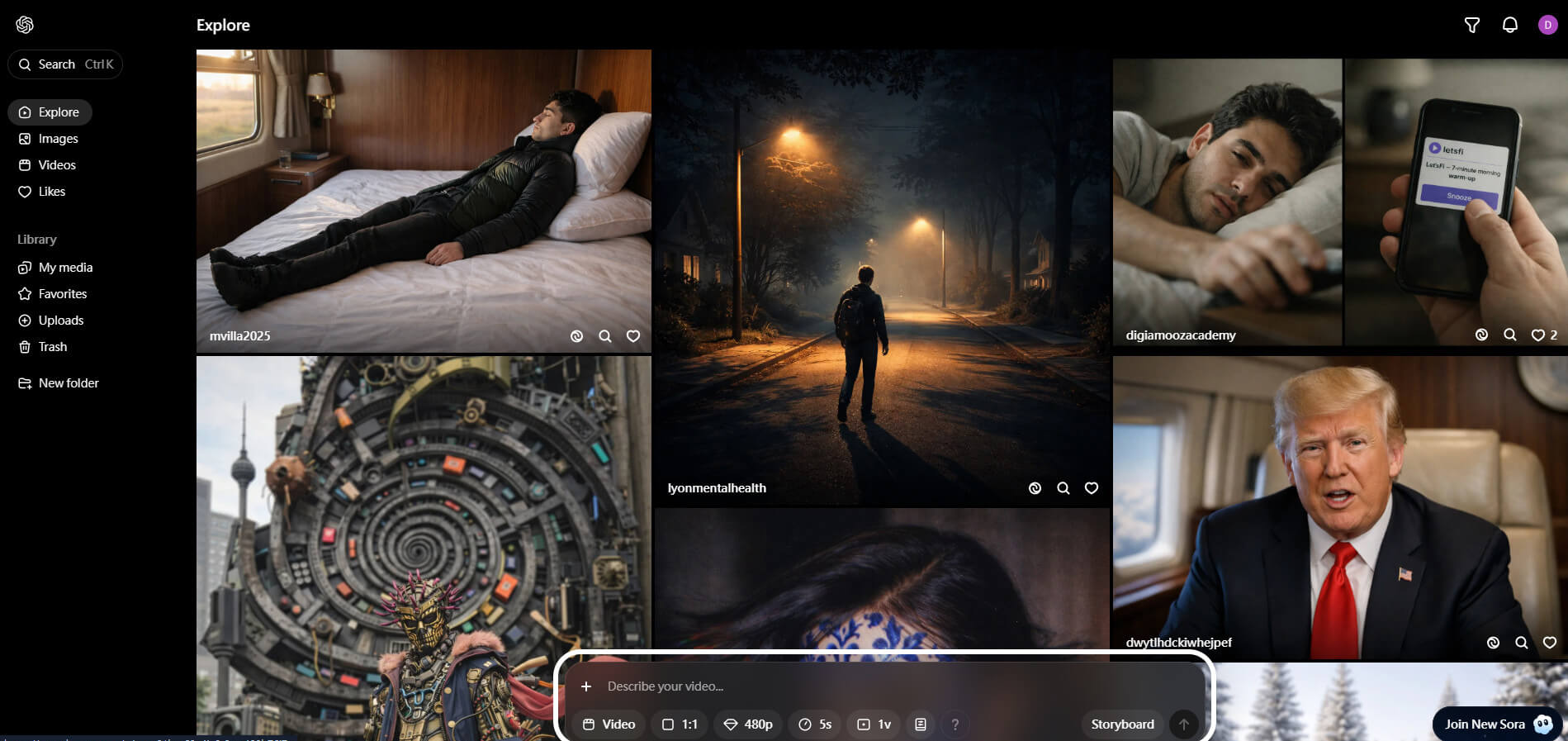
Open a new conversation and ensure the "Sora" model is selected from the model switcher at the top.
Enter a Video Prompt
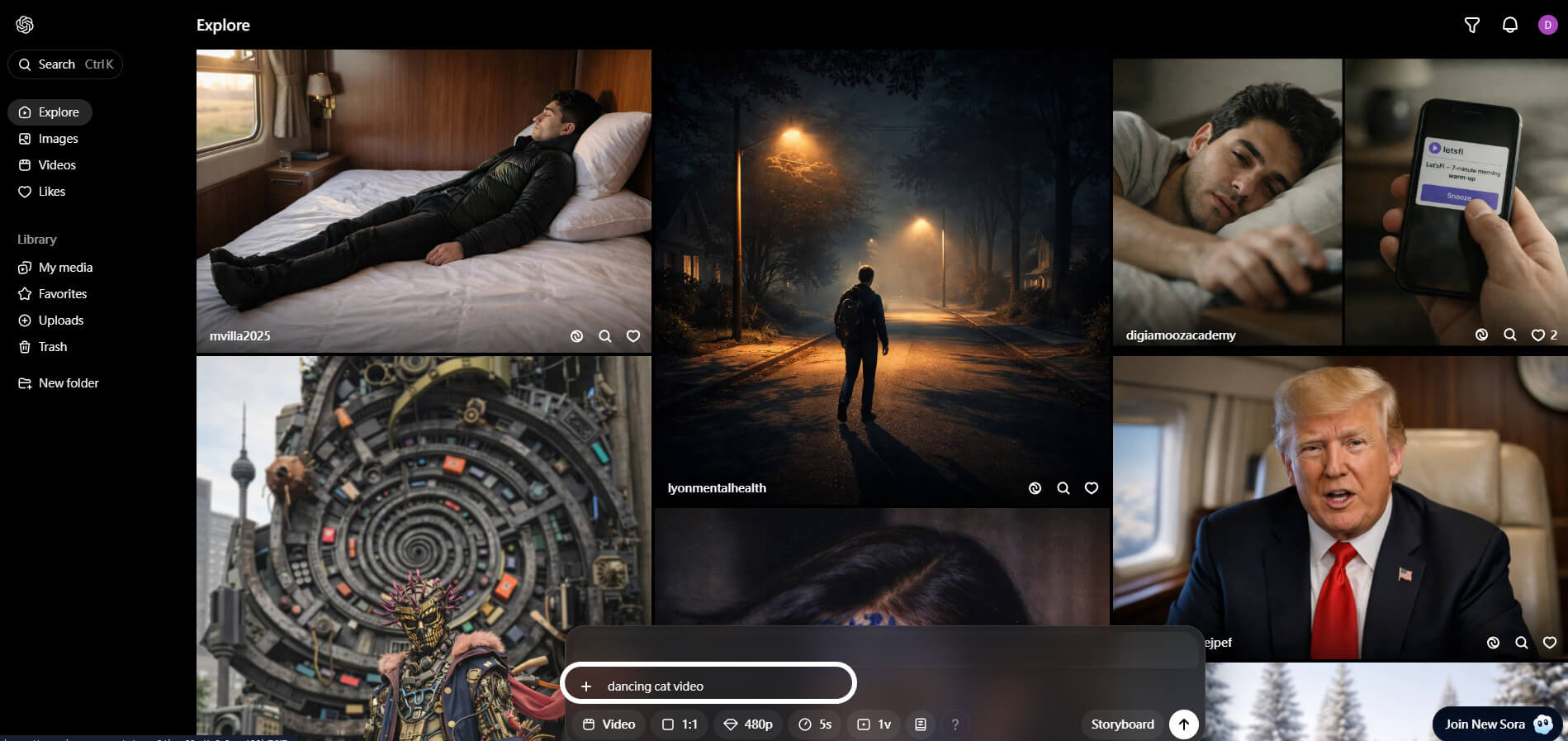
Describe your vision in detail. Use cinematic terms like "low-angle shot," "golden hour lighting," or "macro lens" to get the best results.
Customize Video Settings
Before hitting generate, specify your desired aspect ratio (e.g., 16:9 for YouTube or 9:16 for TikTok).
Wait for Generation
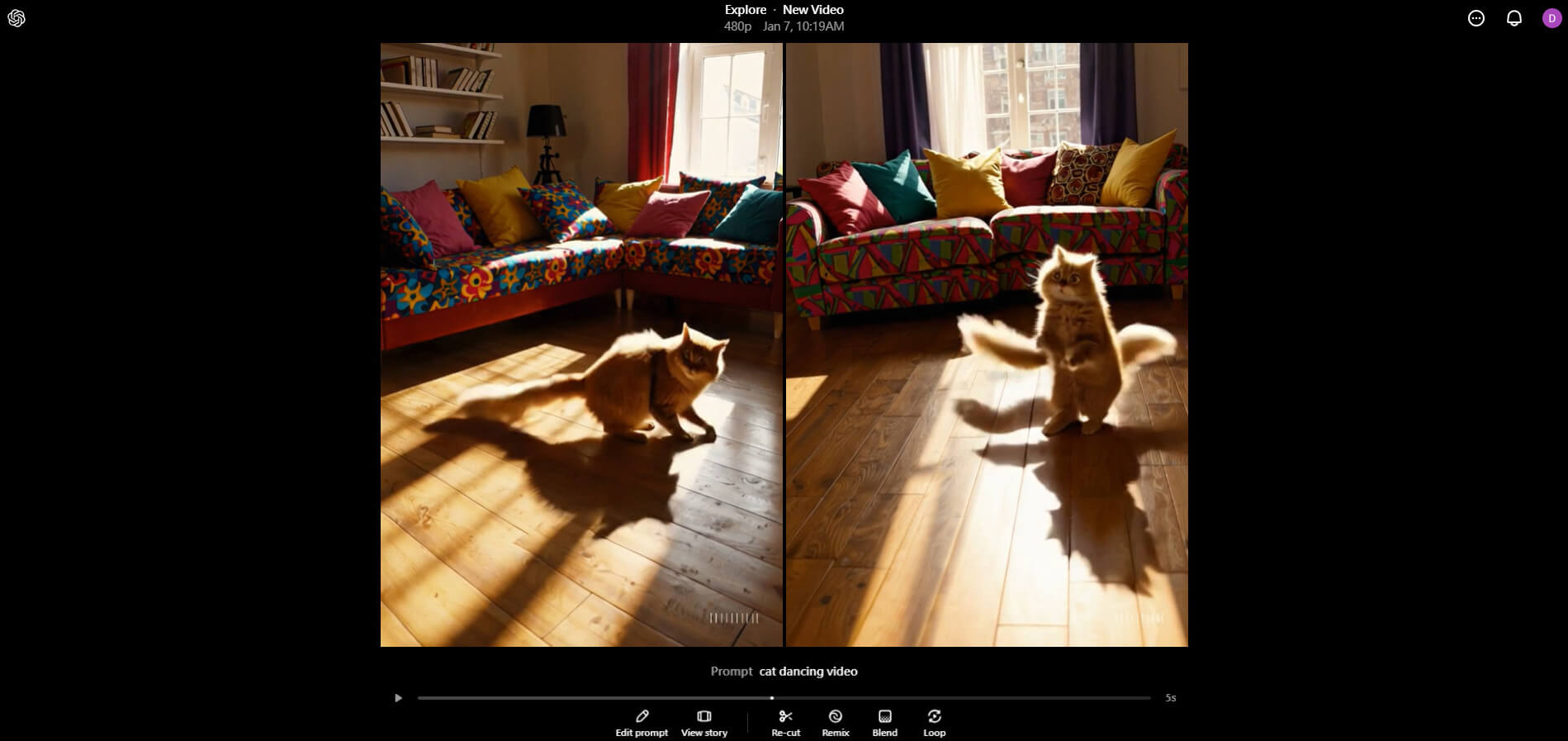
Sora 2 processes frames in batches. It may take 2–5 minutes to render a high-quality clip.
Download or Save Your Video
Once the preview looks right, download the file in 4K resolution directly to your device.
What Are the Limits of Sora + ChatGPT Video Generation?
While Sora 2 is a powerful engine integrated directly into ChatGPT, users should be aware of these specific constraints:
- Usage Quotas: Even premium users face "compute caps" that limit how many videos can be generated per day.
- Video Length & "Storyboard" Limits: Although clips have grown longer, they are not yet feature-length: Standard (Plus) Users: Can generate clips up to 15 seconds. Pro Users ($200/mo): Can generate clips up to 25 seconds. Storyboard Tool: To create longer content, Pro users must use the Storyboard feature to "stitch" multiple 25-second clips together.
- Limited Post-Editing: Once a video is made, you can't easily swap out specific elements without regenerating the whole clip.
- Resolution & Quality Caps: Resolution is now tied more strictly to your subscription tier: ChatGPT Plus: Standard output is 720p, with limited access to 1080p during off-peak hours. ChatGPT Pro/Team: Immediate access to 1080p (Full HD) at 60fps. 4K Output: Currently reserved for the Sora API and specialized Enterprise tiers; not yet a standard feature for Plus users.
- Web-Centric: It is primarily designed for desktop browsers, making on-the-go social media creation a bit cumbersome.
- Audio Integration (New for 2026): The previous "visual-only" limitation has been partially solved. Sora 2 now supports Synchronized Audio: It can generate ambient sound effects and basic background music.
- Physical Consistency & Prompting: Despite improvements, Sora 2 still occasionally fails at "complex physics"—such as a glass shattering or a person eating food—where the object might "melt" rather than break. It also maintains strict Safety Filters, which will block prompts involving public figures, copyrighted characters (outside of the Disney partnership), or graphic content.
9 Free Sora Alternatives for AI Video Generation in 2026
YouCam Video: The Best Mobile Sora Alternative
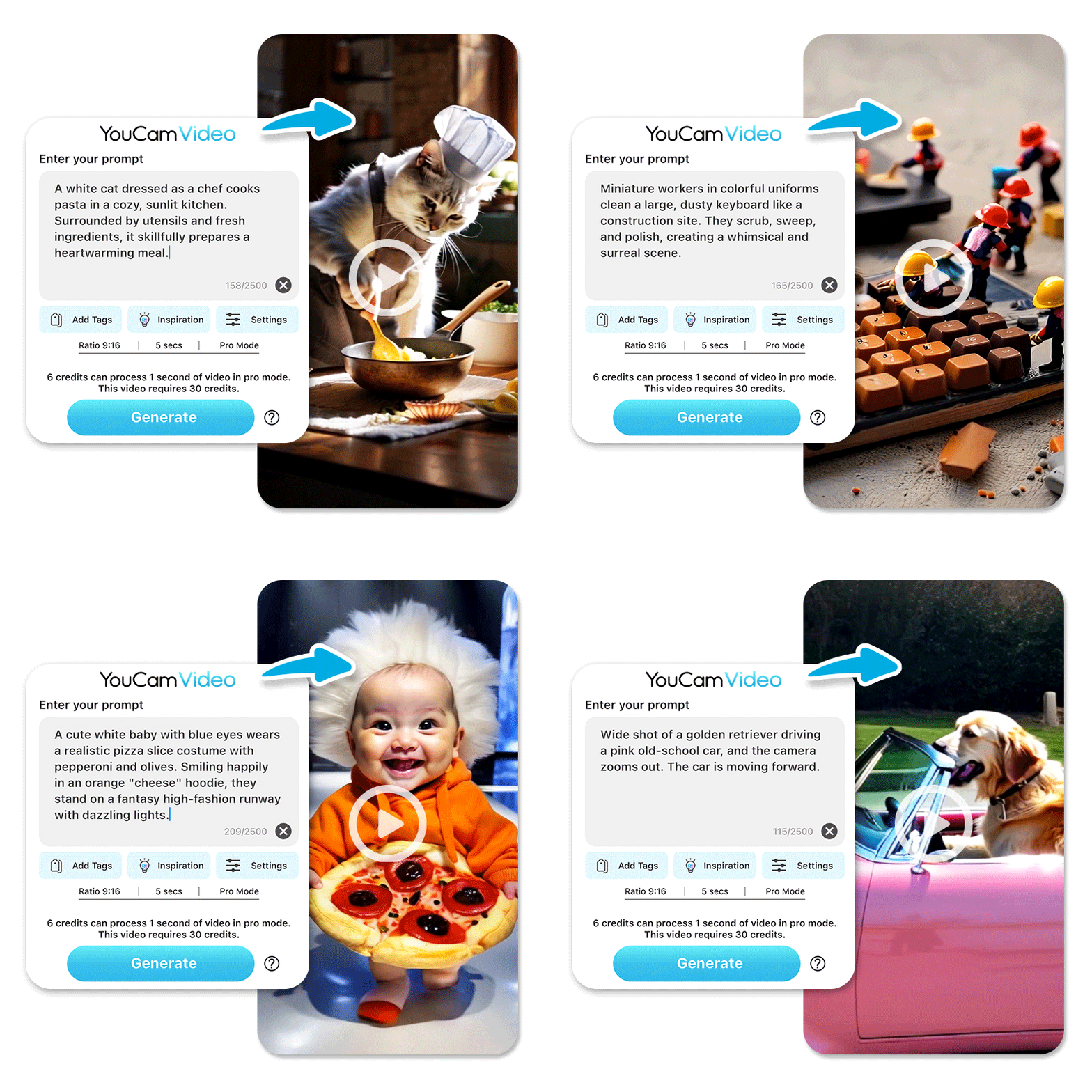
YouCam Video has redefined the mobile editing space by becoming the first consumer app to fully support Sora 2 as one of its core AI models. While other tools require a desktop, YouCam Video brings Hollywood-grade AI to your iPhone or Android. It is the perfect blend of generative power and "one-tap" simplicity, allowing you to not only generate video but also retouch faces and apply cinematic filters in the same workflow.
Best Features: Support for Sora 2 models, instant AI facial retouching, and a massive library of social-media-ready templates.
Real user reviews on YouCam Video are mixed: one 5-star Google Play reviewer, Karishma Butani, said she "used to really like it" for its value and functionality, while a more critical 1-star review from Andy McLean cautioned that the free trial "isn't free at all if you actually want to see what the app can do," since premium AI features like Sora 2 generation require additional credits.
Learn how to make creative videos with the top AI video generators>>>
How to Generate AI Videos Using YouCam Video
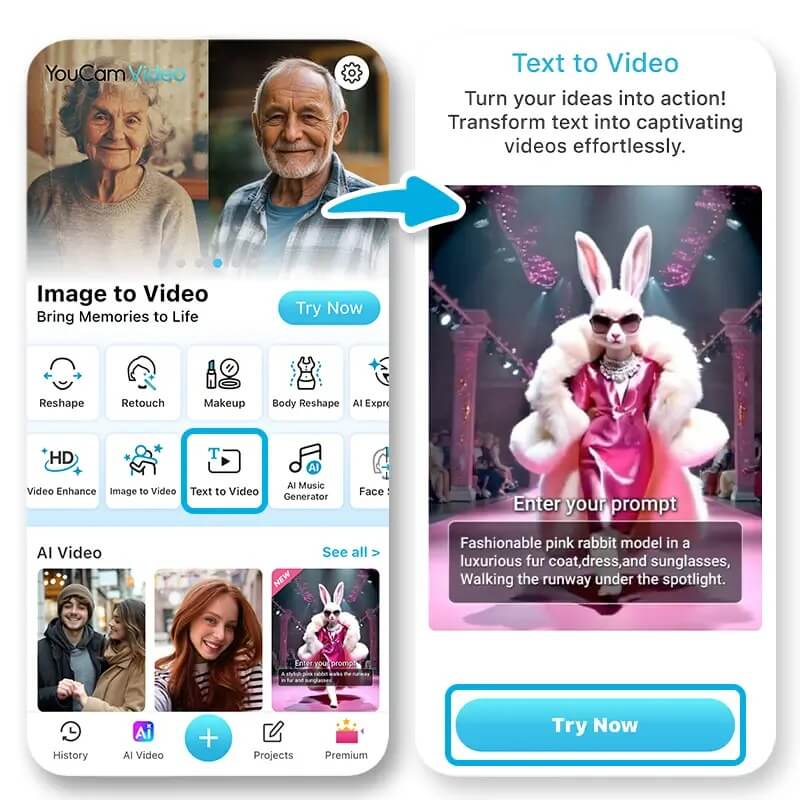
- Download YouCam Video App from your app store
- Open YouCam VideoTap 'Text to Video' in the menu
- Enter your text prompt for the AI video
- Tap 'Generate' and wait a few minutes for your AI-generated video
- Save and share your video!
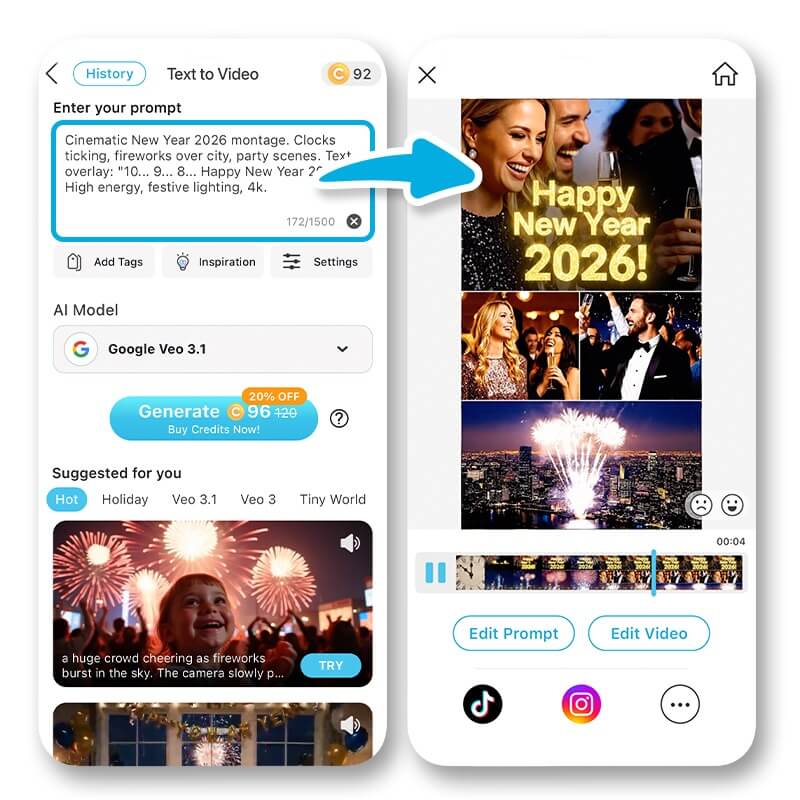

Best AI Video Editor
The Best AI Video Editor & Generator App.
Generate and edit videos easily.
Runway (Gen-3 Alpha)
Runway is the professional’s choice for "Artistic Control." Known for its Gen-3 Alpha model, it offers a suite of tools that go beyond simple prompting. Its "Multi-Motion Brush" allows you to paint over a specific area of a still image and tell the AI exactly how that specific part should move, offering a level of precision Sora currently lacks.
Best Features: Director-level control, high-fidelity textures, and advanced "Image-to-Video" capabilities.
YouCam AI Pro
For creators who want to experience the power of Sora 2 or Sora Pro immediately, we recommend YouCam AI Pro. This platform eliminates the barriers of traditional subscriptions, offering a seamless and high-performance environment for cinematic creation.
By integrating a suite of industry-leading models—including Sora 2, Sora 2 Pro, Kling AI, and Google Veo 3.1—YouCam AI Pro provides a more flexible, versatile, and cost-effective generation process compared to standard ChatGPT Plus tiers.
Try more creative Sora video prompts>>>
Key Features of YouCam AI Pro:
- Instant Access: No registration or login required to immediately try world-class AI video models.
- Professional Quality: High-definition, watermark-free output with fidelity reaching Sora 2 Pro standards.
- Intuitive Prompting: User-friendly interface that fully supports natural language prompts for precise creative control.
- Complete Creative Toolkit: Includes Text-to-Video, Image-to-Video, and advanced AI image generation tools.
The Value Verdict
Compared to a standard ChatGPT Plus/Pro subscription (ranging from approx. $20 to $200/month) to access Sora 2, YouCam AI Pro is not only more affordable but significantly more valuable. It allows you to toggle between multiple leading models in one app, ensuring you always have the best tool for your specific vision.
How to Use Sora 2 in YouCam AI Pro
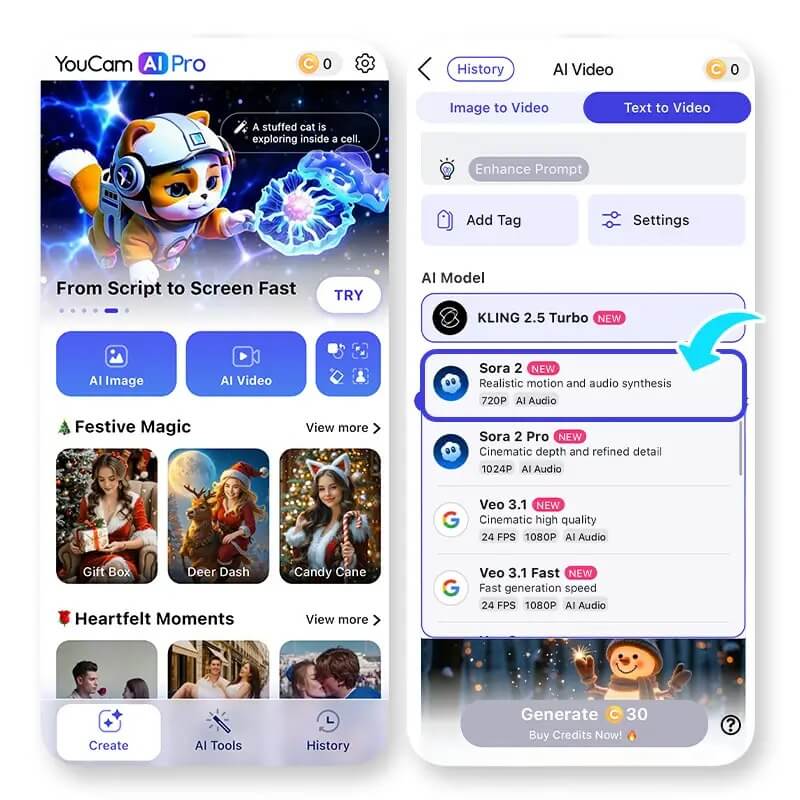
- Download YouCam AI Pro: Search for "YouCam AI Pro" in the App Store or Google Play and download it for free.
- Select "AI Video" & "Text to Video": From the home screen, choose the Text to Video feature.
- Choose the Sora 2 Model: Select your preferred model from the list, enter your prompt, and start generating your high-quality video.

AI Image & Video Generator
Turn text into AI art instantly.
Supports Text-to-Image & Text-to-Video.
Pika Labs (Pika 2.5)
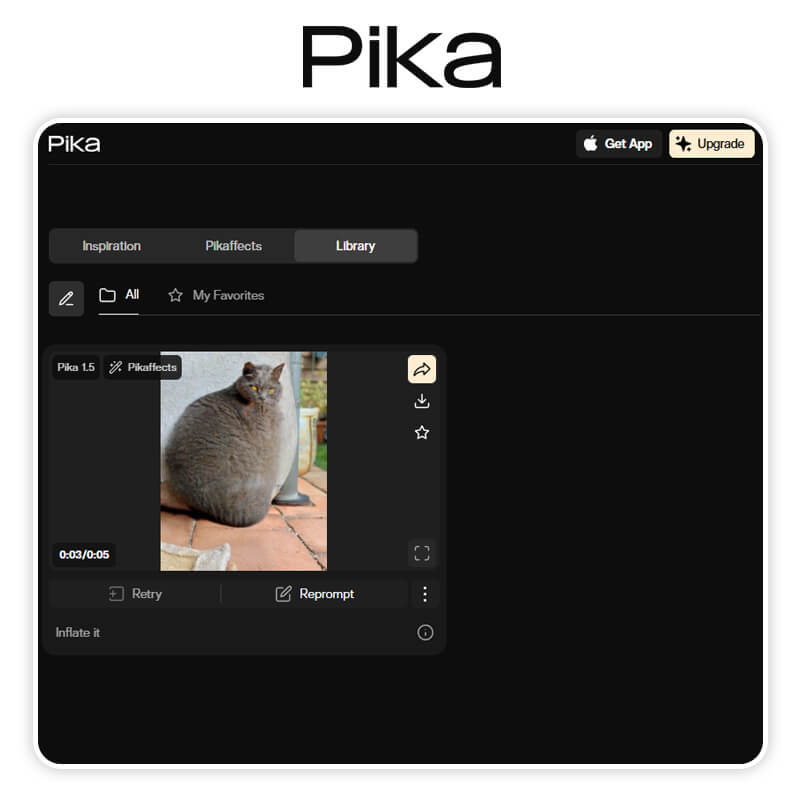
Pika has carved out a niche as the most "creative" and "stylized" AI generator. Pika 2.5 excels at animation and physics-defying visuals. It includes a unique "Sound Effects" feature that automatically generates audio to match your video, making it a true all-in-one content machine for those who want a more whimsical or cinematic look.
Best Features: Built-in Sound FX, Lip Sync for characters, and incredible stylistic variety.
Kling

Emerging as a powerhouse in 2026, Kling is often cited as the most direct rival to Sora in terms of pure realism. Developed with a focus on "Large-Scale Physical Simulation," Kling creates videos that look indistinguishable from real life. It is particularly adept at human movement and complex hand gestures, which are notoriously difficult for AI.
Best Features: Exceptional 1080p 60fps output and clips up to 5-10 minutes in length.
Google Veo
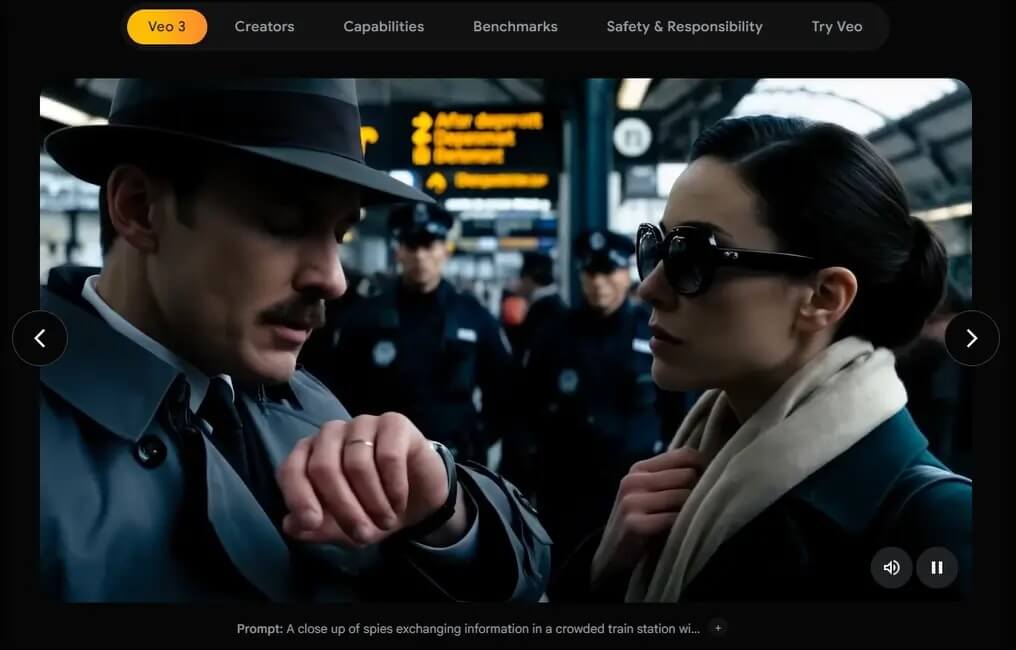
Google’s answer to Sora is Veo, which is deeply integrated into the YouTube ecosystem. Veo understands cinematic language like a professional editor—it knows the difference between a "long shot" and a "dolly zoom." It’s the go-to choice for creators who want their AI videos to feel like they were shot on a professional film set.
Best Features: Native integration with YouTube Shorts and an advanced understanding of cinematic terminology.
InVideo AI
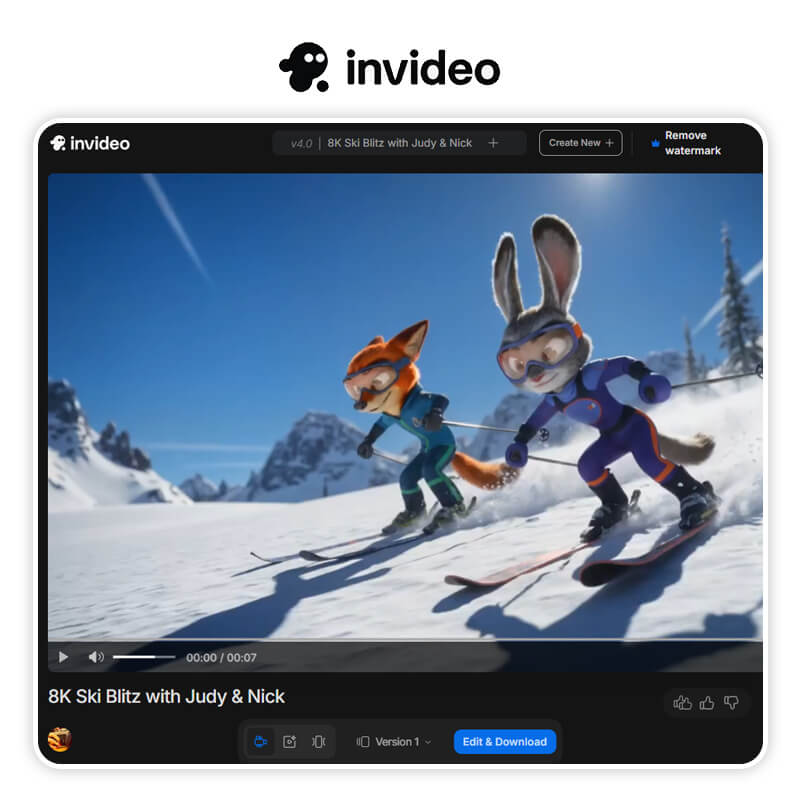
If you are a marketer or a YouTuber, InVideo is your secret weapon. Instead of just generating a "clip," InVideo generates a complete video. It writes the script, selects the background music, adds a voiceover, and uses AI to generate the visuals. It’s a "Video Studio in a Box" designed for efficiency over pure artistic experimentation.
Best Features: Full script-to-video automation and a massive library of 16M+ stock media elements.
Synthesia
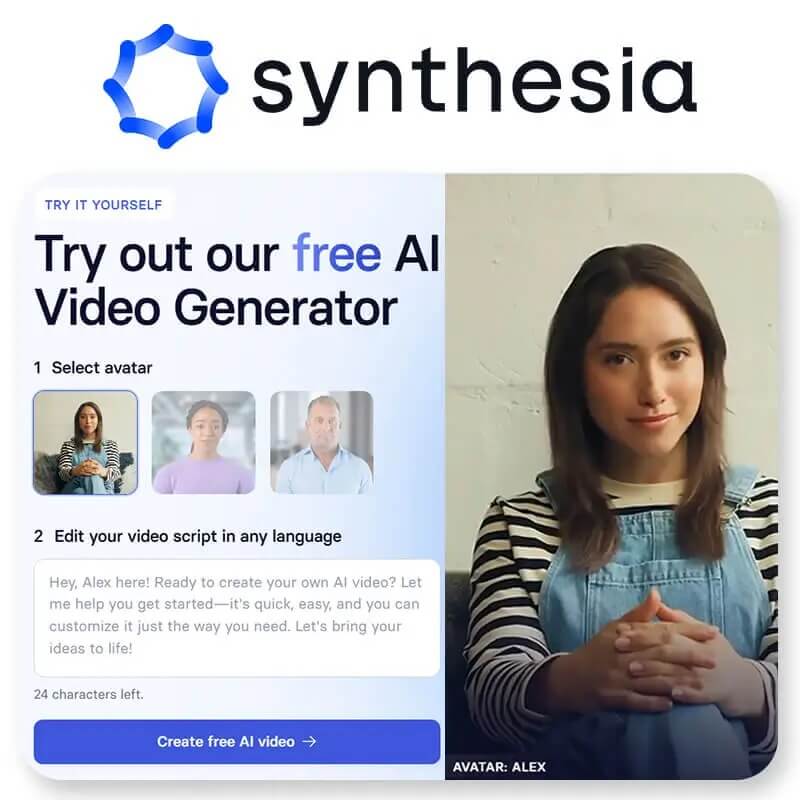
Synthesia is the leader in "AI Avatar" technology. While Sora creates scenes, Synthesia creates people. It allows you to create professional videos with AI avatars that speak over 140 languages with perfect lip-syncing. It is the gold standard for corporate training, educational content, and personalized sales videos.
Best Features: Hyper-realistic AI avatars and instant multi-language translation.
Luma Dream Machine
Luma AI’s Dream Machine is one of the most widely discussed AI video generators for its photorealistic output and genuine 3D camera control — it can convert a text prompt or a still image into video with cinematic camera moves while keeping objects and faces consistent across frames. It includes a real free tier (720p, watermarked) and paid tiers that add HDR export, 4K upscaling, and commercial rights.
I generated a few short clips with Dream Machine to compare against Sora’s output, and the camera movement and object consistency were genuinely impressive — reviewers consistently call it “class-leading” for photorealism. The catch, confirmed across multiple hands-on reviews, is that it has no native audio generation (unlike Kling and Veo, which include synced sound), and native clips are only around 5 seconds, so longer videos need to be stitched together.
Best Features: Photorealistic Ray3 rendering with HDR/EXR export, strong camera control and object consistency, and a genuinely free tier for experimentation.
Key Features:
- Text-to-video and image-to-video with cinematic camera control
- 16-bit HDR and EXR export, 4K upscaling on paid tiers
- Free tier available (720p, watermarked)
Comparison Table: Sora vs. The Top Alternatives
| Tool | Best For | Tech Model | Mobile App? |
|---|---|---|---|
| Sora (OpenAI) | Realistic Cinematics | Sora 2 | No (Web only) |
| YouCam Video | Ease of Use & Socials | Sora 2 & more | Yes (iOS/Android) |
| Runway | Professional VFX | Gen-3 / Gen-4 | Yes (Limited) |
| YouCam AI Pro | Supports AI Image & Video Generation | Sora 2 & more | Yes (iOS/Android) |
| Kling | High-Frame Rate Realism | Kling AI | No |
| Pika Labs | Animation & Sound FX | Pika 2.5 | Yes |
| Google Veo | YouTube Integration | Veo 3.1 | Via Gemini App |
| InVideo AI | Marketing & Automation | Hybrid AI | Yes |
| Synthesia | Training & Avatars | Proprietary | No (Web) |
| Luma Dream Machine | Photorealism & Camera Control | Ray3 | Yes (iOS + Web) |
Generate AI Videos with the Best Sora Alternatives
Best AI Video Editor
The Best AI Video Editor & Generator App.
Generate and edit videos easily.
The era of struggling with complex editing software is over. Whether you choose the unparalleled realism of Sora via ChatGPT or the convenient, powerful mobile workflow of YouCam Video, you now have the tools to tell your story like never before.
With YouCam Video now supporting Sora 2, you don't have to wait for a desktop—you can create, edit, and share your masterpiece from the palm of your hand.
Sora FAQs
Is anything better than Sora?

In 2026, YouCam Video is often considered better for everyday creators because it offers Sora 2 power within a mobile app, whereas Sora is mostly web-based.
Is Sora AI Alternative free?
Most alternatives, like YouCam Video and Pika, offer free trial credits so you can start generating for $0.
What is the No. 1 best video editor?
For AI-integrated editing, YouCam Video is currently the top-rated app due to its versatility and ease of use.
Which is better, Gemini or Sora?
Gemini (Google) is a superior text-and-logic assistant, but for pure video generation, Sora and Google’s Veo are the leaders.
What is the best free AI video generator?
While many professional tools use a subscription model, Luma Dream Machine and Kling AI are currently widely considered the best free-to-start options due to their generous daily credit systems.
- Luma Dream Machine: Highly praised for its "fast cinematic iterations." It offers a robust free tier with enough daily credits to prototype high-quality 5–10 second clips.
- Kling AI (v2.6): Known for being one of the most powerful "Sora rivals," Kling provides a freemium model that allows users to generate ultra-realistic human movements and complex hand gestures, which were traditionally difficult for AI.
- InVideo AI: The best choice if you need a "free" tool for marketing or YouTube. It offers a generous free plan that includes script generation, stock media, and voiceovers, though exports usually carry a watermark.
What is the #1 video editing app?
In 2026, the "#1" title is split between two apps depending on whether you are a professional or a mobile creator:
- For Professionals: Adobe Premiere Pro remains the industry leader. It has fully integrated "Firefly Video" AI, allowing editors to extend clips, remove objects, and generate B-roll directly within the timeline.
- For Social Media & Mobile: CapCut is the undisputed #1. Its mobile-first AI features—such as "Auto-Reframe" for TikTok, AI-generated captions, and one-tap background removal—make it the primary tool for the creator economy.
- For AI-Driven Mobile Creation: YouCam Video has recently surged in rankings because it is the first consumer app to natively support Sora 2 models, allowing high-end generative video editing directly on a smartphone.
Is Grok better than Sora?
The "better" model depends on whether you value technical perfection or creative freedom.
| Feature | Grok Imagine (v4.1) | Sora 2 (OpenAI) |
|---|---|---|
| Realism | High, but often more "stylized." | Industry Leader: Matches real-world physics. |
| Speed | Winner: Optimized for instant sharing. | Slower; focuses on high-bitrate quality. |
| Censorship | Very lenient; includes "Spicy Mode." | Strict safety filters and guardrails. |
| Best For | Memes, X (Twitter), and viral drafts. | Cinematic films and professional ads. |



