


 Author:


That’s exactly why AI-powered tools exist. With YouCam Video, you can turn photos or clips into polished, scroll-stopping Reels in minutes. This guide walks you through everything—step by step—using a free Instagram reels maker designed for real people, not pros.
🧠 Key Takeaways
- An Instagram Reels maker simplifies Reel creation with templates, effects, and AI tools
- AI helps automate editing, subtitles, motion, and enhancements
- YouCam Video is free to download and beginner-friendly
- You can create Instagram-ready Reels in just a few taps
What’s an Instagram Reels Maker?
An Instagram reels maker is a video editing app optimized for short-form, vertical videos designed for Instagram Reels.
Instead of complex editing timelines, it focuses on:
- Vertical 9:16 video format
- Trend-based templates and music
- Text overlays, subtitles, and transitions
- Fast exporting and social sharing
Modern reel makers also use AI to automate edits—saving hours of manual work.
How to Make Reels Stand Out With the Best AI Reels Maker: YouCam Video

Best AI Video Editor
The Best AI Video Editor & Makeup App.
Smooth skin and edit videos easily.
YouCam Video combines simplicity with powerful AI, making it one of the best apps to make Reels for beginners and marketers alike.
1. Editable Reel Templates (Create Faster, Stress Less)
YouCam Video offers ready-made, copyright-free Reel templates designed for different content styles:
- Travel & lifestyle Reels
- Product promotions
- Food & recipe videos
- Daily vlogs and talking-head clips
Each template already includes transitions, pacing, and music timing. You simply:
- Replace clips with your own photos or videos
- Edit text and captions
- Add your brand logo design or personal style
This eliminates the “blank screen” problem and helps you post consistently.
2. Insta-Ready Graphics & Effects
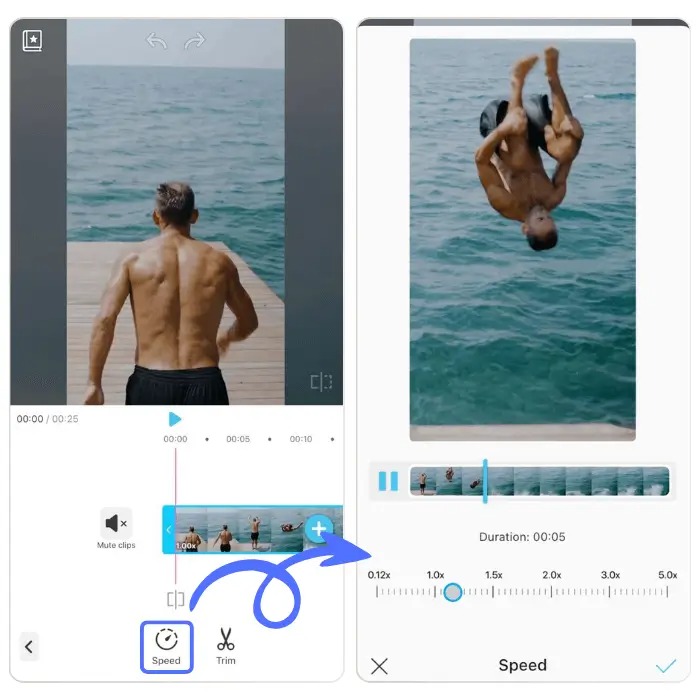
To grab attention in the first few seconds, YouCam Video includes:
- Animated text overlays
- Smooth transitions that feel native to Reels
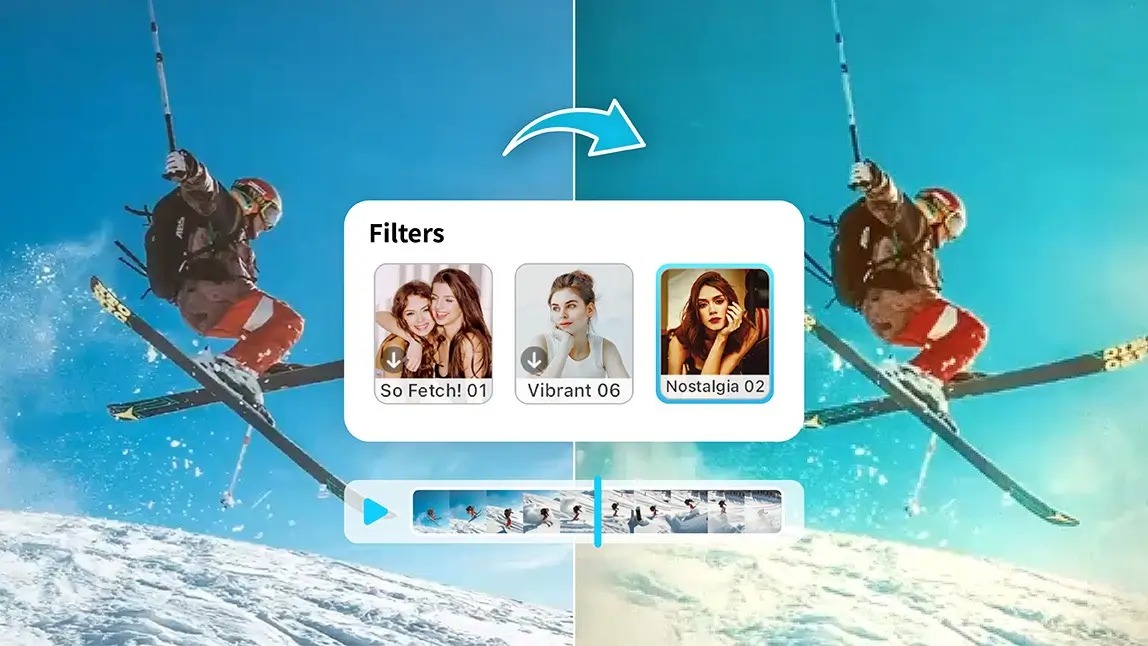
- Cinematic filters for color grading
- Visual effects like blur, slow zoom, and motion emphasis
These features make your content look professionally edited—without effort.
3. AI-Powered Video Tools (Edit Smarter, Not Harder)
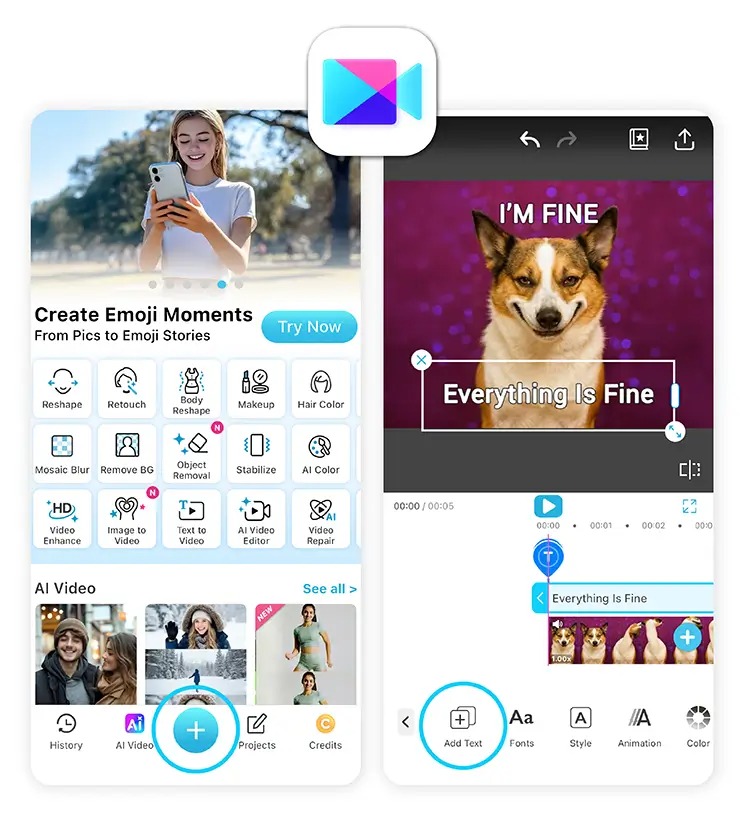
As a true AI reels maker, YouCam Video automates the hardest parts of editing:
- AI Voiceovers: Add natural narration without recording
- Add Text: Generate captions instantly in stylish fonts
- Auto Compose: Turn photos into slideshow Reels with motion
- Easy Cut: Quickly trim and polish talking-head videos
Perfect for creators who want speed, accessibility, and higher engagement.
Learn pro video editing tips here>>>
Key Features of YouCam Video (All-in-One Reel Editor)
Best AI Video Editor
The Best AI Video Editor & Makeup App.
Smooth skin and edit videos easily.
✔️ Free to download
✔️ Quick edits with preset filters
✔️ Tons of filters & visual effects
✔️ 750+ copyright-free songs
✔️ Hair color & makeup filters
✔️ Extensive retouch features
✔️ Add Text
✔️ Body Editor
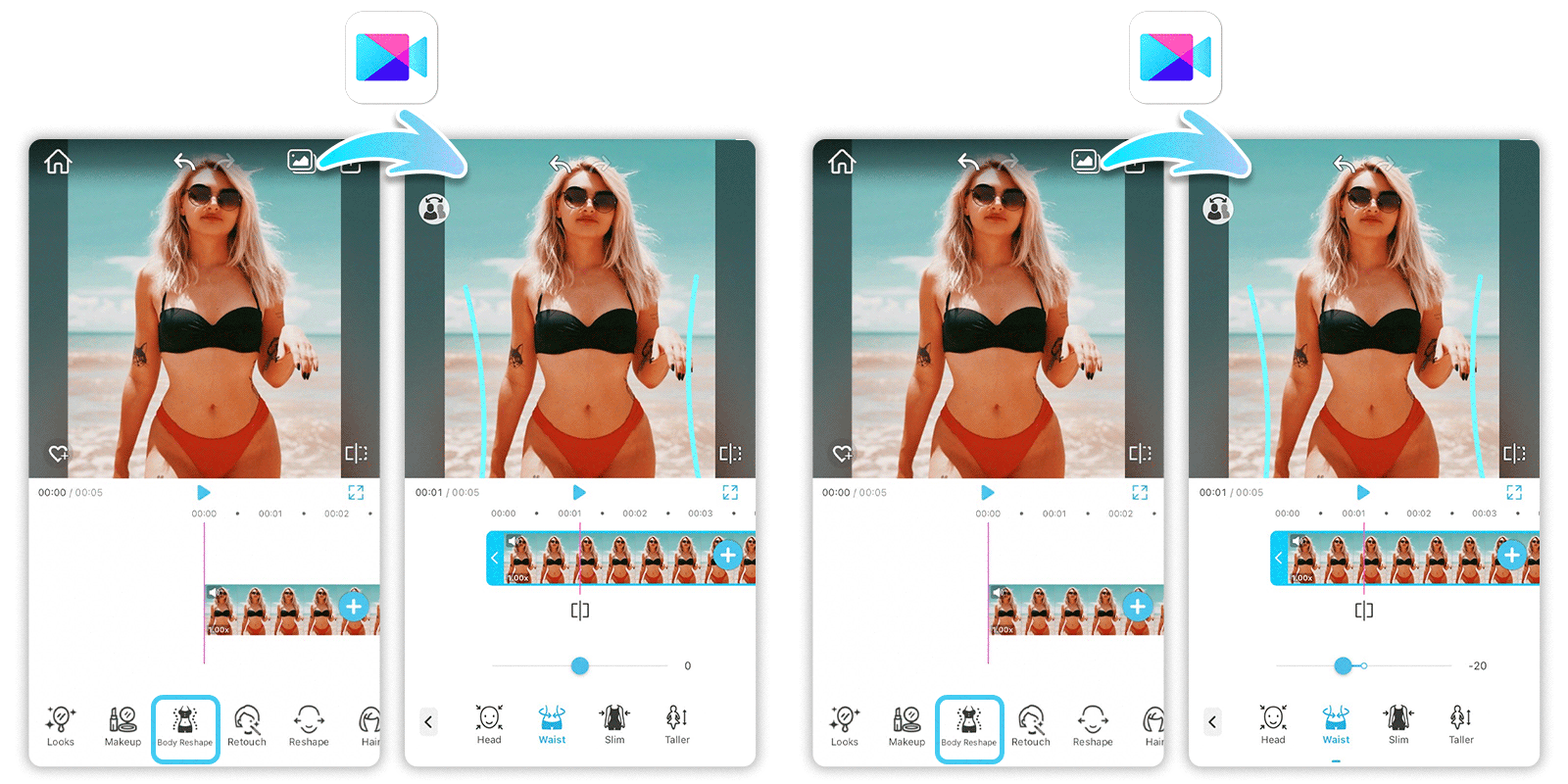
Advanced AI Tools
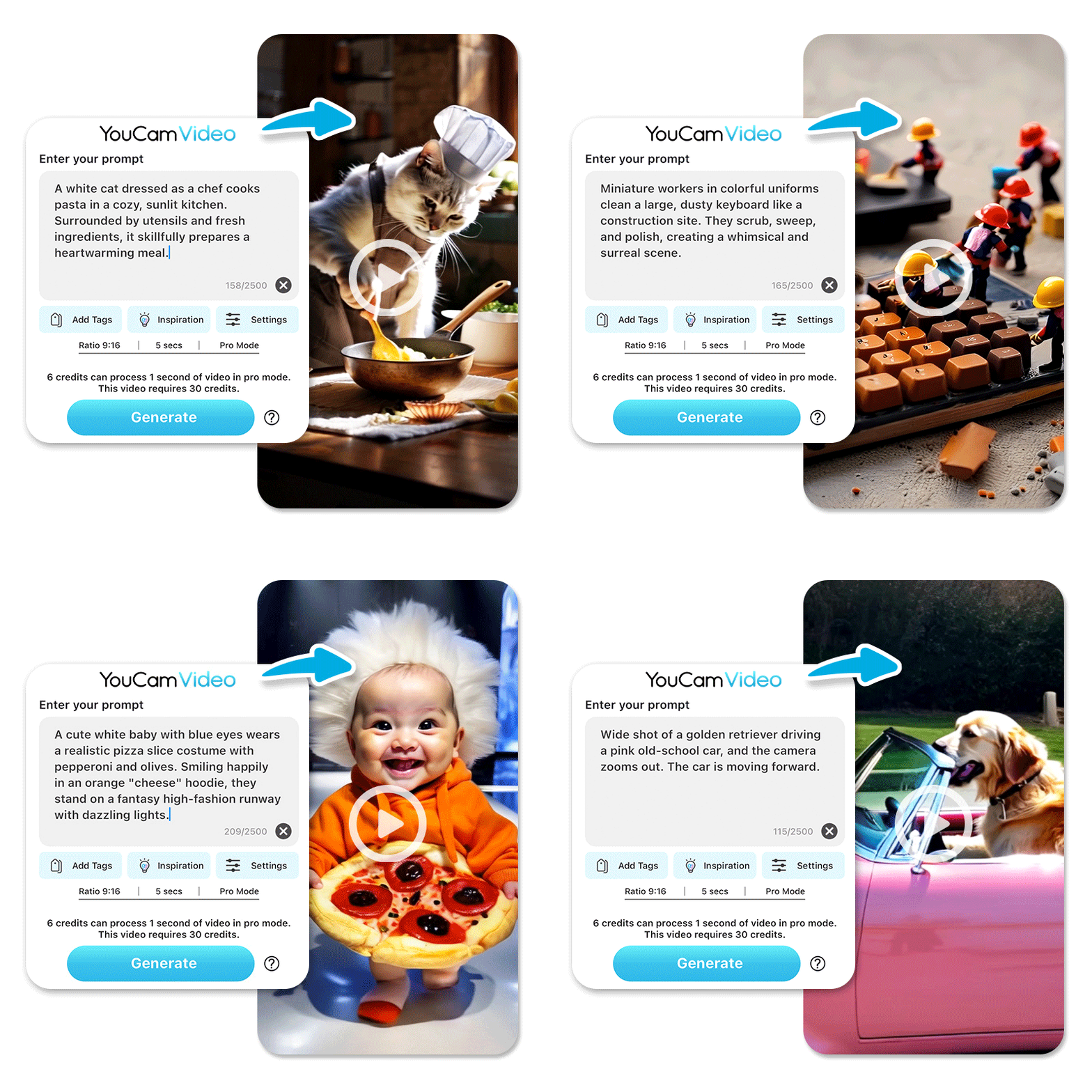
✔️ Motion Swap
✔️ AI Text to Video
✔️ AI Multiple Model Support
✔️ AI Video Lighting
✔️ AI Video Denoiser
✔️ AI Video Enhancer
✔️ AI Video Stabilizer
✔️ AI Video Face Swap
✔️ Easy social sharing
How to Create & Edit IG Reels With YouCam Video (Step-by-Step)
Step 1: Download YouCam Video
Best AI Video Editor
The Best AI Video Editor & Makeup App.
Smooth skin and edit videos easily.
Download the app from the App Store or Google Play. Once opened, you’ll see an intuitive dashboard with AI tools, templates, and editing options clearly labeled—perfect for beginners.
Step 2: Tap “Motion Swap”
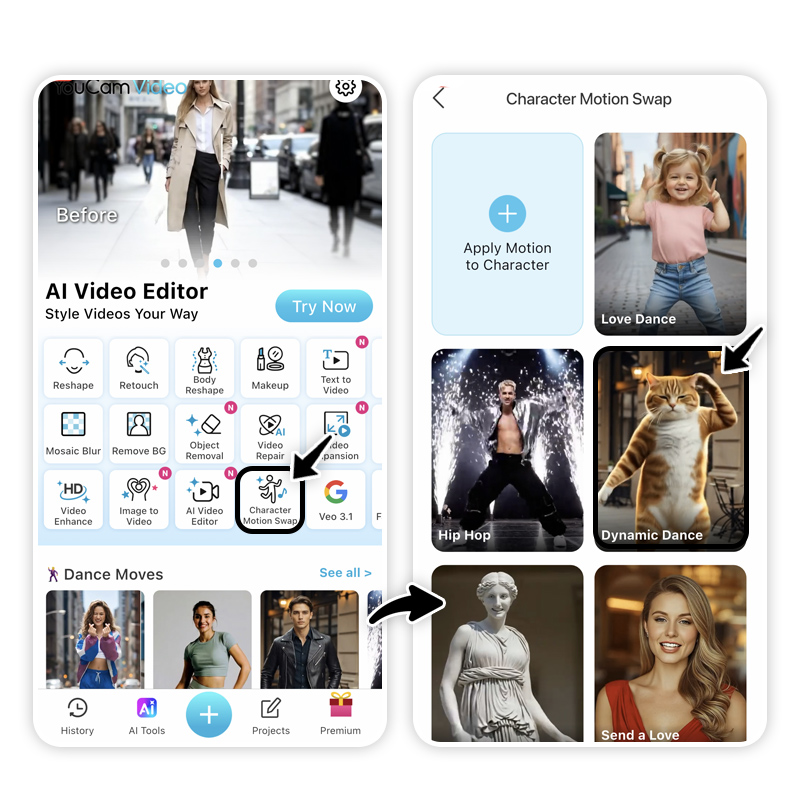
Motion Swap is an AI-powered feature that applies dynamic movement and animation to your content. Tap it to start creating a Reel with motion-driven visuals that immediately grab attention.
This is ideal for:
- Static photos
- Product images
- Before-and-after content
Step 3: Apply a Motion or Select a Template
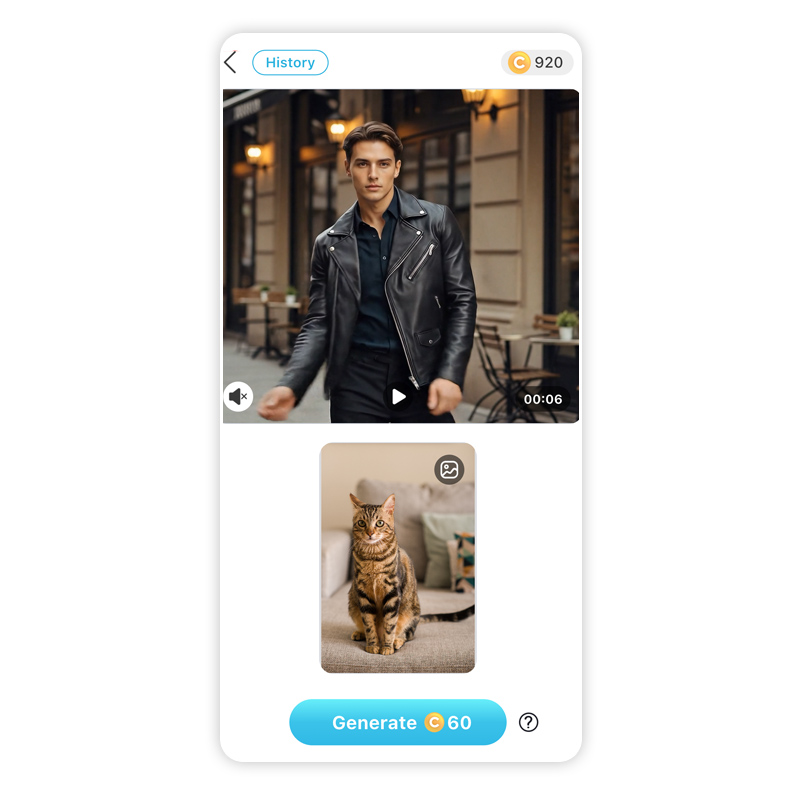
Choose from a library of motion effects or Reel templates. Each option previews how your content will move, transition, and flow—so you can pick a style that fits your vibe.
Templates already include:
- Visual pacing
- Effects timing
- Music synchronization
Step 4: Select an AI Model & Upload Your Video or Photo
Next, choose the AI model that best suits your content (Kling 2.6, Runway, etc.). Upload your photos or video clips, and let the AI automatically apply enhancements like lighting, stabilization, and motion.
This step replaces manual editing entirely.
Step 5: Generate & Save Your Video
Tap Generate, and within seconds your Reel is ready. Preview the result, make quick adjustments if needed, then save in high quality—optimized for Instagram Reels.
You’re now ready to post.
AI Reels With Viral Hooks (What Works Right Now)
- Capture attention in the first 2–3 seconds
- Use subtitles for silent viewers
- Keep Reels short (7–15 seconds performs best)
- Use trending audio paired with motion effects
AI tools help you test different hooks quickly—key to finding what resonates.
Create Viral Instagram Reels With AI
Best AI Video Editor
The Best AI Video Editor & Makeup App.
Smooth skin and edit videos easily.
Creating Instagram Reels no longer requires editing skills, expensive software, or hours of effort. With the right Instagram reels maker, anyone can create polished, engaging content that looks professional.
If you’re ready to save time, boost creativity, and post with confidence—
👉 Download YouCam Video and start creating AI-powered Instagram Reels today.
About the Editors

The PERFECT Corp. Editorial Team
We are a team of experts on photo and video editing apps. Our goal is to deliver engaging content on everything from stunning selfie edits to eye-catching video effects. We cover the latest trends and share niche tips to help you master digital creation.
Discover more about us:

![How to Post Multiple Photos on Instagram [Step-by-Step Guide]](https://plugins-media.makeupar.com/smb/blog/post/2025-11-06/webp_92d759ab-0701-40b5-bc4c-b3326af948fc.jpg)