


 Author: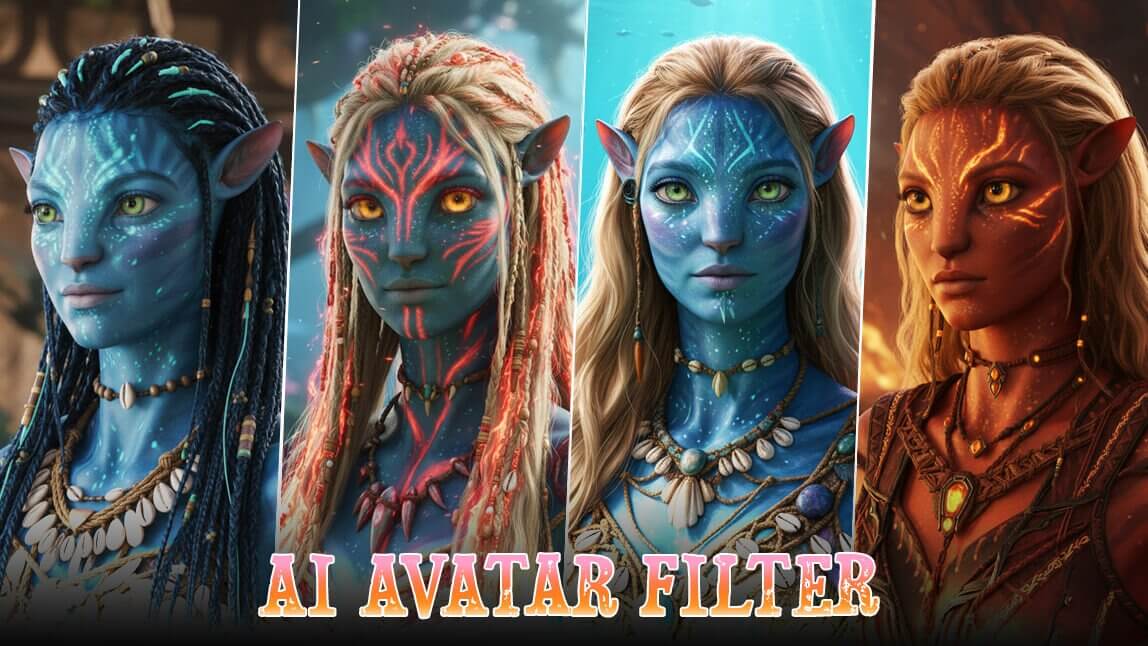
Let’s be real—ever since we first saw Pandora on the big screen, a part of us has wanted to visit. The bioluminescent forests, the ikran rides, and the stunning character designs are mesmerizing. You’ve probably looked in the mirror and wondered, "What would I look like as a Na'vi?"
Thanks to advanced generative AI, transforming into a warrior of Pandora is simple, fast, and accessible to everyone. Whether you want to channel the classic Omaticaya look or prepare for the upcoming Avatar: Fire and Ash, this guide will show you exactly how to turn your selfie into a stunning avatar character.
What is Fire and Ash's Avatar about?
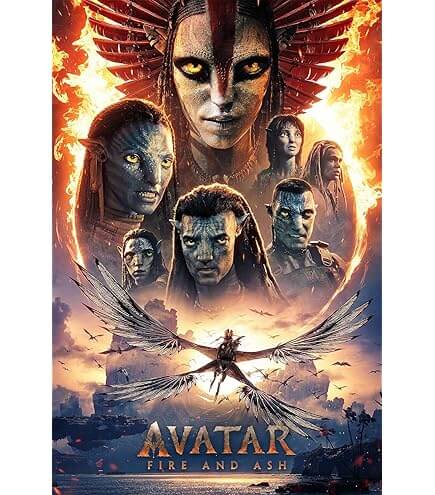
Movie Released Date: December 19th, 2025
Before we dive into the "how-to," let's talk about the inspiration. The Avatar universe is expanding. The upcoming film, Avatar: Fire and Ash, is set to introduce us to a darker, more intense side of Pandora: the "Ash People" (the Varang).
Unlike the peaceful forest dwellers we know, this new tribe represents the element of fire. This means the aesthetic of the avatar character is evolving. We aren't just looking at blue skin anymore; we are looking at ash-grey tones, fiery accents, and more aggressive warrior aesthetics. This gives you even more creative freedom when generating your AI avatar!
Avatar Character Filter: See What I'd Look Like in Avatar Movie with YouCam AI Pro
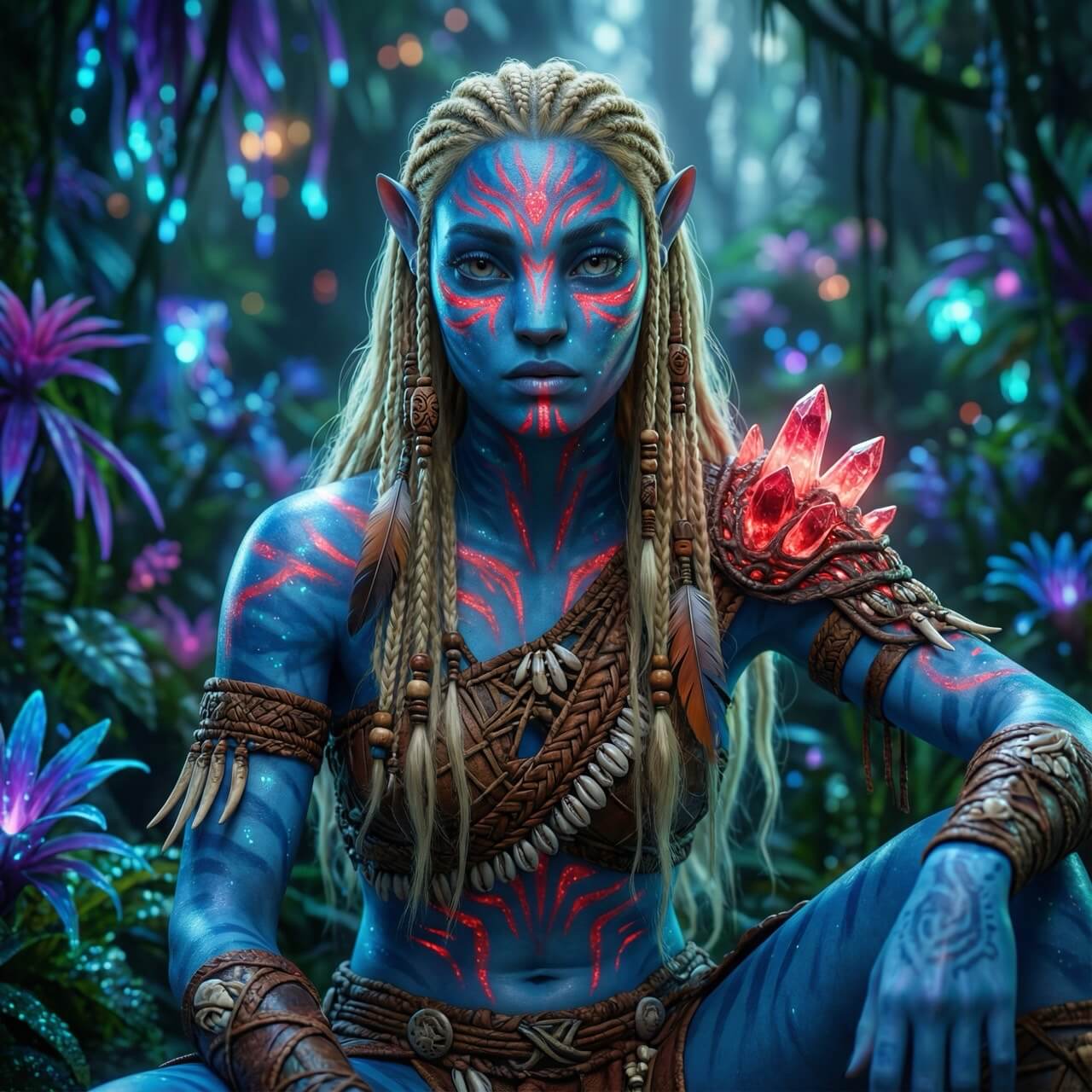
Ready to see yourself in the movie? We are going to use YouCam AI Pro, a powerhouse app that makes high-quality generation incredibly easy.
The secret sauce here is YouCam AI Pro's specific support for Nano Banana Pro. This is a highly advanced AI model known for producing exceptionally sharp, artistic, and accurate images. When combined with the "Image-to-Image" feature, it allows you to keep your facial structure while completely transforming your aesthetic.
Here is your step-by-step roadmap to Pandora:
Step 1: Download the Best AI Avatar Filter App

AI Image & Video Generator App
Turn Fantasy into Reality instantly.
Supports Text-to-Image & Image-to-Video.
First, grab YouCam AI Pro from your app store. It’s the go-to tool for high-fidelity avatar filters because it understands complex prompts and texture details better than basic filters.
Step 2: Go to the AI Image Section & Select "Image to Image"
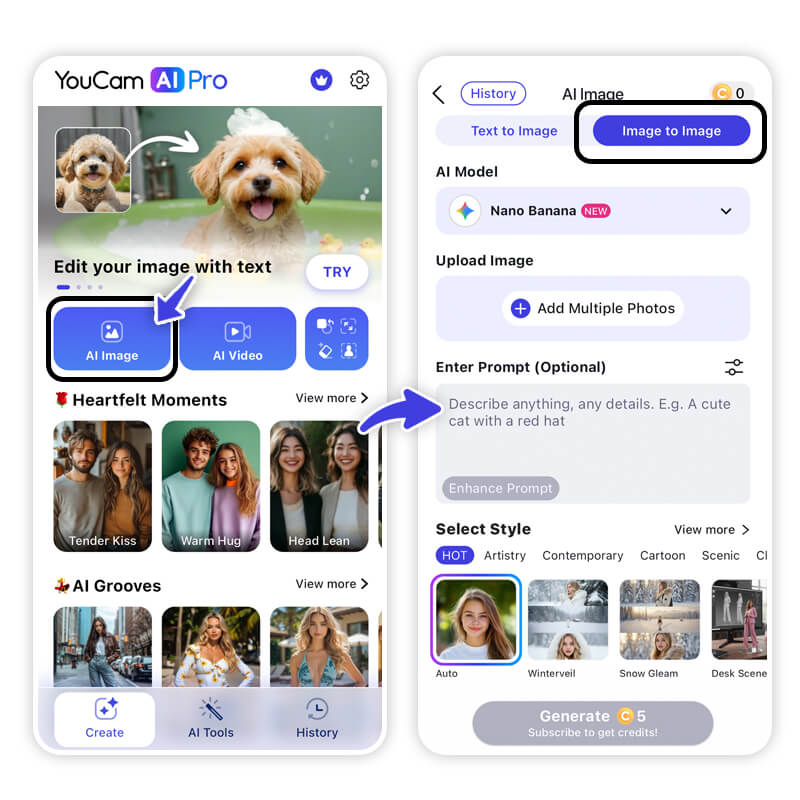
Open the app. Instead of starting from scratch with just text (which can look random), select the Image to Image feature. This tells the AI to use your face as the blueprint.
Step 3: Select "Nano Banana Pro" as Your AI Model
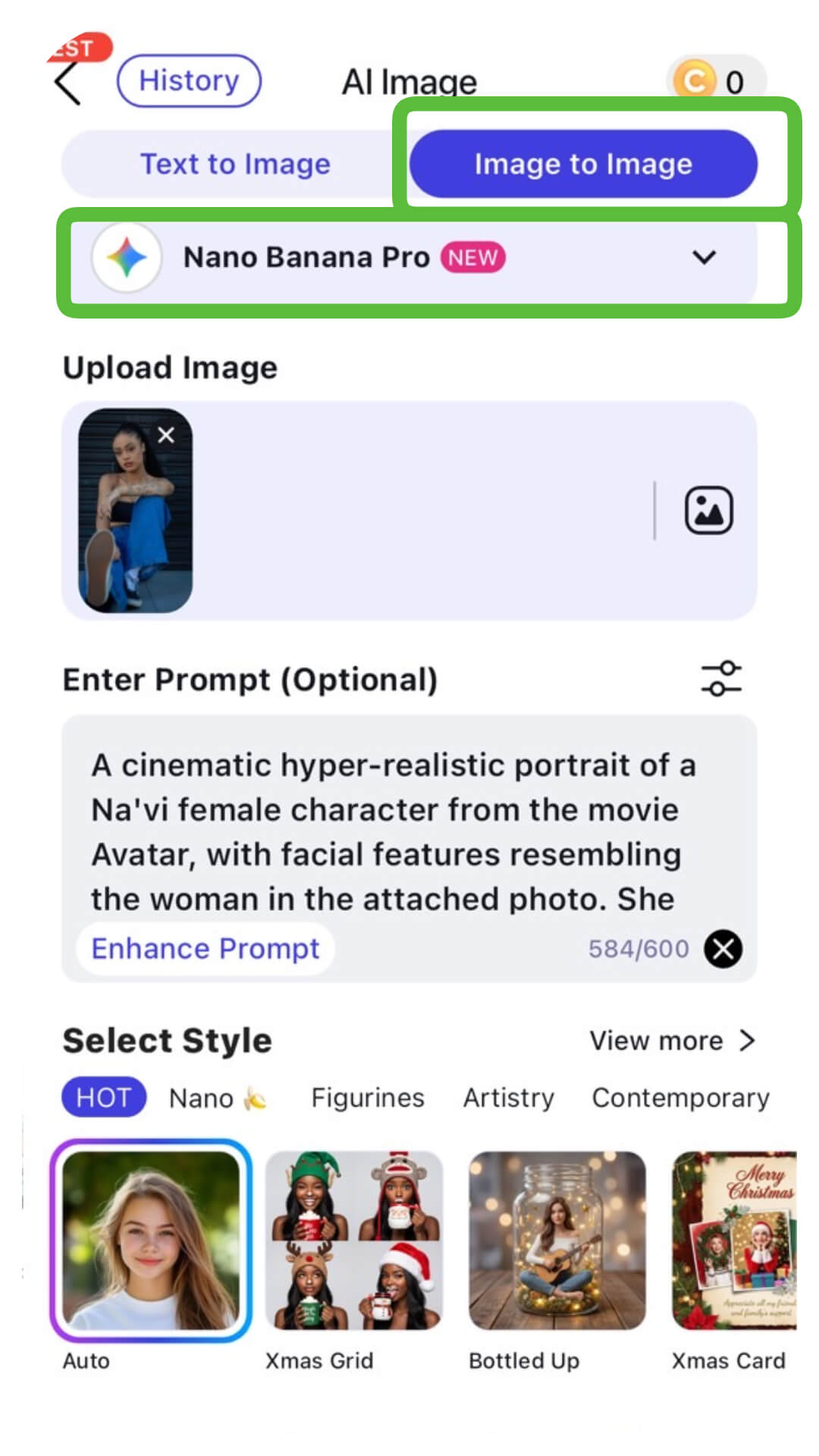
This step is crucial. In the model settings, choose Nano Banana Pro. This model excels at blending realistic facial features with stylized, fantasy elements, ensuring your avatar character looks like you, not a stranger.
Step 4: Upload Your Photo for My Avatar Character

Pick a selfie with good lighting. A clear front-facing photo works best to capture your eyes and jawline accurately.
Step 5: Enter Your Prompt for My Avatar Character

Now, tell the AI what to do. You can aim for the classic blue look or the new Fire and Ash vibe.
Try this prompt:
"A cinematic hyper-realistic portrait of a Na'vi female character from the movie Avatar, with facial features resembling the woman in the attached photo. She has bioluminescent blue skin with intricate glowing red tribal war paint on her face and chest. Her long blonde hair is styled in thin braids with wooden beads and tribal ornaments. She is wearing detailed tribal warrior clothing made of leather and shells, with a glowing red organic crystal pauldron on her shoulder. The background is a lush, bioluminescent jungle of Pandora with glowing plants and soft bokeh. 8k resolution, highly detailed, ethereal lighting, photorealistic."
Step 6: Tap "Generate" to Get Your AI Avatar Character
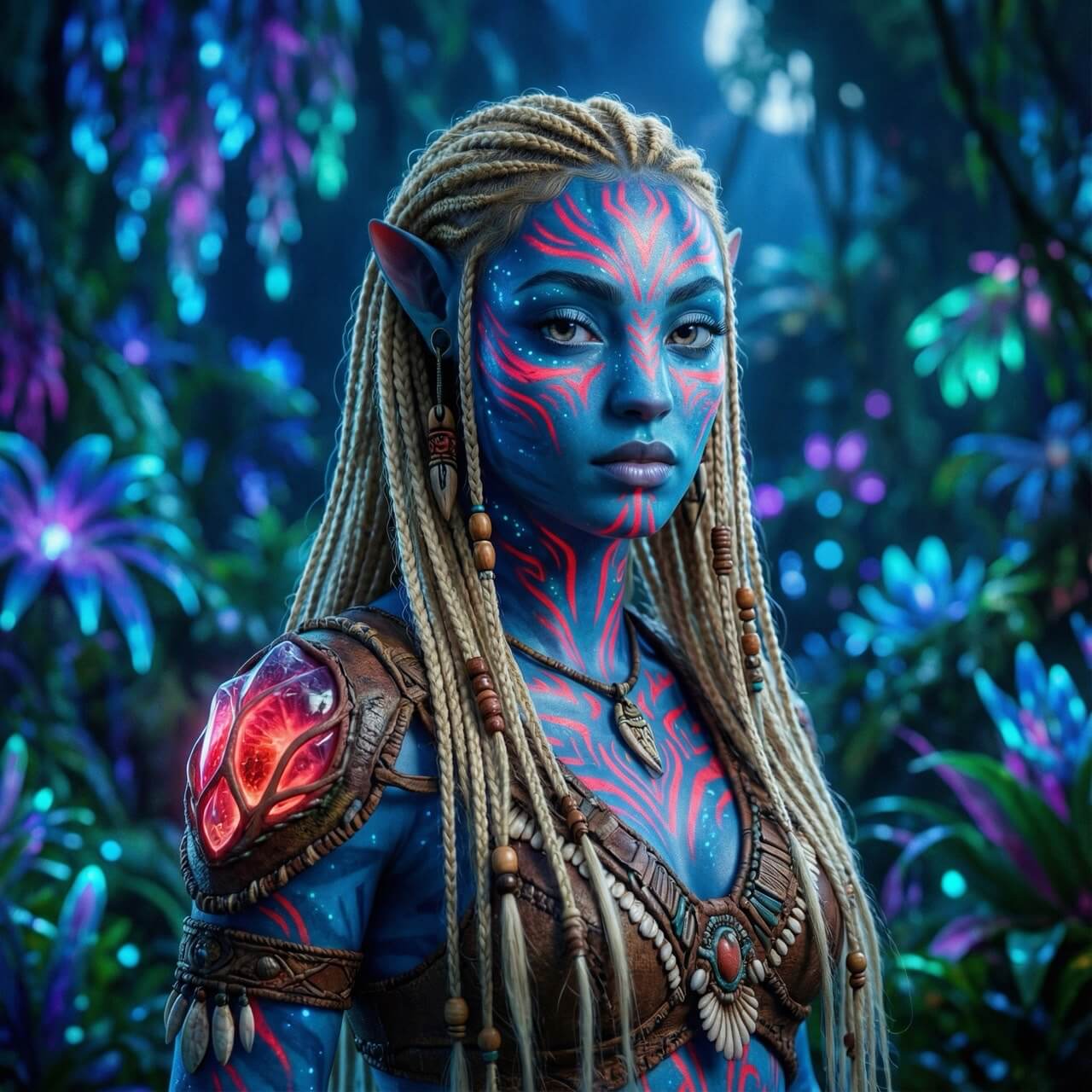
Hit the button and watch the magic happen. In seconds, the AI analyzes your photo and reconstructs it using the avatar filter logic. Save your favorite result and get ready to share it!
Find Out My Avatar Character with AI
AI Image & Video Generator App
Turn Fantasy into Reality instantly.
Supports Text-to-Image & Image-to-Video.
Transforming yourself into an avatar character has never been this accessible. You don't need graphic design skills—just a selfie and the right AI tool. whether you are hyped for Avatar: Fire and Ash or just love the classic aesthetic, seeing your Na'vi alter-ego is a genuinely fun experience.
Don't just imagine it—visualize it.
About the Editors

The PERFECT Corp. Editorial Team
We are a team of experts on photo and video editing apps. Our goal is to deliver engaging content on everything from stunning selfie edits to eye-catching video effects. We cover the latest trends and share niche tips to help you master digital creation.



