


 Author:
Let’s face it: staring at a blank screen trying to come up with the perfect ad is exhausting. You know you need video content to grow—whether you are a small business owner, a creator, or a marketer—but the cost of production and the lack of ideas can feel paralyzing.
With the rise of AI, creating professional video ads is now accessible to everyone. In this guide, we’ll explore the best ad examples to inspire you and show you exactly how to turn those ideas into reality using YouCam AI Pro. Ready to stop scrolling and start converting? Let’s dive in.
Key Takeaways
Before we get to the creative stuff, here is what you need to know about modern video advertising:
- Storytelling Wins: The best ads connect emotionally, not just transactionally.
- AI is the Equalizer: You no longer need a studio; you need a smart video ad generator.
- Personalization is Key: Talking avatars and custom product videos engage viewers faster.
- Best AI Video Ad Maker: YouCam AI Pro is currently the top choice for generating business-ready video templates.
10 Best Video Ads Ideas to Spark Your Creativity in 2026
To create great content, you need to study the greats. Here are 10 of the most effective video ads that nailed the assignment, ranging from emotional storytelling to product-centric brilliance.
1. Dove – "Real Beauty Sketches"
2. Google – "Parisian Love"
3. Coca-Cola – "The Last Customer"
4. Apple – "The Underdogs"
5. Old Spice – "The Man Your Man Could Smell Like"
6. Nike – "Dream Crazy"
7. Dollar Shave Club – "Our Blades Are F***ing Great"
8. Airbnb – "Made Possible by Hosts"
9. Burger King – "Google Home of the Whopper"
10. Amazon – "Alexa Loses Her Voice"
Why it works: Celebrity cameos mixed with product utility. It humanizes technology by making fun of it.
![YouCam AI Pro: Best AI Ad Generator for UGC & Product Videos [2026]](https://plugins-media.makeupar.com/smb/blog/post/2025-12-17/webp_125725e9-4bd9-4392-9090-12631c77dc29.webp)
Pro Tips for High-Converting Video Advertising
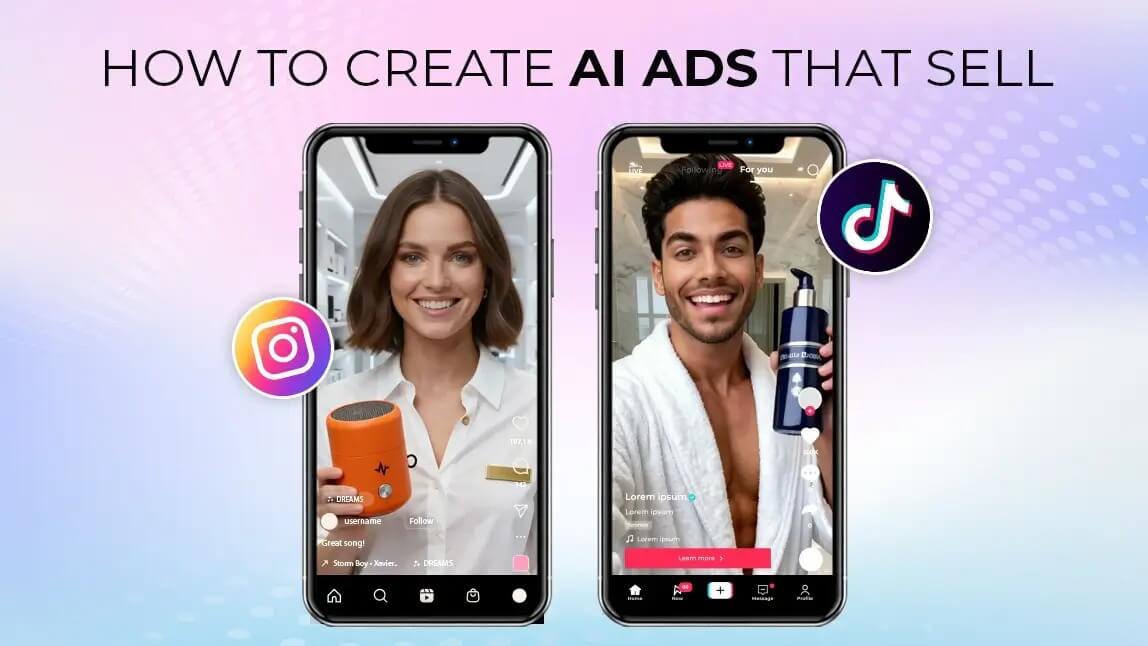
Now that you are inspired, how do you ensure your ads actually perform? Here are the golden rules for 2024 and beyond.
Tip 1. Hook the Viewer in 3 Seconds
Attention spans are short. If you don't capture interest immediately visually or audibly, the user will scroll past.
Tip 2. Design for Sound-Off, Delight with Sound-On
Many users watch video ads on mobile with the sound off. Use captions and dynamic visuals to get the message across without audio.
Tip 3. Leverage AI for Professional Consistency: AI Video Ad Generator
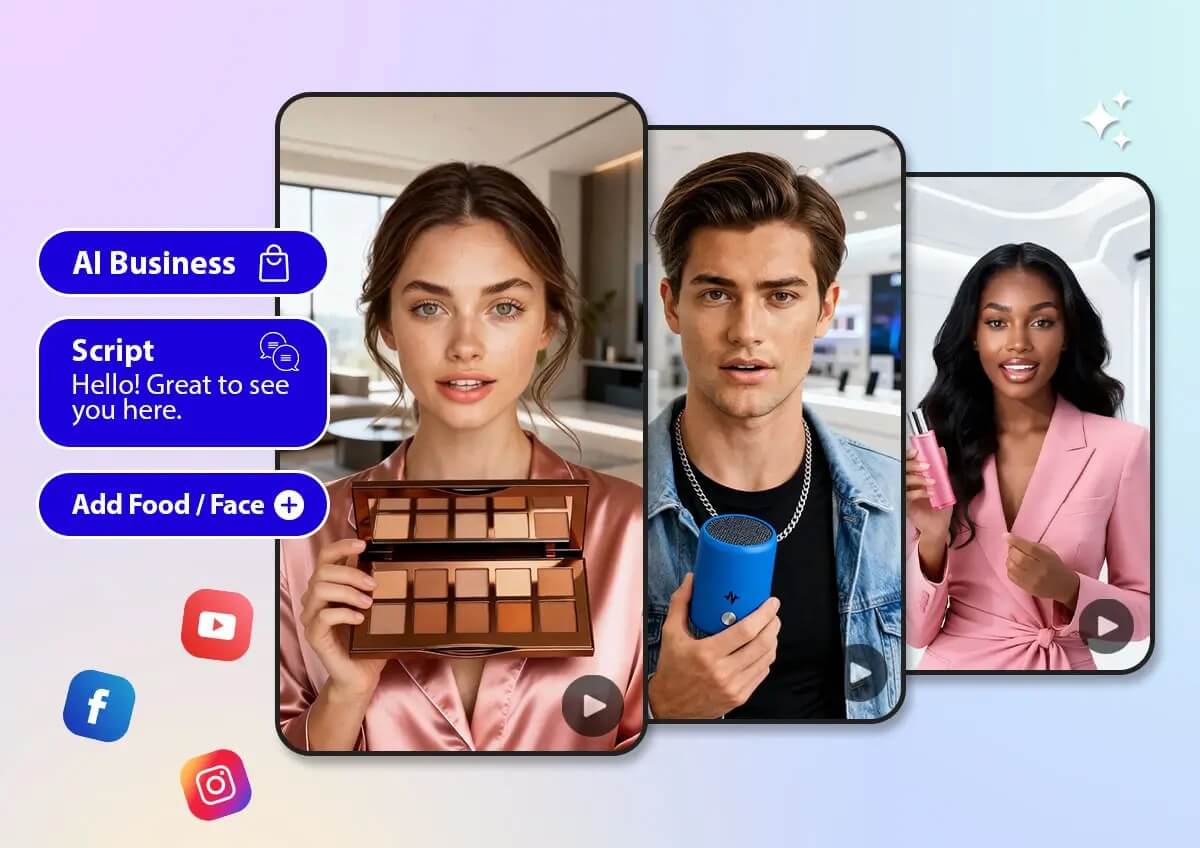
This is the game-changer. Consistency makes you look professional. YouCam AI Pro has emerged as the go-to tool for this because it offers specific features tailored for business:
Product Video Generator
Showcase your item in sleek, high-end environments without renting a studio. Transform a single product photo into high-converting video ads in seconds. Perfect for UGC and business video content, our AI handles everything from beauty and fashion to food and electronics.
Talking Avatar Video Maker
The most realistic AI talking avatar, featuring natural lip movements and expressive facial animations with 80+ languages to create product ads for beauty, fashion, food, electronics, and more.
Pro Templates
Access 30+ business templates for beauty, food, fashion, tech, and product marketing.

AI Video & Image Generator
Best AI Video Ads Generator.
Supports AI product & talking avatar video templates.
How To Generate Creative Video Ads with YouCam AI Pro
You don't need expensive software or a degree in editing. You can create a stunning ad in minutes. Here is the step-by-step guide to using the best video ad generator.
Step 1. Download YouCam AI Pro
AI Video & Image Generator
Best AI Video Ads Generator.
Supports AI product & talking avatar video templates.
First, get the app. It’s your all-in-one studio for AI content creation.
Step 2. Tap "AI Business" & Select Template
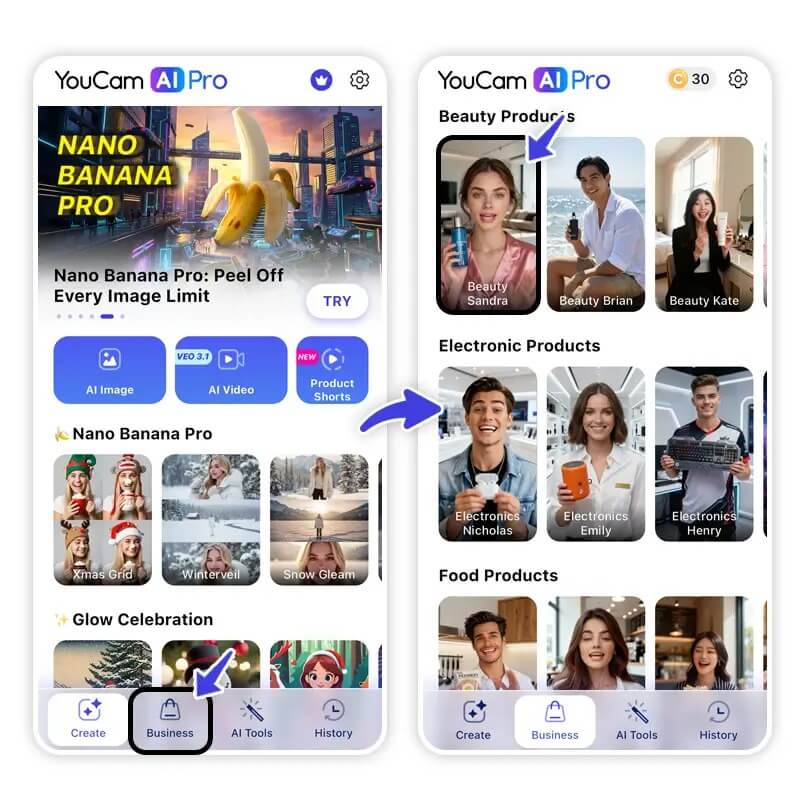
Open the app and navigate to the AI Business section. Here, you will find specialized templates designed for marketing.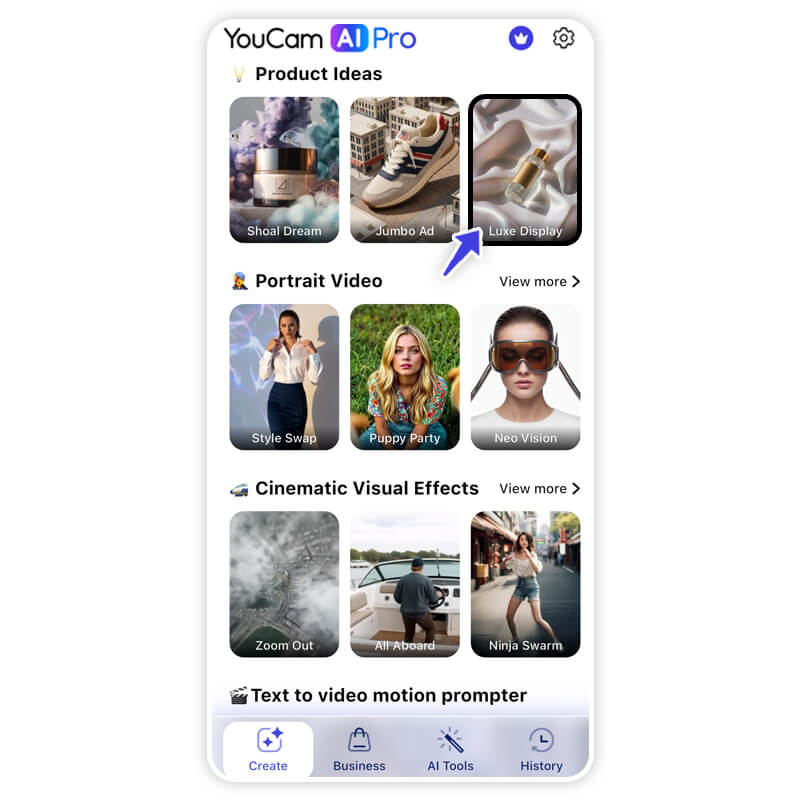
Choose between a Product Video style (focusing on an item) or a Talking Avatar style (focusing on a message).
Step 3. Edit Script, Product & Face
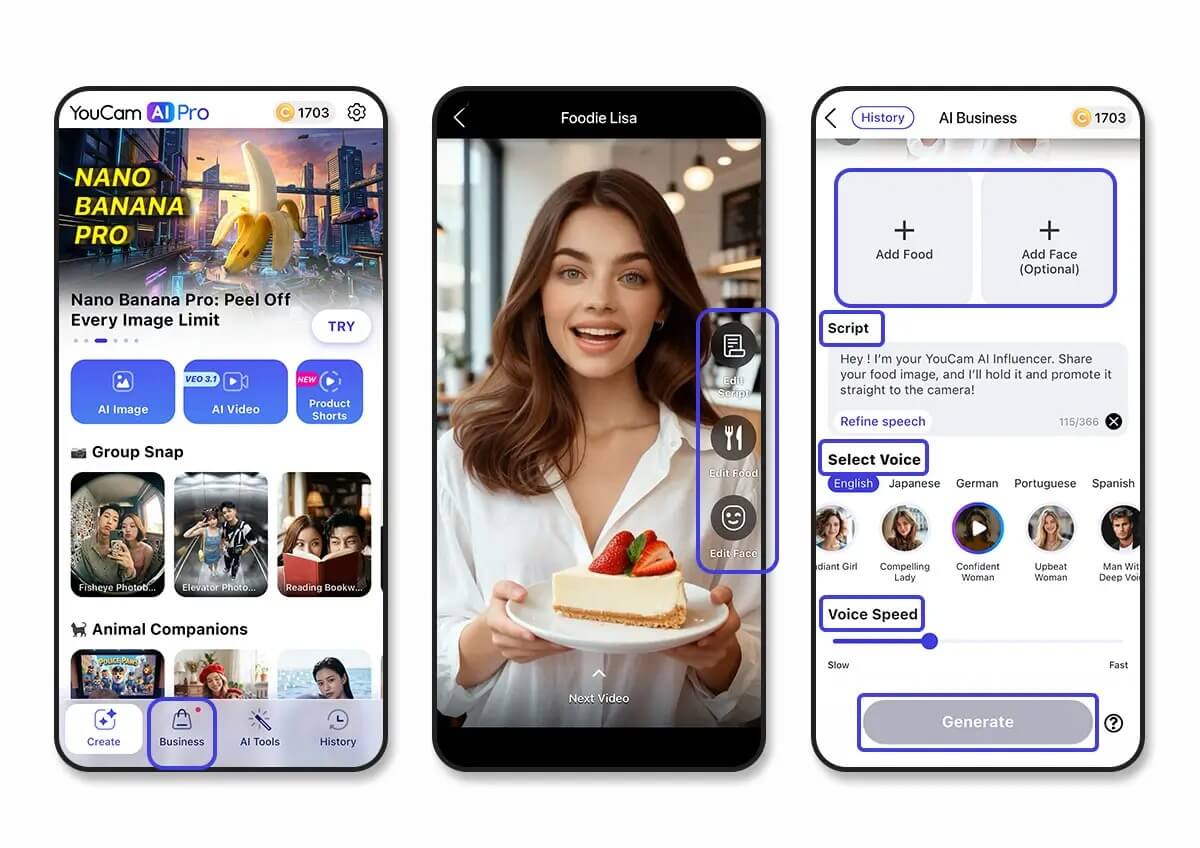
- For Avatars: Type in your script. The AI will lip-sync perfectly. You can even choose the face and voice that best fits your brand identity.
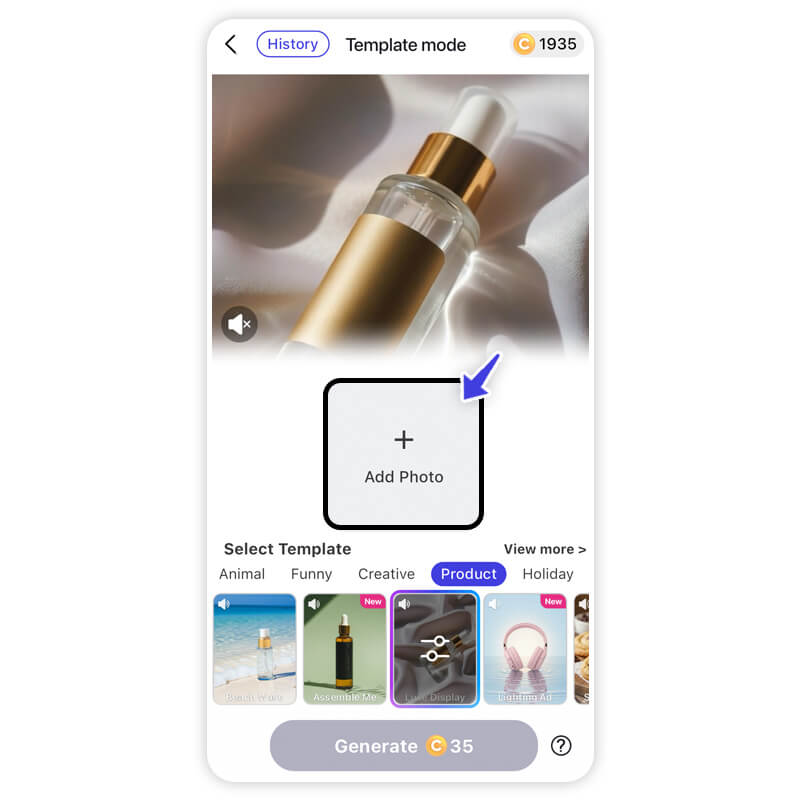
- For Products: Upload a photo of your product. The AI will integrate it into professional backgrounds and animate the scene.
Learn how to make talking avatar video ads>>>
Step 4. Generate & Download
Hit the generate button. In moments, the AI renders a high-definition video ready for TikTok, Instagram, or YouTube. Download it and watch your engagement soar.
Start Creating Video Ads That Sell with the Best AI Video Ads Maker
AI Video & Image Generator
Best AI Video Ads Generator.
Supports AI product & talking avatar video templates.
Creating video advertising that converts doesn't have to be a headache. By combining strong storytelling principles with the efficiency of AI, you can produce big-budget quality content on a shoestring budget.
Remember, the goal is to connect with your audience. With YouCam AI Pro supporting the best video ad templates—from dynamic product showcases to engaging talking avatars—you have everything you need to turn viewers into customers.
Ready to transform your marketing strategy?
Download YouCam AI Pro Nowand create your first viral video ad today!
About the Editors
The PERFECT Corp. Editorial Team
We are a team of experts on photo and video editing apps. Our goal is to deliver engaging content on everything from stunning selfie edits to eye-catching video effects. We cover the latest trends and share niche tips to help you master digital creation.
Discover more about us:
Video Ads FAQs
How to make video ads for free?

You can create video ads for free by using AI-powered apps like YouCam AI Pro, which often provide free trials or daily credits to new users. Additionally, many social media platforms (like TikTok and Instagram) offer built-in creative tools. For a professional edge without the cost, look for tools that offer pre-made business templates to save on production and editing fees.
Which ad maker is best for beginners?
The best ad maker for beginners is one that removes the "technical barrier" of traditional editing. YouCam AI Pro is highly recommended because it uses a simple AI Business template-based system. You don’t need to learn timelines or keyframes; you simply choose a style, enter your text, and let the AI handle the complex animation and lip-syncing.
How do I create my own ads?
To create your own ads from scratch:
- Define your goal: Are you selling a product or building brand awareness?
- Write a script: Focus on a strong "hook" in the first 3 seconds.
- Use a Generator: Use an AI tool like YouCam AI Pro to select a Product Video or Talking Avatar template.
- Customize: Upload your product photos and select a voice that matches your brand personality.
- Export: Download and share your video across your social channels.
Is it legal to use AI to generate ads?
Yes, it is legal to use AI to generate ads, provided you have the rights to the input data (like your own product photos) and the AI tool you are using grants commercial usage rights. YouCam AI Pro is designed for creators and business owners to safely generate marketing content. However, always ensure your AI-generated scripts do not make false claims about your products, as standard truth-in-advertising laws still apply.



