


 Author:
 ![The New ChatGPT Images 1.5 Guide & Best Alternative [Prompt Included]](https://plugins-media.makeupar.com/smb/blog/post/2025-12-17/webp_32cb6d07-ec17-4dc8-b8ac-7cf665a5c48f.jpg)
Ever dreamed of turning your ideas into stunning visuals—without design skills or complex tools? The latest ChatGPT Images 1.5 update makes AI image creation more accessible, precise, and creative than ever before.
In this complete guide, you’ll learn what’s new in ChatGPT images, how it compares to previous versions, the best prompts to try, and how to unlock even more creative freedom using YouCam AI Pro—now supporting ChatGPT as an AI model for both Text-to-Image and Image-to-Image generation.
Key Takeaways: What ChatGPT Images 1.5 Offers Now
- Powered by the latest flagship image model, GPT Image 1.5, for vivid, realistic visuals.
- Up to 4× faster image generation than previous versions
- More precise edits that preserve lighting, subjects, and composition
- Improved instruction following and text rendering
- Built-in Images sidebar for easier exploration and creation
- YouCam AI Pro supports ChatGPT alongside multiple AI image models
Core Features of ChatGPT Images 1.5
A New Creation Space with a Smarter Sidebar
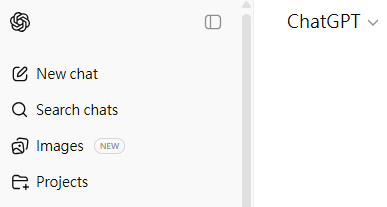
ChatGPT images now live inside a dedicated Images space, making it easier to explore creative ideas, presets, and prompts without guesswork. This cleaner workflow helps beginners and creators start faster.
Up to 4× Faster Image Generation
GPT Image 1.5 produces images much faster than previous versions — roughly four times quicker, helping you iterate ideas more rapidly and improving workflow efficiency.
Precise Edits That Preserve What Matters
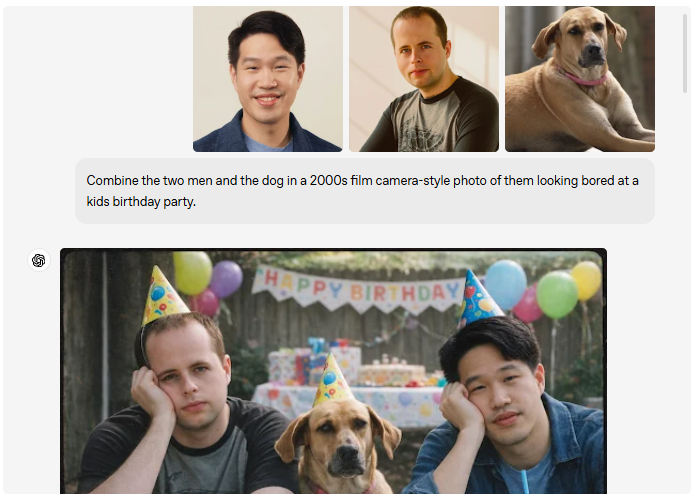
One of the biggest upgrades is precision editing. You can modify specific elements—like clothing, background objects, or lighting—while keeping the main subject intact and natural.
👆 Add, remove, or blend objects without wrecking the whole scene.
Creative Transformations Made Simple
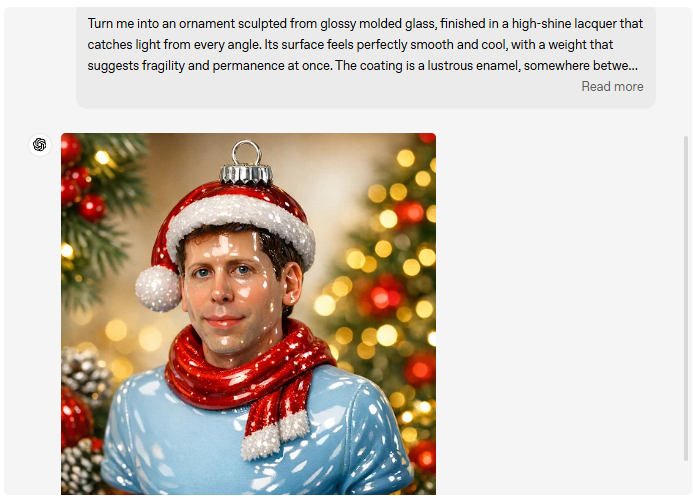
From realistic portraits to stylized illustrations, ChatGPT image generation handles creative transformations with greater consistency and visual balance.
Use natural language to transform photos into:
- Animated art
- Product mockups
- Thematic visuals
- Stylized portraits
All while keeping the output aligned with your vision.
Better Instruction Following
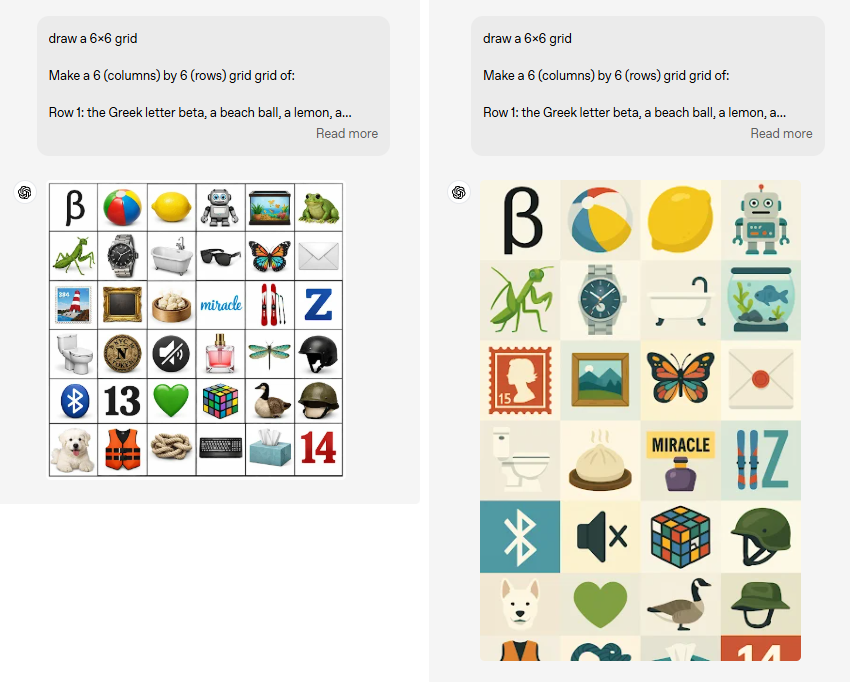
GPT Image 1.5 understands complex instructions and keeps relational context (like object positions, proportions, and scenes) accurate. Times of AI This means fewer re-tries and more first-time success.
Text & Small Details Render Better

Text inside images (such as posters, signs, or product mockups) is sharper and more readable compared to earlier versions.
Additional Quality Improvements
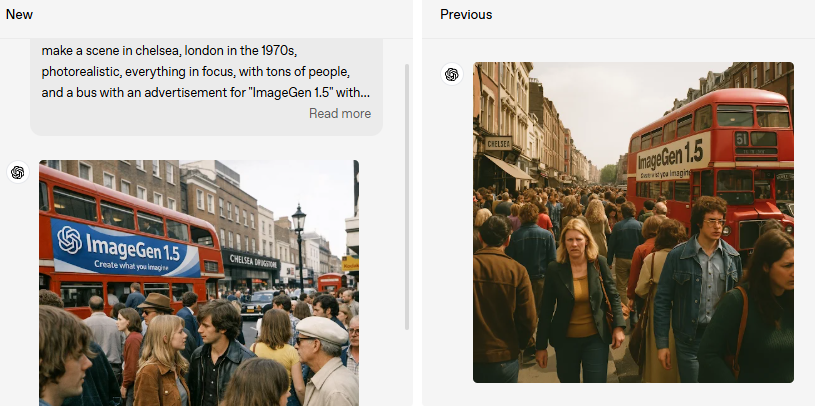
- Sharper details and cleaner edges
- More realistic lighting and depth
- Faster generation speed
Current Limitations
While powerful, ChatGPT images still have limitations, including fewer style presets and limited batch creation options. This is where multi-model platforms offer an advantage.
Best ChatGPT Images 1.5 Prompts You Must Try
1. Photorealistic Portrait
Prompt:
A hyper-realistic portrait of a joyful young woman, soft window light,
85mm lens, shallow depth of field, cinematic photography
2. Product Marketing Visual
Prompt:
Minimalist product photo of a luxury skincare bottle on marble,
soft studio lighting, premium aesthetic, high resolution
3. Fantasy Concept Art
Prompt:
A floating fantasy city above clouds, golden hour lighting,
dreamy atmosphere, ultra-detailed, cinematic wide-angle view
4. Artistic Style Transformation
Prompt:
Transform this image into a watercolor painting inspired by
Japanese ukiyo-e art, soft pastel colors, textured brush strokes

Discover more useful ChatGPT image prompts>>>
New ChatGPT Images 1.5 vs Previous Versio
| Feature | Previous Versions | New ChatGPT Images (GPT Image 1.5) |
|---|---|---|
| Image Quality | Moderate | Sharper and more realistic |
| Edit Precision | Limited | High — keeps lighting/subjects consistent |
| Speed | Slower | Up to 4× faster |
| Creative Presets | None | Built-in suggestions |
| Instruction Following | Basic | Advanced and contextual |
| Text Rendering | Often distorted | Cleaner and more readable |
How to Use ChatGPT Images in YouCam AI Pro
If you want more flexibility and creative control, YouCam AI Pro, the best ChatGPT image generator alternative lets you use ChatGPT image generation alongside multiple AI models—all in one app.
Step 1: Download and Install YouCam AI Pro
Shared Materials by Strapi
*Adjust the size of images ONLY. Please go to Strapi to edit the materials info.
Go to the App Store (iOS) or Google Play Store (Android).
Step 2: Open the AI Image Tab
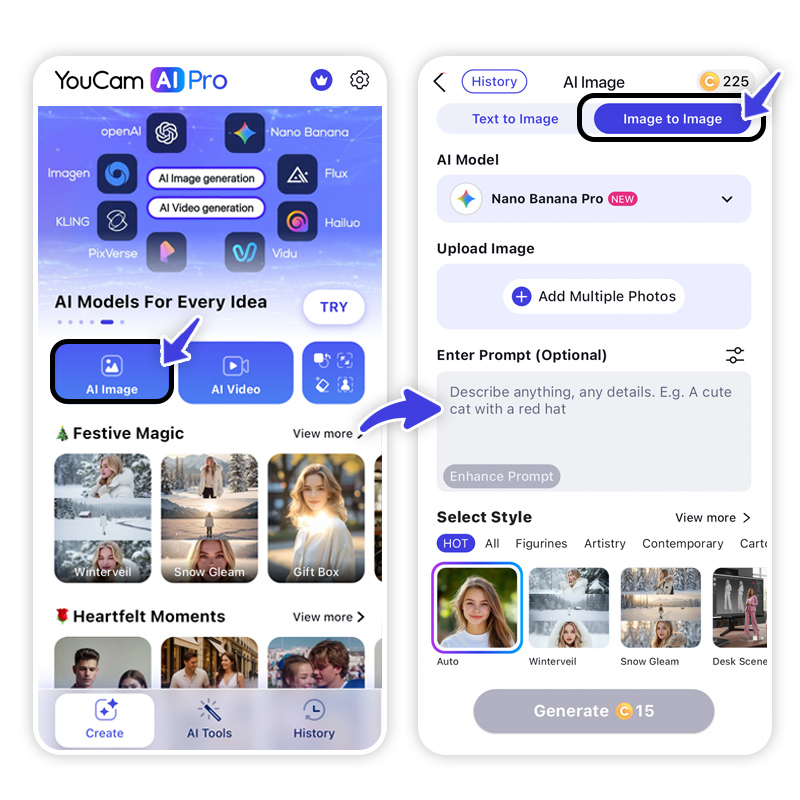
From the home screen, tap “AI Image” and tap “Text to Image”.
Step 3: Select ChatGPT as Your AI Model
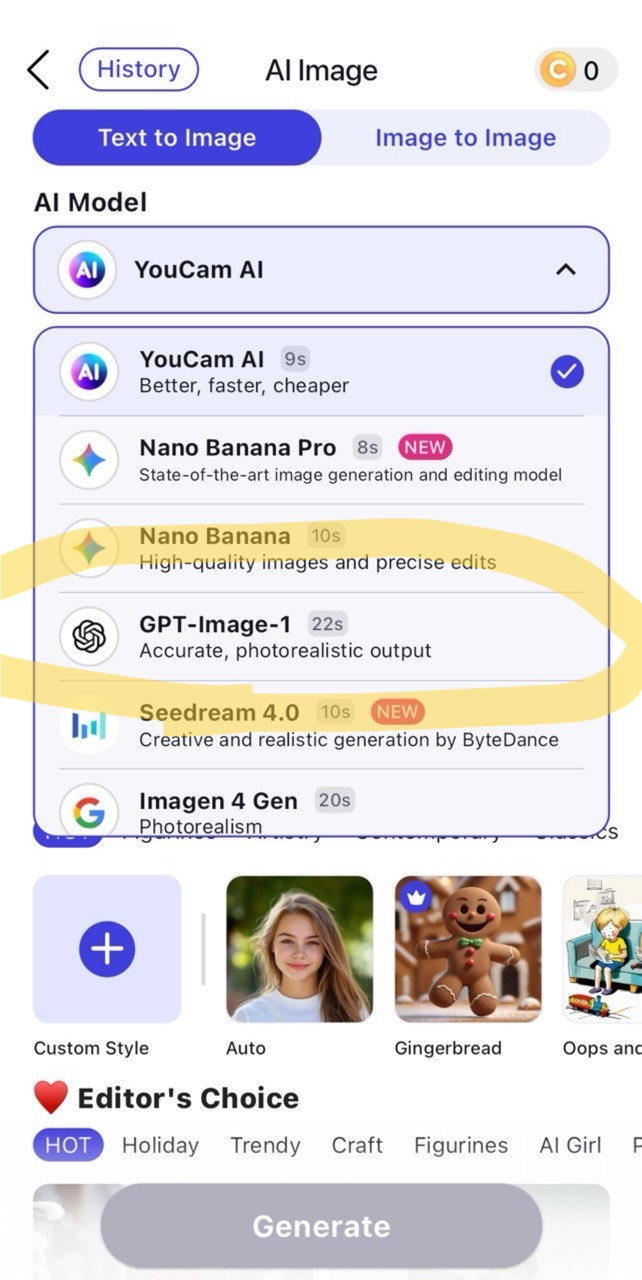
In the model selector, choose “ChatGPT”. This ensures your images are generated using GPT Image 1.5, OpenAI’s latest high-fidelity image model.
Step 4: Input Your Detailed Prompt
Think about the exact image you want and describe it in detail.
Include elements like:
- Subject (person, object, scene)
- Style (realistic, anime, cinematic, watercolor)
- Lighting (golden hour, soft window light, dramatic shadows)
- Perspective or composition (close-up, wide-angle, top view)
Charlie and Lola AI Prompt:
Transform the subject from the uploaded image into a character in the style of Charlie and Lola (children’s cartoon). Match the official cartoon look – thin sketchy outlines, flat colors, childlike proportions, playful hand-drawn charm, and simple textures. Retain the subject’s original clothing, hairstyle, facial features, accessories, skin tone, pose, and expression – but reinterpret them as if they belong in the Charlie and Lola world. Clothing should be simplified into flat shapes and bright colors, while keeping the overall outfit recognizable. Background: plain white or transparent to keep the focus on the character.” Negative Prompt: “No realistic shading, no detailed rendering, no anime or manga style, no 3D modeling, no photographic textures.
The most festive and creative ChatGPT image prompts for this season>>>
Step 5: Generate Your Image
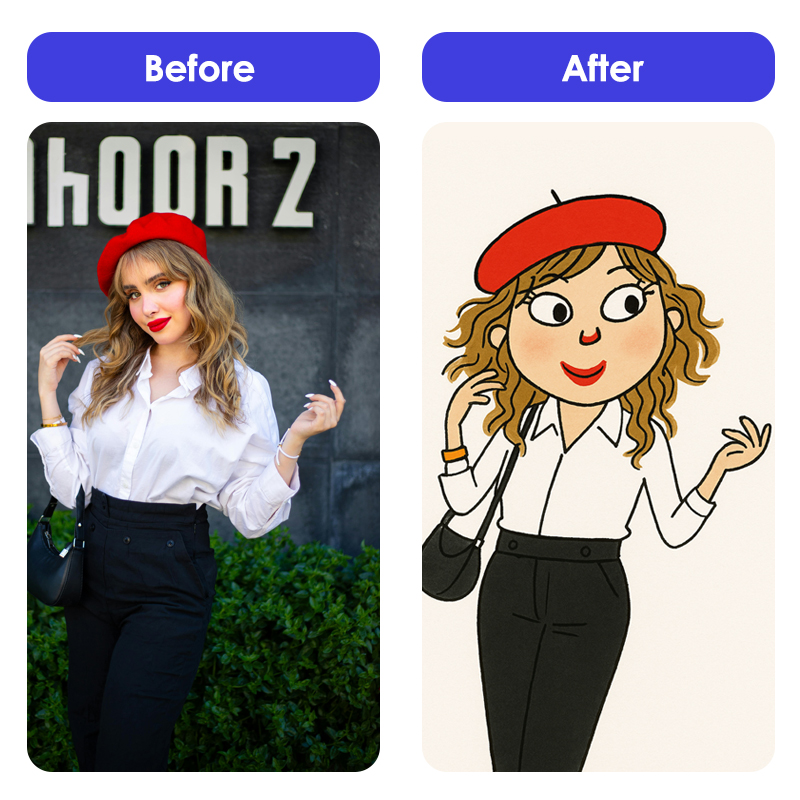
Tap “Generate”. The app will process your prompt using ChatGPT and produce a high-quality image. Generation typically takes only a few seconds thanks to GPT Image 1.5’s speed improvements.
Switch models, remix outputs, or regenerate instantly—no need to retype prompts.
Learn more about the best ChatGPT Image generator alternative>>>
Master ChatGPT Images 1.5 Now
Shared Materials by Strapi
*Adjust the size of images ONLY. Please go to Strapi to edit the materials info.
ChatGPT Images redefines what conversational AI can do visually — blending speed, precision, and creativity. Whether you’re building content, marketing visuals, product concepts, or personal art, this update empowers you to create like a pro — even with zero design skills. And if you want even more control, flexibility, and creative diversity, YouCam AI Pro’s multi-model support (including ChatGPT) helps you go from idea to masterpiece in minutes.
Download YouCam AI Pro today and turn your ideas into stunning images—effortlessly.
About the Editors
The PERFECT Corp. Editorial Team
We are a team of experts on photo and video editing apps. Our goal is to deliver engaging content on everything from stunning selfie edits to eye-catching video effects. We cover the latest trends and share niche tips to help you master digital creation.
ChatGPT Images FAQs
Image Source: openai.com
Is there a ChatGPT for images?

Yes — with the new ChatGPT Images feature powered by GPT Image 1.5.
Can you put pictures into ChatGPT?
Yes — you can upload photos for edits or analysis.
Can GPT-5 produce images?
GPT-5 models can interpret and reference images, while GPT Image 1.5 handles generation and editing.
Can ChatGPT Images be used commercially?
Usage depends on OpenAI’s licensing terms — always check policies before commercial use.
How to access ChatGPT image generator?
Use the latest ChatGPT app or web interface — or YouCam AI Pro.



