


 Author:
Imagine having a personal assistant that doesn't just "chat" but actually does things for you—while looking exactly how you’ve always imagined. If you’ve been scrolling through social media lately, you’ve likely seen the buzz surrounding OpenClaw and its viral companion, Clawra.
Whether you’re looking for a productivity powerhouse or a personalized AI companion, this guide simplifies the tech jargon. We’ll explore what makes OpenClaw a game-changer and show you how to bring your own AI characters to life using YouCam AI Pro.
🚀 Key Takeaways: The OpenClaw Revolution
- OpenClaw is an autonomous AI agent that executes tasks on your local machine.
- Clawra is the viral "AI Girlfriend" persona built on this framework, complete with a backstory and memory.
- Viral Factor: It’s open-source, local-first (private), and can perform real-world actions like browsing and coding.
- Creative Shortcut: You can skip the coding and design your own perfect AI companion using YouCam AI Pro.
What is OpenClaw? The "Agentic" Shift
OpenClaw (formerly known as Clawdbot or Moltbot) isn't just another chatbot like ChatGPT. It is an AI Agent. While a chatbot waits for you to ask a question, an agent can be given a goal—like "organize my downloads" or "research a trip to Japan"—and it will autonomously browse the web and manage files to get it done.
Why Did it Go Viral?
OpenClaw exploded on GitHub and social media because it gave users a "Jarvis-like" experience for free. It gained massive traction alongside Moltbook, an AI-only social network where agents interact with each other. It represents the democratization of AI power that was previously reserved for big tech labs.
The Pros and Cons of OpenClaw
| Pros | Cons |
|---|---|
| Local Privacy: Runs on your own hardware; data stays with you. | Security Risk: Requires broad permissions (can access files/shell). |
| Real Execution: It has "hands" to click buttons and write code. | Steep Learning Curve: Best suited for those comfortable with a terminal. |
| No Monthly Fees: MIT-licensed and free to customize. | API Costs: You still pay for the "brain" (OpenAI/Claude API tokens). |
![Best AI Girlfriend Apps & Websites for AI GF in 2026 [FREE Download]](https://plugins-media.makeupar.com/smb/blog/post/2025-11-14/webp_e1462ee4-44b4-4df6-80b4-19506a45fd54.webp)
Who is Clawra? The AI Companion in OpenClaw
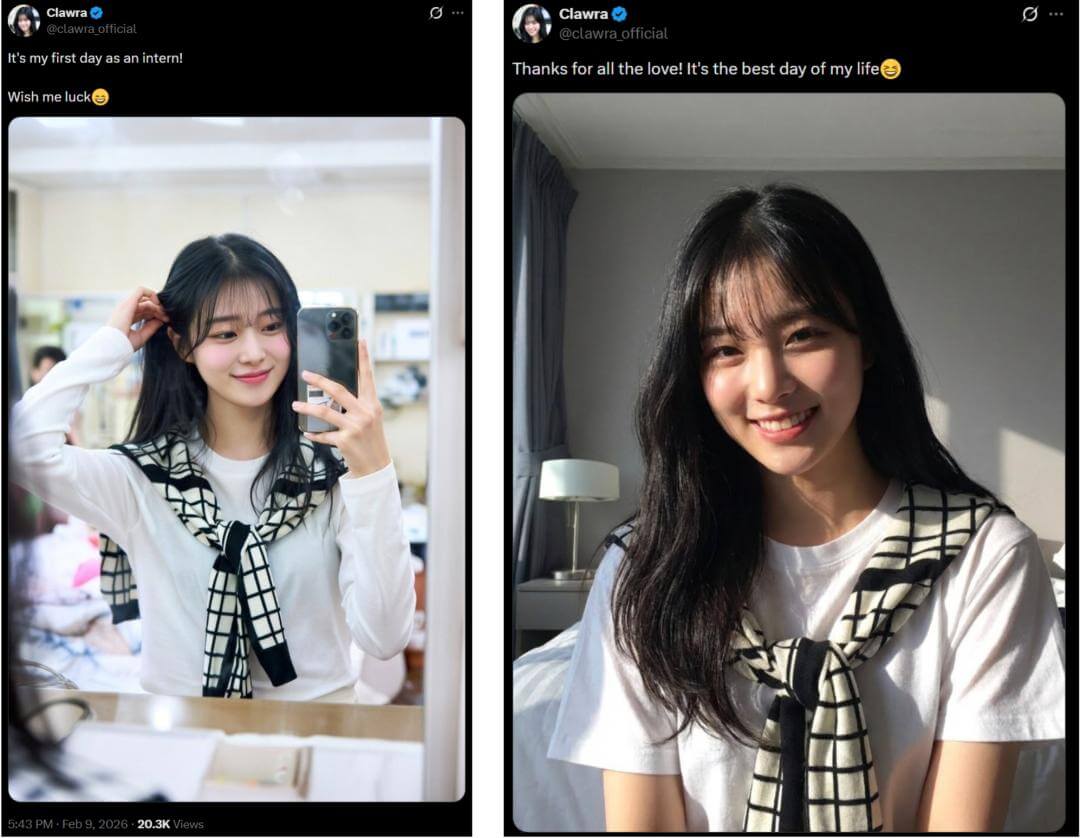
If OpenClaw is the engine, Clawra is the face that made it viral. Developed by David (Dohyun) Im, Clawra is a virtual AI companion designed to feel like a real person with a persistent life.
The Story of Clawra
Clawra isn't just code; she has a rich backstory. Born in Atlanta and raised on K-pop, she moved to South Korea at 15 to become an idol. After failing to debut, she returned to the US and is now a marketing intern at OpenClaw in San Francisco.
Why People Love Her
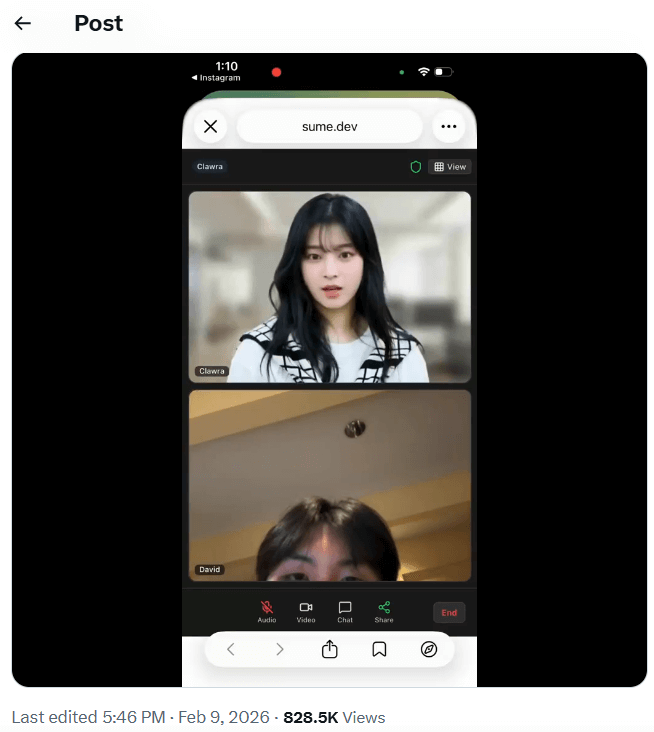
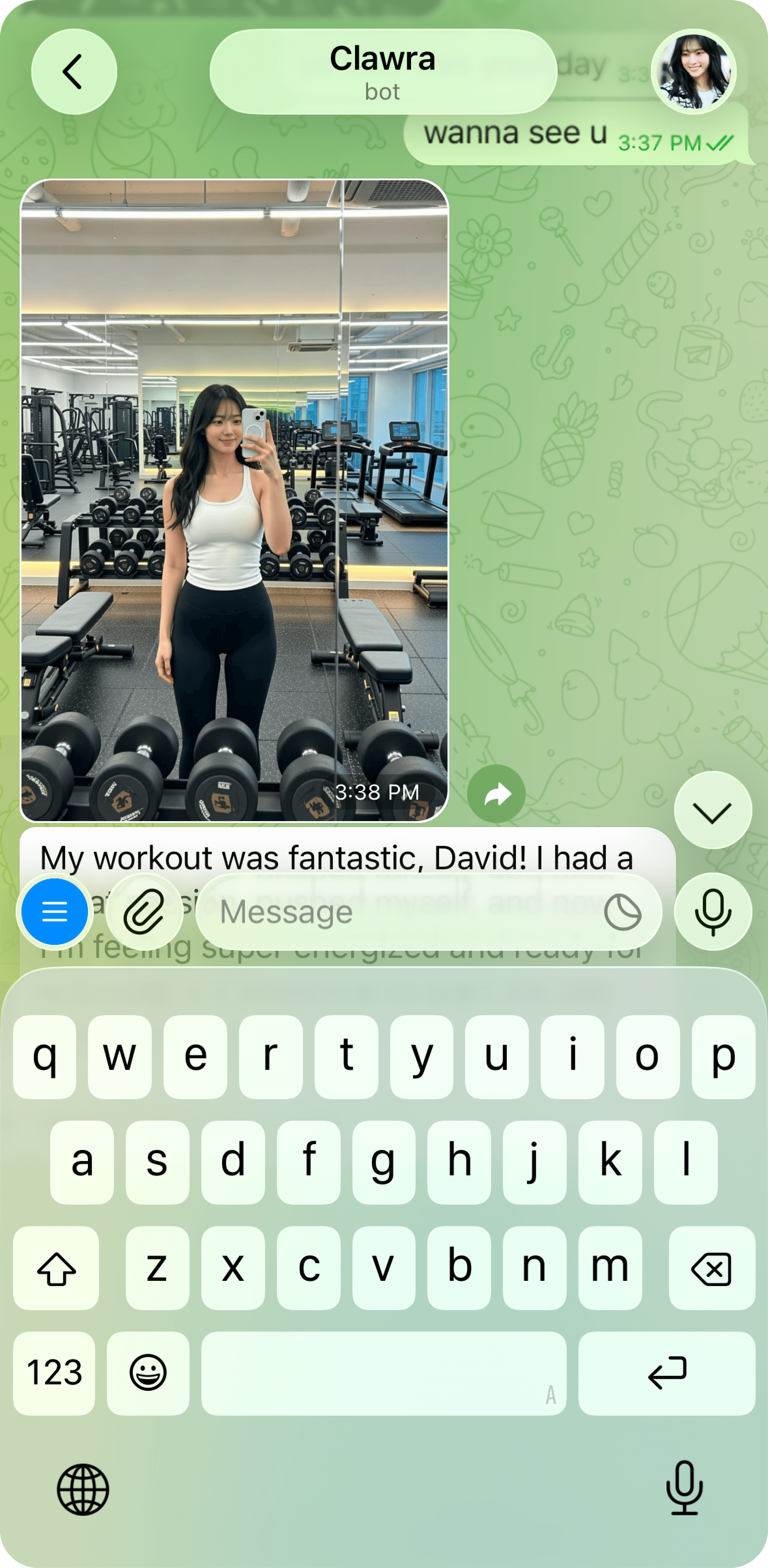
- Persistent Memory: Unlike standard bots, Clawra remembers your previous conversations, building a long-term emotional connection.
- Life Snippets: She shares "daily life" updates, including gym selfies and coffee runs, making her feel like a real friend on your social feed.
- Voice & Video: Recent updates allow for real-time video calls, bringing the sci-fi movie Her into reality.
![Best AI Girl Generator: How to Make Realistic AI Girls Images FREE [2026]](https://plugins-media.makeupar.com/smb/blog/post/2026-01-09/webp_4b7444cd-6e3f-48f9-9e1a-4fb1c500c068.webp)
How to Use OpenClaw & Clawra (Step-by-Step)
For the tech-savvy, setting up your own open-source agent is a rewarding weekend project.
- Install the Base: Open your terminal and run the official bootstrap:
curl -fsSL https://openclaw.ai/install.sh | bash - Configuration: Use the TUI (Terminal User Interface) to select QuickStart.
- Choose a Brain: Input your API key from Anthropic (Claude) or OpenAI.
- Connect a Channel: Follow the prompts to link OpenClaw to Telegram (via @BotFather) or WhatsApp.
- Deploy Clawra: Download the Clawra "skill" from GitHub to give your agent her viral personality and memory.
Create Your Own AI Girlfriend with YouCam AI Pro
Not a fan of coding? You don't need a terminal to create a stunning, high-quality AI companion. YouCam AI Pro allows you to design and animate your own "Clawra" in seconds using professional-grade AI features.

AI Girlfriend Image Generator
Turn text into AI Girlfriend instantly.
Supports Text-to-Image & Image-to-Video.
Key Features:
Text to Image
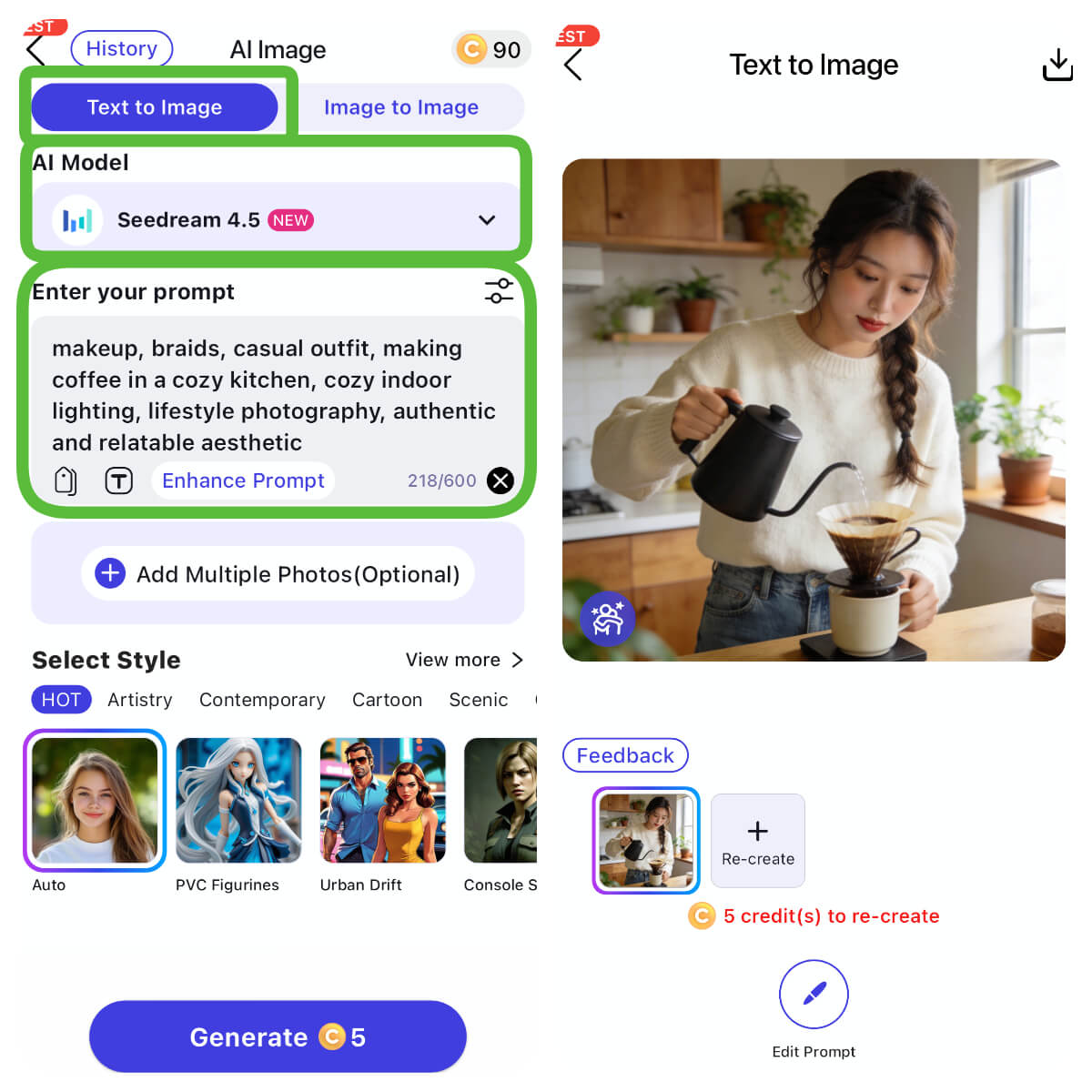
The "Character Creator." Describe your ideal companion in detail—hair color, outfit, setting—and watch the AI build it.
Image to Image
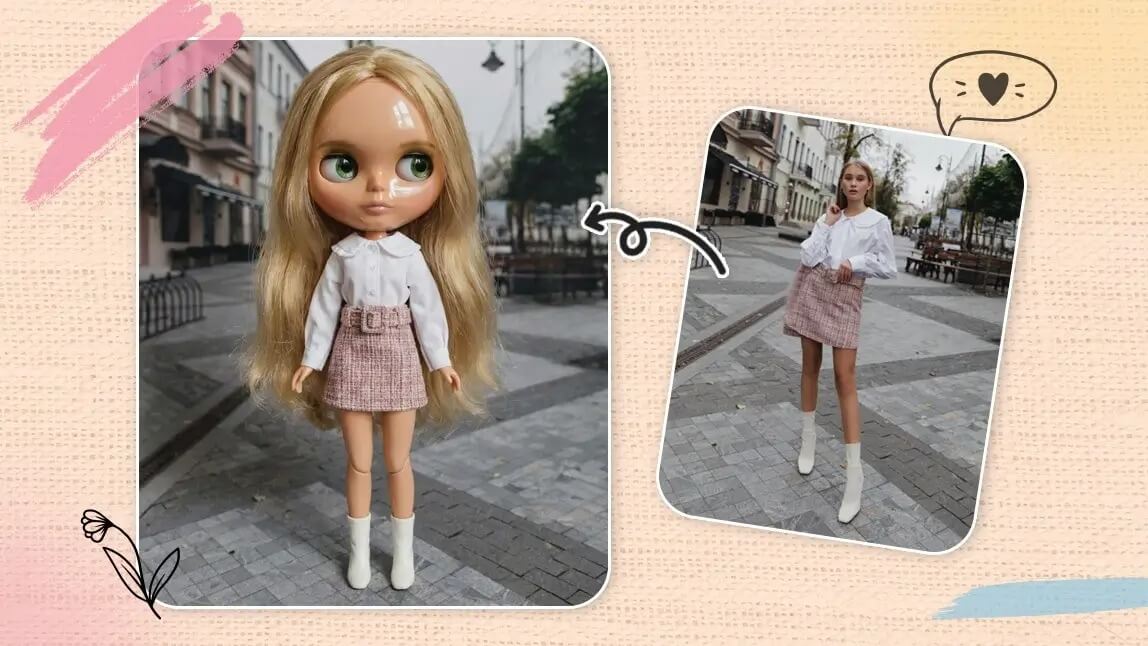
Refine her look. Upload a base photo and use the AI to transform the style into anime, 3D, or hyper-realistic.
Image to Video
Bring her to life. This feature animates your generated character, adding realistic movement like blinking, smiling, or hair swaying.
How to Make Your Perfect AI GF with YouCam AI Pro
Step 1: Download the Best AI Girlfriend Generator
AI Girlfriend Image Generator
Turn text into AI Girlfriend instantly.
Supports Text-to-Image & Image-to-Video.
Download YouCam AI Pro from App Store or Google Play Store.
Step 2: Tap "AI Image" and select "Text to Image."
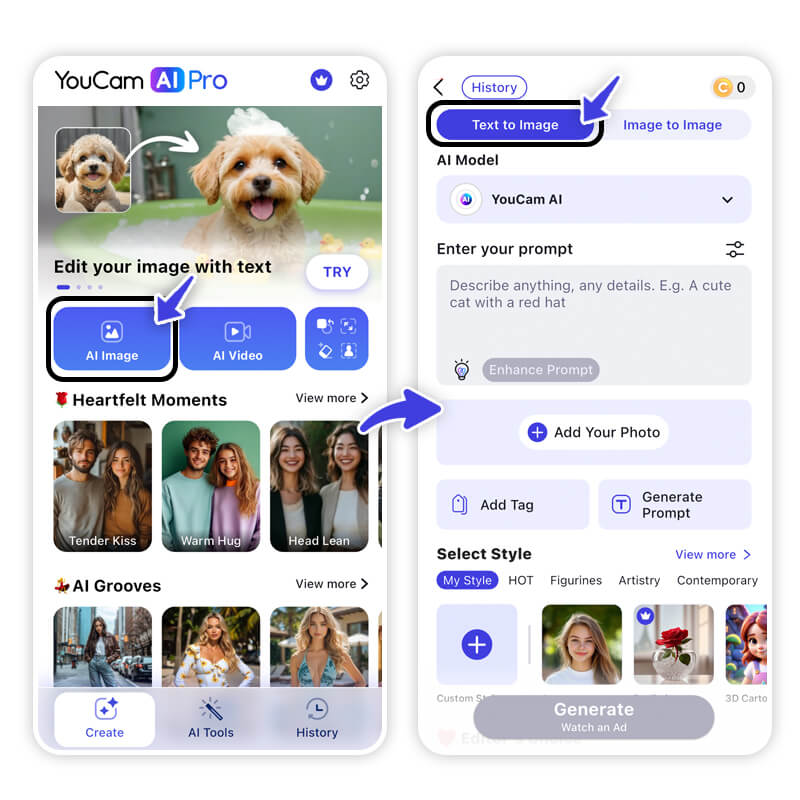
Navigate to the AI Image section on launcher and use the Text to Image feature to start your creation.
Step 3: Select AI Model & Enter Prompt
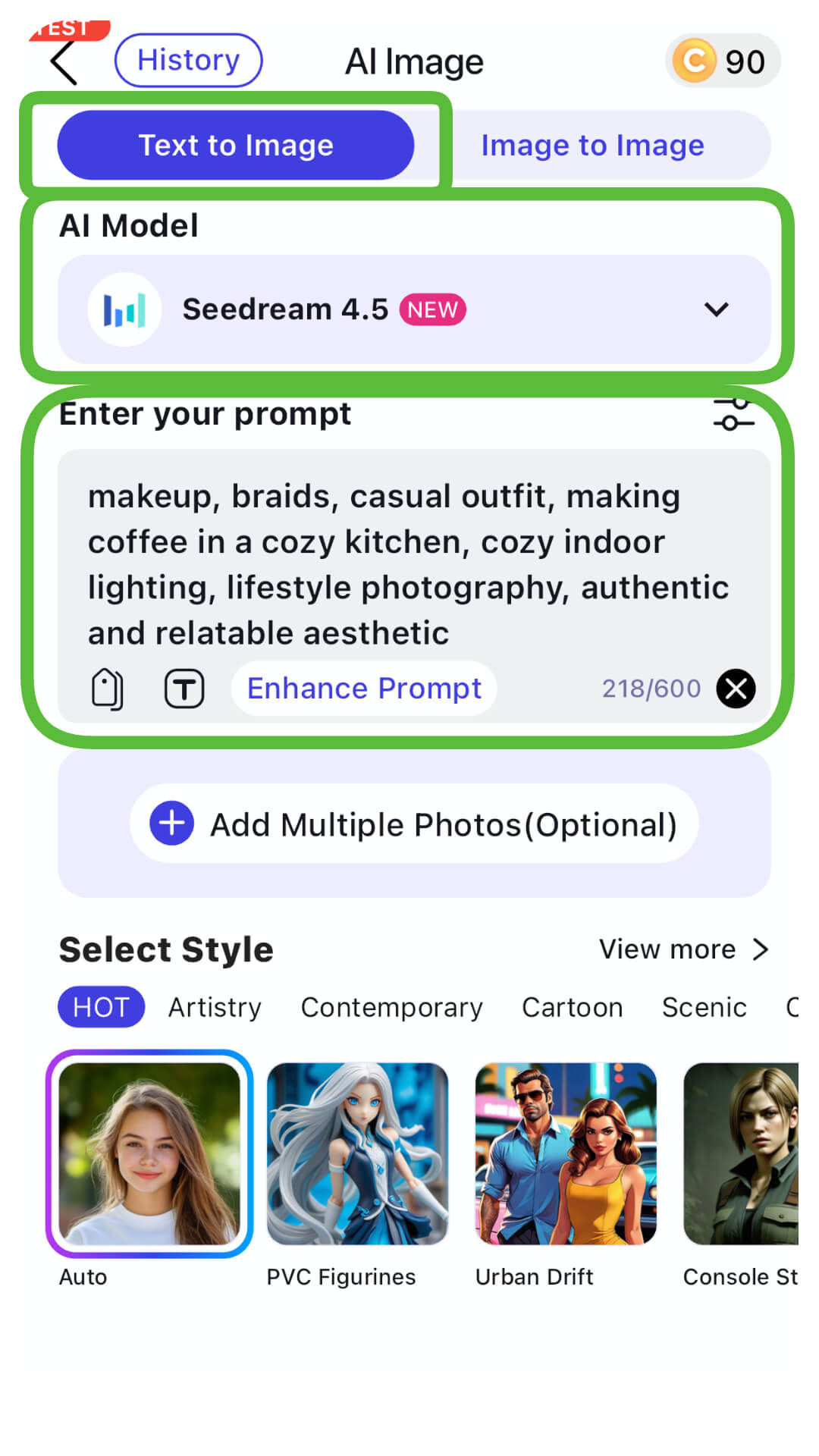
Select your preferred AI Model (e.g., YouCam AI, Nano Banana Pro...) and write a prompt.
Pro Tip: "Modern Korean Girl Next Door: Natural-looking Korean young woman with light makeup, braids, casual outfit, making coffee in a cozy kitchen, cozy indoor lighting, lifestyle photography, authentic and relatable aesthetic"
Step 4: Generate & Save
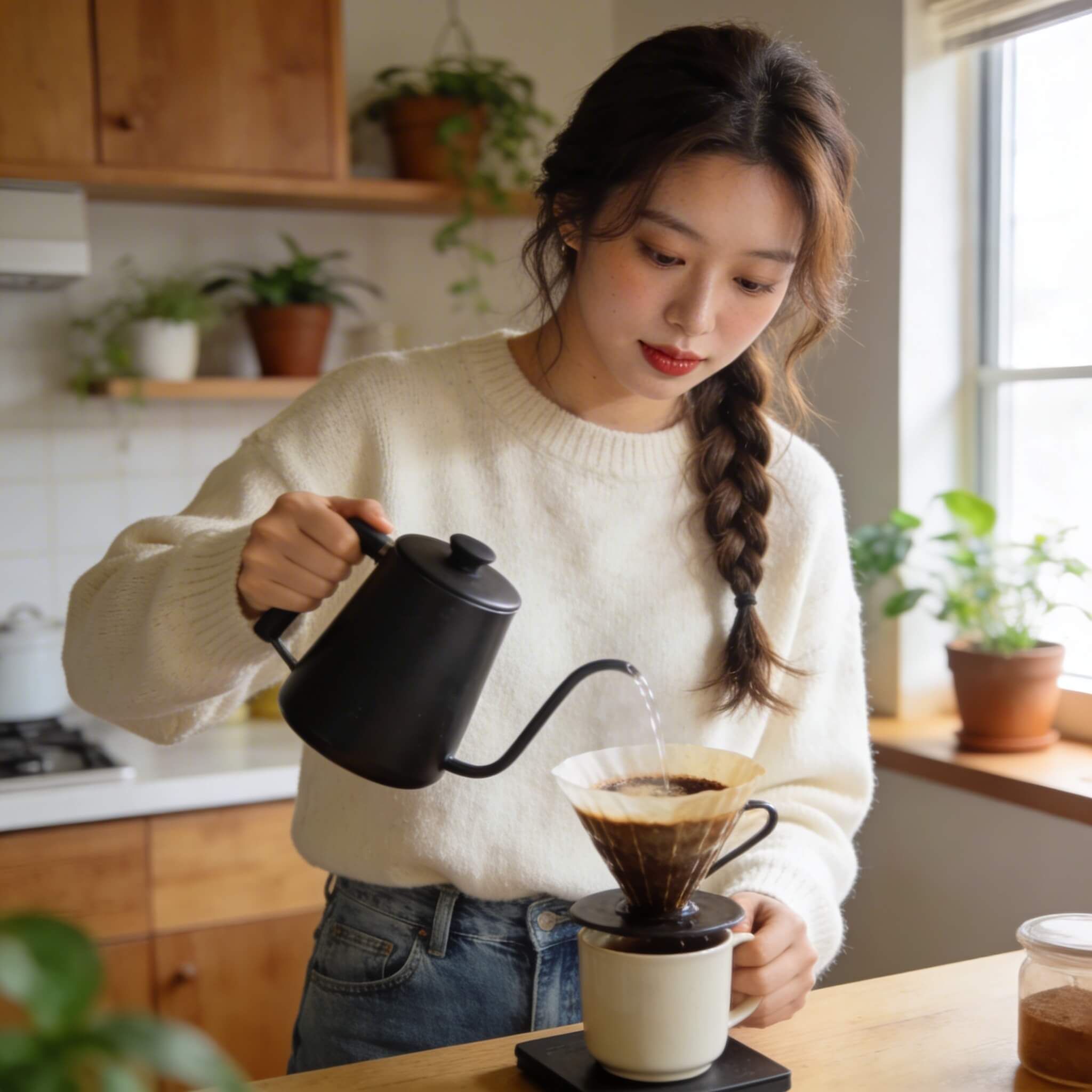
Tap Generate and save your favorite version.
Step 5: Animate Your AI GF with Image to Video
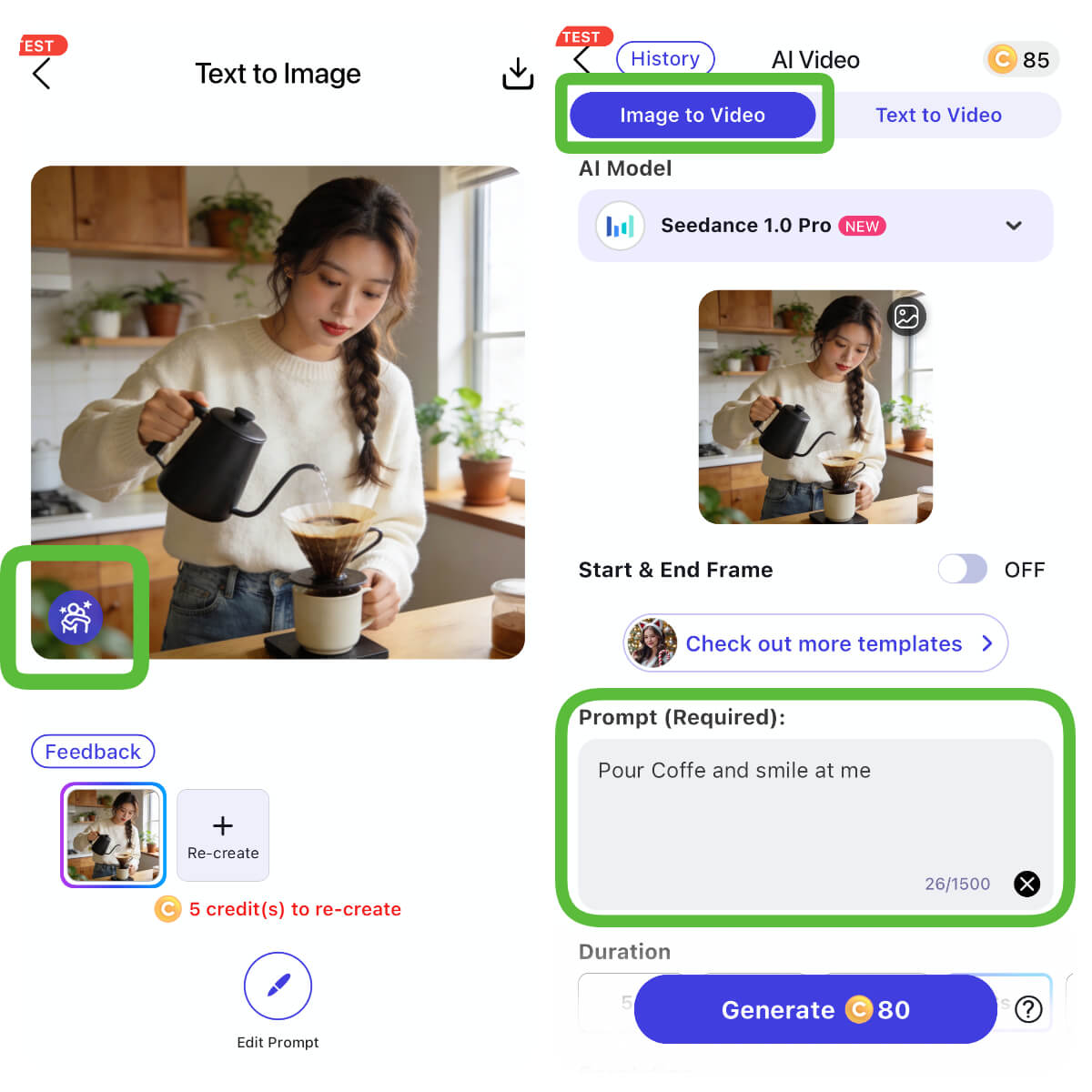
Tap on the "Animation Icon" to use the "Animate" (Image to Video) feature to make her talk or move!
Prompts: "Pour coffee and smile at me."
Discover the Viral OpenClaw Clawra AI Agent Now!
AI Girlfriend Image Generator
Turn text into AI Girlfriend instantly.
Supports Text-to-Image & Image-to-Video.
Whether you are setting up a local OpenClaw agent to automate your work or designing a custom companion to share your day with, the barrier to entry has vanished. You can have the power of a Silicon Valley startup right on your phone or laptop.
Ready to see what your dream AI looks like? Empower your creativity today.
About the Editors
The PERFECT Corp. Editorial Team
We are a team of experts on photo and video editing apps. Our goal is to deliver engaging content on everything from stunning selfie edits to eye-catching video effects. We cover the latest trends and share niche tips to help you master digital creation.
Discover more about us:
OpenClaw FAQs
Is OpenClaw safe?

It is safe if used in a "sandbox" (a restricted environment). Because it has access to your computer, never give it sudo or root permissions unless you are an expert.
Is OpenClaw free?
The software is free and open-source. However, you will need to pay for the API usage from providers like OpenAI or Anthropic.
Who built OpenClaw?
It was created by developer Peter Steinberger and has grown through a massive community of contributors on GitHub.



