


 Author:
 ![Generate a Guy Trend: How to Generate a Guy Next to Me with AI [Prompt Included]](https://plugins-media.makeupar.com/smb/blog/post/2026-01-07/webp_dc68017e-2330-43e1-bc7e-2afa2bd1703e.jpg)
Ever scrolled through TikTok or Instagram and wondered how everyone is suddenly posing with a mysterious, handsome stranger? You’re not seeing a wave of new celebrity sightings—you’re seeing the power of the Generate a Guy trend.
Whether you want to pull a harmless prank on your friends, level up your social media aesthetic, or just see what a professional "couple" photoshoot would look like, AI has made it easier than ever. In this guide, we’ll show you exactly how to generate a guy next to you in seconds using the latest AI technology.
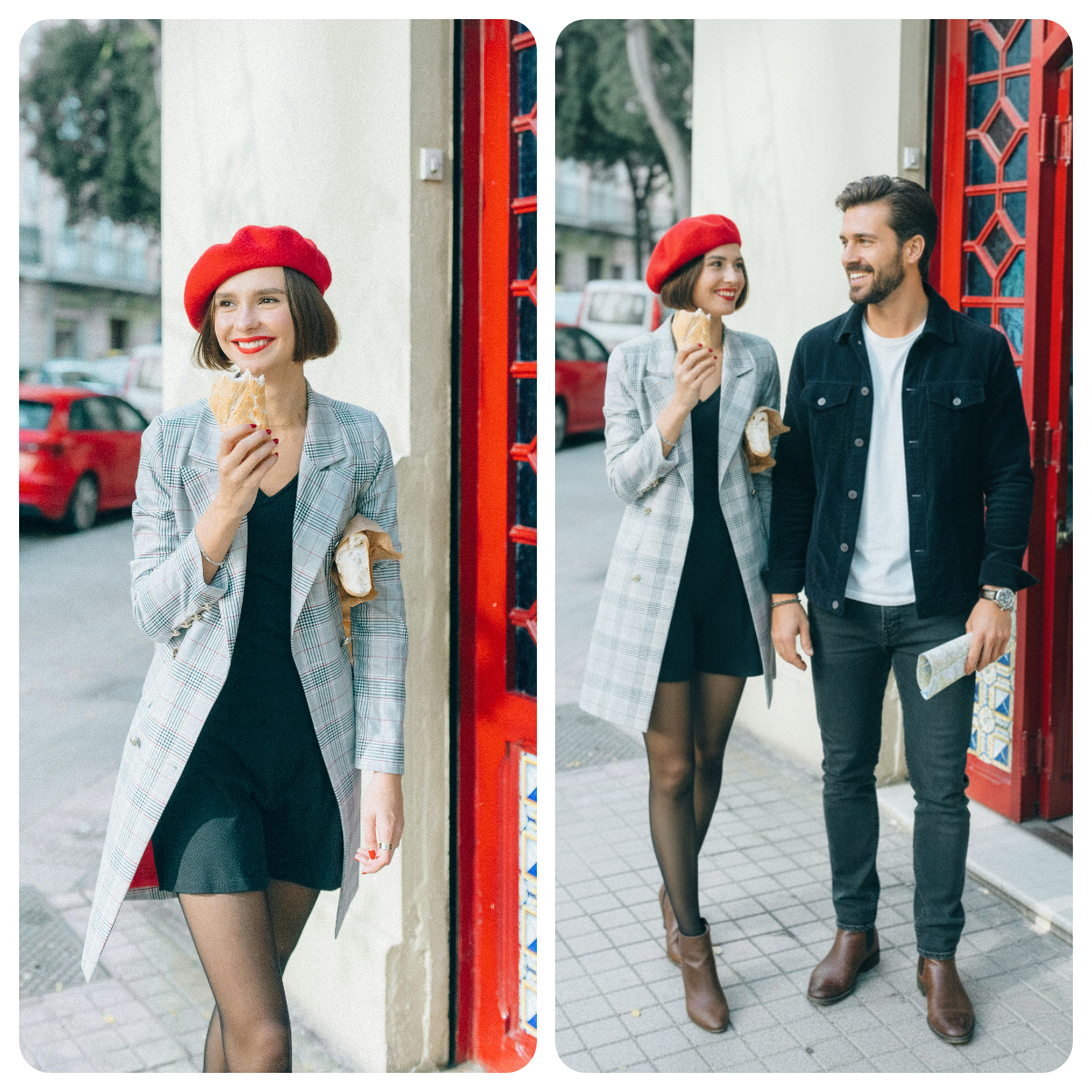
What is the "Generate a Guy" Trend on Social Media?
The Generate a Guy trend is the latest viral sensation where creators use AI to seamlessly add a person into their existing selfies or solo shots. By using an AI boyfriend filter or advanced image-to-image prompts, the AI analyzes your photo and "hallucinates" a realistic companion who matches your lighting, style, and environment.
It’s fun, a bit cheeky, and incredibly impressive to see how far generative AI has come. Ready to try it yourself?
Generate a Guy Trend: How to Generate a Guy Next to Me with YouCam AI Pro
If you want the most realistic results that don't look like a cheap sticker, YouCam AI Pro is the go-to tool. Here is your quick roadmap to perfection.
Step 1. Download YouCam AI Pro

AI Image & Video Generator
Turn text into AI art instantly.
Supports Text-to-Image & Image-to-Video.
Head to the App Store or Google Play Store and download the app. It’s the highest-rated tool for the AI boyfriend aesthetic.
Step 2. Tap AI Image & Image-to-Image
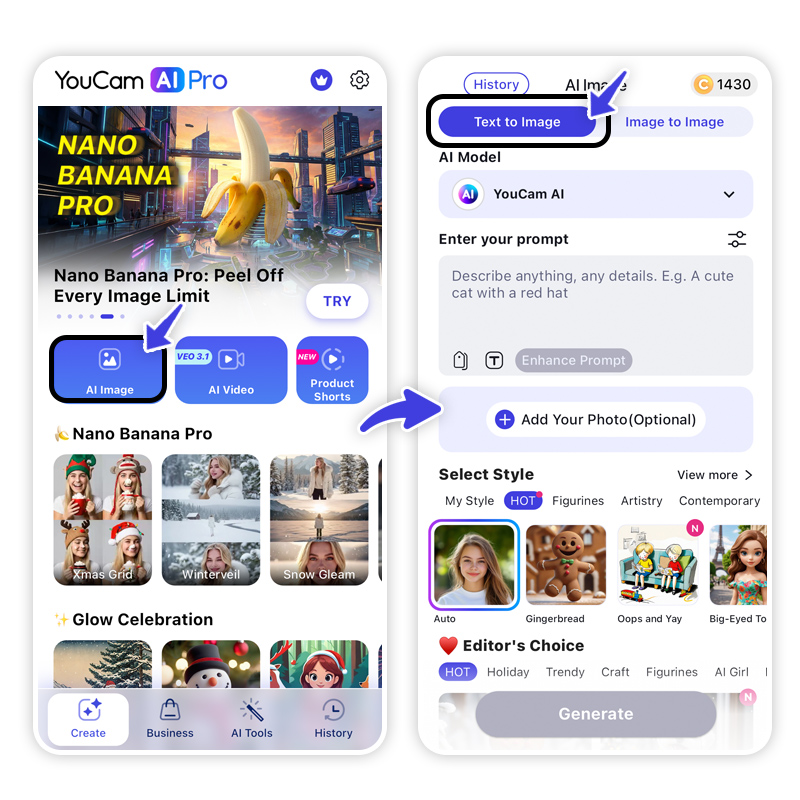
To make sure the AI knows where you are in the photo, you’ll want to use the Image-to-Image feature. This allows the AI to use your original photo as a structural base.
Step 3. Select Nano Banana Pro as AI Model
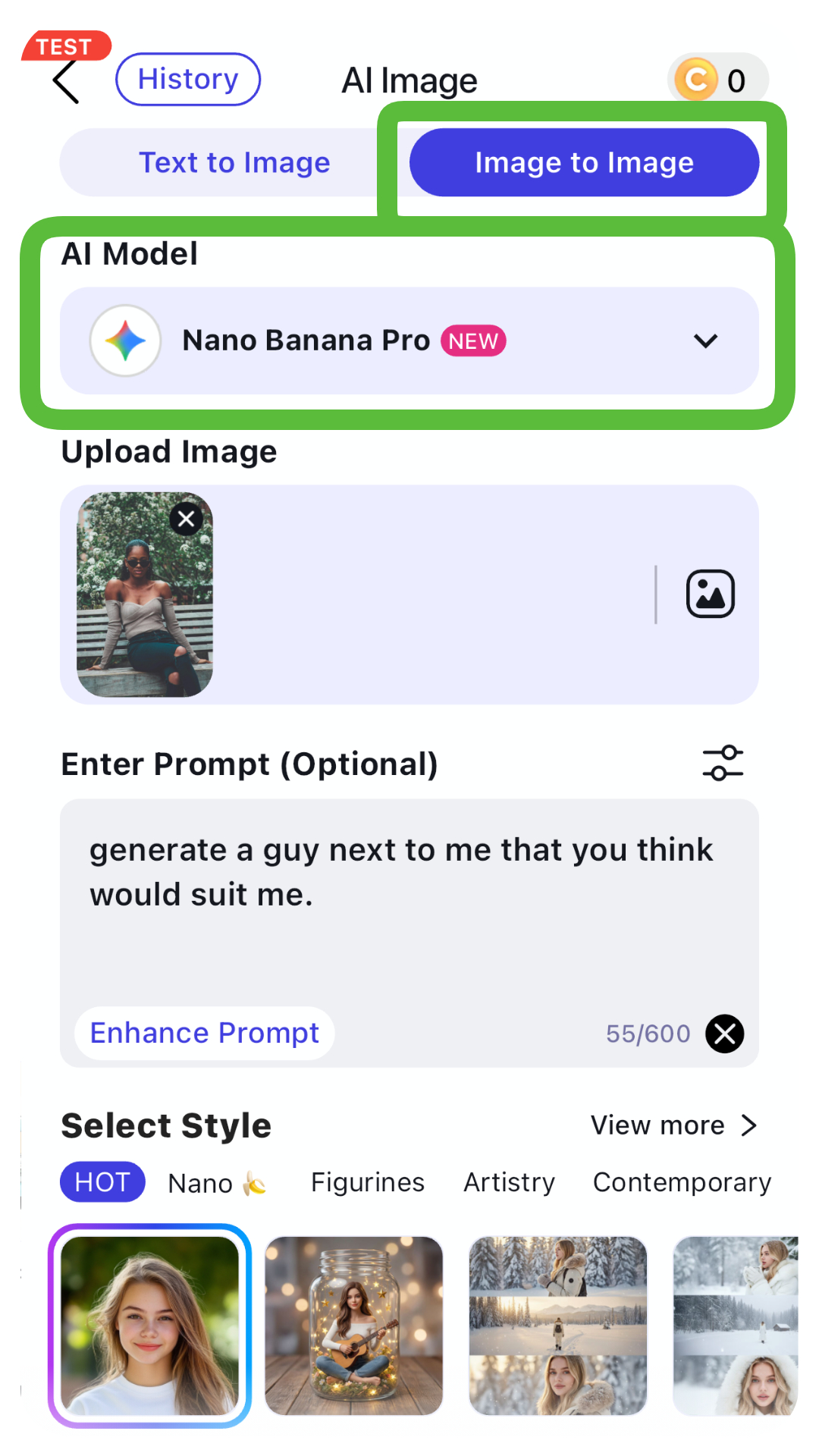
For high-fidelity rendering and ultra-realistic human features, select the Nano Banana Pro model. This is the gold standard for generating lifelike people and complex compositions.
Step 4. Upload Your Photo & Enter Prompt
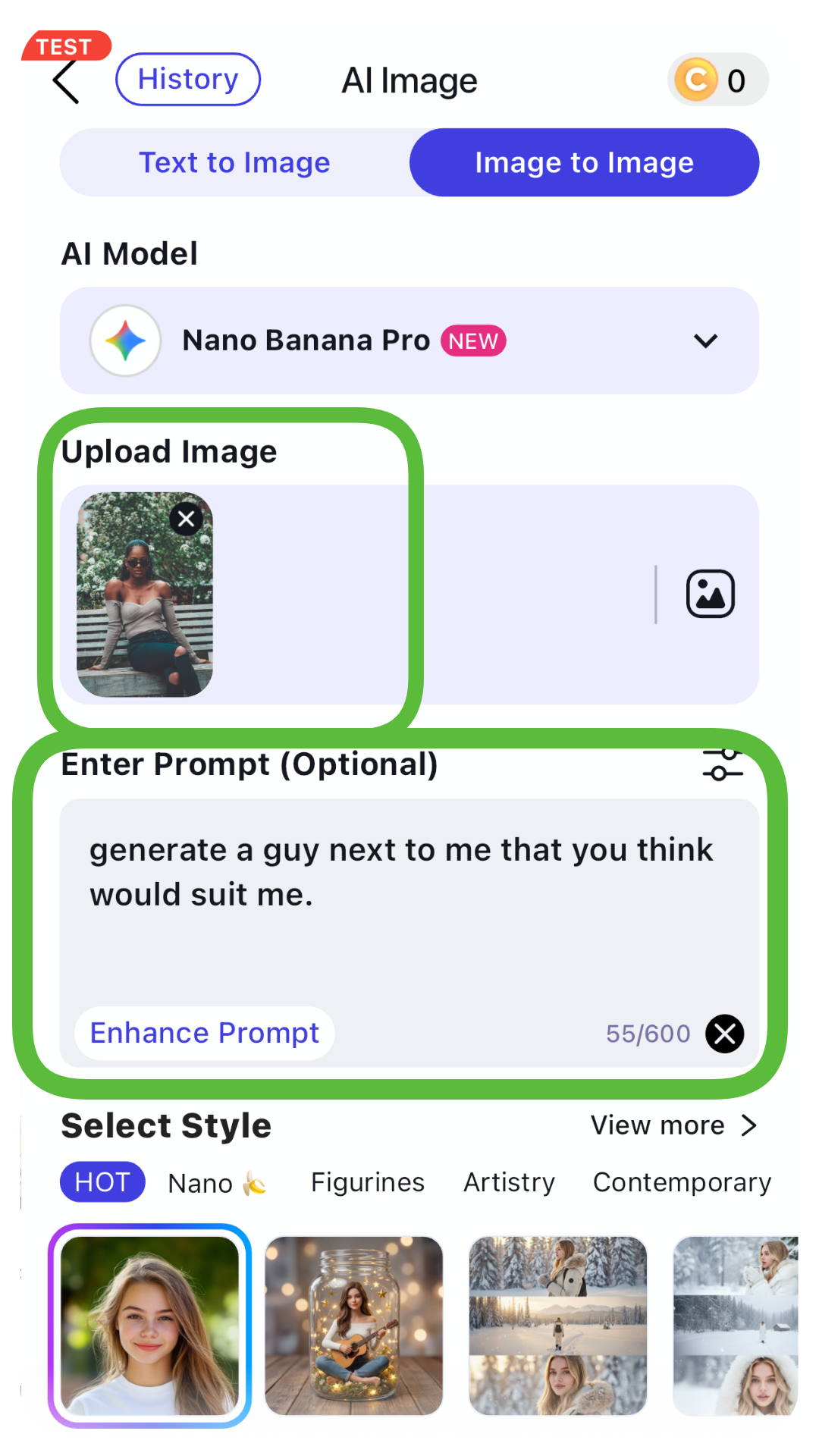
Upload your favorite solo shot. Now, here is the secret sauce—the prompt:
Step 5. Generate & Save

Hit generate! The AI will process your image and place your new "companion" right beside you. Save it to your gallery and get ready to post.
Bonus: Generate AI Boyfriend Video with AI
Want to take the trend to the next level? Static photos are great, but AI boyfriend videos are the ultimate scroll-stoppers.
- Step 1. Tap the Animate Photo Icon on the corner of the app.
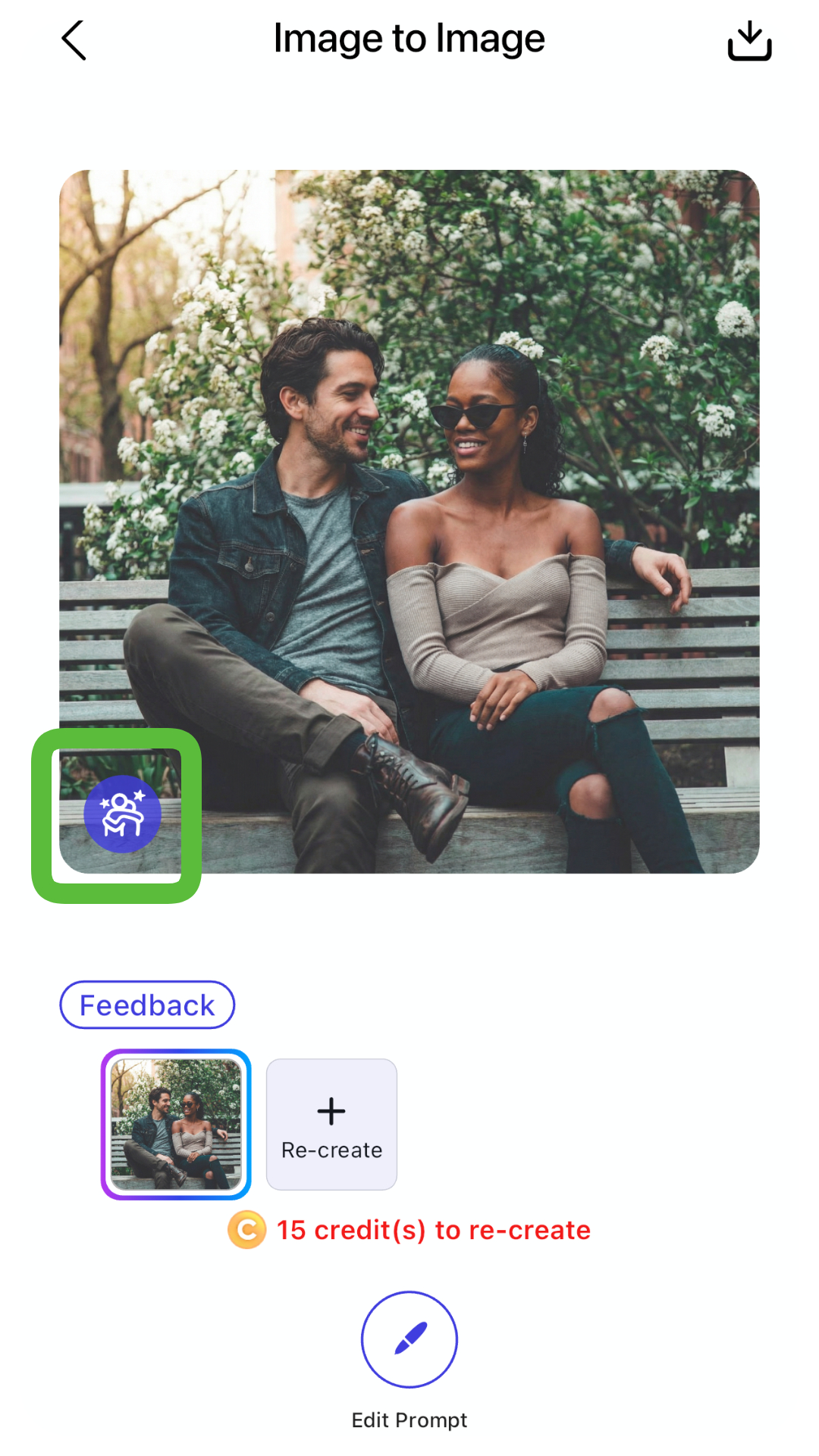
- Step 2. Tap Image to Video and upload your generated photo.
- Step 3. Select a Template or enter a custom prompt like "Cinematic camera pan, the couple laughing together."
- Step 4. Generate & Save to watch your creation come to life.
Join the Generate a Guy Trend Now
AI Image & Video Generator
Turn text into AI art instantly.
Supports Text-to-Image & Image-to-Video.
Generating a guy next to you is no longer a complex task—it’s a fun, creative outlet for everyone. Whether you're chasing the generate a guy trend for the laughs or the aesthetic, the tools are now at your fingertips.
Ready to see who's standing next to you?
Download YouCam AI Pro NowAbout the Editors

The PERFECT Corp. Editorial Team
We are a team of experts on photo and video editing apps. Our goal is to deliver engaging content on everything from stunning selfie edits to eye-catching video effects. We cover the latest trends and share niche tips to help you master digital creation.



