Author:


Generate and edit photos with richer detail, closer likeness, and faster results — powered by OpenAI's new GPT-Image-2.5 Flare and Sunburst models, live now across YouCam's AI Image tools.


AI Image & Video Generator App
Turn Fantasy into Reality instantly.
Now powered by OpenAI's GPT-Image-2.5 Flare & Sunburst.
Every AI image model eventually runs into the same complaint: the result looks close to what you asked for, but the face has drifted, the lighting feels flat, or a simple follow-up edit undoes something you liked about the first version. It's the gap between "AI-generated" and "actually looks like me, just in a new scene."
OpenAI's newest image model, GPT-Image-2.5, closes a lot of that gap — sharper detail, more natural lighting and texture, and edits that hold up across multiple rounds of instructions. It's now built directly into YouCam's AI Image Generator, so you can pick it from the same model list you already use for GPT-Image-2, Nano Banana 2, and Seedream 5.0 Pro — no separate app, no API key, no extra account.
Key Takeaways

- 🎨 Sharper, more natural results — GPT-Image-2.5 renders finer detail, more natural lighting, and richer textures than the previous generation of image models.
- 🧑🎨 Stays true to your face — reference photos hold up better across new scenes, styles, and outfits, so the person in the result still looks like the person you uploaded.
- ⚡ Two models, two speeds — GPT-Image-2.5 Flare is built for fast, high-volume generation; GPT-Image-2.5 Sunburst trades a little speed for extra precision on detailed work.
- ✍️ Smarter multi-turn edits — follow-up instructions ("now make the jacket red," "add glasses") are followed more reliably without undoing earlier changes.
- 📍 Rolling out across YouCam — available now in the AI Image Generator on YouCam AI Pro, YouCam Online Editor, YouCam Makeup, YouCam Perfect, YouCam Enhance, and YouCam Video.
- 🖼️ Any starting point — works from Text to Image or Image to Image, on mobile or desktop.
How it works

- Open AI Image in the YouCam AI Pro app, or the AI Image Generator in YouCam Online Editor.
- Choose Text to Image or Image to Image.
- Tap Select AI Model and choose GPT-Image-2.5 Flare or GPT-Image-2.5 Sunburst.
- In Image to Image, upload your reference photo(s) — up to 16 images, PNG or JPG, up to 10MB each on Online Editor.
- Enter your prompt describing the change, or start from a Try Template preset.
- Tap Generate — Flare is tuned for quick, high-volume results; Sunburst is tuned for extra precision on detailed work.
- Review the result, then Edit Photo, Animate Photo, or download it.
Your face, actually your face
A big part of what's new in this generation of the model is fidelity to reference photos. Subjects carry across new settings, visual styles, and compositions while staying recognizable — lighting and textures read as more natural, and the distinctive details that make a photo your photo are more likely to survive the transformation. That matters whether you're dropping yourself into a fantasy scene, restyling a product shot, or building a set of consistent images from the same starting photo.

Now available across YouCam's AI Image tools
GPT-Image-2.5 Flare and Sunburst are rolling out in the AI Image Generator across YouCam AI Pro, YouCam Online Editor, YouCam Makeup, YouCam Perfect, YouCam Enhance, and YouCam Video — wherever you already pick a model from the Select AI Model list, the two new options are there.
See it in action
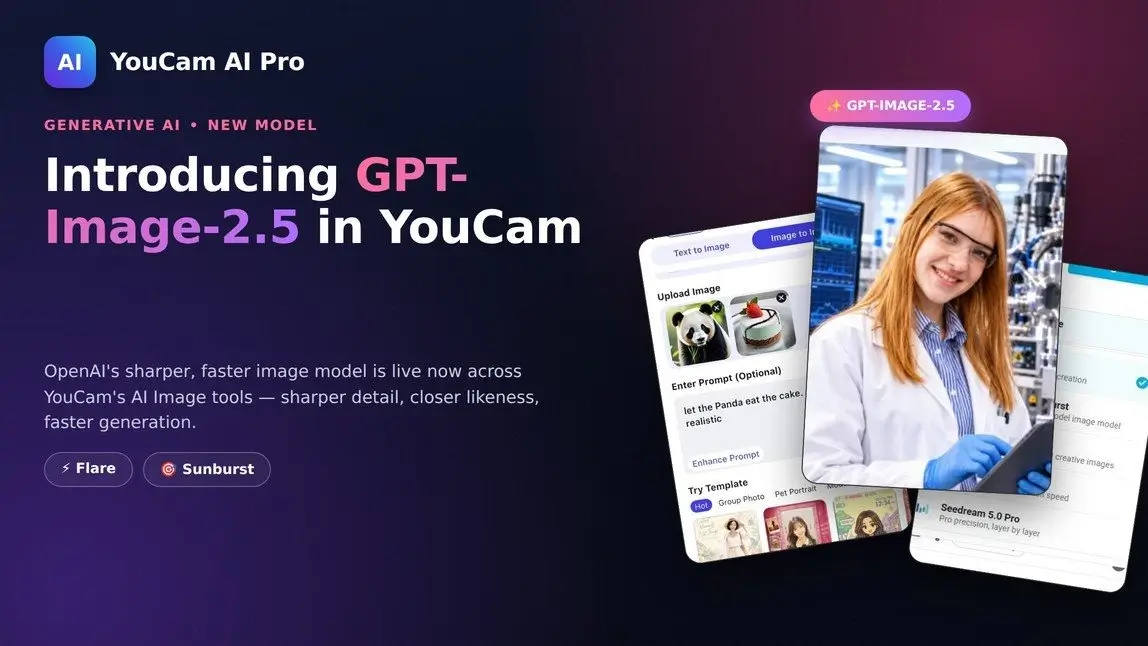
One reference photo and a single prompt — "a brilliant scientist stands in a gleaming laboratory surrounded by gleaming monitors and intricate machinery" — and GPT-Image-2.5 Flare keeps the likeness intact while rebuilding everything else around it.
AI Image & Video Generator App
Turn Fantasy into Reality instantly.
Now powered by OpenAI's GPT-Image-2.5 Flare & Sunburst.
Why try before you buy
- It's the real model, not a lightweight version — the same GPT-Image-2.5 Flare and Sunburst OpenAI ships for developers, running inside the app you already have open.
- No extra account or API key — generate straight from your existing YouCam credits, in the same Text to Image / Image to Image flow you already know.
- Nothing else changes — Templates, Enhance Prompt, and your saved history all work exactly as before; GPT-Image-2.5 is simply a new option in the model picker.
Try it now
Open the AI Image Generator, tap Select AI Model, and choose GPT-Image-2.5 Flare or Sunburst on your next generation.
AI Image & Video Generator App
Turn Fantasy into Reality instantly.
Now powered by OpenAI's GPT-Image-2.5 Flare & Sunburst.
FAQ
What's the difference between GPT-Image-2.5 Flare and Sunburst?
Flare is tuned for fast, high-volume generation with the same quality and editing improvements as Sunburst. Sunburst is OpenAI's top advanced image model, offering an extra level of precision for detailed creative work, with a longer generation time.
Which YouCam apps have it?
It's rolling out in the AI Image Generator across YouCam AI Pro, YouCam Online Editor, YouCam Makeup, YouCam Perfect, YouCam Enhance, and YouCam Video — look for it in the Select AI Model list alongside GPT-Image-2, Nano Banana 2, and Seedream 5.0 Pro.
Does it cost extra credits?
Generating with GPT-Image-2.5 uses the same credit system as YouCam's other AI Image models — the app shows the credit cost on the Generate button before you confirm, and it can vary by mode (Text to Image, Image to Image, or a template).
Can I use my own photos?
Yes — in Image to Image mode you can upload reference photos (PNG or JPG) and describe the change you want, or start from Text to Image with just a written prompt.
Will it change how my templates or edits work?
No — Try Template, Enhance Prompt, and your existing workflow all stay the same. GPT-Image-2.5 is just a new option in the model picker.
Is this only for developers using OpenAI's API?
No. OpenAI introduced GPT-Image-2.5 Flare and Sunburst for developers building with the API, and that same model quality is now available directly inside YouCam's apps — no coding or separate OpenAI account required.