


 Author:
 ![How to Create K-Pop Fan Cam Trend with AI [Prompt Included]](https://plugins-media.makeupar.com/smb/blog/post/2026-05-15/webp_3c98c744-22c6-4924-a1e5-8d56164c595a.jpg)
Ever dreamed of standing center stage under the flashing neon lights, hearing the crowd roar your name? For most of us, the closest we get to that idol life is rewatching iconic music show fan cams of our favorite biases on repeat.
But what if you could be the main character?
In this quick guide, we’ll show you exactly how to jump on the explosive AI K-Pop Fan Cam Trend using simple prompts and your favorite selfies. No dance practice required!
Key Takeaways
- The Trend: The AI K-Pop Fan Cam Trend blends traditional K-Pop Fan Cam culture with AI video generation to turn everyday photos into dynamic music show visuals.
- The Ease: You don't need editing experience; all it takes is a solid prompt and the right AI tool.
- The Tool: YouCam AI Pro makes the transition from selfie to center-stage idol seamless via its Image-to-Video feature.
What is the AI K-Pop Fan Cam Trend?
In the world of K-Pop, a K-pop fan cam focuses entirely on a single idol during a live performance, capturing their expressions, choreography, and stage presence.
The fan cam AI trend takes this concept and democratizes it. By using advanced image-to-video AI models, creators and fans are uploading everyday selfies and transforming them into hyper-realistic, high-energy clips that look exactly like they were ripped straight from an Mnet or Inkigayo broadcast. It’s highly engaging, deeply personal, and currently exploding across TikTok, Instagram Reels, and YouTube Shorts.
Viral AI K-Pop Fan Cam Trend Prompts
The secret to a flawless K-pop fan cam aesthetic lies in the prompt. You need to feed the AI details about lighting, stage atmosphere, camera movement, and outfit style.
K-Pop Girl Band Aesthetic
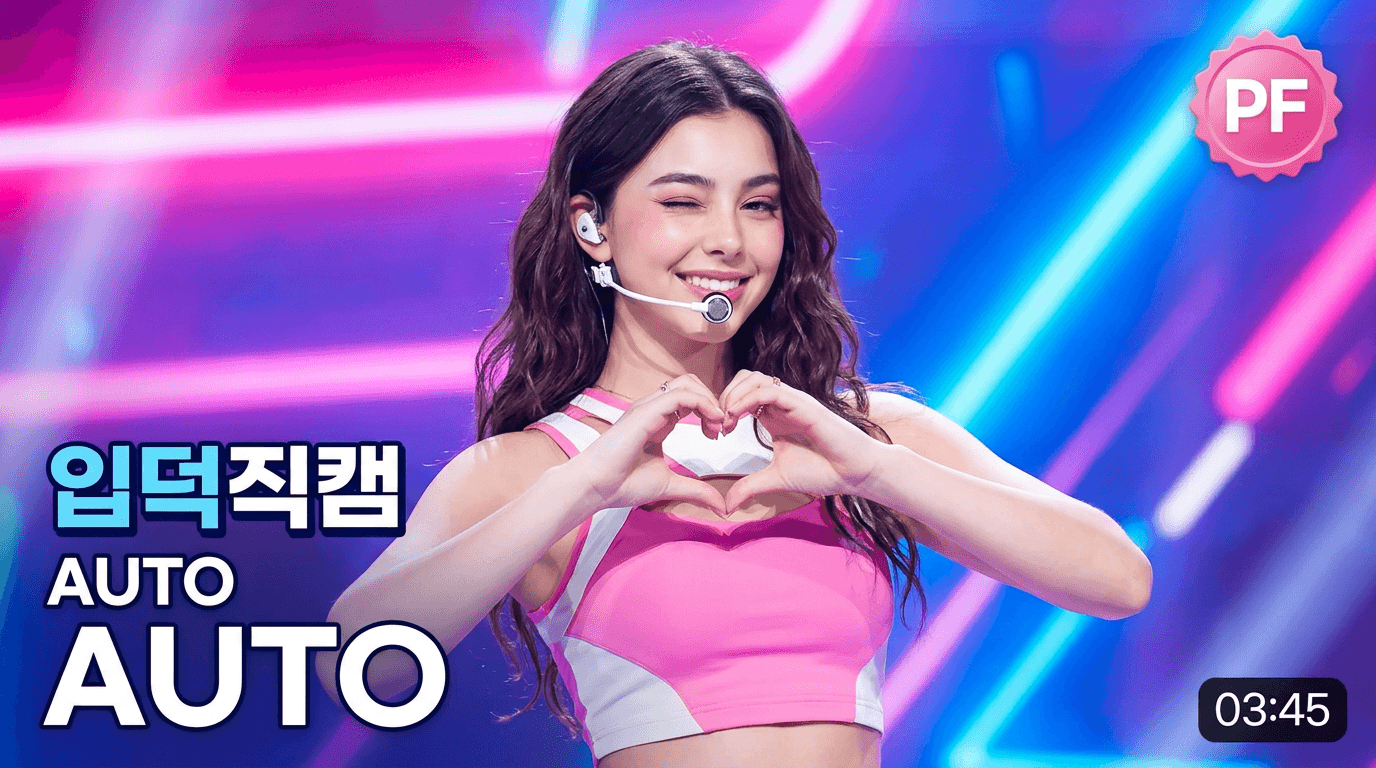
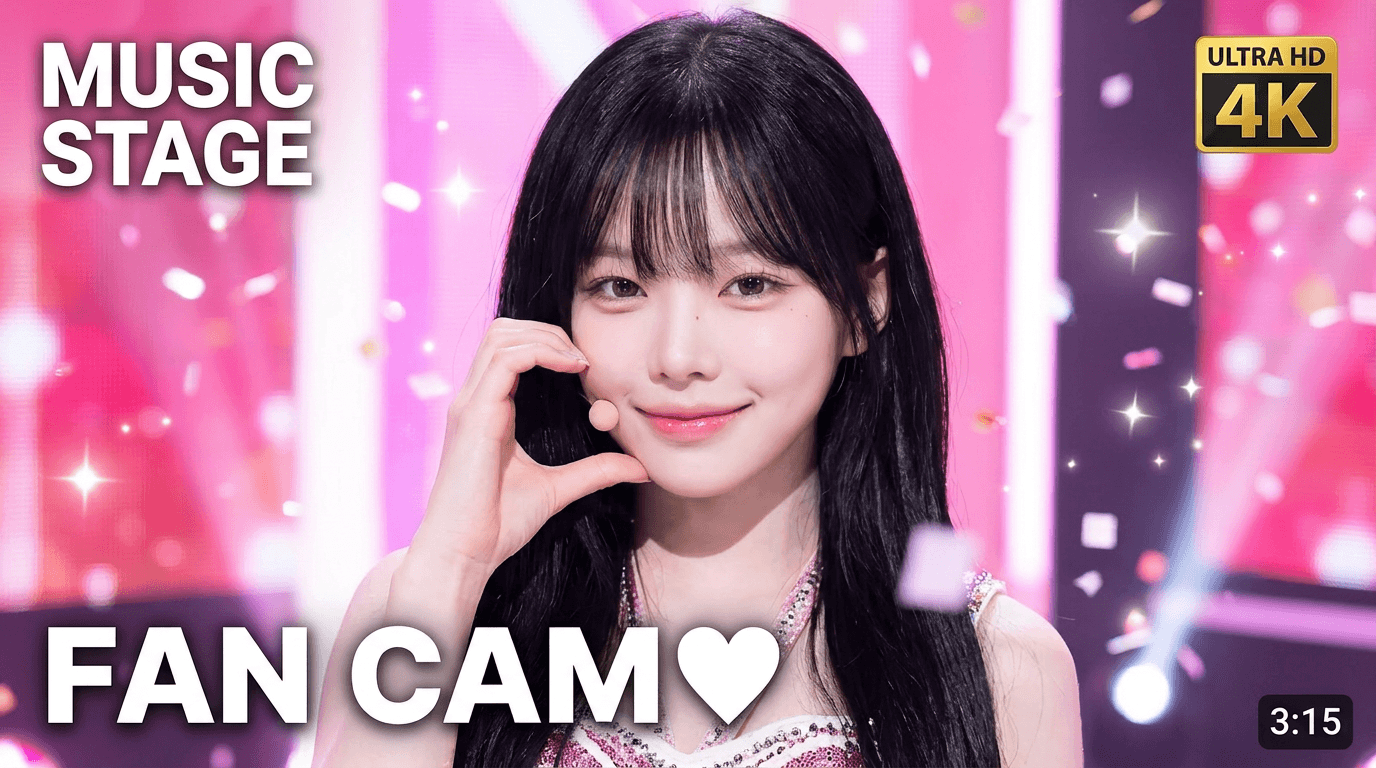
Prompt: Create a 16:9 K-pop fancam thumbnail based on image, using the female subject. Style is bright pink, cute 'ending fairy' mood, soft glamorous lighting, sparkles, confetti. Pose: direct eye contact, hand near face, cute and playful expression. Close-up, centered focus. Add fictional UI: Top-left fictional white broadcast logo text. Top-right small rounded fictional '4K Fancam' badge. Bottom-left large bold white 'FAN CAM'. Bottom-right small black rounded
K-Pop Boy Group Aesthetic
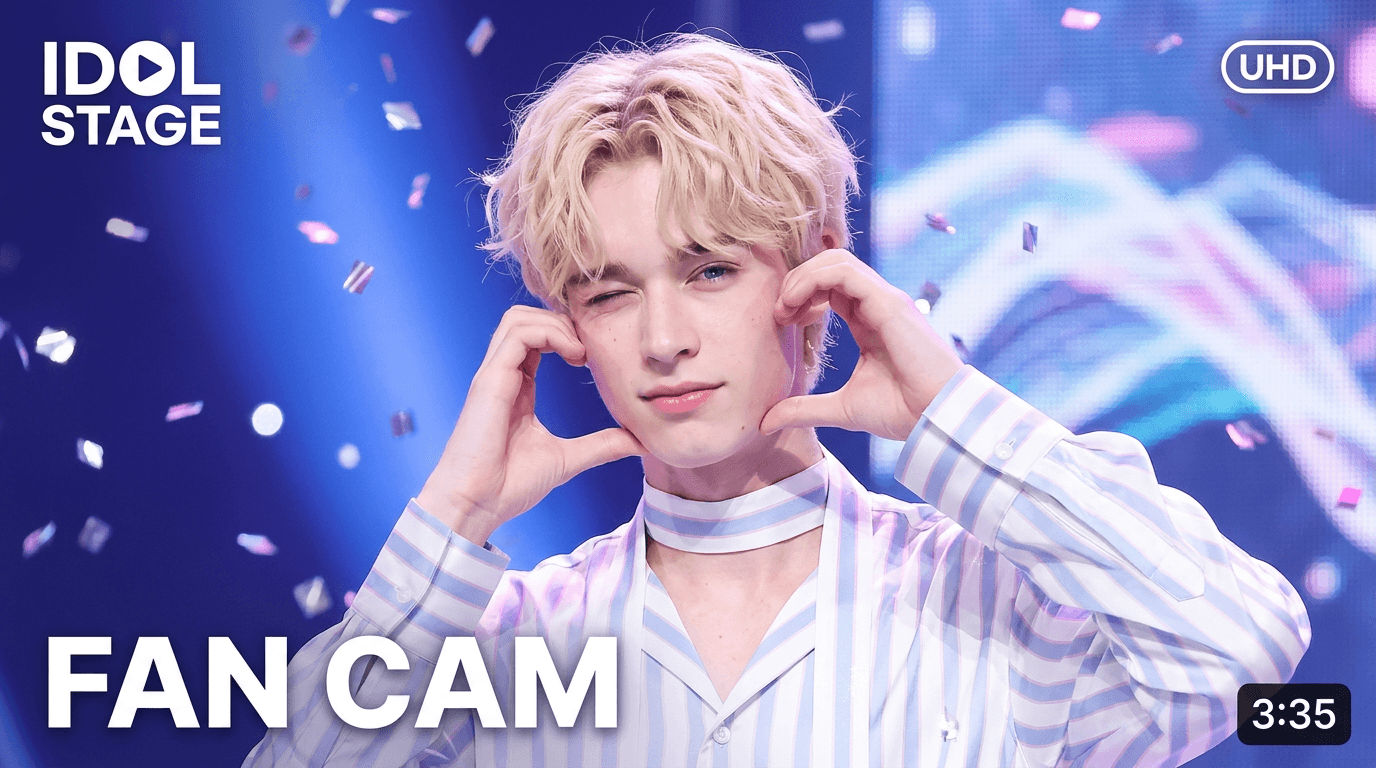
Prompt: 16:9 K-pop male fancam thumbnail. Base features on provided reference photo. Center a charming male idol in dynamic ending pose (e.g., heart gesture). Use polished stage lighting with strong neon pink, blue, purple hues. Subject wears stylish stage outfit, makeup, headset mic. Layout: Top-right fictional pink broadcast badge "PF". Bottom-left blue/white text "입덕직캠", then "[GROUP_NAME]" text, then large "[MEMBER_NAME]" text. Bottom-right black duration box, random time 3:00-5:00. Bold clean Korean text style. High quality, clear, zero real logos or watermarks.
How to Create the AI K-Pop Fan Cam Trend with YouCam AI Pro
Ready to debut? Transforming your look takes less than two minutes. Follow these simple steps using YouCam AI Pro to bring your idol dreams to life.
Step 1. Download YouCam AI Pro

AI Image Generator
Turn text into AI art instantly.
Supports Text-to-Image & Image-to-video.
First, grab your ticket to stardom. Download the YouCam AI Pro app from your preferred app store and open it up.
Step 2. Go to AI Video & Use Image-to-Video
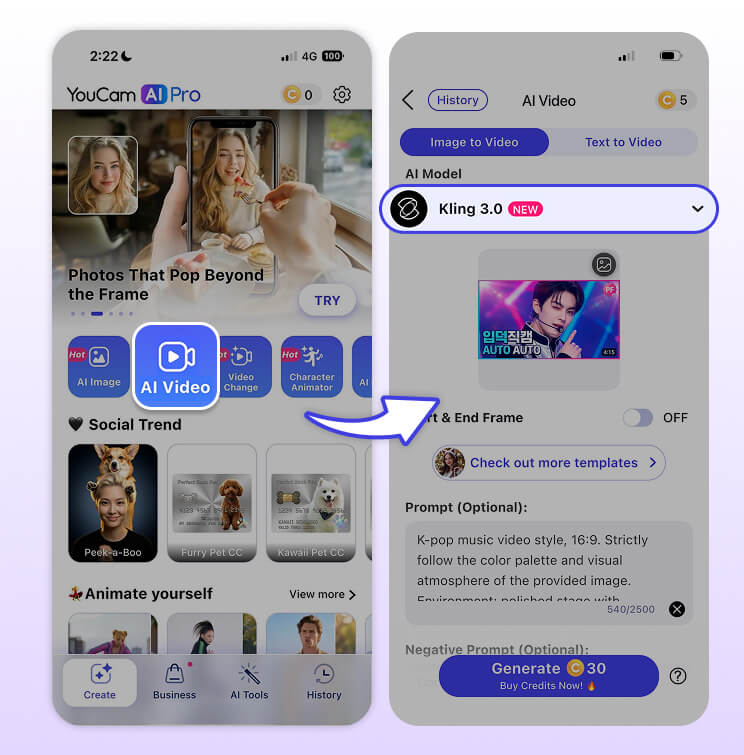
Navigate to the video generation section within the app. Select the Image-to-Video feature. This allows the AI to use your actual face as the anchor for the generation, keeping the results recognizable and uniquely yours.
Step 3. Upload Photo & Enter Prompts
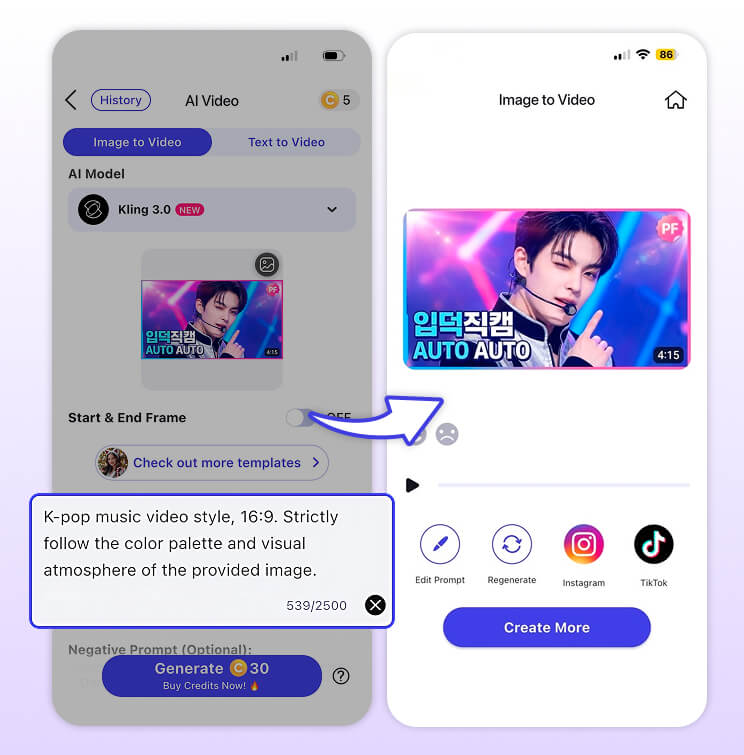
Choose a clear, well-lit selfie from your camera roll. Next, copy one of the viral prompts provided above (or customize your own with specific outfit colors or stage themes) and paste it into the prompt box.
Video Prompt:
K-pop music video style, 16:9. Strictly follow the color palette and visual atmosphere of the provided image. Environment: polished stage with matching lighting, soft lens flares, and subtle cinematic fog. Motion: subjects performing smooth, dynamic idol movements or dance gestures, hair and fabric moving naturally. Camera: slow cinematic zoom-in or smooth panning to enhance depth. Visuals: ultra-high quality, realistic charismatic expressions, sharp details, fluid motion transitions. No real logos, no watermarks, no distorted faces.
Step 4. Preview & Save
Tap generate and watch the AI work its magic. Once the preview renders, check out your brand-new, high-energy music show fan cam. Hit save, add your favorite trending K-Pop audio track on TikTok or Reels, and get ready for the views to roll in.
About the Editors
The PERFECT Corp. Editorial Team
We are a team of experts on photo and video editing apps. Our goal is to deliver engaging content on everything from stunning selfie edits to eye-catching video effects. We cover the latest trends and share niche tips to help you master digital creation.



