


 Author:
 ![How to Create Typography with Nano Banana Pro [Ultimate Guide & Prompts]](https://plugins-media.makeupar.com/smb/blog/post/2025-12-11/webp_662c571b-4d14-46a3-8434-91efed260aac.jpg)
Ever tried to generate an image with specific text using AI, only to get a jumbled mess of alien hieroglyphics? We’ve all been there. It’s the number one frustration for designers and content creators.
But the game has changed. Nano Banana Pro (powered by the advanced Gemini 3 Pro engine) has arrived, and it actually understands how to spell. Whether you need a sleek typography logo, a complex infographic, or a stylish poster, this model bridges the gap between imagination and legible reality.
Ready to turn your words into art without the headache? Let's dive into how you can access this power right now via YouCam AI Pro.
Key Takeaways
- Nano Banana Pro is a top-tier AI typography generator capable of rendering accurate, legible text within images.
- It excels at multilingual content, complex infographics, and diverse textures.
- YouCam AI Pro now supports Nano Banana Pro/Gemini 3 Pro, allowing you to generate professional typography directly from your phone.
Why Nano Banana Pro is the Best AI Typography Generator?
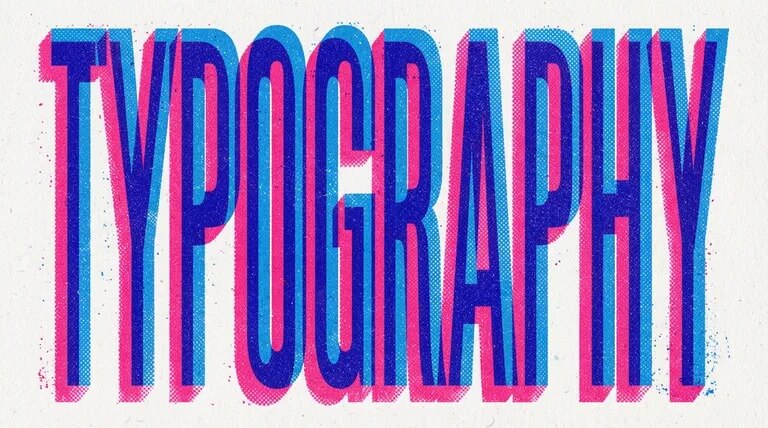
source: Google
When it comes to typography design, precision is everything. Nano Banana Pro isn't just another image generator; it is an engine built with deep semantic understanding.
1. Legible Text in Any Language
Most AI models struggle with text rendering. Nano Banana Pro solves this by generating correctly rendered, legible text directly inside your image. Whether you need a punchy tagline or a long paragraph, the text remains crisp. Thanks to enhanced multilingual reasoning, you can even generate or translate designs into multiple languages, making it perfect for global content marketing.
2. Depth, Texture, and Nuance
Powered by Gemini 3 Pro capabilities, this model understands the physics of light and texture. This allows for typography that looks carved into wood, stitched into fabric, or glowing in neon—all with realistic depth that flat design tools can't match.
3. Structured Visuals and Infographics
Nano Banana Pro handles structured data with shockingly strong accuracy. If you feed it a text description involving data points, timelines, or flows, it designs an infographic with chart-like blocks, arrows, and clean visual organization. It takes the heavy lifting out of layout design.
Top Nano Banana Prompts for Typography
To get the best results from your AI typography generator, try these prompt structures:
- The Neon Sign: “A cyberpunk street scene featuring a glowing neon sign that says 'FUTURE' in bold, pink cursive typography. Wet pavement reflections, cinematic lighting.”
- The Minimalist Logo: “A clean, vector-style typography logo for a coffee brand named 'Bean & Brew'. Serif font, dark brown text on a cream background, surrounded by simple line art of coffee leaves.”
- The Infographic: “A visual flow chart explaining the water cycle. Labeled boxes with arrows pointing clockwise. Text labels: 'Evaporation', 'Condensation', 'Precipitation'. Clean, modern graphic design style.”
- The 3D Text: “The word 'SOFT' written in fluffy, pink cloud texture floating in a blue sky. High resolution, 3D render, soft lighting.”
Discover more popular Nano Banana Pro Prompts>>>
How to Create Typography with Nano Banana Pro
Creating stunning text art with this model is straightforward. Here is the general 3-step process to get started:
Step 1. Open Nano Banana
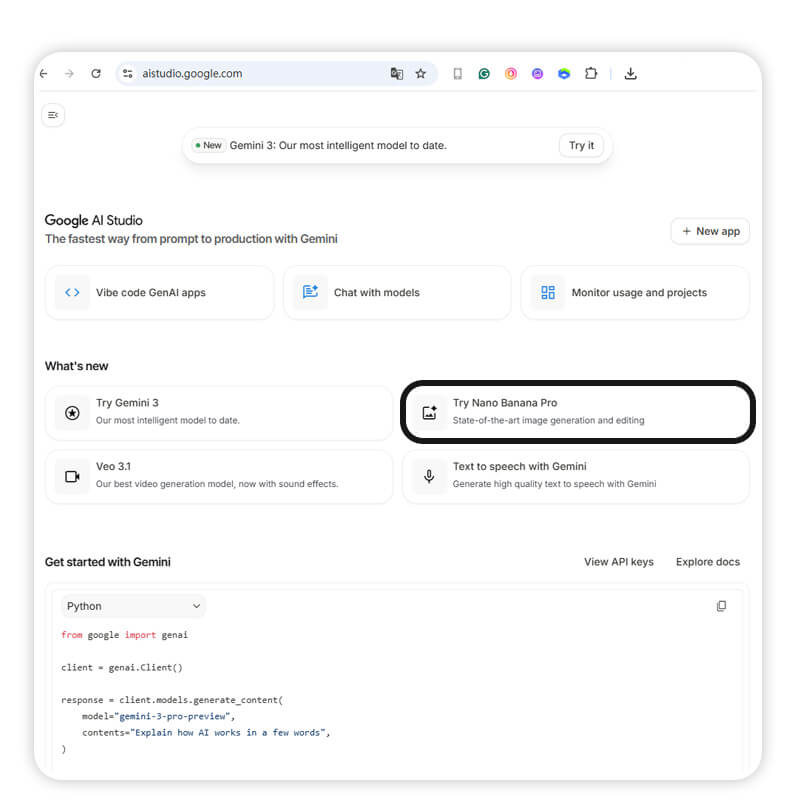
Access the interface where the model is hosted to begin your session.
Step 2. Enter Prompts

Type in your text description. Be sure to enclose the specific words you want to appear in the image within quotation marks (e.g., text says "Hello World") for the best accuracy.
Prompt: create a image: graffiti on a wall that says "Hellow World"
Learn how to write the perfect prompt using Nano Banana Pro>>>
Step 3. Generate & Save
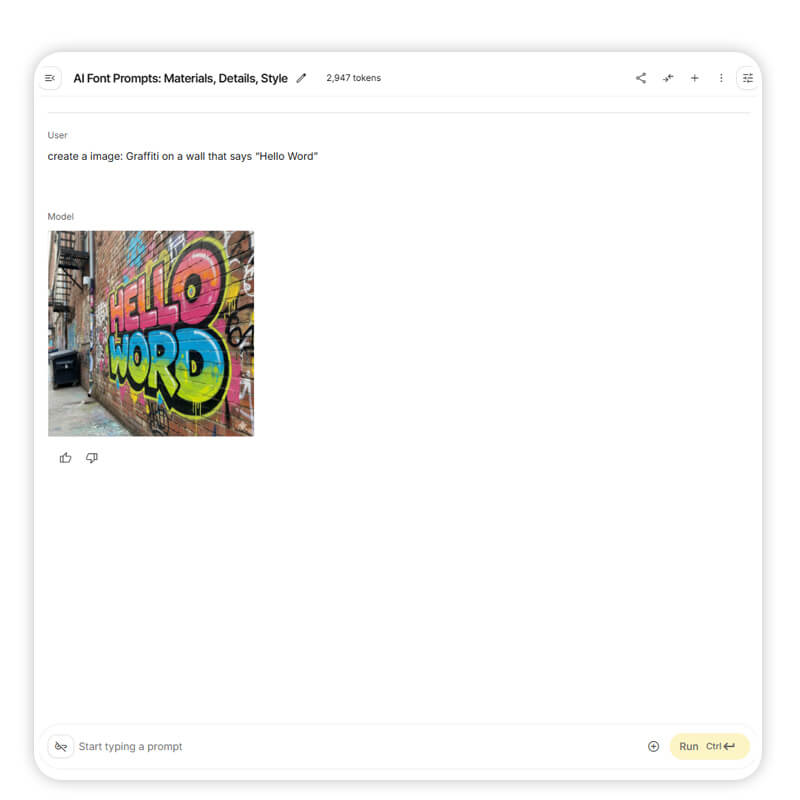
Run the generation process. Once the AI renders the image, review the spelling and style, then save the file to your device.
How to Use Nano Banana Pro on YouCam AI Pro to Create Typography
The best news? You don't need a supercomputer to run this model. YouCam AI Pro now fully supports Nano Banana Pro / Gemini 3 Pro as a core model for both Text-to-Image and Image-to-Image generation.
Here is the simple workflow to create stunning typography:
Step 1. Download YouCam AI Pro
Shared Materials by Strapi
*Adjust the size of images ONLY. Please go to Strapi to edit the materials info.
Start by getting the app. It’s your mobile gateway to the world’s most powerful AI models.
Step 2. Tap AI Image & Text to Image

Open the app and navigate to the creation suite. Select the "Text to Image" feature to start from scratch.
Step 3. Select Nano Banana Pro as the AI Model
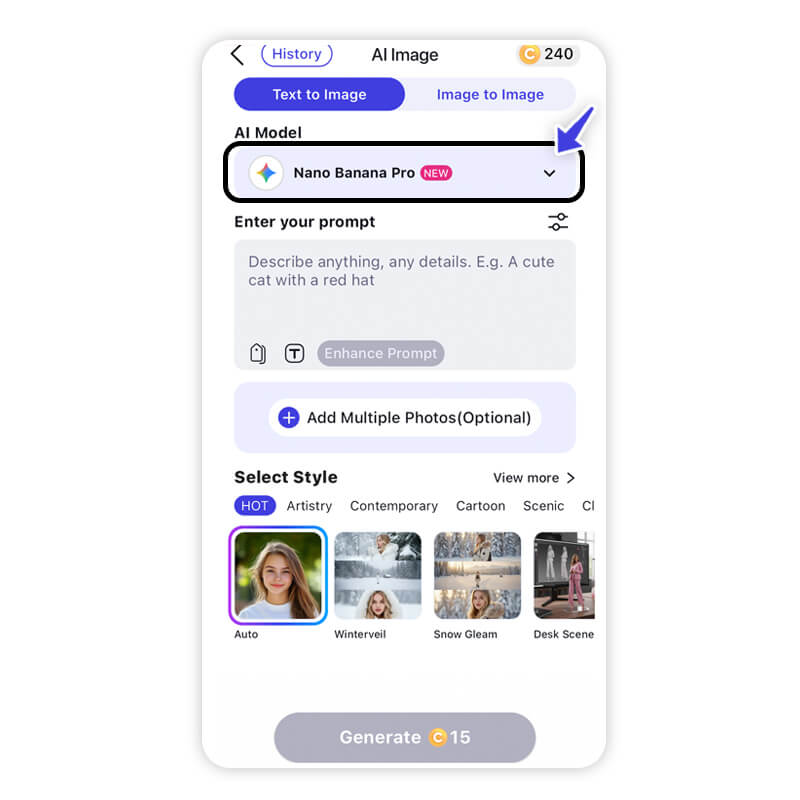
This is the most crucial step. In the model selection menu, choose Nano Banana Pro. This ensures the engine focuses on text accuracy and structure rather than just abstract artistic style.
Step 4. Input Your Detailed Prompt

Be specific. If you want a typography logo, describe the font style, the background, and the exact text you want to appear (put the specific text in quotes).
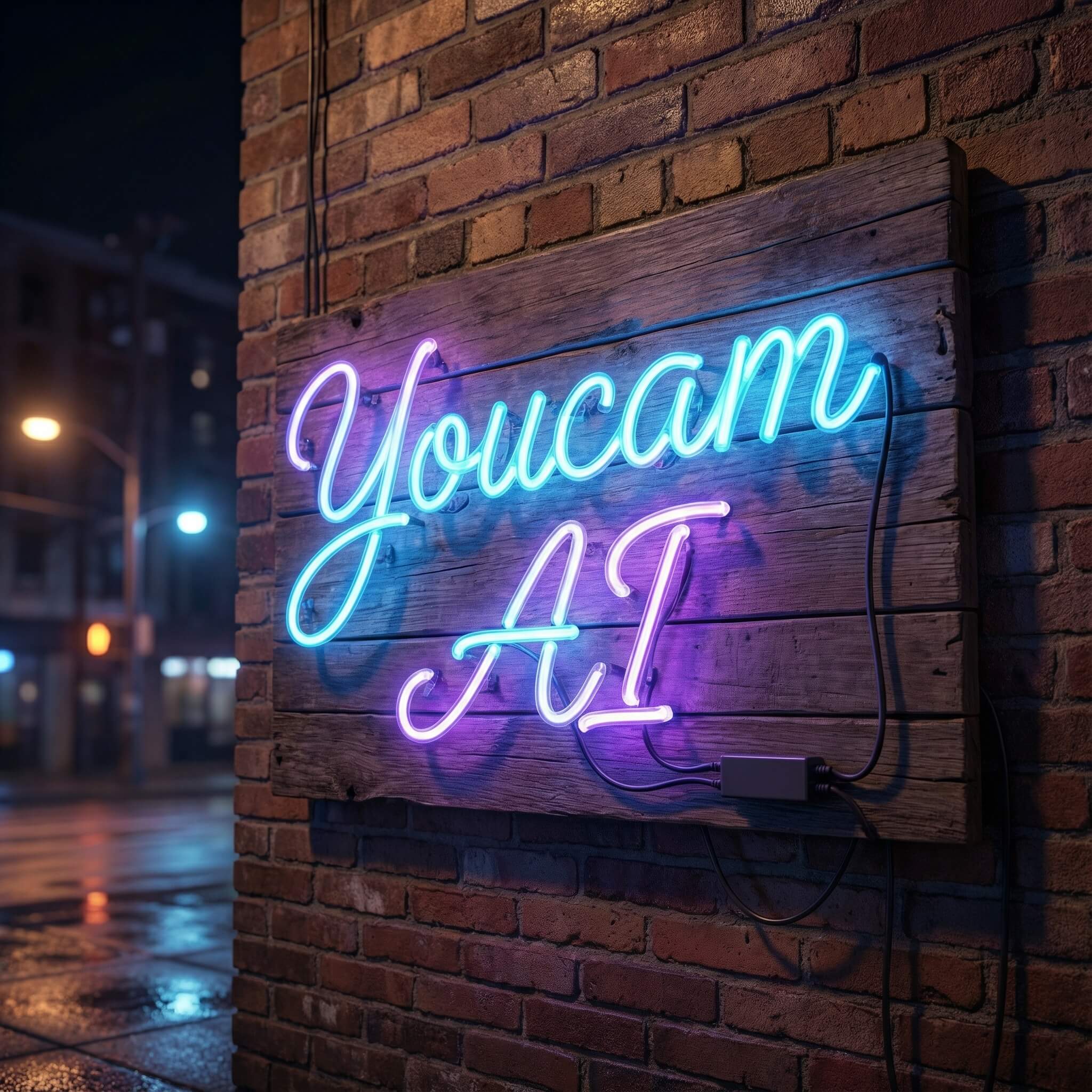
Prompt: A Board With Neon Lights "Youcam AI" is written on the Board With Calligraphy Font.
Try more creative Nano Banana Pro prompts>>>
Step 5. Generate & Save
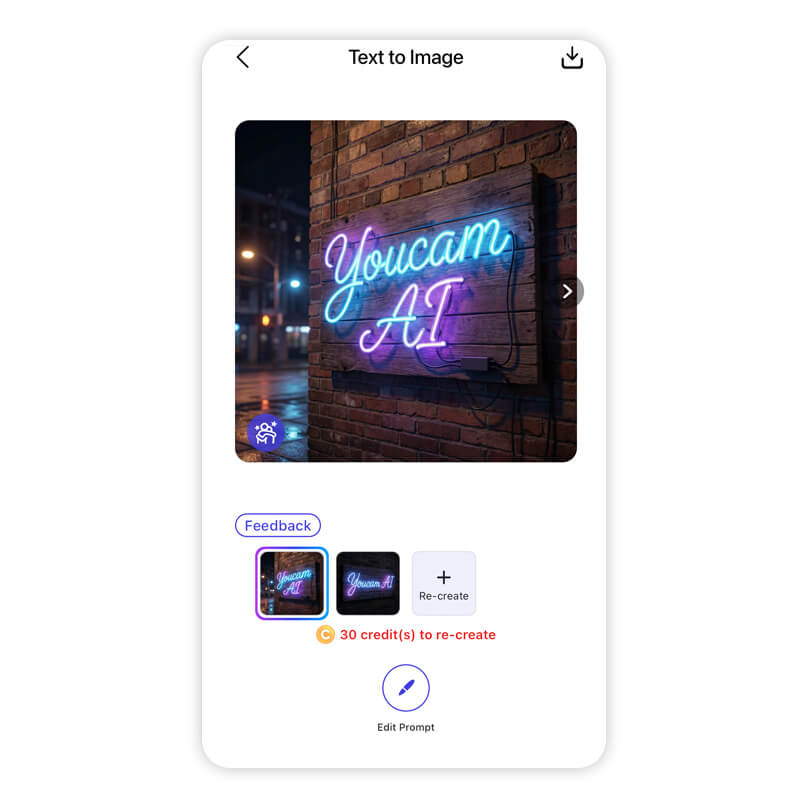
Hit generate and watch the magic happen. Once you’re happy with the result, save it to your gallery or share it directly to your socials.
Unlocking Next-Level AI Typography with Nano Banana Pro
Shared Materials by Strapi
*Adjust the size of images ONLY. Please go to Strapi to edit the materials info.
Creating professional, readable typography with AI used to be a pipe dream. With the integration of Nano Banana Pro (Gemini 3 Pro) into YouCam AI Pro, it is now a reality. From intricate infographics to bold marketing visuals, you have the power to create text that actually communicates.
Don't let bad AI spelling ruin your designs. Experience the precision of the next generation of AI.
About the Editors
The PERFECT Corp. Editorial Team
We are a team of experts on photo and video editing apps. Our goal is to deliver engaging content on everything from stunning selfie edits to eye-catching video effects. We cover the latest trends and share niche tips to help you master digital creation.
AI Typography Generator FAQs
Can Nano Banana Pro generate text in languages other than English?

Yes! With Gemini 3 Pro's enhanced multilingual capabilities, you can generate accurate typography in various languages, making it ideal for localized content.
Is Nano Banana Pro free on YouCam AI Pro?
YouCam AI Pro offers various models. Check the app for specific credit usage or subscription plans to access premium models like Nano Banana Pro.
Can I use this for logo design?
Absolutely. Nano Banana Pro is excellent for typography logo creation because it understands the relationship between font weight, spacing, and graphic elements better than older models.



