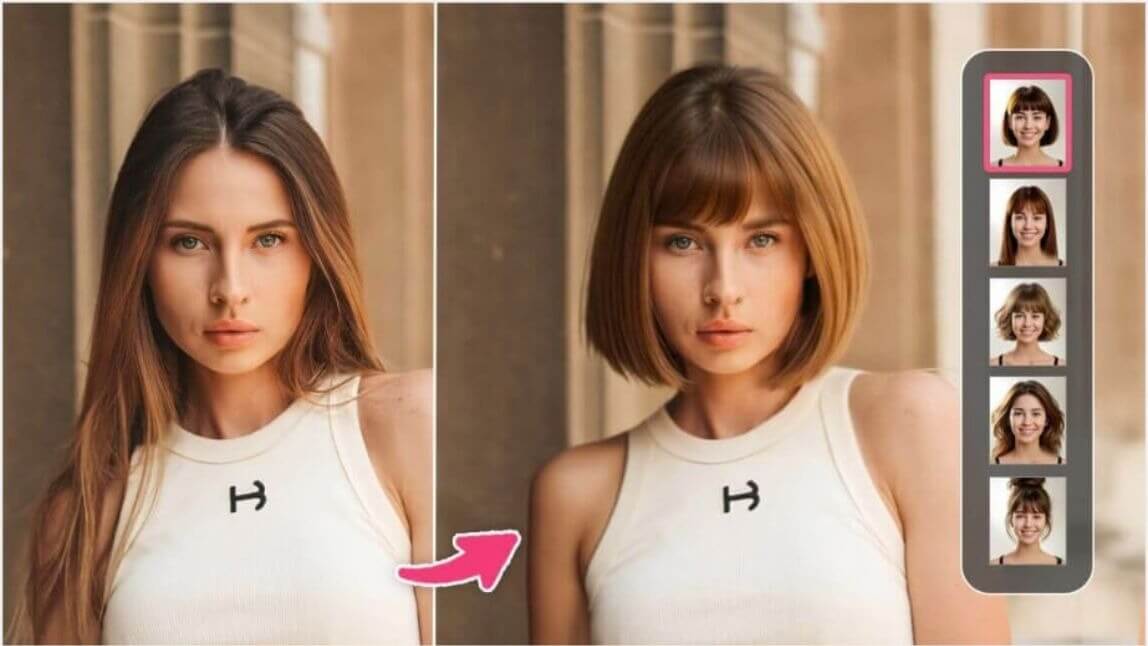
Author:


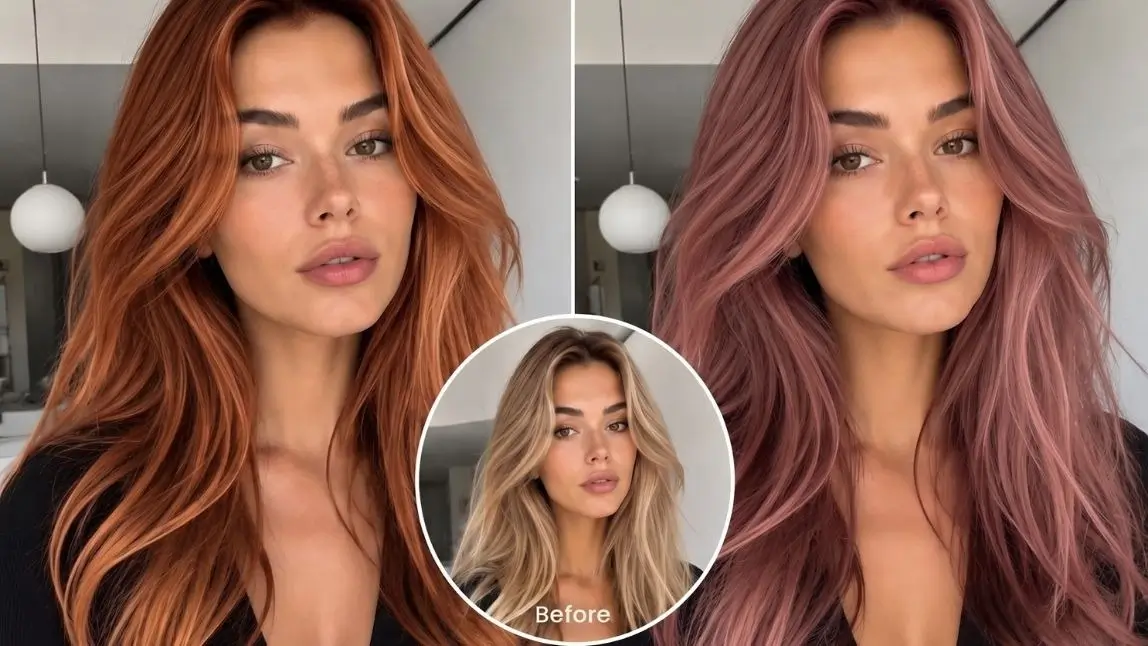
Is There an AI That Can Change My Hair Color?
Yes. AI can realistically change your hair color in a photo within seconds.
Modern AI hair color changers analyze your hair's shape, texture, lighting, and natural highlights to create realistic previews of different hair colors. Instead of guessing whether blonde, copper, or burgundy will suit you, you can instantly see the result on your own selfie.
If you're looking for the easiest way to experiment with new hair colors, YouCam Makeup is one of the best AI hair color changer apps. It lets you virtually try hundreds of shades, from natural brunette and blonde tones to bold fantasy colors before making a real commitment.
Whether you're preparing for a salon appointment, considering a dramatic makeover, or simply having fun with new looks, AI makes trying different hair colors faster, easier, and completely risk-free.

Why Use an AI Hair Color Changer?
Changing your hair color is exciting, but it can also be expensive, time-consuming, and difficult to reverse. That's why millions of people now use AI to preview their new look before picking up hair dye.
Instead of relying on imagination or salon color charts, AI lets you see exactly how different shades complement your skin tone, eye color, and hairstyle.
Benefits include:
- Instantly preview new hair colors
- Compare multiple shades side by side
- Avoid expensive coloring mistakes
- No bleach or chemical damage
- Find colors that match your complexion
- Save inspiration for your hairstylist
Because AI generates realistic simulations in seconds, you can confidently narrow down your favorite colors before making a permanent change.
What Hair Colors Can AI Try On?

One of the biggest advantages of AI hair color technology is the enormous variety of shades available. Whether you're looking for a subtle refresh or a bold transformation, there's a color for every style.
Blonde Hair Colors

Blonde remains one of the most searched hair colors because it can instantly brighten your appearance.
Popular blonde shades include:
- Platinum Blonde
- Ash Blonde
- Honey Blonde
- Champagne Blonde
- Beige Blonde
- Golden Blonde
These shades work well for users who want a softer, brighter look.
Brunette Hair Colors
Brunette shades are timeless and flattering for nearly every skin tone.
Try colors like:
- Chocolate Brown
- Espresso
- Chestnut Brown
- Mocha Brown
- Caramel Brown
- Mushroom Brown
Brunette shades are ideal if you're looking for something natural with added richness and shine.
Red & Copper Hair Colors

Copper hair has become one of the biggest beauty trends in recent years, while auburn and burgundy continue to remain classic choices.
Popular options include:
- Copper
- Auburn
- Ginger
- Cherry Red
- Burgundy
- Mahogany
These shades add warmth and dimension without requiring a dramatic style change.
Black Hair Colors
Black hair creates a bold, polished appearance and enhances contrast around facial features.
Popular options include:
- Natural Black
- Soft Black
- Blue Black
- Jet Black
Fashion Hair Colors
Want something unique? AI lets you experiment with colors you may never try in real life.
Popular fantasy shades include:
- Pink
- Lavender
- Purple
- Blue
- Teal
- Mint Green
- Silver
- Rose Gold
- Rainbow
Since virtual try-ons are completely risk-free, they're perfect for exploring creative looks.
How to Change Your Hair Color with AI

Trying a new hair color only takes a few taps.
- Step 1: Upload Your Selfie
Choose a high-quality photo with good lighting and your hair fully visible. Natural lighting usually produces the most accurate results. - Step 2: Open the AI Hair Color Feature
Select the Hair Color tool inside the YouCam Makeup app. The AI automatically detects your hairstyle without requiring manual selection. - Step 3: Browse Hair Colors
Explore hundreds of shades across categories like Blonde, Brown, Black, Red, and Fantasy colors. Tap each color to instantly preview the transformation. - Step 4: Save or Compare Your Favorites
Compare different shades side by side before deciding which one suits you best. Many users save multiple screenshots to discuss with their hairstylist before booking a salon appointment.

What Makes AI Hair Color Look So Real?
Unlike older photo editors that simply overlay a flat color, modern AI understands the structure of your hair. It analyzes:
- Hair boundaries
- Individual strands
- Lighting direction
- Natural highlights
- Shadows
- Hair texture
This allows the AI to preserve realistic shine and depth while changing only the hair color itself. The result looks much closer to professionally dyed hair than traditional editing methods.
Features to Look for in the Best AI Hair Color Changer
Not every app produces natural looking results. When choosing an AI hair color changer, look for these features:
Apps with these capabilities produce the most convincing virtual hair color transformations.
Why YouCam Makeup Is the Best AI Hair Color Changer
Among today's AI beauty apps, YouCam Makeup stands out for its realistic results and ease of use.
Key features include:
- AI-powered hair detection
- Hundreds of natural and fantasy hair colors
- One-tap virtual hair color previews
- Realistic lighting and texture preservation
- Fast processing
- Available for both iPhone and Android
Whether you're curious about subtle balayage shades or vibrant pastel colors, YouCam Makeup lets you experiment without damaging your hair.
Tips for More Realistic Hair Color Results
To get the most accurate AI preview, follow these simple tips:
- ✔ Use bright natural lighting
- ✔ Keep your hair uncovered
- ✔ Choose a high-resolution selfie
- ✔ Face the camera directly
- ✔ Avoid heavy filters
- ✔ Try multiple shades before deciding
The better your original photo, the more realistic your AI hair color transformation will look.
Final Thoughts
If you've ever wondered, "Is there an AI that can change my hair color?" the answer is a definite yes.
AI hair color changers make it incredibly easy to explore new looks before making a permanent decision. Whether you're considering a natural brunette, icy platinum blonde, rich copper, or a bold fantasy shade, virtual hair color technology gives you a realistic preview in seconds.
With YouCam Makeup, you can confidently experiment with hundreds of hair colors, compare styles, and discover your next favorite look all without bleach, dye, or salon regret.
Ready to find your perfect shade? Upload a selfie and start trying on hair colors with AI today.
About the Editors

The PERFECT Corp. Editorial Team
We are a team of experts on photo and video editing apps. Our goal is to deliver engaging content on everything from stunning selfie edits to eye-catching video effects. We cover the latest trends and share niche tips to help you master digital creation.
Discover more about us: