


 Author: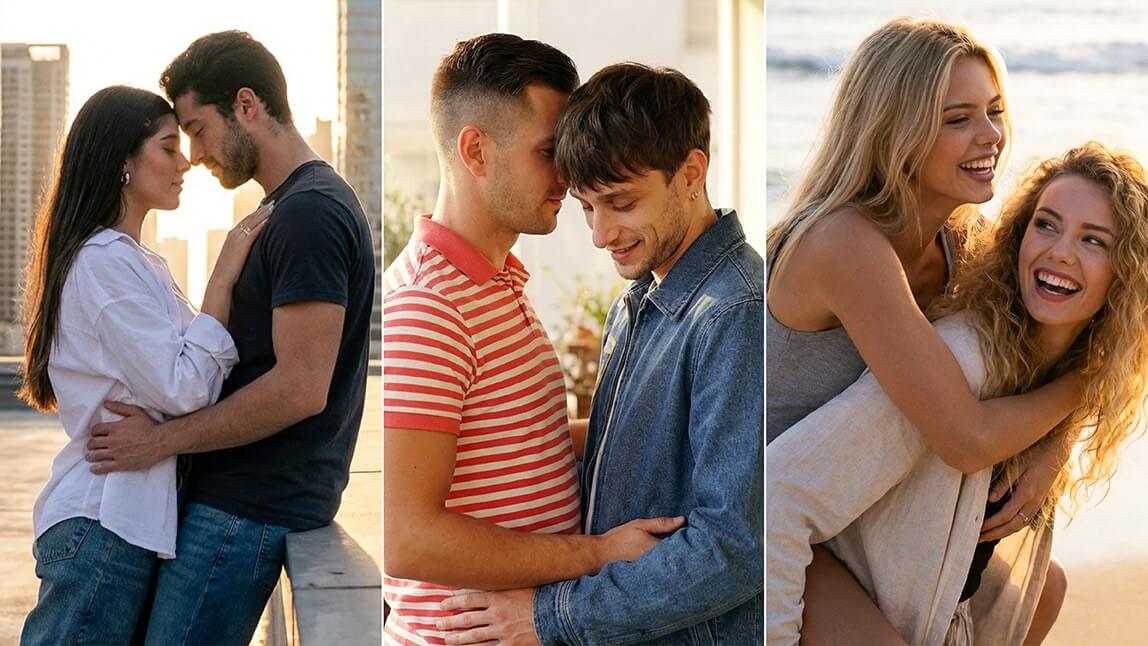
Couple photos do not have to be perfectly timed or professionally shot to feel special. With today’s AI tools, you can turn everyday images into meaningful, romantic, or playful memories in just a few taps.
Whether you are long-distance, camera-shy, or just feeling creative, these AI couple photo hacks make it easy to create stunning couple portraits without the stress of a full photoshoot.
Below, we are breaking down the best ideas and features to help you level up your couple photos, starting with one of the most loved tools in YouCam Perfect.
Hack #1: Create an AI Couple Photo from Two Separate Images
Not every great couple photo starts with both people in the same place. That is where AI Group Photo shines.
This feature lets you generate a realistic and stylish AI couple photo using two completely separate images. Perfect for long-distance couples, surprise gifts, or moments you wish you had captured together.
How to Create an AI Couple Photo in YouCam Perfect
1. Download and open YouCam Perfect
Make sure you are using the latest version of the app to access AI Group Photo and the newest couple templates.

Best AI Photo Editor
The Best AI Photo Editor & Selfie Camera.
Remove objects, apply filters & more.
2. Navigate to AI Group Photo
You will find it directly inside the app. No complicated menus or tech-heavy steps required.
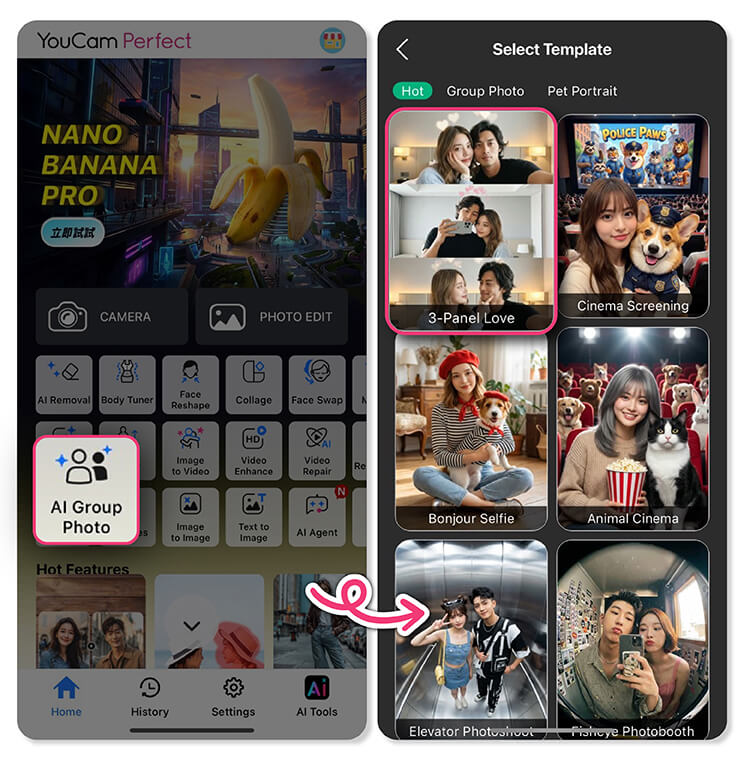
3. Choose a couple template
Browse romantic, cozy, and stylish couple templates designed specifically for pairs. From soft everyday vibes to elegant, date-night aesthetics, there is something for every mood.
4. Upload two separate photos
Upload one photo of each person. The images do not need to be taken together. AI handles the alignment, lighting, and positioning.
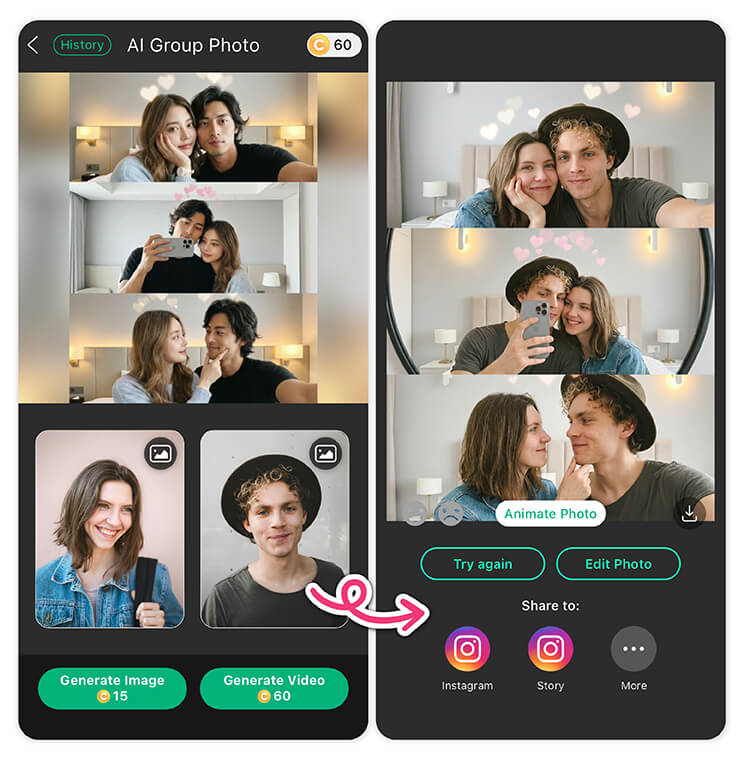
5. Generate a photo or video
Watch AI bring the couple together in a seamless image or short video. This step turns individual photos into a polished AI couple photo that feels natural and share-worthy.
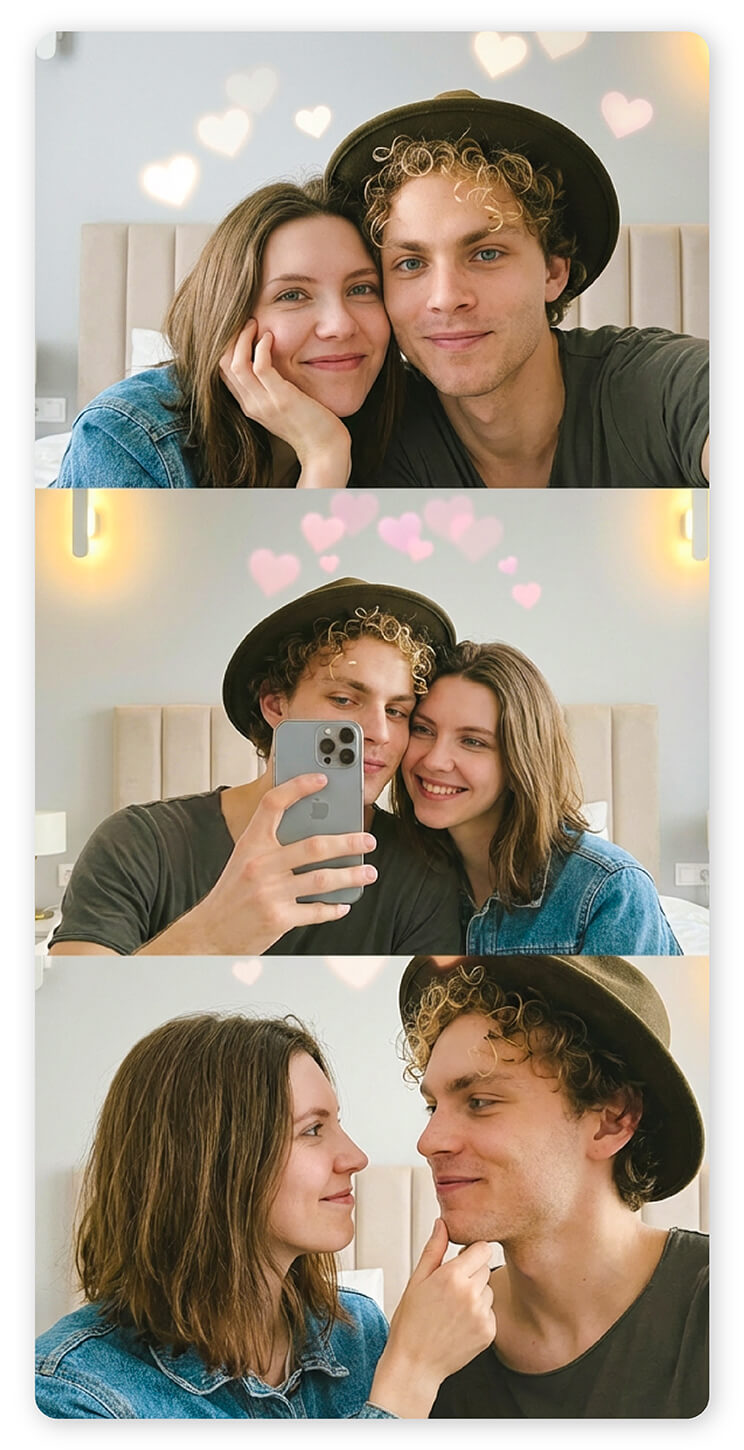
6. Save and share
Download your result and share it on social media, send it as a message, or keep it as a personal memory.
Hack #2: Turn a Couple Photo into a Short Video
Static photos are great, but motion adds emotion. Using image-to-video features, you can transform a still AI couple photo into a short animated clip.
Subtle movement like soft smiles, gentle head turns, or background motion makes your couple photo feel more alive. This hack works especially well for anniversaries, Valentine’s Day, or story posts on social platforms.
Tip: Start with a clear photo where both faces are well-lit for the most natural-looking results.
Hack #3: Clean Up the Background for a Polished Look
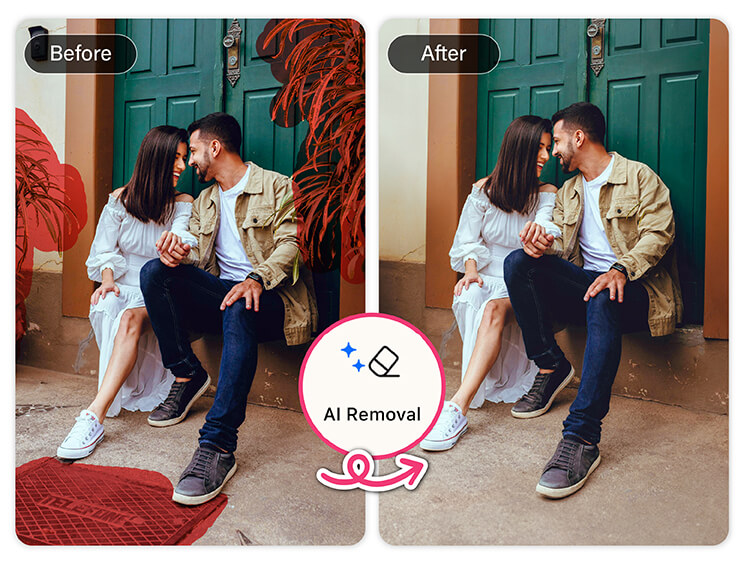
This instantly upgrades your AI couple photo from casual to polished. Think café tables, extra chairs, or busy street elements disappearing without hours of manual editing.
Hack #4: Enhance Quality for Picture-Perfect Results
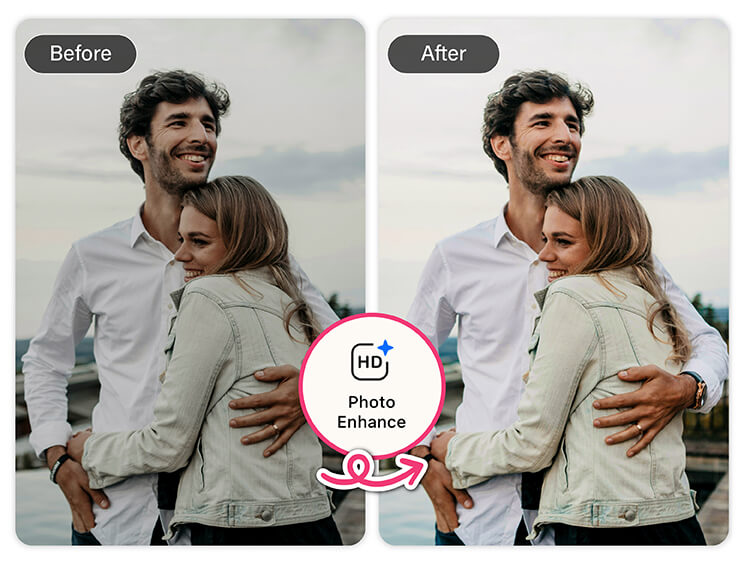
This hack is especially useful if you are combining two images into one AI couple photo, since enhancement helps everything look consistent and cohesive. It is a small step that makes a big visual difference.
Hack #5: Play with Mood Using Lighting and Color Adjustments
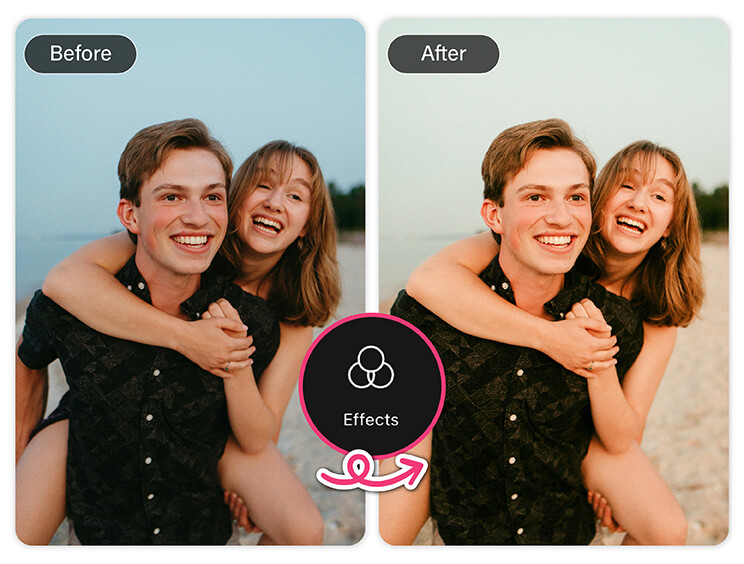
Soft lighting works beautifully for intimate portraits, while brighter settings feel playful and energetic. This is also a great way to keep your couple photos visually consistent across your social feed.
Hack #6: Tell a Story with Creative Scenes
An AI couple photo does not have to look like a traditional portrait. Think beyond standard poses and imagine a scene. You and your partner at a dreamy café, on a city rooftop, or in a cozy indoor moment.
Using templates, backgrounds, or subtle effects, you can turn a simple image into a mini story. This approach works especially well when you want your couple photo to feel personal and unique rather than posed.
Why AI Couple Photos Are Becoming So Popular
AI makes couple photography more accessible. You do not need perfect timing, matching outfits, or professional equipment. With the right tools, meaningful couple photos can happen anytime, anywhere.
Features like AI Group Photo remove barriers and make it possible to create moments that feel real, emotional, and fun.
Create Your Own AI Couple Photo Today
From combining two separate images to enhancing quality and adding motion, these AI couple photo hacks make it easy to turn everyday pictures into something special.
If you are ready to experiment, create, and share stunning couple photos, download YouCam Perfect and start exploring its AI-powered features today. Your next favorite couple photo might be just a few taps away. 💖
Best AI Photo Editor
The Best AI Photo Editor & Selfie Camera.
Remove objects, apply filters & more.
AI Couple Photo FAQs
Can AI create a photo of two people together for free?

Yes, AI can create a photo of two people together for free using apps like YouCam Perfect. Features such as AI Group Photo allow you to upload two separate images and generate a realistic couple photo without needing a paid photoshoot. Free tools typically include basic templates and editing options.
How to create an AI couple photo for free?
To create an AI couple photo for free, open an AI photo editing app like YouCam Perfect and select the AI Group Photo feature. Choose a couple template, upload one photo of each person, and let AI merge them into a single image. You can then save and share the result at no cost.
How to make an AI photo with a boyfriend?
You can make an AI photo with your boyfriend by uploading individual photos into an AI couple photo feature. Apps like YouCam Perfect use AI Group Photo to place both people into the same scene, even if the photos were taken separately. This works well for casual, romantic, or creative couple portraits.
What is an AI couple photo?
An AI couple photo is a digitally generated image created using artificial intelligence that places two people together in one photo. It can be made from separate images and enhanced with realistic lighting, poses, and backgrounds. AI couple photos are popular for social media, gifts, and creative memories.
Are AI couple photos realistic?
AI couple photos can look very realistic when created with high-quality images and advanced AI tools. Features like facial alignment, lighting adjustment, and background blending help ensure the final photo feels natural. Apps such as YouCam Perfect are designed to produce results that resemble real couple photos.



