


 Author: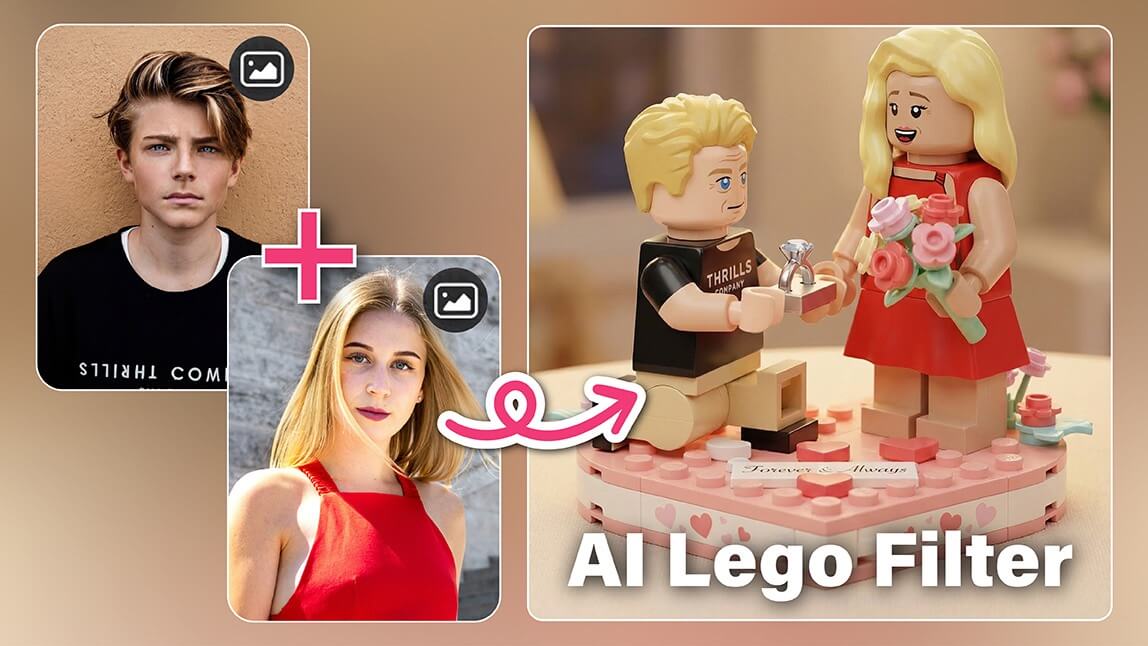
Plastic bricks, bold colors, and that unmistakable blocky charm. The Lego aesthetic has a timeless appeal that instantly makes any scene feel playful and nostalgic.
Now, thanks to AI, you can recreate that look using your own photos. The AI Lego trend turns ordinary images into scenes that look like they were built brick by brick.
And the best part is that you do not need design skills or hours of editing. With the right app, an AI Lego filter can transform your photo in seconds.
In this guide, we will show you exactly how to create your own AI Lego image using the Group Photo tool in the YouCam Perfect app.
| Table of Contents: AI Lego Filter |
|---|
What Is the AI Lego Trend?
The AI Lego style uses artificial intelligence to recreate photos using the visual language of Lego bricks. Instead of simply applying a cartoon filter, the AI rebuilds the entire scene so it looks like it was assembled from tiny plastic blocks.
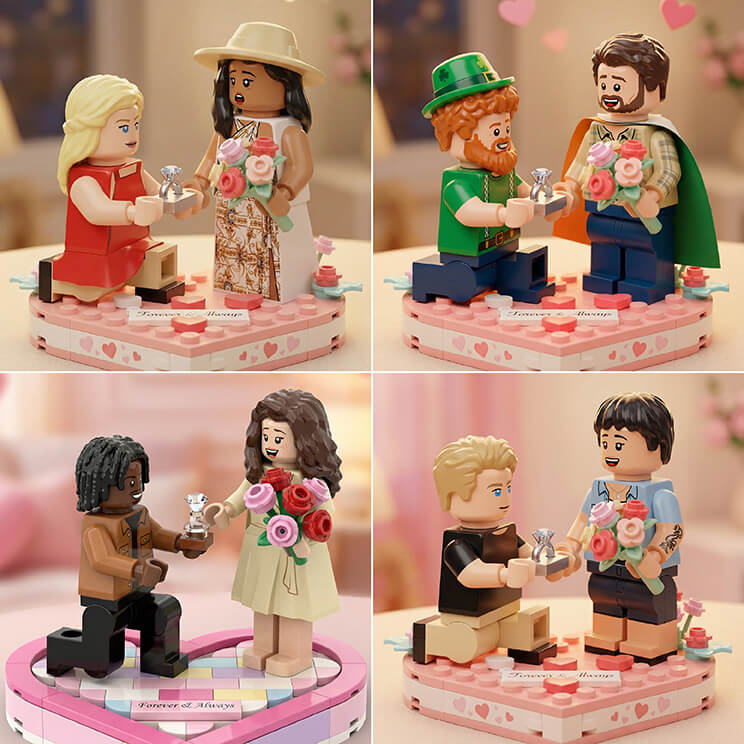
Faces are turned into Lego-style figures, backgrounds become structured brick builds, and lighting is adjusted to match the shiny plastic texture that Lego fans know well.
People love the trend because it combines two things that work perfectly together:
- Nostalgia for Lego worlds and characters
- Personalization using your own photos
It is also a fun way to turn everyday photos into something more imaginative. Couples, friends, and family pictures look especially charming when converted into Lego characters standing side by side.
How to Create an AI Lego Photo
If you want to try the AI Lego trend yourself, the process is surprisingly simple. Using the Group Photo feature in YouCam Perfect, you can generate a Lego-style scene featuring two people in just a few taps. Follow the steps below.
Step 1: Download YouCam Perfect
First, install the YouCam Perfect app on your device.

Best AI Photo Editor
The Best AI Photo Editor & Selfie Camera.
Apply AI Lego Filter Easily.
Step 2: Open the Group Photo Tool
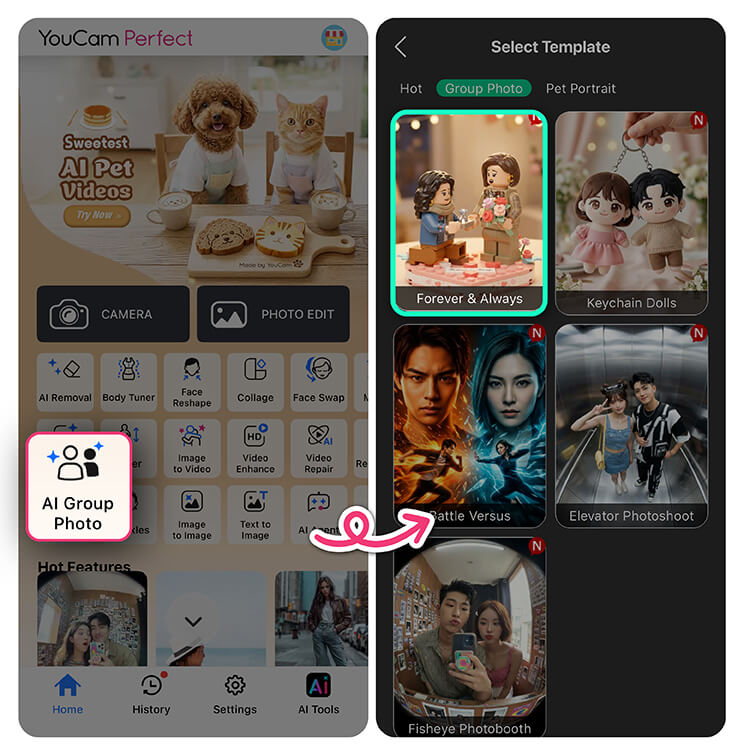
The AI analyzes both pictures, aligns poses and lighting, and blends them into a natural-looking group shot.
In this case, the feature does something even more fun. It places both people inside a stylized scene using a themed template.
Step 3: Choose the Lego Template
Inside Group Photo, browse the available templates until you find the Lego-inspired option called Forever & Always. This template recreates the signature Lego world aesthetic.
Characters appear as Lego-style figures, surrounded by colorful bricks and playful scenery.
Selecting this template activates the AI Lego filter, which rebuilds the entire scene in that classic toy-like style.
Step 4: Upload Photos of Two People
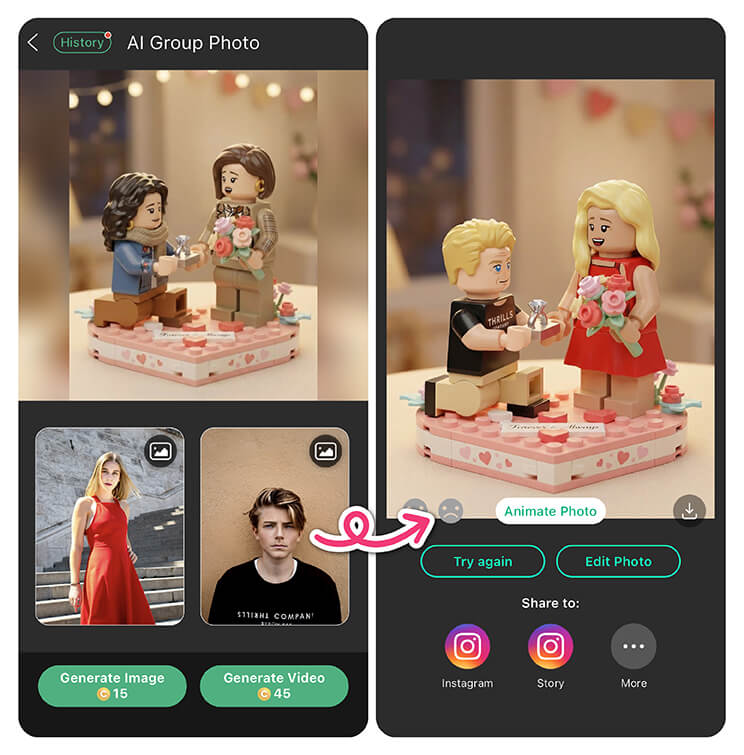
You can use photos of:
- Couples
- Best friends
- Family members
- Yourself and a partner
The AI will analyze both images and convert the subjects into Lego-style characters while keeping recognizable features.
Step 5: Let AI Generate the Lego Scene
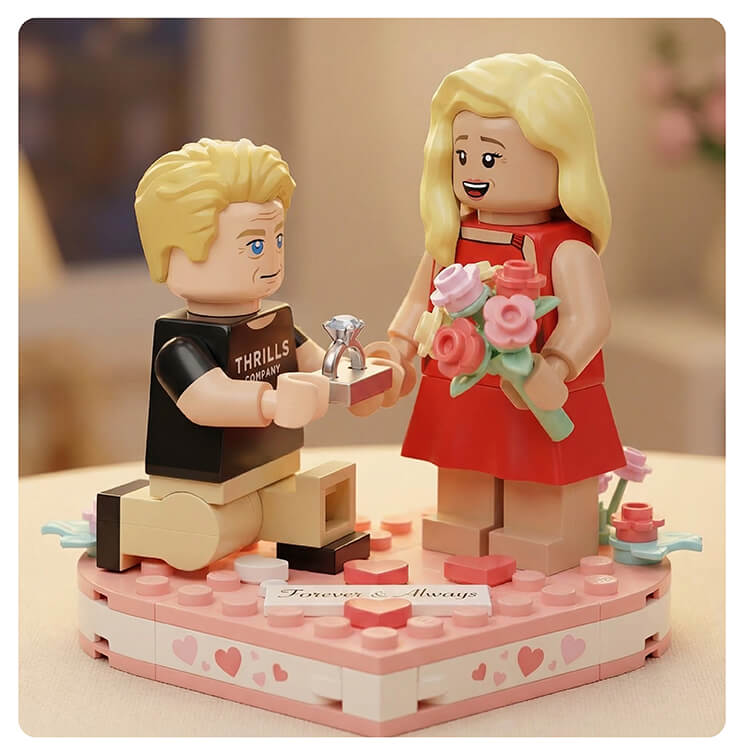
The result looks cohesive and playful, as if the photo was originally taken inside a Lego set.
Step 6: Turn Your AI Lego Photo Into a Video
If you want to take things a step further, you can also generate a short animated clip. The app can transform the AI Lego image into a dynamic video where the characters and scene come to life.
This makes the result perfect for sharing on social media or sending to friends. Instead of a static picture, you get a mini Lego-style moment that feels much more interactive.
Tips for Better AI Lego Photos
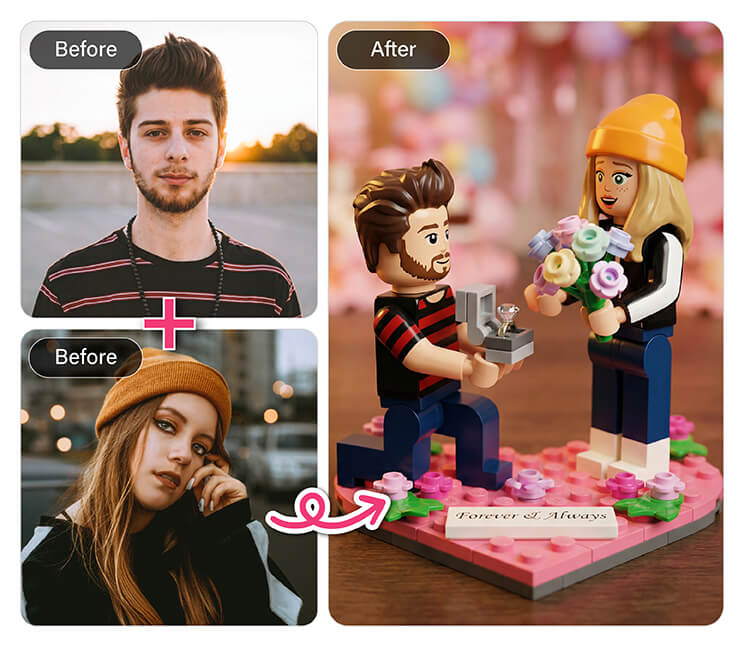
Here are a few quick tips:
Use clear portraits
Photos where faces are visible and well lit work best for the transformation.
Pick photos with similar angles
Images taken from a similar perspective will blend more naturally in the final group shot.
Keep the background simple
The AI replaces most of the background anyway, so simple photos often produce the cleanest Lego-style scenes.
Following these tips helps the AI Lego filter generate characters that look sharper and more recognizable.
Why the AI Lego Style Is So Fun
Part of the magic of the AI Lego look is how it blends childhood nostalgia with modern AI creativity. You get the familiar shapes and colors of Lego bricks, but with a personalized twist.
Instead of generic characters, the scene features you and the people you care about. That combination makes the images feel both playful and meaningful.
A simple photo suddenly turns into something that looks like it belongs inside a Lego story. It is also a great way to create unique content for social media, shareable keepsakes, or just something fun to send to friends.
Create Your Own AI Lego Photo
Turning your pictures into Lego-style scenes is easier than ever. With the AI Lego template in the Group Photo tool, you can generate a creative image in seconds without any editing experience. Just upload two photos, select the Forever & Always template, and let the AI build the scene for you.
Ready to try it yourself? Download YouCam Perfect on iOS or Android and start creating your own AI Lego photos today.
Best AI Photo Editor
The Best AI Photo Editor & Selfie Camera.
Apply AI Lego Filter Easily.
AI Lego FAQs
Can AI create LEGO sets?

Yes, AI can help design LEGO-style sets by generating digital models based on prompts, images, or concepts. Some tools analyze shapes and structures to suggest brick layouts or recreate real objects using virtual LEGO pieces. While AI cannot manufacture physical bricks, it can generate detailed AI Lego designs that builders can later recreate with real bricks.
Can ChatGPT make LEGO models?
ChatGPT can help plan LEGO models by suggesting build ideas, describing structures, or outlining simple building instructions. However, it does not directly generate visual brick models. Many creators combine ChatGPT with AI image generators or LEGO design software to develop AI Lego concepts and visual references for building.
What is the rarest LEGO item ever?
One of the rarest LEGO items ever produced is the solid gold C-3PO minifigure released in 2007 as a promotional collectible. Only five were made, which makes it extremely valuable among collectors. Inspired by the character C-3PO from Star Wars, the figure is estimated to be worth hundreds of thousands of dollars today.
How do you turn a photo into LEGO style?
You can turn a photo into LEGO style using an AI Lego filter in a photo editing app. These tools analyze your image and recreate it with block shapes, bright colors, and LEGO-style characters. Typically, you upload a portrait, select a LEGO-themed template, and the AI generates the stylized image automatically.
What is an AI Lego generator?
An AI Lego generator is a tool that uses artificial intelligence to transform photos or ideas into LEGO-style images or designs. The AI recreates people, objects, and backgrounds with brick-like textures and colorful plastic details that resemble real LEGO pieces. These generators are popular for creating fun social media images and personalized artwork.



