


 Author:
Whether it’s your anniversary, date night, or just another Tuesday, capturing sweet couple photos is a vibe. But let’s be real, hiring a pro photographer or booking a photobooth isn’t always in the budget. The good news? You don’t need a fancy shoot or a DSLR to get those aesthetic Instagram-worthy pics.
Here’s how to DIY a couple photoshoot at home (or anywhere), plus 20+ romantic and fun couple photo ideas you can recreate. And yes, we’ll show you how to get group-photo-level magic with just your phone, thanks to YouCam Perfect’s AI Group Photo.

How to Take Couple Photos Without a Photographer
1. Download YouCam Perfect

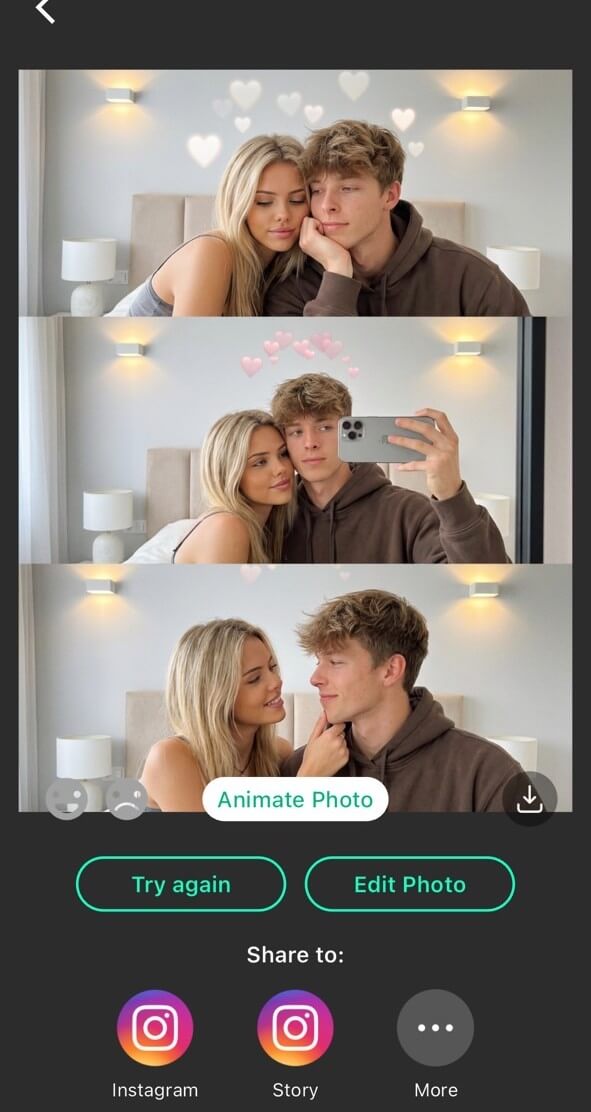
This app is a total game-changer. With its AI Group Photo feature, you can each take individual shots and merge them seamlessly.
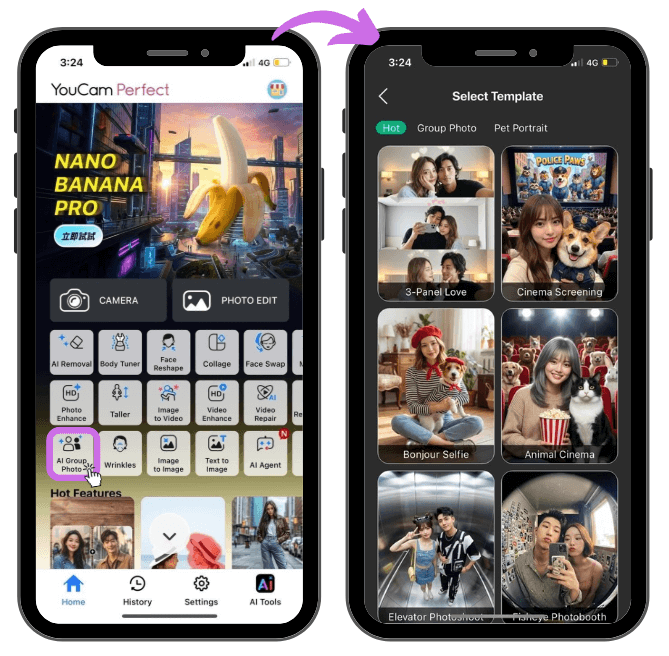
2. Open AI Group Photo
Open the app and tap on the AI Group Photo feature.
3. Upload Photos
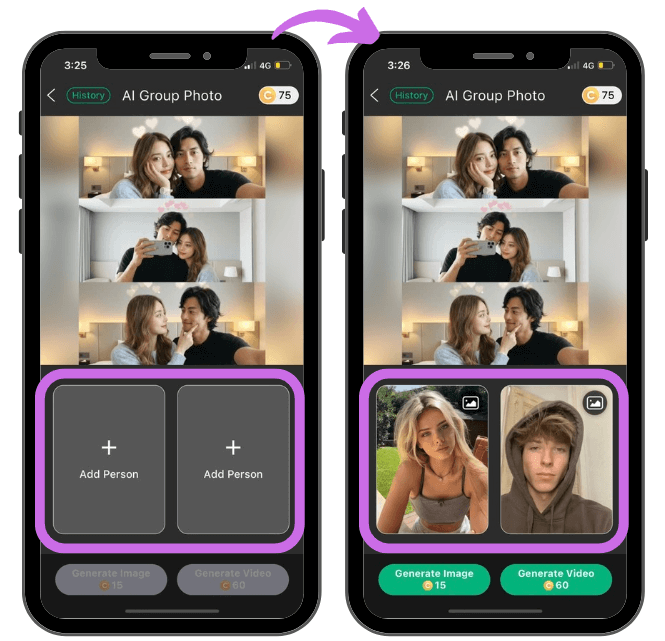
Upload individual photos of each person.
4. Generate Results
20+ Cute and Romantic Couple Photo Ideas
Sweet & Intimate Couple Poses

- Forehead kiss
- Kiss on the hands
- Touching noses (aka the “Eskimo kiss”)
- Looking at each other, smiling like you're in a romcom
- Romantic hug from behind
- Faces together, both looking at the camera
Fun & Playful Couple Photo Ideas

- Piggyback ride
- Dancing together
- Walking parallel to the camera
- Candid laughter shots
- Leaning on each other
Creative & Trendy Shots
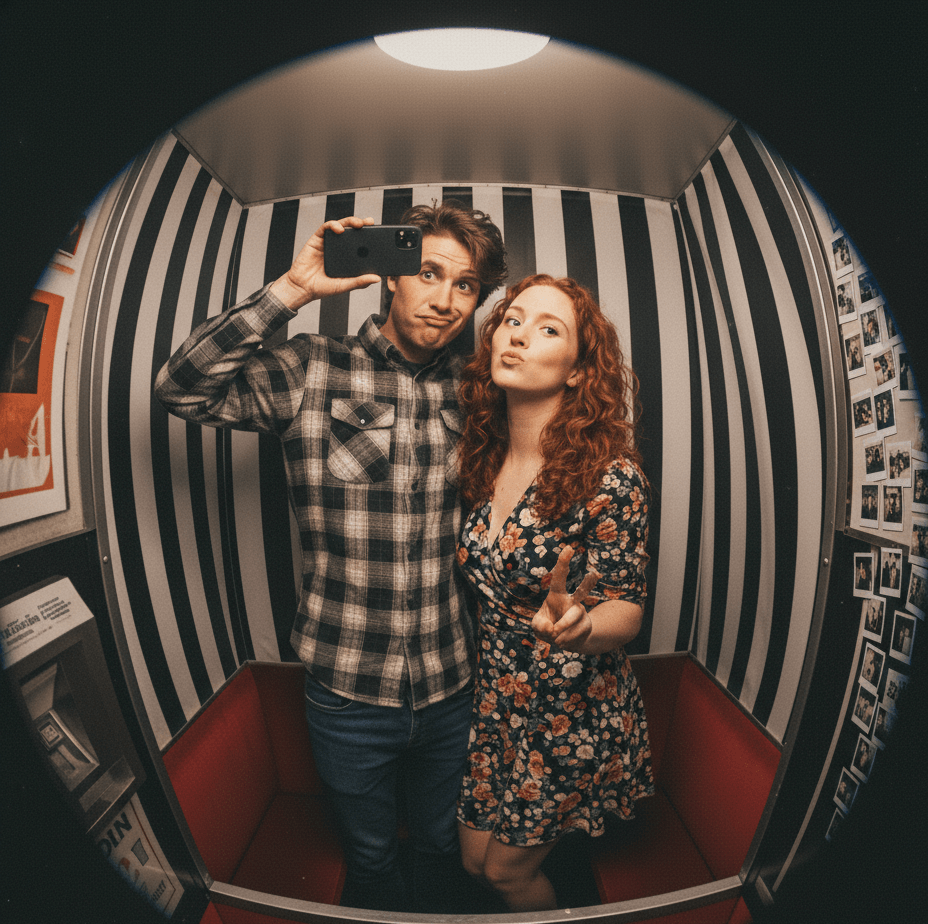
- Elevator photoshoot
- Fisheye photobooth
- Framed by flowers or nature
- Intimate poses with props
- Holding hands, focus on fingers
- Photo Booth MacBook
Cozy Couple Moments at Home

- Snuggled up on the couch
- Cooking or baking together
- Matching outfits or pajamas
- Date night setup with candles
Final Thoughts: Use AI Group Photo to Make It Easy
Here’s why YouCam Perfect’s AI Group Photo is your new bestie for couple pics:
- Take photos separately, even at different times
- Merge them into one natural-looking photo
- No timer stress or awkward angles
Just snap your shots solo, and let the AI do the rest. It’s also amazing for long-distance couples or when one of you is feeling camera shy.
Tips for Perfect Couple Shots:
- Coordinate outfits
- Keep it natural
- Edit lightly with YouCam Perfect
- Try a mix of portrait and wide shots
About the Editors

The PERFECT Corp. Editorial Team
We are a team of experts on photo and video editing apps. Our goal is to deliver engaging content on everything from stunning selfie edits to eye-catching video effects. We cover the latest trends and share niche tips to help you master digital creation.
Discover more about us:
FAQs About Couple Photoshoots
Can we really take good couple pics without a photographer?

Absolutely. With the right lighting, a good app like YouCam Perfect, and these pose ideas, your DIY photoshoot can look totally pro.
What if we’re camera shy?
Let YouCam Perfect help. Its AI Group Photo feature lets you each take your best solo shots and merge them into one seamless couple photo. That way, you can relax and feel confident without the pressure of nailing the shot together in real time.
What’s the best location for couple photos at home?
Natural light spots like your bedroom, kitchen, or near a window. Add cozy touches like plants, blankets, or string lights for the vibe.



