 Author:


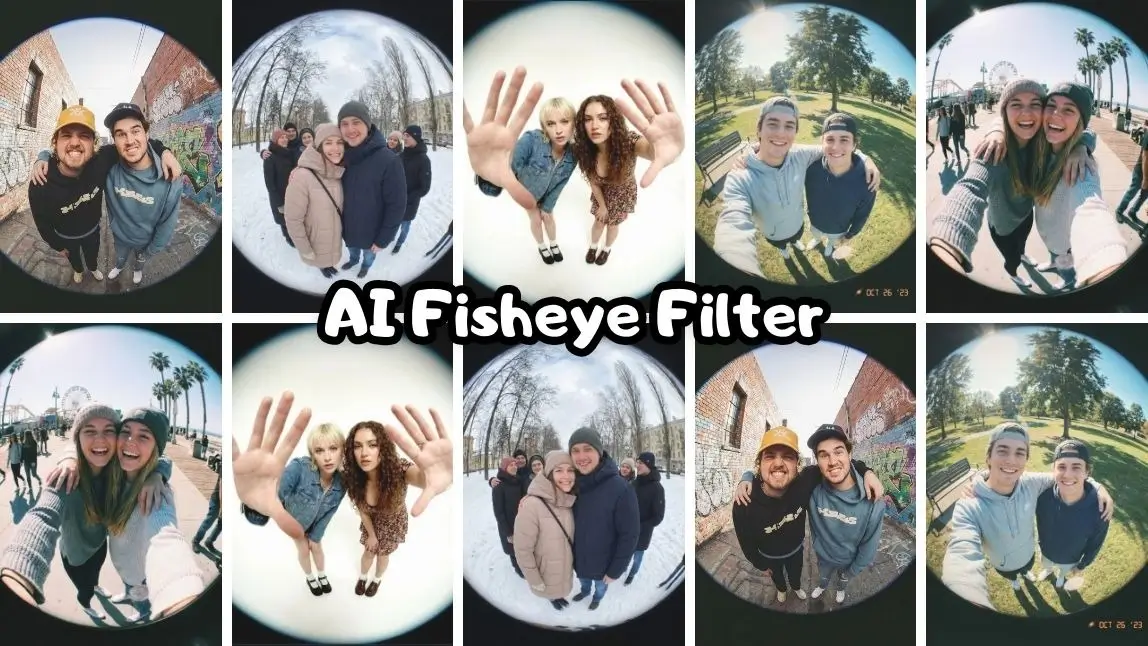
Looking to make your photos or videos stand out instantly?
The Fisheye filter is one of the most eye-catching effects you can use to transform ordinary shots into bold, wide-angle visuals that grab attention on social media.
 Try
Try


In this guide, we’ll explore what makes the fisheye filter so popular and how you can easily create your own with YouCam Makeup. Let’s explore how it works!
What Is a Fisheye Filter?
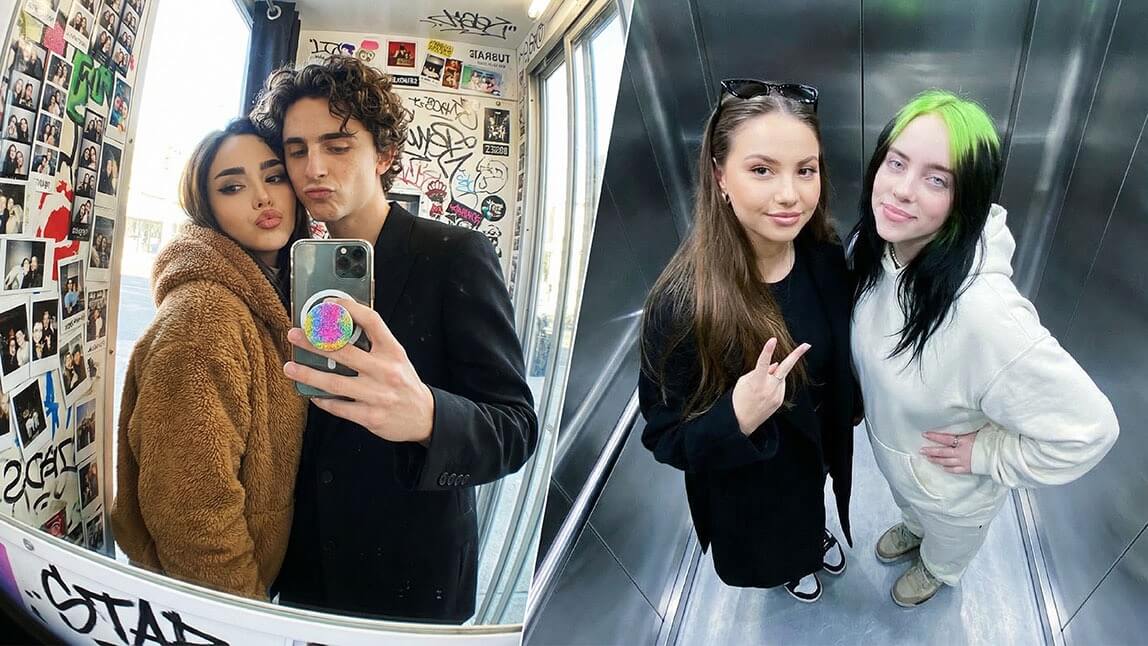
A fisheye filter simulates the look of a fisheye lens — an ultra-wide-angle lens that creates a curved, spherical distortion. Instead of straight lines, edges bend outward, making the center of the image appear larger and more dramatic.

This effect can:
- Expands perspective
- Emphasizes facial features in a playful way
- Adds a trendy, retro vibe
- Makes tight spaces look wider
Originally popular in skate photography and action shots, the fisheye lens effect has now become a viral favorite for selfies, group photos, and short-form videos.
Why the Fisheye Filter Is Trending
The fisheye filter has exploded in popularity thanks to platforms like TikTok and Instagram. Here’s why:
#1 It Instantly Feels “Different”
Most smartphone cameras produce clean, standard images. The fisheye effect breaks that norm, making content feel artistic and scroll-stopping.
#2 It Enhances Group Photos
In group shots, a fisheye filter can:
- Fit more people into the frame
- Emphasize expressions
- Create a fun, exaggerated look
This makes it perfect for parties, travel photos, and friend selfies.
#3 It Creates Viral Energy
The distortion adds personality. Whether you're filming a GRWM video or taking a spontaneous group picture, the wide-angle effect adds movement and impact.
This is especially useful for:
- Group selfies
- Party photos
- Creative social posts
- Travel shots in tight spaces
Instead of booking a photoshoot, you can create dozens of AI Fisheye Filter group photos in minutes.
How to Add a Fisheye Filter with YouCam Makeup
In the past, achieving a true fisheye effect required special camera equipment. Now, YouCam Makeup make it possible with just a tap.
Step 1: Download & Open YouCam Makeup
Start by downloading the best AI photo generator YouCam Makeup, free for both iPhone and Android.

Best AI Selfie Camera
The #1 Virtual Makeover & Selfie Camera App.
Experience real-time AR makeup trials.
Step 2: Click "Group Photo”
Tap the “Group Photo” feature to begin creating your customized group image.

Step 3: Select Template “Fisheye Photobooth”
Choose the “Fisheye Photobooth” template to apply the trendy wide-angle fisheye effect.

Step 4: Click “Add Person”
Add the people you want included in the photo by selecting or uploading their images.

Step 5: Generate and Save
Tap generate to create your fisheye group photo, then save it to your device and share it.

Go and Create you Fisheye Photo
The Fisheye filter is more than just a distortion effect — it’s a creative tool that transforms ordinary content into something bold, dynamic, and share-worthy.
Adding a wide-angle effect is one of the fastest ways to give your content viral potential. If you want your photos and videos to feel bigger, closer, and more expressive, try YouCam Makeup! The fisheye look might be exactly what you need.
Best AI Selfie Camera
The #1 Virtual Makeover & Selfie Camera App.
Experience real-time AR makeup trials.
Your next favorite group photo is just one tap away!