


 Author: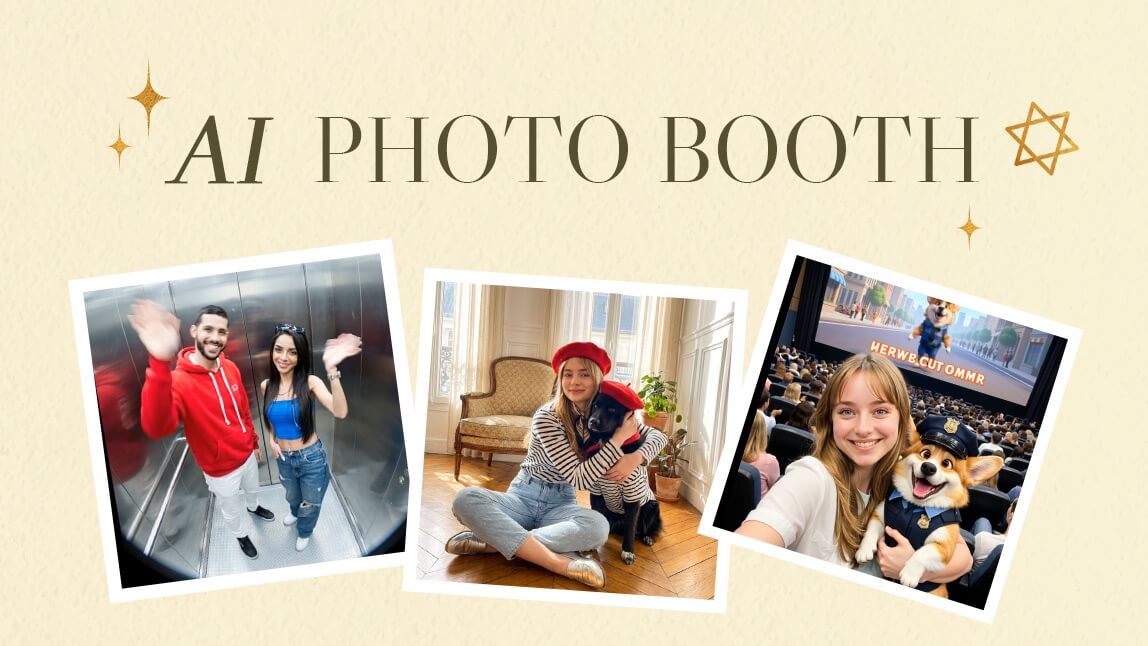
Capturing memories with friends and loved ones is priceless, but getting everyone in a single photo can be tricky. Meet YouCam Makeup’s Group Photo tool, a fun and easy way to create flawless group selfies and videos.
Whether it’s a casual hangout, a birthday party, or just a spontaneous moment, this tool makes every group shot look professional and polished, no photography skills required.
With the Group Photo tool, you can turn everyday moments into shareable memories.
Imagine your friends scattered across different locations, yet perfectly captured together in a single, seamless photo or video. That’s the AI Photo Booth experience in action.

Best AI Selfie Camera
The #1 Virtual Makeover & Group Photo App.
Generate AI Photo Booth Shots in Seconds.
Why You’ll Love the Group Photo Tool
 Traditional group photos can be stressful. Someone blinks, another looks away, or the lighting isn’t right. YouCam Makeup’s Group Photo tool removes that hassle.
Here’s why it stands out:
- Seamless perfection: Multiple photos are merged automatically into one flawless image or video. Everyone looks their best, with no need for retakes.
- Fun for everyone: Whether you’re with a friend, your partner, or a full friend squad, Group Photo makes capturing moments entertaining and effortless.
- Creative templates: Celebrate holidays, birthdays, or special occasions with themed designs that fit any mood.
- Social-ready results: Perfectly sized for Instagram, TikTok, or any platform, making sharing simple and fun.
Using the Group Photo tool is all about turning simple moments into memorable ones. From birthday celebrations to casual selfies, this tool makes photos fun, stress-free, and visually stunning.
Benefits of Using AI Photo Booth
- Save time: No more multiple retakes or editing headaches. The app does the hard work for you.
- Include everyone: Even friends who are far away can appear in the same group photo.
- Boost creativity: With themed templates, you can experiment with different moods, colors, and styles.
- Perfect for sharing: Eye-catching results make your social media posts stand out.
- Create videos too: Group moments don’t have to be static; short video clips bring energy to your memories.
How To Use the AI Photo Booth Group Photo Tool
1. Download the App.
Get YouCam Makeup on iOS or Android.
Best AI Selfie Camera
The #1 Virtual Makeover & Group Photo App.
Generate AI Photo Booth Shots in Seconds.
2 Navigate to Group Photo.
Open the app and select the Group Photo tool from the menu.
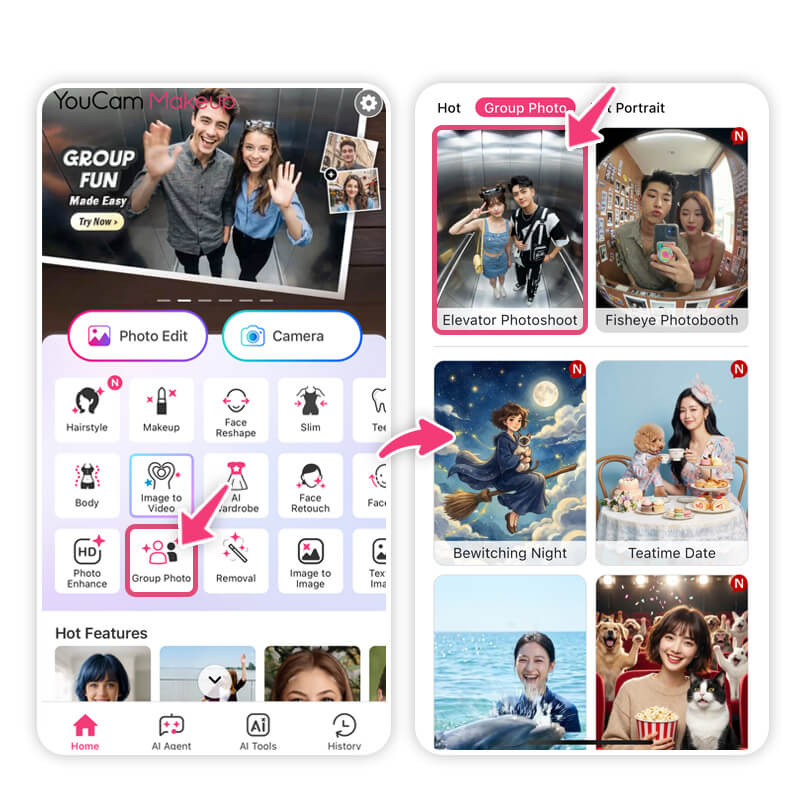
The tool offers a variety of templates that match different moods and occasions.
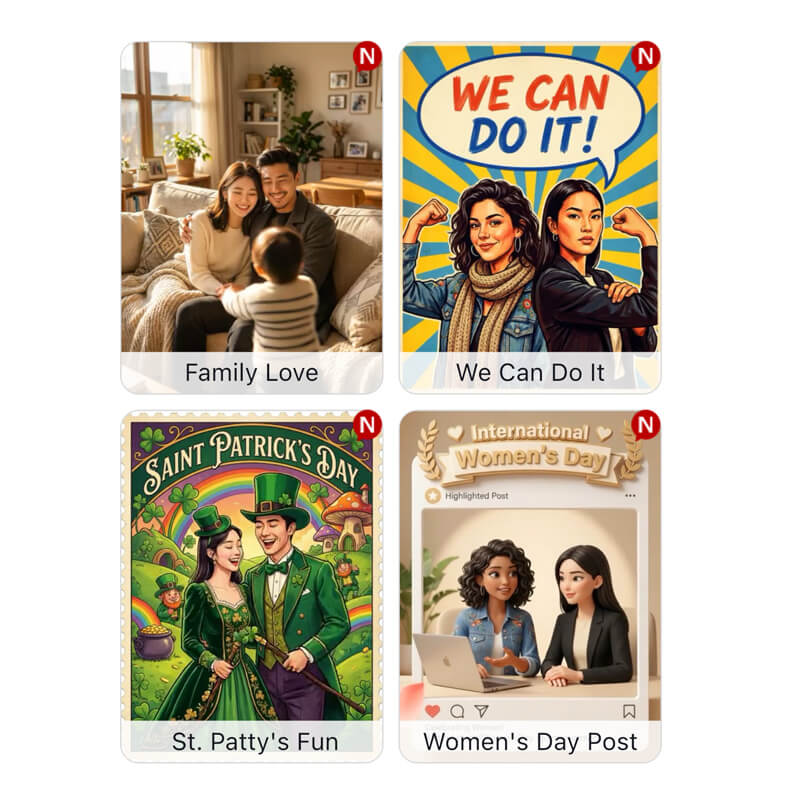
- Family Love: Perfect for capturing cozy, heartfelt moments with relatives.
- We Can Do It: A fun, energetic design for friends achieving goals together or celebrating accomplishments.
- St Patty’s Fun: Bright and cheerful, ideal for holiday-themed selfies and playful group photos.
- Women’s Day Post: Celebrate female friendships or special women in your life with a sophisticated, uplifting design.
- AI Matchmaker & Soulmate Reveal: Creative templates for couples, adding a playful, romantic twist to your photos.
- Love Makes Headlines: Eye-catching for social media posts that celebrate relationships or fun announcements.
- Woven Love & Forever & Always: Great for sentimental moments with friends or partners, emphasizing connection and closeness.
- Keychain Dolls & Elevator Photoshoot: Quirky and playful, perfect for capturing humor or casual group fun.
- Fisheye Photo Booth: Adds a fun, dramatic twist to selfies or group photos with a creative lens effect.
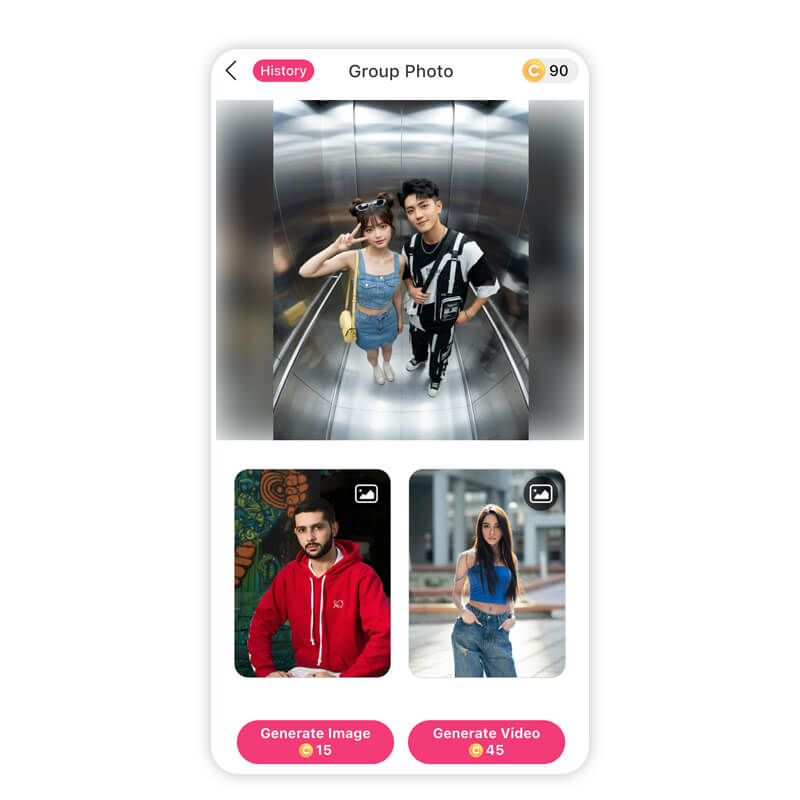
4. Add Photos.
Upload the pictures of the two people you want in the group photo or video.
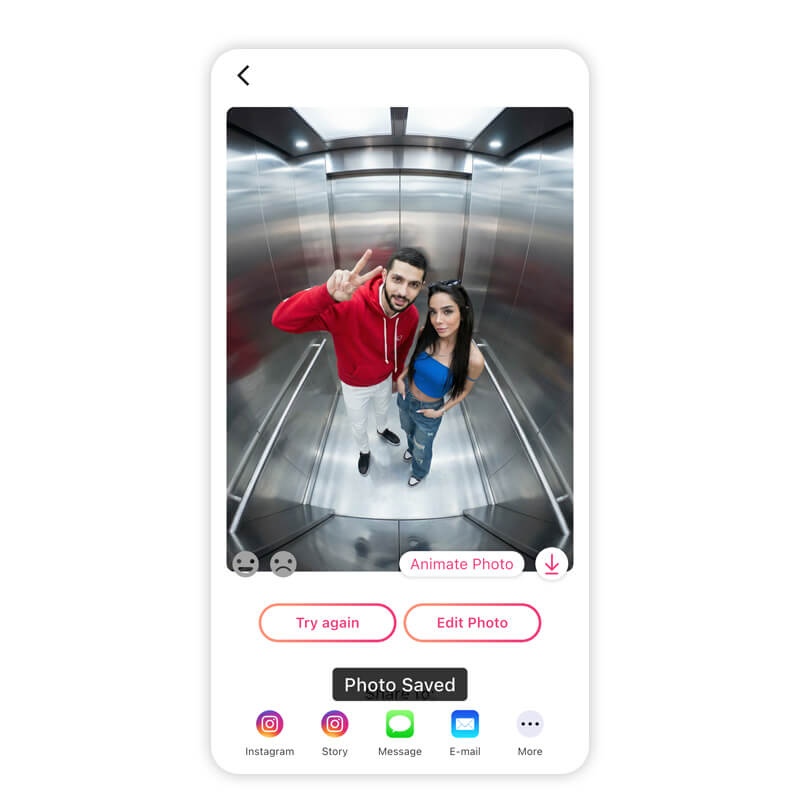
The AI will seamlessly combine the images into your chosen template, creating a polished result ready to share.
Tips and Tricks for Perfect Group Shots
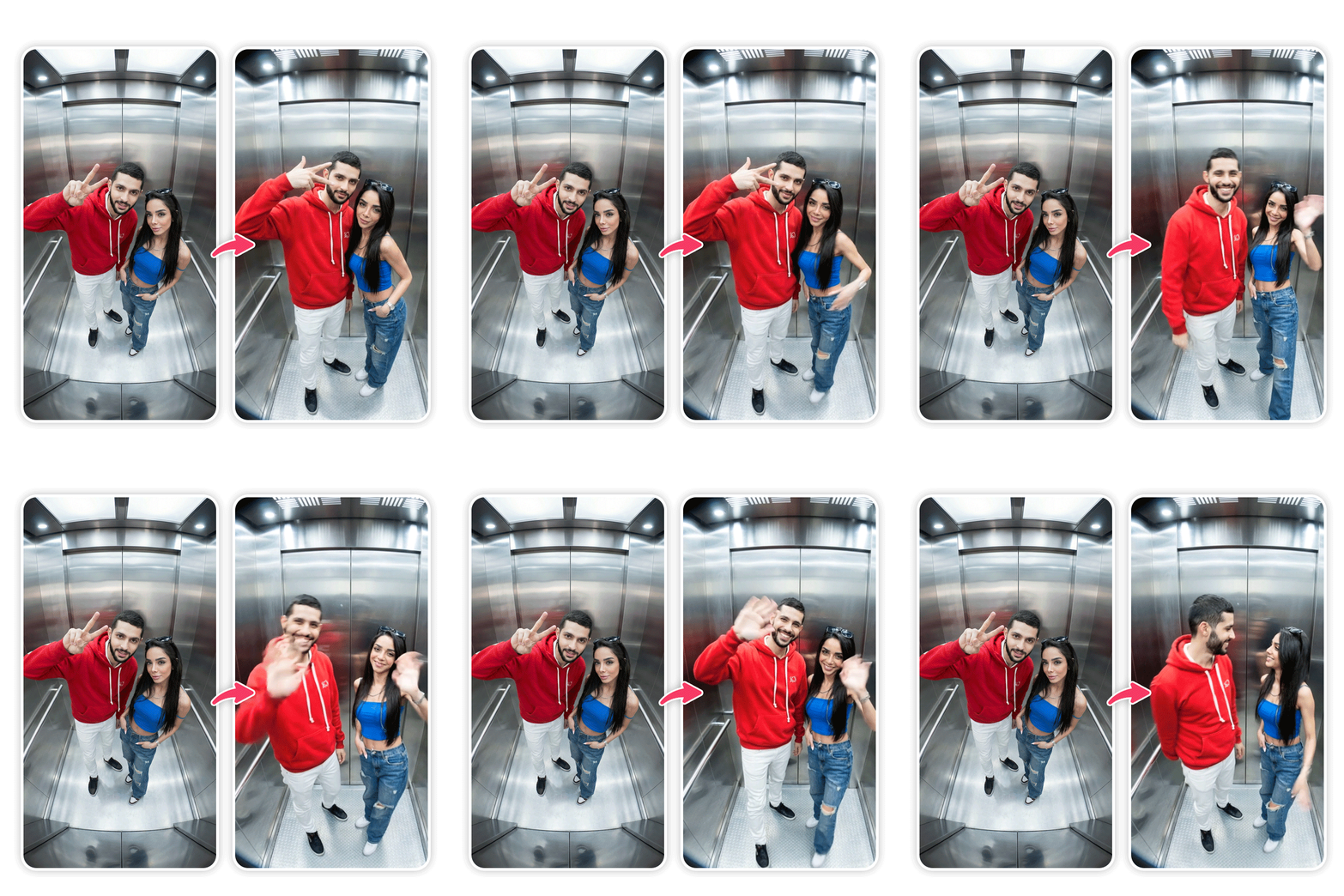 Getting the most out of the AI Photo Booth is easy, but a few tricks can make your photos even better:
- Use good lighting: Natural light works best, but the app also enhances brightness and clarity.
- Pick the right template: Match the template to your group’s mood—playful, romantic, or celebratory.
- Plan your poses: Even small gestures like hand waves, smiles, or props add personality.
- Upload high-quality photos: Clear images help the AI create the best results.
- Experiment with videos: Short video clips with motion can make group moments more lively and fun.
Turn Every Moment into a Flawless Memory
With YouCam Makeup’s Group Photo tool, capturing perfect group shots has never been easier or more fun. From casual hangouts to special celebrations, you can create seamless images and videos that look professional and share-worthy, all in just a few taps.
Choose from themed templates, add your friends’ photos, and let the AI do the magic. No awkward poses, no blurry shots, just flawless memories. The AI Photo Booth experience brings your group photos to life, making every moment memorable.
Download YouCam Makeup now and start turning every selfie, friend shot, or special occasion into a beautiful, shareable memory.
Best AI Selfie Camera
The #1 Virtual Makeover & Group Photo App.
Generate AI Photo Booth Shots in Seconds.
AI Photo Booth FAQs
What is AI photobooth?

An AI Photobooth is a digital tool that uses artificial intelligence to enhance, merge, or stylize photos automatically. It allows users to create flawless group shots, selfies, or themed images without professional photography skills. Apps like YouCam Makeup’s Group Photo tool simulate a photobooth experience, combining creativity, templates, and AI to produce shareable, high-quality photos instantly.
How to get a professional photo using AI for free?
You can get professional-looking photos using free AI-powered apps like YouCam Makeup. Simply upload your images, select a template or style, and let the AI enhance lighting, remove imperfections, and adjust composition. Tools like Group Photo also let you create seamless group shots or themed photos without needing expensive equipment or studio setups.
What is the difference between a photobooth and a photoshoot?
A photobooth provides instant, themed photos in a fun, interactive setup, often using props or templates, while a photoshoot is a planned photography session with professional lighting, poses, and editing. Photobooths are casual, social, and convenient, whereas photoshoots offer high-quality, tailored results. AI-powered apps can simulate both experiences digitally.
What is the purpose of a photobooth?
The main purpose of a photobooth is to capture fun, spontaneous, and memorable moments with friends, family, or events. Photobooths encourage creativity with props, poses, and templates, while providing instant photos. Digital versions, like AI Photo Booth apps, let users enhance, merge, and share group shots or themed photos easily online.
How can I make my photo booth pics unique?
Make your photobooth pictures unique by using creative poses, props, and themed templates. Digital tools like YouCam Makeup’s Group Photo allow you to combine multiple images, add special effects, or select holiday and event-inspired designs. Personalizing the photo with colors, filters, or playful edits ensures each shot stands out and becomes a memorable keepsake.
Is AI photobooth safe to use online?
AI Photobooths in reputable apps like YouCam Makeup are safe to use. Photos are processed within the app, and privacy policies ensure personal images are protected. Avoid unverified websites, and always check permissions before uploading photos. Trusted apps provide secure, private AI tools to create group or themed photos without risking personal data.



