


 Author: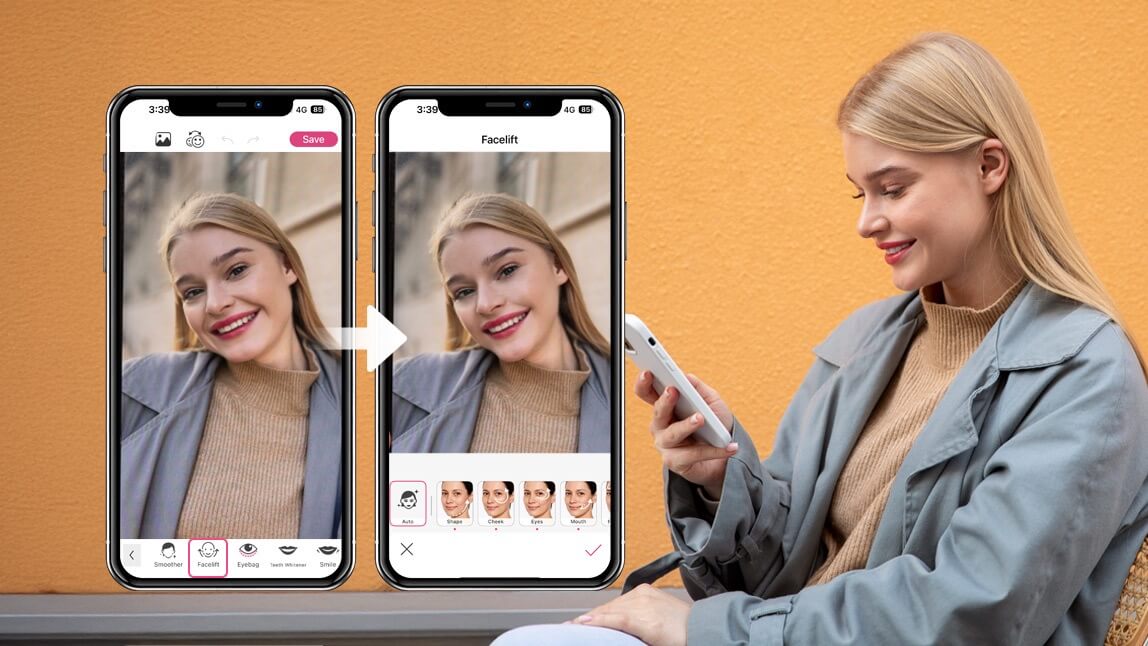
Curiosity about cosmetic changes is nothing new. From experimenting with hairstyles to testing new makeup looks, people have always looked for ways to imagine different versions of themselves.
Today, technology offers a new kind of beauty exploration: AI plastic surgery simulations that let you preview potential changes instantly: no appointments, no pressure, and no commitment. Instead of wondering “what if,” you can see the possibilities directly on your own photo.
AI-powered tools make it possible to subtly lift facial contours, adjust features, or explore refreshed looks in seconds. It’s less about changing who you are and more about playing with possibilities, like a beauty sandbox for your imagination.
One of the most interesting developments in this space is the rise of AI-powered facelift simulators. These tools allow you to visualize facial adjustments digitally and experiment with different looks in a safe, creative environment.
Disclaimer: Perfect Corp. and YouCam Makeup do not encourage actual plastic surgery, and these tools are not intended for minors. They are designed for exploring different types of beauty and self-expression in a safe, creative way.
The Rise of AI Plastic Surgery Simulations

The beauty industry has always embraced innovation, but artificial intelligence has accelerated the pace dramatically. AI-powered beauty tools can now analyze facial features and apply realistic adjustments that once required professional photo editing or a lot of imagination.
This is where AI plastic surgery simulations come in. Instead of committing to cosmetic procedures or wondering how certain changes might look, users can explore different facial adjustments virtually. AI analyzes the structure of your face and applies natural-looking transformations in seconds.
For many people, this technology offers a helpful perspective. It turns abstract ideas about facial changes into visual experiences, helping users understand what subtle adjustments might look like. At the same time, it keeps the experience light and exploratory; closer to trying a makeup filter than making a permanent decision.
Most importantly, these tools can encourage curiosity without pressure. You can experiment freely, undo changes instantly, and return to your original photo whenever you like.
Why People Are Exploring Virtual Beauty Transformations
There are many reasons someone might try an AI plastic surgery simulation, and they’re not always about drastic change. In fact, most users simply enjoy the creative and exploratory aspect of seeing different possibilities.
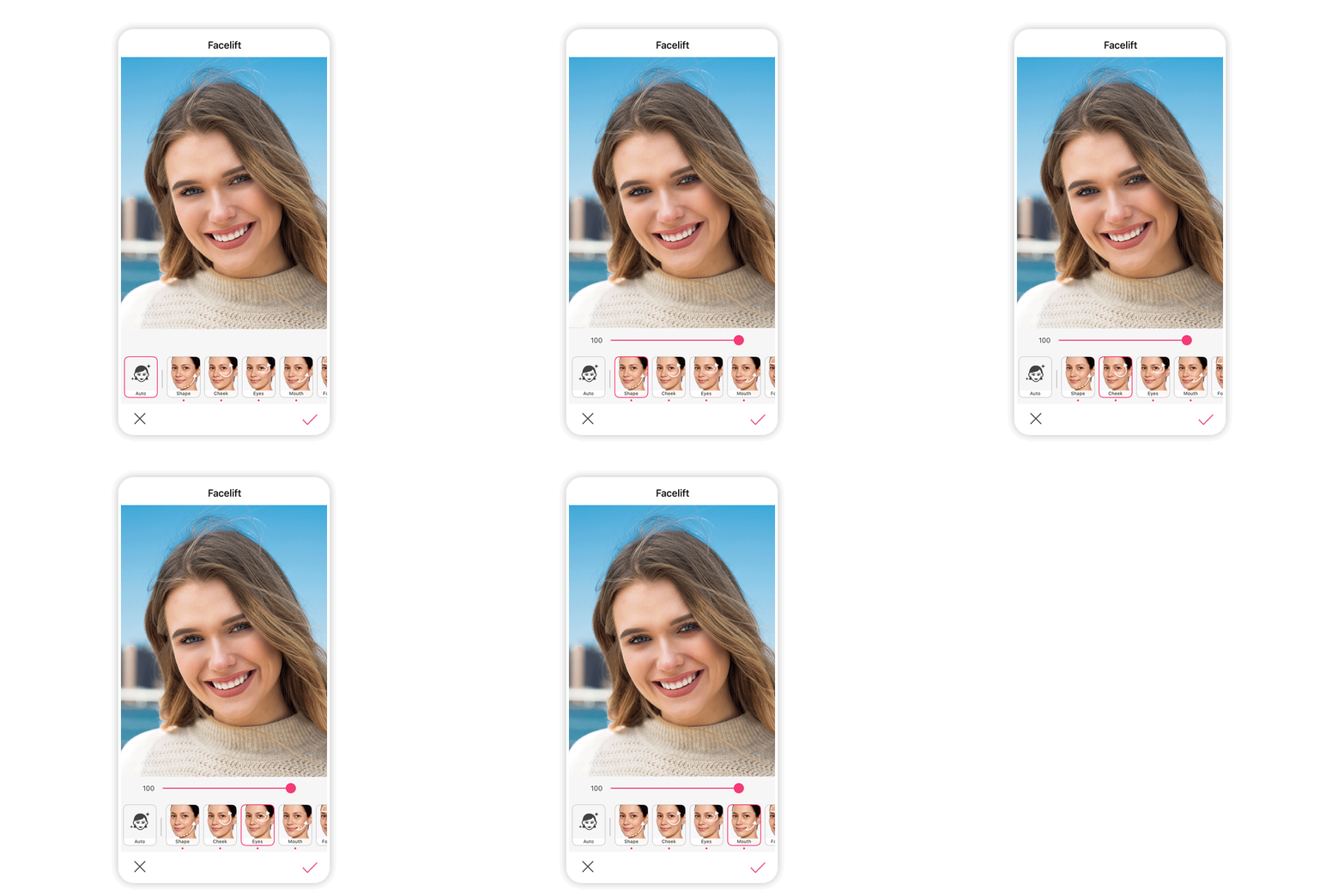 Here are a few reasons virtual transformations are becoming popular:
Curiosity and creativity
Sometimes you just want to see what a slightly lifted jawline or smoother forehead might look like. AI tools make that curiosity easy to explore.
Trying before deciding
For those who are considering aesthetic treatments, AI simulations can provide a visual reference point to better understand potential outcomes.
No pressure experimentation
Unlike real procedures, digital changes can be adjusted, undone, or reimagined endlessly.
Fun and shareable experiences
Many people simply enjoy experimenting with their photos and sharing transformations with friends.
Ultimately, AI plastic surgery tools give users control over their experience. Whether you’re exploring beauty trends or simply having fun with digital editing, the process stays entirely in your hands.
Meet the AI Facelift Tool in YouCam Makeup
One of the easiest ways to explore virtual transformations is through the AI Facelift tool in the YouCam Makeup app. Designed to be intuitive and customizable, this feature allows you to experiment with subtle facial adjustments directly on your photos.
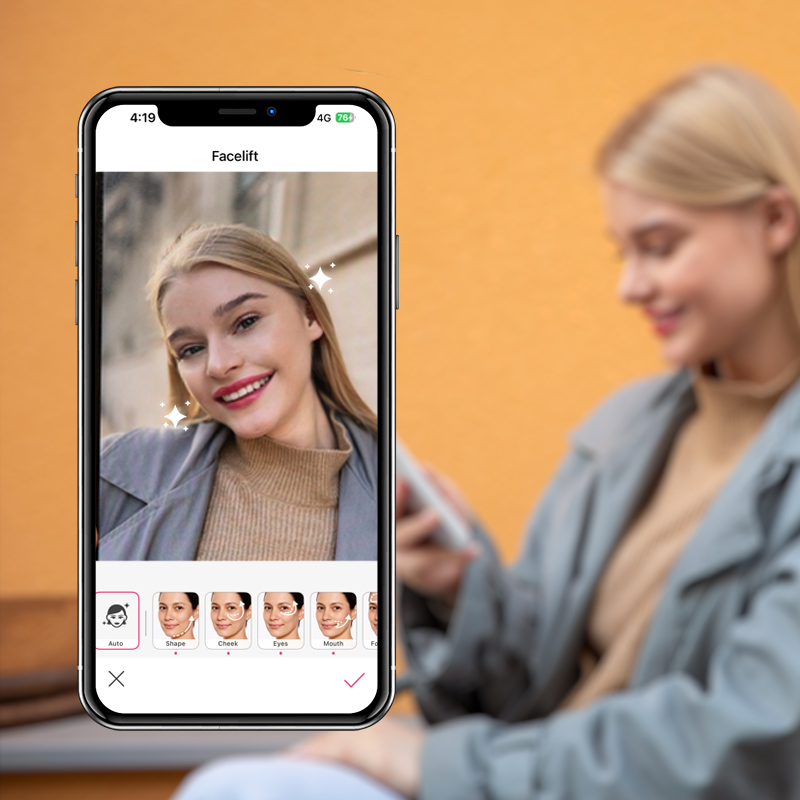
Instead of applying one fixed effect, the tool gives you control over specific areas of your face so you can explore different looks at your own pace.
The goal isn’t to replace natural beauty, far from it. Think of it as a creative preview tool that lets you visualize possibilities while staying completely in charge of the process.
How to Try the AI Facelift Tool
Trying the AI Facelift feature takes only a few minutes.
Here’s a step-by-step guide to get started:
1. Download the app
Install the YouCam Makeup app from the App Store or Google Play.

Best AI Selfie Camera
The #1 Virtual Makeover & Selfie Camera App.
Experience real-time AI Facelift.
2. Open the AI Facelift feature
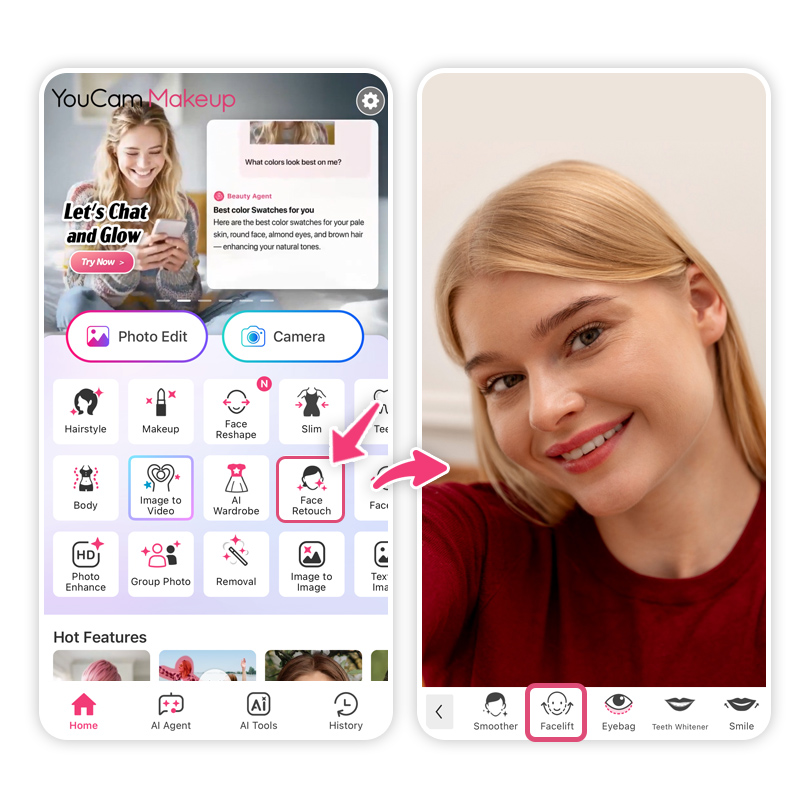 Launch the app and navigate to the AI Facelift tool within the editing or AI tools section.
3. Upload a clear photo
Choose a well-lit photo of yourself for the most accurate results. If you prefer, you can also experiment using a stock image or sample photo.
4. Try the Auto adjustment
Start with the Auto option to let the AI apply a balanced facelift-style enhancement automatically.
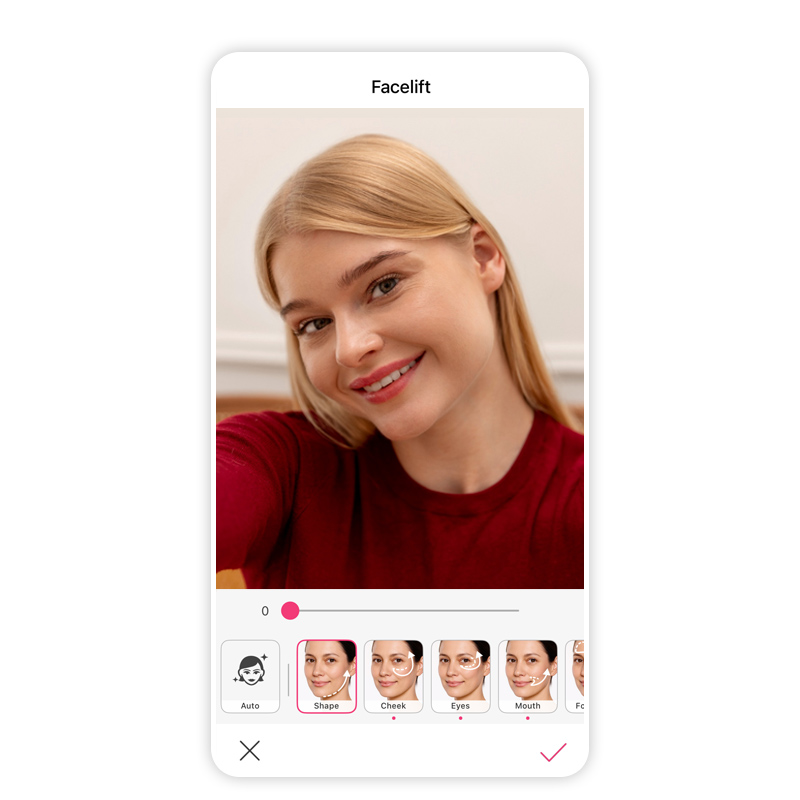 5. Customize adjustments manually
If you’d like more control, you can refine the look using manual editing options. The tool allows you to adjust several areas, including:
- Face shape – refine contours and structure
- Cheeks – experiment with lifted or fuller cheek areas
- Eyes – subtly adjust eye area definition
- Mouth – refine lip shape or surrounding contours
- Forehead – explore smoother or more lifted effects
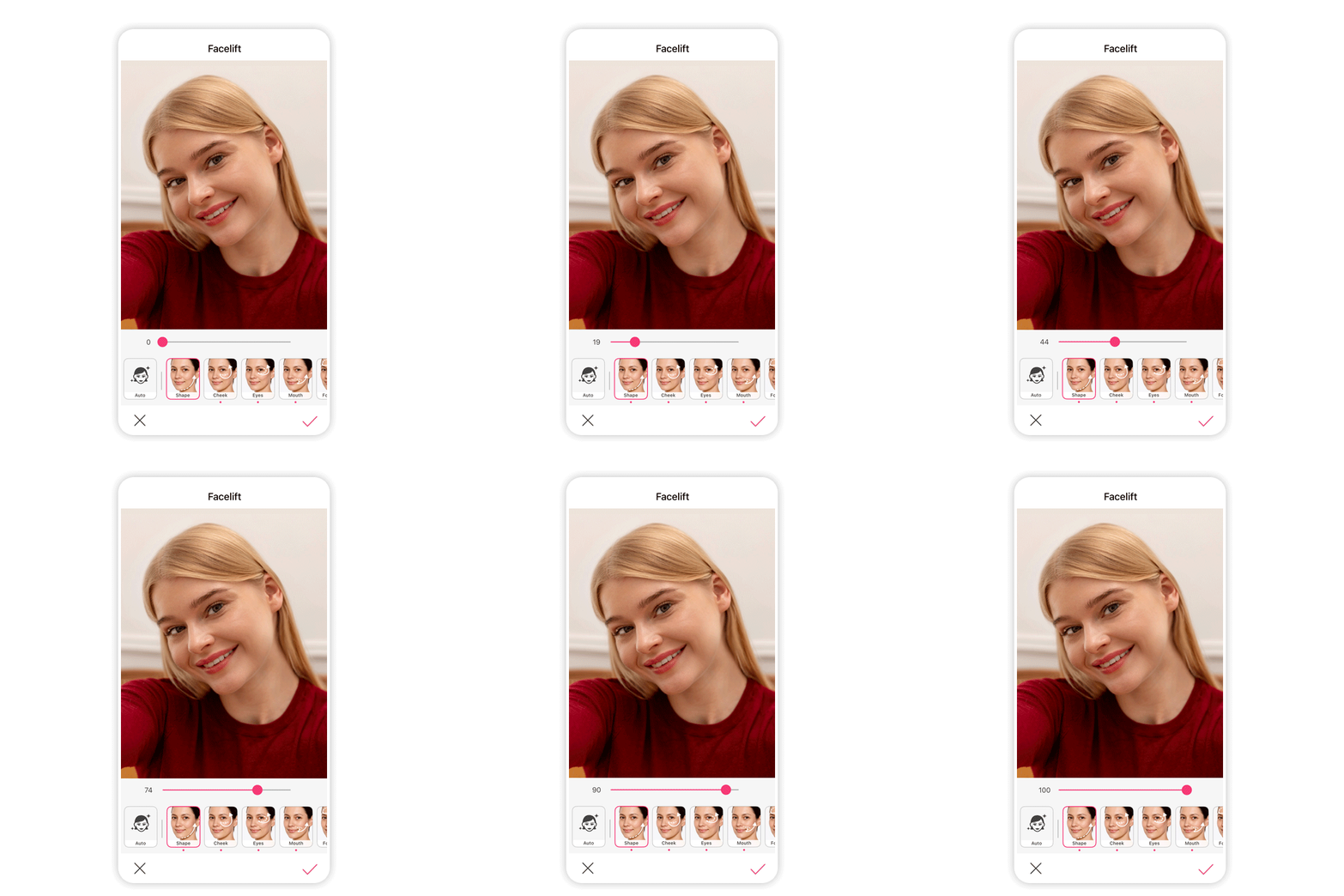 6. Adjust intensity with the slider
Each adjustment includes an intensity slider, so you can keep changes subtle or experiment with stronger effects.
7. Compare before and after
Use the before-and-after preview to see how the changes look compared with your original photo.
The process is quick, flexible, and entirely reversible, making it an easy way to explore ideas without any pressure.
Exploring AI Plastic Surgery in a Healthy Way
It’s important to remember that tools like these are meant for exploration and creativity, not perfection. Beauty trends change constantly, but individuality never goes out of style.
Virtual transformation tools should feel empowering, not prescriptive. The best approach is to treat them like you would a new makeup look or hairstyle: something fun to try, not something you need.

When used with a positive mindset, AI plastic surgery simulators can be a playful way to explore possibilities while appreciating the features that make you uniquely you.
See the Possibilities for Yourself
Technology is opening new ways to imagine and experiment with beauty. With AI plastic surgery simulations, you can explore virtual transformations instantly without pressure, permanence, or risk.
If you’re curious to see how subtle facial adjustments might look, the AI Facelift feature in YouCam Makeup makes the process simple and fun. Upload a photo, experiment with adjustments, and discover different looks in seconds.
Ready to try it yourself? Download YouCam Makeup now and start exploring your own virtual beauty transformations.
Best AI Selfie Camera
The #1 Virtual Makeover & Selfie Camera App.
Experience real-time AI Facelift.
AI Plastic Surgery FAQs
What is the best AI tool for plastic surgery?

The best AI tool for plastic surgery allows users to preview facial changes digitally before considering real procedures. Apps like YouCam Makeup feature AI Facelift simulations, enabling adjustments to cheeks, eyes, lips, and forehead. These tools offer safe, realistic virtual transformations, helping users explore possibilities without surgery or permanent commitment.
What procedure takes 10 years off your face?
A facelift or neck lift is often considered the procedure that can take 10 years off your face. While traditional surgery requires recovery time, AI plastic surgery simulations let you explore similar results virtually, adjusting facial contours and lifting features in photos to visualize a more youthful appearance before making any decisions.
What are the 5 most common plastic surgeries?
The five most common plastic surgeries include breast augmentation, liposuction, rhinoplasty, eyelid surgery, and facelifts. Many people now use AI plastic surgery tools to preview these changes digitally. These apps allow users to visualize adjustments to facial features or body contours, helping make informed decisions without committing to invasive procedures.
What is the hardest plastic surgery to recover from?
Complex surgeries like full facelifts or multiple combined procedures are typically the hardest to recover from. They can require weeks of downtime, swelling, and careful aftercare. For those curious about results without surgery, AI plastic surgery simulators provide a virtual alternative to explore facial enhancements safely and instantly.
Who cannot have plastic surgery?
People with certain health conditions—like uncontrolled diabetes, heart disease, or severe bleeding disorders—may be advised against plastic surgery. Pregnant individuals are also typically restricted. For those wanting to explore facial changes safely, AI plastic surgery simulations offer a risk-free alternative, allowing users to preview enhancements without affecting their health.
How accurate is AI plastic surgery simulation?
AI plastic surgery simulations are designed to create realistic previews of potential changes. While results are not a guarantee of actual surgery outcomes, apps like YouCam Makeup use advanced AI to analyze facial features and apply natural-looking adjustments, giving users a reliable visual idea of subtle enhancements safely and instantly.



