


 Author:
Imagine spending hours at the nail salon, only to look at your new manicure and realize it’s not quite what you had in mind. Frustrating, right?
“If only I could try different nail designs on my own hands before the commitment,” you may wonder. In fact, your problems can be solved with YouCam Makeup’s newest feature—AI Nails.
So, what is AI Nails and what makes it stand out? In this article, we’ll explore some of the nail polish designs you can try, show you how to use the tool, and explain how it can help you find your next favorite manicure before you commit.
| Quick Guide: All about AI Nails |
|---|
| 💡What is AI Nails? 💅Explore the Nail Designs 📝Step-by-Step: How to Use AI Nails 🚀Pro Tips: Getting Better Results 📸Why Use YouCam Makeup? ❓AI Nails FAQs |
What is AI Nails?
Choosing a nail design can be harder than it looks. A style that catches your eye online may look completely different once it’s on your own hands. That’s where AI Nails comes in.
With YouCam Makeup’s AI Nails, you can preview over 100 unique nail designs directly on your hands before deciding on your next manicure. Instead of imagining how a design might look on you, you can see it for yourself with a realistic and polished result.
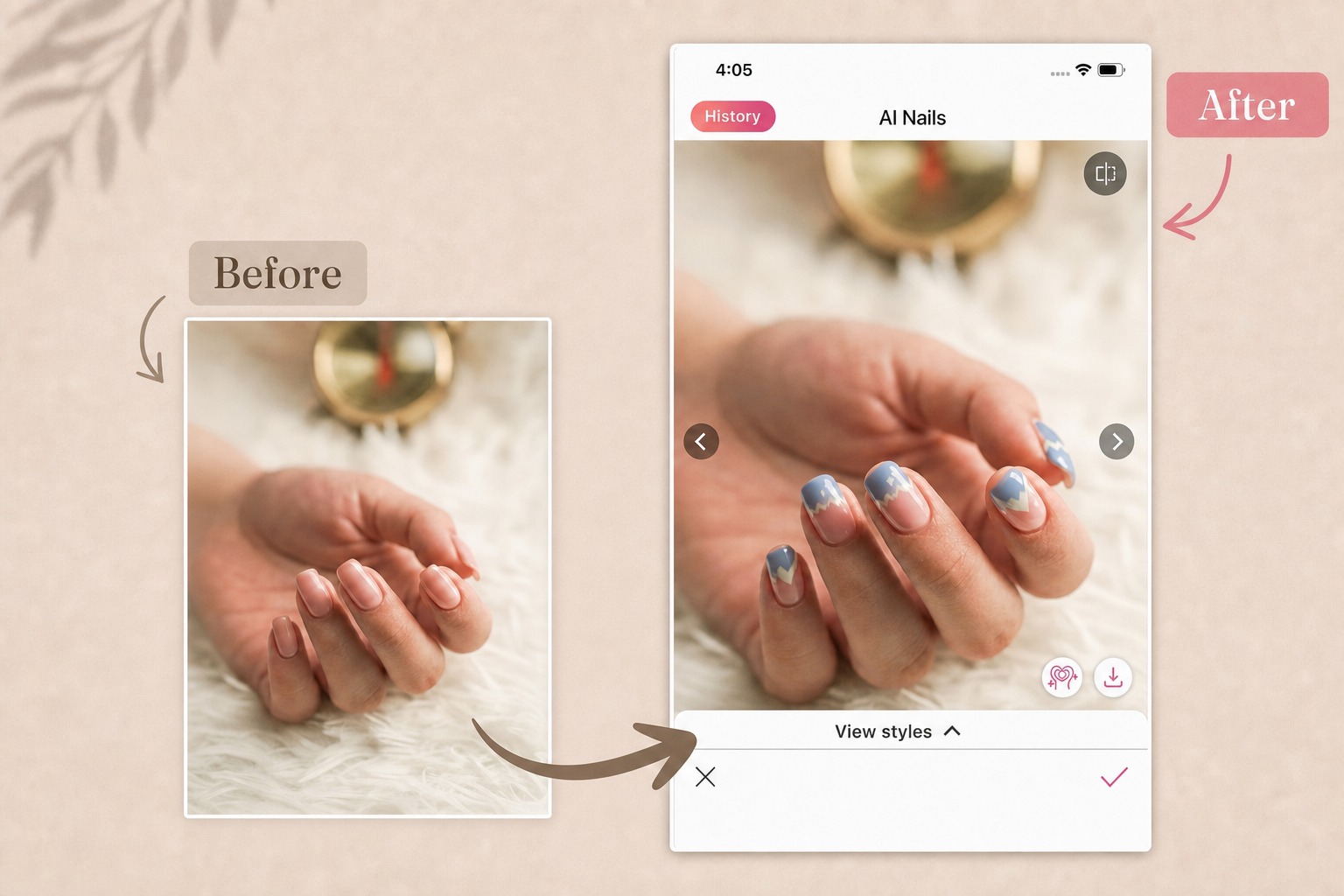 And the process is simple. Take a photo of your hands or upload one, choose from our preset nail designs, and let AI apply your selected look to your photo in seconds.
Note: It may take the AI longer to process when you select an unused nail design.
Explore Aesthetic Nail Designs
Not sure which nail style to try next? Explore some of our favorite looks from each AI Nails category and find the aesthetic that feels most like you.
🎃 Limited-Time Theme: Halloween
Get into the spooky spirit with cute, artistic Halloween-inspired designs featuring playful shades of neon orange, black, light pink, and lilac purple.
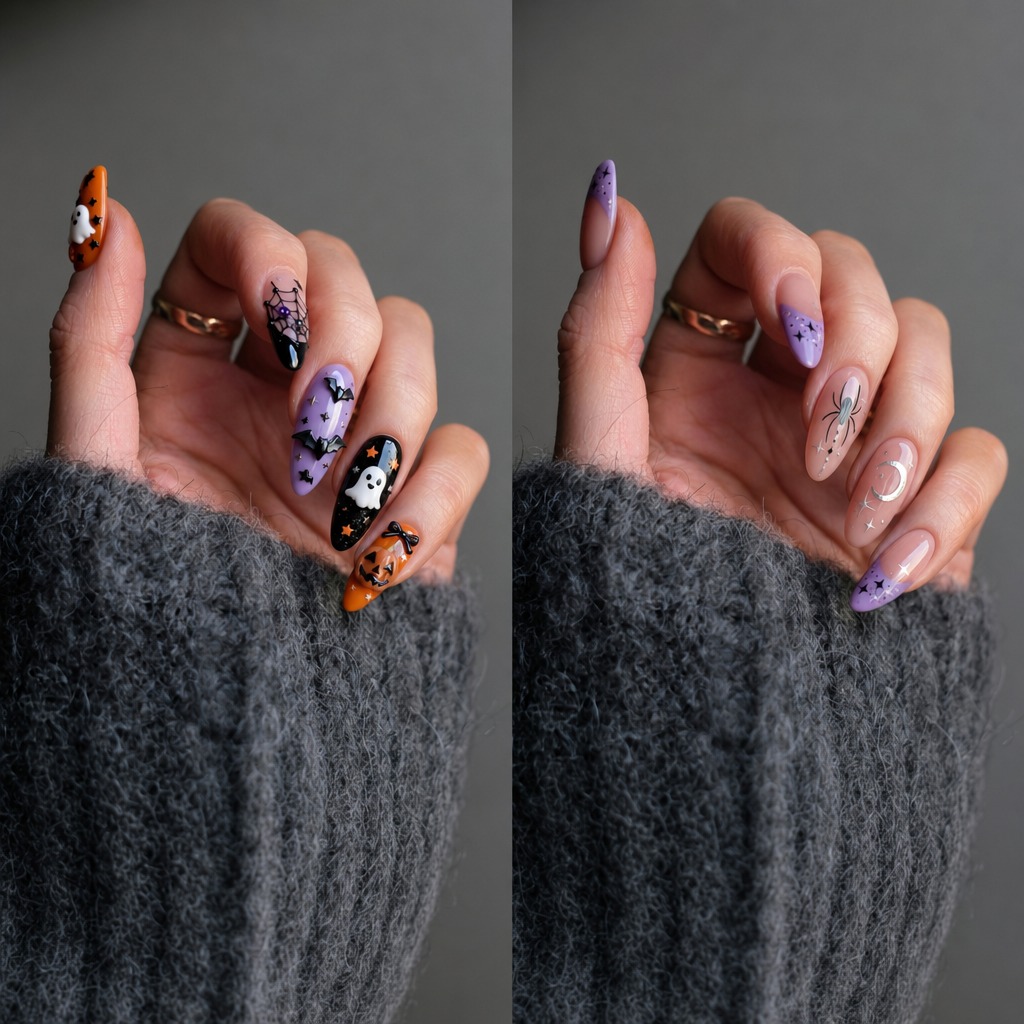
▲ Boo Fest/Moonlit lilac
✨ Minimal
Keep it effortlessly chic with cool-toned, thoughtfully chosen shades and simple finishes like chrome, metallic, jelly, and shimmer.
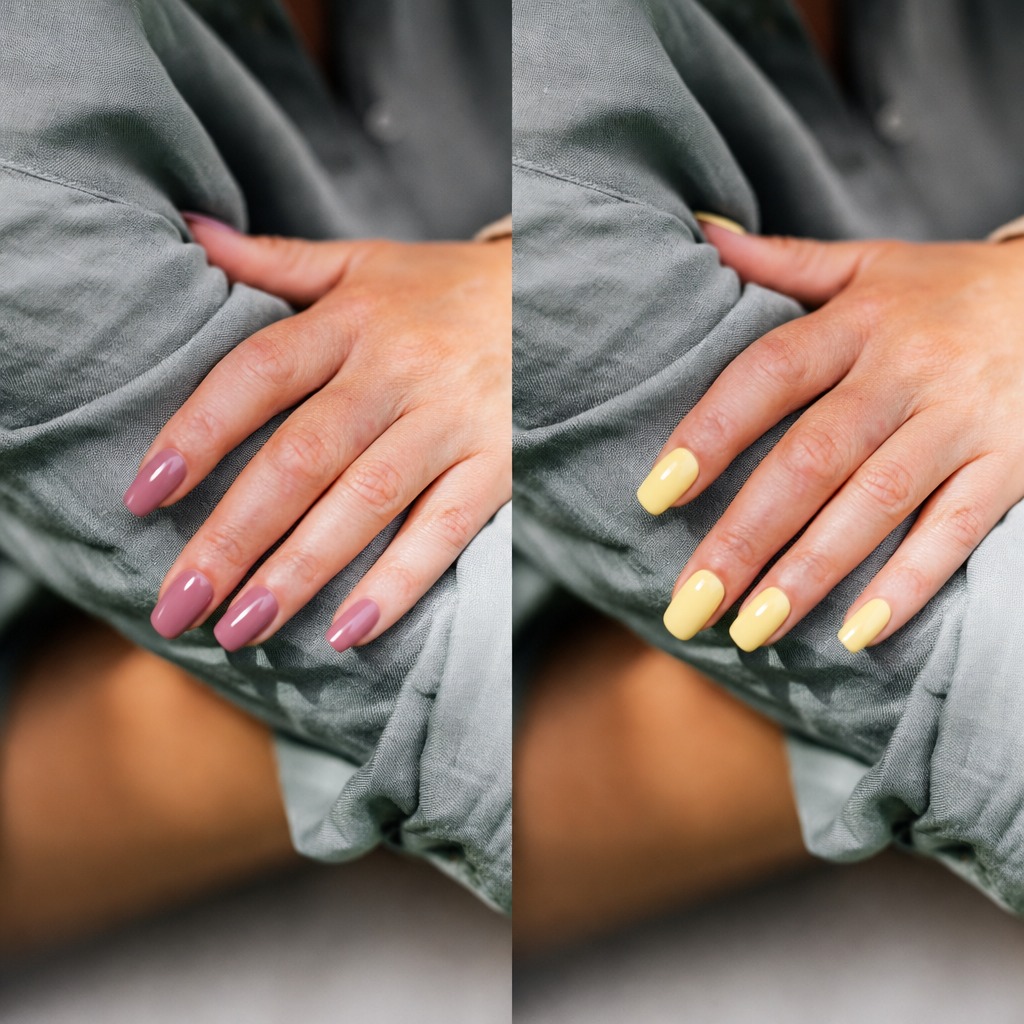
▲ Dusty Mauve/Butter Yellow
🤍 Nudes & Whites
For a clean and elegant look, explore nude and white designs with delicate details across classic French, square, oval, almond, and soft-square styles.
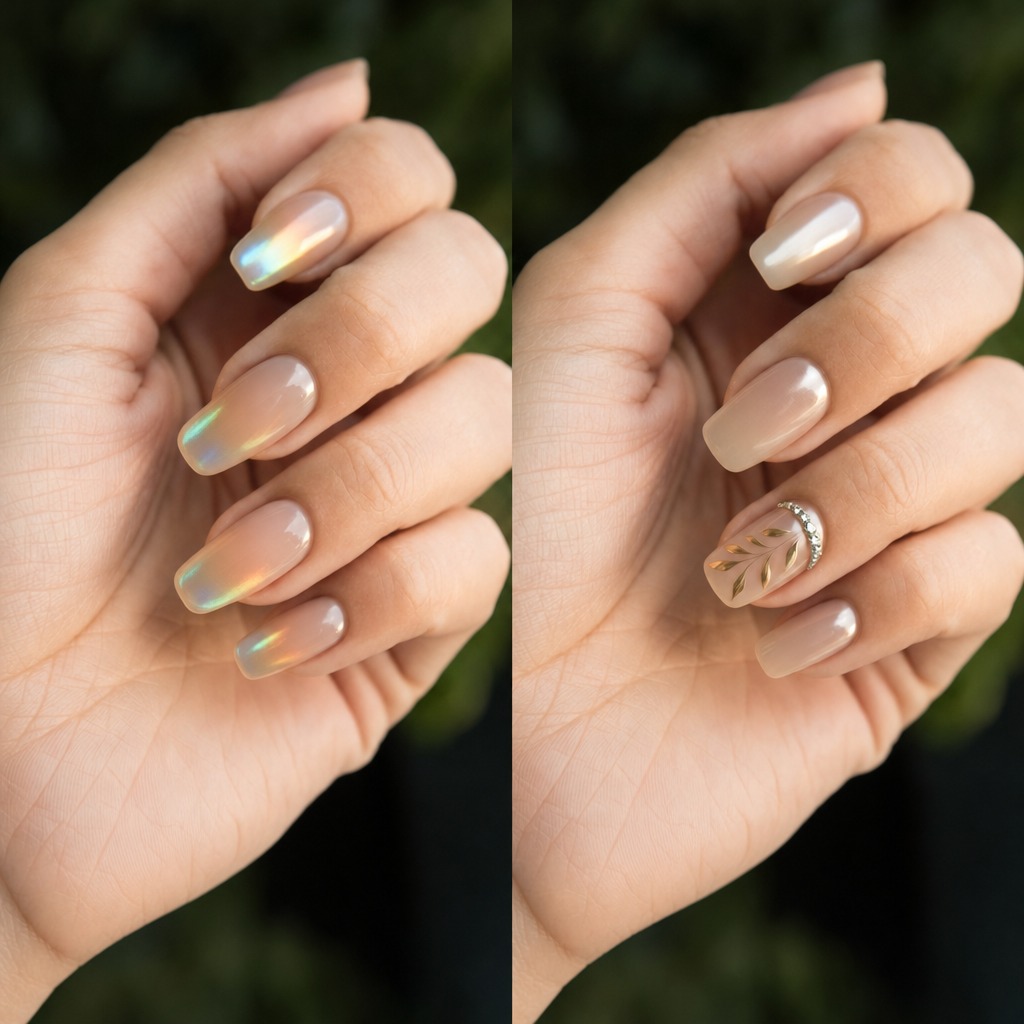
▲ Opal Glow/Pearl Star Glaze
❤️ Reds & Pinks
Add a touch of timeless elegance with sophisticated red and pink shades that flatter every manicure mood.
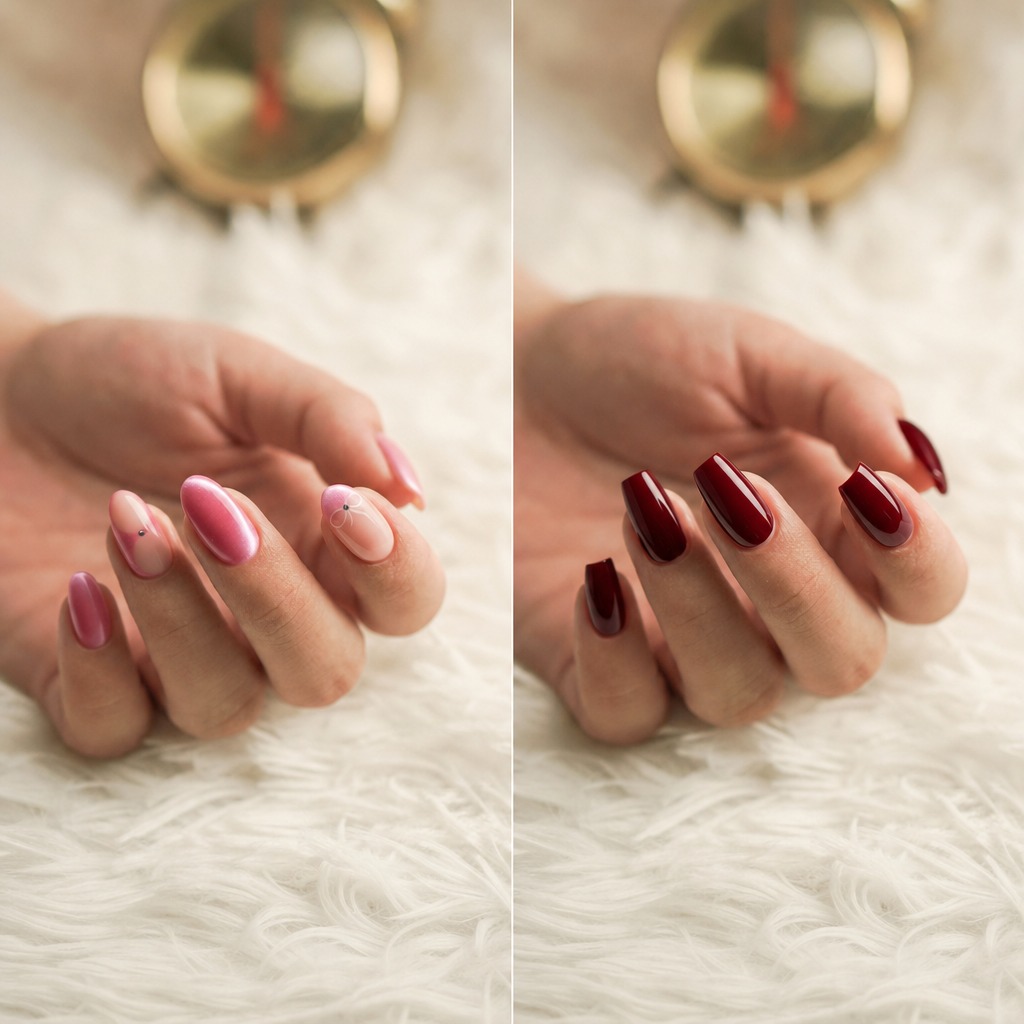
▲ Pink French Gem/Deep Red Coffin
🌈 Colorful
Brighten up your nails with playful, colorful designs filled with pastel shades, cheerful details, and plenty of personality.
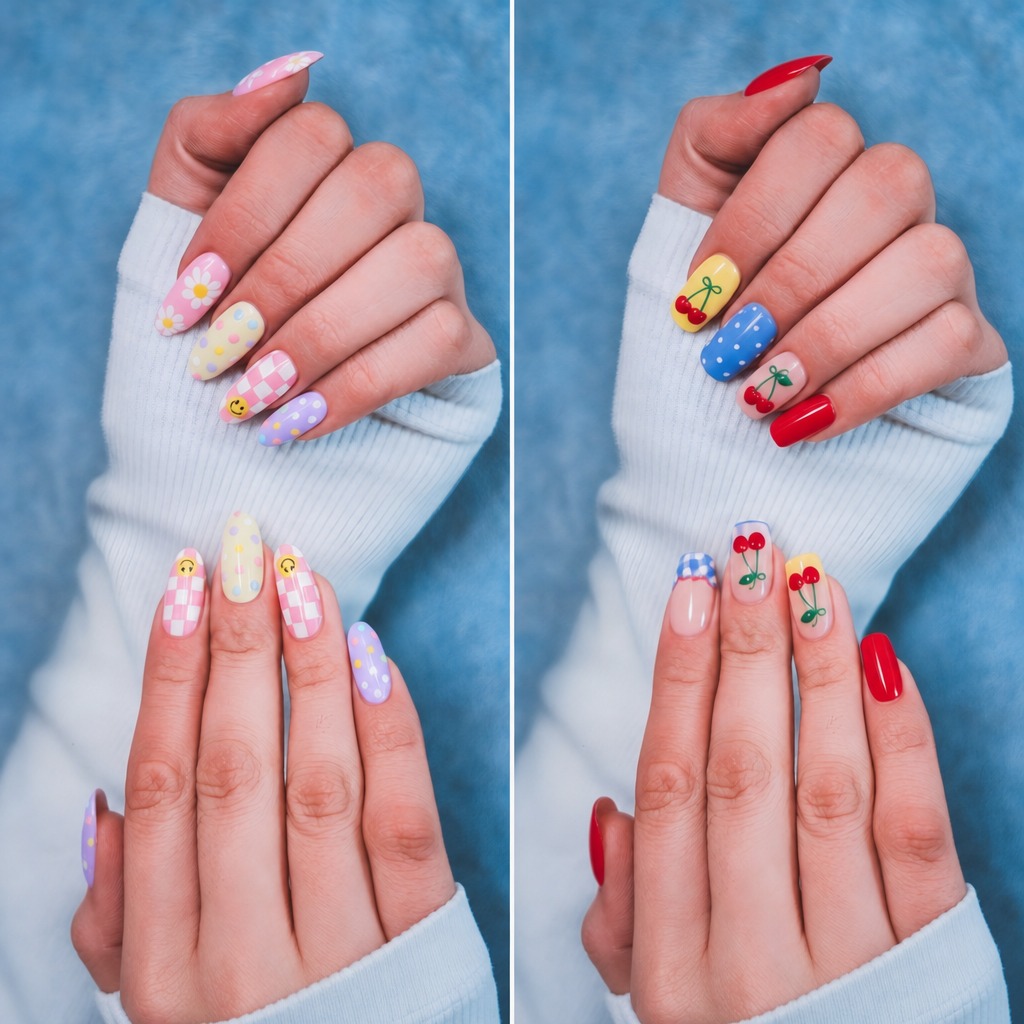
▲ Pastel Daisies/Cherry Pop
🖤 Dark
Go bold with dark, metallic designs inspired by gothic aesthetics, featuring moody shades of black, crimson, dark teal, dark violet, and deep emerald.
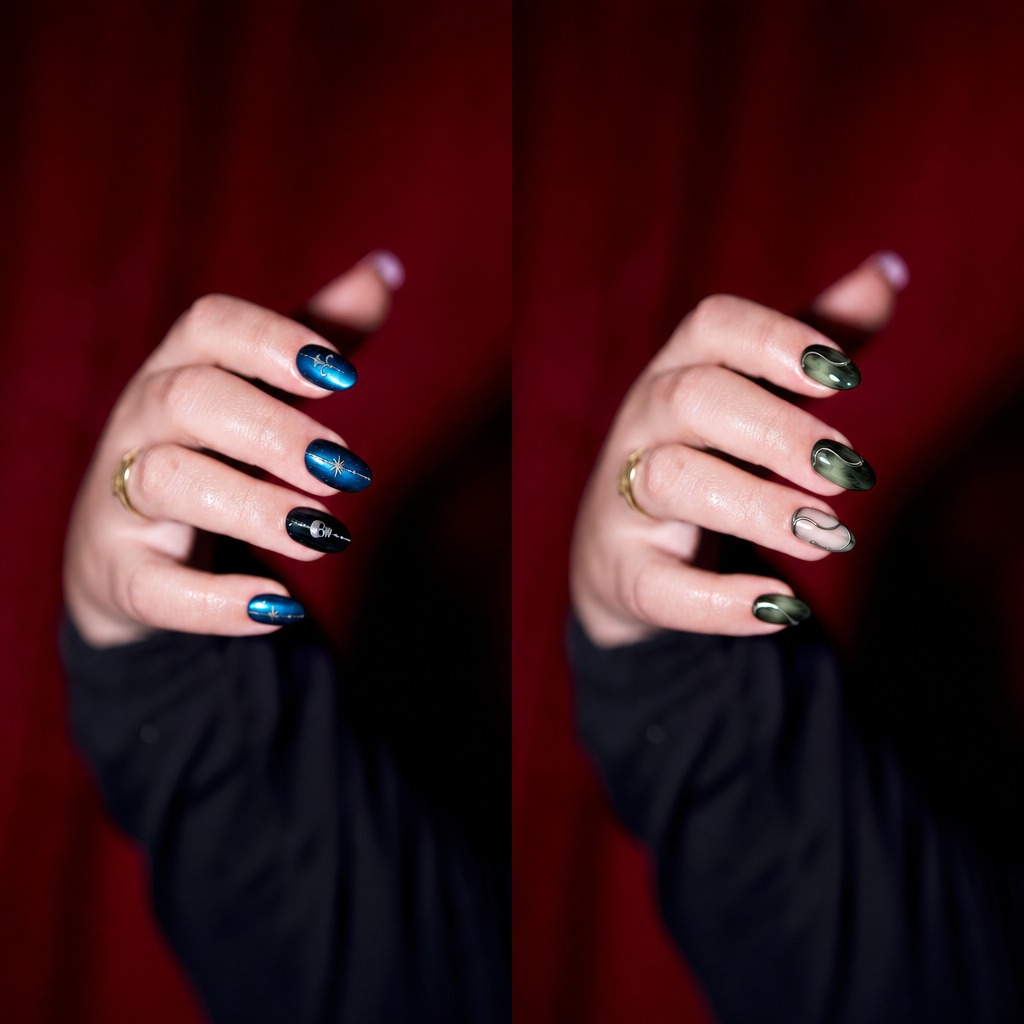
▲ Cosmic Teal/Emerald Swirl
💙 French
Put a fresh twist on the classic French manicure with elegant, aesthetic designs ranging from timeless and sophisticated to subtly cute.
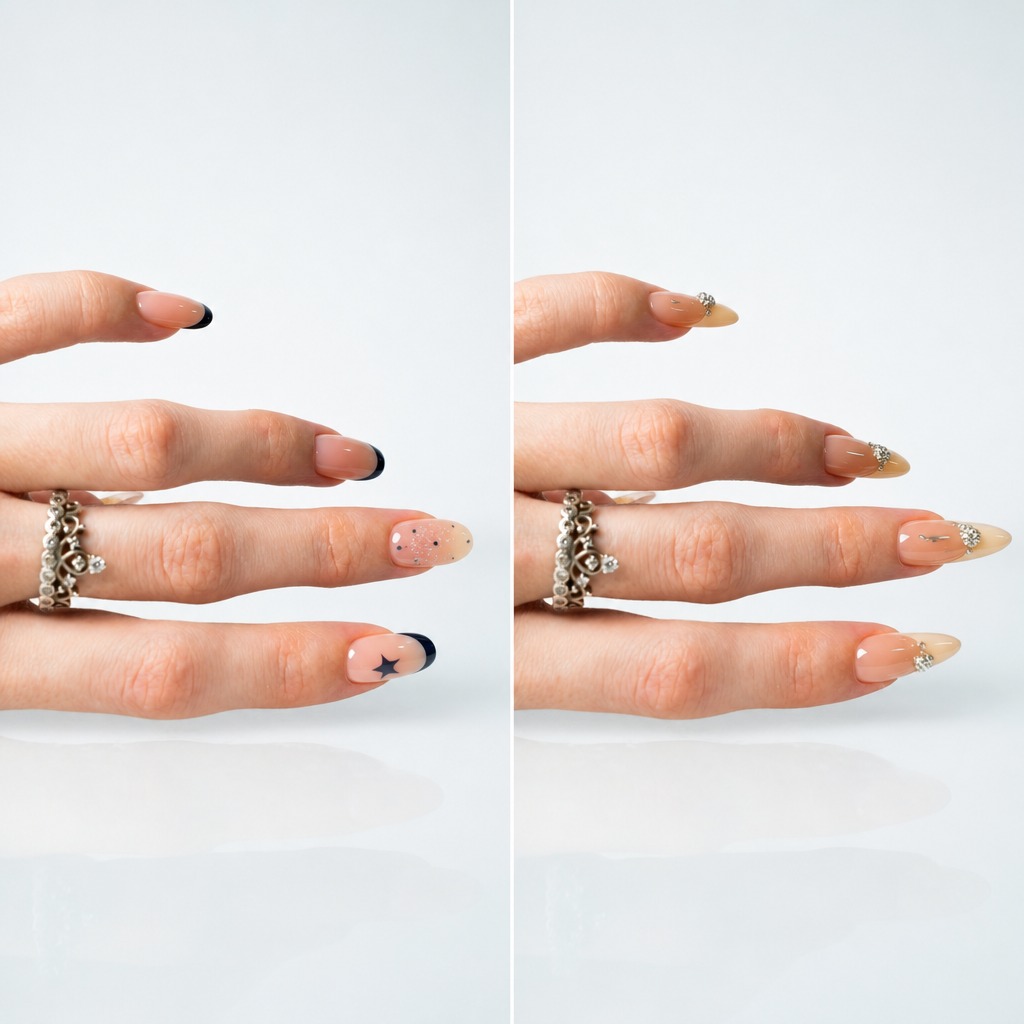
▲ Cosmic French/Jeweled French
🐱 Cat-Eye
Create a mesmerizing cat-eye effect with reflective, slightly translucent designs that shift beautifully as they catch the light.
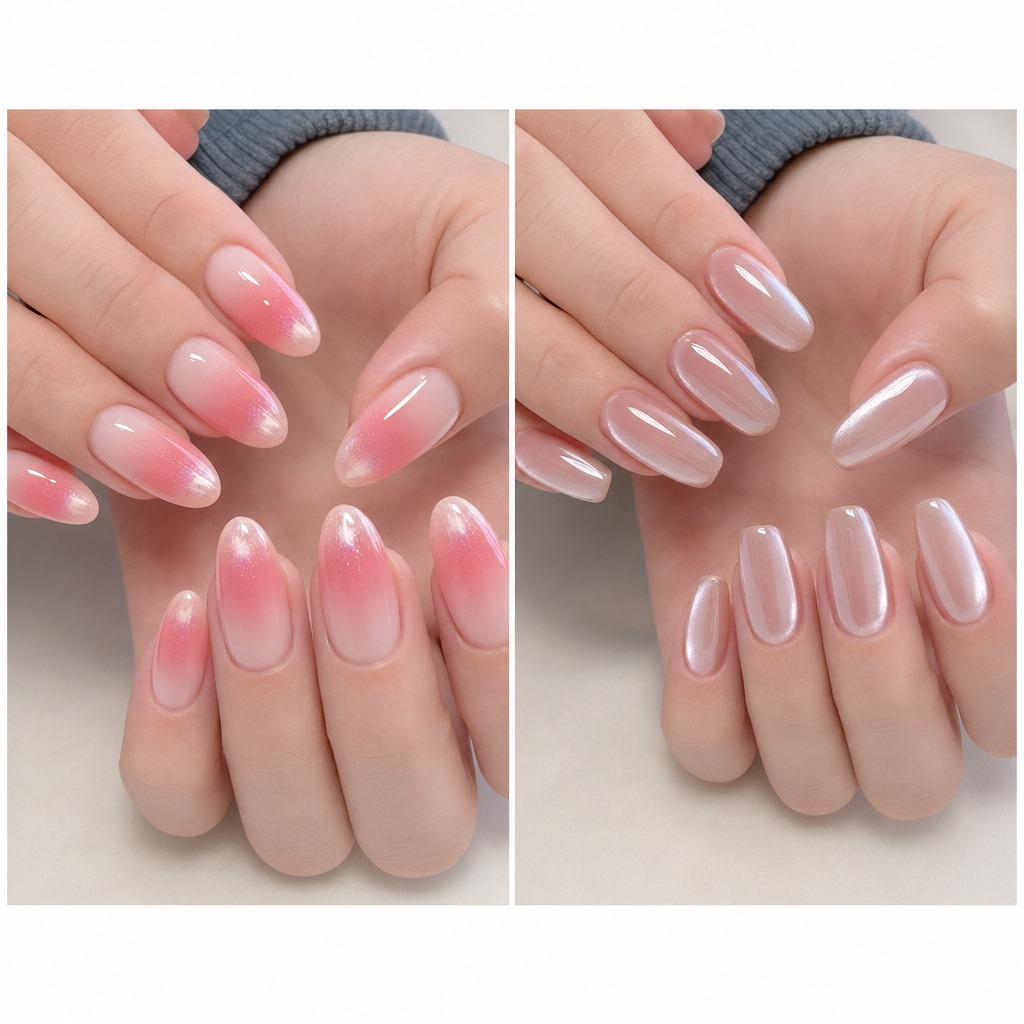
▲ Blush Aura/Glazed Pearl
🎀 Cute
Think pink, playful, and irresistibly sweet with adorable designs made for a fun and youthful manicure.
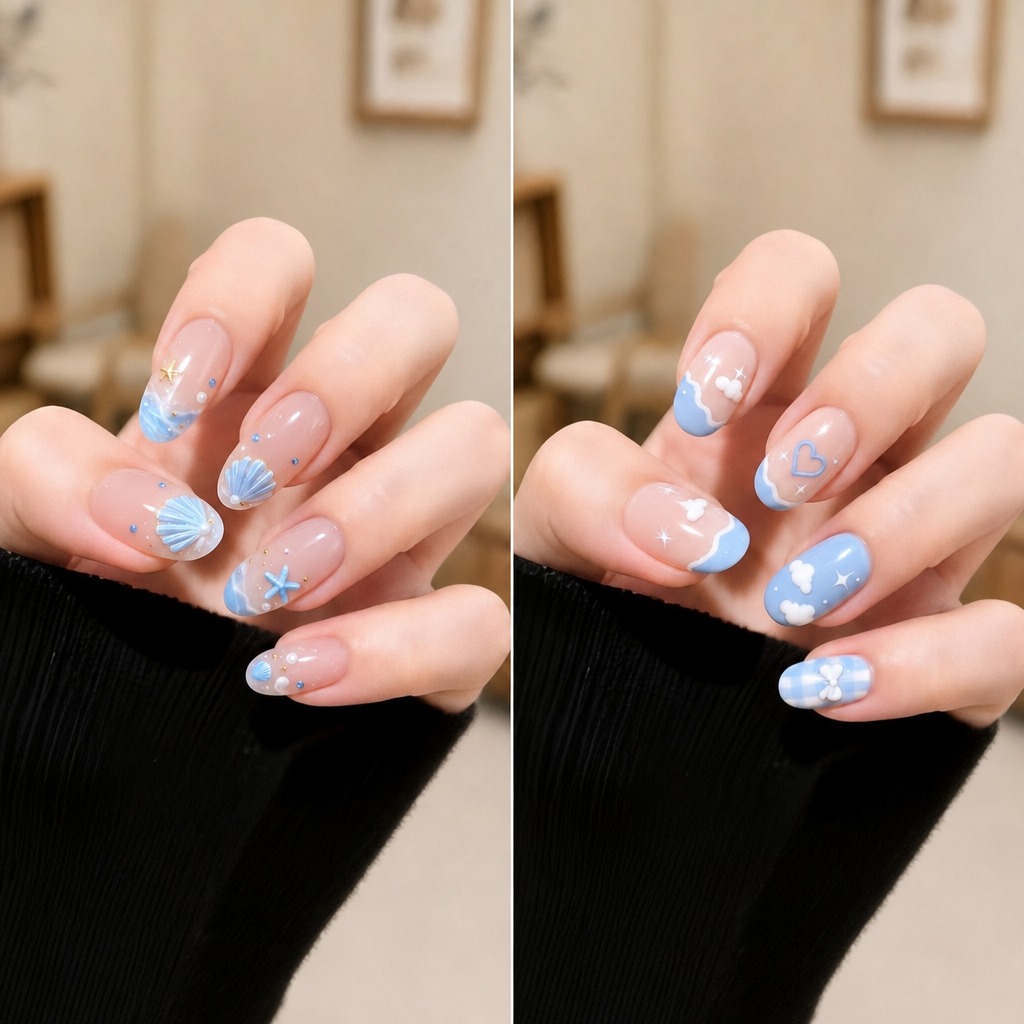
▲ Coastal Shells/Sky Dreams
🍬 Sweet
Strike the perfect balance between cute and sophisticated with glossy, polished designs that feel mature and effortlessly charming.
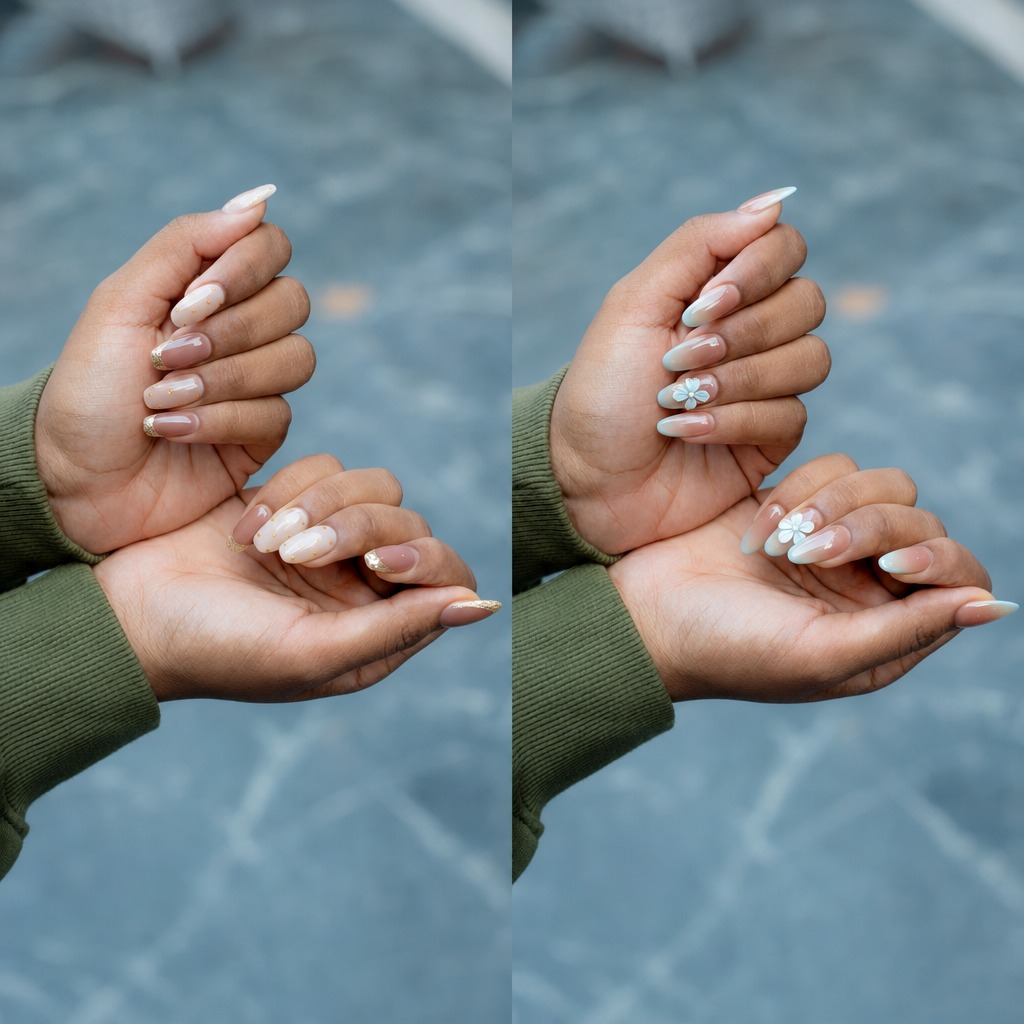
▲ Vanilla French/Petal Mist
Step-by-Step Tutorial: How to Use AI Nails in YouCam Makeup
In just 5 steps, you can visualize different nail designs on your own hands and find your next favorite look.
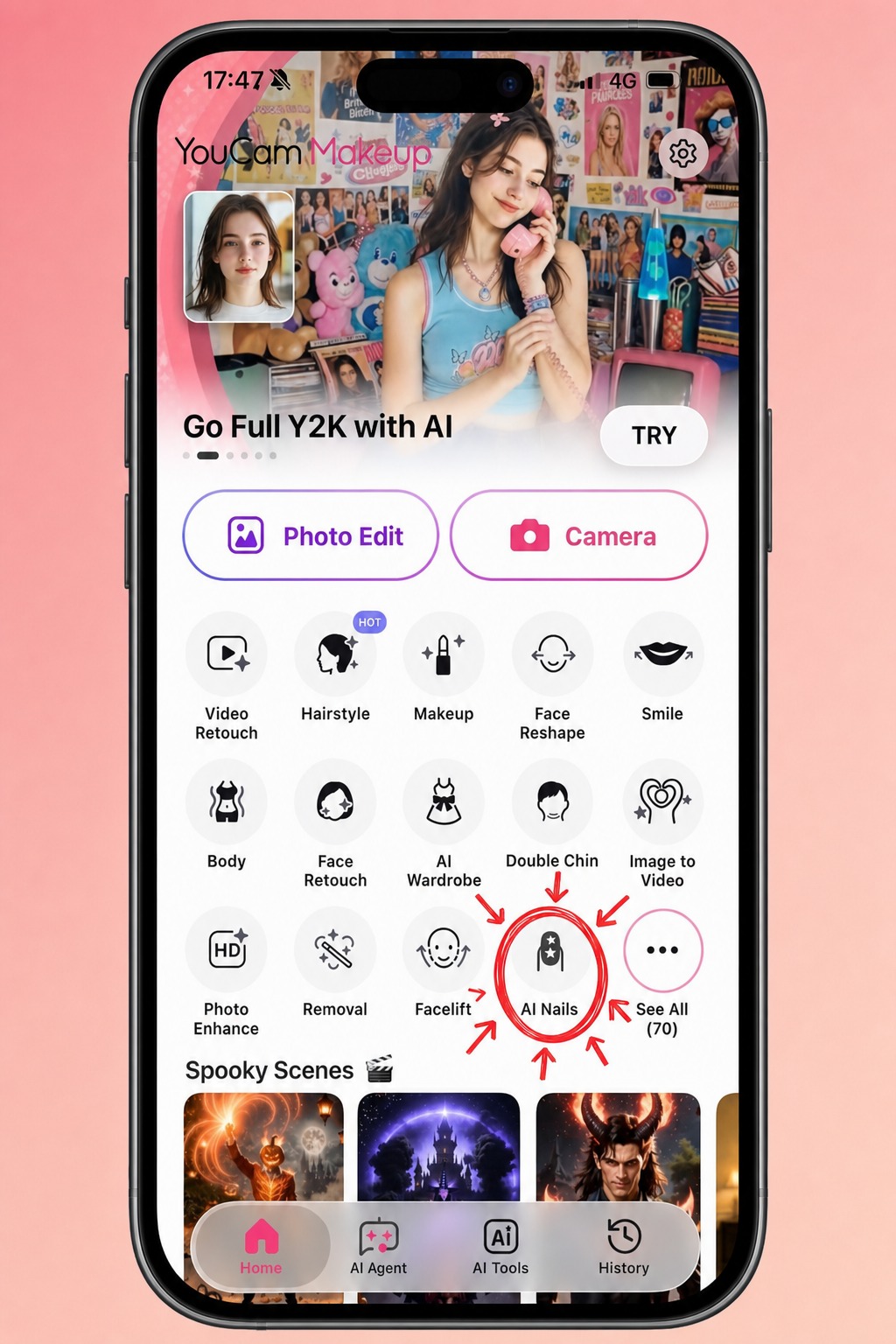
Step 1: Go to AI Nails
Open YouCam Makeup and select AI Nails to start exploring different virtual nail designs.
Step 2: Take or Upload a Photo
Take a new photo of your hands or upload one from your device. For the best results, make sure your nails are clearly visible.
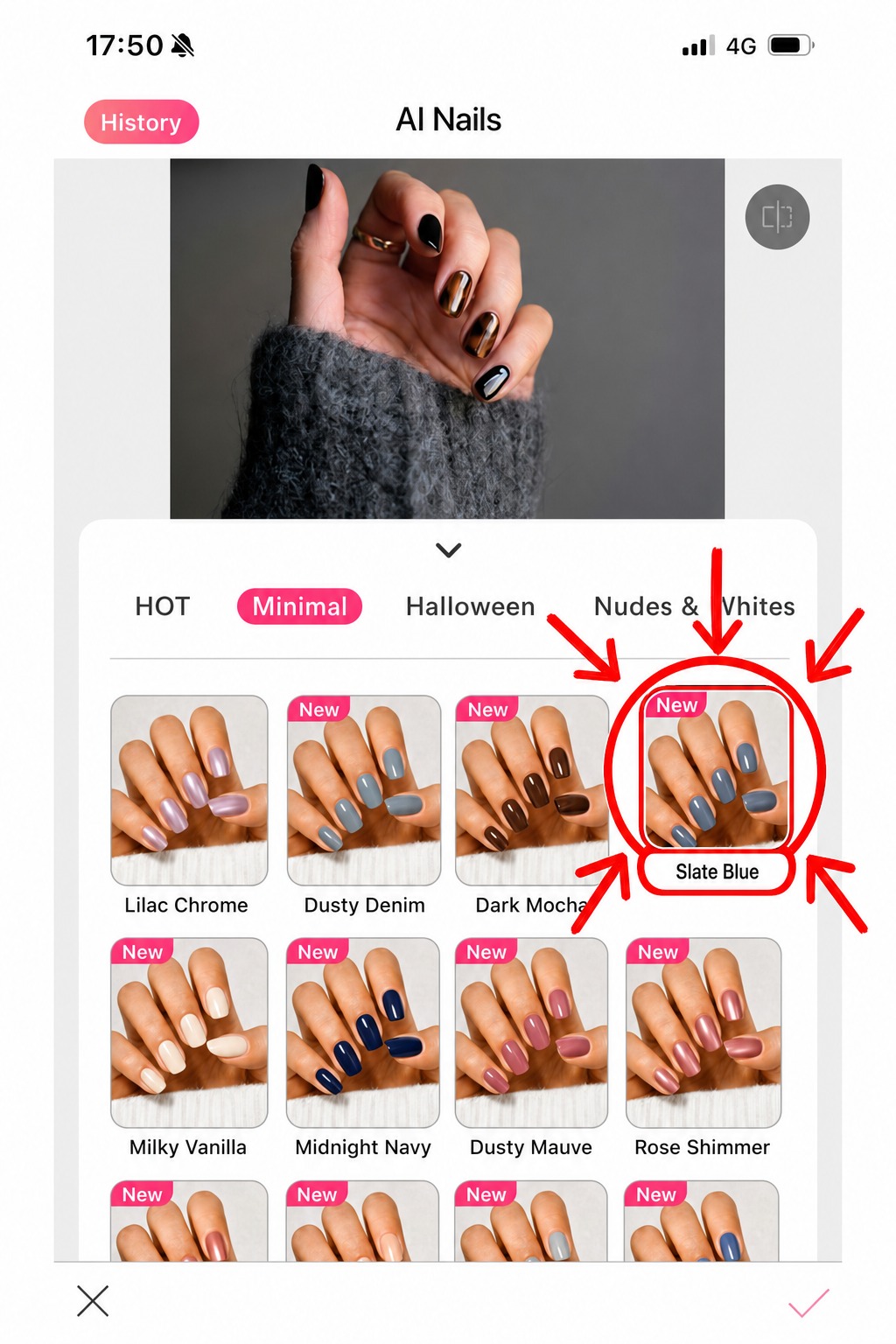
Step 3: Choose Your Nail Design
Browse through the available categories and select a nail design that matches your style.
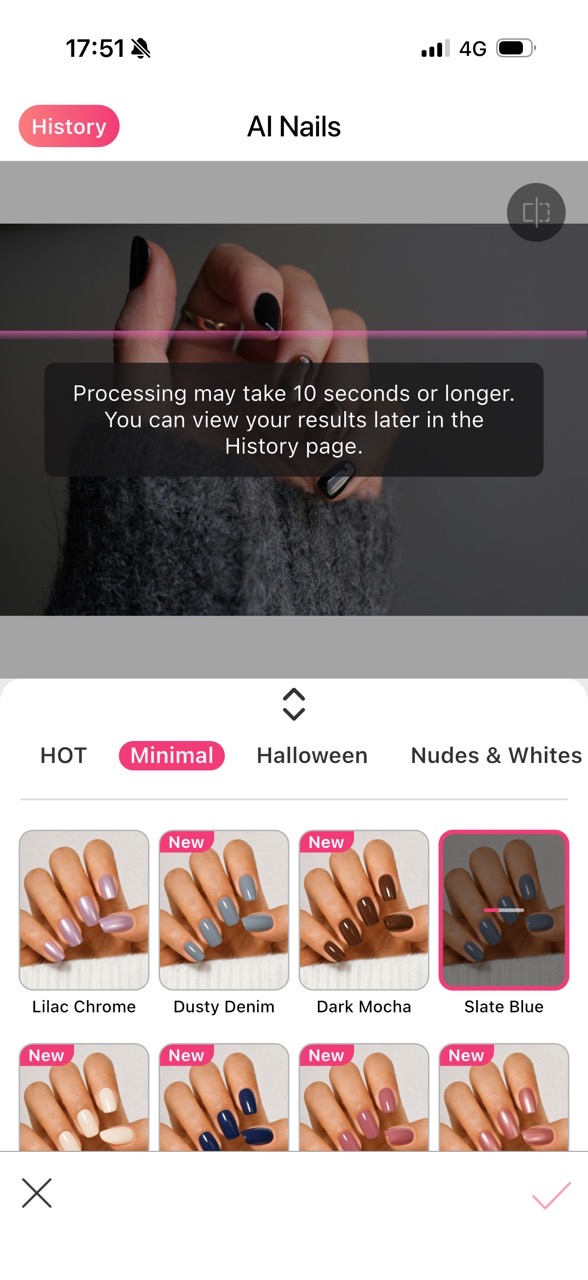
Step 4: Wait for It to Process
Give AI a moment to apply your selected design to your photo. It takes roughly 30 seconds to apply a nail design. Luckily, you may choose multiple preset designs, run them all at once, and review them in your history.
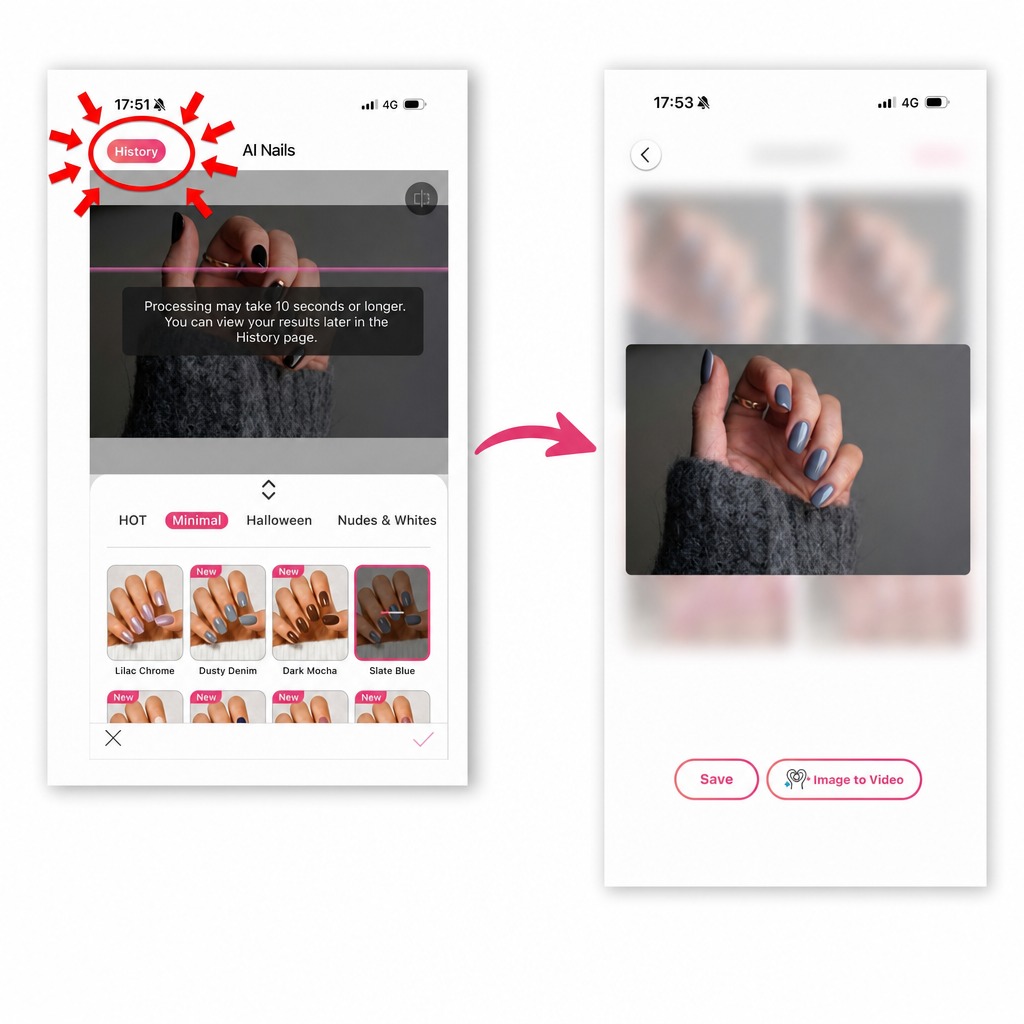
Step 5: Evaluate & Download
Check out your new virtual manicure and see how the design looks on your hands. Found your favorite? Download the result and keep it as inspiration for your next manicure.
Pro Tips: How to Get Better & Faster AI Nail Results
Want to get the most out of AI Nails? These simple tips can help you get cleaner results and spend less time waiting.
- Use a clear, well-lit, and close-up photo: Choose a photo where your hands are easy to see, with enough lighting to clearly show your nails and fingers.
- Upload a high-res photo: The clearer your original photo is, the more details AI has to work with. Avoid blurry, pixelated, or heavily compressed images.
- Keep your hands unobstructed: Make sure your nails aren't covered by other fingers, objects, or sleeves so AI can detect them more easily.
- Choose multiple designs at once: Found several designs you like? Select them together and check the results later in your history instead of processing them one by one.
Why Use YouCam Makeup?
Choosing a nail design is easier when you can actually see it on yourself. Here are a few reasons AI Nails can make finding your next manicure simpler.
Explore 100+ Designs Worth Trying
From minimalist to cute nails, AI Nails offers over 100 thoughtfully designed presets covering different colors, finishes, and aesthetics. You don't need endless options—you need designs you'll actually want to wear.
Get a More Realistic Preview
AI Nails is designed to make your virtual manicure look naturally integrated into your original photo. Nail reflections and finishes respond to the lighting in your image, helping the virtual design look more like a real manicure rather than a flat overlay.
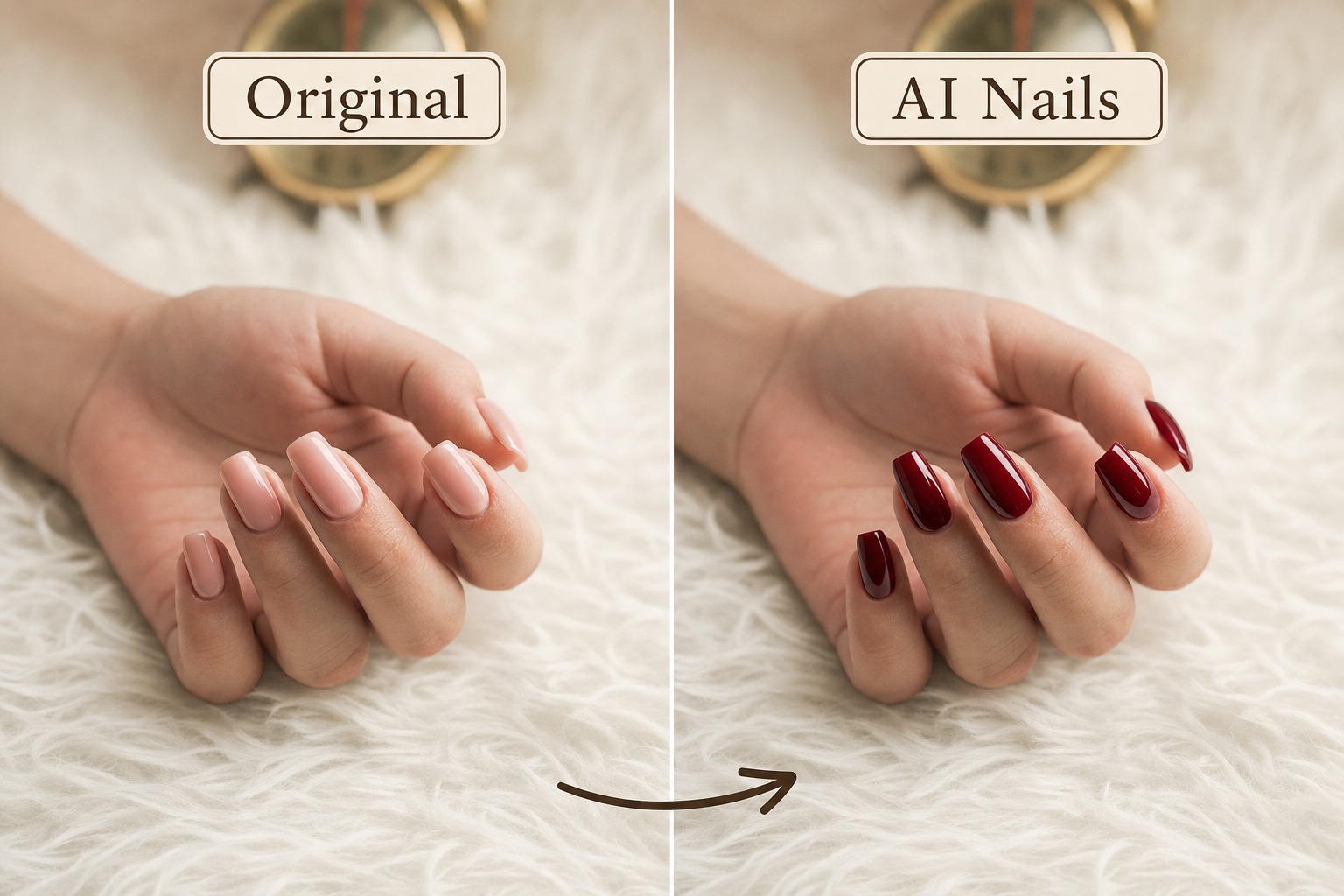 This realistic effect is powered by physically based rendering (PBR), which simulates original details such as nail reflections, textures, and lighting.
Keep Your Favorite Looks for Later
Your generated designs are saved in your history, so you can revisit previous looks whenever you need inspiration or want to compare them again.
AI Nails FAQs
Can I preview nail designs with my own hands?
Of course. AI Nails lets you take a photo of your hands or upload an existing photo, then preview different preset nail designs directly on your own nails. This makes it easier to see how a style looks on you before committing to a real manicure.
Do AI Nails results look realistic?
Yes. AI Nails is designed to create realistic virtual manicures that naturally fit your original photo. The AI adapts the nail design to your hand and the lighting in your image, while realistic reflections and finishes help make the manicure look like it was originally part of the photo.
Is AI Nails a real-time nail try-on?
No. AI Nails is a photo-based virtual try-on. Simply take or upload a photo of your hands, choose a nail design, and let AI generate the look on your image.
If you’re a brand looking to integrate real-time nail virtual try-ons into your website or app, check out our Nail Try-On API.
Can I upload my own nail design?
No. YouCam Makeup’s AI Nails currently offers 100+ preset nail designs across different colors, finishes, and styles. Custom nail-design uploads are not currently supported.
Looking to apply your own nail design to a photo? Learn more about our AI Nail Transfer API.
Can I save my results to review later?
Yes. Your generated AI Nails results are saved in your history, so you can go back and review your previous looks later. This makes it easy to compare different designs or revisit your favorites before your next manicure.
How long does AI Nails take to generate a result?
Generally, it takes around 10 to 30 seconds to generate a result. The first design you choose may take a little longer to process. You can also select multiple designs at once and let them process in the background while you explore other options.
Is my data safe in YouCam Makeup?
Absolutely. Your privacy matters to us. Your generated nail results are saved for up to 30 days, and your photos are only accessible to you. We do not use or store your images beyond what is needed to provide the service.
Is AI Nails free to use?
Yes. Free users can access several nail designs without a subscription. However, a subscription may be required to unlock all available templates or download your results.



