


 Author:
Let’s be honest—starting a brand or refreshing your personal image is exciting, but the thought of hiring a graphic designer can be daunting (and expensive).
With YouCam Makeup, professional design is now in your pocket. By integrating the powerful Nano Banana Pro model into its AI Agent feature, YouCam Makeup has transformed from a beauty editor into a powerhouse AI logo generator. Whether you are a streamer, a startup founder, or just an AI enthusiast, this guide will show you how to turn text into visual magic effortlessly.
Key Takeaways
- New Capability: YouCam Makeup now supports Nano Banana Pro via its AI Agent feature for advanced image generation.
- Versatility: It isn't just for selfies; it is a full-fledged AI logo maker capable of handling complex text prompts.
- Accessibility: Create high-quality, vector-style, or minimal logos directly from your smartphone.
- Speed: Go from idea to downloadable asset in under 30 seconds
The ultimate guide to use Nano Banana Pro for image generation>>>
Why Nano Banana Pro Is the Ultimate AI Logo Generator?
Why is everyone talking about the Nano Banana Pro logo generator? In the crowded world of generative AI, this specific model stands out for its ability to adhere strictly to prompts while maintaining aesthetic coherence.
Here is why it creates the best logos:
- Clean Lines & Minimalism: Unlike older AI models that create "messy" art, Nano Banana Pro excels at the sharp, clean lines required for scalable logos.
- Text Adherence: It understands abstract concepts better than most, allowing you to blend symbols with stylistic elements seamlessly.
- Creative Flexibility: Whether you need a cyberpunk mascot or a luxury fashion emblem, this model adapts instantly.
Pro Tip: Using the AI Agent in YouCam Makeup ensures you get the "Pro" version of this generation quality, ensuring high-resolution outputs suitable for social media or business cards.
Learn how to use Nano Banana for photo generation & more>>>
Must-Try Nano Banana Pro Logo Prompts
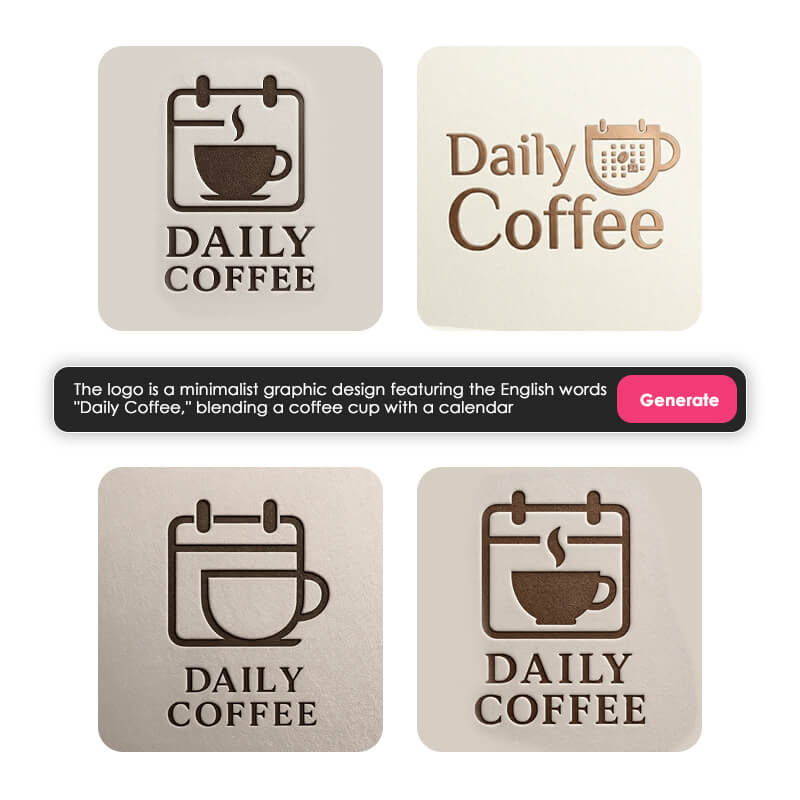
To get the best results from an AI logo maker, the secret lies in the prompt. Since the YouCam Makeup AI Agent is conversational, you can use these templates to get started.
Copy and Paste Nano Banana AI Logo Prompts
- The Tech Startup:
"Minimalist vector logo of a circuit board shaped like a fox, electric blue and white gradient, flat design, white background, high quality Nano Banana Pro style." - The Coffee Shop:
"Line art logo of a steaming coffee cup with floral steam, vintage brown and cream colors, elegant typography style, simple and clean." - The Personal Gamer Brand:
"Neon cyberpunk mascot logo of a wolf wearing headphones, glowing purple and teal, bold outlines, vector sticker style." - The Eco Brand:
"Organic leaf logo forming a water drop, varying shades of green, soft rounded edges, modern icon style, white background."
Discover 100+ Nano Banana Pro prompts for AI photo editing>>>
How to Design Nano Banana Logo with YouCam Makeup
You might know YouCam Makeup for its beauty tools, but the AI Agent is a game-changer for generative art. It acts as your personal digital artist, powered by the Nano Banana Pro engine.
1. Meet the AI Agent in YouCam Makeup
The AI Agent is a feature within YouCam Makeup that allows you to type natural language commands to generate images, edit photos, or create graphics from scratch. It is intuitive, fast, and optimized for mobile creators.
2. Nano Banana Pro Logo Prompting Guide [Step-by Step]
Step 1. Download YouCam Makeup
Shared Materials by Strapi
*Adjust the size of images ONLY. Please go to Strapi to edit the materials info.
Step 2. Try the AI Agent Feature
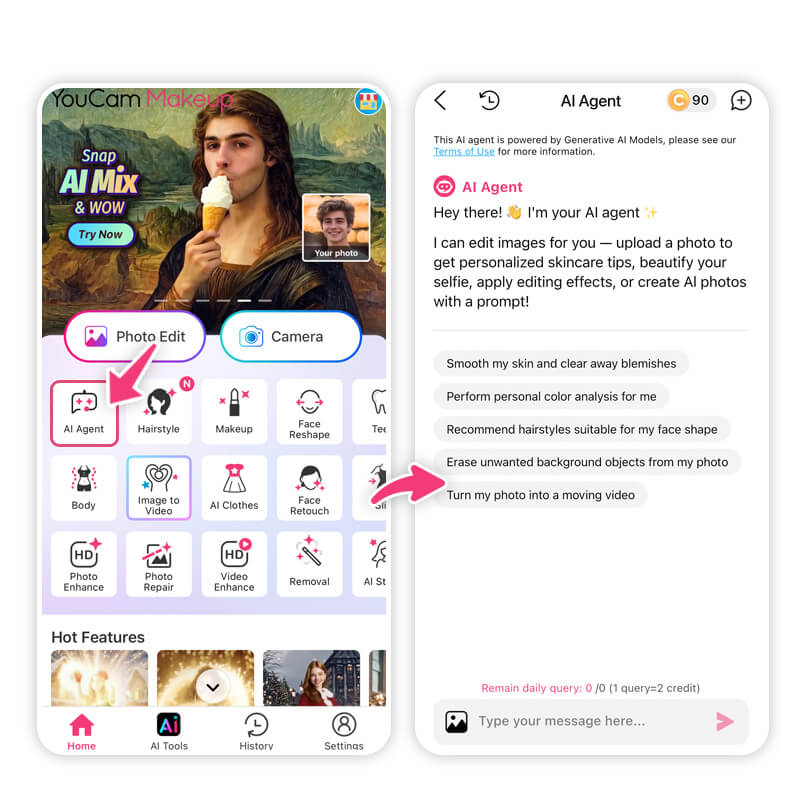
Open the app and look for the "AI Agent" tile on the home screen. This enters the generative chat interface.
Step 3. Enter Your Prompt
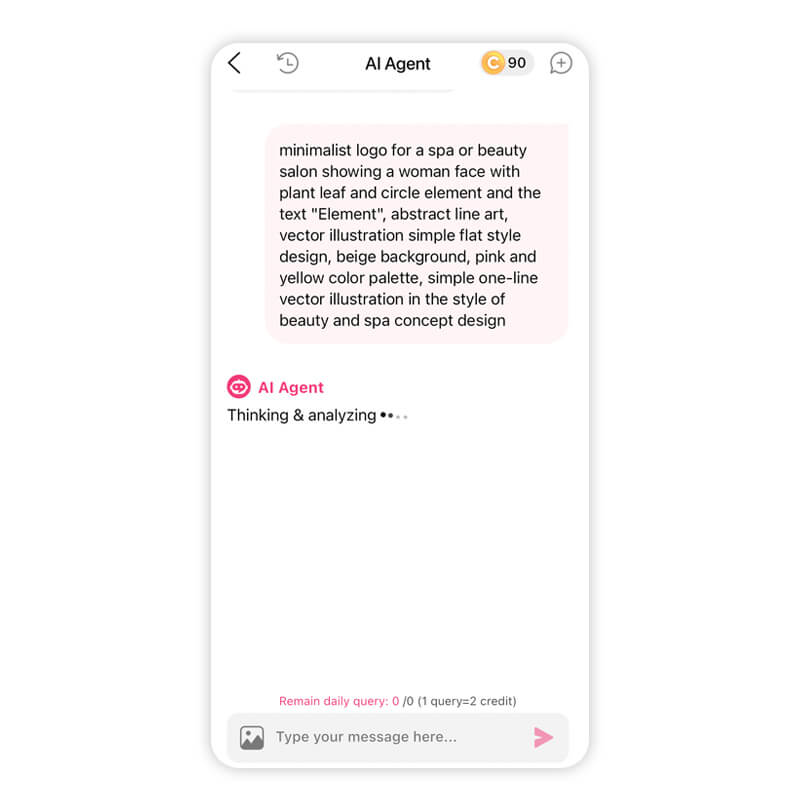
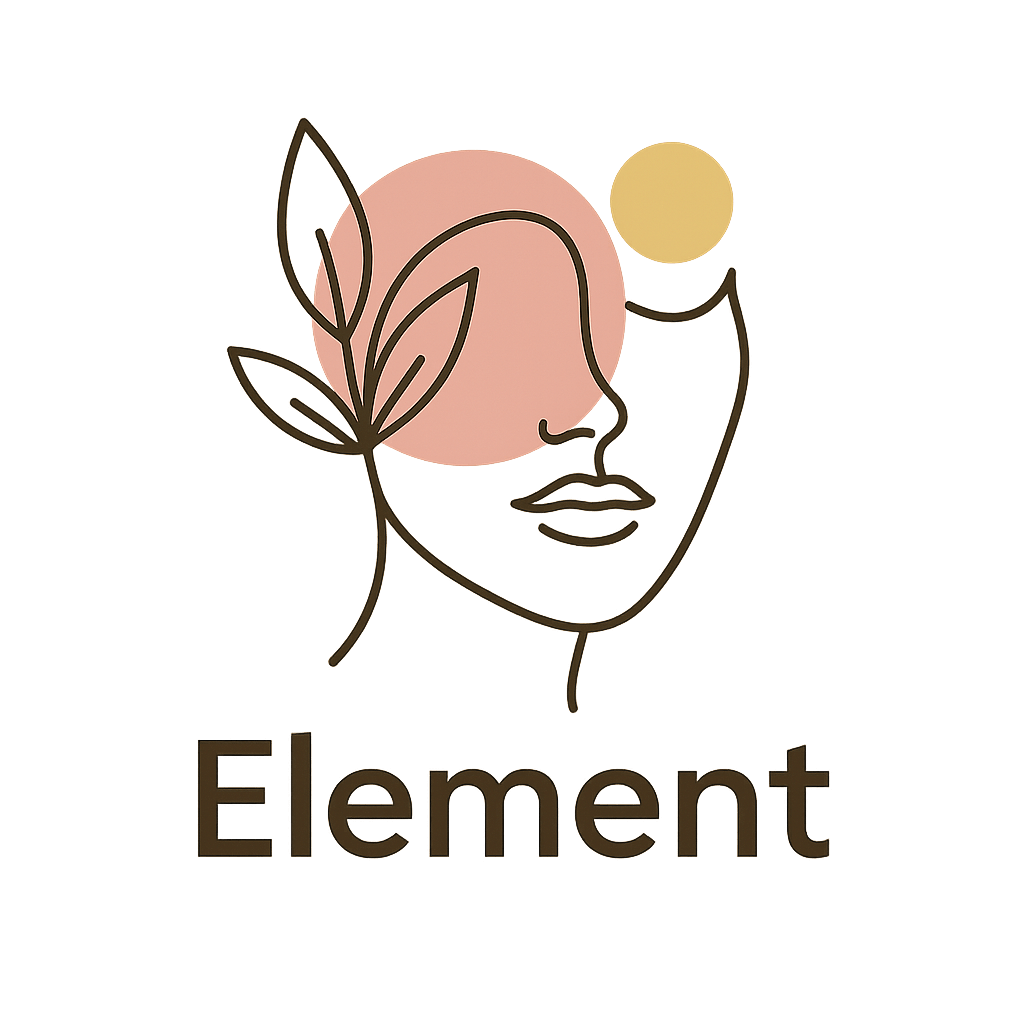
Prompt example: "minimalist logo for a spa or beauty salon showing a woman face with plant leaf and circle element and the text "Element", abstract line art, vector illustration simple flat style design, beige background, pink and yellow color palette, simple one-line vector illustration in the style of beauty and spa concept design"
Step 4. Generate and Save Your Logo
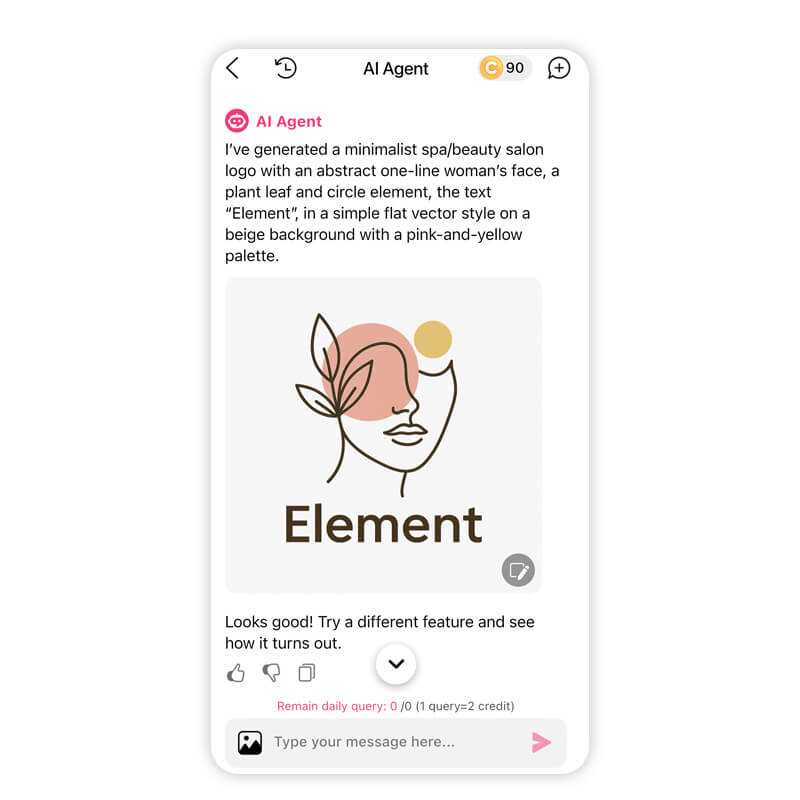
In seconds, the AI will generate your logo. If you love it, tap save! If you want a variation, simply tell the Agent, "Make it simpler" or "Change the color to blue," and it will refine the logo instantly.
Nano Banana Pro Logo Generator with AI Agent
Shared Materials by Strapi
*Adjust the size of images ONLY. Please go to Strapi to edit the materials info.
Creating a brand identity used to take weeks and cost hundreds of dollars. With YouCam Makeup’s AI Agent and the power of Nano Banana Pro, it now takes seconds and costs next to nothing.
You have the vision. Now you have the tool. Don't let technical barriers stop you from launching your brand or refreshing your online presence. The world of AI design is at your fingertips—grab it!
About the Editors
The PERFECT Corp. Editorial Team
We are a team of experts on photo and video editing apps. Our goal is to deliver engaging content on everything from stunning selfie edits to eye-catching video effects. We cover the latest trends and share niche tips to help you master digital creation.



