


 Author:
Creating a gaming video that truly captures attention can feel like a challenge. You’ve got amazing gameplay, but how do you turn raw clips into content people actually want to watch?
The secret is combining smart editing, creative effects, and the right tools to showcase your skills.
In this guide, we’ll walk through 12 gaming video tips that will help your content shine, whether you’re posting on YouTube, TikTok, or streaming platforms.
Some of these tips include practical steps using YouCam Video, a powerful app that makes editing smooth and fun.

Best AI Video Editor
The Best AI Video Editor & Makeup App.
Edit your gaming videos easily.
What Is a Gaming Video and Why Make One?
A gaming video is a recording of gameplay footage that showcases your in-game skills, funny moments, tutorials, or strategy highlights.
These videos can range from short clips for social media to full-length streams on platforms like YouTube. People watch gaming videos for entertainment, education, or inspiration.
Whether you want to show off your best plays, teach others how to succeed in a game, or simply create fun content, a well-crafted gaming video can help you connect with an audience and even grow a following.
Creating one isn’t just about pressing “record.” The best gaming videos combine high-quality footage, smart editing, engaging commentary, and visual flair.
If you put the effort into making your content shine, viewers are far more likely to watch, share, and return for more.
Now, let’s dive into the tips.
1. Capture High-Quality Gameplay
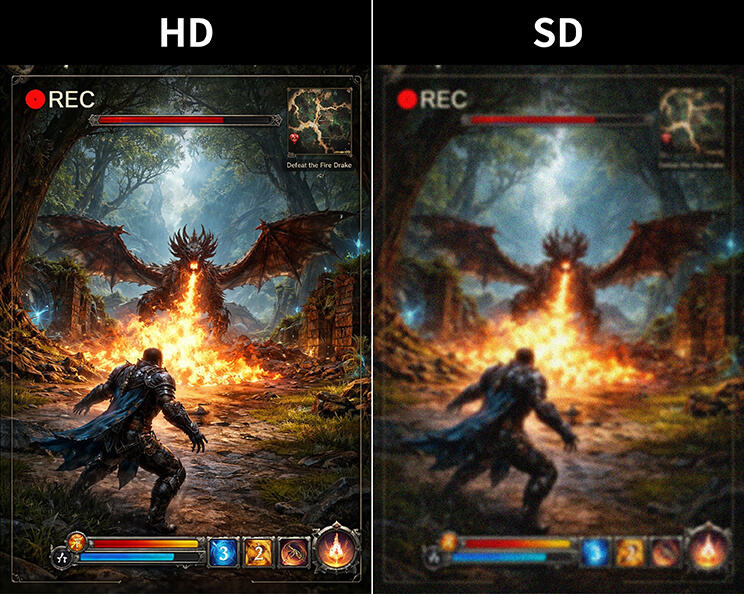
The first step in creating a standout gaming video is capturing crisp, smooth footage. Use the highest resolution and frame rate your system allows. For fast-paced games, higher frame rates like 60 fps keep motion fluid and prevent choppy visuals.
Avoid low-resolution recordings, as blurry or pixelated footage can make even epic plays look dull. If possible, use a screen recorder that supports high-quality audio capture too, since sound is just as important as visuals.
2. Plan Your Video Before Recording
Don’t rely on luck to get great footage. Decide ahead of time which moments you want to highlight, whether it’s a clutch victory, an epic fail, or a clever strategy.
Planning helps you focus on the most compelling content and reduces the amount of editing later. Some creators even storyboard their videos, noting which sequences will be paired with commentary or special effects.
3. Keep Videos Concise
Attention spans are short, especially online. Trim long or repetitive segments so each scene adds value. Ideally, your gaming video should be long enough to show skill but short enough to maintain excitement.
Think of it as keeping only the highlight reel that viewers will remember.
4. Use YouCam Video for Easy Editing

How to:
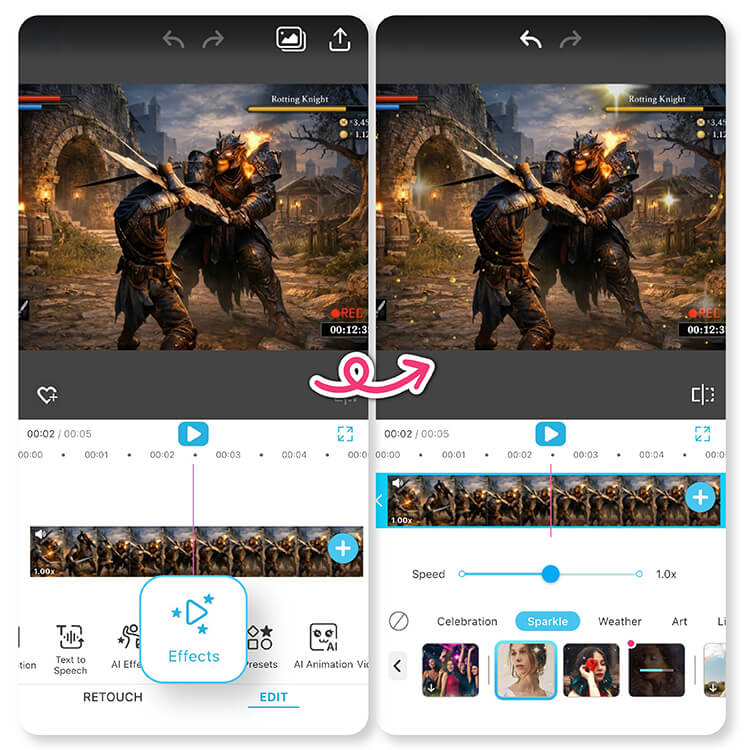
1. Import your footage into YouCam Video.
2. Trim unnecessary parts and arrange clips in order.
3. Add effects, instantly improve quality to HD, or add aesthetic filters to emphasize key moments.
5. Add Engaging Intros and Outros
First impressions matter. A quick, branded intro sets the tone, while an outro can include calls to action or links to other content.
Keep intros under 10 seconds and avoid overly long animations that distract from gameplay.
6. Highlight Key Moments with Effects
Visual effects can make a gaming video more dynamic. Slow motion, zoom-ins, or pop-up text can draw attention to epic kills or hilarious fails.
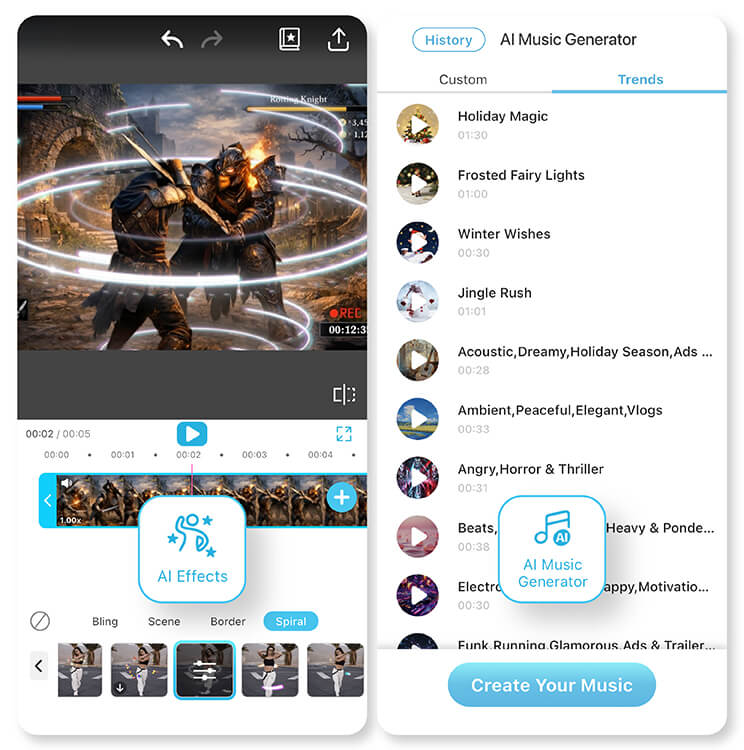
YouCam Video makes this easy with AI tools that detect action points automatically, allowing you to add effects precisely where they matter. Highlighting moments visually not only entertains but also guides the viewer’s attention.
7. Choose Background Music Wisely
Background music can elevate a gaming video, but it must complement the gameplay. Pick tracks that match the pace of your clips, and always ensure they are royalty-free or licensed.
Keep music volume balanced so that in-game sounds and commentary remain clear. Music adds energy to a video, but it should never distract from the action.
8. Include Commentary or Voiceovers
A gaming video with your personality shines more than silent clips. Narrate your strategy, react to exciting moments, or explain tips for viewers.
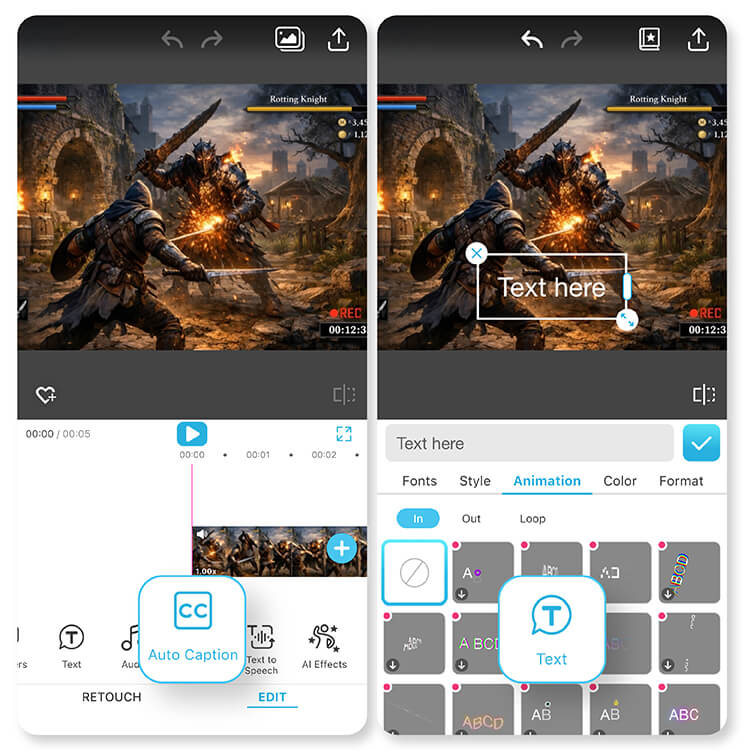
Use YouCam Video’s audio tools to clean up background noise and sync your commentary with gameplay seamlessly.
9. Add Text and Subtitles
Text can highlight strategies, tips, or funny moments. Subtitles make your content accessible to a wider audience and can emphasize reactions.
YouCam Video allows easy text overlays with customizable fonts and timing, keeping your gaming video professional yet fun.
10. Optimize Video for Different Platforms
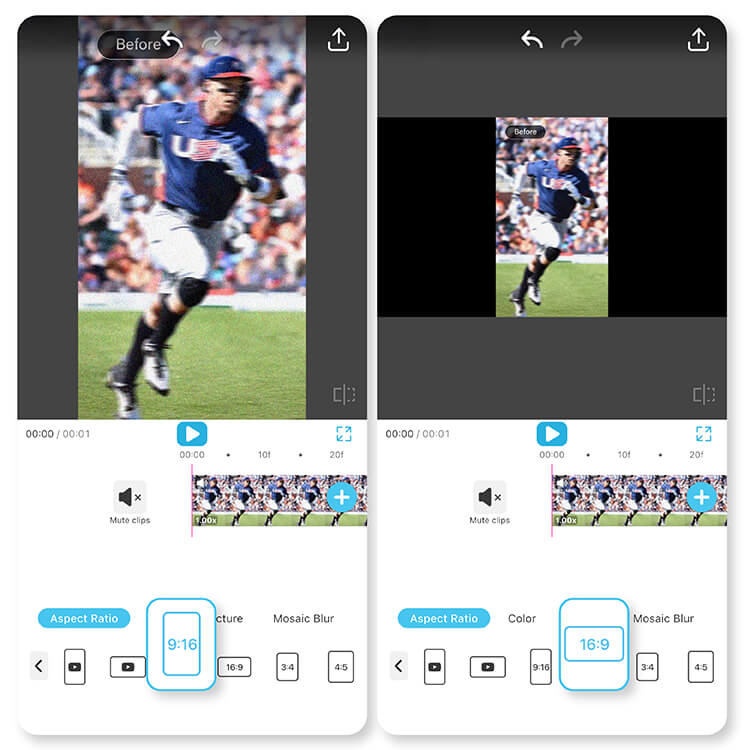
Adjust aspect ratios and resolutions for each platform to ensure your gaming video looks its best everywhere.
For example, vertical formats work better for mobile social media, whereas widescreen formats are ideal for YouTube.
11. Test, Review, and Get Feedback
Before publishing, watch your video from a viewer’s perspective.
Are transitions smooth? Is the commentary clear? Share a draft with friends or followers to get feedback. Small tweaks can make a big difference in engagement.
12. Use Consistent Branding and Style
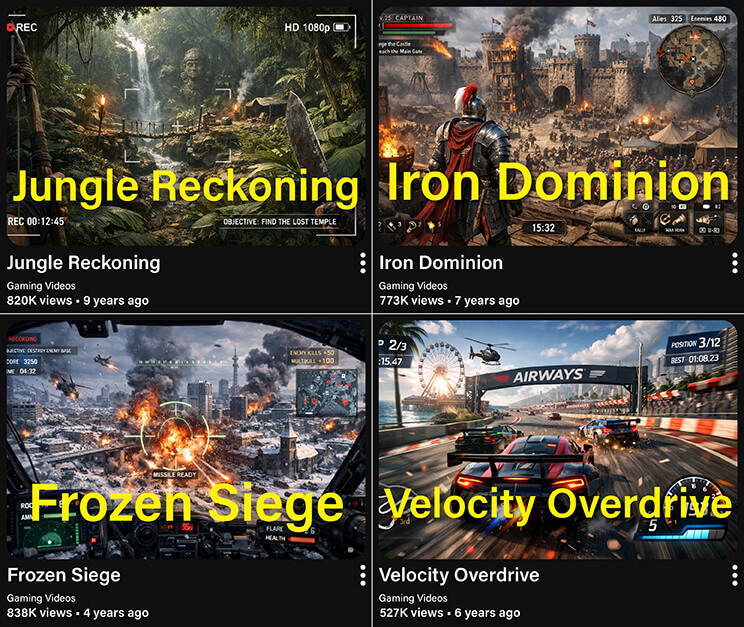
Consistency makes your gaming videos recognizable. Use similar color schemes, font styles, or intro/outro sequences across videos.
Over time, this creates a personal brand that viewers can immediately identify. When your style becomes familiar, your audience is more likely to return for new content.
Start Creating Your Standout Gaming Videos
A standout gaming video combines crisp visuals, smooth editing, engaging commentary, and a personal touch. With these 12 tips, you can create content that captures attention, keeps viewers watching, and grows your audience.
Tools like YouCam Video make the process simple, from trimming clips and adding effects to recording voiceovers and subtitles.
Download YouCam Video now and start turning your gameplay into videos that stand out, entertain, and inspire.
Best AI Video Editor
The Best AI Video Editor & Makeup App.
Edit your gaming videos easily.
Gaming Video FAQs
How to make a good gaming video?

A good gaming video starts with high-quality footage and a clear plan. Focus on your best moments, add commentary or reactions, and enhance your clips with effects, text, and music. Use tools like YouCam Video to trim, highlight action, and polish your content. Engaging storytelling and concise editing keep viewers watching from start to finish.
What is the 7 second rule on YouTube?
The 7-second rule on YouTube suggests you have about seven seconds to grab a viewer’s attention. If your video doesn’t hook them quickly with engaging visuals, a clear intro, or exciting gameplay, viewers are likely to click away. Strong intros, attention-grabbing clips, and dynamic editing help keep audiences watching past this critical window.
What gaming videos should I make?
The best gaming videos showcase your unique style and skill. Popular options include tutorials, walkthroughs, epic wins, funny fails, challenges, or live reactions. Short highlights perform well on social media, while longer strategy or gameplay guides work for YouTube. Experiment to find what resonates with your audience and focus on content that entertains, teaches, or inspires.
What are the big 3 in gaming?
The “big 3” in gaming often refers to the three most influential platforms: PC, console, and mobile. These categories cover the majority of gaming experiences and content creation. Each has unique gameplay styles and audiences. Understanding the differences helps creators decide which platform to target when filming or sharing gaming videos to reach the widest audience.
How to film gaming videos?
Filming gaming videos requires a screen recorder or capture device and high-quality settings. Record at a high resolution and frame rate for smooth visuals, and capture game audio clearly. Add commentary using a microphone for personality and tips. Organize footage in a way that tells a story, then edit with tools like YouCam Video to polish clips and highlight key moments.



