


 Author:
The holiday season is here, and with it comes the annual desire for the perfect, scroll-stopping social media moment. This year, the Christmas Tree Doll Trend has taken Instagram and TikTok by storm, offering a whimsical and heartwarming way to celebrate. You might think it takes a graphic design degree, but we're here to tell you it takes 6 simple taps.
In this quick, friendly guide, you'll learn the secret behind this viral sensation and, more importantly, the exact steps to create your own stunning Christmas Tree Doll using a powerful, beginner-friendly AI tool: YouCam AI Pro. Get ready to unwrap your most festive avatar yet!
What is the Viral Christmas Tree Doll Trend?
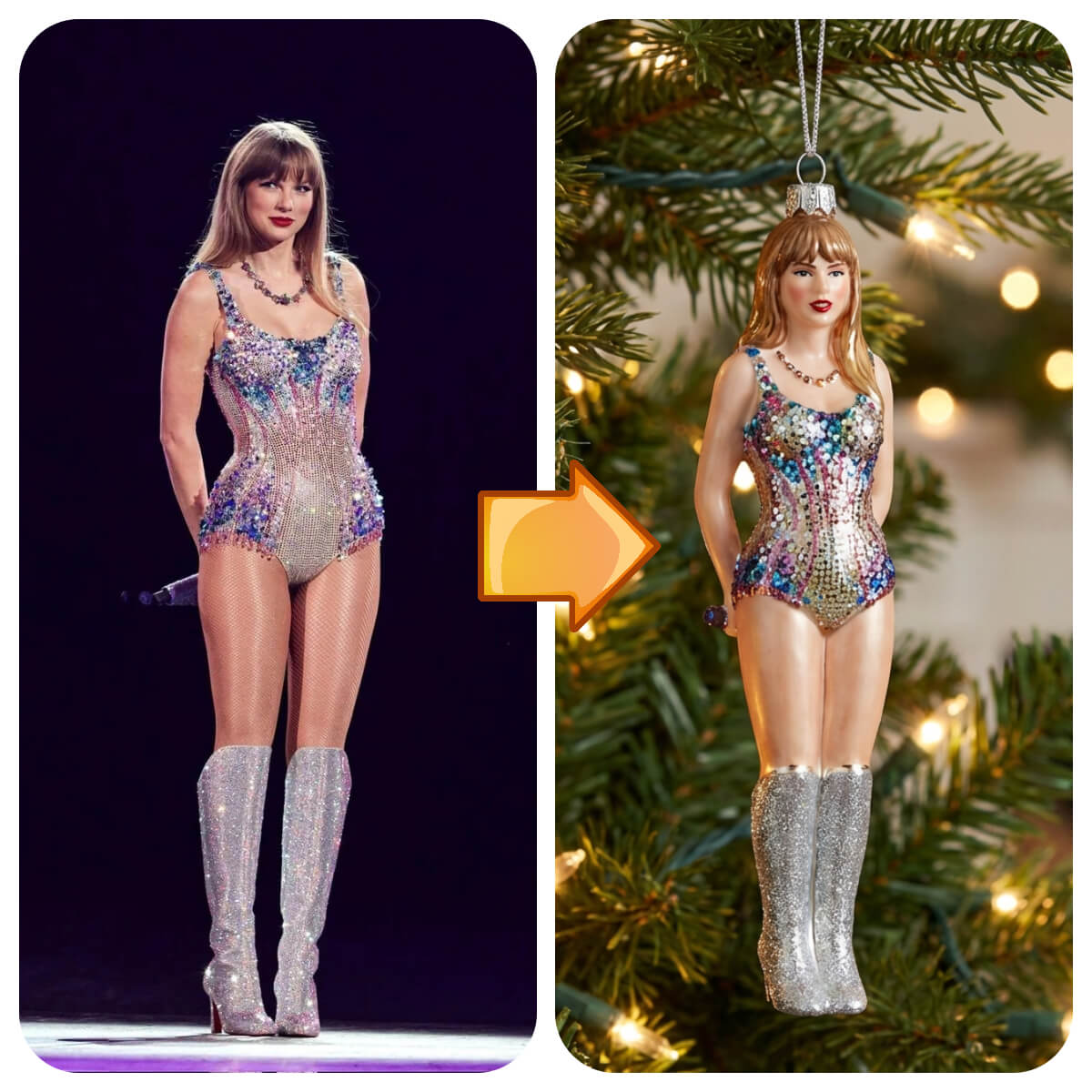
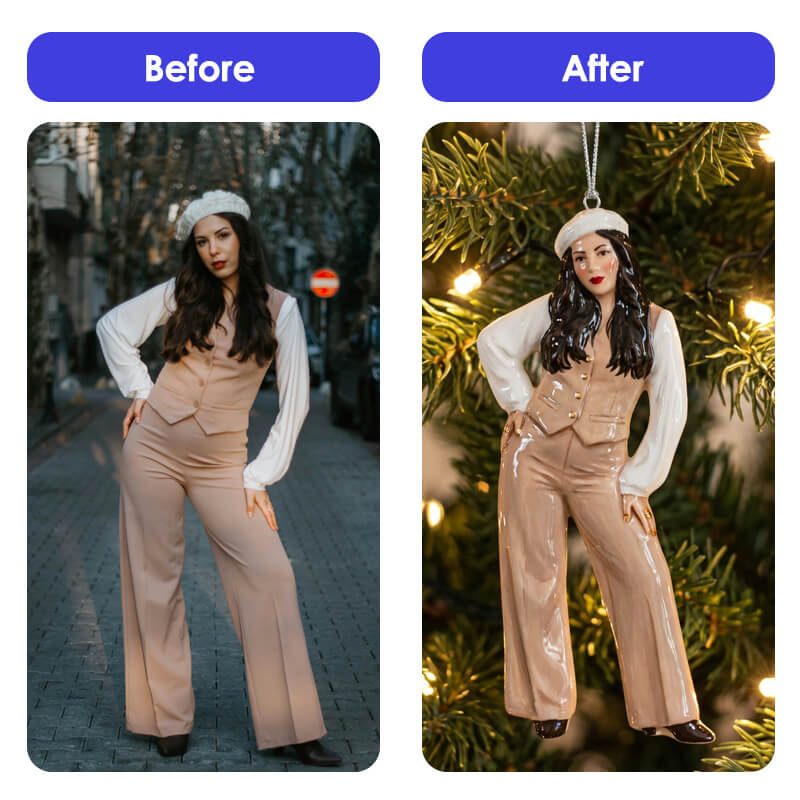
The Christmas Tree Doll Trend is a delightful social media phenomenon where users generate AI-powered images that transform their photos into a small, stylized Christmas doll or ornament.
These creations often feature big, expressive eyes, intricate clothing reminiscent of a doll, and a backdrop filled with festive cheer (like a cozy tree or winter scene). It’s an imaginative blend of the "dollify" effect and holiday aesthetics, making it perfect for an adorable profile picture or a charming seasonal post.
Explore more viral Holidays photo editing ideas>>>
See What I’d Look Like as a Christmas Tree Doll with YouCam AI Pro
Why choose YouCam AI Pro? Because this application gives you the power of multiple state-of-the-art AI generation models—including specialized art models—in one easy interface. This flexibility ensures you get the highest quality and most stylized result for your Christmas Tree Doll image, whether you want a photo-realistic doll or a highly stylized cartoon.
Ready to see the magic? Here is the step-by-step process:
Step 1: Download the Best AI Image Generator App: YouCam AI Pro
Shared Materials by Strapi
*Adjust the size of images ONLY. Please go to Strapi to edit the materials info.
Step 2. Go to AI Image Section & Select Image to Image
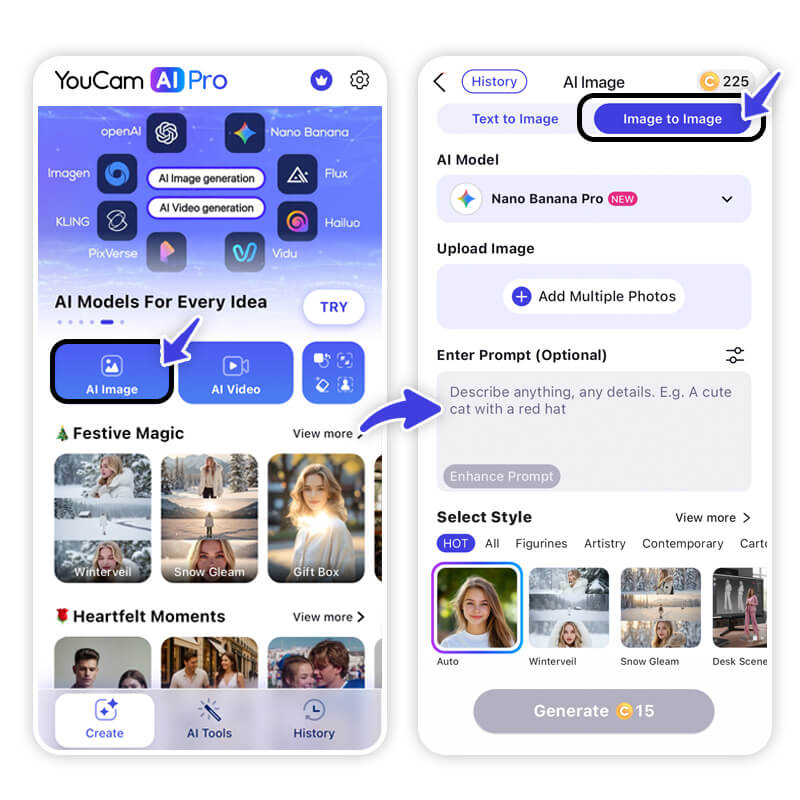
Open the app and go to AI Image section. The "Image to Image" function is key for this trend, as it uses your actual photo as a reference point to generate a consistent, personalized doll image.
Step 3. Select Nano Banana Pro as AI Model
This is a pro tip! While YouCam offers many models, select the Nano Banana Pro model. It's excellent at interpreting an image and applying stylized, detailed art effects, which is crucial for achieving that distinct, high-quality Christmas Tree Doll look.
Step 4. Upload Your Photo
Select a clear, well-lit photo of yourself where your face is visible. The better the original photo, the better the AI can capture your unique features in doll form!
Step 5: Enter the Perfect Prompt for Your AI Christmas Tree Doll
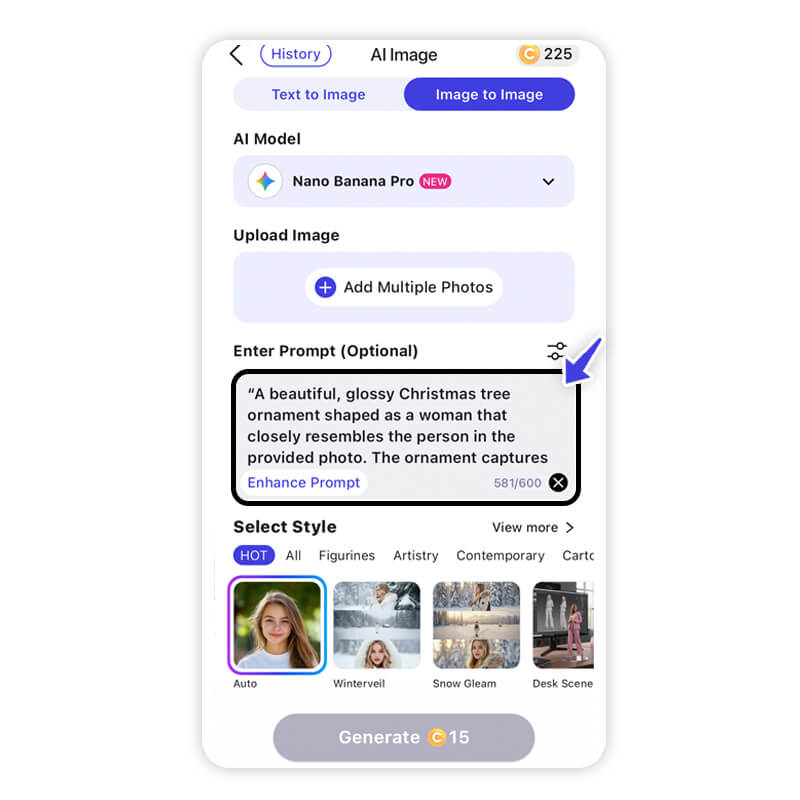
The prompt is the AI's instruction manual. For the best results, be descriptive!
- Example Prompt: A beautiful, glossy Christmas tree ornament shaped as a woman that closely resembles the person in the provided photo. The ornament captures her hairstyle, facial features, and outfit, translating them into a festive, hand-painted figurine style. She is dressed in the same clothes as in the photo, with all accessories and signature details included. The ornament has a shiny, ceramic or glass-like surface, with subtle highlights, metallic accents, and hangs from a silver thread on an evergreen tree, surrounded by glowing Christmas lights, creating a cozy holiday atmosphere.
- Pro Tip: Include specific details about the type of outfit or hair you want!
Discover more creative Holidays image ideas with Nano Banana prompts>>>
Step 6. Tap "Generate" to Get Your AI Christmas Tree Doll Image
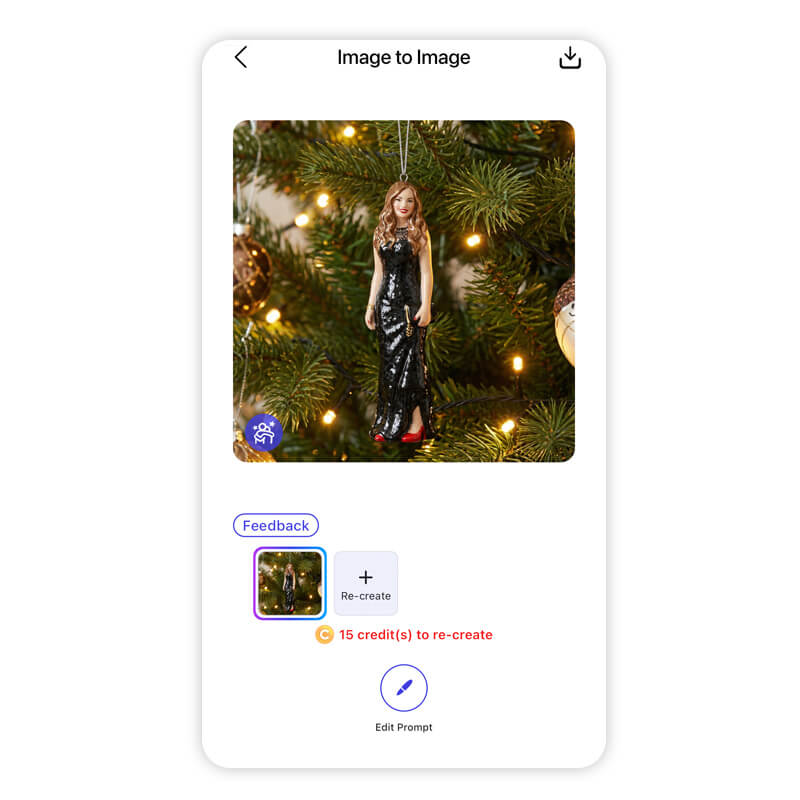
Tap the "Generate" button and watch the AI work its festive magic. In seconds, you'll have a unique, custom Christmas Tree Doll avatar ready to be shared with the world!
Shine with Your AI Christmas Tree Toy this Holidays
Shared Materials by Strapi
*Adjust the size of images ONLY. Please go to Strapi to edit the materials info.
You’ve seen the trend, and now you have the tool! Generating your own highly engaging, personalized Christmas Tree Doll is not a daunting technical task; it's a simple, creative process that only takes moments with YouCam AI Pro.
Stop dreaming about being part of the holiday magic and make it happen. The social media stage is yours—this trend is the perfect way to rack up likes, boost your views, and spread some genuine holiday cheer. Your festive transformation is just a tap away.
Ready to unbox your holiday spirit? Download YouCam AI Pro today and join the Christmas Tree Doll Trend!
About the Editors

The PERFECT Corp. Editorial Team
We are a team of experts on photo and video editing apps. Our goal is to deliver engaging content on everything from stunning selfie edits to eye-catching video effects. We cover the latest trends and share niche tips to help you master digital creation.



