


 Author: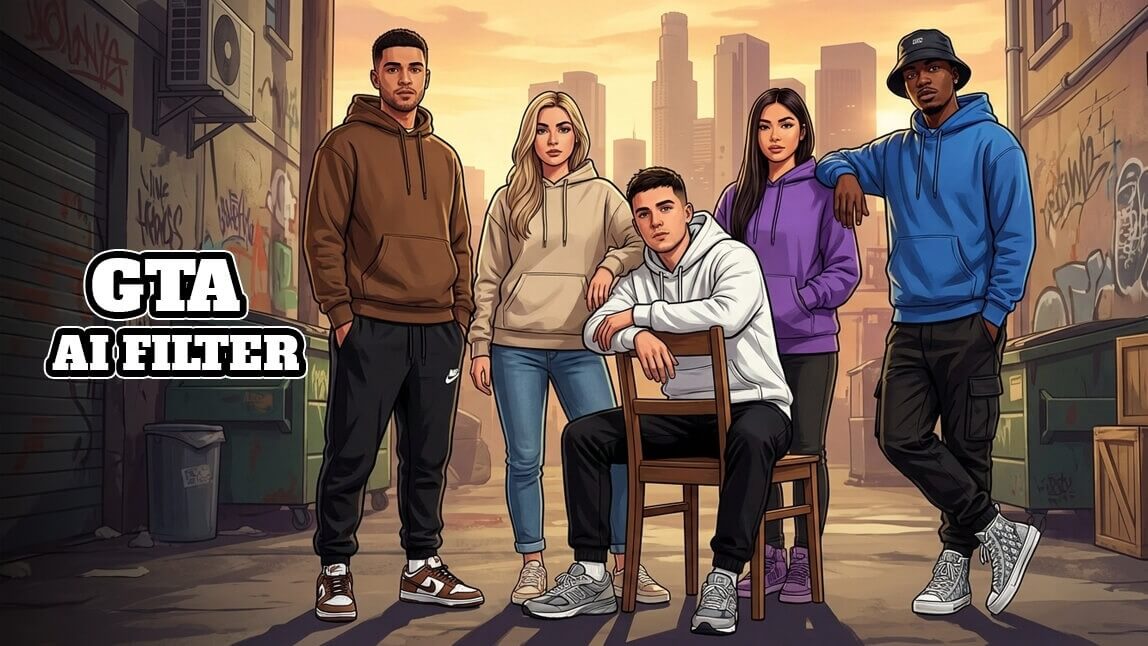
If you’ve ever imagined yourself as a Grand Theft Auto character, you’re not alone.
Thanks to the viral GTA filter trend, anyone can now turn a selfie into GTA-style artwork using AI—no design skills required. This guide breaks it down step by step, so even total beginners can jump in confidently.
Key Takeaways
- What the GTA Loading Screen AI Filter trend is
- How to turn your photo into GTA style with AI
- YouCam AI Pro: The easiest tool to create and save your own GTA-style image
Let’s get started.
What Is the GTA Loading Screen AI Filter Trend?
The GTA Loading Screen AI Filter Trend is inspired by the iconic illustrated artwork seen in Grand Theft Auto games. These images feature:
- Bold black outlines
- Stylized facial features
- Cinematic lighting and vibrant colors
- A confident, story-driven pose
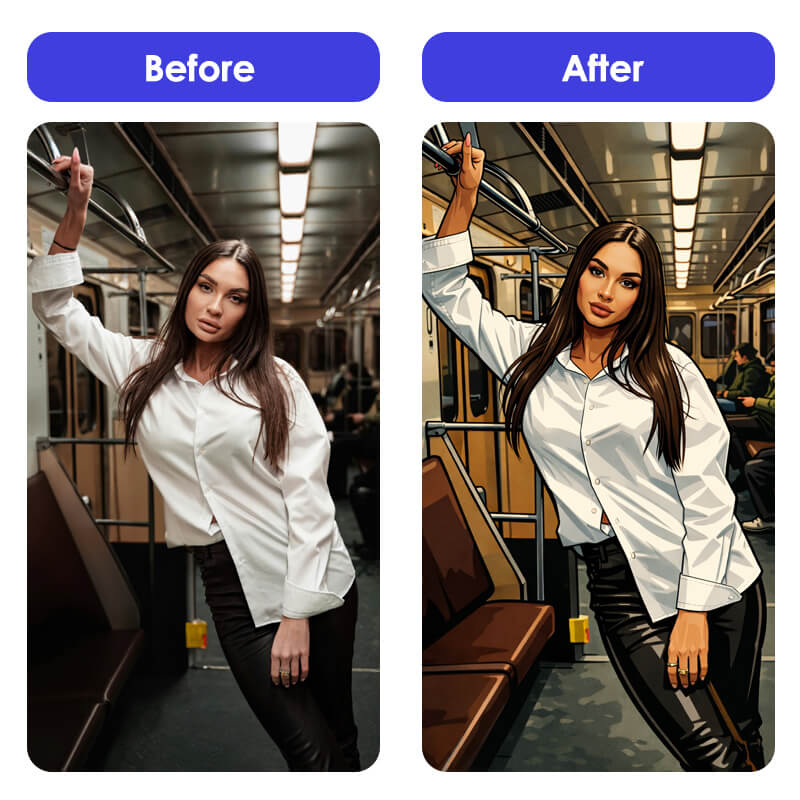
With an AI GTA filter, modern image-generation tools analyze your photo and recreate it in this unmistakable GTA aesthetic. The result? A portrait that looks like it came straight out of a Rockstar Games loading screen.
This trend has exploded across TikTok, Instagram, and X, especially among:
- GTA fans
- Social media creators
- Graphic designers
- AI art enthusiasts

See What I’d Look Like as a GTA Character with AI
You don’t need Photoshop—or artistic talent—to try this trend. Here’s how to create a GTA-style portrait in just a few taps using YouCam AI Pro.
Step 1: Download YouCam AI Pro

AI Image & Video Generator
Turn text into GTA Character instantly.
Supports Text-to-Image & Image-to-Image.
Start by downloading YouCam AI Pro, an all-in-one AI image app designed for creative transformations, including GTA-style art.
Step 2: Tap “AI Image” & Choose Image-to-Image
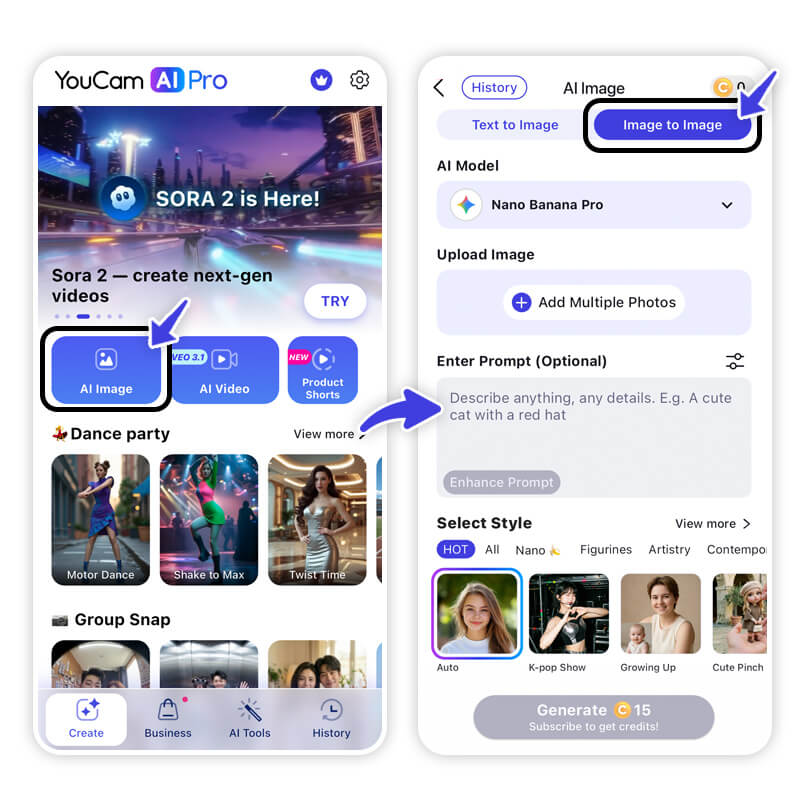
Open the app and select AI Image, then choose Image to Image.
This allows the AI to transform your existing photo while keeping your facial features recognizable.
Step 3: Write a GTA-Style Prompt & Upload Your Photo
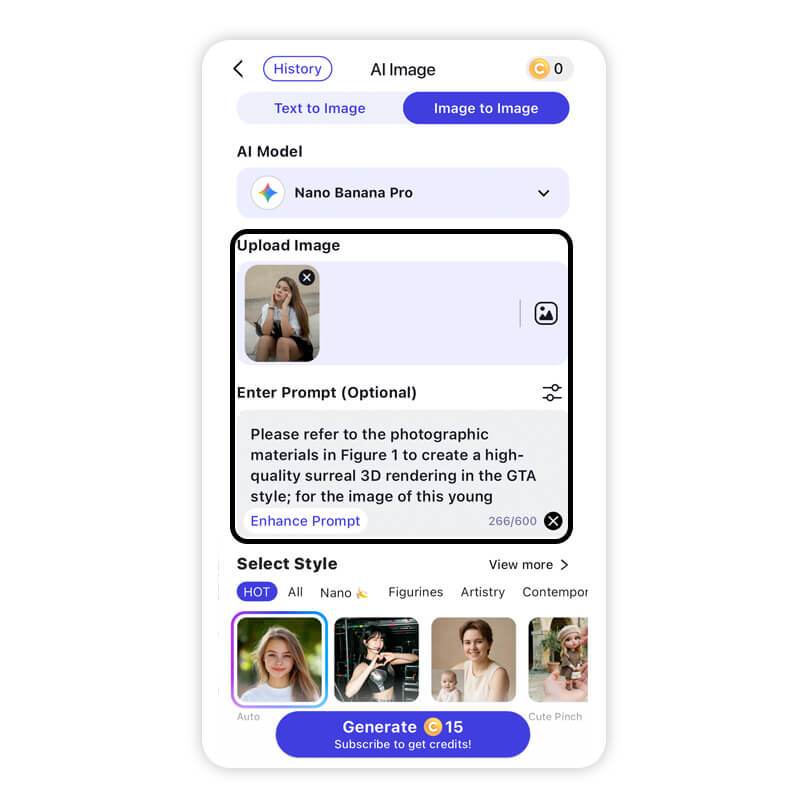
Upload a clear selfie (front-facing works best).
Then enter a prompt like:
- "Please refer to the photographic materials in Figure 1 to create a high-quality surreal 3D rendering in the GTA style; for the image of this young woman, do not alter the original facial contours; the work must feature the GTA aesthetic style and illustrative style.9:16Original.Original."
- “Create a GTA loading screen–style illustration with bold outlines, cinematic lighting, and vibrant colors.”
A well-written prompt helps the AI lock into the GTA filter aesthetic.
Step 4: Select AI Model
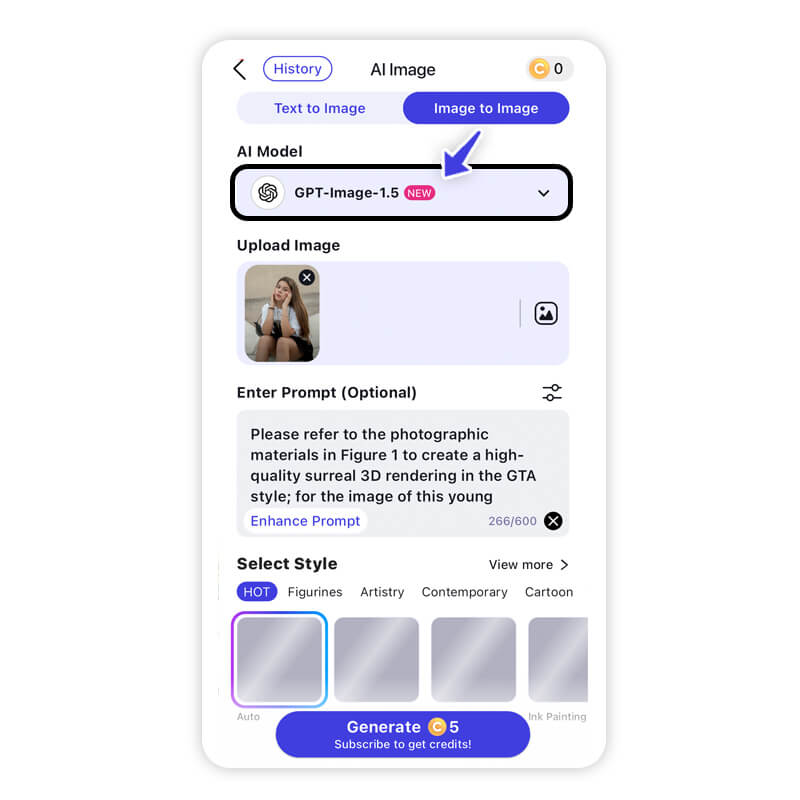
Choose an AI model like YouCam AI , GPT-Image-1.5 and more.
Step 5: Generate & Save
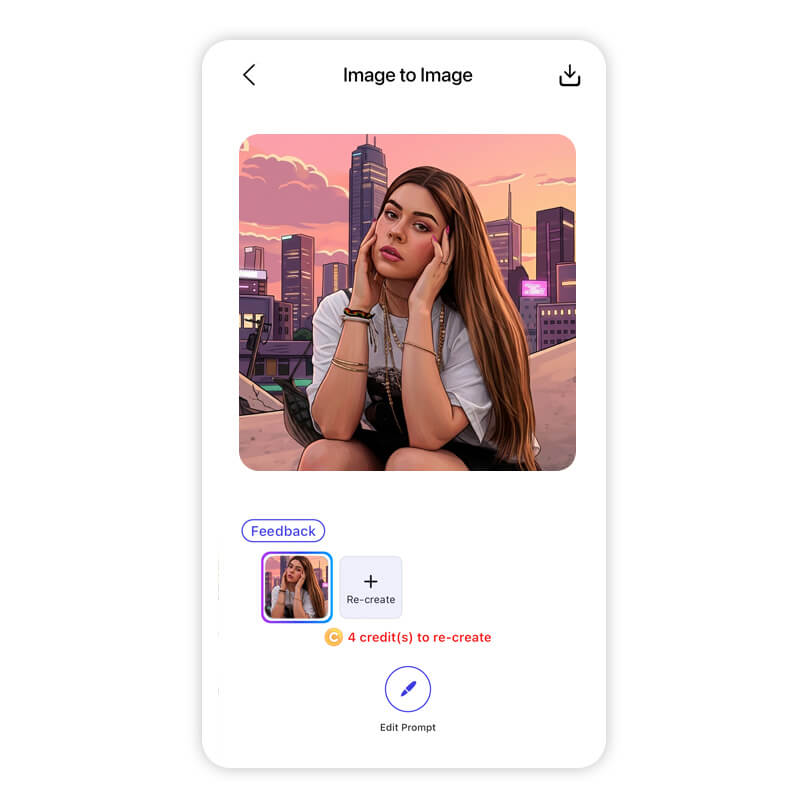
Tap Generate, wait a few seconds, and your GTA-style portrait appears.
Save it, share it, or use it as a profile image—your GTA character is officially born.
Final Thoughts: Your GTA Character Is Just One Prompt Away
AI Image & Video Generator
Turn text into GTA Character instantly.
Supports Text-to-Image & Image-to-Image.
The GTA filter trend proves that AI creativity doesn’t need to be complicated. With the right tool and a simple prompt, you can turn an everyday selfie into a bold, cinematic GTA-style portrait in minutes.
Whether you’re a GTA fan, content creator, designer, or just curious about AI art—this is one trend worth trying.
✨ Ready to see yourself in GTA style?
👉 Download YouCam AI Pro and create your own GTA-inspired image today.
About the Editors
The PERFECT Corp. Editorial Team
We are a team of experts on photo and video editing apps. Our goal is to deliver engaging content on everything from stunning selfie edits to eye-catching video effects. We cover the latest trends and share niche tips to help you master digital creation.
Discover more about us:
AI GTA Filter FAQs
Is There a GTA 6 Release Date?

Yes. Rockstar Games has confirmed GTA 6 is scheduled for November 2026.
Why Is GTA 6 Delayed Until November 2026?
Rockstar cited extended development time to ensure:
- Higher visual fidelity
- Larger open-world detail
- Next-generation gameplay mechanics
In short: quality over speed.
How Much Will GTA 6 Cost?
While not officially announced, industry expectations suggest:
- Standard edition: $69–$79 USD
- Premium or collector editions may cost more



