


 Author:
To create high-quality commercial videos without a professional crew, you should use an AI video generator like YouCam AI Pro.
In 2026, if you're not creating video, you're not competing. Whether you're a TikTok creator, small business owner, or ecommerce brand, commercial video is the most powerful way to sell. But here's the thing, video content doesn't have to be complicated anymore. With AI tools like YouCam Video AI Pro, you can make high-converting, platform-ready commercial videos in minutes, with no editing skills, studio setup, or budget stress. YouCam AI Pro is leading the charge as the best commercial video generator of the year.
Why YouCam AI Pro is the Best AI Commercial Video Generator in 2026?
If you're on the hunt for the best AI commercial video generator, YouCam AI Pro is the tool. Why?
- Ease of Use: No need for editing skills. Just upload your product images, type a script or let AI write it, and hit generate.
- On-Trend Templates: From TikTok-style verticals to YouTube-style cinematic ads, you can create commercial videos that actually look like they're from 2026.
- Smart Styling: AI auto-matches the tone and style to your product. Whether it's a moody skincare reel or a high-energy gym promo.
- Cost-Effective: YouCam skips the need for a full crew and cuts production time in half. That's ROI you can feel.
Traditional Production vs. AI Generation
| Feature | Traditional Production | AI Video Generation |
|---|---|---|
| Cost | $$$ for crew, gear, location | Affordable or freemium |
| Time | Days or weeks | Minutes |
| Accessibility | Requires pros and equipment | Customizable with AI |
| Flexibility | Low | High |
| Speed to Publish | Slow | Fast |
| Scalability | Slow and manual | Fast and repeatable |
How to Create AI Commercial Videos?
You don't need expensive software or a degree in editing. You can create a stunning commercial in minutes. Here is the step-by-step guide to using the best commercial video generator.

AI Video & Image Generator
Best AI Commercial Video Generator.
Supports AI product & talking avatar video templates.
First, get the app. It’s your all-in-one studio for AI content creation.
Step 2. Tap "AI Business" & Select Template
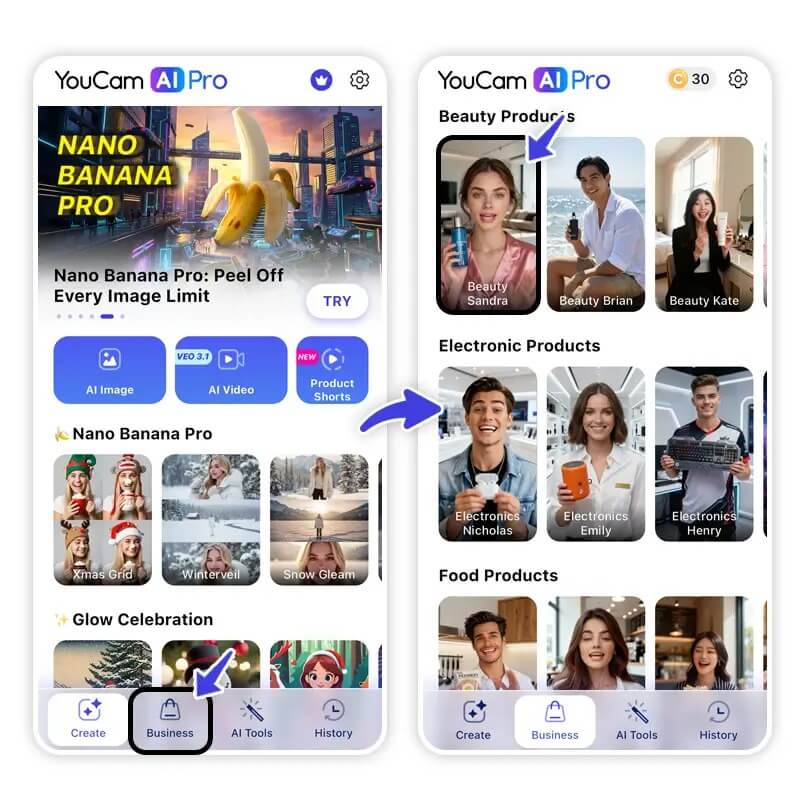
Open the app and navigate to the AI Business section. Here, you will find specialized templates designed for marketing.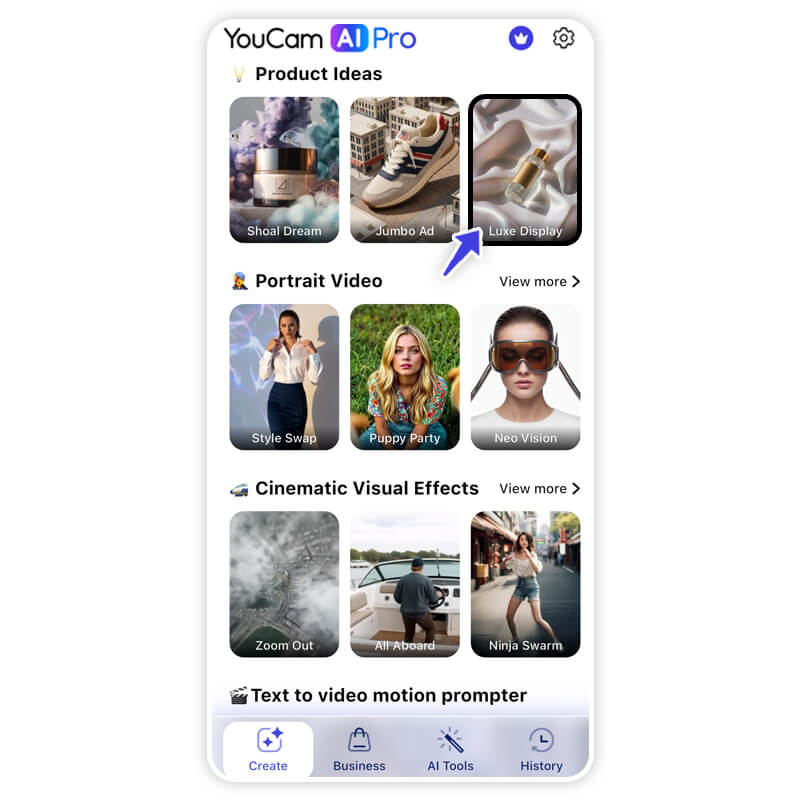
Choose between a Product Video style (focusing on an item) or a Talking Avatar style (focusing on a message).
Step 3. Edit Script, Product & Face
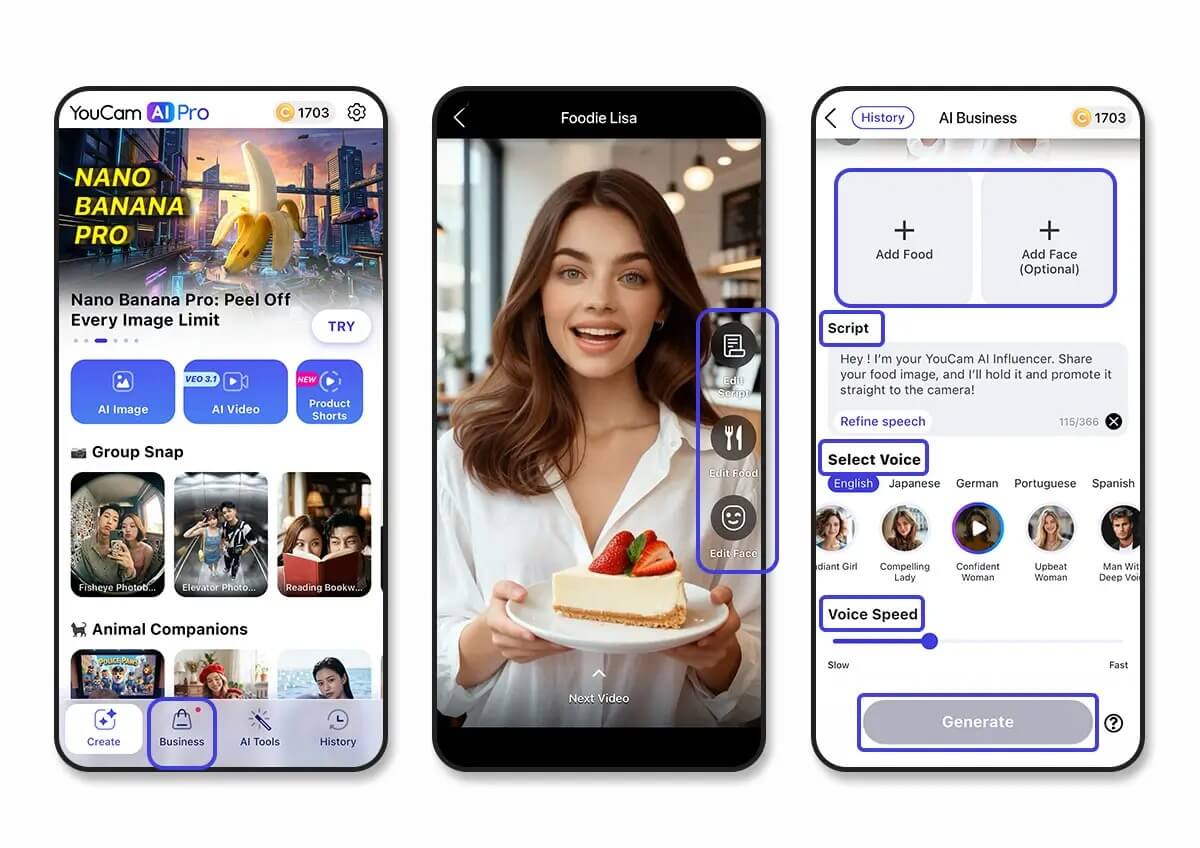
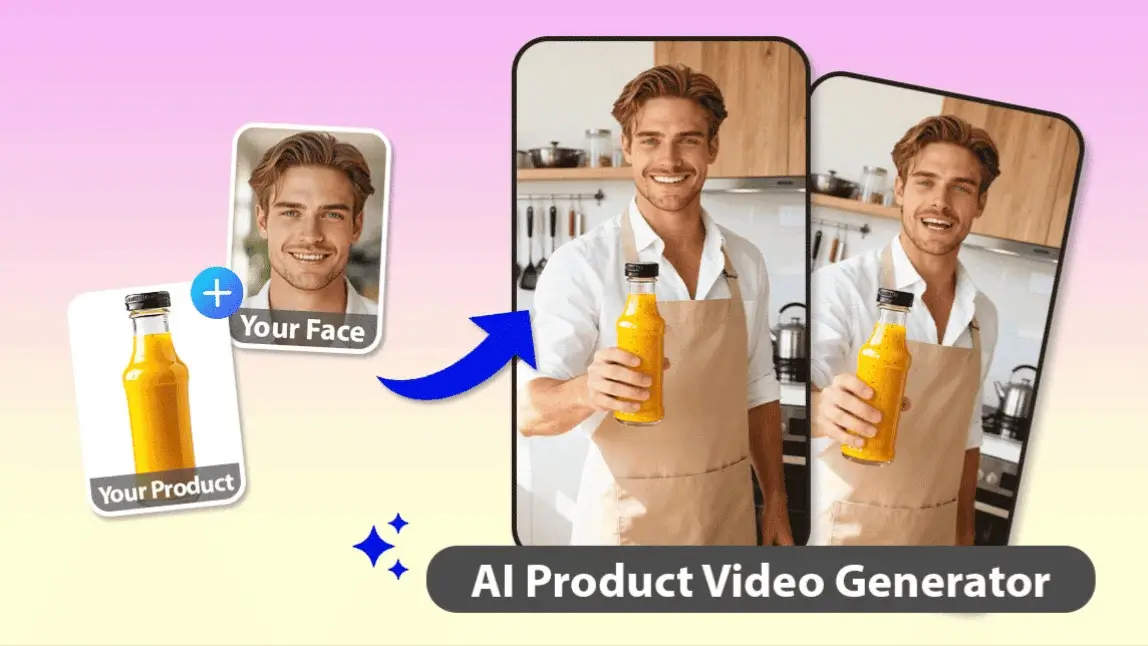
- For Avatars: Type in your script. The AI will lip-sync perfectly. You can even choose the face and voice that best fits your brand identity.
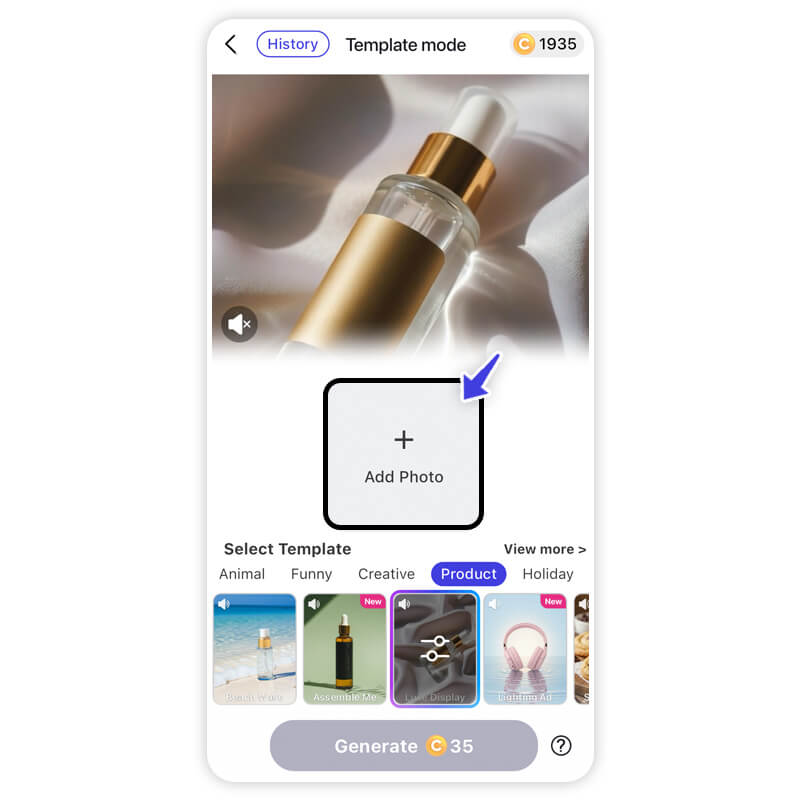
- For Products: Upload a photo of your product. The AI will integrate it into professional backgrounds and animate the scene.
Step 4. Generate & Download
Hit the generate button. In moments, the AI renders a high-definition video ready for TikTok, Instagram, or YouTube. Download it and watch your engagement soar.
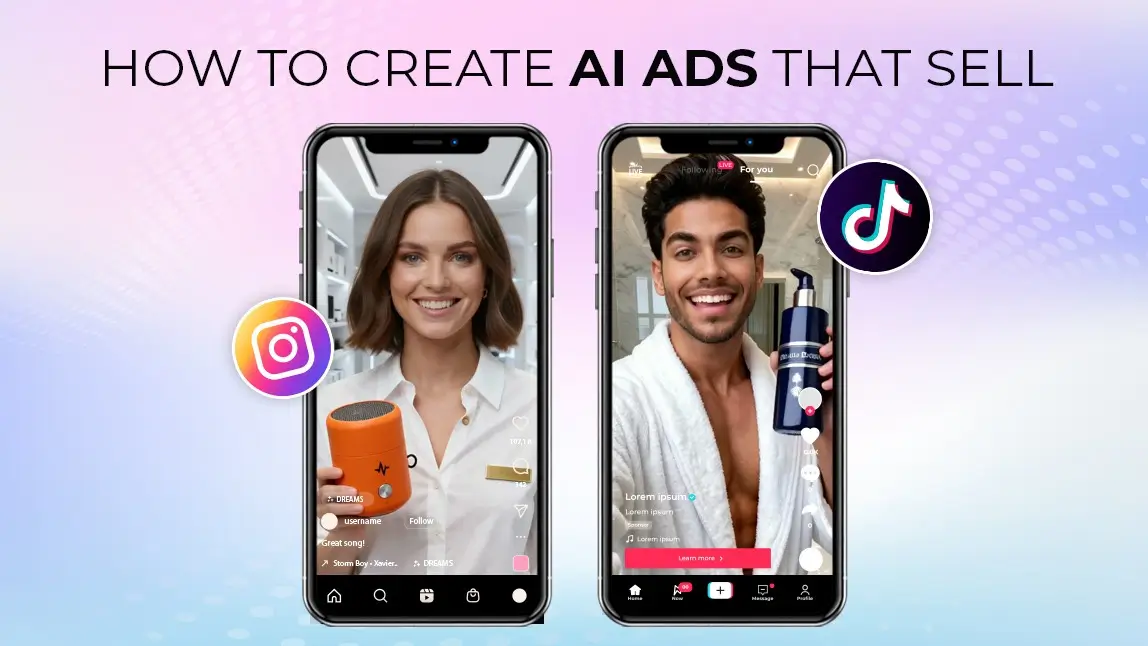
AI Commercial Video Examples
1. Miniature World
2. AI Influencer
3. AI Product Video
4. Production Process
Final thoughts
AI Video & Image Generator
Best AI Commercial Video Generator.
Supports AI product & talking avatar video templates.
In a world where content moves fast, YouCam AI Pro helps you move faster. Whether you're promoting a brand, service, or side hustle, AI-powered video generation tools like YouCam AI Pro are here to make you look pro-level without breaking the bank.
Download YouCam AI Pro, upload your product photo or footage, and let AI turn it into your next viral video.
About the Editors
The PERFECT Corp. Editorial Team
We are a team of experts on photo and video editing apps. Our goal is to deliver engaging content on everything from stunning selfie edits to eye-catching video effects. We cover the latest trends and share niche tips to help you master digital creation.
Discover more about us:



