YouCam Perfect
4.8
download app
Best Photo Editor & Selfie Camera
BlogPhoto Editing
AI Idol Trend: How to Turn Yourself into Kpop Idol [Prompt Included]
Photo Editing

AI Idol Trend: How to Turn Yourself into Kpop Idol [Prompt Included]

May 15, 2026 · 3 minutes read
AI Idol Trend: How to Turn Yourself into Kpop Idol with AI

Ever imagined yourself debuting as the next viral K-pop star, complete with glowing stage lights, dramatic ending fairy close-ups, and thousands of screaming fans?

The internet’s newest obsession — the AI Idol Trend — is making that fantasy possible.

In this guide, we’ll show you how to join the viral AI idol trend using simple prompts and AI tools like YouCam Perfect. No trainee years required.

Key Takeawayspros
  • The Trend: The AI Idol Trend transforms selfies into realistic K-pop idol-style images and videos using generative AI.
  • The Aesthetic: Think music show fan cams, ending fairy shots, trainee visuals, and cinematic stage lighting.
  • The Tool: YouCam Perfect lets you create AI idol images and animate them into realistic fan cam clips in minutes.

What Is the AI Idol Trend?


The AI idol trend is a viral social media trend where users use AI to turn themselves into realistic K-pop idols.

Inspired by Korean music show aesthetics, these AI-generated visuals often include:

  • Stage lighting and neon effects
  • Idol-style fashion and makeup
  • Fan cam broadcast overlays
  • Cinematic crowd energy
  • Ending fairy close-ups
  • Realistic performance camera angles

The trend exploded across TikTok, Instagram Reels, and YouTube Shorts as fans began creating their own AI K-pop idol personas using selfies and AI image generators.

Some creators go for glamorous girl-group visuals, while others recreate intense boy-group concert stages or emotional trainee documentary vibes.

How to Create Your Own AI Idol Photo and Video

You only need a selfie and a few minutes to create your own viral AI idol fan cam.

Step 1: Download YouCam Perfect

App Icon
YouCam Perfect
Best AI Photo Editor
4.8★★★★★

The Best AI Photo Editor & Selfie Camera.
Remove objects, apply filters & more.

Start by downloading YouCam Perfect.

The app includes both AI image generation and AI animation tools, allowing you to create your full AI idol transformation in one place.

You can experiment with:

  • AI K-pop idol portraits
  • Fan cam thumbnails
  • Idol-style stage edits
  • AI concert videos
  • Ending fairy aesthetics

Step 2: Use “Image-to-Image”
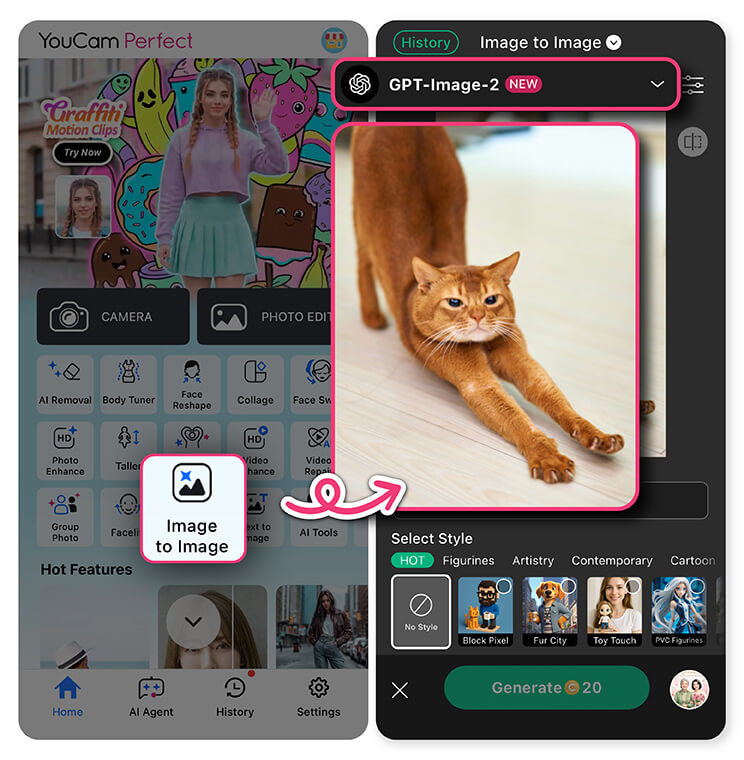
Use “Image-to-Image”Open YouCam Perfect and select the Image-to-Image feature.

This tool transforms an ordinary selfie into a realistic AI idol image using detailed prompts and visual references.

Step 3: Upload Your Photo

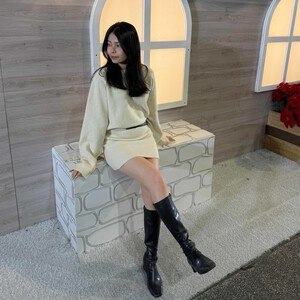
Upload a clear selfie or portrait image.

For the best AI idol results:

  • Use good lighting
  • Keep your face visible
  • Avoid heavy filters
  • Use front-facing portraits for fan cam aesthetics

Step 4: Enter the AI Idol Trend Prompt
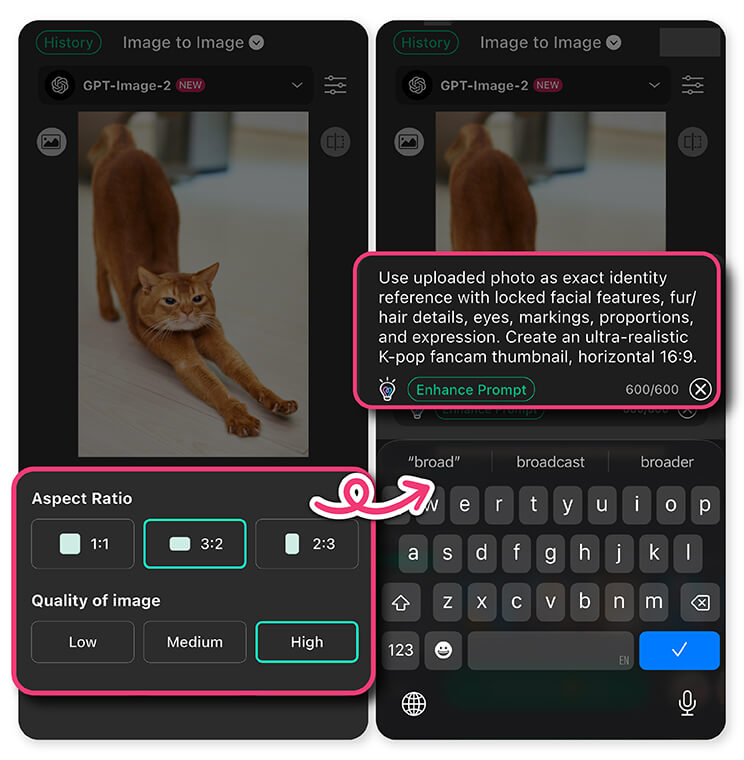
Enter the AI Idol Trend PromptPaste the following AI idol trend prompt into the prompt field:

Promptpros
  • Use the uploaded selfie/portrait as the exact face reference. Lock the subject’s facial identity completely — no face distortion, blur, drifting, reshaping, or AI over-beautification. Preserve the original eyes, nose, lips, jawline, proportions, skin texture, hairstyle vibe, and recognizable features.

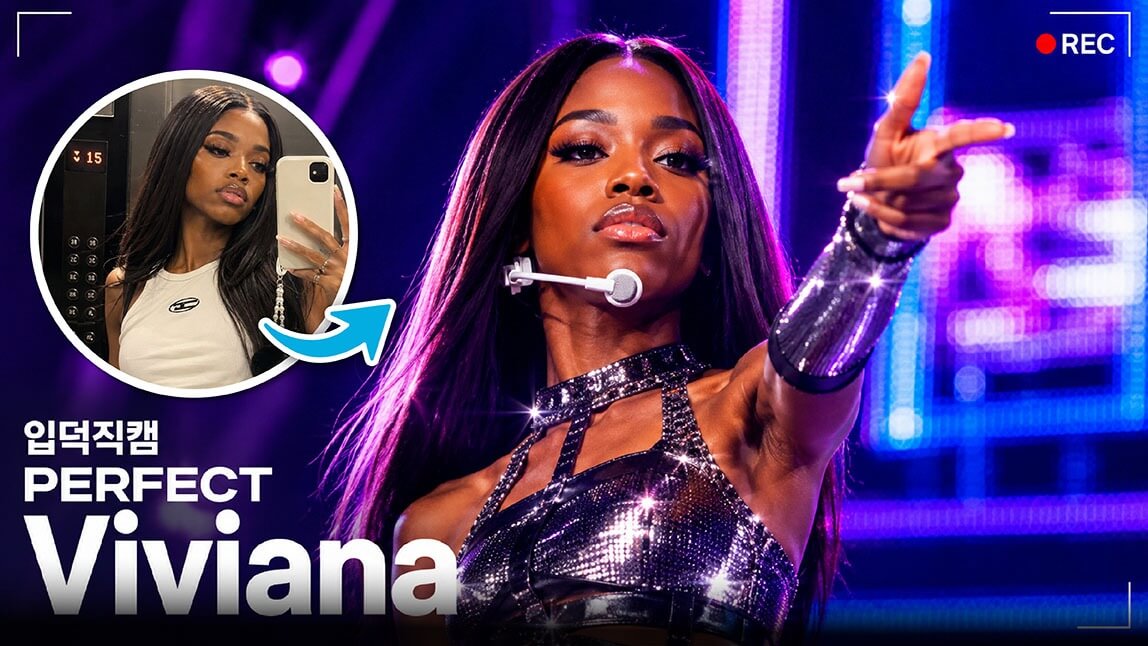
    Create an ultra-realistic Korean K-pop music show fancam thumbnail in authentic broadcast style, horizontal 16:9 format. Cinematic neon/red stage lighting, LED screens, smoke haze, concert atmosphere, shallow depth of field, luxury idol styling, realistic skin texture, headset mic, in-ear monitors, and high-budget stage outfit.

    ALL text, logos, numbers, and broadcast UI must remain perfectly sharp, readable, correctly spelled, aligned, and undistorted. No melted text or broken typography.

    group name: “YOUR GROUP NAME”

    member name: “YOUR MEMBER NAME”

    Ultra-detailed 4K realism, authentic Mnet/M COUNTDOWN fancam aesthetic.

Step 5: Animate Your AI Idol Photo

Once your AI idol image looks good, open the Image to Video feature in YouCam Perfect and upload the generated idol image. Enter the prompt below to get your own ai idol video.

Promptpros
  • Major priority 1: Lock all on-screen text information completely in place — absolutely no movement, distortion, disappearance, or alteration of any text elements at any moment, including during the final ending scene.

    Major priority 2: Preserve and lock the singer’s original facial features exactly. Every natural expression, subtle smile, eye movement, and facial nuance must remain fully consistent with the original identity and facial structure without drifting or deformation. Allow the singer to perform a natural final ending pose with realistic stage motion, authentic ending expressions, and physically accurate breathing rhythm dynamics that match real singing and performance movement logic.
App Icon
YouCam Perfect
Best AI Photo Editor
4.8★★★★★

The Best AI Photo Editor & Selfie Camera.
Remove objects, apply filters & more.

Become the Main Character with AI

You no longer need professional editing skills to create stunning idol visuals.

With AI tools like YouCam Perfect, anyone can create realistic AI K-pop idol content in minutes — from fan cam thumbnails to cinematic concert clips.

Ready to debut your AI idol era? Upload your selfie, pick a prompt, and step into the spotlight.

App Icon
YouCam Perfect
Best AI Photo Editor
4.8★★★★★

The Best AI Photo Editor & Selfie Camera.
Remove objects, apply filters & more.

# Photo Editing
Popular
Photo Editing
AI Baseball Trend: How Everyone’s Making Those Kore…
Video Editing
Korean Baseball AI Tutorial: How to Create Viral KBO F…
AI Image Generation
K-pop Fancam Thumbnail AI Trend: Why It’s Viral (Vide…
By using the website, you agree to our use of cookies. Head to our cookie statement to learn more about cookies and manage cookies on this website.