 Author: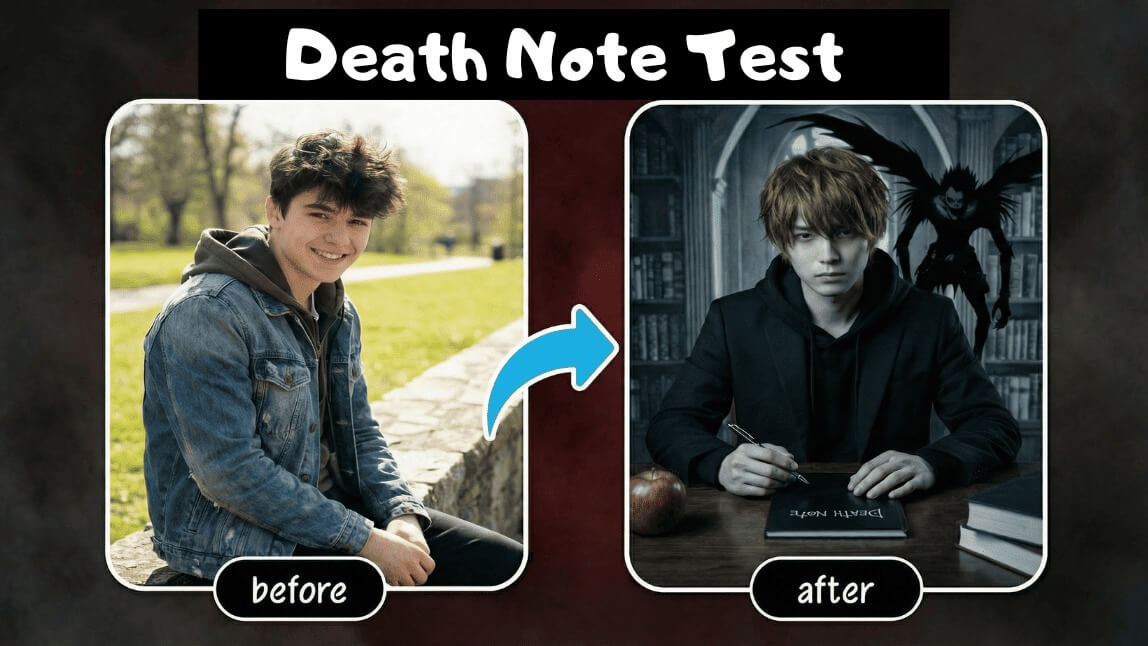
Recently, the Death Note Personality Test has taken social media by storm. With just a few intriguing questions, fans can uncover which Death Note anime character they resemble the most—whether it’s the genius strategist Light Yagami, the justice-driven L, or other iconic characters. The results are mysterious, fun, and incredibly shareable.
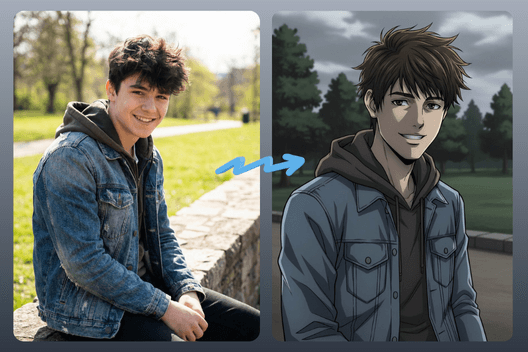
As the Death Note Test continues to go viral, many users want more than just a name—they want to see themselves as a Death Note character. That’s where YouCam Perfect’s Editing Agent comes in, using AI-powered creativity to transform your photo into authentic Death Note–style artwork.

Best AI Photo Editor
The Best AI Photo Editor & Selfie Camera.
Remove objects, apply filters & more.
Why Use YouCam Perfect for Your Death Note Character?
Add some personal touch and make your Pooh character a one and only! Here are some ideas for you. 💀 ⚰️ 🫨
#1 Transform into Death Note Anime Styles
With YouCam Perfect’s Editing Agent, you can use a simple prompt to turn your real photo into a Death Note–inspired anime character. The AI adapts facial features, atmosphere, and artistic style to match the dark, dramatic aesthetic of the series.
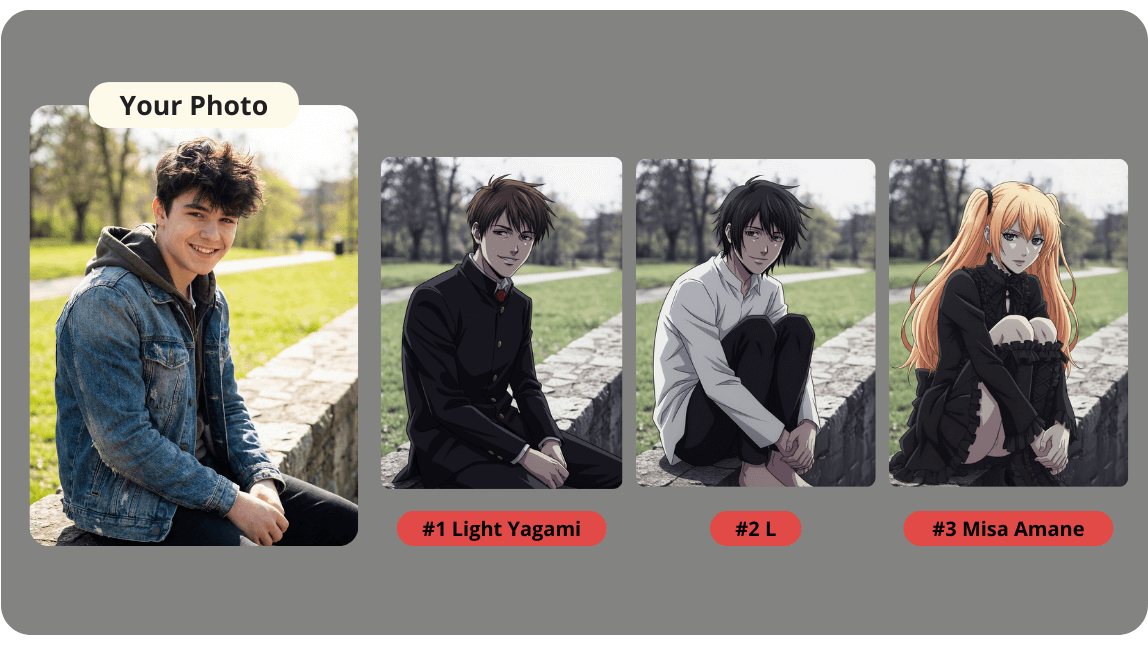
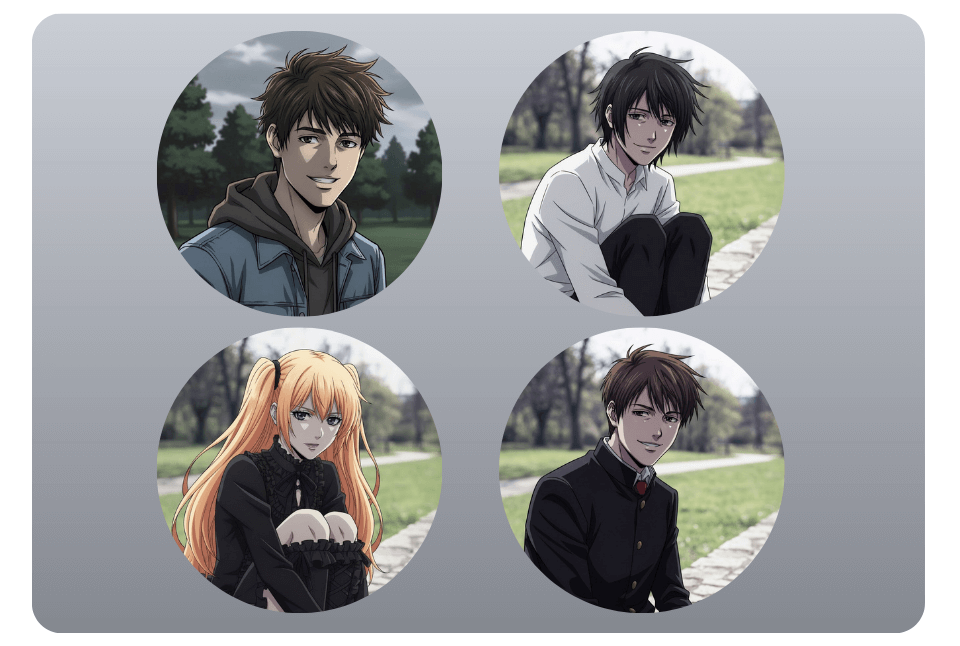
#2 Create AI Headshots, and Avatars
Your Death Note character image is generated in high quality, making it ideal for:
- Profile pictures
- TikTok & Instagram posts
- Discord avatars
- Anime fan content
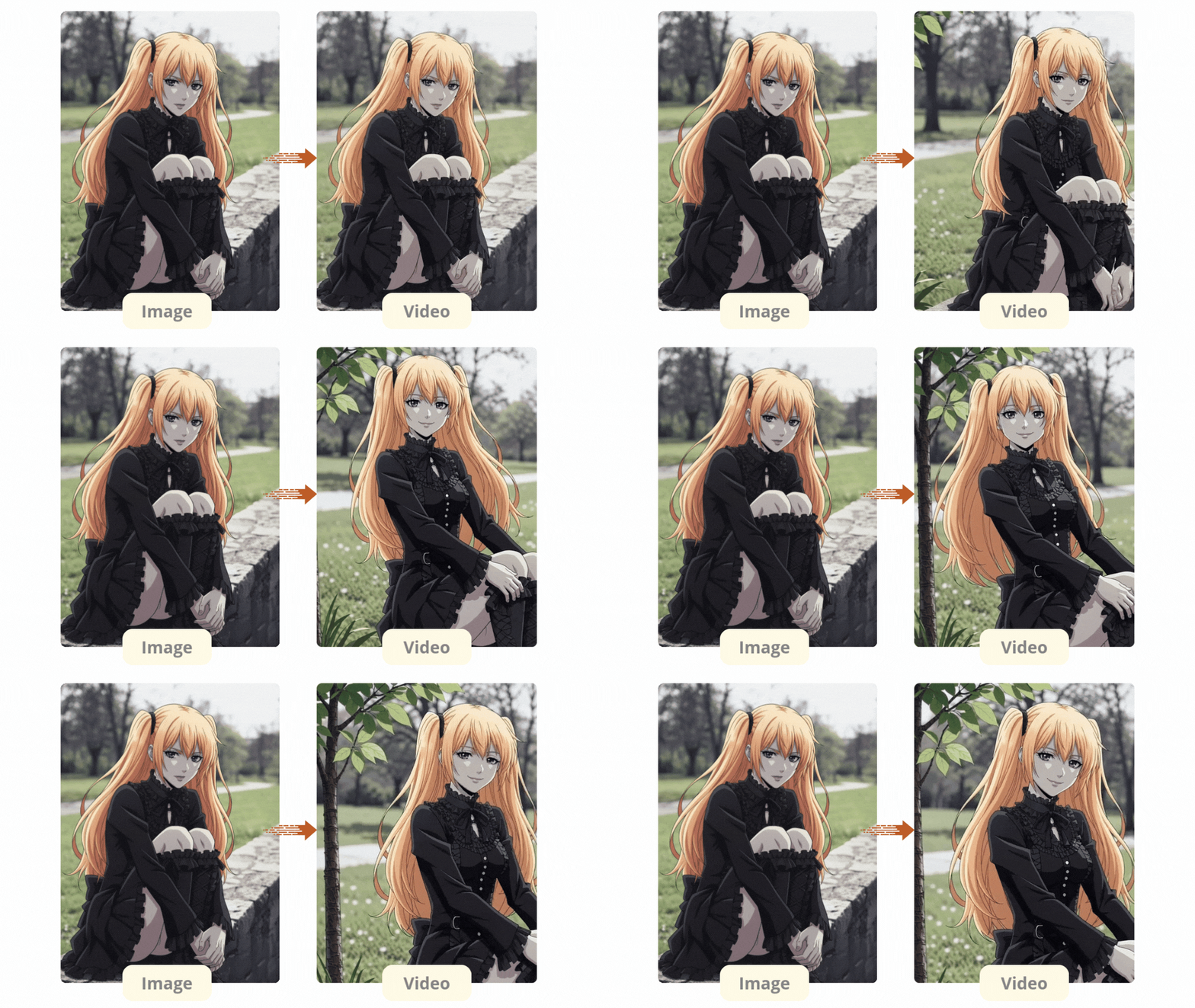
#3 Turn an Image into a Video
Go beyond static images by transforming your AI-generated Death Note character into an engaging video. This feature is ideal for creating short-form content for TikTok, Instagram Reels, and other social platforms.
How to Create My Death Note Character?
Creating your own unique Pooh charater is easy with YouCam Perfect’s Editing Agent.
Best AI Photo Editor
The Best AI Photo Editor & Selfie Camera.
Remove objects, apply filters & more.
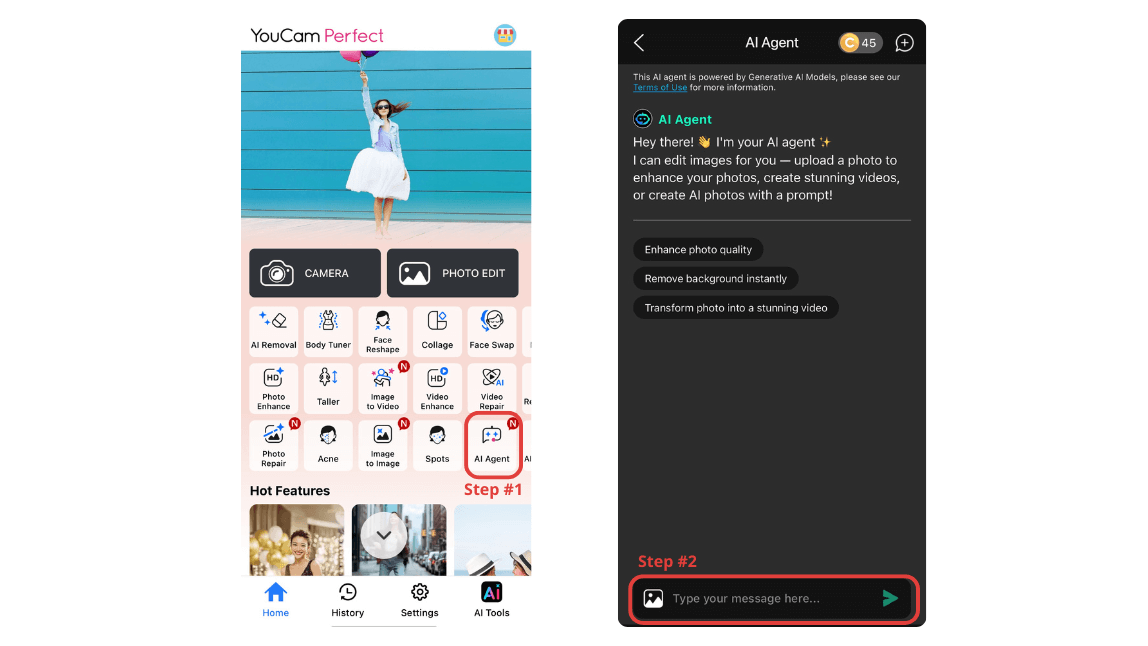
Follow these steps to get started:
Step 1. Click “AI Agent” to start
Step 2. Upload your photo
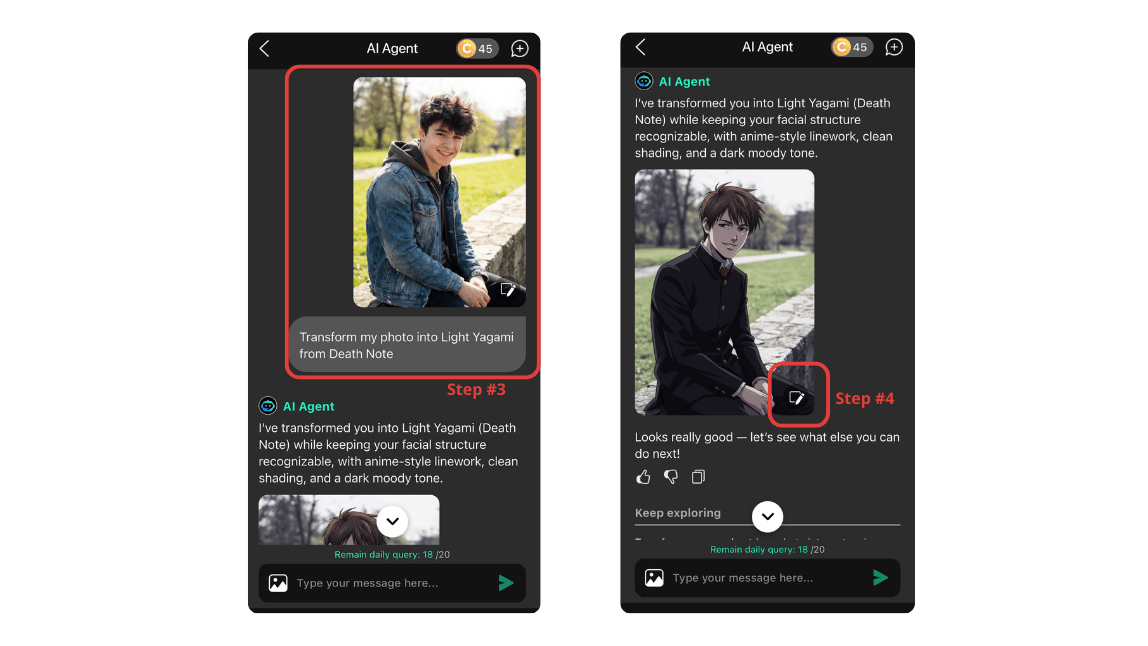
Step 3. Enter a text prompt
Step 4. Generate & Save
🔺Go and make your one and only Death Note Character!
Create Your Death Note Character Today
Don’t stop at a basic Death Note Test result. Use YouCam Perfect’s Editing Agent to bring your Death Note persona to life with AI-generated anime visuals. In just seconds, you can discover your character, see the result, and share it on TikTok, Instagram, or Discord with a style worthy of the Death Note universe. 🖤📓