


 Author: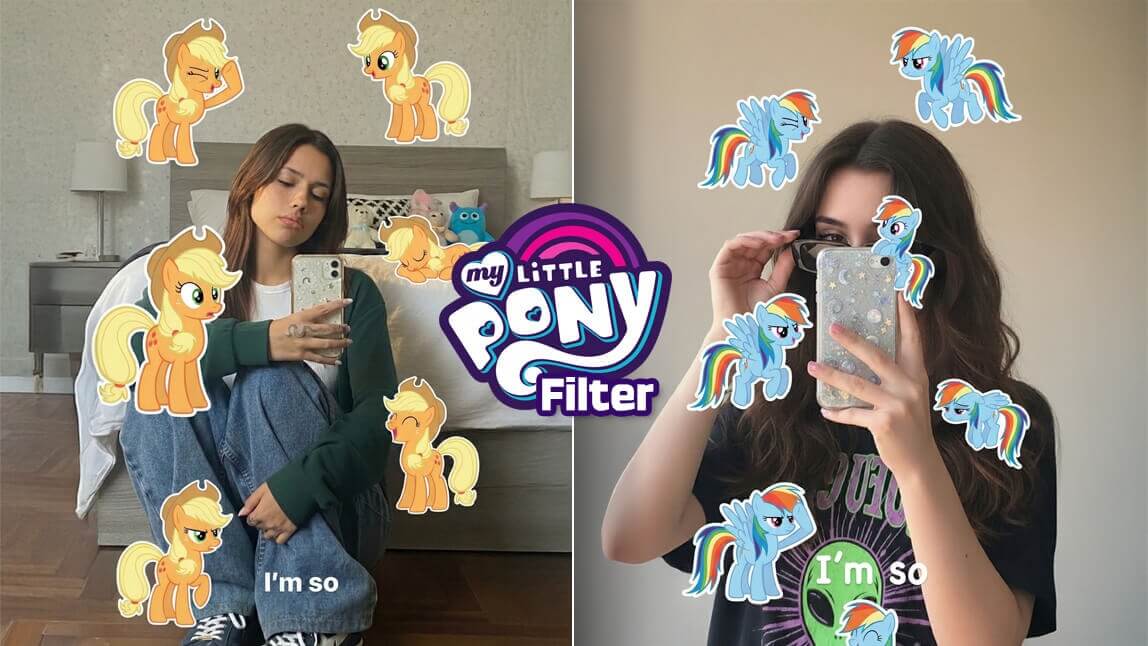
The My Little Pony trend is taking over! Whether you grew up watching Friendship is Magic or you’re just obsessed with the adorable aesthetic, everyone is asking the same question: "What would I look like as a pony in Equestria?"
In this guide, we’ll show you exactly how to "pony-fy" yourself using AI and create a post that’s destined to go viral.
What is the My Little Pony Trend?
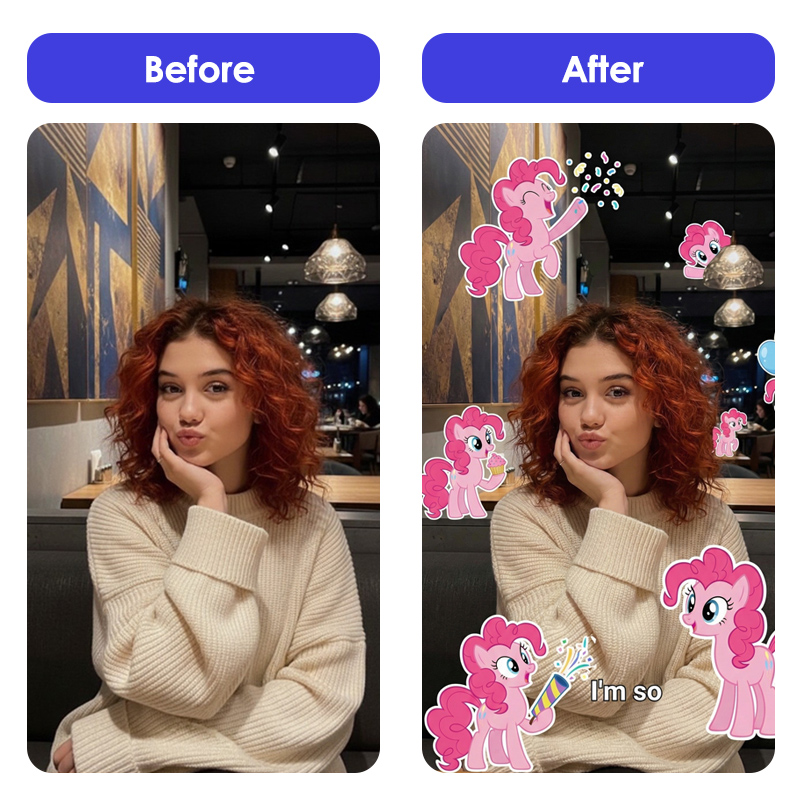
The My Little Pony trend is a viral social media movement where creators transform their real-life photos into stylized MLP characters. It’s all about capturing your unique personality—your "cutie mark" energy—and translating it into the iconic big-eyed, colorful animation style of the show.
While some use basic TikTok filters, the creators getting the most likes are using AI-powered tools to generate high-quality, custom avatars that look like they stepped right out of the cartoon.
See What I’d Look Like as a My Little Pony Character with AI
To get that perfect, professional look, skip the glitchy filters and use the YouCam Perfect AI Agent. It’s like having a digital artist in your pocket who knows exactly how to handle the My Little Pony filter aesthetic.
Step 1: Download YouCam Perfect

Best AI Photo Editor
The Best AI Photo Editor & Selfie Camera.
Remove objects, apply filters & more.
First things first, grab the YouCam Perfect app on iOS or Android. It’s the go-to tool for AI transformations and the easiest way to jump on this trend.
Step 2: Tap "AI Agent"
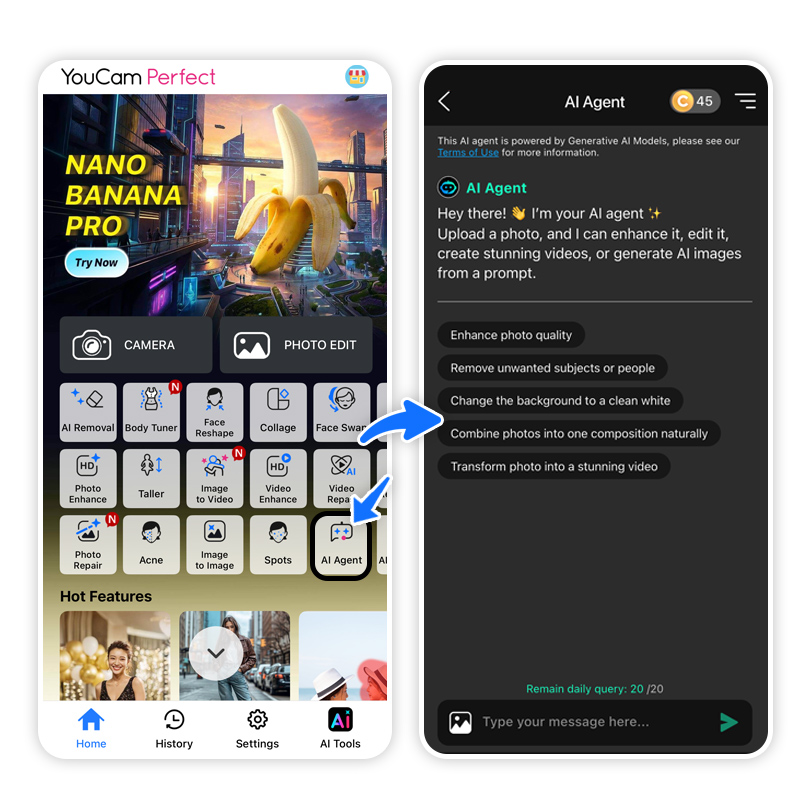
Open the app and look for the "AI Agent" feature. This is where the real magic happens. Unlike a standard filter, the AI Agent listens to your specific instructions to create something one-of-a-kind.
Step 3: Write a Prompt & Upload Photo
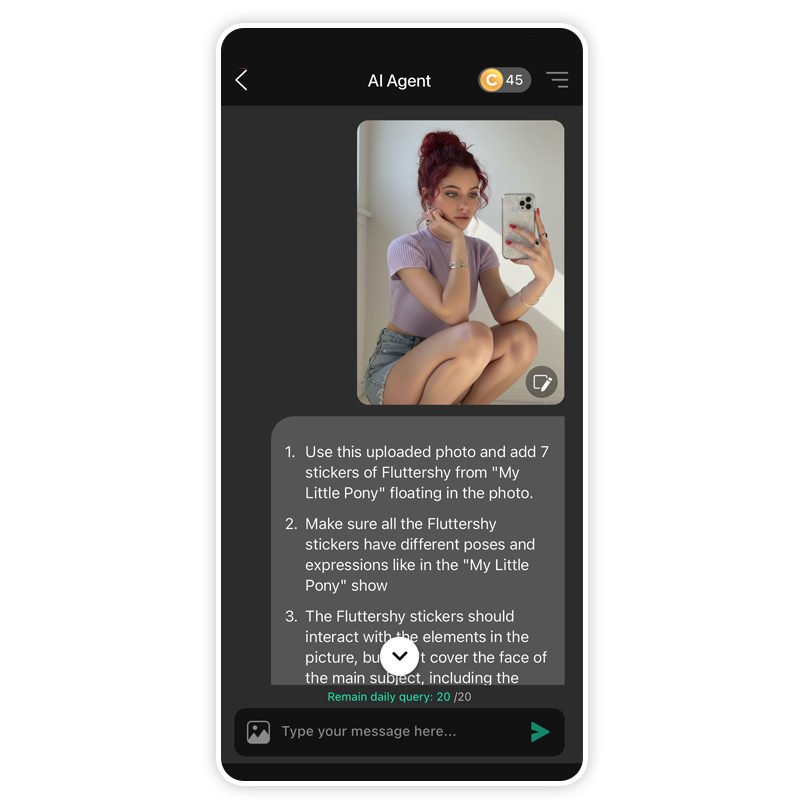
Upload a clear selfie of yourself. In the prompt box, get creative! Try something like:
"1. Use this uploaded photo and add 7 stickers of Fluttershy from "My Little Pony" floating in the photo.
2. Make sure all the Fluttershy stickers have different poses and expressions like in the "My Little Pony" show
3. The Fluttershy stickers should interact with the elements in the picture, but don't cover the face of the main subject, including the phone case. Each sticker should be slightly away from each other
4. And add a line of text of "I'm so" in the lower center part of the photo.
5. Keep the photo aspect ratio to 9:16 6. the stickers can spread out more and with different sizes"
Step 4: See the Result
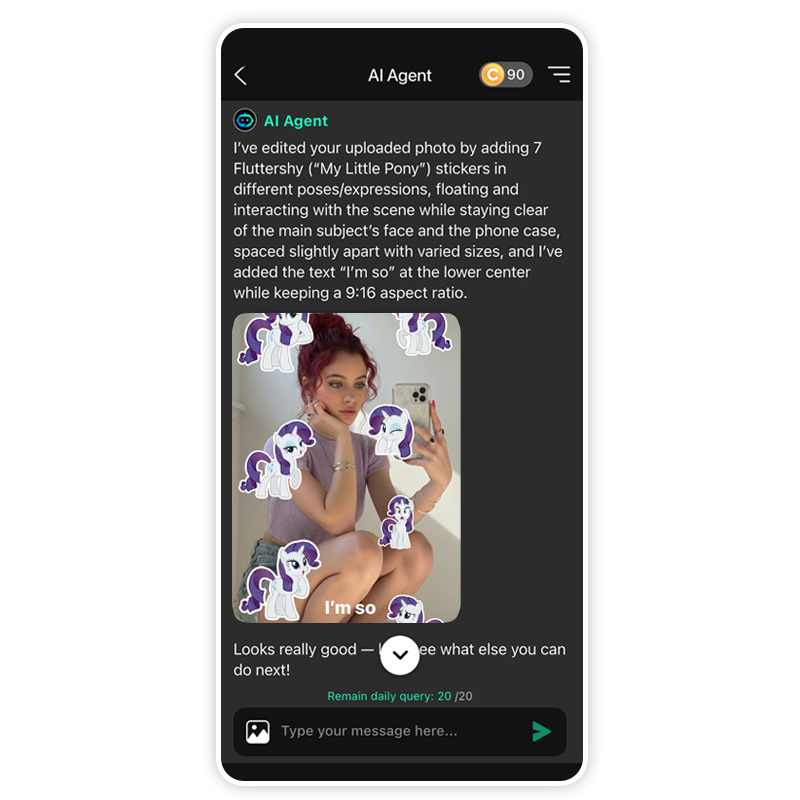
Hit generate and watch the AI work. In seconds, you’ll see yourself reimagined as an inhabitant of Ponyville. The AI captures your features while staying true to the MLP art style.
Step 5: Save & Share
Export your creation in high resolution. When you post to TikTok, make sure to use trending sounds from the show and tag it with #MyLittlePonyTrend and #MLP to maximize your reach!
Join the My Little Pony Test now!
Best AI Photo Editor
The Best AI Photo Editor & Selfie Camera.
Remove objects, apply filters & more.
Joining the My Little Pony trend is more than just a fun edit—it’s a way to express your creativity and tap into a community that loves color and nostalgia. With AI tools like YouCam Perfect, the barrier to entry is gone. You can create professional-grade content that looks like it took hours in just a few taps.
Ready to find your inner pony? Your transformation is just a prompt away.
Download YouCam Perfect Today and Join the Trend!
About the Editors
The PERFECT Corp. Editorial Team
We are a team of experts on photo and video editing apps. Our goal is to deliver engaging content on everything from stunning selfie edits to eye-catching video effects. We cover the latest trends and share niche tips to help you master digital creation.



