


 Author: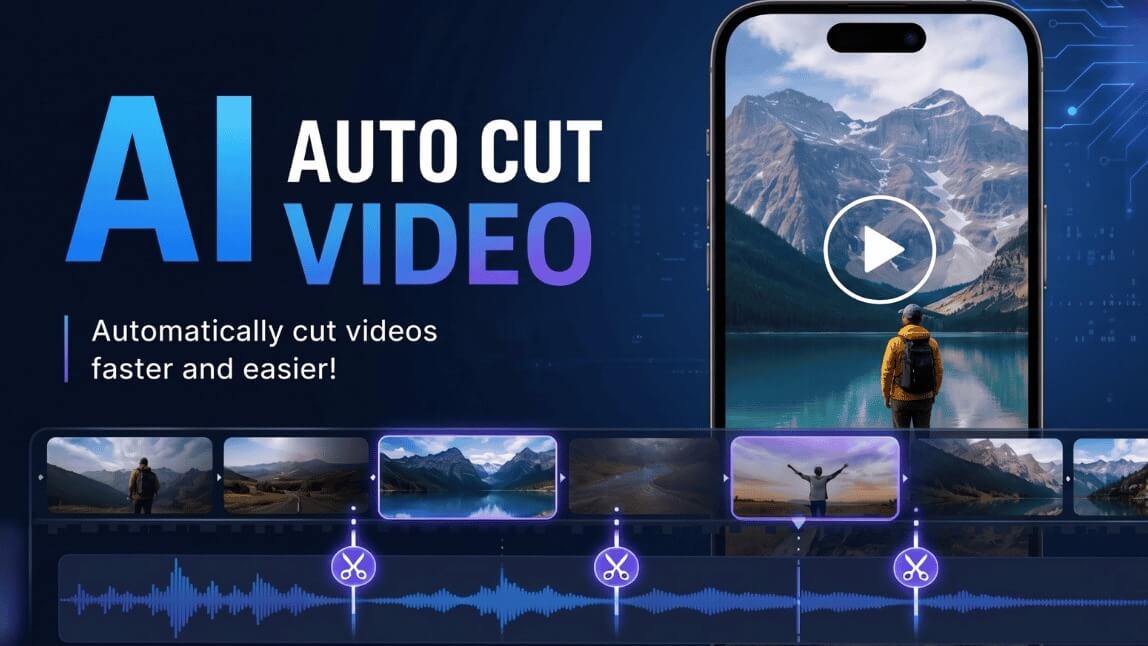
If you’ve spent more than five minutes on TikTok, Instagram Reels, or YouTube Shorts lately, you’ve probably noticed one thing. Content is getting faster, cleaner, and way more addictive.
Creators are posting videos daily, brands are pushing content harder than ever, and somehow everyone seems to have time to edit videos constantly.
Instead of spending hours trimming footage manually, creators now rely on AI video cutting technology to detect highlights, remove awkward pauses, generate clips automatically, and turn long videos into short-form content that actually performs.
Whether you’re a TikTok creator, podcaster, coach, gamer, or small business owner, AI video cut technology is quickly becoming the easiest way to create content consistently.
What Is AI Video Cut?
AI video cut refers to using artificial intelligence to automatically trim, split, and edit videos.
Traditional editing requires manually watching footage, selecting scenes, cutting clips, syncing audio, and adjusting timing. AI video cutting tools automate most of that process.
Depending on the platform, AI can:
- Detect key moments in videos
- Remove silence or filler words
- Identify facial expressions or movement
- Create highlight clips automatically
- Add subtitles and captions
- Generate multiple short clips from one long video
That’s why AI video cut tools are exploding in popularity among creators who need fast content.
Why AI Video Cutting Is So Popular?
Short-form video isn’t slowing down anytime soon.
Platforms like TikTok, Instagram, and YouTube continue rewarding creators who post consistently.
The problem is that editing takes time.
That’s where AI video cut tools completely change the workflow.
Faster Content Creation
Instead of editing for hours, creators can upload one long video and let AI pull out the best moments automatically.
A 30-minute podcast can instantly become:
- 10 TikTok clips
- 5 Instagram Reels
- Multiple YouTube Shorts
Easier for Beginners
Not everyone knows how to use advanced editing software.
AI video cut apps simplify editing so beginners can create polished videos without learning complicated timelines or professional editing techniques.
Better Posting Consistency
Most creators struggle with consistency because editing burns them out.
AI video cutting helps reduce the workload, making it easier to post daily or multiple times per week.
Perfect for Repurposing Content
One of the smartest creator strategies in 2026 is content repurposing.
Instead of filming new videos every day, creators turn one piece of long-form content into dozens of short clips.
AI video cut tools make this process incredibly fast.
How YouCam Video Makes AI Video Cutting Easy
If you want a beginner-friendly AI video cut app that works fast and doesn’t feel overwhelming, YouCam Video is one of the easiest options to start with.
The standout feature for creators is AI Auto Clip.
YouCam Video’s AI automatically detects key moments and creates short clips for you.
That means less editing stress and more time actually posting content.
Why Creators Like YouCam Video’s AI Auto Clip

Here’s why the feature stands out:
- Automatically detects engaging moments
- Creates short clips from long videos
- Beginner-friendly editing interface
- Great for TikTok, Reels, and Shorts
- Saves hours of manual editing
- Mobile-friendly for editing on the go
- Helps creators post faster
For creators trying to keep up with social media trends, AI video cutting tools like this can seriously speed up the workflow.
How to Use AI Auto Clip in YouCam Video
Here’s a step-by-step guide to creating short clips using AI video cut technology.
Step 1: Download YouCam Video
Download YouCam Video on your mobile device.
Step 2: Access 'AI Auto Clip' Feature
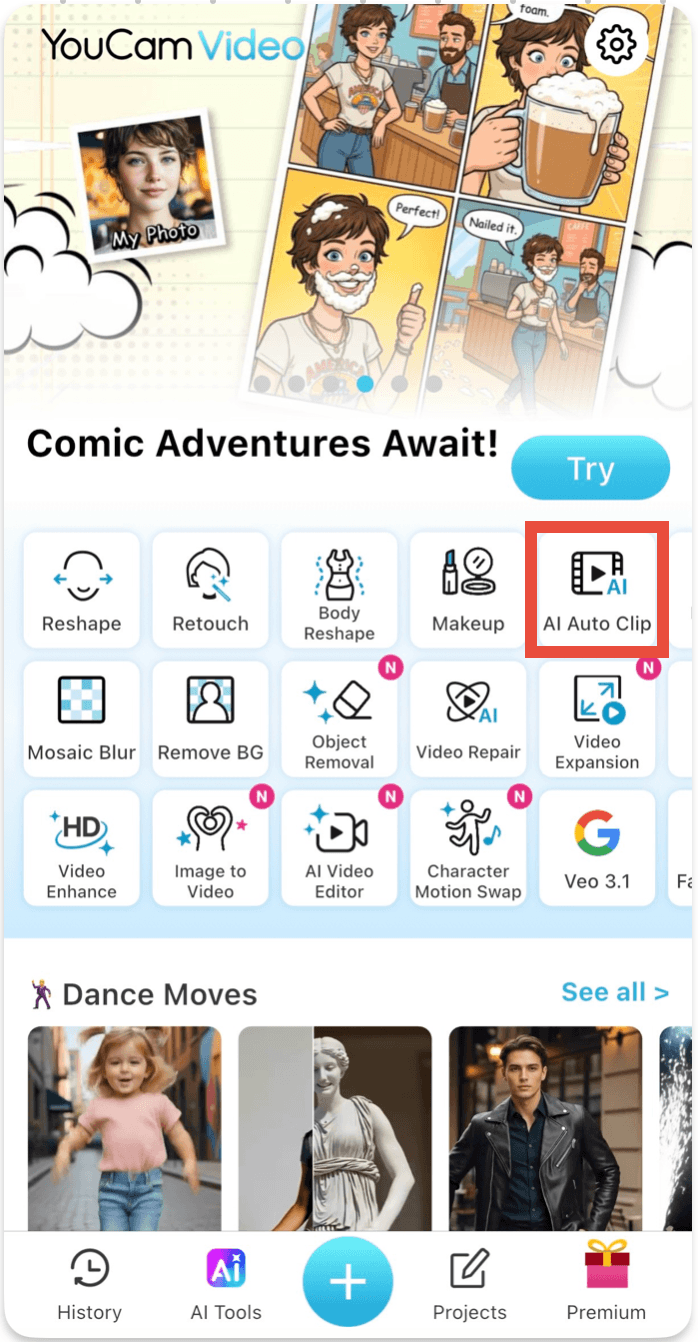
Tap 'AI Auto Clip' on the home page.
Step 3: Select Your Videos
Import your videos. AI will automatically scan your footage and identify moments that work well as short clips.
Step 4: Enter a Prompt
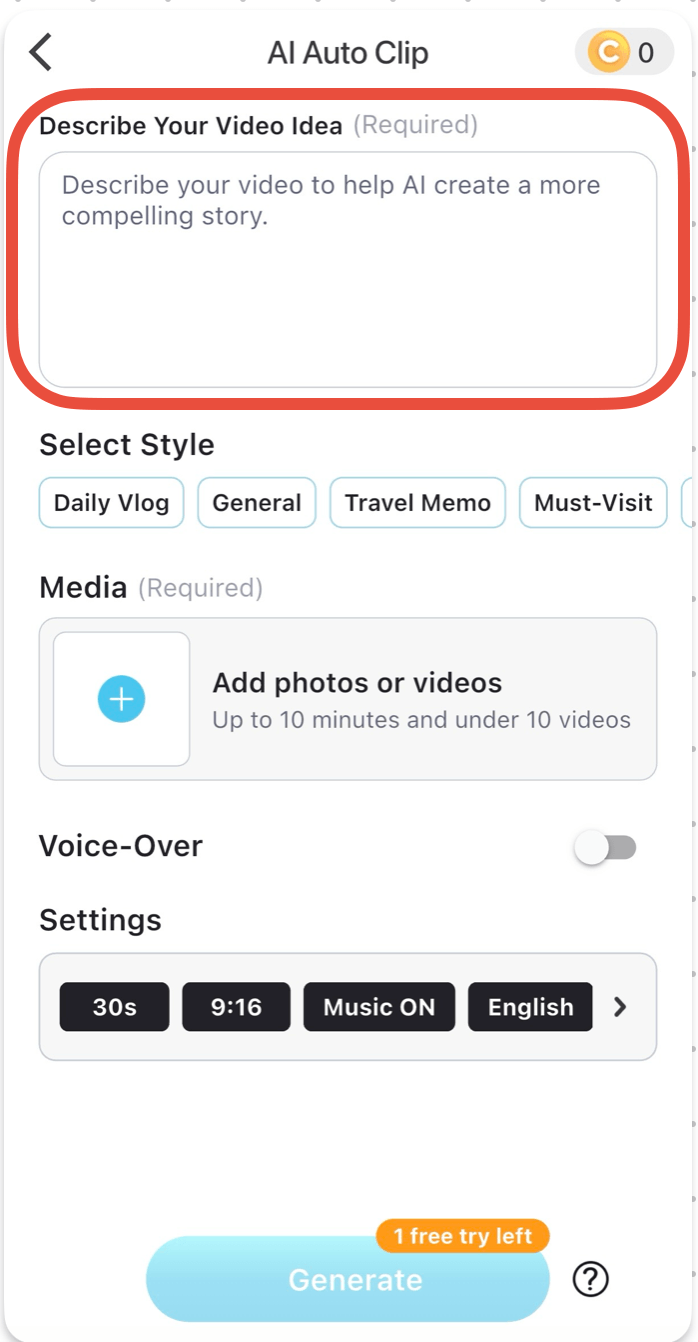
Enter a prompt to describe your video idea.
Step 5: Review and Save the Clips
Export your finished clip and upload directly to social media.
AI Video Cut vs Traditional Editing
| Traditional Editing | AI Video Cut |
|---|---|
| Manual trimming | Automatic clip generation |
| Time-consuming | Fast workflow |
| Steep learning curve | Beginner-friendly |
| Requires editing skills | AI-assisted editing |
| Difficult to scale | Easy content repurposing |
| Slower posting schedule | Faster content output |
That doesn’t mean traditional editing is disappearing.
Professional editors still use advanced software for cinematic projects.
But for everyday social content, AI video cut tools are becoming the preferred option.
Final Thoughts
AI video cut technology is changing the way creators edit content.
Instead of spending hours manually trimming footage, creators can now use AI video cutting tools to generate clips quickly, stay consistent, and post more often.
For beginners especially, tools like YouCam Video make the process much less intimidating.
Its AI Auto Clip feature helps simplify short-form editing so creators can focus more on ideas and storytelling instead of spending hours inside editing timelines.
If you’re trying to grow on TikTok, Reels, or YouTube Shorts in 2026, AI video cutting is no longer just a trend.
It’s quickly becoming part of the standard creator workflow.
About the Editors

The PERFECT Corp. Editorial Team
We are a team of experts on photo and video editing apps. Our goal is to deliver engaging content on everything from stunning selfie edits to eye-catching video effects. We cover the latest trends and share niche tips to help you master digital creation.
FAQs
What is AI video cut?

AI video cut refers to using artificial intelligence to automatically trim, edit, and create clips from longer videos.
What is AI video cutting used for?
AI video cutting is commonly used for creating TikTok videos, Instagram Reels, YouTube Shorts, podcast clips, and social media highlights.
Can beginners use AI video cut tools?
Yes. Most AI video cutting apps are designed to simplify editing for beginners.
Does YouCam Video have AI video cutting?
Yes. YouCam Video includes an AI Auto Clip feature that helps users automatically generate short clips from longer videos.
Are AI video cut tools good for TikTok?
Absolutely. AI video cut apps are especially popular among TikTok creators because they help speed up short-form editing.
How do creators make clips from podcasts?
Many creators use AI video cutting tools to automatically identify interesting moments and turn podcast episodes into short social clips.



